
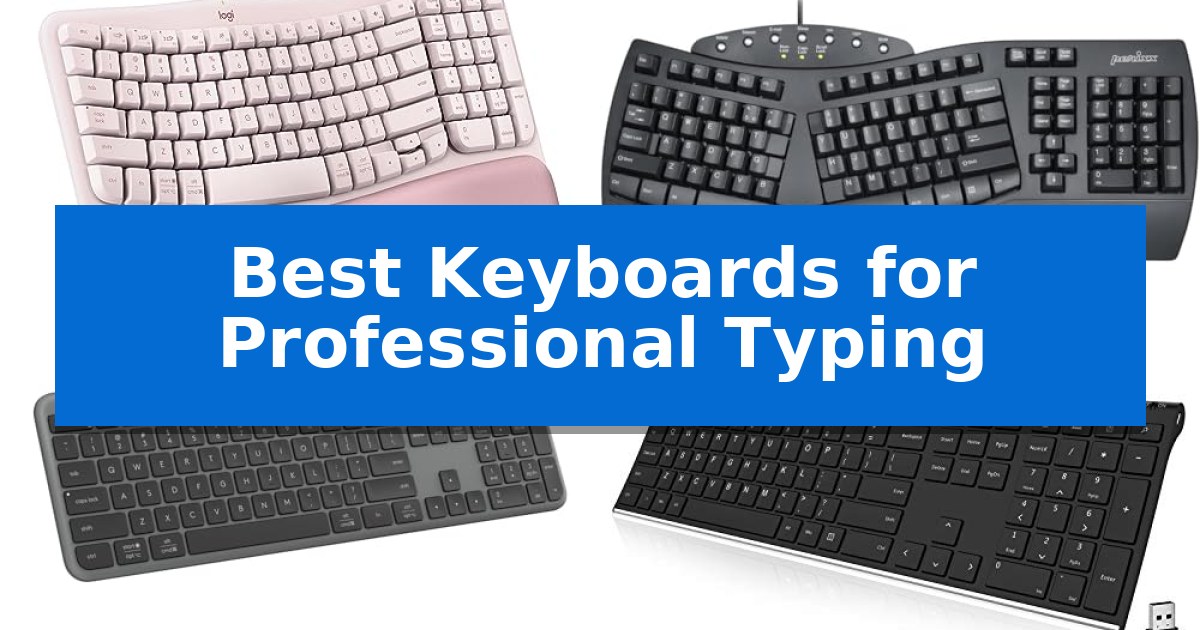
Finding the right hardware is essential when you spend hours each day at your desk. The Best Keyboards for Professional Typing are those that prioritize natural hand positioning, reliable connectivity, and tactile consistency to support long-term productivity.
Whether you require a split-key layout to reduce wrist strain or a slim, wireless profile for a minimalist workspace, selecting the right tool can significantly impact your daily comfort and efficiency. We have analyzed five distinct models to help you identify which features best align with your professional needs.
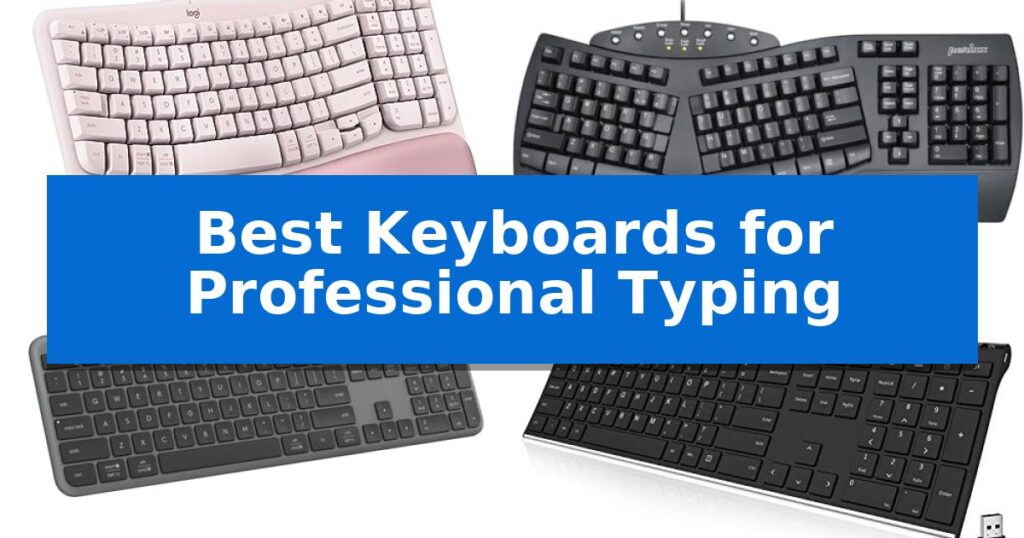
Best Keyboards for Professional Typing in 2026
Quick Comparison
| Product | Best For | Key Strength | Score |
|---|---|---|---|
| Logitech Wave Keys Ergonomic Keyboard | Best Overall | Ergonomic wave design promotes natural hand and wrist posture. | 4.9 |
| Perixx PERIBOARD-512B Ergonomic Keyboard | Split Design Reduces Wrist Strain | Split-key ergonomic layout reduces wrist bending and promotes natural hand positioning. | 4.6 |
| Logitech Signature Slim K950 Keyboard | Quiet Typing for Focused Work | Multi-device switching between three platforms with one tap. | 4.3 |
| Arteck Stainless Wireless Keyboard | Ultra-Slim and Rechargeable Design | Stainless steel construction provides a durable and stable typing base. | 4.4 |
| X9 Performance Wired Ergonomic Keyboard | Integrated Support for Long Sessions | Integrated wrist rest provides enhanced support for long-term comfort. | 4.4 |
How We Chose
- Ergonomic support features such as wrist rests and split-key layouts.
- Connectivity options including Bluetooth, USB receivers, and wired reliability.
- Key switch feel and tactile feedback for consistent typing accuracy.
- Compatibility with multiple operating systems and device-switching capabilities.
- Build materials and overall footprint for desk space optimization.
1 Logitech Wave Keys Ergonomic Keyboard — Natural Posture for All-Day Comfort
Maintaining a natural typing posture is essential for long-term comfort during intensive work sessions, and the Logitech Wave Keys Ergonomic Wireless Keyboard addresses this through its distinctive, wave-contoured design. This layout is specifically engineered to position your hands, wrists, and forearms in a more natural alignment, reducing strain compared to traditional flat keyboards.
Beyond its ergonomic shape, the keyboard features a cushioned palm rest with memory foam that provides continuous support throughout the day. The compact form factor is another key advantage, as it allows you to keep your mouse closer to your body, promoting a more natural shoulder position and saving valuable desk space.
Connectivity and versatility are central to its design, offering Easy-Switch technology that allows you to toggle between up to three devices, such as a laptop, tablet, and phone. It supports both Bluetooth and the included Logi Bolt Receiver, ensuring compatibility across Windows, macOS, iPadOS, and ChromeOS. Users can further customize their workflow by assigning shortcuts via the Logi Options+ App.
This keyboard is Ergo-certified by United States Ergonomics, reflecting its design focus on user comfort. It is built with sustainability in mind, incorporating certified post-consumer recycled plastic into its construction. With a battery life of up to 3 years, it is designed for reliable, long-term use in professional environments.
Best for: Professionals seeking an ergonomic, compact keyboard that supports natural wrist alignment and multi-device connectivity.
Skip if: Users who require a full-sized layout with a dedicated number pad or those who prefer mechanical switches over the membrane-style keys used here.
PROS
- Ergonomic wave design promotes natural hand and wrist posture.
- Integrated memory foam palm rest provides all-day support.
- Multi-device connectivity via Bluetooth and Logi Bolt.
- Compact footprint improves shoulder alignment by bringing the mouse closer.
CONS
- Compact layout lacks a dedicated number pad.
- Non-mechanical key switches may not suit those preferring tactile or clicky feedback.
2 Perixx PERIBOARD-512B Ergonomic Keyboard — Split Design Reduces Wrist Strain
Maintaining a natural hand position during extended typing sessions is essential for comfort, and the Perixx PERIBOARD-512B Wired Ergonomic Keyboard addresses this through a dedicated split-key ergonomic design. By separating the keys into distinct left and right zones, this keyboard encourages a more neutral wrist posture, which can help minimize strain for those who spend long hours at their desk.
Beyond its physical layout, the keyboard features an old-school curved row design that works in tandem with the split configuration to promote a natural typing angle. The keys are equipped with membrane switches that provide long key travel of 4.2 mm, offering tactile feedback that mimics the feel of brown mechanical switches. This setup is built for longevity, with a rated durability of up to 20 million keystrokes.
The Perixx PERIBOARD-512B also incorporates ergonomic curved keycaps with flatter tops and back edges, which are shaped to match the contours of human fingertips for improved control. While the unique shape may require a short adjustment period of 1–2 weeks, the design is intended to reduce overall wrist pressure and fatigue during heavy daily use.
This wired USB keyboard is a straightforward, reliable tool for professional environments where consistent performance is prioritized over wireless connectivity. With its 12-month limited warranty and durable construction, it provides a stable, ergonomic foundation for high-volume typing tasks.
Best for: Professionals seeking a split-layout ergonomic keyboard to reduce wrist strain during long typing sessions.
Skip if: Users who require a compact, wireless, or low-profile keyboard, or those who are unwilling to navigate a 1–2 week adjustment period for a split-key layout.
PROS
- Split-key ergonomic layout reduces wrist bending and promotes natural hand positioning.
- Long 4.2 mm key travel provides responsive, tactile feedback for precise typing.
- Durable construction rated for up to 20 million keystrokes.
- Curved keycaps designed to fit fingertip contours for better control.
CONS
- Natural learning curve requires a 1–2 week adjustment period for new users.
- Wired-only connectivity limits desk placement options compared to wireless models.
3 Logitech Signature Slim K950 Keyboard — Quiet Typing for Focused Work
The Logitech Signature Slim K950 Keyboard is built for professionals who need to manage multiple devices simultaneously, featuring the ability to switch between three connected computers, tablets, or phones with a single tap. This full-size wireless keyboard utilizes a familiar laptop-style typing experience, designed to provide a quiet environment that minimizes distractions in shared workspaces.
Efficiency is central to its design, as the keyboard integrates with the Logi Options+ App, allowing users to customize keys for specific workflows on Windows and macOS. It includes dedicated one-tap shortcuts for common tasks such as volume control, muting, and accessing the snipping tool, helping to streamline daily operations.
Connectivity is versatile, supporting both Bluetooth and the Logi Bolt USB receiver for a reliable wireless link across Windows, macOS, Chrome OS, Linux, iPadOS, iOS, and Android platforms. The unit is constructed with a minimum of 48% certified post-consumer recycled plastic, offering a durable and sleek aesthetic for a modern desk setup.
This keyboard is a practical choice for those who prioritize a quiet, multi-device workflow without the complexity of mechanical switches. While it excels in office and home productivity, users who prefer the tactile feedback or deep travel of mechanical keyboards may find the laptop-style keys less satisfying for extended high-speed typing sessions.
Best for: Professionals who need to seamlessly switch between multiple devices and operating systems in a quiet office environment.
Skip if: Users who prefer the deep travel and tactile feedback of mechanical switches for their typing experience.
PROS
- Multi-device switching between three platforms with one tap.
- Quiet typing design suitable for shared professional spaces.
- Customizable keys via the Logi Options+ App for personalized shortcuts.
- Broad compatibility across Windows, macOS, Chrome OS, and mobile operating systems.
CONS
- Laptop-style keys may not offer the tactile feel preferred by mechanical keyboard enthusiasts.
4 Arteck Stainless Wireless Keyboard — Ultra-Slim and Rechargeable Design
The Arteck Stainless Wireless Keyboard offers a distinct, heavy-duty feel through its stainless steel construction, providing a stable typing surface that remains remarkably thin at just 0.6 inches. This full-size layout includes a dedicated numeric keypad and arrow keys, making it a functional choice for professional environments where data entry and document navigation are frequent tasks.
Designed for efficiency, this keyboard utilizes a 2.4G wireless connection via a plug-and-play nano USB receiver. The low-profile keys are engineered for quiet operation, which can be an advantage in shared office spaces or quiet home studios. Its internal rechargeable lithium battery is rated for up to 6 months of use based on a standard daily usage pattern of two hours, reducing the need for frequent cable management.
Portability is a key aspect of its design, as the unit weighs only 14.9 ounces. Despite this lightweight build, it retains a full-size footprint of 16.9 by 4.9 inches, ensuring that professional typists do not have to sacrifice key spacing for the sake of a compact form factor. The inclusion of a USB charging cable and a 24-month warranty provides additional support for long-term use.
Choosing this keyboard involves balancing its slim, portable profile against the specific requirements of a professional setup. While the stainless steel finish provides a premium aesthetic and durability, users should ensure their workspace has an available USB-A port for the receiver, as it does not support Bluetooth connectivity.
Best for: Professionals who need a slim, full-size wireless keyboard with a numeric keypad and long battery life for office or home desk setups.
Skip if: Users who require Bluetooth connectivity for multi-device switching or those who prefer mechanical switches for tactile feedback.
PROS
- Stainless steel construction provides a durable and stable typing base.
- 6-month battery life on a single charge minimizes maintenance.
- Full-size layout includes a numeric keypad in a compact, ultra-slim profile.
- Quiet, low-profile keys are suitable for noise-sensitive environments.
CONS
- USB-A receiver required, limiting compatibility with devices lacking standard USB ports.
- No Bluetooth connectivity for pairing with tablets or smartphones.
5 X9 Performance Wired Ergonomic Keyboard — Integrated Support for Long Sessions
Maintaining a comfortable posture during long typing sessions is essential for productivity, and the X9 Performance Wired Ergonomic Keyboard addresses this with an integrated wrist rest designed to provide consistent support. This full-size layout includes a dedicated number pad and a suite of multimedia controls, ensuring that users have quick access to essential functions without needing to navigate through software menus.
The keyboard features 114 quiet keys, which are engineered to minimize noise in shared office environments. With 10 dedicated multimedia keys and 14 shortcut keys, the device streamlines common tasks, allowing for efficient management of media playback and system navigation. Its plug-and-play functionality via a 5ft USB-A cable ensures immediate compatibility with desktops, laptops, and Chromebooks without the requirement for additional drivers.
Ergonomics are further enhanced by an adjustable kickstand, which allows users to modify the typing angle to suit their personal workspace setup. The inclusion of an integrated wrist rest helps promote a more neutral hand position during extended periods of data entry or document creation. This keyboard is built to serve as a reliable, straightforward input tool for professional environments where consistent performance and comfort are prioritized.
The X9 Performance Wired Ergonomic Keyboard is a practical choice for those who require a full-featured, wired input device that prioritizes physical support and ease of use. By focusing on essential office features like a full numeric keypad and dedicated media controls, it provides a stable foundation for daily professional tasks.
Best for: Office professionals and home-office users who require a full-size, wired keyboard with integrated wrist support for long typing sessions.
Skip if: Users who prefer a compact, wireless, or mechanical keyboard design will find this full-size, membrane-style wired unit less suitable for their needs.
PROS
- Integrated wrist rest provides enhanced support for long-term comfort.
- Dedicated multimedia and shortcut keys improve workflow efficiency.
- Plug-and-play USB-A connectivity ensures simple setup across multiple devices.
- Adjustable kickstand allows for customizable typing angles.
CONS
- Wired-only connection limits desk placement flexibility compared to wireless models.
- Full-size footprint requires significant desk space.
Best Keyboards for Professional Typing Buying Guide
Ergonomics and Wrist Health
Professional typing often involves repetitive motion that can lead to fatigue or strain. Keyboards with integrated palm rests or cushioned memory foam supports help maintain a neutral wrist angle, reducing the pressure placed on your joints during extended work sessions.
For those with specific ergonomic needs, split-key designs or curved layouts encourage a more natural shoulder and forearm position. These designs are intended to minimize the inward bending of wrists, which is a common cause of discomfort for heavy typists.
Connectivity and Multi-Device Workflow
Modern professional setups often require switching between a laptop, tablet, and desktop. Keyboards that support multi-device pairing via Bluetooth or dedicated USB receivers allow you to transition between tasks seamlessly with a single button press.
Wired keyboards offer the advantage of constant power and zero latency, which can be critical for high-volume data entry where wireless interference is a concern. Conversely, wireless models provide a cleaner, cable-free desk environment.
Tactile Feedback and Typing Feel
The physical sensation of a keypress—often referred to as tactile feedback—is a personal preference that dictates typing speed and accuracy. Some users prefer the audible click and distinct travel of mechanical-style switches, while others favor the quiet, low-profile keys found on slim, laptop-style keyboards.
Consider the key travel distance when choosing your board. Longer travel can provide more satisfying feedback, while shorter, shallower keys often allow for faster, lighter typing with less force required per stroke.
Build Quality and Materials
A keyboard's durability is largely determined by its chassis and keycap material. Stainless steel or high-quality ABS plastic construction provides a stable, heavy-duty feel that prevents the keyboard from sliding during intense typing sessions.
Many modern keyboards now incorporate recycled plastics, offering a balance between environmental responsibility and structural integrity. A solid, well-weighted frame is generally more stable than a lightweight, thin plastic build.
Customization and Shortcuts
Efficiency is often gained through software-enabled customization. Keyboards that allow you to reprogram function keys or create custom shortcuts via companion apps can automate repetitive tasks, saving time throughout your workday.
Look for boards that feature dedicated multimedia controls or out-of-the-box shortcuts for common tasks like volume adjustment, screen capture, or muting, which can streamline your workflow without needing additional software.
Frequently Asked Questions
What is the main benefit of a split-key keyboard?
A split-key design separates the keys into left and right zones, which helps keep your wrists in a more neutral, straight position rather than forcing them to bend inward, potentially reducing strain.
Can I use a wireless keyboard with multiple devices?
Yes, many modern wireless keyboards feature multi-device pairing. You can switch between devices like a laptop, tablet, or phone using a dedicated 'Easy-Switch' button or similar functionality.
Are wired keyboards better for professional work?
Wired keyboards are often preferred for professional work because they do not require battery changes and provide a reliable, interference-free connection, which is ideal for high-volume, consistent typing.
How do I know if a keyboard is ergonomic?
Look for features like integrated palm rests, curved key rows, or split layouts. Some products are also 'ergo-certified' by independent organizations, indicating they have been tested for comfort and posture support.
What is the advantage of a rechargeable keyboard?
Rechargeable keyboards eliminate the need for disposable batteries, often providing months of use on a single charge. This reduces waste and ensures you aren't caught without power during a workday.
Conclusion: Our Top Pick
Selecting the right keyboard is a personal decision that balances your physical comfort with your specific workflow requirements. For those seeking a blend of ergonomic support and multi-device flexibility, the Logitech Wave Keys Ergonomic Keyboard stands out as a highly capable option for professional environments.
With its cushioned palm rest and ergo-certified design, it addresses the common issue of wrist strain while maintaining a compact footprint. While users who require a full-sized layout with a dedicated number pad may prefer other models, this keyboard remains our top pick for its focus on long-term typing comfort and seamless device connectivity.