
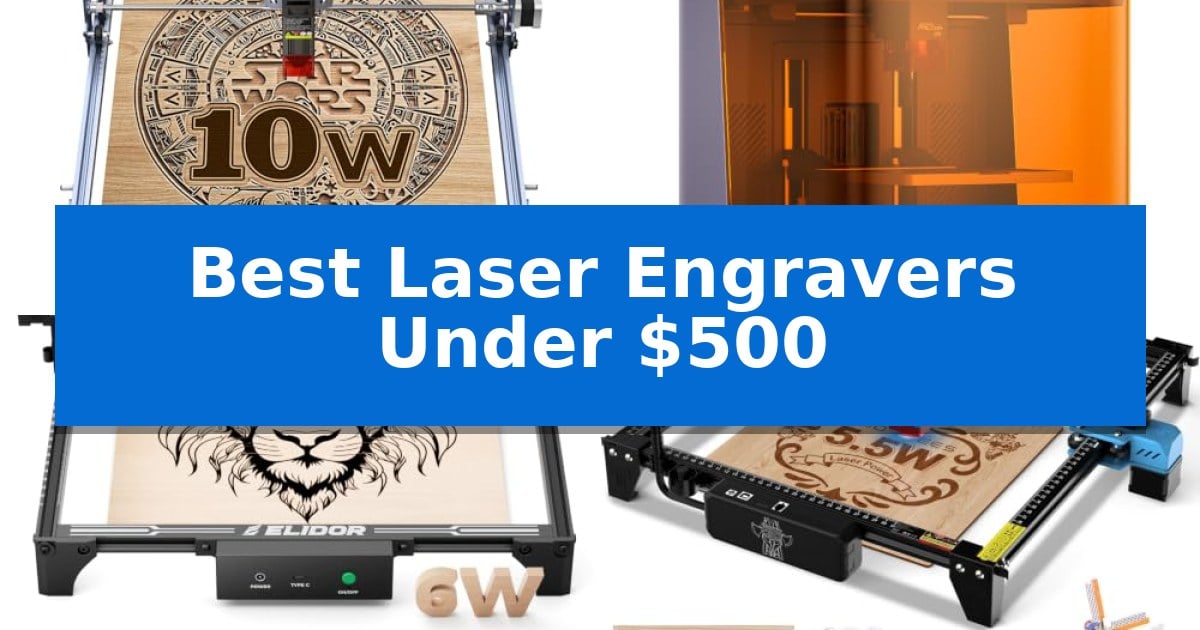
Finding the right machine for your creative projects doesn't have to break the bank. Whether you are looking to personalize gifts, cut intricate patterns, or start a small business, there are several high-performing options available today. The Best Laser Engravers Under $500 offer a balance of power, precision, and user-friendly software that makes professional-level results accessible to hobbyists and makers alike.
Selecting the right engraver requires balancing your specific needs for workspace size, material versatility, and ease of setup. With advancements in diode laser technology, many affordable models now feature impressive cutting speeds and fine spot focus for detailed work. This guide examines the top contenders to help you choose a machine that fits your workflow and creative ambitions.
Best Laser Engravers Under $500 in 2026
Quick Comparison
| Product | Best For | Key Strength | Score |
|---|---|---|---|
| Creality Falcon 10W Laser Engraver | Best Overall | 10W output power capable of cutting 5mm basswood or 3mm black acrylic in one pass. | 4.9 |
| Creality Falcon A1C Laser Engraver | Smartest Setup for Beginners | Class 1 eye-safe enclosure eliminates the need for safety goggles. | 4.9 |
| ELIDOR Laser Engraver | Compact Pick for Tight Spaces | High-precision 0.01 mm accuracy for detailed designs. | 4.4 |
| Twotrees TTS-55 Pro Laser Engraver | Fastest Desktop Performance | Upgraded air-assist support for cleaner, deeper cuts. | 4.9 |
| ACMER S1 Laser Engraver | Easiest to Transport | 99% preassembled for rapid setup. | 4.4 |
How We Chose
- Laser power and cutting efficiency on common materials like wood, acrylic, and leather.
- Spot focus size and engraving accuracy for high-detail graphic reproduction.
- Software compatibility with industry-standard tools like LightBurn and LaserGRBL.
- Ease of assembly and initial setup time for users of all experience levels.
- Physical footprint and portability for home workshops or shared spaces.
1 Creality Falcon 10W Laser Engraver — Best for Precise Cutting
Precision and versatility define the Creality Falcon 10W Laser Engraver, a machine engineered to handle both intricate detailing and structural cutting tasks. With its 10W output power and a 0.06mm super fine spot focus, this device provides the accuracy required for projects involving wood, metal, glass, and acrylic.
The hardware is built for stability, featuring an all-aluminum alloy structure and a steel shaft wheel guide rail design. These components, paired with a belt tension adjustment system, allow for engraving and cutting precision controlled within 0.004 inches. To maintain a safer workspace, the module includes an anti-UV filter that blocks 97% of UV rays.
Operation is flexible, supporting both LightBurn and LaserGRBL software, which accommodates users ranging from beginners to experienced creators. Data can be transferred via Wi-Fi, USB cable, or SD card, and the system includes a focusing plate to simplify setup. Assembly is designed to be completed in 10-20 minutes, and the unit is backed by a 1-year free parts replacement policy.
While the Creality Falcon 10W Laser Engraver offers significant power for its class, users should note its physical footprint of approximately 22.36" x 24.88". It is a dedicated tool for those prioritizing material versatility and precision over extreme portability.
Best for: Creators and hobbyists who require high-precision engraving and cutting capabilities on a variety of materials including wood, metal, and acrylic.
Skip if: Users who require a highly portable, battery-operated device or those who need a significantly larger cutting area than the 17" x 16" workspace provided.
PROS
- 10W output power capable of cutting 5mm basswood or 3mm black acrylic in one pass.
- High precision with a 0.06mm spot focus and 0.004-inch accuracy.
- Versatile connectivity options including Wi-Fi, USB, and SD card.
- Integrated safety with an anti-UV filter module.
CONS
- Fixed workspace size of 17" x 16" may limit larger project dimensions.
- Requires assembly which, while straightforward, is necessary before initial use.
2 Creality Falcon A1C Laser Engraver — Smartest Setup for Beginners
The Creality Falcon A1C 10W Mini Laser Engraver streamlines the creative process by integrating a built-in HD smart camera for real-time visual positioning and precise design alignment. This feature removes the guesswork often associated with manual calibration, allowing users to preview their work directly on the material before the laser engages.
Designed for versatility, the machine features a 15-second quick-swap modular design. This allows creators to switch between the included 10W diode laser and optional 5W or 1.2W IR modules without complex installation, effectively expanding the device's compatibility to over 300 materials including wood, leather, acrylic, and select metals.
Performance is driven by a rigid frame capable of reaching 15,000 mm/min engraving speeds. The system utilizes auto-focus technology to adjust laser height dynamically, ensuring consistent line quality and sharp detail across varying material thicknesses. Users can manage operations through the Falcon Design Space software, which includes AI-powered tools for image generation and extraction.
Safety remains a core focus with the Class 1 enclosed design, which eliminates the need for protective goggles during standard operation. The unit also incorporates intelligent flame detection, tilt protection, and a USB safety lock to prevent accidental operation, making it a suitable choice for home studios, classrooms, or retail environments.
Best for: Beginners and makers who prioritize safety, ease of use, and quick material-switching capabilities for diverse engraving projects.
Skip if: Users who require a large-format open-frame engraver for oversized materials will find the enclosed design of this desktop unit restrictive.
PROS
- Class 1 eye-safe enclosure eliminates the need for safety goggles.
- 15-second quick-swap laser module system for rapid hardware changes.
- Smart camera enables precise visual positioning and real-time previews.
- Auto-focus functionality simplifies setup for different material heights.
CONS
- Additional laser modules must be purchased separately to unlock full material compatibility.
- Enclosed frame limits the maximum size of materials that can be processed.
3 ELIDOR Laser Engraver — Compact Pick for Tight Spaces
Achieving precise detail in DIY projects requires a machine capable of fine-tuned control, and the ELIDOR Laser Engraver provides this through a 0.04 × 0.14 mm laser spot. This specific focus allows for an engraving accuracy of up to 0.01 mm, ensuring that text, portraits, and intricate graphics remain sharp across a variety of materials including wood, leather, metal, and acrylic.
Designed for versatility and ease of use, the unit features a 300 × 300 mm working area while maintaining a lightweight, portable build of only 2.13 kg. This makes it a practical choice for hobbyists who need to move their equipment between home workshops, classrooms, or craft events without sacrificing a functional workspace size.
The machine integrates easily into existing digital workflows by supporting LaserGRBL and LightBurn software across Windows, macOS, and Linux. It handles common file formats like NC, DXF, and BMP, allowing users to import designs directly and begin projects with minimal setup time.
For those concerned with safety and professional-grade operation, the system supports a Class 1 enclosed setup when paired with a compatible protective enclosure. This addition helps manage the workspace environment, making it a reliable option for creators looking to balance professional flexibility with a beginner-friendly interface.
Best for: Makers and small business creators who need a portable, high-precision tool for engraving a wide range of materials in a compact workspace.
Skip if: Users who require a larger engraving area than 300 × 300 mm or those who do not have the space to add a protective enclosure for Class 1 safety compliance.
PROS
- High-precision 0.01 mm accuracy for detailed designs.
- Portable and lightweight design weighing only 2.13 kg.
- Broad software compatibility including LightBurn and LaserGRBL.
- Versatile material support covering wood, metal, glass, and leather.
CONS
- Requires a separate enclosure to achieve Class 1 laser safety status.
- Limited to a 300 × 300 mm engraving area.
4 Twotrees TTS-55 Pro Laser Engraver — Fastest Desktop Performance
Achieving precise detail in DIY projects requires a machine that balances power with fine-tuned control, and the Twotrees TTS-55 Pro Laser Engraver addresses this with its 5500mW laser and integrated metal air-assisted nozzle. This setup is designed to improve cutting depth and cleanliness, making it a practical choice for those working with materials like plywood, leather, and acrylic.
The device utilizes LD+FAC+C-Lens compression technology to maintain a 0.08 x 0.46mm spot focus, which enables an engraving accuracy of up to 0.1mm. With a 300 x 300mm work area, it offers sufficient space for various hobbyist and small business projects, while the 32-bit dual-core MCU supports high-speed operation up to 30,000mm/min.
Connectivity and software flexibility are central to its operation, as the unit supports offline engraving via TF card and includes built-in Wi-Fi for mobile app or web-based control. It is compatible with industry-standard software like LightBurn and LaserGRBL, ensuring that users can integrate it into existing Windows, macOS, or Linux workflows without proprietary software barriers.
For those setting up a workspace, the inclusion of a red laser shield adds a layer of safety, while the modular design is intended for straightforward assembly. The Twotrees TTS-55 Pro Laser Engraver provides a balanced entry point for creators who need a mix of speed, material versatility, and modern control options within a compact desktop footprint.
Best for: Hobbyists and small business owners seeking a high-speed, versatile laser engraver with air-assist capabilities for detailed cutting and engraving.
Skip if: Users requiring industrial-grade power for thick metal cutting or those who prefer a fully enclosed, pre-assembled machine for plug-and-play operation.
PROS
- Upgraded air-assist support for cleaner, deeper cuts.
- High-speed 32-bit control board with wireless connectivity.
- Wide software compatibility including LightBurn and LaserGRBL.
- Fine 0.08mm spot focus for high-precision detailing.
CONS
- Requires manual assembly and setup compared to pre-built units.
- 5500mW power limit restricts the thickness of materials that can be cut in a single pass.
5 ACMER S1 Laser Engraver — Easiest to Transport
Precision and portability define the ACMER S1 Laser Engraver, a 2kg desktop unit designed for users who prioritize a compact footprint without sacrificing functional versatility. Arriving 99% preassembled, this device requires only a one-minute laser head installation, making it an accessible entry point for those new to laser crafting.
Equipped with a 2500mW diode laser, the machine achieves a 0.01mm repeatable positioning accuracy and supports engraving speeds up to 10,000mm/min. Its 130 x 130mm working area is tailored for small-scale projects, including wood, bamboo, leather, and acrylic, while the 2-in-1 functionality allows for both detailed engraving and cutting of thin materials like MDF and plywood.
The ACMER S1 Laser Engraver integrates seamlessly into various workflows through its compatibility with macOS, Windows, and Linux. It supports industry-standard software like LightBurn and LaserGRBL, alongside the proprietary, free-to-use Acmerstudio software. The unit is built from industrial-grade aluminum alloy, ensuring durability while remaining easy to transport between workspaces.
While the compact design is ideal for home use and small projects, the 130 x 130mm workspace imposes a clear limit on the size of materials you can process at once. Users requiring large-format engraving or high-volume industrial production may find this specific model's dimensions restrictive.
Best for: Hobbyists and DIY enthusiasts seeking a portable, beginner-friendly laser engraver for small-scale projects.
Skip if: You require a large working area for oversized materials or high-volume industrial production.
PROS
- 99% preassembled for rapid setup.
- Compact and lightweight aluminum alloy construction.
- Broad software compatibility including LightBurn and LaserGRBL.
- High-precision diode laser with 0.01mm positioning accuracy.
CONS
- Limited 130 x 130mm working area restricts project size.
Best Laser Engravers Under $500 Buying Guide
Understanding Laser Power and Material Compatibility
The laser output power is the most critical factor when determining what your machine can actually accomplish. Machines with 5W to 10W output are generally sufficient for engraving a wide variety of materials and cutting through thin sheets of basswood or acrylic in one or more passes.
Always check the material compatibility list for your chosen engraver. While most diode lasers handle organic materials like wood, leather, and paper with ease, engraving metal or glass often requires specific settings or additional accessories to achieve a permanent mark.
Software and Workflow Integration
Your laser engraver is only as good as the software driving it. Most modern desktop machines are compatible with LightBurn and LaserGRBL, which are the industry standards for managing laser paths, power settings, and file imports.
Look for machines that support multiple connectivity options, such as Wi-Fi, USB, or SD card slots. This flexibility allows you to manage your workflow from a PC, a mobile app, or even offline, which is particularly helpful if your workspace is away from a dedicated computer.
Precision and Focus Mechanisms
The laser spot size determines the level of detail your machine can achieve. A smaller spot size, often measured in fractions of a millimeter, allows for sharper lines and more intricate engraving on portraits or complex graphics.
Many newer models include auto-focus features or simple focusing plates. These tools eliminate the need for manual calibration, ensuring that the laser is always at the optimal distance from the material surface for consistent, clean results.
Safety and Enclosure Standards
Laser safety should never be an afterthought. Many desktop engravers now feature Class 1 enclosed designs or protective anti-UV shields that filter out harmful radiation, allowing for safer operation in home or classroom environments.
Additional safety features like flame detection sensors and tilt protection are valuable additions. These sensors automatically stop the machine if an issue is detected, providing peace of mind during long engraving sessions.
Workspace and Portability
Consider the working area dimensions of the machine relative to the projects you intend to create. While a larger 300x300mm area offers more freedom for bigger designs, it also requires more desk space.
If you have a limited workshop area, look for compact or portable designs. Some machines are built with lightweight aluminum frames that are easy to move or store, making them ideal for hobbyists who need to clear their workspace when not in use.
Frequently Asked Questions
Can these laser engravers cut through metal?
Most diode laser engravers in this price range can mark coated metal or stainless steel, but they are generally not powerful enough to cut through thick metal sheets. Always verify the specific material capabilities of the model you choose.
What is the difference between LightBurn and LaserGRBL?
LaserGRBL is a free, beginner-friendly software for Windows, while LightBurn is a more advanced, paid software that supports Windows, macOS, and Linux, offering more robust design and control features.
Do I need an air assist system?
An air assist system helps clear smoke and debris from the cutting path, which results in cleaner edges and deeper cuts. Many machines now support optional air assist upgrades.
Are these machines difficult to assemble?
Most modern desktop laser engravers arrive partially pre-assembled. Many can be set up in 10 to 20 minutes with minimal tools, making them accessible even for those with limited technical experience.
Is it safe to use these indoors?
While many machines include protective shields, it is always recommended to use them in a well-ventilated area to manage smoke and fumes. Using a dedicated enclosure can also help contain smoke and block stray laser light.
Conclusion: Our Top Pick
For those seeking the best balance of performance and precision, the Creality Falcon 10W Laser Engraver stands out as a top choice. Its 10W output power provides the necessary strength to handle both detailed engraving and efficient cutting, while its robust aluminum structure ensures stability during operation.
This machine is well-suited for makers who want a reliable, versatile tool that integrates easily with popular software like LightBurn. With its combination of high-precision focus and user-friendly assembly, it provides a solid foundation for a wide range of creative projects.