
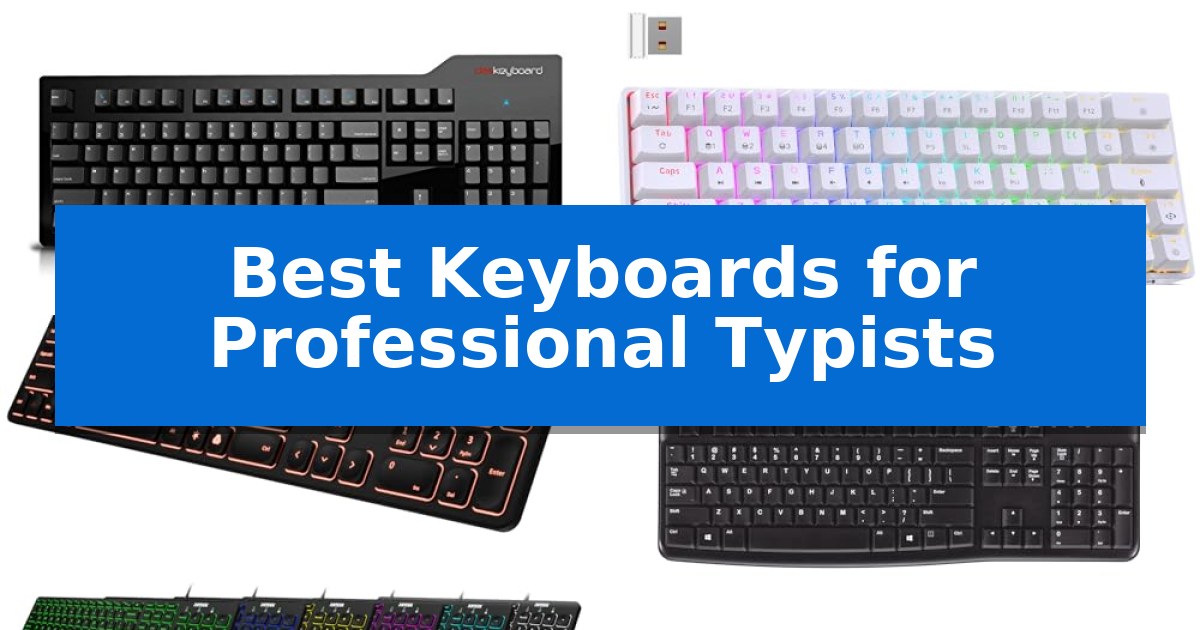
Finding the right hardware is essential when your career depends on high-volume, error-free input. The Best Keyboards for Professional Typists are defined by their ability to provide consistent feedback, reduce fatigue, and maintain reliable connectivity throughout long work sessions.
Whether you require the tactile snap of mechanical switches for rhythmic accuracy or a low-profile design for quiet office environments, selecting the right tool requires balancing switch technology, layout, and build quality. We have analyzed five distinct models to help you identify which keyboard aligns with your specific workflow requirements.
Best Keyboards for Professional Typists in 2026: Precision Tools
Quick Comparison
| Product | Best For | Key Strength | Score |
|---|---|---|---|
| Das Keyboard Model S Mechanical Keyboard | Best Overall | Cherry MX Blue switches provide accurate tactile and audio feedback. | 4.9 |
| DIERYA DK63 Mechanical Gaming Keyboard | Compact Wireless Mechanical Performance | Compact 60% design maximizes available desk space. | 4.4 |
| Arteck Backlit Wired Keyboard | Quiet Low-Profile Scissor Keys | Scissors X structure provides a quiet and comfortable typing experience. | 4.5 |
| Logitech K120 Wired Keyboard | Reliable Full-Size Typing Comfort | Plug-and-play USB connectivity ensures immediate compatibility without software installation. | 4.3 |
| X9 Large Print Backlit Keyboard | High-Visibility Backlit Keys | Large, bold print for enhanced character visibility. | 4.8 |
How We Chose
- Switch mechanism and tactile feedback consistency
- Layout ergonomics and keycap durability
- Connectivity options including wired stability and wireless flexibility
- Compatibility with specific operating systems and hardware interfaces
- Build quality and physical footprint for desk optimization
1 Das Keyboard Model S Mechanical Keyboard — Precision Tactile Cherry MX Switches
The Das Keyboard Model S Mechanical Keyboard distinguishes itself through the use of Cherry MX Blue mechanical switches, which provide a distinct tactile and audible click for precise keystroke execution. Designed specifically for professional typists who prioritize feedback, these gold-plated switches are rated for up to 50 million keystrokes, ensuring longevity and consistent contact quality over time.
Built for the Mac environment, this keyboard includes dedicated Command and Alt/Option keys alongside specialized media controls for volume, brightness, and playback. The integration of a 2-port USB 2.0 hub directly into the chassis allows for convenient peripheral connectivity, while the 6.5 ft cable provides ample length for various desk configurations.
For users requiring high-speed input, the device supports full N-key rollover when utilizing the included PS/2 adapter, ensuring every keypress is registered simultaneously. The laser-etched keycaps are engineered for high durability, maintaining legibility even after extensive use in demanding office or creative workflows.
While the Das Keyboard Model S Mechanical Keyboard offers a robust typing experience, its design is strictly wired, which may be a consideration for those seeking a minimalist, cable-free workspace. The audible nature of the switches is intentional for tactile feedback but may be a factor in shared office environments where silence is preferred.
Best for: Professional typists who require high-precision tactile feedback and dedicated Mac-specific media controls.
Skip if: Users who require a wireless connection or a silent typing experience for shared office environments.
PROS
- Cherry MX Blue switches provide accurate tactile and audio feedback.
- Full N-key rollover capability ensures reliable input for fast typists.
- Integrated 2-port USB 2.0 hub for peripheral convenience.
- Gold-plated switches increase lifespan and contact reliability.
CONS
- Wired-only connection limits desk placement flexibility.
- Audible click may be too loud for some shared workspaces.
2 DIERYA DK63 Mechanical Gaming Keyboard — Compact Wireless Mechanical Performance
Achieving a clean, efficient workspace requires hardware that respects your desk real estate without sacrificing tactile feedback. The DIERYA DK63 Mechanical Gaming Keyboard addresses this by utilizing a space-saving 60% layout that packs 63 keys into a compact footprint, ensuring your mouse has ample room to maneuver during long typing sessions.
Performance is driven by custom Red switches, which provide a light, linear keystroke with a 45g actuation force. These switches are engineered for a quiet ~40dB operation, making them suitable for shared office environments where noise management is a priority. The build is rated for up to 600,000 presses, offering consistent input for high-volume writing tasks.
Flexibility is a core strength of this model, featuring three connection modes: 2.4G wireless, Bluetooth 5.0, and wired USB. This allows for seamless transitions between multiple devices, including laptops, tablets, and smartphones. To support these wireless capabilities, it includes a 3000mAh battery that provides up to 90 hours of usage with the backlight disabled.
For those who work in low-light conditions, the integrated RGB dynamic lighting system offers 18 distinct modes and 16.8 million colors. These settings are fully customizable via dedicated software, allowing users to tailor the visual aesthetic to their specific environment or preference.
Best for: Professional typists who require a compact, multi-device wireless keyboard with quiet linear switches for shared workspaces.
Skip if: Users who rely heavily on a dedicated number pad or a full-sized function row for specialized software workflows will find the 60% layout restrictive.
PROS
- Compact 60% design maximizes available desk space.
- Quiet Red switches (~40dB) ideal for office environments.
- Versatile connectivity via 2.4G, Bluetooth 5.0, and wired USB.
- High-capacity 3000mAh battery supports up to 90 hours of wireless use.
CONS
- 60% form factor lacks a dedicated number pad and physical function keys.
- Battery life significantly decreases when using maximum RGB backlight intensity.
3 Arteck Backlit Wired Keyboard — Quiet Low-Profile Scissor Keys
The Arteck Backlit Wired Keyboard simplifies professional typing setups by combining a full-size layout with a slim, space-saving profile. Measuring just 0.24 inches in height, this device integrates a number pad and dedicated arrow keys into a compact 16.7-inch frame, making it a practical choice for crowded desks where space is at a premium.
Designed for quiet operation, the keyboard utilizes a Scissors X structure for its key mechanism. This design choice aims to provide a comfortable, low-profile typing experience that minimizes noise, which is particularly beneficial in shared office environments or quiet workspaces. The inclusion of 7 unique backlight colors with three adjustable brightness levels allows users to tailor the visual output to their lighting conditions.
Setting up the device is straightforward, requiring only a connection via the 1.2M USB wire to a computer for immediate use. The wired connection ensures consistent power and connectivity without the need for batteries or charging. The keyboard is backed by a 24-month warranty, providing long-term support for the hardware.
While the Arteck Backlit Wired Keyboard offers a full-size experience in a thin form factor, its lightweight 17.4oz build is optimized for stability on flat surfaces. It serves as a reliable, no-fuss solution for typists who prioritize a quiet, backlit, and wired interface over wireless mobility or mechanical switch customization.
Best for: Professional typists who require a quiet, backlit, full-size keyboard with a reliable wired connection.
Skip if: Users who prefer the tactile feedback of mechanical switches or require wireless connectivity for their workspace.
PROS
- Scissors X structure provides a quiet and comfortable typing experience.
- 7 unique backlight colors with adjustable brightness for varied lighting conditions.
- Full-size layout including a number pad in a compact, ultra-thin design.
- Plug-and-play setup via a 1.2M USB cable.
CONS
- Wired-only connection limits placement flexibility compared to wireless models.
- Fixed cable length of 1.2 meters may be restrictive for some desk configurations.
4 Logitech K120 Wired Keyboard — Reliable Full-Size Typing Comfort
Maintaining consistent productivity during long hours of data entry requires reliable input hardware that minimizes friction. The Logitech K120 Wired Keyboard serves this purpose through a straightforward, full-size layout that prioritizes functional simplicity for professional environments.
Designed for daily use, this keyboard features deep-profile keys and a standard layout that includes a full set of F-keys and a dedicated number pad, which is essential for rapid numerical input. The spill-resistant design offers a layer of protection against accidental liquid exposure, while the sturdy tilt legs allow users to adjust the typing angle to suit their ergonomic preferences.
Setup is handled entirely through a USB plug-and-play connection, eliminating the need for specialized software or driver installations. This makes it a versatile, low-maintenance choice for standard Windows desktop and laptop configurations. Furthermore, the build incorporates 51% certified post-consumer recycled plastic, reflecting a focus on material sourcing.
With a 2-year warranty, this device is built to serve as a dependable, no-nonsense tool for professional typists who require a consistent, wired connection without the complexity of wireless pairing or programmable layers. It provides a stable typing experience that remains predictable throughout the workday.
Best for: Professional typists and office workers who require a reliable, full-size, wired keyboard with a standard layout for consistent daily data entry.
Skip if: Users who prefer mechanical switches, wireless connectivity, or advanced customization features like macro programming and backlighting.
PROS
- Plug-and-play USB connectivity ensures immediate compatibility without software installation.
- Full-size layout includes a dedicated number pad and F-keys for efficient data entry.
- Spill-resistant design adds durability against minor accidents.
- Adjustable tilt legs provide ergonomic height options for typing comfort.
CONS
- Wired-only connection limits desk flexibility compared to wireless alternatives.
- Standard membrane keys lack the tactile feedback preferred by some professional typists.
5 X9 Large Print Backlit Keyboard — High-Visibility Backlit Keys
The X9 Large Print Backlit Keyboard is engineered to enhance legibility through its high-contrast, large-font keycaps, providing a clear visual interface for users who require improved character recognition during extended typing sessions. This full-size 107-key layout includes a dedicated number pad and 12 shortcut keys, which streamline navigation and workflow management for professional productivity tasks.
Visibility is maintained across varied environments via an adjustable 7-color backlight system that offers four distinct brightness levels. This feature ensures that characters remain distinct in low-light office settings or during late-night projects, providing a consistent typing experience regardless of ambient lighting conditions.
Designed for immediate integration, the keyboard utilizes a plug-and-play USB connection, eliminating the need for external drivers or complex software installations. Its durable construction is intended for consistent daily use in home or office environments, supported by a 2-year warranty.
While the keyboard excels in visibility and accessibility, its wired-only configuration means users must account for cable management on their desks. It serves as a straightforward, functional tool for those who prioritize ease of reading and reliable connectivity over wireless freedom or advanced mechanical switch customization.
Best for: Users who require high-visibility, large-font keycaps and reliable wired connectivity for professional or daily typing tasks.
Skip if: Users who prefer wireless connectivity, mechanical switch tactile feedback, or a compact, space-saving footprint.
PROS
- Large, bold print for enhanced character visibility.
- 7-color adjustable backlight with 4 brightness levels.
- Full-size 107-key layout with dedicated number pad and shortcuts.
- Plug-and-play USB setup requiring no software.
CONS
- Wired-only connection limits desk placement flexibility.
- Standard membrane feel lacks the tactile customization of mechanical alternatives.
Best Keyboards for Professional Typists Buying Guide
Mechanical vs. Scissor Switches
The choice between mechanical switches and scissor switches is the most significant factor in typing feel. Mechanical switches, such as the Cherry MX Blue, offer distinct tactile and audio feedback, which many typists find helpful for confirming keystrokes without bottoming out.
Conversely, low-profile scissor keys provide a shorter travel distance and a quieter operation. These are often preferred by professionals working in shared office spaces who need to maintain a low noise profile while still achieving rapid input speeds.
Connectivity and Workflow
For stationary workstations, a wired USB connection remains the gold standard for reliability, eliminating concerns about battery life or wireless interference. Models featuring integrated USB hubs add further utility by allowing you to connect peripherals directly to the keyboard.
If your workflow involves multiple devices, wireless connectivity via Bluetooth or 2.4GHz receivers offers essential flexibility. Modern wireless keyboards now provide significant battery capacity, allowing for days of continuous use without requiring a charge.
Layout and Ergonomics
A full-size layout is typically necessary for data entry professionals who rely on a dedicated number pad and a full set of function keys. These keyboards provide a familiar, spacious typing experience that minimizes the need for complex key combinations.
For those with limited desk space or a need for portability, compact 60% layouts remove the number pad and navigation cluster. While these save space, they require the use of function layers to access standard keys, which may impact typing speed during initial adjustment.
Durability and Keycap Quality
Professional typists subject their hardware to millions of keystrokes annually. Look for keyboards with laser-etched keycaps or high-quality materials that resist fading and wear over time, ensuring that the legends remain legible after years of heavy use.
The internal construction also matters; features like gold-plated switches or spill-resistant designs contribute to the longevity of the device. Investing in a keyboard built for high-cycle durability prevents the need for frequent replacements.
Backlighting and Visibility
Backlit keys are not just for aesthetics; they are a functional necessity for typists who work in dim environments or late at night. Adjustable brightness levels allow you to tailor the light output to your specific workspace conditions.
For users with visual impairments, high-visibility, large-print keys combined with backlighting significantly improve legibility. This ensures that every character is easy to identify, reducing eye strain and increasing confidence during long typing sessions.
Frequently Asked Questions
What is the benefit of N-key rollover for typists?
N-key rollover ensures that every keystroke is registered correctly, even when multiple keys are pressed simultaneously, which is vital for high-speed typists.
Are mechanical keyboards too loud for an office?
It depends on the switch type. Clicky switches like Cherry MX Blue are audible, while linear or silent mechanical switches are much quieter and suitable for most office environments.
Do I need special software for my keyboard?
Most professional keyboards are plug-and-play. While some offer optional software for RGB customization or macro programming, the core typing functions typically work immediately upon connection.
How do I clean my mechanical keyboard?
Most mechanical keyboards feature removable keycaps, allowing you to clean the plate and switches with compressed air or a soft brush. Always check the manufacturer's guidelines before using liquid cleaners.
Is a 60% keyboard suitable for professional data entry?
A 60% keyboard lacks a dedicated number pad, which can slow down numeric data entry. If your work involves heavy spreadsheet use, a full-size layout is generally more efficient.
Conclusion: Our Top Pick
Selecting the right keyboard is a personal decision that balances tactile preference with your specific workspace needs. For those who prioritize precision and long-term durability, the Das Keyboard Model S Mechanical Keyboard stands out as a robust solution, offering high-quality Cherry MX Blue switches and a reliable wired connection.
While this model is an excellent choice for dedicated typists, ensure your desk setup accommodates its full-size footprint and that the audible click of the switches aligns with your office environment. By focusing on these core mechanical and ergonomic factors, you can significantly enhance your daily typing efficiency.