
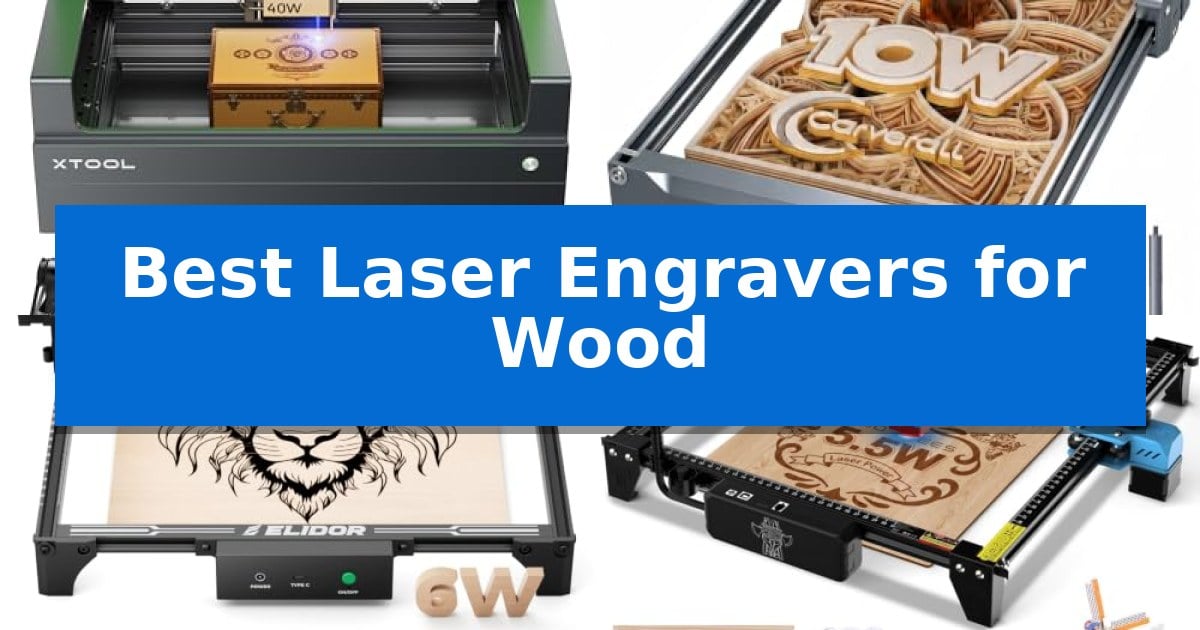
Finding the right equipment for wood crafting requires balancing power, precision, and ease of use. Whether you are a hobbyist looking to personalize small gifts or a creator scaling up to larger production runs, selecting the right machine is essential for achieving clean, consistent results on various wood types.
Our guide explores the Best Laser Engravers for Wood available today, focusing on machines that offer reliable performance and intuitive workflows. We have analyzed key features like engraving speed, work area dimensions, and software compatibility to help you identify the tool that best fits your specific creative needs and workspace constraints.
Best Laser Engravers for Wood in 2026: Precision Tools for Any Workshop
Quick Comparison
| Product | Best For | Key Strength | Score |
|---|---|---|---|
| xTool S1 Laser Engraver | Best Overall | 40W laser power for efficient cutting of thick wood materials. | 4.9 |
| Carverall K15 Pro Laser Engraver | Easiest One-Touch Focus | One-touch smart focus removes the guesswork from setup. | 4.8 |
| ELIDOR Laser Engraver | Best Portable Class 1 Setup | High-precision 0.01 mm accuracy for detailed designs. | 4.3 |
| Twotrees TTS-55 Pro Laser Engraver | High-Speed 32-Bit Processing | High-speed 32-bit MCU for efficient processing. | 4.9 |
| ACMER S1 Laser Engraver | Compact Desktop Design | 99% preassembled design allows for immediate setup and use. | 4.3 |
How We Chose
- Laser Power and Cutting Capability: Assessed the machine's ability to slice through various wood thicknesses and engrave at consistent depths.
- Work Area Dimensions: Evaluated the physical engraving bed size to determine suitability for both small crafts and larger, multi-piece projects.
- Software and Connectivity: Reviewed the ease of software setup, including compatibility with industry-standard tools and offline control options.
- Safety and Enclosure: Examined protective features such as integrated filters, flame sensors, and enclosed designs that minimize smoke and light exposure.
- Build Quality and Stability: Considered the materials used in the frame construction to ensure long-term durability and precision during high-speed operation.
1 xTool S1 Laser Engraver — Best for Large-Scale Wood Projects
Achieving precise, large-scale wood projects requires a machine that balances raw power with intuitive operation. The xTool S1 Laser Engraver distinguishes itself with a robust 40W laser capable of slicing through 18mm cherry wood in a single pass, making it a high-productivity tool for makers handling everything from door signs to batch-produced dog tags.
Beyond its cutting capacity, the machine integrates AutoPassthrough Technology to accommodate materials up to 118 inches in length, effectively removing the size constraints typical of enclosed desktop engravers. The xTool Creative Space (XCS) software simplifies the workflow by providing access to over 400 pre-tested material settings and AI-powered design tools, ensuring that even complex projects remain accessible.
Safety and build quality are central to the xTool S1 Laser Engraver design. The unit features a Class 1 safety-rated enclosed cover that filters 99% of laser light, eliminating the need for external goggles while containing smoke and noise. Its 3mm aerospace-grade aluminum frame provides the structural stability required for high-speed operation at up to 600mm/s, supported by integrated flame sensors and emergency stop mechanisms.
For those working with non-flat items, the Pin-point Positioning technology allows for accurate 3D engraving on curved surfaces like plates or spoons. By combining high-speed performance with automated features like auto-focus and extensive project tutorials, this engraver serves as a comprehensive solution for both professional creators and hobbyists looking to scale their wood-based production.
Best for: Makers and small business owners who need a high-powered, enclosed laser for batch production and large-format wood projects.
Skip if: Users who require a portable, open-frame laser or those with limited workspace who do not need the advanced safety and enclosure features of this unit.
PROS
- 40W laser power for efficient cutting of thick wood materials.
- AutoPassthrough Technology allows for engraving and cutting of oversized materials up to 118 inches.
- Class 1 safety enclosure with built-in flame sensors and smoke containment.
- Pin-point Positioning for accurate 3D engraving on irregular or curved surfaces.
CONS
- Enclosed design results in a larger physical footprint compared to open-frame diode lasers.
- Higher weight due to the durable aerospace-grade aluminum construction.
2 Carverall K15 Pro Laser Engraver — Easiest One-Touch Focus
Achieving precise, intricate designs on wood requires a machine that balances ease of use with reliable hardware. The Carverall K15 Pro Laser Engraver simplifies the process with one-touch smart focus, eliminating the manual calibration often required by entry-level diode lasers. This machine is designed for those who want to move from concept to creation quickly, utilizing a 10W diode module that handles a wide variety of materials, including wood, acrylic, and leather.
For users concerned about workspace, the Carverall K15 Pro Laser Engraver features an 11.8×7.9-inch A4 workbed. This footprint is optimized to fit under a desk while still accommodating 98% of common DIY projects. The unit is built for performance, utilizing a dual-fan diode module to manage heat during extended batch jobs, and it supports multi-pass cutting on materials like 12mm plywood and 8mm acrylic.
Software accessibility is a core strength of this system. It includes CutLabX software which supports AI-generated designs, allowing users to create patterns from simple prompts or photos. For those with more advanced workflows, the machine maintains cross-platform compatibility with LightBurn and LaserGRBL. If you prefer a standalone setup, the device supports offline engraving via TF card, meaning you can run batch jobs without keeping a computer tethered to the machine.
The system is designed to grow alongside your skills. While it functions as a capable wood and acrylic cutter out of the box, it is upgradeable with an optional 1W IR laser head for marking bare metals like stainless steel. With 15,000mm/min engraving speeds and a modular design that allows for accessories like rotary rollers and air purifiers, it serves as a versatile foundation for home crafting or small business production.
Best for: Beginners and small business owners who need a compact, upgradeable, and easy-to-focus laser for wood and acrylic projects.
Skip if: Users who require a large-format workspace for oversized signs or those who need to engrave bare metal immediately without purchasing additional IR laser modules.
PROS
- One-touch smart focus removes the guesswork from setup.
- Compact A4 workspace fits easily on standard desks.
- Dual-fan cooling system supports consistent, long-duration batch jobs.
- Highly upgradeable with optional IR laser heads and rotary accessories.
CONS
- Requires optional IR module to engrave bare metal surfaces.
- Limited to A4 size, which may restrict larger-scale wood projects.
3 ELIDOR Laser Engraver — Best Portable Class 1 Setup
Achieving precise, personalized results on wood and other materials requires a system that balances fine-tuned control with a manageable footprint. The ELIDOR Laser Engraver distinguishes itself through its Class 1 enclosed setup capability, which allows users to create a safer workspace when paired with a compatible protective enclosure.
This device is engineered for high-detail work, featuring a fine 0.04 × 0.14 mm laser spot that enables engraving accuracy up to 0.01 mm. With speeds reaching 10,000 mm/min, it is capable of producing crisp text and intricate graphics on a variety of surfaces, including wood, leather, acrylic, and metal. The 300 × 300 mm working area provides a versatile canvas for hobbyists and creators working on custom keychains, tumblers, or home décor.
Designed for accessibility, the unit is compact and lightweight at 2.13 kg, making it suitable for home workshops or mobile projects. It offers broad software flexibility by supporting LaserGRBL and LightBurn, ensuring compatibility with common file formats like NC, DXF, and various image files across Windows, macOS, and Linux platforms. This combination of professional-grade precision and beginner-friendly software integration makes it a practical choice for those looking to expand their creative capabilities.
Best for: DIY makers and hobbyists who need a compact, high-precision laser engraver with broad software compatibility for personalized wood and craft projects.
Skip if: Users requiring a high-power industrial laser for deep cutting of thick materials or those who do not have space for an additional protective enclosure to achieve a Class 1 setup.
PROS
- High-precision 0.01 mm accuracy for detailed designs.
- Wide software compatibility including LightBurn and LaserGRBL.
- Compact and portable design weighing only 2.13 kg.
- Class 1 safety potential when paired with a compatible enclosure.
CONS
- Enclosure sold separately to achieve the Class 1 rating.
- Limited to 300x300mm working area for larger projects.
4 Twotrees TTS-55 Pro Laser Engraver — High-Speed 32-Bit Processing
Achieving precise detail in woodworking projects often requires a machine capable of both speed and accuracy. The Twotrees TTS-55 Pro Laser Engraver distinguishes itself with a high-speed 32-bit dual-core MCU, allowing for engraving speeds up to 30,000mm/min, which significantly reduces production time for hobbyists and small business owners.
This device utilizes advanced LD+FAC+C-Lens compression technology to create a 0.08 x 0.46mm super fine spot focus. This configuration enables an engraving accuracy of up to 0.1mm, providing the sharp detail necessary for intricate designs on wood, leather, and acrylic. The inclusion of a 5500mW laser allows for cutting through 5mm plywood and 3mm acrylic with consistent results.
Usability is enhanced by the integration of an air-assisted nozzle and a red laser shield, which improve safety and facilitate cleaner cuts by clearing debris from the focal point. The 300 x 300 mm work area provides ample space for most standard DIY projects, while the system supports both online and TF card offline engraving for flexible workflow management.
Compatibility is a core strength, as the unit works seamlessly with LaserGRBL and LightBurn software across Windows, macOS, and Linux platforms. With built-in Wi-Fi, users can manage operations via a mobile app or web interface, making it a versatile tool for those who prioritize wireless control and modern connectivity in their workshop.
Best for: Hobbyists and small business creators who need a high-speed, wireless-capable laser engraver for detailed wood and acrylic projects.
Skip if: Users requiring industrial-grade power for cutting thick materials or those who prefer a larger than 300 x 300 mm work surface will need a more robust machine.
PROS
- High-speed 32-bit MCU for efficient processing.
- Advanced compression laser technology for 0.1mm engraving accuracy.
- Integrated air-assist support for cleaner, deeper cutting.
- Wireless connectivity via Wi-Fi for mobile and web control.
CONS
- Limited 300 x 300 mm work area may restrict larger projects.
- 5500mW laser power is best suited for light-to-medium cutting tasks.
5 ACMER S1 Laser Engraver — Compact Desktop Design
Precision and portability define the ACMER S1 Laser Engraver, a compact desktop tool designed for detailed DIY projects and small-scale fabrication. With a 130 x 130mm working area and an industrial-grade aluminum alloy frame, this unit balances a lightweight 2kg footprint with the structural integrity required for consistent results.
The machine utilizes a 2500mW diode laser with a 455±5nm wavelength and a 2mm focal length, enabling an engraving speed of up to 10,000mm/min. Its 0.01mm repeatable positioning accuracy ensures that intricate designs on wood, bamboo, leather, and acrylic remain sharp and vivid. The system is powered by a high-performance multi-core processor, facilitating reliable operation across various material types.
Ease of use is a core focus, as the ACMER S1 Laser Engraver arrives 99% preassembled, requiring only a one-minute laser head installation. It includes the proprietary Acmerstudio software, which is optimized for immediate use, while maintaining broad compatibility with industry-standard tools like LightBurn and LaserGRBL. This flexibility allows users to integrate the device into existing macOS, Windows, or Linux workflows seamlessly.
Designed for versatility, this 2-in-1 system functions as both an engraver and a cutter, capable of processing thin plywood, MDF, and acrylic. It adheres to Class 4 laser certification and IEC 60825-1 compliance standards, providing a secure environment for hobbyists and professionals alike.
Best for: DIY enthusiasts and small business owners who require a portable, preassembled laser engraver for detailed wood and acrylic projects.
Skip if: Users who need to process materials larger than 130 x 130mm or those requiring high-wattage industrial cutting power will find this compact model too restrictive.
PROS
- 99% preassembled design allows for immediate setup and use.
- High-precision diode laser delivers 0.01mm repeatable positioning accuracy.
- Wide software compatibility including LightBurn, LaserGRBL, and Acmerstudio.
- Portable and durable construction using industrial-grade aluminum alloy.
CONS
- Limited 130 x 130mm working area restricts the size of projects.
- 2500mW laser power is best suited for engraving and thin material cutting rather than heavy-duty fabrication.
Best Laser Engravers for Wood Buying Guide
Understanding Laser Power and Material Compatibility
The laser power rating, measured in watts, is the primary indicator of what a machine can cut or engrave. Higher wattage lasers generally allow for faster engraving speeds and the ability to cut through thicker wood materials in fewer passes.
When selecting a machine, consider the specific types of wood you plan to use. Softer woods like pine or balsa require less power, while denser hardwoods like cherry or oak benefit from more robust laser modules to achieve clean, charred-free edges.
Evaluating Work Area Requirements
Your work area determines the maximum size of the projects you can undertake. Compact desktop models are ideal for small items like coasters, keychains, or jewelry, while larger bed sizes are necessary for signs, wall art, or batch processing.
Some advanced machines offer passthrough technology, which allows you to feed longer materials through the machine, effectively removing the physical limits of the bed size for specific project types.
Software and Workflow Integration
The software interface is where your design becomes a reality. Look for machines that support intuitive software or are compatible with widely used programs like LightBurn, which offer advanced control over power, speed, and layering.
Features like auto-focus and pre-tested parameter settings can significantly reduce the learning curve, allowing you to achieve professional results without needing extensive manual calibration for every new material.
Safety Features for Home Workshops
Laser engraving involves high-intensity light and potential fire hazards. A Class 1 safety rating or an enclosed design is highly recommended for home use, as it protects your eyes from stray laser light and contains smoke and debris.
Look for built-in safety mechanisms such as flame sensors that automatically shut down the machine if an issue is detected, as well as emergency stop buttons for immediate control during operation.
Build Quality and Long-Term Reliability
A stable frame is crucial for maintaining engraving precision. Machines constructed from aerospace-grade aluminum or industrial-grade alloys are less prone to vibration, ensuring that fine details and text remain sharp even at high speeds.
Consider the expected lifespan of the laser module and the availability of replacement parts. A machine that is designed to be upgradeable allows you to expand your capabilities, such as adding a rotary attachment for tumblers, as your business or hobby grows.
Frequently Asked Questions
Do I need special software to operate these laser engravers?
Most modern laser engravers come with proprietary software that is optimized for their hardware. However, many also support industry-standard software like LightBurn or LaserGRBL, which provide more advanced design and control features.
Can these machines engrave on materials other than wood?
Yes, many diode laser engravers are versatile and can work with materials like acrylic, leather, cardboard, and even coated metals. Always check the manufacturer's specifications for material compatibility and required settings.
What is the benefit of an enclosed laser engraver?
An enclosed design provides significant safety benefits by filtering harmful laser light and containing smoke and noise. This makes them much more suitable for use in residential areas, classrooms, or shared office spaces.
How do I know if a laser engraver is powerful enough for my projects?
If your primary goal is engraving, a lower-wattage laser is often sufficient. If you intend to cut through wood, look for machines with higher wattage ratings and support for air assist, which helps clear debris and enables cleaner, deeper cuts.
Is it difficult to set up a laser engraver for the first time?
Many current models arrive partially pre-assembled and can be ready for use in minutes. Features like auto-focus and guided tutorials significantly simplify the initial setup process for beginners.
Conclusion: Our Top Pick
For those seeking the most capable and versatile option, the xTool S1 Laser Engraver stands out as the top choice. Its 40W power, spacious work area, and patented precision technologies make it an excellent investment for both large-scale wood projects and intricate detail work.
While other models offer specific advantages like portability or a smaller footprint, the xTool S1 provides a comprehensive, safe, and high-performance solution that adapts well to various creative needs. Its robust build and intuitive software ecosystem ensure that it remains a reliable tool for your workshop as your skills and project complexity evolve.