
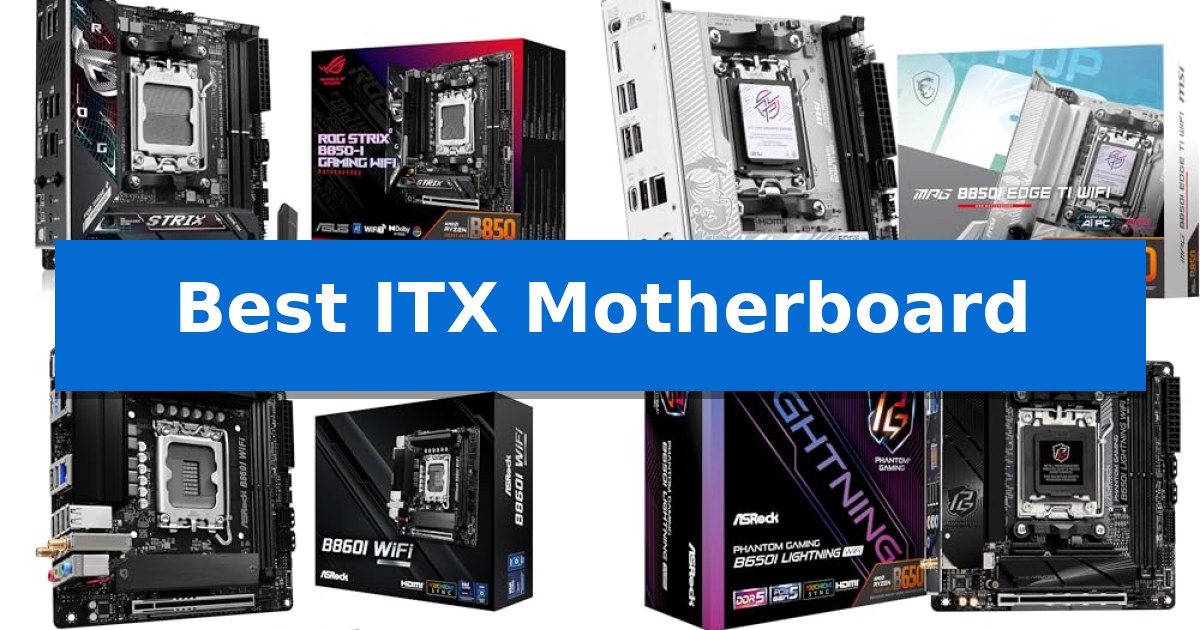
Building a high-performance PC in a confined space requires careful planning, starting with the foundation of your system. Selecting the Best ITX Motherboard is critical because it dictates your component compatibility, cooling potential, and overall connectivity in a chassis where every millimeter counts.
Whether you are prioritizing extreme memory overclocking, high-speed networking, or robust power delivery for the latest processors, the right board balances these features within a compact 170mm x 170mm footprint. We have analyzed the latest options to help you navigate the trade-offs between thermal management, storage expansion, and interface standards.
Best ITX Motherboard in 2026: Optimizing Your Compact Build
Quick Comparison
| Product | Best For | Key Strength | Score |
|---|---|---|---|
| ASUS ROG Strix B850-I Gaming WiFi | Best Overall | 10+2+1 power solution rated for 70A per stage | 4.9 |
| MSI MPG B850I Edge TI WiFi | High-Speed Wi-Fi 7 Connectivity | Direct 8-phase 90A power design for stable CPU performance. | 4.3 |
| ASRock B860I WiFi | Extreme Memory Overclocking Support | Extreme DDR5 memory support up to 8933+ MHz. | 4.3 |
| ASRock B650I Lightning WiFi | Reliable PCIe 5.0 Storage Access | PCIe 5.0 M.2 support for next-generation NVMe storage speeds. | 4.9 |
| ASRock A620AI WiFi | Dual LAN Networking Flexibility | 8+2+1 phase power design with 80A Dr.MOS for stable power delivery. | 4.4 |
How We Chose
- Socket and CPU compatibility to ensure support for the latest processor generations.
- Power delivery stability, focusing on phase design and thermal management for sustained performance.
- Connectivity options, specifically prioritizing Wi-Fi 7, 2.5G/5G LAN, and high-speed USB ports.
- Storage and memory expansion, evaluating the availability of PCIe 5.0 slots and DDR5 overclocking headroom.
- Physical layout and header placement to ensure compatibility with various compact cooling solutions and cases.
1 ASUS ROG Strix B850-I Gaming WiFi — Advanced AI-Driven Performance Tuning
Building a high-performance compact system requires a foundation that balances space constraints with modern connectivity. The ASUS ROG Strix B850-I Gaming WiFi provides this through its 10+2+1 power solution, which is engineered to handle the demands of the latest AMD Ryzen 9000, 8000, and 7000 series processors while maintaining a small Mini-ITX footprint.
This motherboard simplifies the assembly process with Intelligent Control features, including AI Overclocking and AI Networking II. These tools are designed to automate performance tuning and network optimization, reducing the manual configuration typically required when setting up a new build. The inclusion of AEMP further assists in optimizing memory performance for DDR5 modules.
Thermal management is addressed through a massive heatsink design that covers critical components, supported by high-conductivity thermal pads. This cooling array extends to the storage section, where one of the two onboard PCIe 5.0 M.2 slots is actively cooled to maintain performance during intensive data operations. The second M.2 slot offers additional storage flexibility for compact builds.
Connectivity is a primary focus, featuring WiFi 7 for high-speed wireless networking and a 2.5G LAN port for wired stability. The rear I/O is equipped with USB 20Gbps Type-C for fast peripheral data transfer. With its PCIe 5.0 x16 interface, the board is ready for the latest generation of graphics cards, ensuring the system remains relevant for high-end gaming or productivity tasks.
Best for: Enthusiasts building a high-performance, compact PC who require the latest connectivity standards like WiFi 7 and PCIe 5.0 support.
Skip if: Users who require more than two M.2 storage slots or additional PCIe expansion slots, as the Mini-ITX form factor limits physical connectivity options.
PROS
- 10+2+1 power solution rated for 70A per stage
- Integrated WiFi 7 and 2.5G LAN connectivity
- PCIe 5.0 x16 and PCIe 5.0 M.2 support
- AI-driven overclocking and networking tools
CONS
- Limited expansion due to Mini-ITX form factor
- Only two onboard M.2 slots available
2 MSI MPG B850I Edge TI WiFi — High-Speed Wi-Fi 7 Connectivity
Building a high-performance small form factor PC requires a foundation that does not compromise on power delivery or connectivity. The MSI MPG B850I Edge TI WiFi addresses this by integrating a robust Direct 8-phase power design with 90A Smart Power Stages, ensuring stable operation for the latest AMD Ryzen 9000, 8000, and 7000 series processors within the constraints of a Mini-ITX footprint.
Thermal management is handled by the integrated Frozr Guard system, which utilizes 7W/mK MOSFET thermal pads and an extended heatsink to dissipate heat effectively. For storage and memory, the board features two DDR5 DIMM slots capable of reaching speeds of 8200+ MT/s via overclocking, alongside a dedicated M.2 Gen5 x4 slot for high-speed NVMe drives and an additional M.2 Gen4 slot.
Connectivity remains a priority, with the board equipped with a Wi-Fi 7 module for modern wireless networking and a 5Gbps LAN port for high-bandwidth wired connections. The rear I/O panel includes a USB Type-C 20Gbps port and Audio Boost 5, providing 7.1 channel high-performance audio output to support demanding peripheral setups.
Designed for users who need a compact yet feature-rich system, the board includes a PCIe 5.0 x16 slot reinforced with Steel Armor II to support current and future graphics cards. This combination of high-speed standards and efficient power delivery makes it a versatile choice for those prioritizing space-saving builds without sacrificing component compatibility.
Best for: Users building a high-performance Mini-ITX system who require PCIe 5.0 support and advanced connectivity like Wi-Fi 7.
Skip if: Users who require more than two DIMM slots or additional PCIe expansion slots beyond the single x16 interface.
PROS
- Direct 8-phase 90A power design for stable CPU performance.
- PCIe 5.0 x16 support for modern high-bandwidth graphics cards.
- Wi-Fi 7 and 5Gbps LAN for cutting-edge network connectivity.
- DDR5 memory support with overclocking capabilities up to 8200+ MT/s.
CONS
- Limited to two DIMM slots due to the Mini-ITX form factor.
- Single PCIe expansion slot restricts the addition of secondary internal cards.
3 ASRock B860I WiFi — Extreme Memory Overclocking Support
The ASRock B860I WiFi provides a compact foundation for high-performance builds, centering its utility on extreme memory overclocking support with dual DDR5 slots capable of reaching speeds up to 8933+ MHz. This Mini-ITX motherboard is engineered for users who require a dense, feature-rich platform without sacrificing connectivity or expansion potential.
At the heart of its power delivery system, the board utilizes an 8+1+1+1+1 power phase design featuring Smart Power Stage (SPS) components for the VCore, GT, and SA, ensuring stable voltage regulation for demanding processors. Storage flexibility is addressed through a Blazing M.2 slot that supports PCIe Gen5 x4, allowing for the fastest available NVMe drive performance.
Audio and visual output options are well-integrated for a small-form-factor build. The board features the Realtek ALC1220 7.1 CH HD Audio Codec enhanced with Nahimic Audio for high-fidelity sound, while the rear I/O provides both HDMI and DisplayPort connectivity for flexible display configurations.
Designed with a 3-year manufacturer warranty, this board balances its advanced feature set with the physical constraints of the Mini-ITX form factor. It is a suitable choice for those prioritizing memory speed and modern storage interfaces in a space-conscious PC setup.
Best for: Enthusiasts building a high-performance, compact Mini-ITX system who prioritize extreme memory overclocking and PCIe 5.0 storage speeds.
Skip if: Users who require more than two DIMM slots for memory capacity or those who need extensive PCIe expansion slots beyond what a single Mini-ITX board can offer.
PROS
- Extreme DDR5 memory support up to 8933+ MHz.
- Blazing M.2 PCIe Gen5 x4 slot for high-speed storage.
- Robust 8+1+1+1+1 power phase design with SPS.
- Integrated Realtek ALC1220 7.1 CH HD Audio with Nahimic.
CONS
- Limited to two DIMM slots due to Mini-ITX form factor.
- Single PCIe x16 slot restricts additional expansion cards.
4 ASRock B650I Lightning WiFi — Reliable PCIe 5.0 Storage Access
Building a high-performance system in a restricted footprint requires a foundation that does not compromise on modern standards. The ASRock B650I Lightning WiFi is engineered specifically for this challenge, utilizing a compact 170mm x 170mm Mini-ITX form factor that fits into the most space-constrained chassis while maintaining full compatibility with AMD Ryzen 9000, 8000, and 7000 Series processors.
At the heart of its design is an 8+2+1 phase power delivery system featuring premium Dr.MOS components, which provides the stability necessary for demanding workloads. Memory performance is supported through dual DDR5 DIMM slots capable of reaching overclocked speeds of 7200+ (OC), allowing for high-bandwidth data processing in dual-channel configurations.
Storage and connectivity are prioritized to meet contemporary demands. The board includes a PCIe 5.0 x4 M.2 slot for high-speed NVMe storage, alongside a secondary PCIe 4.0 M.2 slot and two SATA3 ports for diverse drive setups. Networking is handled by a Phantom Gaming 2.5G LAN port and integrated Intel WiFi 6E, ensuring reliable data throughput.
Maintenance and system integration are simplified through user-centric additions like BIOS Flashback and the ASRock Auto Driver Installer. For audio, the board utilizes the Realtek ALC897 7.1 CH HD Audio Codec, further enhanced by Nahimic Audio for improved sound output in a small-scale build.
Best for: Users building a high-performance, small-form-factor PC who require PCIe 5.0 storage support and modern connectivity.
Skip if: Users who require more than two DIMM slots or additional PCIe expansion slots for multi-GPU or specialized add-in card configurations.
PROS
- PCIe 5.0 M.2 support for next-generation NVMe storage speeds.
- 8+2+1 phase power design ensures stable operation for high-end processors.
- Compact Mini-ITX footprint ideal for space-constrained builds.
- Comprehensive connectivity including 2.5G LAN and WiFi 6E.
CONS
- Limited to two DIMM slots, restricting total memory capacity compared to larger boards.
- Single PCIe x16 slot limits expansion options for additional hardware.
5 ASRock A620AI WiFi — Dual LAN Networking Flexibility
Building a high-performance system in a confined space requires a foundation that balances density with connectivity, and the ASRock A620AI WiFi is engineered specifically for this challenge. By utilizing a 170x170mm Mini-ITX form factor, this motherboard provides the essential infrastructure for AMD Ryzen 9000, 8000, and 7000 series processors without sacrificing the stability needed for compact builds.
At the heart of its design is an 8+2+1 phase power delivery system featuring 80A Dr.MOS components. This configuration is intended to maintain consistent power for VCore, SOC, and MISC, ensuring that even in a small chassis, the thermal and electrical demands of modern CPUs are managed effectively. For memory-intensive tasks, the board supports dual-channel DDR5 configurations with overclocked speeds reaching 8200+ (OC).
Connectivity is a primary focus, highlighted by Dual LAN capabilities that include both a Realtek 2.5G port and a standard Gigabit port. This setup offers flexibility for networking, whether for dedicated server tasks or link aggregation. Wireless needs are handled by integrated WiFi 6E and Bluetooth, while the rear I/O includes a USB 3.2 Gen2 Type-C port to accommodate modern high-speed peripherals.
Storage and expansion are handled through a PCIe 4.0 x16 slot, providing the necessary bandwidth for high-performance graphics cards. Storage expansion is supported by two M.2 slots—one PCIe Gen4x4 and one PCIe Gen3x4—alongside two SATA3 ports. The inclusion of BIOS Flashback simplifies maintenance, allowing for firmware updates without the need for a processor to be installed, which is a practical advantage for system builders.
Best for: Users building a high-performance, compact PC who require dual networking options and support for the latest AMD Ryzen processors.
Skip if: Users who require more than two DIMM slots for memory expansion or those needing more than two M.2 storage slots for complex drive arrays.
PROS
- 8+2+1 phase power design with 80A Dr.MOS for stable power delivery.
- Dual LAN connectivity featuring 2.5G and Gigabit ports.
- BIOS Flashback support for convenient updates without a CPU.
- WiFi 6E and Bluetooth integration for wireless peripheral and network support.
CONS
- Mini-ITX form factor limits expansion slots compared to larger boards.
- Two DIMM slots restrict maximum RAM capacity to dual-channel configurations.
Best ITX Motherboard Buying Guide
Form Factor and Case Compatibility
The defining characteristic of an ITX board is its 170mm x 170mm dimensions. While this size is standardized, the placement of headers, M.2 slots, and heatsinks can vary significantly between manufacturers. Always verify your case's clearance for tall heatsinks or specific cable routing paths before finalizing your purchase.
Some boards feature daughterboards for extra connectivity or M.2 expansion. While these add functionality, they can occasionally interfere with large air coolers or complex liquid cooling loops. Ensure your chosen cooling solution is compatible with the specific board layout.
Power Delivery and Thermal Management
In a small build, airflow is often restricted, making the VRM (Voltage Regulator Module) efficiency and thermal design of your motherboard vital. Look for boards with high-quality heatsinks and robust power stages that can handle the thermal output of high-end CPUs without throttling.
Integrated I/O covers and active cooling for M.2 slots are common features in premium ITX boards. These components help dissipate heat away from critical areas, maintaining system stability during extended gaming or productivity sessions.
Memory and Storage Standards
Modern ITX boards have largely transitioned to DDR5 memory, offering significant bandwidth improvements. Pay attention to the maximum supported overclocking speeds, as these can vary between models and impact overall system responsiveness.
Storage expansion is limited by the physical space available. Most boards now include at least one PCIe 5.0 M.2 slot, providing future-proof speeds for high-performance NVMe drives. Consider whether your workflow requires multiple M.2 slots or if you need to rely on SATA ports for bulk storage.
Networking and Peripheral Connectivity
Connectivity is often the biggest differentiator in ITX boards. With the rise of Wi-Fi 7, users can benefit from lower latency and higher throughput compared to older standards. Check for the inclusion of Bluetooth 5.4 and high-speed wired networking options like 2.5G or 5G LAN.
USB port selection on the rear I/O is crucial for peripheral-heavy setups. Look for boards that offer a mix of high-speed USB Type-C and Type-A ports to accommodate external drives, audio interfaces, and other high-bandwidth devices.
BIOS and Ease of Use
Building in a small case can make hardware troubleshooting difficult. Features like BIOS Flashback allow you to update your firmware without needing a CPU installed, which is a lifesaver if you are using a newer processor on an older board revision.
Software-based tuning tools, such as AI-driven overclocking or networking optimization, can simplify the setup process for less experienced builders. These tools help extract maximum performance without requiring deep manual configuration in the BIOS.
Frequently Asked Questions
Can I use a standard ATX power supply with an ITX motherboard?
Yes, you can use a standard ATX power supply, but you must ensure your chosen Mini-ITX case has the physical space to accommodate it. Many SFF builds prefer SFX or SFX-L power supplies to improve cable management and airflow.
Do all ITX motherboards support the same CPU coolers?
No. While the CPU socket (e.g., AM5) remains the same, the surrounding components like tall VRM heatsinks or M.2 covers can interfere with larger air coolers. Always check the cooler manufacturer's compatibility list for your specific motherboard model.
Is PCIe 5.0 necessary for my storage?
PCIe 5.0 offers significantly higher speeds for compatible NVMe SSDs, which is beneficial for professional workloads involving large file transfers. For gaming and general use, PCIe 4.0 is currently more than sufficient.
What is the benefit of Wi-Fi 7 on a motherboard?
Wi-Fi 7 provides faster data transfer rates, improved stability in congested wireless environments, and lower latency compared to Wi-Fi 6E. It is a worthwhile upgrade if you rely on wireless connectivity for gaming or streaming.
Can I overclock my CPU on an ITX motherboard?
Yes, most ITX motherboards support CPU overclocking. However, because of the limited space and potential for heat buildup, you should ensure your cooling solution is adequate to handle the increased power draw and thermal output.
Conclusion: Our Top Pick
When selecting the right foundation for your compact PC, the ASUS ROG Strix B850-I Gaming WiFi stands out for its comprehensive feature set and intelligent performance tuning capabilities. Its robust power solution and support for the latest AM5 processors make it a reliable choice for those who do not want to compromise on performance despite the small form factor.
While other options offer specific advantages like extreme memory overclocking or dual LAN ports, the balance of AI-driven optimization and thermal management found in this board provides a versatile platform for both gaming and productivity builds. Ensure your case and cooling components are compatible to take full advantage of its capabilities.