
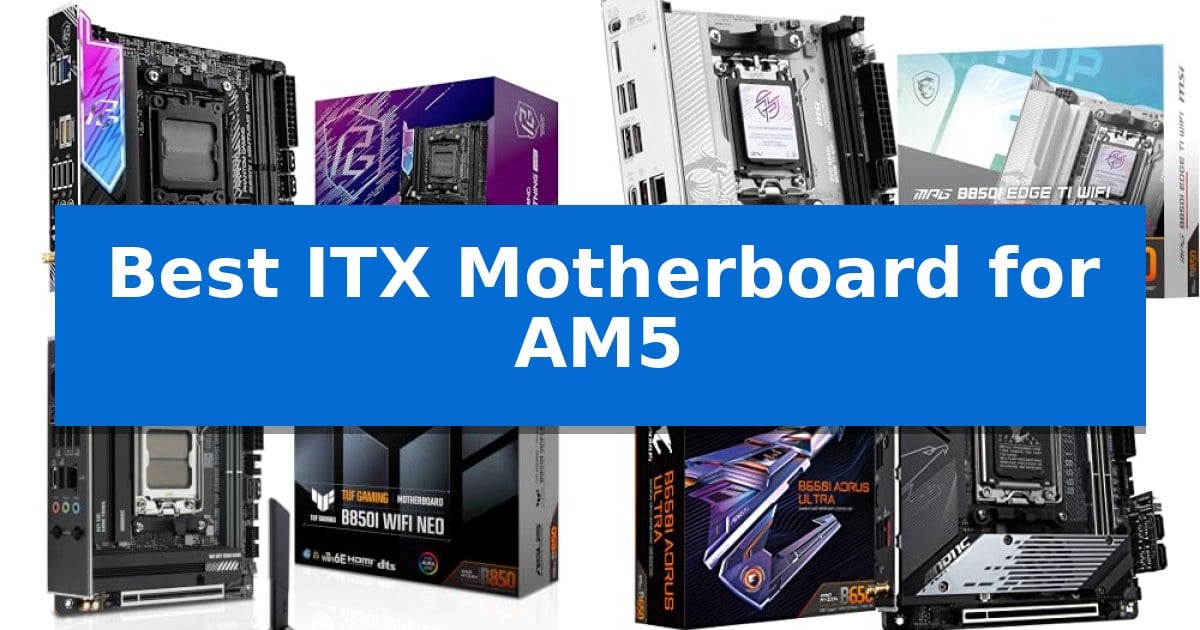
Building a small form factor PC requires balancing high-end performance with extreme space constraints. Finding the Best ITX Motherboard for AM5 is the most critical step, as this component dictates your CPU compatibility, memory overclocking potential, and overall connectivity in a compact chassis.
Whether you are targeting a high-performance gaming rig or a space-saving workstation, your choice of motherboard determines how effectively you can utilize the latest AMD Ryzen 9000, 8000, or 7000 series processors. We have analyzed the current market to identify which boards offer the most reliable power delivery, thermal management, and essential features for your specific build requirements.
Best ITX Motherboard for AM5 in 2026
Quick Comparison
| Product | Best For | Key Strength | Score |
|---|---|---|---|
| ASRock B850I Lightning WiFi Motherboard | Best Overall | 10+1+1 phase power design with 110A SPS for stable performance | 4.9 |
| MSI MPG B850I Edge TI WiFi Motherboard | Advanced Wi-Fi 7 and 5G networking | Direct 8 phases (90A) VRM for stable high-performance power delivery. | 4.9 |
| ASUS TUF Gaming B850I WiFi NEO Motherboard | AI-optimized cooling and performance | Robust power solution with 80A DrMOS power stages for stable CPU operation. | 4.9 |
| GIGABYTE B650I AORUS Ultra Motherboard | Robust thermal design for small builds | Direct 8+2+1 Phases Digital VRM for stable power delivery. | 4.9 |
| ASRock B650I Lightning WiFi Motherboard | Reliable foundation for compact systems | PCIe 5.0 M.2 support for next-generation NVMe storage speeds. | 4.4 |
How We Chose
- Power Delivery: Assessing the phase design and amperage capacity for stable CPU operation.
- Thermal Management: Reviewing the effectiveness of heatsinks and cooling solutions for VRMs and M.2 slots.
- Connectivity and Networking: Comparing Wi-Fi standards, LAN speeds, and USB port configurations.
- Memory and Storage Support: Verifying DDR5 frequency support and the availability of PCIe 5.0 slots.
- Build Compatibility: Ensuring the layout supports standard SFF case clearances and cooling configurations.
1 ASRock B850I Lightning WiFi Motherboard — High-speed memory and power delivery
Building a high-performance system in a confined space requires a foundation that balances thermal management with modern connectivity. The ASRock B850I Lightning WiFi Motherboard addresses this by integrating a robust 10+1+1 phase power design with 110A Smart Power Stage (SPS), ensuring stable power delivery for demanding processors within a compact Mini-ITX 170x170mm footprint.
This board is engineered for speed and future-ready storage, supporting DDR5 memory up to 8200+ (OC) MHz and providing a PCIe 5.0 x16 slot for high-bandwidth graphics cards. To handle data-intensive tasks, it features a Blazing M.2 (PCIe Gen5x4) slot alongside a secondary Hyper M.2 (PCIe Gen4x4) slot, offering significant throughput for modern NVMe drives.
Connectivity is prioritized through Killer 2.5G LAN and WiFi 6E with Bluetooth, providing reliable networking options for both wired and wireless setups. The rear I/O includes a USB 3.2 Gen2 Type-C port capable of up to 40Gb/s, while HDMI and DisplayPort Alt-mode support allow for flexible multi-monitor configurations.
When planning a build with this motherboard, verify that your chosen small form factor chassis provides adequate clearance for your cooling solution. The inclusion of BIOS Flashback simplifies maintenance, allowing for updates without needing a processor installed, which is a practical utility for system builders.
Best for: Enthusiasts building high-performance, compact SFF systems who require PCIe 5.0 support and extreme memory overclocking capabilities.
Skip if: Users who require more than two DIMM slots or additional PCIe expansion slots for multi-GPU or specialized add-in card configurations.
PROS
- 10+1+1 phase power design with 110A SPS for stable performance
- PCIe 5.0 x16 slot for next-generation graphics card compatibility
- Support for DDR5 memory up to 8200+ (OC) MHz
- Blazing M.2 (PCIe Gen5x4) storage slot for maximum speed
CONS
- Limited to two DIMM slots due to the Mini-ITX form factor
- Requires careful chassis and cooler clearance verification
2 MSI MPG B850I Edge TI WiFi Motherboard — Advanced Wi-Fi 7 and 5G networking
Building a high-performance compact system requires a foundation that balances thermal management with cutting-edge connectivity. The MSI MPG B850I Edge TI WiFi Motherboard addresses this by integrating a robust Direct 8 phases power (90A, SPS) VRM design, ensuring stable power delivery for the latest AMD Ryzen 9000, 8000, and 7000 series processors.
Designed for efficiency in tight spaces, the board features the Frozr Guard cooling system, which includes an extended heatsink and high-conductivity 7W/mK MOSFET thermal pads. This thermal management is essential for maintaining performance during sustained workloads, while the M.2 Shield Frozr protects high-speed storage from heat-related throttling.
For users prioritizing future-ready bandwidth, the board supports PCIe 5.0 x16 graphics cards via a reinforced Steel Armor II slot and includes a dedicated M.2 Gen5 x4 storage interface. Memory performance is equally prioritized, with two SMT-reinforced DDR5 DIMM slots capable of reaching 8200+ MT/s overclocking speeds.
Connectivity is a highlight, featuring an integrated Wi-Fi 7 module for low-latency wireless networking and a 5Gbps LAN port for high-speed wired data transfer. The rear I/O panel includes a USB Type-C 20Gbps port and Audio Boost 5 for high-fidelity 7.1 channel output, providing a comprehensive feature set within the Mini-ITX form factor.
Best for: Enthusiasts building a high-performance, compact AM5 system who require PCIe 5.0 support and high-speed networking.
Skip if: Users who require more than two memory slots or additional PCIe expansion slots, as the Mini-ITX form factor limits physical connectivity.
PROS
- Direct 8 phases (90A) VRM for stable high-performance power delivery.
- Support for PCIe 5.0 and Gen5 M.2 storage for maximum bandwidth.
- Advanced Wi-Fi 7 and 5Gbps LAN for high-speed connectivity.
- DDR5 Memory Boost supporting extreme overclocking speeds up to 8200+ MT/s.
CONS
- Mini-ITX form factor limits the number of available DIMM and expansion slots.
- Requires careful cable management due to the compact layout.
3 ASUS TUF Gaming B850I WiFi NEO Motherboard — AI-optimized cooling and performance
Building a high-performance small form factor (SFF) system requires a motherboard that balances compact dimensions with robust power delivery. The ASUS TUF Gaming B850I WiFi NEO Motherboard addresses this by integrating an 8(80A)+2(80A)+1(80A) DrMOS power stage on a 10-layer PCB, providing the stability necessary for demanding AMD Ryzen 9000, 8000, and 7000 Series processors. These components are supported by 8-pin ProCool power connectors, ensuring reliable energy delivery to the CPU even under heavy computational loads.
Designed for modern connectivity, this board features WiFi 6E and Realtek 2.5Gb Ethernet for high-speed networking, which is essential for users who prioritize low-latency data transfers. Storage expansion is handled through a dedicated PCIe 5.0 M.2 slot alongside a secondary PCIe 4.0 M.2 slot, allowing for fast NVMe configurations within a space-constrained build. This dual-slot layout provides a clear path for high-bandwidth storage upgrades without requiring additional expansion cards.
The board simplifies the SFF assembly process with a pre-mounted I/O shield and several DIY-friendly features such as Q-Antenna, Q-Dashboard, and a BIOS FlashBack button. These additions help manage the complexities of cable routing and component installation in tight chassis environments, reducing the time spent on manual configuration. The inclusion of Q-LED diagnostics further aids in troubleshooting during the initial build phase.
To maintain thermal efficiency, the motherboard utilizes AI Cooling II and intelligent control software like AI Cache Boost and ASUS AI Advisor. These tools assist in optimizing system performance and thermals, ensuring the hardware remains responsive during intensive computing tasks. By leveraging these AI-driven features, users can achieve a balance between noise levels and cooling performance, which is critical in the restricted airflow environments typical of Mini-ITX cases.
Best for: Users building a high-performance, compact SFF PC who require PCIe 5.0 storage support and robust power delivery for AM5 processors.
Skip if: Users who require more than two M.2 slots or additional PCIe expansion slots beyond what a standard Mini-ITX form factor provides.
PROS
- Robust power solution with 80A DrMOS power stages for stable CPU operation.
- Future-ready storage with an onboard PCIe 5.0 M.2 slot.
- DIY-friendly design including Q-Antenna and BIOS FlashBack for easier assembly.
- Comprehensive connectivity with WiFi 6E and dual USB-C ports.
CONS
- Mini-ITX form factor limits the number of available expansion slots and M.2 storage bays.
4 GIGABYTE B650I AORUS Ultra Motherboard — Robust thermal design for small builds
Building a high-performance small form factor system requires a foundation that balances thermal management with component density. The GIGABYTE B650I AORUS Ultra Motherboard addresses this through a Direct 8+2+1 Phases Digital VRM Solution paired with a 12-layer 2X Copper PCB, providing the necessary power delivery for demanding AMD Ryzen 9000, 8000, and 7000 series processors within an ITX footprint.
Thermal efficiency is a primary focus of this board's design. It features an extended VRM heatsink with heatpipe and fully covered MOSFET heatsinks to maintain stability under load. Storage performance is supported by a PCIe 5.0 M.2 slot, which includes the M.2 Thermal Guard III with active cooling to prevent throttling during intensive data operations.
Connectivity and ease of use are integrated into the compact layout. The board includes USB 3.2 Gen 2 Type-C with DP-Alt mode for versatile peripheral support and high-speed data transfer. Builders benefit from the EZ-Latch mechanism for simplified component installation, while Q-Flash allows for BIOS updates without needing a CPU or memory installed.
Memory performance is handled by two SMD DIMM slots that support AMD EXPO and Intel XMP profiles, allowing users to optimize DDR5 speeds. The inclusion of WIFI 6E and 2.5GbE networking ensures fast, reliable connectivity, making this motherboard a capable choice for users looking to maximize their compact build's potential.
Best for: This motherboard is best for users building a high-performance, compact ITX system who require robust power delivery and advanced thermal management for modern AMD Ryzen processors.
Skip if: Skip this if you require more than two DIMM slots for memory expansion or need additional PCIe expansion slots beyond the single primary slot provided by the ITX form factor.
PROS
- Direct 8+2+1 Phases Digital VRM for stable power delivery.
- PCIe 5.0 M.2 support with active cooling for high-speed storage.
- EZ-Latch and Q-Flash for simplified assembly and maintenance.
- WIFI 6E and 2.5GbE for high-bandwidth networking.
CONS
- ITX form factor limits expansion options compared to larger ATX boards.
- Two DIMM slots restrict total memory capacity and upgrade paths.
5 ASRock B650I Lightning WiFi Motherboard — Reliable foundation for compact systems
The ASRock B650I Lightning WiFi Motherboard is engineered specifically for space-constrained environments, utilizing a compact 170mm x 170mm Mini-ITX form factor that provides a robust foundation for small-form-factor builds. This board is built to support the AMD AM5 platform, ensuring compatibility with Ryzen 9000, 8000, and 7000 Series processors.
To maintain stability under load, the motherboard features an 8+2+1 phase power design with premium Dr.MOS components. Memory performance is supported through dual DDR5 DIMM slots, which are optimized for overclocked speeds reaching 7200+ (OC). For storage, the board includes a high-speed PCIe 5.0 x4 M.2 slot alongside a secondary PCIe 4.0 M.2 slot and two SATA3 ports, offering flexible configuration options.
Connectivity is handled by a comprehensive suite including Phantom Gaming 2.5G LAN and Intel WiFi 6E. The rear and front panel I/O includes multiple USB 3.2 Gen2 ports, featuring Type-C connectivity for modern peripherals. Audio is managed by the Realtek ALC897 7.1 CH HD Audio Codec, which is enhanced by Nahimic Audio for sound output.
Maintenance and setup are streamlined through user-centric features such as BIOS Flashback and the ASRock Auto Driver Installer. The board is backed by a 3-year manufacturer warranty, providing a reliable solution for users seeking to maximize performance within a restricted chassis footprint.
Best for: Builders creating high-performance, compact systems who require modern connectivity and support for the latest AMD Ryzen processors.
Skip if: Users who require more than two DIMM slots for memory expansion or those needing additional PCIe expansion slots beyond the single primary slot.
PROS
- PCIe 5.0 M.2 support for next-generation NVMe storage speeds.
- 8+2+1 phase power design for reliable power delivery.
- Compact Mini-ITX form factor ideal for small builds.
- Integrated WiFi 6E and 2.5G LAN for high-speed networking.
CONS
- Limited to two DIMM slots, restricting total memory capacity compared to larger boards.
Best ITX Motherboard for AM5 Buying Guide
Socket and Processor Compatibility
The AM5 socket is the foundation of your build, supporting a wide range of modern AMD processors. When selecting a board, ensure it is compatible with your specific generation of Ryzen chips, as BIOS updates may be required for the latest 9000-series processors.
Mini-ITX boards are designed for efficiency, but they still require careful planning. Always verify that your chosen CPU cooler does not interfere with the RAM slots or the VRM heatsinks, which are often positioned closer together on smaller boards.
Power Delivery and Thermal Design
In a compact build, airflow is limited, making the power delivery system and thermal heatsinks vital. Look for boards with robust VRM phases and high-quality thermal pads to prevent throttling during intensive tasks.
Efficient heat dissipation ensures that your components maintain peak performance. Boards featuring extended heatsinks or active cooling for M.2 drives are particularly beneficial for SFF systems where heat buildup is a common challenge.
Memory and Storage Expansion
Most ITX boards feature two DIMM slots, which is standard for the form factor. Prioritize boards that support high-speed DDR5 memory profiles, as this can significantly impact system responsiveness and gaming performance.
Storage is equally important, with many boards now offering PCIe 5.0 M.2 slots. Ensure your board provides enough M.2 and SATA ports to accommodate your storage needs, keeping in mind that space for additional drives is often limited in small cases.
Networking and Connectivity
Modern connectivity is essential for a versatile PC. Look for boards equipped with Wi-Fi 6E or Wi-Fi 7 and high-speed LAN ports, such as 2.5Gb or 5Gb Ethernet, to ensure fast and stable network performance.
Consider the rear I/O panel configuration, specifically the number and type of USB ports. Having a mix of USB-C and USB-A ports is ideal for connecting peripherals, external drives, and other essential hardware without needing extra hubs.
Form Factor and Case Integration
The Mini-ITX form factor is strictly defined as 170x170mm, but the placement of headers and connectors can vary. Before purchasing, check the layout of your chosen case to ensure that cables for front-panel connectors and power supplies can reach their destinations easily.
Some boards include features like pre-mounted I/O shields or simplified BIOS flashback buttons, which can make the assembly process much smoother in tight spaces. These small design choices often save significant time during the build phase.
Frequently Asked Questions
Can I use a standard ATX power supply with these ITX motherboards?
While the motherboard itself is compatible with standard power supplies, your ability to use one depends entirely on your case. Many SFF cases require SFX or SFX-L power supplies to maintain proper clearance.
Do I need to update the BIOS for new Ryzen processors?
It is often necessary to update the BIOS to ensure compatibility with the latest CPU generations. Many of the boards listed feature BIOS Flashback, allowing you to update the firmware even without a CPU installed.
Are these motherboards suitable for overclocking?
Yes, many of these boards feature robust power delivery systems designed for memory and CPU overclocking. However, thermal headroom is limited in small cases, so ensure you have adequate cooling.
What is the benefit of a PCIe 5.0 M.2 slot?
A PCIe 5.0 M.2 slot supports the latest generation of NVMe SSDs, offering significantly faster read and write speeds compared to PCIe 4.0, which is beneficial for heavy data tasks.
Is Wi-Fi 7 necessary for a gaming build?
Wi-Fi 7 offers faster speeds and lower latency than previous standards. While not strictly necessary for gaming if you use a wired connection, it provides a more future-proof wireless experience.
Conclusion: Our Top Pick
Selecting the right foundation for your small form factor build is essential for long-term stability and performance. After reviewing the available options, the ASRock B850I Lightning WiFi Motherboard stands out as the most balanced choice for most users, offering a strong combination of power delivery, high-speed memory support, and essential connectivity.
While other boards provide specialized features like 5G networking or advanced AI cooling, the ASRock model delivers the core requirements for a high-performance AM5 system in a compact footprint. Ensure you verify your case dimensions and cooler clearance before finalizing your purchase to guarantee a smooth assembly experience.