
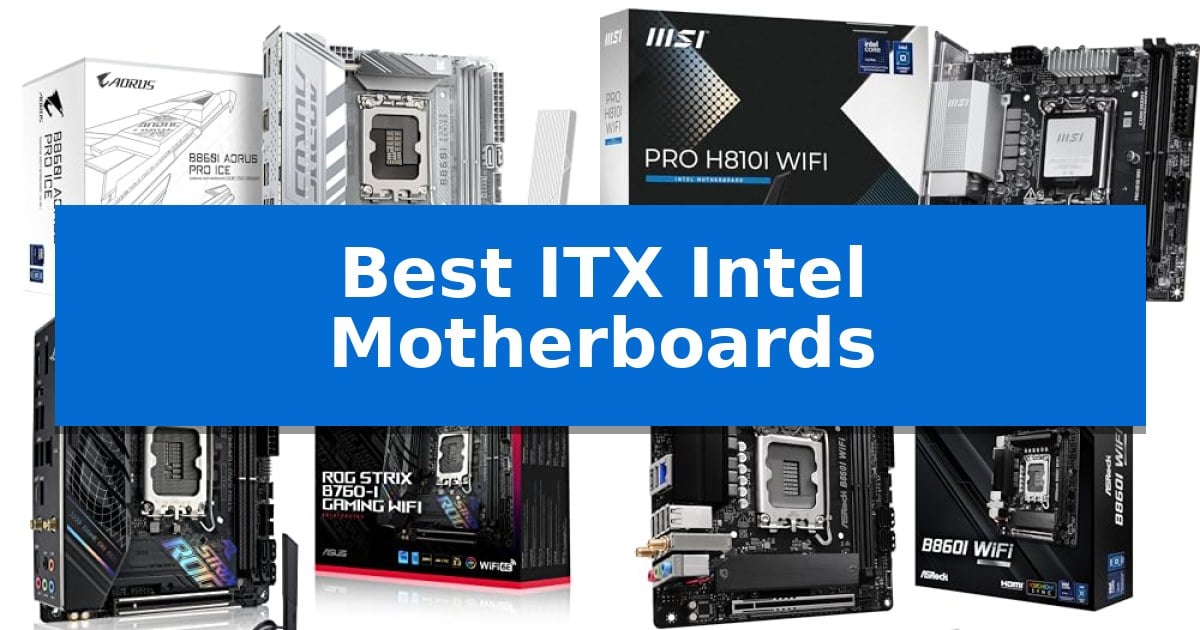
Building a high-performance PC in a small form factor requires careful component selection, starting with the foundation of your system. Finding the Best ITX Intel Motherboards is essential to ensure your processor, memory, and storage fit seamlessly into a space-constrained chassis without sacrificing stability or thermal management.
Whether you are prioritizing the latest socket standards or seeking budget-friendly compatibility, selecting the right board determines your upgrade path and peripheral support. We have analyzed the current market to help you identify which motherboard aligns with your specific build requirements and performance goals.
Best ITX Intel Motherboards in 2026: Compact Power for Small Builds
Quick Comparison
| Product | Best For | Key Strength | Score |
|---|---|---|---|
| GIGABYTE B860I AORUS PRO ICE Motherboard | Best Overall | Robust 8+1+2+1 power design with 80A SPS for stable performance. | 4.9 |
| MSI PRO H810I WiFi Motherboard | Modern Connectivity with Wi-Fi 7 | Wi-Fi 7 and 2.5Gbps LAN for high-speed networking. | 4.6 |
| ASUS ROG Strix B760-I Gaming Motherboard | High-End Features for Small Form | Robust 8 + 1 power stages for stable CPU performance. | 4.6 |
| ASRock B860I WiFi Motherboard | Future-Ready PCIe 5.0 Support | Supports high-speed DDR5 memory up to 8933+ MHz. | 4.4 |
| ASRock B760M-ITX/D4 WiFi Motherboard | Budget-Friendly DDR4 Compatibility | DDR4 memory support allows for cost-effective builds using existing hardware. | 4.5 |
How We Chose
- Socket and Chipset Compatibility: Ensuring the board supports the specific generation and series of Intel processors required for your build.
- Power Delivery Design: Assessing the VRM phases and amperage to ensure stable performance under sustained loads.
- Connectivity and Expansion: Evaluating the availability of PCIe slots, M.2 storage support, and high-speed networking standards like Wi-Fi 7 or Thunderbolt.
- Form Factor and Layout: Confirming the Mini-ITX dimensions and the strategic placement of headers to facilitate easier cable management in tight cases.
- Memory Support: Verifying the DDR5 or DDR4 compatibility and maximum frequency support for optimal system responsiveness.
1 GIGABYTE B860I AORUS PRO ICE Motherboard — Premium Aesthetic for Compact Builds
Building a high-performance small-form-factor system requires a foundation that balances thermal efficiency with modern connectivity. The GIGABYTE B860I AORUS PRO ICE provides a specialized platform for Intel Core Ultra (Series 2) processors, utilizing a distinct white aesthetic that stands out in compact chassis designs.
Engineered for reliability under load, the board features an 8+1+2+1 power design with 80A SPS VRM components. This robust power delivery is managed by VRM Thermal Armor Advanced and M.2 Thermal Guard solutions, ensuring that critical components remain within operational limits despite the restricted airflow typical of Mini-ITX builds.
Connectivity is a primary focus, highlighted by the inclusion of Thunderbolt 4 and Wi-Fi 7 support. The board offers PCIe 5.0 capability and dual M.2 slots, providing the necessary bandwidth for high-speed storage and future GPU upgrades. The integration of the EZ-Latch mechanism simplifies the installation process for M.2 drives and expansion cards.
Designed for users prioritizing a clean, minimalist look without sacrificing technical capability, this motherboard supports DDR5 memory across two DIMM slots. It serves as a comprehensive hub for compact workstations or gaming rigs that demand the latest Intel standards in a 6.7-inch by 6.7-inch footprint.
Best for: Enthusiasts building a high-performance, aesthetically focused white-themed Mini-ITX system using Intel Core Ultra processors.
Skip if: Users who require more than two DIMM slots for memory expansion or those who need additional PCIe expansion slots beyond the single primary interface.
PROS
- Robust 8+1+2+1 power design with 80A SPS for stable performance.
- Advanced thermal management including VRM armor and M.2 guards.
- Modern connectivity suite featuring Thunderbolt 4, Wi-Fi 7, and PCIe 5.0.
- EZ-Latch design for tool-less component installation.
CONS
- Limited to two DIMM slots, restricting total memory capacity.
- Mini-ITX form factor limits expansion options compared to larger boards.
2 MSI PRO H810I WiFi Motherboard — Modern Connectivity with Wi-Fi 7
Building a high-performance small form factor PC requires a foundation that balances thermal management with modern connectivity, and the MSI PRO H810I WiFi Motherboard addresses this by integrating an Extended Heatsink and M.2 Shield Frozr to maintain stability under load. Designed for the latest Intel Core Ultra Processors (Series 2), this ITX board features a Direct 6 Phase (55A DrMOS) VRM architecture, ensuring efficient power delivery within the constraints of a compact chassis.
The board is engineered for high-speed data and memory throughput, supporting DDR5 memory with speeds up to 7200 MT/s MAX via two SMT slots. Graphics performance is supported by a PCIe 5.0 x16 slot reinforced with Steel Armor, providing the necessary bandwidth for current-generation GPUs. For storage, the integrated M.2 Gen4 x4 slot offers 64Gbps speeds, keeping the internal layout clean by eliminating the need for extra SATA cables.
Connectivity remains a priority, as the MSI PRO H810I WiFi Motherboard includes a Wi-Fi 7 module with Bluetooth 5.4 and a 2.5Gbps LAN port for wired networking. The rear I/O panel is equipped with a USB 20Gbps Type-C port that supports display output, allowing for versatile monitor configurations without requiring a dedicated graphics card for basic tasks. The inclusion of 7.1 HD Audio with Audio Boost further rounds out the feature set for compact media or workstation builds.
Best for: Users building a compact, high-performance PC with the latest Intel Core Ultra processors who require Wi-Fi 7 and PCIe 5.0 support.
Skip if: Users requiring multiple M.2 storage drives or more than two memory slots, as this ITX board is limited by its physical footprint.
PROS
- Wi-Fi 7 and 2.5Gbps LAN for high-speed networking.
- PCIe 5.0 x16 Steel Armor slot for future-ready GPU support.
- DDR5 memory support up to 7200 MT/s.
- Integrated Frozr Guard cooling for VRM and M.2 components.
CONS
- Limited expansion due to the ITX form factor.
- Single M.2 Gen4 slot restricts total high-speed storage capacity.
3 ASUS ROG Strix B760-I Gaming Motherboard — High-End Features for Small Form
Building a high-performance PC in a compact footprint requires a motherboard that manages thermals and power delivery without sacrificing connectivity. The ASUS ROG Strix B760-I Gaming Motherboard addresses this by utilizing a robust 8 + 1 power stage design rated for 80A, ensuring stable power delivery for 13th and 12th Gen Intel Core processors in a mini-ITX form factor.
Thermal management is a critical priority in small enclosures. This board features thick heatsinks bridged to the VRM with high-conductivity thermal pads, with the primary heatsink integrated into the I/O cover to maximize surface area for heat dissipation. This design choice helps maintain stability during sustained workloads.
For storage and memory, the board supports DDR5 memory up to 7600 MT/s and includes two PCIe 4.0 M.2 slots. To optimize space, one M.2 slot is located on the rear of the board, while the primary slot features a dedicated heatsink to keep high-speed drives cool.
Connectivity remains a focus, with integrated Intel Wi-Fi 6E and Intel 2.5G Ethernet providing modern networking standards. The inclusion of Bluetooth 5.3 and a USB 3.2 Gen 2×2 Type-C port ensures that users have the necessary bandwidth and peripheral support for contemporary setups.
Best for: Users building a compact, high-performance Intel-based system who require modern connectivity and efficient thermal management.
Skip if: Users who require more than two M.2 storage slots or additional PCIe expansion slots common on larger ATX motherboards.
PROS
- Robust 8 + 1 power stages for stable CPU performance.
- Optimized VRM cooling with integrated I/O cover heatsink.
- Support for high-speed DDR5 memory up to 7600 MT/s.
- Integrated Wi-Fi 6E and 2.5G Ethernet for fast networking.
CONS
- Limited expansion capability due to the mini-ITX form factor.
- Rear-mounted M.2 slot may be difficult to access once the system is fully assembled.
4 ASRock B860I WiFi Motherboard — Future-Ready PCIe 5.0 Support
Building a high-performance compact PC requires a foundation that balances space constraints with modern connectivity, and the ASRock Intel Core Ultra B860 LGA1851 B860I WiFi 6E DDR5 8933 MHz 128GB M.2 Mini ITX Motherboard addresses this by integrating PCIe 5.0 support for next-generation storage speeds. This motherboard is engineered for the LGA1851 socket, providing a robust platform for users who need to maximize component density without sacrificing essential expansion capabilities.
The board features an 8+1+1+1+1 Power Phase design utilizing SPS (Smart Power Stage) for VCore, GT, and SA, which supports stable power delivery for demanding workloads. Memory performance is prioritized through two DDR5 DIMM slots that support dual-channel configurations and overclocked speeds reaching 8933+ MHz, allowing for high-bandwidth memory setups within the restricted Mini-ITX form factor.
Connectivity and audio integration are handled via the Realtek ALC1220 7.1 CH HD Audio Codec with Nahimic Audio for enhanced sound output. For visual connectivity, the board provides both HDMI and DisplayPort outputs, ensuring compatibility with a variety of monitor configurations. The inclusion of a Blazing M.2 (PCIe Gen5 x4) slot ensures that users can utilize the fastest available NVMe storage drives, a critical feature for creators and power users working with large datasets.
Designed for efficiency, this motherboard offers a comprehensive set of features for those building in small chassis. The combination of WiFi 6E for wireless networking and the high-speed storage interface makes it a versatile choice for modern, space-conscious builds. While the Mini-ITX form factor naturally limits the number of expansion slots, the board maximizes its available surface area to provide a high-density, feature-rich experience.
Best for: Users building high-performance, compact PC systems who require PCIe 5.0 storage and high-frequency DDR5 memory support.
Skip if: Users who require multiple PCIe expansion slots or more than two memory DIMMs for their specific computing needs.
PROS
- Supports high-speed DDR5 memory up to 8933+ MHz.
- Includes a Blazing M.2 PCIe Gen5 x4 slot for ultra-fast storage.
- Robust 8+1+1+1+1 Power Phase design with SPS for stable power.
- Integrated WiFi 6E for modern wireless connectivity.
CONS
- Limited to two DDR5 DIMM slots due to the Mini-ITX form factor.
- Restricted expansion options compared to larger ATX motherboards.
5 ASRock B760M-ITX/D4 WiFi Motherboard — Budget-Friendly DDR4 Compatibility
Building a compact PC requires a motherboard that balances space efficiency with essential connectivity, and the ASRock B760M-ITX/D4 WiFi Motherboard offers a focused solution for users working with Intel's 13th and 12th Gen processors. By utilizing the LGA1700 socket, this board provides a foundation for modern builds while maintaining compatibility with DDR4 memory, which can be a cost-effective choice for those transitioning from older systems.
The board features a 5+1+1 power phase design with Dr.MOS for VCore and GT, providing stable power delivery for the CPU. Memory support is robust for the platform, with capabilities for DDR4 5333MHz (OC), allowing users to leverage faster memory kits. For expansion and graphics, it includes one PCIe 4.0 x16 slot and standard display outputs including HDMI and DisplayPort for integrated graphics configurations.
Designed in the Mini-ITX form factor, this motherboard measures approximately 8.4 inches by 10.85 inches, making it suitable for small-chassis builds where every millimeter counts. The inclusion of integrated WiFi simplifies connectivity for users who cannot easily run Ethernet cables to their workstation or gaming setup.
Choosing this board involves a trade-off regarding memory standards, as it is strictly limited to DDR4. While this is beneficial for budget-conscious builders reusing existing RAM, it prevents the use of newer DDR5 modules. The single PCIe 4.0 x16 slot is standard for ITX boards, meaning users must prioritize their expansion needs, as there is no room for additional PCIe add-in cards.
Best for: Budget-conscious builders creating a compact PC with existing DDR4 memory and 12th or 13th Gen Intel processors.
Skip if: Users who require the higher bandwidth of DDR5 memory or those needing multiple PCIe expansion slots for specialized hardware.
PROS
- DDR4 memory support allows for cost-effective builds using existing hardware.
- Compact Mini-ITX form factor is ideal for space-constrained PC cases.
- Integrated WiFi provides convenient wireless connectivity out of the box.
- 5+1+1 Power Phase design ensures stable power delivery for Intel CPUs.
CONS
- DDR4-only compatibility limits future-proofing compared to DDR5 platforms.
- Single PCIe slot restricts expansion options for additional internal components.
Best ITX Intel Motherboards Buying Guide
Understanding Socket Compatibility
The most critical factor when selecting a motherboard is ensuring the CPU socket matches your processor. Intel frequently updates its socket designs, meaning a board built for one generation may not be physically or electrically compatible with another.
Always verify the LGA socket type—such as LGA 1851 or LGA 1700—before purchasing. Mismatched components will not only fail to boot but can also cause physical damage to the delicate pins on the motherboard.
Power Delivery and Thermal Management
In a small ITX case, airflow is often restricted, making the VRM (Voltage Regulator Module) design vital. Boards with higher-rated SPS (Smart Power Stages) and robust heatsinks are better equipped to handle the heat generated by high-end processors.
Look for features like Thermal Armor or extended heatsinks, which help dissipate heat away from critical components, ensuring your system remains stable during intensive tasks like gaming or content creation.
Storage and Expansion Options
Despite their small size, modern ITX boards often include multiple M.2 slots for high-speed NVMe storage. Some boards place these slots on the rear of the PCB to save space, which is a clever design choice but may impact accessibility.
Check for PCIe 5.0 support if you plan to use the latest graphics cards or high-speed storage drives. This ensures your system is ready for future hardware upgrades without requiring a motherboard replacement.
Networking and Connectivity
Connectivity options like Wi-Fi 7 and 2.5GbE LAN are increasingly standard, providing faster and more reliable network performance. For users with multiple peripherals, the number of USB ports and the inclusion of Thunderbolt 4 can be a deciding factor.
Consider how many internal headers are available for your case fans, RGB lighting, and front-panel connectors, as these are often limited on smaller boards.
Memory Standards: DDR4 vs. DDR5
Your choice of memory is dictated by the motherboard's DIMM slots. DDR5 is the current standard for high-performance builds, offering higher bandwidth and efficiency, while DDR4 remains a cost-effective option for budget-conscious users.
Always check the maximum memory frequency supported by the board, especially if you intend to use XMP profiles to overclock your RAM for better system performance.
Frequently Asked Questions
Can I fit a standard ATX power supply with these motherboards?
While the motherboard itself is Mini-ITX, your ability to use an ATX power supply depends entirely on your PC case. Many SFF cases require SFX or SFX-L power supplies to maintain clearance.
Do all ITX motherboards include built-in Wi-Fi?
Most modern ITX boards include integrated Wi-Fi and Bluetooth modules, as there is limited space for additional expansion cards. Always check the specifications to confirm the specific Wi-Fi generation included.
Is it difficult to build in an ITX motherboard?
Building in ITX can be more challenging due to the tight space and proximity of components. Using a board with well-placed headers and features like EZ-Latch can significantly simplify the installation process.
Will a PCIe 5.0 motherboard work with a PCIe 4.0 graphics card?
Yes, PCIe standards are backward compatible. A PCIe 4.0 graphics card will function perfectly in a PCIe 5.0 slot, though it will operate at PCIe 4.0 speeds.
Why do some ITX boards have M.2 slots on the back?
Mini-ITX boards have very limited surface area on the front of the PCB. Placing an M.2 slot on the back is a space-saving design choice that allows for more storage without increasing the board's footprint.
Conclusion: Our Top Pick
Selecting the right foundation for your small form factor build is key to balancing performance and space. The GIGABYTE B860I AORUS PRO ICE Motherboard stands out as the top choice for users who want a combination of modern connectivity, such as Wi-Fi 7 and PCIe 5.0, and a distinct aesthetic that fits well in compact, high-performance systems.
While other options offer specific advantages like DDR4 cost-savings or specialized cooling, this board provides the most comprehensive feature set for current Intel Core Ultra processors. Ensure your chosen case has sufficient clearance for the board's heatsinks and that your power supply meets the requirements of your specific CPU.