
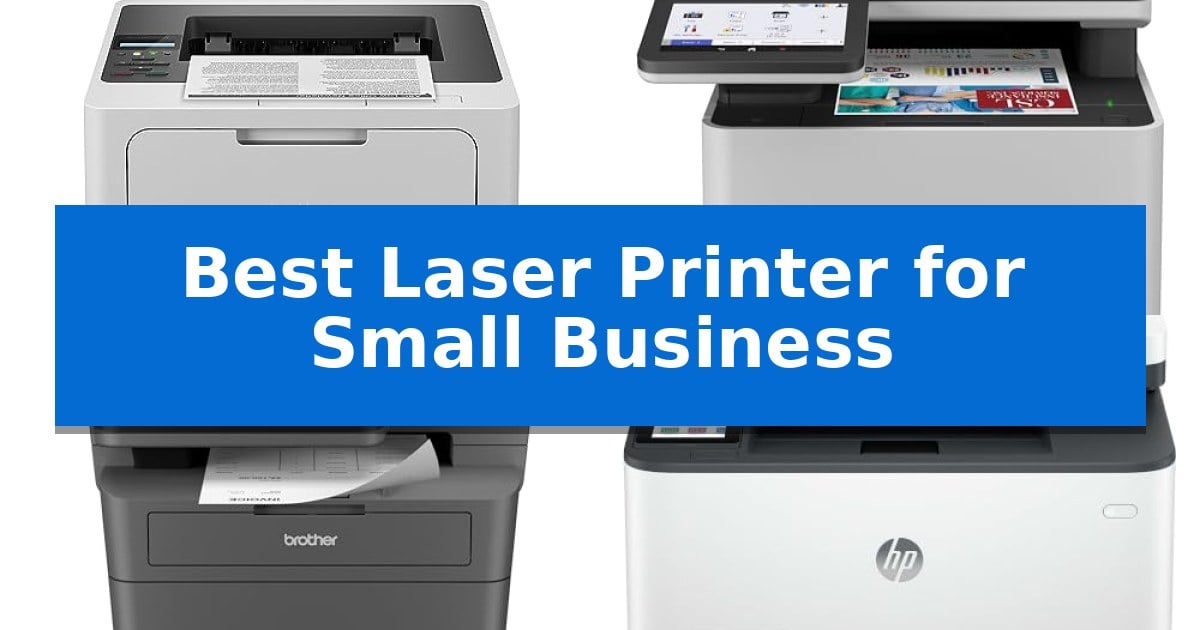
Finding the Best Laser Printer for Small Business requires balancing high-volume output with the practical constraints of a shared office environment. Whether you are managing a growing team or a busy home office, the right machine must handle daily document demands without constant maintenance or connectivity interruptions.
Our analysis focuses on printers that offer reliable performance, efficient toner usage, and flexible networking options. By evaluating these key hardware specifications, we help you identify a machine that integrates seamlessly into your existing network while maintaining professional standards for every page printed.
Best Laser Printer for Small Business
Quick Comparison
| Product | Best For | Key Strength | Score |
|---|---|---|---|
| Brother HL-6210DW Laser Printer | Best Overall | High-speed output of 50 pages per minute for efficient document production. | 4.9 |
| Brother MFC-L8930CDW Color Laser Printer | Professional Color All-in-One | High-speed duplex scanning at 104ipm with an 80-page auto document feeder. | 4.9 |
| Brother MFC-L2820DW Laser Printer | Compact Multi-Function Efficiency | Compact footprint ideal for space-constrained offices. | 4.3 |
| HP LaserJet Pro 3101sdw Printer | Reliable Small Team Workhorse | Fast print speeds up to 35 ppm for efficient document handling. | 4.8 |
| HP Color LaserJet Pro MFP 3301sdw | Vivid Color for Business Documents | Fast print speeds of up to 26 ppm for both color and black documents. | 4.9 |
How We Chose
- Print speed and volume capacity to ensure the machine keeps pace with team demands.
- Connectivity options, including dual-band wireless and Gigabit Ethernet, for stable network integration.
- Paper handling flexibility, such as the presence of multipurpose trays and auto document feeders.
- Operational cost-efficiency through high-yield toner compatibility and energy-saving certifications.
- Security features designed to protect sensitive business documents and network access.
1 Brother HL-6210DW Laser Printer — High-Volume Monochrome Productivity
Maintaining high-volume document workflows requires hardware that prioritizes both speed and reliability. The Brother HL-6210DW Laser Printer addresses this need with an impressive 50 ppm output speed, designed to keep pace with demanding office environments where waiting for print jobs is not an option.
Beyond its raw output speed, this monochrome laser printer offers significant flexibility for varied paper needs. It features a 520-sheet main tray and a 100-sheet multipurpose tray, which can be expanded to a total capacity of 1,660 sheets with optional trays. This modular design allows businesses to scale their paper handling as their volume grows, reducing the frequency of manual refills.
Connectivity and security are central to the device's integration into a professional network. It comes equipped with Gigabit Ethernet and dual-band wireless networking, facilitating efficient printer sharing across multiple workstations and mobile devices. To protect sensitive business data, the printer incorporates Triple Layer Security features, which safeguard documents during transmission and printing processes.
Operational efficiency is further supported by the use of Brother Genuine ultra high-yield replacement toner cartridges, which are rated for up to 18,000 pages. This high capacity helps manage long-term printing costs, making the printer a practical choice for businesses focused on maintaining a consistent, cost-effective monochrome workflow.
Best for: Small to medium-sized businesses requiring high-speed, high-volume monochrome printing with robust network security and expandable paper capacity.
Skip if: Users who require color printing, scanning, or copying capabilities, as this is a dedicated monochrome laser printer.
PROS
- High-speed output of 50 pages per minute for efficient document production.
- Expandable paper capacity up to 1,660 sheets to accommodate heavy workloads.
- Cost-efficient operation using ultra high-yield toner cartridges for up to 18,000 pages.
- Advanced network security with triple-layer protection for data and device safety.
CONS
- Monochrome-only output limits the device to black and white documents.
- Single-function design lacks integrated scanning, copying, or faxing capabilities.
2 Brother MFC-L8930CDW Color Laser Printer — Professional Color All-in-One
Managing high-volume document workflows requires a device that balances speed with consistent output quality. The Brother MFC-L8930CDW Color Laser Printer addresses this need by offering professional-grade color and monochrome printing at speeds reaching up to 33 pages per minute.
Designed for demanding office environments, this all-in-one unit features a 7-inch color touchscreen that simplifies navigation and allows for up to 64 customized shortcuts. The inclusion of an 80-page auto document feeder supports high-speed, two-sided scanning at up to 104 images per minute, enabling users to digitize documents directly to cloud services, email, or SharePoint.
Efficiency is further supported by flexible connectivity options, including Gigabit Ethernet and dual-band wireless networking. For businesses focused on data protection, the printer incorporates a triple-layer security system, which includes an integrated NFC card reader for secure badge authentication and safeguards for documents in transit.
The device is built with a compact footprint, occupying 25% less space than its predecessor, while maintaining a multipurpose tray for specialized media. To help manage operational expenses, the system supports high-yield replacement toner cartridges, capable of producing up to 7,500 black and 6,500 color pages.
Best for: Small businesses requiring high-speed, secure, and versatile document management with professional color output.
Skip if: Users with very limited office space or those who rarely print color documents may find a more compact monochrome-only laser printer more suitable.
PROS
- High-speed duplex scanning at 104ipm with an 80-page auto document feeder.
- Advanced security features including integrated NFC card reader for badge authentication.
- Flexible connectivity via dual-band wireless and Gigabit Ethernet.
- Cost-efficient printing with support for super high-yield toner cartridges.
CONS
- Large physical footprint compared to entry-level monochrome laser printers.
- Higher initial investment due to the inclusion of advanced scanning and security hardware.
3 Brother MFC-L2820DW Laser Printer — Compact Multi-Function Efficiency
Maintaining a high-volume office workflow requires hardware that balances speed with a compact footprint. The Brother MFC-L2820DW Laser Printer addresses this by integrating print, copy, scan, and fax capabilities into a single, space-saving unit designed specifically for small business environments.
Efficiency is central to this model, which features print speeds of up to 36 ppm and a 50-page auto document feeder to handle multi-page tasks without manual intervention. For connectivity, the printer offers dual-band wireless (2.4GHz/5GHz), Ethernet, and USB options, ensuring it integrates into various office network setups.
Navigation is managed through an intuitive 2.7-inch touchscreen, which simplifies the process of scanning to and printing from cloud services like Google Drive, Dropbox, and Evernote. Users can also utilize the Brother Mobile Connect app to monitor toner levels and manage print jobs remotely from mobile devices.
To manage ongoing costs, the device supports the Refresh EZ Print Subscription Service, which automates toner replenishment. Users can choose between standard TN830 or high-yield TN830XL cartridges to match their specific printing volume requirements.
Best for: Small businesses that require a compact, multi-function monochrome printer with robust cloud connectivity and high-speed document handling.
Skip if: Users who require color printing or high-volume tabloid-sized document production will need a different class of printer.
PROS
- Compact footprint ideal for space-constrained offices.
- High-speed printing up to 36 ppm.
- Dual-band wireless and Ethernet connectivity options.
- Integrated 50-page auto document feeder for multi-page tasks.
CONS
- Monochrome-only printing capability.
- Subscription-based toner service may not suit all procurement preferences.
4 HP LaserJet Pro 3101sdw Printer — Reliable Small Team Workhorse
The HP LaserJet Pro 3101sdw Printer serves as a centralized hub for small teams by integrating printing, scanning, and copying into a single, compact footprint. Designed to handle professional-quality black-and-white documents, this unit reaches print speeds of up to 35 ppm, ensuring that high-volume reports move through the workflow efficiently.
Productivity is supported by a 250-sheet input tray and a 50-sheet automatic document feeder, which reduces the need for frequent paper reloading during larger tasks. The inclusion of automatic two-sided printing further streamlines document management, allowing for efficient paper use without manual intervention.
Connectivity is handled through a dependable wireless system that actively seeks the best connection to maintain uptime. This wireless capability allows for flexible placement within an office environment, ensuring that the printer remains accessible to team members without requiring a direct wired connection to every workstation.
This device is engineered for specific toner compatibility, requiring cartridges with HP chips or circuitry to function. Users should be aware that the system will block cartridges using non-HP chips, and periodic firmware updates are implemented to maintain these security and performance measures.
Best for: Small teams requiring a reliable, fast monochrome all-in-one printer with wireless connectivity and automatic duplexing.
Skip if: You require color printing, high-volume photo reproduction, or the flexibility to use third-party toner cartridges.
PROS
- Fast print speeds up to 35 ppm for efficient document handling.
- Automatic two-sided printing and a 50-sheet document feeder for increased productivity.
- Dependable wireless connectivity for flexible office placement.
- All-in-one functionality combining print, scan, and copy capabilities.
CONS
- Strict cartridge compatibility requires the use of HP chips or circuitry.
- Monochrome-only output limits the device to black-and-white documents.
5 HP Color LaserJet Pro MFP 3301sdw — Vivid Color for Business Documents
Managing high-volume document workflows requires hardware that balances speed with consistent output quality. The HP Color LaserJet Pro MFP 3301sdw is engineered for small teams, offering print speeds up to 26 ppm for both black and color documents to keep professional projects moving efficiently.
This all-in-one device integrates auto 2-sided printing and an auto document feeder, which streamlines the process of digitizing or duplicating multi-page reports. By utilizing next-generation TerraJet toner, the printer is designed to produce more vivid color output, ensuring that business presentations and internal documents maintain a professional appearance.
Reliability is central to the design, with the unit featuring a 250-sheet input tray to reduce the frequency of paper refills during busy workdays. The system is built to handle the high demands of a small business environment while maintaining a compact footprint that fits into shared office spaces.
Compatibility is strictly managed through the use of Original HP 218A standard and 218X high yield LaserJet toner cartridges. The printer includes integrated security measures that require cartridges with HP chips or circuitry, with periodic firmware updates provided to maintain these operational standards.
Best for: Small teams requiring a reliable, all-in-one color laser printer for high-volume document scanning, copying, and professional-quality printing.
Skip if: Users who require the flexibility to use third-party or non-HP toner cartridges, as this device is restricted to official HP supplies.
PROS
- Fast print speeds of up to 26 ppm for both color and black documents.
- Integrated auto-duplexing and an automatic document feeder for efficient multi-page handling.
- High-yield toner support with the 218X cartridge option for longer intervals between replacements.
- All-in-one functionality combining printing, scanning, and copying in a single footprint.
CONS
- Strict cartridge compatibility requiring HP chips or circuitry.
- Firmware-dependent operation which may limit long-term supply flexibility.
Best Laser Printer for Small Business Buying Guide
Evaluating Print Speed and Volume
For a small business, the print speed measured in pages per minute (ppm) is a critical factor. High-volume environments require printers that can handle large batches of documents without significant lag, ensuring that your team remains productive throughout the day.
Consider the monthly duty cycle and the standard paper tray capacity. A printer with a robust main tray and an expandable paper capacity allows for uninterrupted printing, reducing the frequency of manual refills during busy periods.
Connectivity and Network Integration
Modern business environments rely on flexible connectivity. Look for models that support both Gigabit Ethernet for wired stability and dual-band wireless for mobile device printing. These options allow for seamless printer sharing across multiple workstations and mobile devices.
Ensure the printer is compatible with your existing office network infrastructure. Features like mobile app support can further streamline workflows by allowing staff to scan and print documents directly from their smartphones or tablets.
Cost-Efficiency and Toner Management
The long-term cost of ownership is heavily influenced by the printer's toner yield. Choosing a model that supports ultra high-yield replacement cartridges can significantly lower the cost per page, which is essential for businesses with high printing volumes.
Evaluate whether the printer offers subscription services or specific toner programs that help manage supply levels automatically. This prevents work stoppages caused by unexpected toner depletion.
Security Features for Business
Protecting sensitive data is paramount. Many business-grade laser printers now include Triple Layer Security or similar protocols to safeguard documents in transit and prevent unauthorized network access.
For offices handling confidential information, features such as NFC card readers for badge authentication provide an extra layer of control, ensuring that only authorized personnel can release sensitive print jobs.
Multi-Functionality vs. Single-Function
Decide whether you need an all-in-one (MFP) unit or a dedicated printer. An MFP combines printing, scanning, copying, and faxing, which is ideal for space-constrained offices that need to consolidate hardware.
If your business primarily requires high-speed document production without the need for scanning or copying, a dedicated laser printer often provides a more compact footprint and higher specialized performance.
Frequently Asked Questions
What is the primary benefit of a laser printer over an inkjet for business?
Laser printers typically offer faster print speeds, lower cost-per-page for monochrome documents, and text that is more resistant to smudging, making them ideal for professional reports and high-volume office use.
Do I need a printer with an automatic document feeder (ADF)?
An ADF is essential if your business frequently scans or copies multi-page documents, as it allows the machine to process stacks of paper automatically without manual intervention.
How does dual-band wireless improve printer performance?
Dual-band wireless (2.4GHz and 5GHz) provides more stable and faster network connections, reducing the likelihood of dropped signals or slow print speeds in environments with heavy Wi-Fi traffic.
Are high-yield toner cartridges worth the extra cost?
Yes, high-yield cartridges generally provide a lower cost-per-page over the life of the printer, making them more economical for businesses that print consistently high volumes.
Can I use third-party toner in my laser printer?
Many modern laser printers, particularly those from HP, are designed to work specifically with branded chips and circuitry. Using non-branded cartridges may result in compatibility issues or blocked printing.
Conclusion: Our Top Pick
For businesses prioritizing high-volume monochrome output, the Brother HL-6210DW Laser Printer stands out as a reliable workhorse. Its impressive 50 ppm print speed and expandable paper capacity make it well-suited for demanding office environments where efficiency and consistent performance are required.
While it lacks the scanning and copying features of an all-in-one device, its specialized focus on fast, cost-effective printing ensures that it excels at its primary task. For teams that need to produce large quantities of professional documents quickly, this model provides the necessary throughput and security to maintain a productive workflow.