
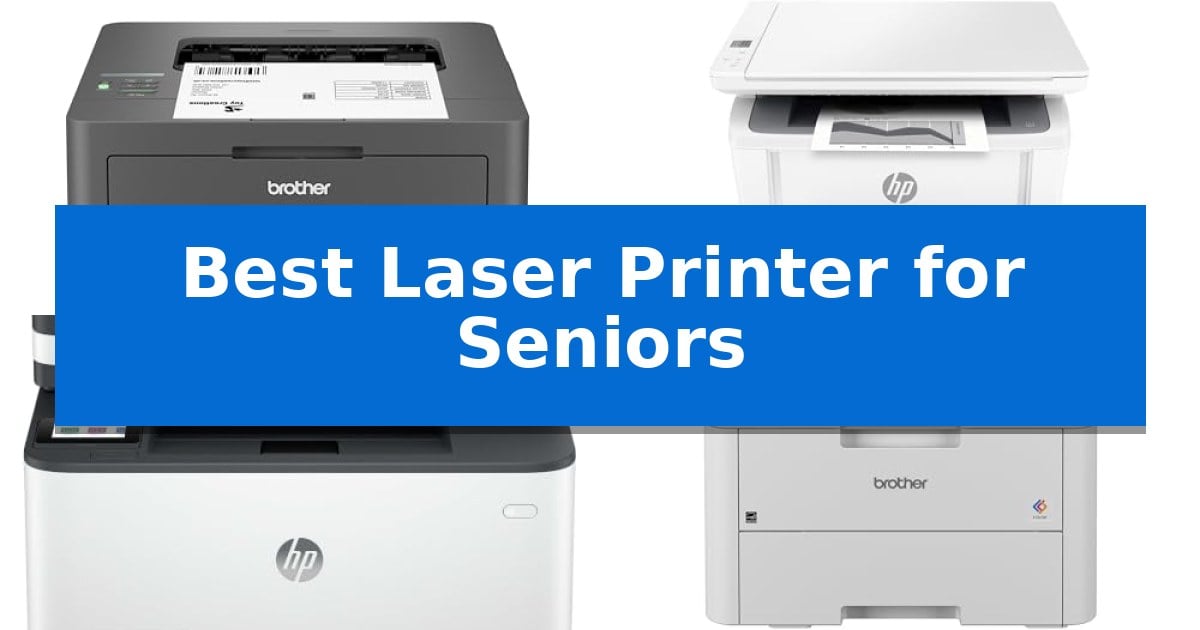
Finding the Best Laser Printer for Seniors requires balancing advanced technology with intuitive, frustration-free operation. Many modern machines are packed with complex menus and cloud-dependent features that can complicate simple tasks like printing a letter or a return label.
Our selection focuses on printers that prioritize physical controls, straightforward wireless connectivity, and consistent, high-quality monochrome output. By emphasizing machines with minimal maintenance requirements and clear, accessible interfaces, we help you find a reliable printing solution that works when you need it.
Best Laser Printer for Seniors
Quick Comparison
| Product | Best For | Key Strength | Score |
|---|---|---|---|
| Brother HL-L2405W Wireless Laser Printer | Best Overall | Fast print speeds of up to 30ppm for efficient document production. | 4.9 |
| HP LaserJet MFP M140w Printer | Compact Design for Small Spaces | Compact footprint that fits easily in small home offices. | 4.6 |
| HP LaserJet Pro 3101sdw Laser Printer | Fast and Reliable All-in-One | Fast printing speeds of up to 35 pages per minute. | 4.9 |
| Brother HL-L3220CDW Color Laser Printer | Vibrant Color for Home Documents | Automatic duplex printing for efficient paper usage. | 4.3 |
| Canon imageCLASS MF465dw II Laser Printer | Intuitive Touchscreen Navigation | 5-inch touchscreen for simplified navigation | 4.3 |
How We Chose
- Ease of physical interface and navigation
- Simplicity of wireless connectivity and setup
- Consistency of print quality for text documents
- Maintenance requirements and toner accessibility
- Physical footprint and paper handling reliability
1 Brother HL-L2405W Wireless Laser Printer — Simple Setup for Daily Printing
Maintaining a reliable home office setup requires equipment that prioritizes consistent output and ease of use. The Brother HL-L2405W Wireless Compact Monochrome Laser Printer is engineered for straightforward operation, delivering sharp, black-and-white documents at speeds up to 30 pages per minute. Its compact design and wireless connectivity make it a practical choice for those who value efficiency without unnecessary complexity.
Connectivity is a central feature of this model, offering both dual-band wireless (2.4GHz/5GHz) and a local USB interface. This flexibility allows for printing from multiple devices, including mobile phones via the Brother Mobile Connect app. The application provides remote management capabilities, such as tracking toner levels and ordering supplies, which simplifies routine maintenance tasks.
The printer is designed to handle various document needs through its 250-sheet paper tray and a dedicated manual feed slot for envelopes or specialty media. This hardware configuration supports consistent daily printing, while the inclusion of the Refresh EZ Print Subscription service offers a potential path for automated toner replenishment, helping to ensure the device remains ready for use.
Measuring 14.2 inches in length and 14 inches in width, the unit occupies a relatively small footprint, fitting easily into home office environments. Backed by a 1-year limited warranty and accessible support options, the Brother HL-L2405W Wireless Compact Monochrome Laser Printer provides a stable, no-nonsense solution for high-volume text document production.
Best for: Individuals who require a reliable, space-saving printer for high-volume text documents and value simple mobile connectivity.
Skip if: Users who require color printing, scanning, or copying capabilities, as this is a dedicated monochrome-only printer.
PROS
- Fast print speeds of up to 30ppm for efficient document production.
- Dual-band wireless connectivity for flexible placement and mobile printing.
- Compact footprint that fits easily on standard desks or shelves.
- Versatile paper handling with a 250-sheet tray and manual feed slot.
CONS
- Monochrome-only output limits the device to black and white documents.
- Lacks scanning and copying features found in all-in-one printer models.
2 HP LaserJet MFP M140w Printer — Compact Design for Small Spaces
Managing home office tasks requires equipment that balances efficiency with a minimal footprint. The HP LaserJet MFP M140w Printer is engineered as the world's smallest laser in its class, offering a streamlined design that fits into compact spaces while providing essential print, scan, and copy functionality.
Designed for small teams or individual users, this device delivers fast print speeds of up to 21 pages per minute. It simplifies administrative chores through the HP Smart app, which allows users to scan documents directly to the cloud or manage printing tasks from a smartphone, tablet, or PC. The inclusion of wireless connectivity with self-reset helps maintain a stable connection without frequent manual intervention.
Practicality is a core focus, highlighted by the ability to easily copy both sides of ID cards onto a single sheet of paper. This feature reduces paper waste and simplifies the process of digitizing small-format documents. The printer is compatible with a wide range of operating systems, including AirPrint, Chromebook, Mac, and Windows, ensuring it integrates into most existing home technology setups.
Users should note that this printer is designed to function exclusively with original HP chips or circuitry. It will block the use of third-party cartridges, and the system relies on periodic firmware updates to maintain these security measures. This ensures consistent operation but limits the flexibility of choosing alternative ink or toner sources.
Best for: Individuals or small teams needing a compact, reliable monochrome laser printer for basic document tasks and mobile-friendly scanning.
Skip if: Users who require color printing, high-volume paper handling, or the flexibility to use third-party toner cartridges.
PROS
- Compact footprint that fits easily in small home offices.
- Fast monochrome printing at 21 pages per minute.
- Mobile-ready via the HP Smart app and wireless connectivity.
- Simplified ID card copying feature.
CONS
- Proprietary cartridge requirement restricts the use of non-HP supplies.
- Monochrome only, limiting output to black and white documents.
3 HP LaserJet Pro 3101sdw Laser Printer — Fast and Reliable All-in-One
Managing household paperwork, reports, and essential documents requires a reliable device that balances speed with consistent output. The HP LaserJet Pro 3101sdw Laser Printer addresses this need by offering professional-quality monochrome printing at speeds up to 35 ppm, making it a capable tool for those who prioritize efficiency in their daily document management.
Designed as an all-in-one solution, this printer handles printing, scanning, and copying within a compact footprint. It includes an automatic document feeder for multi-page tasks and supports automatic two-sided printing, which helps conserve paper. The device is built to integrate into home environments with dependable wireless connectivity that actively seeks the best available connection to maintain network stability.
The hardware features a 250-sheet input tray, reducing the frequency of paper refills. It is engineered to work exclusively with cartridges containing original HP chips or circuitry, ensuring consistent print quality and performance. Users should be aware that firmware updates are periodically issued to maintain these security measures and operational standards.
With its straightforward design, this printer provides a balance of high-speed output and essential office functionality. It is a practical choice for users who require a dedicated, high-performance monochrome laser printer that simplifies the process of digitizing or producing physical copies of important documents.
Best for: Seniors who need a fast, reliable, and straightforward monochrome printer for high-volume document management and scanning tasks.
Skip if: Users who require color printing for photos or graphics, or those who prefer the flexibility of using third-party, non-branded toner cartridges.
PROS
- Fast printing speeds of up to 35 pages per minute.
- Automatic two-sided printing and a 50-sheet document feeder for efficient document handling.
- Dependable wireless connectivity designed to maintain a stable network link.
- Compact all-in-one design that combines printing, scanning, and copying.
CONS
- Restricted to HP-branded cartridges with original chips or circuitry.
- Monochrome-only output limits the device to black-and-white documents.
4 Brother HL-L3220CDW Color Laser Printer — Vibrant Color for Home Documents
Managing home office tasks requires reliable equipment that simplifies daily workflows. The Brother HL-L3220CDW Color Laser Printer addresses this need by providing 19 PPM output and automatic duplex printing, allowing for efficient, double-sided document production without constant manual intervention. This speed and automation help maintain a steady pace for document-heavy projects.
Designed for versatility, this unit features wireless connectivity, enabling users to print directly from laptops, smartphones, and tablets. This integration supports various mobile platforms and cloud services, which is helpful for those who prefer managing documents from different devices throughout the home. The wireless setup removes the need for physical cable clutter, making it easier to place the printer in a convenient location.
The printer includes a 250-sheet paper tray, which reduces the frequency of paper refills, a practical benefit for maintaining a steady workflow. Additionally, a manual feed slot is available for handling envelopes and specialty media, providing flexibility for diverse printing projects beyond standard documents. This combination of high-capacity storage and media versatility supports a wide range of office tasks.
Built with security in mind, the Brother HL-L3220CDW Color Laser Printer incorporates built-in security protocols to protect sensitive information during wireless transmission. Its compact design, measuring approximately 9.4 inches in height, allows it to fit into various home office setups while maintaining professional-grade output quality. This balance of security and space-saving design makes it a practical addition to any workspace.
Best for: Home office users who prioritize wireless mobile printing and efficient, double-sided document production.
Skip if: Users who require a multifunction device with scanning, copying, or faxing capabilities, as this model is a dedicated printer.
PROS
- Automatic duplex printing for efficient paper usage.
- Wireless connectivity for seamless mobile and cloud printing.
- 250-sheet paper tray minimizes the need for frequent refills.
- Manual feed slot provides versatility for specialty media.
CONS
- Lacks scanning and copying functionality as a single-function printer.
5 Canon imageCLASS MF465dw II Laser Printer — Intuitive Touchscreen Navigation
Managing home documentation requires a reliable interface, and the Canon imageCLASS MF465dw II simplifies this with a large 5-inch touchscreen. This display serves as the primary control center, allowing users to navigate through printing, copying, scanning, and faxing tasks without needing to decipher complex physical button arrays.
Designed for efficiency, this monochrome 4-in-1 laser printer delivers output speeds of up to 42 ppm. The inclusion of duplex printing capabilities means it can automatically handle two-sided documents, reducing paper waste and the need for manual page flipping. Its robust design is built to handle consistent document workflows in a home environment.
Connectivity is a core strength of this model, featuring easy wireless setup that integrates into existing home networks. Users can also utilize mobile device printing to send documents directly from smartphones or tablets, providing a flexible alternative to traditional desktop-based workflows.
While the Canon imageCLASS MF465dw II offers high-speed performance and versatile functionality, its footprint is substantial at 22.5 inches in length and 21 inches in width. Prospective users should ensure they have adequate desk or shelf space to accommodate this medium-sized unit comfortably.
Best for: Seniors who prioritize a large, intuitive touchscreen interface and high-speed monochrome document handling.
Skip if: Users with limited desk space or those who require color printing for photos and graphics.
PROS
- 5-inch touchscreen for simplified navigation
- Fast 42 ppm print speed
- Automatic duplex printing for efficiency
- Convenient mobile device printing support
CONS
- Large physical footprint requires significant dedicated space
Best Laser Printer for Seniors Buying Guide
Prioritizing Simple Controls
For many users, the most important feature is a straightforward control panel. Look for models with physical buttons or clearly labeled touchscreens that do not require navigating through multiple sub-menus to perform basic tasks like printing or scanning.
A printer that offers a simple, one-touch experience reduces the likelihood of configuration errors. Devices that allow for direct, local connectivity via USB alongside wireless options provide the most flexibility for different home setups.
Wireless Connectivity and Mobile Printing
While wireless printing is convenient, it should not be a source of constant troubleshooting. We prioritize printers that offer stable, dual-band Wi-Fi connectivity, which helps maintain a consistent link to your home network.
Mobile apps can be helpful, but they should supplement the experience rather than replace the need for a functional, standalone printer. Ensure the device you choose supports standard printing protocols that work reliably with your existing computers and tablets.
Monochrome vs. Color Printing
Most document-heavy tasks, such as printing forms, receipts, or correspondence, only require black-and-white output. Monochrome laser printers are generally more compact, faster, and more cost-effective to maintain than their color counterparts.
If you rarely print color photos or graphics, a dedicated monochrome laser printer is often the superior choice. It avoids the complexity of managing four separate toner cartridges and the potential for ink-related maintenance issues.
Paper Handling and Maintenance
A reliable paper tray is essential for avoiding frequent jams. Look for models with enclosed paper cassettes, which keep paper clean and protected from dust, rather than open-tray designs that may be more susceptible to environmental debris.
Consider how easily you can replace the toner cartridge. A front-loading or top-access design is significantly easier to manage than a system that requires complex disassembly or reaching into tight, internal spaces.
Understanding Print Speed and Volume
Print speed is measured in pages per minute (ppm). For home use, anything above 20 ppm is generally more than sufficient. Higher speeds are beneficial for large documents but are not the primary indicator of a printer's quality for daily, low-volume tasks.
Focus instead on the 'first page out' time, which determines how quickly the printer starts working after you send a command. A responsive printer that wakes quickly from sleep mode is often more satisfying to use than one that is technically faster but slower to initialize.
Frequently Asked Questions
Do I need a color printer for home documents?
In most cases, no. Monochrome laser printers are faster, more reliable, and cheaper to operate for text-based documents like letters, forms, and labels.
Are laser printers difficult to set up?
Many modern laser printers are designed for quick setup. Models with built-in wireless and clear mobile app instructions can be ready to print in just a few minutes.
How often do I need to replace the toner?
Toner life depends on your usage volume. Laser printers are very efficient, and a single cartridge can often last for hundreds or even thousands of pages, making them much lower maintenance than inkjet printers.
Can I print from my smartphone?
Yes, most current laser printers support wireless printing from smartphones and tablets through dedicated apps or standard mobile printing protocols.
What is the benefit of a laser printer over an inkjet?
Laser printers use toner powder rather than liquid ink, which means they do not suffer from clogged print heads if left unused for weeks at a time. This makes them ideal for intermittent home use.
Conclusion: Our Top Pick
Selecting the right printer can significantly simplify your daily document management. By focusing on models that emphasize reliable, high-quality monochrome output and straightforward physical controls, you ensure a stress-free experience that avoids the common pitfalls of more complex, multi-function devices.
For most home users, the Brother HL-L2405W Wireless Laser Printer stands out as the most balanced choice. Its combination of a compact footprint, reliable 30ppm print speed, and versatile connectivity options makes it an excellent, low-maintenance solution for daily printing needs.