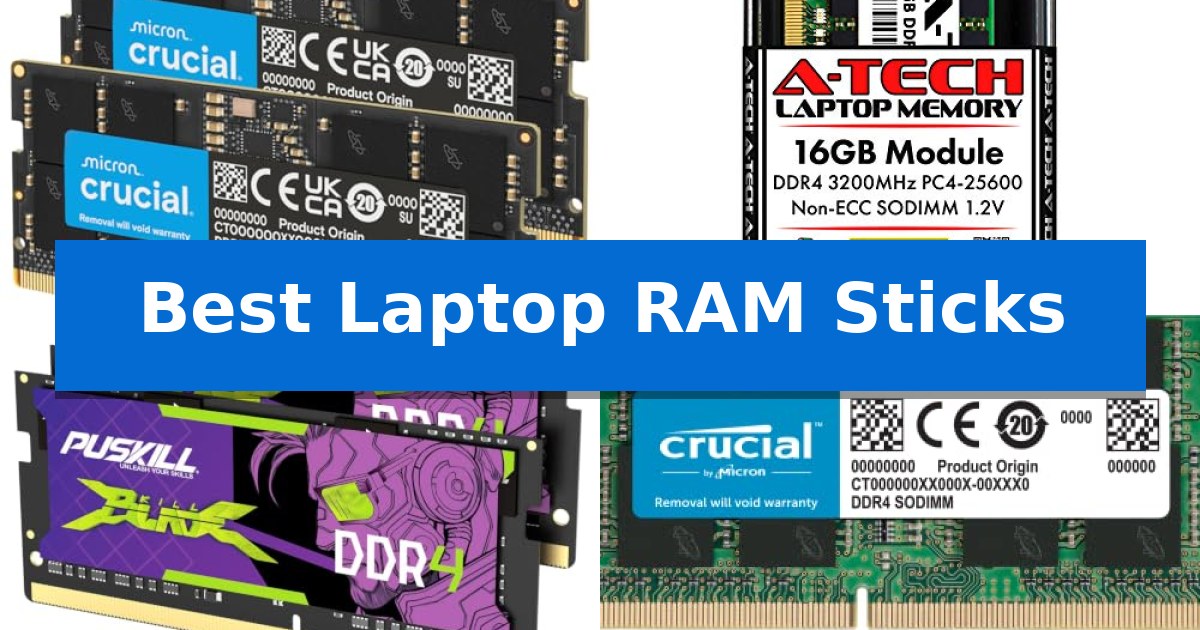
Best Laptop RAM Sticks in 2026: Boost Speed and Multitasking

Best Laptop RAM Sticks

Finding the right memory upgrade can be the most effective way to breathe new life into a sluggish computer. Whether you are dealing with frequent system stutters during heavy multitasking or looking to improve your frame rates in modern games, selecting the Best Laptop RAM Sticks requires matching your machine's specific generation and capacity requirements.

Upgrading your memory is often a straightforward process, but it demands precision regarding compatibility. From the latest high-speed DDR5 modules for modern processors to essential DDR3L replacements for older notebooks, we have analyzed the top options to help you identify the perfect fit for your hardware.
Best Laptop RAM Sticks in 2026: Boost Speed and Multitasking

Our Top Picks
  1. Best Overall Crucial DDR5 SODIMM
  2. Reliable standard for DDR4 systems A-Tech DDR4 SODIMM
  3. Budget-friendly dual-channel boost PUSKILL DDR4 SODIMM Kit
  4. Easy compatibility for mainstream laptops Crucial DDR4 SODIMM
  5. Essential upgrade for older notebooks Timetec DDR3L SODIMM

Quick Comparison

Product Best For Key Strength Score
Crucial DDR5 SODIMM Best Overall Versatile frequency support (5600MHz, 5200MHz, or 4800MHz) for broad system compatibility. 4.9
A-Tech DDR4 SODIMM Reliable standard for DDR4 systems 16GB capacity provides a significant boost for multitasking and memory-intensive applications. 4.6
PUSKILL DDR4 SODIMM Kit Budget-friendly dual-channel boost 32GB dual-channel capacity for improved multitasking. 4.3
Crucial DDR4 SODIMM Easy compatibility for mainstream laptops Easy installation process suitable for non-technical users. 4.5
Timetec DDR3L SODIMM Essential upgrade for older notebooks Dual-voltage support for 1.35V and 1.5V systems 4.5

How We Chose

  • Generation Compatibility: Ensuring the module matches the motherboard's DDR3, DDR4, or DDR5 architecture.
  • Frequency and Timing: Analyzing the rated MHz and latency to confirm they align with your CPU's memory controller capabilities.
  • Capacity and Configuration: Evaluating whether single or dual-channel kits provide the necessary bandwidth for your specific workload.
  • Form Factor and Voltage: Verifying the SODIMM pin count and power requirements to ensure physical and electrical compatibility.

1 Crucial DDR5 SODIMM — Modern DDR5 for latest processors

Upgrading your laptop's memory to the Crucial 32GB DDR5 RAM Kit (2x16GB) provides a significant boost for multitasking and system responsiveness. Designed for modern computing, this kit operates at speeds of 5600MHz, 5200MHz, or 4800MHz, allowing it to adapt to the specific requirements of your hardware while improving overall system flow.

This 262-Pin SODIMM memory is engineered for DDR5 compatibility, making it an ideal choice for users running 12th Gen Intel Core or AMD Ryzen 7000 Series processors. The kit supports Intel XMP 3.0 and AMD EXPO profiles, which simplifies the process of achieving optimized performance settings on supported motherboards.

Beyond general productivity, the Crucial DDR5 SODIMM is built to handle intensive workloads and accelerated gaming. Its 1.1V operating voltage and 1Rx8 configuration reflect the efficiency of the DDR5 standard. As a product of Micron, each module undergoes rigorous component and module-level testing to ensure consistent operation.

Installation is straightforward for compatible systems, as the SODIMM form factor is specifically sized for laptops. With a Limited Lifetime Warranty included, this kit offers a reliable path to extending the utility of your current machine by increasing available memory capacity.

Best for: Users looking to upgrade their 12th Gen Intel or Ryzen 7000 series laptop with high-speed, reliable DDR5 memory for multitasking and gaming.

Skip if: Users with older laptops that utilize DDR4 memory slots, as this DDR5 module is not backward compatible.

PROS

  • Versatile frequency support (5600MHz, 5200MHz, or 4800MHz) for broad system compatibility.
  • Optimized for modern processors including Intel Core and AMD Ryzen 7000 series.
  • Supports Intel XMP 3.0 and AMD EXPO for easier performance tuning.
  • Rigorous testing backed by 42 years of Micron memory expertise.

CONS

  • DDR5-only compatibility prevents use in older DDR4-based laptop systems.

2 A-Tech DDR4 SODIMM — Reliable standard for DDR4 systems

Upgrading your system's memory is a direct way to improve multitasking and application responsiveness, and the A-Tech DDR4 SODIMM offers a straightforward path for compatible notebooks and mini PCs. This 16GB module operates at a standard 3200MHz frequency, providing a reliable capacity boost for systems that support the DDR4 interface.

Engineered as a non-ECC unbuffered module, this memory stick adheres to JEDEC standards with a 1.2V operating voltage. It is designed for a simple plug-and-play installation, making it accessible for users looking to enhance their hardware without complex configuration. The module is built with high-quality DRAM components to ensure long-term stability during operation.

Compatibility is essential when selecting memory, and this module is specifically intended for systems that utilize 260-pin SO-DIMM slots. It is not compatible with desktop DIMM slots or ECC-specific memory architectures. Before installation, it is necessary to verify that your specific laptop or mini PC supports the 3200MHz speed and the 16GB capacity per slot to ensure proper system recognition.

To provide peace of mind, the product is backed by a Limited Lifetime Warranty covering defects in materials and workmanship. This support structure, combined with the module's rigorous testing for reliability, makes it a practical choice for users aiming to extend the utility of their existing mobile computing hardware.

Best for: Users looking to increase multitasking capacity in laptops or mini PCs that support 260-pin DDR4 SO-DIMM memory.

Skip if: You have a desktop computer requiring full-sized DIMMs or a system that requires ECC memory or does not support DDR4 technology.

PROS

  • 16GB capacity provides a significant boost for multitasking and memory-intensive applications.
  • Plug-and-play installation allows for quick upgrades without technical expertise.
  • Limited Lifetime Warranty offers long-term support against manufacturing defects.
  • JEDEC standard compliance ensures broad compatibility with supported DDR4 systems.

CONS

  • System-specific compatibility requirements mean it will not work in desktop or non-DDR4 systems.
  • Capacity and speed limits of the host motherboard must be verified before purchase.

3 PUSKILL DDR4 SODIMM Kit — Budget-friendly dual-channel boost

Upgrading your laptop memory is often the most effective way to improve system responsiveness, and the PUSKILL 32GB DDR4 3200MHz RAM (2x16GB) SODIMM CL22 Laptop kit provides a straightforward path to that goal. This dual-channel kit is designed for users who need to handle demanding multitasking, such as running gaming software alongside streaming tools and multiple browser tabs without experiencing stutter.

The PUSKILL 32GB DDR4 3200MHz RAM features a 3200MHz frequency and CL22-22-22-52 timing, which offers a performance increase for laptops currently running on slower 2666MHz memory. By utilizing a dual-channel architecture, the kit maximizes the memory bandwidth available to the CPU, which can lead to faster level loading in games and smoother operation during intensive tasks.

Installation is designed to be a true plug-and-play experience. The modules require no manual BIOS tuning or configuration; once installed into the SODIMM slots, the system automatically recognizes the 3200MHz speed. This makes it a practical choice for users looking for a performance boost without the complexity of manual memory overclocking.

Each kit is burn-in tested to ensure stability and compatibility, and the product is backed by a limited lifetime warranty. Operating at a standard 1.2V, these modules are built to integrate into existing laptop power profiles while providing a reliable capacity upgrade for aging or new gaming systems.

Best for: Users looking for a simple, high-capacity memory upgrade to improve multitasking and gaming performance on compatible DDR4 SODIMM laptops.

Skip if: Users with laptops that do not support DDR4 memory or those whose systems are capped at a lower frequency than 3200MHz, as the RAM will not reach its rated speed.

PROS

  • 32GB dual-channel capacity for improved multitasking.
  • Plug-and-play installation with no BIOS configuration required.
  • Burn-in tested for guaranteed stability and compatibility.
  • Limited lifetime warranty included.

CONS

  • CL22 latency may not be suitable for users seeking ultra-low latency performance.
  • DDR4 standard is not compatible with newer DDR5-based laptop slots.

4 Crucial DDR4 SODIMM — Easy compatibility for mainstream laptops

Upgrading a laptop's memory is one of the most effective ways to improve multitasking and system responsiveness, and the Crucial 16GB DDR4 RAM is engineered specifically for this purpose. This SODIMM 260-pin module operates at 3200MHz, providing a significant boost for users looking to handle more demanding applications without system lag.

Designed for seamless integration, this memory module is compatible with a wide range of systems, including those running 13th Gen Intel Core and AMD Ryzen 7000 processors. The Crucial DDR4 SODIMM utilizes a 1.2V power draw and is available in 1Rx8 or 2Rx8 configurations, ensuring it fits the standard requirements for modern laptop architectures.

Installation is straightforward, as the module is built for user-friendly upgrades that do not require advanced technical skills. Crucial provides a System Scanner and Upgrade Selector to verify compatibility before purchase, which helps eliminate guesswork. With 42 years of memory expertise from Micron, the hardware is rigorously tested at both component and module levels to ensure long-term reliability.

The Crucial 16GB DDR4 RAM is backed by a Limited Lifetime Warranty, offering peace of mind for those looking to extend the life of their existing hardware. By choosing this module, users gain a reliable, high-speed memory solution that fits easily into standard laptop slots, making it a practical choice for improving overall computing efficiency.

Best for: Mainstream laptop users seeking a reliable, high-speed memory upgrade to improve multitasking and system performance.

Skip if: Users with laptops requiring DDR5 memory or those with motherboards that do not support 3200MHz speeds should look for alternative specifications.

PROS

  • Easy installation process suitable for non-technical users.
  • 3200MHz speed significantly improves multitasking and system responsiveness.
  • Rigorous testing and Micron quality ensure high reliability.
  • Guaranteed compatibility tools provided by the manufacturer.

CONS

  • DDR4 interface is not compatible with newer laptops requiring DDR5 memory.

5 Timetec DDR3L SODIMM — Essential upgrade for older notebooks

Revitalizing an aging notebook often begins with addressing memory bottlenecks, and the Timetec DDR3L SODIMM provides a straightforward path to increased capacity. This 8GB module is engineered to integrate seamlessly into systems requiring DDR3 or DDR3L memory, offering a reliable hardware refresh for older laptops, mini PCs, and all-in-one devices.

The module operates at a frequency of 1600MHz with a CL11 latency, ensuring it meets standard performance requirements for DDR3-based architectures. A key technical advantage is its dual-voltage capability, as it is designed to function at both 1.35V and 1.5V. This flexibility allows the stick to maintain compatibility with a broader range of hardware configurations, including those that strictly require low-voltage (DDR3L) memory.

Built as a 2Rx8 Dual Rank configuration, this 204-pin SODIMM features a green PCB design and is rigorously tested to meet industry standards. The module is non-ECC and unbuffered, making it a standard choice for consumer-grade mobile computing environments. For users concerned with long-term reliability, the manufacturer includes a guaranteed lifetime warranty and provides access to United States-based technical support.

When installing this memory, ensure your specific device supports 8GB modules within its available SODIMM slots, as older chipsets may have limitations on maximum addressable memory. This upgrade is best suited for users looking to extend the functional lifespan of their existing hardware without investing in a new machine.

Best for: Users looking to upgrade or expand the memory capacity of older laptops and mini PCs compatible with DDR3/DDR3L standards.

Skip if: Users with modern laptops requiring DDR4 or DDR5 memory, or those whose systems have a maximum RAM capacity already reached.

PROS

  • Dual-voltage support for 1.35V and 1.5V systems
  • Lifetime warranty coverage
  • Standard 1600MHz frequency for broad compatibility
  • Rigorous quality testing standards

CONS

  • DDR3L/DDR3 interface is incompatible with newer DDR4 or DDR5 slots

Best Laptop RAM Sticks Buying Guide

Understanding Memory Generations

The most critical step in your upgrade is identifying your laptop's supported memory generation. DDR5 is the current standard for modern high-performance systems, offering higher bandwidth and power efficiency. DDR4 remains the most common standard for mainstream laptops from the last several years, while DDR3L is typically found in older notebooks.

These generations are not interchangeable. A DDR5 slot will not accept a DDR4 module, and vice versa. Always consult your laptop manufacturer's manual or use a system scanner tool to confirm exactly which generation your motherboard supports before making a purchase.

Frequency and Latency Explained

Memory speed is measured in MHz, which dictates how quickly data can be accessed. While higher frequencies like 5600MHz offer better performance for demanding tasks, your laptop's processor must also support that speed. If you install faster RAM than your CPU can handle, the system will typically downclock the memory to a supported speed.

Latency, often denoted as CL (CAS Latency), represents the delay between a command being issued and the data being available. Lower latency is generally better, but for most users, ensuring the RAM is compatible and runs in a dual-channel configuration provides a more noticeable performance gain than minor latency differences.

The Importance of Dual-Channel Memory

Most modern laptops benefit significantly from running memory in a dual-channel configuration. This requires two identical sticks of RAM installed in the correct slots, allowing the processor to access two data paths simultaneously rather than one.

If your laptop has two slots, purchasing a kit of two matching modules is often the best way to ensure stability and maximum bandwidth. This configuration is particularly beneficial for gaming, video editing, and running multiple resource-heavy applications at once.

Voltage and Power Requirements

Laptop memory operates at specific voltages, such as 1.1V for DDR5 or 1.2V for DDR4. Using a module with the incorrect voltage can lead to system instability or prevent the laptop from booting entirely.

Older standards like DDR3L were designed to operate at lower voltages (1.35V) compared to standard DDR3 (1.5V). Always verify that your chosen module matches the voltage requirements of your system to prevent hardware damage or power management issues.

Installation and Compatibility Checks

Before installing your new RAM, ensure your laptop is powered off and the battery is disconnected if possible. SODIMM modules are designed for easy, plug-and-play installation; they should slide into the slot at an angle and click into place when pressed down.

If your system does not recognize the new memory, double-check that the module is fully seated in the slot. In some cases, a BIOS update may be required to ensure the motherboard correctly identifies higher-capacity modules or newer memory standards.

Frequently Asked Questions

Can I mix different brands of RAM in my laptop?

While it is possible to mix brands, it is highly recommended to use identical modules with the same frequency, latency, and capacity to ensure stability and optimal dual-channel performance.

How do I know the maximum RAM capacity my laptop supports?

You should check your laptop manufacturer's official specifications or use a system scanner tool. Many laptops have a hard limit on the total gigabytes they can address.

Does faster RAM always make my laptop faster?

Only if your system is currently bottlenecked by memory speed or capacity. If your CPU is the limiting factor, upgrading to faster RAM may provide little to no noticeable improvement.

What is the difference between SODIMM and DIMM?

SODIMM is the smaller form factor designed specifically for laptops and mini PCs, whereas DIMM is the larger form factor used in desktop computers.

Is it better to have more RAM or faster RAM?

For most users, having enough capacity (e.g., 16GB or 32GB) to avoid swapping data to your storage drive is more important than the speed of the RAM.

Conclusion: Our Top Pick

When upgrading your system, the Crucial DDR5 SODIMM stands out as the premier choice for modern laptops requiring the latest memory standards. Its support for high frequencies and compatibility with current Intel and AMD processors make it a reliable solution for improving multitasking and overall system responsiveness.

While this module offers excellent performance, always verify your laptop's specific generation support before purchasing. If your system is limited to DDR4 or DDR3L, ensure you select the appropriate generation to maintain compatibility and system stability.
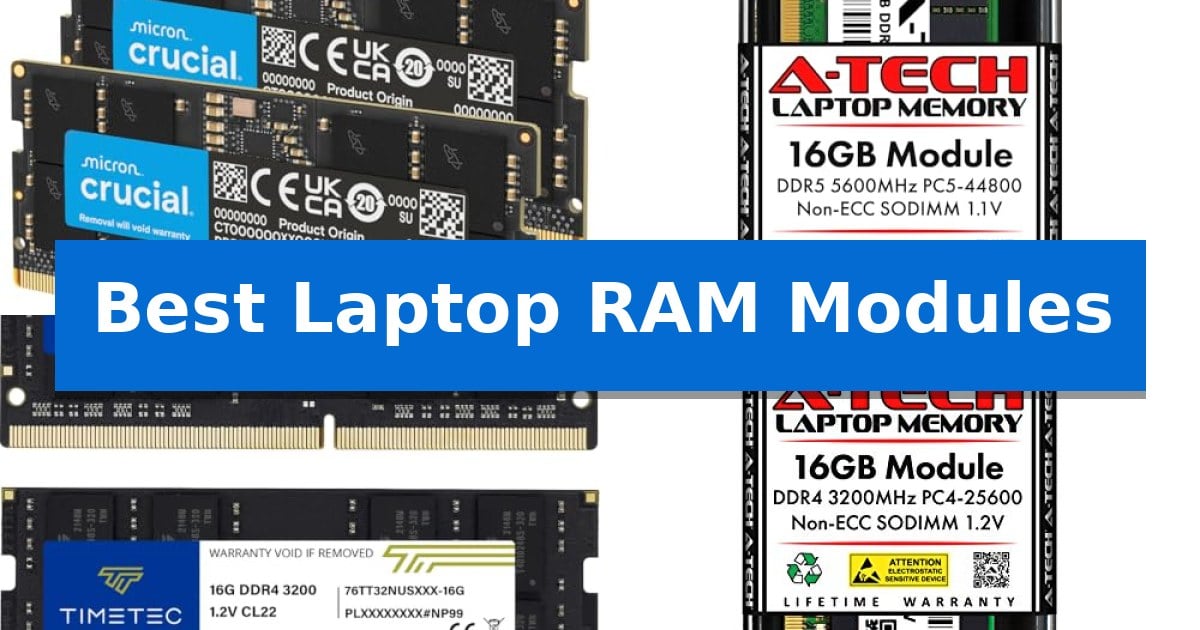
Best Laptop RAM Modules in 2026: Upgrade Your System Capacity

Best Laptop RAM Modules

Finding the right memory upgrade is one of the most effective ways to breathe new life into your computer. Whether you are dealing with sluggish multitasking or need more headroom for demanding applications, upgrading your Best Laptop RAM Modules can significantly improve your overall system responsiveness.

Selecting the correct memory requires matching specific standards like DDR5 or DDR4 to your laptop's motherboard. This guide breaks down the essential factors to consider, ensuring you choose a reliable module that fits your hardware and meets your performance needs.

Best Laptop RAM Modules in 2026: Upgrade Your System Capacity

Our Top Picks
  1. Latest Standard for Modern Systems A-Tech DDR5 Memory Module
  2. Reliable Dual-Channel Capacity Upgrade Timetec DDR4 Memory Kit
  3. Standard Upgrade for Daily Computing A-Tech DDR4 Memory Module
  4. Essential Revive for Older Laptops Timetec DDR3L Memory Module

Quick Comparison

Product Best For Key Strength Score
Crucial DDR5 Memory Kit Best Overall Supports high-speed operation up to 5600MHz for improved system responsiveness. 4.9
A-Tech DDR5 Memory Module Latest Standard for Modern Systems High-speed 5600MHz performance for improved system responsiveness. 4.7
Timetec DDR4 Memory Kit Reliable Dual-Channel Capacity Upgrade 32GB total capacity provides significant headroom for memory-intensive applications. 4.8
A-Tech DDR4 Memory Module Standard Upgrade for Daily Computing 16GB capacity significantly enhances multitasking and system responsiveness. 4.3
Timetec DDR3L Memory Module Essential Revive for Older Laptops Dual voltage support allows operation at both 1.35V and 1.5V. 4.7

How We Chose

  • Compatibility with industry standards including DDR3L, DDR4, and DDR5.
  • Verification of form factor and pin count to ensure physical fitment.
  • Assessment of clock speeds and voltage requirements for stable operation.
  • Evaluation of capacity options to match different multitasking demands.
  • Review of manufacturer support and warranty terms for long-term peace of mind.

1 Crucial DDR5 Memory Kit — High-Speed Multitasking Performance

Upgrading your system memory to a 32GB DDR5 RAM configuration provides a substantial boost for multitasking and demanding workloads. The Crucial 32GB DDR5 RAM Kit is engineered to operate at speeds of 5600MHz, 5200MHz, or 4800MHz, allowing for versatile integration across various high-performance laptop setups.

Designed for modern computing, this 262-Pin SODIMM memory kit is optimized for 12th Gen Intel Core and AMD Ryzen 7000 Series processors. The inclusion of Intel XMP 3.0 and AMD EXPO support ensures that users can leverage performance profiles to maintain stability and speed during heavy tasks or fast-paced gaming sessions.

Reliability is central to the design, with the modules undergoing rigorous testing at both component and module levels. As a Non-ECC memory solution with a 1.1V operating voltage, it balances power efficiency with the high-bandwidth requirements of the PC5-44800 standard, making it a robust choice for users looking to improve system responsiveness.

The 1Rx8 configuration ensures efficient data handling, while the compact SODIMM form factor ensures compatibility with standard laptop memory slots. Backed by 42 years of memory expertise, this kit offers a dependable path for users aiming to extend the utility of their current hardware through a straightforward memory upgrade.

Best for: Users looking to enhance multitasking and gaming performance on laptops compatible with DDR5 SODIMM memory and modern Intel or AMD processors.

Skip if: Users with older laptops that require DDR4 memory modules, as this kit is physically and electrically incompatible with non-DDR5 slots.

PROS

  • Supports high-speed operation up to 5600MHz for improved system responsiveness.
  • Broad compatibility with Intel XMP 3.0 and AMD EXPO profiles.
  • Rigorous component and module-level testing ensures consistent reliability.
  • Efficient 1.1V power consumption suitable for mobile computing environments.

CONS

  • Limited to DDR5-compatible systems only.
  • Requires specific processor support to utilize the highest 5600MHz frequency.

2 A-Tech DDR5 Memory Module — Latest Standard for Modern Systems

Upgrading your system memory with the A-Tech 16GB DDR5 5600MHz PC5-44800 CL46 SODIMM provides a direct path to improved multitasking and reduced system bottlenecks. Designed for modern computing environments, this module utilizes the DDR5 standard to deliver speeds up to 5600MHz, ensuring your laptop or mini PC can handle demanding resource-heavy applications more efficiently.

This 16GB single module features a 262-pin SO-DIMM form factor, making it compatible with a wide range of DDR5-enabled notebooks and All-in-One computers. Operating at a standard 1.1V, it adheres to JEDEC DDR5 specifications, ensuring stable power consumption while maintaining the performance overhead required for contemporary computing tasks.

Installation is designed to be straightforward, requiring no specialized technical expertise to integrate into existing hardware. The module is NON-ECC unbuffered, which is the standard configuration for most consumer-grade laptops, ensuring broad compatibility with systems that support the DDR5 interface.

Reliability is supported by rigorous testing protocols for each module, backed by a Limited Lifetime Warranty. This ensures that the component is built to meet consistent performance standards throughout the lifespan of your device, providing a secure hardware upgrade for users looking to extend the utility of their current machine.

Best for: Users looking to increase system memory capacity and performance on DDR5-compatible laptops, mini PCs, and All-in-One computers.

Skip if: Users with older laptops that utilize DDR4 or earlier memory standards, as this module is physically and electrically incompatible with non-DDR5 slots.

PROS

  • High-speed 5600MHz performance for improved system responsiveness.
  • Standard 1.1V power efficiency adhering to JEDEC specifications.
  • Limited Lifetime Warranty for long-term hardware support.
  • Easy installation process suitable for non-expert users.

CONS

  • Single-module configuration may require matching a second stick for optimal dual-channel performance.

3 Timetec DDR4 Memory Kit — Reliable Dual-Channel Capacity Upgrade

Upgrading your system's memory capacity can significantly improve multitasking efficiency, and the Timetec 32GB KIT (2x16GB) DDR4 3200MHz offers a straightforward path to achieving this. This dual-channel kit is engineered for laptops, notebooks, mini PCs, and all-in-one systems that utilize 260-pin SODIMM slots, providing a substantial boost for memory-intensive workflows.

The Timetec DDR4 Memory Kit operates at a frequency of 3200MHz with a 1.2V power requirement, ensuring energy-efficient operation. It features Non-ECC Unbuffered architecture, which is standard for most consumer-grade mobile computing platforms. If your system hardware is limited to lower speeds, the modules are designed to automatically downclock to 2933MHz or 2666MHz, maintaining compatibility without requiring manual BIOS intervention.

Installation is designed to be a simple plug-and-play process, allowing users to expand their system's headroom without needing specialized technical expertise. Because these modules are strictly for 260-pin SODIMM interfaces, they are physically incompatible with desktop-sized DIMM slots, making it essential to verify your device's specific memory standard before installation.

To ensure long-term reliability, the kit is backed by a Limited Lifetime Warranty supported by technical teams based in the United States. While PCB colors and rank configurations may vary between production batches, the performance specifications remain consistent across all units, providing a stable foundation for your hardware upgrade.

Best for: Users looking to increase system memory capacity for multitasking on compatible DDR4-based laptops, mini PCs, and all-in-one systems.

Skip if: Users with desktop computers using full-sized DIMM slots or older systems that do not support the DDR4 260-pin SODIMM standard.

PROS

  • 32GB total capacity provides significant headroom for memory-intensive applications.
  • Plug-and-play installation allows for quick and easy system upgrades.
  • Automatic downclocking ensures compatibility with systems limited to 2933MHz or 2666MHz.
  • Limited Lifetime Warranty offers long-term support and peace of mind.

CONS

  • Incompatible with desktop DIMM slots, limiting use to specific mobile and compact form factors.
  • Physical specifications like PCB color may vary by production batch.

4 A-Tech DDR4 Memory Module — Standard Upgrade for Daily Computing

Upgrading your system's memory is a direct way to improve multitasking and application responsiveness, and the A-Tech DDR4 Memory Module provides a straightforward path for compatible laptops and mini PCs. This 16GB module operates at a frequency of 3200MHz, designed to integrate seamlessly into systems requiring DDR4 SO-DIMM memory.

Engineered for reliability, this Non-ECC Unbuffered module adheres to the JEDEC DDR4 standard with an operating voltage of 1.2V. The 260-pin SO-DIMM form factor ensures a precise fit for notebook computers and small-form-factor systems that support this specific memory type. Its plug-and-play design allows for installation without requiring specialized technical expertise.

The A-Tech DDR4 Memory Module is built with high-quality DRAM components that undergo rigorous testing to ensure long-term stability. Because it is a non-ECC component, it is intended for standard consumer computing environments rather than systems requiring ECC memory types like RDIMM or LRDIMM. Users should verify their system's specific memory capacity limits and form factor compatibility before installation to ensure the module is recognized correctly by the motherboard.

To support long-term use, the module is backed by a Limited Lifetime Warranty covering defects in materials and workmanship. This support structure is complemented by a dedicated technical team available to assist with inquiries before and after the purchase, providing a layer of security for those performing their own hardware upgrades.

Best for: Users looking to increase system memory capacity in compatible DDR4-based laptops, notebooks, or mini PCs.

Skip if: Users with systems requiring ECC memory, desktop computers using full-sized DIMMs, or older laptops that only support DDR3 or earlier memory standards.

PROS

  • 16GB capacity significantly enhances multitasking and system responsiveness.
  • Plug-and-play installation requires no complex configuration.
  • Backed by a Limited Lifetime Warranty for long-term peace of mind.
  • Standard 1.2V operating voltage ensures compatibility with JEDEC DDR4 specifications.

CONS

  • Not compatible with desktop DIMM slots or ECC-required hardware.
  • Requires manual verification of system-specific memory limits before purchase.

5 Timetec DDR3L Memory Module — Essential Revive for Older Laptops

Upgrading the memory in an aging computer can provide a noticeable boost in multitasking efficiency, and the Timetec 8GB DDR3L / DDR3 1600MHz Memory Module is designed specifically to facilitate this transition. This module serves as a reliable solution for users looking to breathe new life into older laptops, mini PCs, or all-in-one devices that rely on the DDR3 architecture.

The module features a 204-pin SODIMM form factor, making it compatible with a wide range of legacy notebook systems. It operates at a frequency of 1600MHz with a CL11 latency, ensuring stable performance for standard computing tasks. A key advantage of this specific hardware is its dual voltage capability, as it is engineered to function at both 1.35V and 1.5V standards. This flexibility allows it to integrate seamlessly into systems that require the lower-power DDR3L specification while remaining backward compatible with standard DDR3 slots.

Built with a 2Rx8 Dual Rank configuration, the module is constructed to meet JEDEC standards, ensuring broad compatibility across various hardware platforms. To maintain high quality, every unit undergoes rigorous testing before leaving the factory. The inclusion of a guaranteed lifetime warranty and access to United States-based technical support provides additional peace of mind for those performing their own hardware upgrades.

While this module is an effective way to maximize the utility of older hardware, users should verify their system's maximum memory capacity and slot availability before installation. The Timetec DDR3L Memory Module represents a straightforward, cost-effective path to extending the functional lifespan of a device without requiring a full system replacement.

Best for: Users looking to upgrade or repair older laptops, mini PCs, or all-in-one devices that utilize DDR3 or DDR3L memory slots.

Skip if: Users with modern systems requiring DDR4, DDR5, or higher-speed memory standards, as this module is not physically or electrically compatible with newer motherboard architectures.

PROS

  • Dual voltage support allows operation at both 1.35V and 1.5V.
  • Guaranteed lifetime warranty provides long-term support for the purchase.
  • Rigorous testing ensures compliance with JEDEC standards for reliability.
  • Broad compatibility with various DDR3/DDR3L laptop and mini PC systems.

CONS

  • Limited to DDR3/DDR3L architecture, making it unsuitable for newer computer systems.

Best Laptop RAM Modules Buying Guide

Understanding Memory Standards

The most critical step in choosing memory is identifying the generation your laptop supports. DDR5 is the latest standard, offering higher speeds and improved efficiency for modern processors, while DDR4 remains the most common standard for many existing systems. Older laptops may require DDR3L memory, which operates at different voltages.

Always check your laptop manufacturer's specifications to confirm the supported generation. Installing the wrong type of RAM is physically impossible due to different notch positions, so verifying your system's compatibility is the first and most important step.

Capacity and Multitasking

Determining how much RAM you need depends on your daily workflow. For basic web browsing and office applications, 8GB is often sufficient. However, if you frequently run multiple heavy applications simultaneously, edit media, or engage in gaming, 16GB or 32GB kits provide the necessary headroom.

Upgrading to a higher capacity allows your system to store more data in fast-access memory, reducing the need for the computer to rely on slower storage drives. This transition is particularly noticeable when switching between complex software programs.

Clock Speed and Performance

Memory speed, measured in MHz, indicates how quickly the RAM can process data. While higher speeds like 5600MHz offer performance benefits for demanding tasks, your laptop's processor and motherboard must be capable of supporting those speeds.

Many modern modules feature versatile downclocking, meaning they can automatically adjust to the maximum speed supported by your system. This ensures that even if you buy a high-performance module, it will function reliably at the speed your hardware allows.

Form Factor and Installation

Laptops use SODIMM (Small Outline Dual In-line Memory Module) form factors, which are significantly smaller than desktop RAM. When purchasing, ensure you are selecting the correct pin count, such as 262-pin for DDR5 or 260-pin for DDR4.

Installation is generally a straightforward process that involves removing the laptop's bottom panel and inserting the module into the slot until it clicks. Always consult your laptop's service manual to ensure you are comfortable with the process before attempting an upgrade.

Voltage and Stability

Operating voltage is a key specification that ensures system stability. Most modern DDR4 and DDR5 modules operate at low voltages like 1.2V or 1.1V, which helps manage heat and power consumption. Using memory that matches your system's voltage requirements is essential for preventing crashes.

Reliable modules are rigorously tested at both component and module levels to ensure they meet JEDEC standards. Opting for reputable brands that provide lifetime warranties offers protection against potential hardware defects over the life of your laptop.

Frequently Asked Questions

Can I mix different brands of RAM in my laptop?

While it is technically possible, it is highly recommended to use identical modules to ensure stability and performance. Mixing different speeds or timings can cause the system to default to the slowest common denominator or lead to compatibility issues.

How do I know if my laptop supports DDR5?

You can check your laptop's manual or use system information tools in your operating system to identify your current processor and motherboard. Generally, only newer laptops with 12th Gen Intel Core or Ryzen 7000 series processors and beyond support DDR5.

What happens if I install RAM that is faster than my laptop supports?

The RAM will simply downclock to the maximum speed supported by your laptop's memory controller. It will still function correctly, but you will not achieve the higher speeds advertised on the module packaging.

Is it better to have one large module or two smaller ones?

Using two identical modules allows your system to utilize dual-channel memory architecture, which effectively doubles the bandwidth between the RAM and the CPU. This is generally preferred for better overall system performance.

Does more RAM make my laptop faster?

Adding more RAM will not increase the raw speed of your processor, but it will prevent your system from slowing down when you have many programs open. It eliminates bottlenecks caused by insufficient memory, resulting in a smoother experience.

Conclusion: Our Top Pick

Selecting the right memory upgrade depends heavily on your specific hardware requirements and the generation of your laptop's architecture. For users with modern systems, the Crucial DDR5 Memory Kit stands out as a reliable choice, offering high-speed performance and broad compatibility with the latest Intel and AMD processors.

Before purchasing, always verify your system's maximum supported capacity and memory generation to ensure a successful upgrade. By matching the correct specifications to your laptop, you can effectively enhance multitasking capabilities and extend the useful life of your machine.

Best Laptop RAM Brands in 2026: Maximize Multitasking Speed

Best Laptop RAM Brands

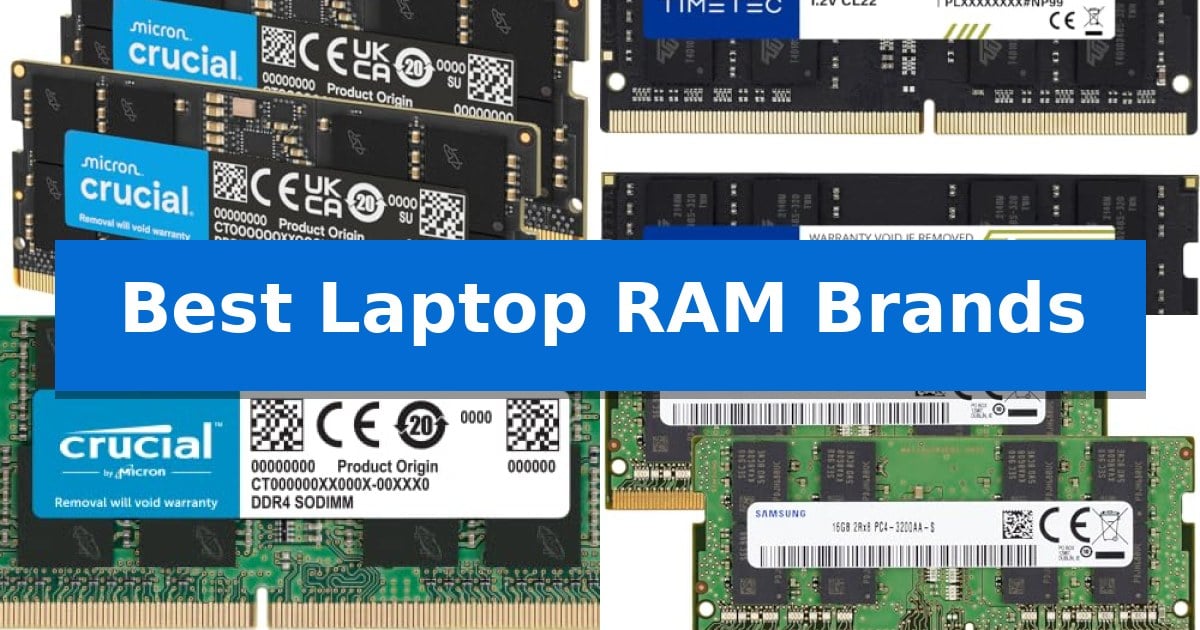
Struggling with sluggish performance or frequent system freezes when running multiple applications? Upgrading your memory is often the most effective way to breathe new life into an aging machine or boost the capabilities of a modern workstation. Finding the Best Laptop RAM Brands ensures you select modules that provide the stability and speed necessary for your specific hardware configuration.

Whether you are looking to enhance your gaming frame rates or simply want a smoother experience during daily productivity tasks, choosing the right memory is essential. We have analyzed current memory options to help you identify the most reliable modules that match your laptop's technical requirements and performance goals.

Best Laptop RAM Brands in 2026: Maximize Multitasking Speed

Our Top Picks
  1. Reliable DDR4 System Upgrades Timetec DDR4 SODIMM Memory
  2. Broad Compatibility for Laptops Crucial DDR4 SODIMM Memory
  3. Genuine OEM Quality Standards Samsung DDR4 SODIMM Memory
  4. Essential Support for Older Systems Timetec DDR3L SODIMM Memory

Quick Comparison

Product Best For Key Strength Score
Crucial DDR5 SODIMM Memory Best Overall High-speed performance options up to 5600MHz for improved system responsiveness. 4.9
Timetec DDR4 SODIMM Memory Reliable DDR4 System Upgrades 32GB total capacity for enhanced multitasking performance. 4.5
Crucial DDR4 SODIMM Memory Broad Compatibility for Laptops 3200MHz speed for improved system responsiveness. 4.4
Samsung DDR4 SODIMM Memory Genuine OEM Quality Standards 32GB total capacity significantly boosts multitasking headroom. 4.5
Timetec DDR3L SODIMM Memory Essential Support for Older Systems Dual-voltage support (1.35V/1.5V) ensures broad compatibility with various motherboard power requireme… 4.9

How We Chose

  • Compatibility with specific DDR generations and pin counts.
  • Operating frequency and latency performance for system responsiveness.
  • Support for industry-standard profiles like XMP and EXPO.
  • Build quality and adherence to JEDEC standards for stability.
  • Reliability and warranty coverage provided by the manufacturer.

1 Crucial DDR5 SODIMM Memory — Modern High-Speed DDR5 Performance

Upgrading to the Crucial 32GB DDR5 RAM Kit (2x16GB) provides a significant boost for modern computing, utilizing the latest DDR5 architecture to handle intensive multitasking and demanding workloads. This memory kit is engineered to operate at speeds of 5600MHz, 5200MHz, or 4800MHz, offering versatile performance scaling depending on your system's requirements.

Designed for compatibility with 12th Gen Intel Core and AMD Ryzen 7000 Series processors, this 262-Pin SODIMM kit integrates seamlessly into compatible laptop configurations. The inclusion of Intel XMP 3.0 and AMD EXPO support allows for optimized performance profiles, ensuring that users can leverage the full potential of their hardware without complex manual tuning.

Reliability is a core focus of this memory, which is backed by 42 years of expertise from Micron. Each module undergoes rigorous testing at both the component and module levels to ensure stability under load. With a power-efficient 1.1V operating voltage and a non-ECC configuration, it is built to provide consistent performance for gaming and professional productivity tasks.

Whether you are looking to accelerate gaming frame rates or improve system responsiveness during heavy data processing, this kit offers a robust solution. The versatile downclocking capabilities ensure that the RAM adapts to the specific speed requirements of your motherboard, making it a flexible choice for users upgrading their mobile workstations or gaming laptops.

Best for: Users looking to upgrade their 12th Gen Intel or AMD Ryzen 7000 series laptops with high-speed, reliable DDR5 memory for multitasking and gaming.

Skip if: Users with older laptops that utilize DDR4 memory slots, as this DDR5 module is not physically or electrically compatible with previous generation standards.

PROS

  • High-speed performance options up to 5600MHz for improved system responsiveness.
  • Broad compatibility with modern Intel and AMD platforms including XMP 3.0 and EXPO support.
  • Rigorous testing standards backed by Micron's long-standing memory expertise.
  • Efficient 1.1V power consumption suitable for laptop thermal constraints.

CONS

  • DDR5-only compatibility prevents use in older systems requiring DDR4 or earlier memory types.

2 Timetec DDR4 SODIMM Memory — Reliable DDR4 System Upgrades

Upgrading your system memory is one of the most effective ways to improve multitasking capabilities, and the Timetec DDR4 SODIMM Memory kit provides a straightforward path to achieving this. With a total capacity of 32GB (2 x 16GB modules), this kit is specifically engineered for laptops, notebooks, and mini PCs that utilize 260-Pin SODIMM slots, offering a substantial boost for memory-intensive applications.

This memory operates at a speed of 3200MHz, providing a high-bandwidth solution for modern computing needs. The modules are designed with Non-ECC Unbuffered architecture and run at a standard 1.2V, ensuring compatibility with a wide range of DDR4-capable systems. A notable feature is the automatic downclocking capability, which allows the RAM to seamlessly adjust to 2933MHz or 2666MHz if your specific hardware configuration requires lower speeds.

Installation is designed to be a plug-and-play process, requiring no specialized technical expertise to integrate into your existing setup. While the physical appearance—such as the PCB color or rank—may vary between production batches, the performance standards remain consistent across all units. This ensures that you receive a reliable component that adheres to strict quality benchmarks.

To provide long-term peace of mind, the product is backed by a Limited Lifetime Warranty and supported by technical assistance based in the United States. This commitment to quality makes the Timetec DDR4 SODIMM Memory a practical choice for users looking to extend the utility of their current portable or compact desktop hardware.

Best for: Users looking to increase system memory capacity for multitasking on compatible DDR4-based laptops, notebooks, and mini PCs.

Skip if: Users with systems that require DDR5 memory or desktop motherboards that utilize full-sized DIMM slots, as this module is physically incompatible.

PROS

  • 32GB total capacity for enhanced multitasking performance.
  • Plug-and-play installation for quick and easy upgrades.
  • Automatic downclocking ensures compatibility with various system speeds.
  • Limited Lifetime Warranty for long-term reliability.

CONS

  • Not compatible with desktop DIMM slots or non-DDR4 systems.

3 Crucial DDR4 SODIMM Memory — Broad Compatibility for Laptops

Upgrading system memory is a direct way to improve multitasking and responsiveness, and the Crucial 16GB DDR4 RAM is engineered to provide a stable boost for compatible laptops. Operating at 3200MHz, this module is designed to handle demanding applications by increasing the available overhead for your operating system and software.

Compatibility is a primary concern when selecting laptop memory, and this SODIMM 260-pin module is built to integrate with a wide range of systems, including those using 13th Gen Intel Core and AMD Ryzen 7000 processors. To ensure a correct fit, the manufacturer provides a System Scanner and Upgrade Selector tool, which helps identify the specific memory requirements for your hardware before purchase.

Installation is intended to be straightforward, requiring no specialized computer skills to replace or add to existing modules. The Crucial 16GB DDR4 RAM is backed by 42 years of memory expertise, with each module undergoing rigorous testing at both the component and module levels to maintain consistent performance standards.

This memory operates at a standard 1.2V, making it an efficient choice for laptop power management. As a non-ECC module, it is optimized for standard consumer and professional laptop use, providing a reliable path to extending the functional life of your hardware through a simple capacity increase.

Best for: Users looking to improve multitasking performance on compatible laptops through a straightforward, high-capacity memory upgrade.

Skip if: Users with laptops requiring DDR5 memory or those whose systems have reached their maximum supported RAM capacity.

PROS

  • 3200MHz speed for improved system responsiveness.
  • Easy installation process suitable for non-technical users.
  • Rigorous testing ensures reliability and compatibility.
  • Limited Lifetime Warranty provides long-term support.

CONS

  • Non-ECC memory is not intended for workstation-grade error correction requirements.

4 Samsung DDR4 SODIMM Memory — Genuine OEM Quality Standards

Upgrading your laptop's memory capacity is a direct way to improve multitasking and reduce system bottlenecks. The Samsung 32GB (2x16GB) DDR4 3200MHz PC4-25600 SODIMM kit provides a reliable path for users looking to maximize their notebook or All-in-One computer's available memory resources.

This 32GB RAM kit consists of two 16GB modules designed to the JEDEC DDR4 standard at 1.2V. Operating at speeds up to 3200MHz, these 2Rx8 Dual Rank modules are engineered to integrate into compatible systems without the need for ECC buffering, ensuring broad compatibility with a wide range of standard DDR4 laptop architectures.

Each module is built to OEM quality standards, offering a consistent, stable performance profile for demanding workloads. The 260-pin SO-DIMM form factor ensures a precise fit for standard laptop memory slots, making it a straightforward installation for those comfortable with internal hardware upgrades.

Choosing this kit is an effective strategy for users who require higher memory headroom for intensive applications. By utilizing genuine Samsung components, you benefit from a Limited Lifetime Warranty covering defects in materials and workmanship, providing long-term peace of mind for your hardware investment.

Best for: Users looking to expand memory capacity in DDR4-compatible laptops or All-in-One systems to improve multitasking performance.

Skip if: Users with systems requiring DDR5 memory or those whose laptops have soldered RAM that cannot be upgraded.

PROS

  • 32GB total capacity significantly boosts multitasking headroom.
  • 3200MHz speed meets high-performance standards for DDR4 laptops.
  • Genuine OEM quality ensures reliable, consistent hardware operation.
  • Limited Lifetime Warranty provides long-term protection against defects.

CONS

  • DDR4 interface is not compatible with newer DDR5-based systems.
  • Dual-rank configuration may not be supported by all older laptop motherboards.

5 Timetec DDR3L SODIMM Memory — Essential Support for Older Systems

Upgrading an older laptop or mini PC often requires specific memory modules that balance capacity with strict voltage requirements. The Timetec DDR3L SODIMM Memory provides a reliable 16GB kit, consisting of two 8GB modules, specifically engineered to support systems that demand the DDR3L standard while maintaining backward compatibility with standard DDR3 slots.

This memory kit operates at a frequency of 1600MHz with a CL11 latency, ensuring stable data transfer for everyday computing tasks. A standout feature is its dual-voltage capability, allowing the modules to function at either 1.35V or 1.5V. This flexibility makes it a versatile choice for users looking to maximize the lifespan of older hardware without worrying about power delivery mismatches.

Designed as a 204-pin SODIMM form factor, these modules are built for compact devices, including notebooks, mini PCs, and all-in-one systems. The dual rank (2Rx8) architecture is optimized for broad system compatibility, and each unit undergoes rigorous testing to meet industry standards. For added peace of mind, the product is backed by a guaranteed lifetime warranty and access to United States-based technical support.

When installing this memory, users should confirm their system supports the 16GB total capacity and the DDR3L/DDR3 1600MHz specification. While the green PCB design is purely functional, the focus here remains on providing a stable, long-term memory solution for legacy platforms that still have plenty of utility for modern productivity.

Best for: Users looking to upgrade or repair older laptops, mini PCs, or all-in-one devices that require DDR3L/DDR3 SODIMM memory.

Skip if: Users with modern laptops that require faster DDR4, DDR5, or soldered memory modules.

PROS

  • Dual-voltage support (1.35V/1.5V) ensures broad compatibility with various motherboard power requirements.
  • Lifetime warranty provides long-term protection for the investment.
  • 16GB capacity effectively boosts multitasking capabilities for older systems.
  • Rigorous testing protocols ensure consistent quality and stability.

CONS

  • Legacy DDR3/DDR3L technology is not compatible with modern DDR4 or DDR5 memory slots.
  • Green PCB design may not appeal to users seeking a specific aesthetic for open-chassis builds.

Best Laptop RAM Brands Buying Guide

Understanding RAM Compatibility

Before purchasing, you must verify your laptop's DDR generation and SODIMM form factor. Memory is not universally interchangeable; a DDR5 module will not fit into a DDR4 slot, and vice versa. Always check your system manufacturer's specifications to confirm the maximum capacity and speed your motherboard supports.

Additionally, consider the pin count and voltage requirements. Most modern laptops utilize 260-pin or 262-pin SODIMM modules. Using memory that operates at the correct voltage, such as 1.1V for DDR5 or 1.2V for DDR4, is critical for preventing system instability and ensuring long-term hardware health.

Frequency and Latency Trade-offs

Higher MHz speeds generally allow for faster data transfer, which can benefit tasks like video rendering or high-end gaming. However, your system will automatically downclock faster RAM to match the maximum speed supported by your CPU and motherboard. It is often more cost-effective to match your RAM speed to your system's native limit.

CAS Latency (CL) is another factor that dictates how quickly memory can access data. While higher speeds are desirable, a lower latency can sometimes offer better real-world performance in latency-sensitive applications. Balancing these two metrics is key to optimizing your specific workflow.

Dual-Channel Configurations

Installing memory in pairs—known as a dual-channel configuration—can significantly increase memory bandwidth compared to using a single stick. If your laptop has two available slots, purchasing a kit of two identical modules is usually the best approach to ensure they are synchronized and compatible with each other.

Even if your laptop currently has one stick of RAM, adding a second matching module can often provide a noticeable performance boost in multitasking. Always aim for identical capacity, speed, and timing specifications when pairing modules to avoid potential system errors.

The Importance of JEDEC Standards

Reliable memory brands adhere to JEDEC standards, which define the baseline operating parameters for memory modules. This ensures that your RAM will work reliably at its rated speed without requiring complex manual configuration in the BIOS.

While some high-performance modules include profiles like Intel XMP or AMD EXPO for overclocking, the foundation of a stable system is its ability to run at standard, tested speeds. Prioritizing modules that meet these industry standards reduces the risk of crashes or boot failures.

Longevity and Warranty

Memory is a component that should last the lifetime of your computer. Reputable manufacturers typically offer Limited Lifetime Warranties, which provide peace of mind regarding the quality of the components used in the module.

When selecting from the Best Laptop RAM Brands, consider the manufacturer's history and their commitment to rigorous testing at both the component and module levels. This testing process is what separates high-quality memory from generic alternatives that may fail under heavy load.

Frequently Asked Questions

How do I know if my laptop supports DDR5 RAM?

You should consult your laptop's manual or use a system scanner tool provided by the RAM manufacturer. DDR5 is physically keyed differently than DDR4 and is typically only compatible with newer processors, such as 12th Gen Intel Core or AMD Ryzen 7000 series.

Can I mix different brands of RAM?

While it is technically possible, it is not recommended. Mixing brands, speeds, or latencies can lead to system instability or cause the memory to run at the speed of the slowest module. For best results, use identical modules.

What is the difference between SODIMM and DIMM?

SODIMM is the smaller form factor designed specifically for laptops, notebooks, and mini PCs. DIMM is the larger form factor used in desktop computers. They are not interchangeable.

Does higher frequency RAM always make my laptop faster?

Only if your system supports that higher speed. If your laptop's motherboard or CPU is limited to a lower frequency, the RAM will automatically downclock to that limit, and you will not see the benefits of the higher-rated speed.

Is it easy to install laptop RAM myself?

In most laptops, yes. It typically involves removing the bottom panel and inserting the module into the SODIMM slot until it clicks. However, some ultra-thin laptops have soldered RAM that cannot be upgraded, so check your device's upgradeability first.

Conclusion: Our Top Pick

Selecting the right memory is a straightforward way to improve your laptop's performance. By matching the correct generation and speed to your system's requirements, you can ensure a stable and responsive computing experience for years to come.

For those seeking the latest in memory technology, the Crucial DDR5 SODIMM Memory stands out as our top recommendation. Its support for high-speed operation and compatibility with modern Intel and AMD processors make it an excellent choice for users looking to maximize their system's multitasking capabilities.

Best Laptop Projectors in 2026

Best Laptop Projectors

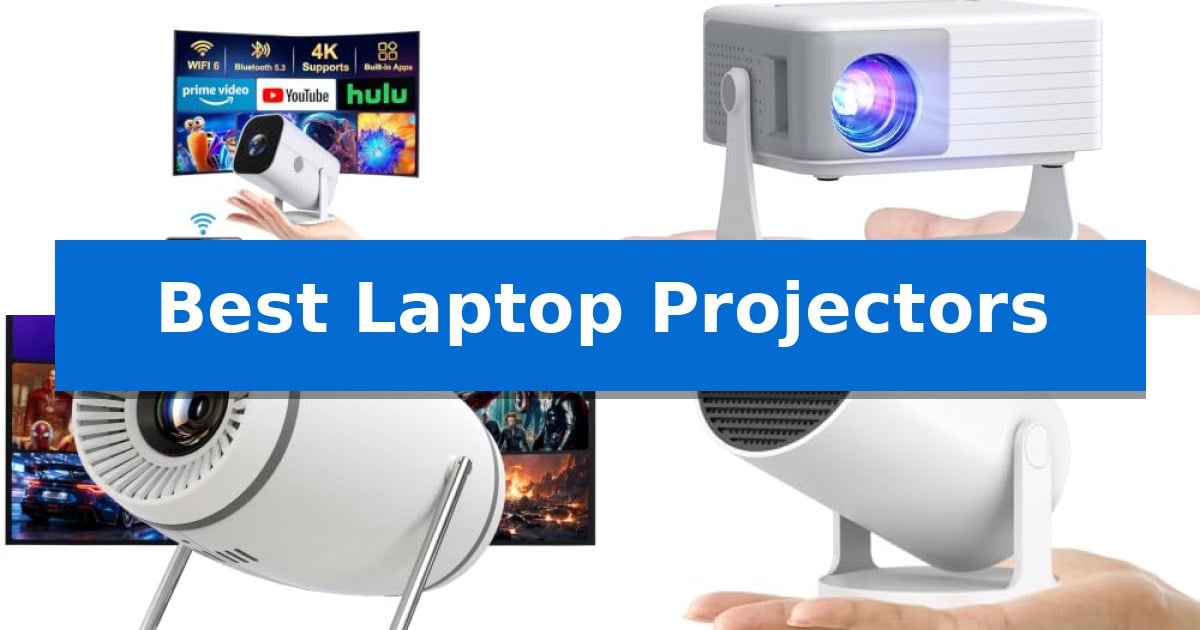
Finding the right display solution for a mobile setup can be challenging when you need to present or watch content on the go. The Best Laptop Projectors offer a balance of portability and visual clarity, allowing you to transform any wall into a functional screen without carrying bulky equipment.

Whether you are working from a small home office or setting up a temporary theater, these devices provide the versatility needed for modern digital workflows. We have analyzed current market options to help you identify which projector aligns with your specific connectivity requirements and space constraints.

Best Laptop Projectors in 2026

Our Top Picks
  1. Ultra-Compact Pocket Design AKIYO Mini Projector
  2. Short Throw for Small Spaces DoingDo Smart Mini Projector
  3. Android 14 Built-in Streaming Alwtniet Mini Projector
  4. Durable Lamp for Long Life AuKing Mini Projector

Quick Comparison

Product Best For Key Strength Score
YGSKK Mini Projector Best Overall Electric focus via remote for rapid image calibration. 4.9
AKIYO Mini Projector Ultra-Compact Pocket Design Ultra-compact size and lightweight design for maximum portability. 4.7
DoingDo Smart Mini Projector Short Throw for Small Spaces Short-throw lens enables large projections in small rooms. 4.8
Alwtniet Mini Projector Android 14 Built-in Streaming 180° swiveling lens for versatile projection angles. 4.8
AuKing Mini Projector Durable Lamp for Long Life Long lamp life of up to 55,000 hours supported by an effective cooling system. 4.7

How We Chose

  • Connectivity options including HDMI, USB, and wireless protocols for laptop integration.
  • Portability and physical dimensions for ease of transport in bags or backpacks.
  • Brightness levels measured in ANSI lumens to assess performance in different ambient light conditions.
  • Setup features such as electric focus, keystone correction, and stand flexibility.
  • Compatibility with streaming devices and external audio hardware.

1 YGSKK Mini Projector — Electric Focus for Fast Setup

Achieving a clear, rectangular image without manual adjustments is simplified by the YGSKK Mini Projector, which features an integrated electric focus function controlled directly via the remote. This design allows users to calibrate the display in under three seconds, removing the need for physical interaction with the device during setup.

Designed for versatility, the unit includes a 210° rotating base that enables projection onto walls or ceilings, adapting to various room layouts. It supports a screen size ranging from 50 to 200 inches, providing flexibility for different viewing environments. The projector is equipped with native 1080P resolution and is 4K compatible when connected to external devices via HDMI, such as TV sticks or consoles.

Connectivity is managed through Wi-Fi 6 and Bluetooth 5.3 technology, which facilitates stable wireless streaming and audio output to external speakers or headphones. The device features built-in streaming media apps like Prime Video, YouTube, and Hulu, allowing for content playback without external hardware. For wired connections, it includes HDMI and USB interfaces, ensuring compatibility with laptops, gaming consoles, and storage drives.

The YGSKK Mini Projector is built with high-fidelity stereo speakers to provide integrated audio. Measuring approximately 7.87 by 3.94 inches and weighing 1.7 pounds, the unit is compact for transport. It is backed by a three-year manufacturer warranty and includes 7*24 technical support.

Best for: Users seeking a compact, easy-to-focus projector for bedroom or casual home entertainment with integrated streaming app support.

Skip if: Users requiring a high-lumen projector for bright, daylight-lit environments or those needing native 4K output without external devices.

PROS

  • Electric focus via remote for rapid image calibration.
  • 210° rotating base for flexible ceiling or wall projection.
  • Wi-Fi 6 and Bluetooth 5.3 for stable wireless connectivity.
  • Built-in streaming apps for standalone content access.

CONS

  • Bluetooth does not support direct connection to smartphones.
  • 300 ANSI lumens brightness may be limited in well-lit rooms.

2 AKIYO Mini Projector — Ultra-Compact Pocket Design

The AKIYO Mini Projector is designed for extreme portability, measuring just 4.8 x 3.7 x 3.3 inches and weighing only 360 grams. This ultra-compact form factor allows it to function as a mobile cinema that fits easily into a pocket or small bag, making it a practical choice for users who need to project content in varied environments without the bulk of traditional hardware.

Equipped with a 360° rotating stand, this device offers flexibility in projection angles, enabling users to cast images onto walls, ceilings, or flat surfaces. The unit supports Full HD 1080P resolution and features automatic vertical keystone correction, which helps maintain a rectangular image alignment. For fine-tuning the display size, the remote-controlled 50% zoom function allows users to adjust the image without physically repositioning the projector.

Connectivity is a primary focus, featuring P2P direct connection for iOS and Android devices, which bypasses the need for a local Wi-Fi network. It also supports 5G/2.4G dual-screen WiFi and Bluetooth 5.2 for audio output to external speakers or headphones. The projector includes physical HDMI and USB interfaces, ensuring compatibility with devices such as PCs, Fire Sticks, and gaming consoles like the PS5.

To achieve optimal visual results, the manufacturer recommends operating the projector in dark environments to maximize the impact of its 200 ANSI brightness and 2000:1 contrast ratio. While it provides versatile input options, users should note that copyrighted content from streaming services like Netflix or Disney+ may require a dedicated TV stick for playback rather than direct mobile mirroring.

Best for: Users seeking an ultra-portable, pocket-sized projector for casual media consumption and multi-device connectivity in dark environments.

Skip if: Users who require high-lumen output for well-lit rooms or those who need native support for protected streaming apps without an external TV stick.

PROS

  • Ultra-compact size and lightweight design for maximum portability.
  • 360° rotating stand provides versatile projection angles.
  • P2P direct connection enables screen casting without a Wi-Fi network.
  • Automatic vertical keystone correction for quick setup.

CONS

  • Limited brightness performance requires a dark environment for best results.
  • Copyrighted streaming apps may require an external TV stick for playback.

3 DoingDo Smart Mini Projector — Short Throw for Small Spaces

The DoingDo Smart Mini Projector is designed for tight quarters, utilizing an advanced short-throw optical system to project a 40-130 inch display from a minimal distance. This compact unit, measuring 11.3×11.3×15.5 cm and weighing just 0.67 kg, eliminates the need for large rooms or far-reaching installation spots, making it a practical solution for bedrooms or small apartments.

Equipped with built-in streaming apps and a dedicated TV store, this projector provides direct access to platforms like YouTube and Prime Video without requiring an external streaming stick. The integration of dual-band WiFi 6 and Bluetooth 5.4 ensures stable wireless screen mirroring and reliable audio connectivity to external speakers or headphones, minimizing latency during playback.

Visual performance is supported by 3000 lumens of brightness and a 10,000:1 contrast ratio, allowing for 4K and 1080P video playback. The device simplifies setup with auto-keystone correction and electric focus, while a 40%-100% digital zoom feature allows users to resize the image without physically moving the projector unit.

To maintain consistent operation, the projector includes an upgraded silent cooling system that dissipates heat while keeping noise levels low. Its portable design and lightweight construction allow for easy transport between rooms or to outdoor settings, offering a flexible display solution for various home entertainment needs.

Best for: Users in compact living spaces who need a portable, all-in-one projection system with built-in streaming capabilities.

Skip if: Users requiring high-end professional color accuracy or those with large, dedicated home theater rooms that demand high-throw distance optics.

PROS

  • Short-throw lens enables large projections in small rooms.
  • Built-in streaming apps remove the need for external TV sticks.
  • WiFi 6 and Bluetooth 5.4 provide modern, stable connectivity.
  • Auto-keystone and electric focus allow for rapid, hassle-free setup.

CONS

  • Compact size may limit the internal speaker quality compared to larger, dedicated home theater projectors.

4 Alwtniet Mini Projector — Android 14 Built-in Streaming

The Alwtniet Mini Projector features a unique 180° swiveling lens, allowing users to project content onto ceilings or walls without needing complex mounting hardware. This flexibility, combined with a compact 0.77lb frame, makes it a practical choice for those looking to create a spontaneous viewing setup in bedrooms or small living areas.

Powered by the Allwinner H726 chip and running Android 14, this device provides direct access to streaming platforms without requiring external media sticks. Its 0.9:1 ultra-short throw ratio enables the projection of a 35-135 inch image from a distance as close as 0.75 meters, making it well-suited for environments where space is at a premium.

For connectivity, the projector is equipped with WiFi 6 and Bluetooth 5.4, ensuring stable wireless streaming and audio synchronization. The integrated 5W SoundBase Speaker provides onboard audio, while the 200 ANSI lumens brightness and 8000:1 contrast ratio offer a clear visual output for casual movie nights and gaming.

The system supports 4K input with a native 720P resolution, balancing portability with basic home cinema functionality. Users can adjust the display size between 80% and 100% digitally, providing additional control over the image scale without physically moving the projector unit.

Best for: Users who need a highly portable, all-in-one streaming projector for small rooms or casual, multi-surface viewing.

Skip if: Users requiring high-lumen output for well-lit rooms or native 4K resolution for professional-grade home theater setups.

PROS

  • 180° swiveling lens for versatile projection angles.
  • Android 14 OS with built-in streaming app support.
  • WiFi 6 and Bluetooth 5.4 for stable wireless performance.
  • Ultra-short throw capability for large images in small spaces.

CONS

  • 200 ANSI lumens brightness is limited to darker environments.
  • Native 720P resolution may lack the sharpness of higher-tier projectors.

5 AuKing Mini Projector — Durable Lamp for Long Life

The AuKing Mini Projector is designed for users seeking a dedicated home theater experience, featuring a 200-inch maximum projection size that transforms living spaces or outdoor areas into an immersive viewing environment. By utilizing a powerful cooling system, this unit achieves a lamp life of up to 55,000 hours, allowing for extended use over many years without the frequent maintenance often associated with portable projection hardware.

Engineered for versatility in home entertainment, the device supports Full HD 1080p resolution and incorporates advanced color reproduction technology to maintain image clarity. To address common usability concerns, the projector utilizes advanced noise reduction technology that lowers fan noise by 80%, while the dual stereo speakers provide integrated audio output for immediate setup.

Connectivity is handled through a variety of interfaces, including HDMI, VGA, AV, and USB ports, enabling direct links to laptops, smartphones, and TV boxes. While the projector is highly portable, users should note that connecting a smartphone requires an additional HDMI adapter, and streaming services like Netflix or Hulu are intended to be accessed via external devices like a TV stick or Roku to comply with copyright standards.

This projector is specifically optimized for entertainment scenarios such as movie nights, gaming, and photo sharing. It is not intended for business or professional presentations, making it a specialized tool for recreational use. With a two-year warranty and lifetime technical support, it offers a reliable entry point for those building a personal media setup.

Best for: Home users looking for a portable, long-lasting projector for casual movie nights, gaming, and indoor or outdoor entertainment.

Skip if: Users who require a projector for professional business presentations, office spreadsheets, or high-end technical tasks.

PROS

  • Long lamp life of up to 55,000 hours supported by an effective cooling system.
  • Reduced fan noise by 80% for a quieter viewing experience.
  • Wide connectivity options including HDMI, USB, and VGA for various media sources.
  • Large projection range from 35 to 200 inches to suit different room sizes.

CONS

  • Not recommended for business or professional presentation use.
  • Requires external adapters for smartphone connectivity.
  • Streaming app limitations necessitate the use of external TV sticks or Roku devices.

Best Laptop Projectors Buying Guide

Connectivity and Compatibility

The primary factor for any laptop projector is how it interfaces with your computer. Most modern units utilize HDMI for a reliable, high-bandwidth connection, while others offer wireless screen mirroring for a cable-free experience. Ensure your laptop has the necessary output port or a compatible adapter before finalizing your choice.

Consider whether you need a projector that supports Bluetooth for external audio. While many units have built-in speakers, connecting to dedicated Bluetooth headphones or speakers often provides a more immersive audio experience during presentations or movie nights.

Brightness and Image Quality

Projector brightness is typically measured in ANSI lumens. For bedroom or small office use, a unit with 200 to 300 ANSI lumens is often sufficient, provided you can control the ambient light. Higher brightness levels are necessary if you plan to use the device in rooms with windows or overhead lighting.

Resolution also plays a critical role in clarity. Look for native 1080P resolution if you require sharp text for presentations or high-definition detail for video playback. Some models are compatible with 4K input, which can improve the overall image quality when paired with high-resolution source devices.

Portability and Form Factor

If you travel frequently, the weight and physical dimensions of the projector are paramount. Compact designs that fit into a standard backpack allow you to maintain a mobile workflow without adding significant bulk to your gear.

The build quality and the presence of a rotating stand or mount can significantly impact your setup time. A base that allows for 180° or 210° rotation enables you to project onto ceilings or awkward wall spaces, providing flexibility that standard fixed-position projectors lack.

Setup and Calibration

Modern projectors often include auto-keystone correction and electric focus to minimize manual adjustments. These features are essential for quick setups, as they automatically square the image and sharpen the focus, saving you time during meetings or entertainment sessions.

Digital zoom is another useful feature that allows you to resize the image without physically moving the projector. This is particularly helpful in small rooms where your placement options are limited by the available furniture or wall space.

Cooling and Longevity

Projectors generate heat during operation, which can impact the lifespan of the internal lamp. Models with an upgraded silent cooling system not only extend the life of the device but also ensure that fan noise does not interfere with your audio experience.

Always check the manufacturer's rated lamp life. A high-quality cooling system can push the operational life of a projector to tens of thousands of hours, making it a more durable investment for long-term use.

Frequently Asked Questions

Can I connect my smartphone wirelessly to these projectors?

Many of these models support wireless screen mirroring. Some require specific apps or network environments, while others offer direct P2P connections for easier pairing with iOS and Android devices.

Are these projectors suitable for business presentations?

While these units are excellent for home theater and casual viewing, they are generally designed for entertainment. Check the resolution and brightness specs to ensure they meet your specific needs for text clarity in a professional setting.

Do I need an external speaker?

Most of these projectors include built-in stereo speakers. However, if you require higher audio fidelity, the Bluetooth connectivity found in many models allows you to pair external speakers or headphones easily.

What is the benefit of a short-throw lens?

A short-throw lens allows the projector to create a large image from a very short distance. This is ideal for small bedrooms or apartments where you do not have enough space to place the projector far from the wall.

How do I handle copyrighted content from streaming apps?

Some mobile devices restrict direct mirroring of copyrighted content from apps like Netflix or Prime Video. Using a dedicated TV stick connected via HDMI is the most reliable way to stream this content.

Conclusion: Our Top Pick

For those seeking a versatile and high-performing option, the YGSKK Mini Projector stands out due to its combination of electric focus, Wi-Fi 6 connectivity, and built-in streaming apps. Its ability to rotate 210° makes it exceptionally adaptable for various room configurations, ensuring you can always find the right angle for your display.

While it offers excellent features for its class, remember that optimal performance is achieved in darker environments. By utilizing the included HDMI interface for your laptop or 4K devices, you can maximize the native 1080P resolution and enjoy a clear, sharp picture for both work and leisure.

Best Laptop Projector Reviews in 2026

Best Laptop Projector Reviews

Finding the right display solution for your mobile workstation can be challenging when you need to switch between tight office spaces and large meeting rooms. Whether you are presenting data or setting up a home cinema, the right hardware makes all the difference in clarity and ease of use.

We have analyzed the current market to bring you these Best Laptop Projector Reviews, focusing on devices that prioritize connectivity, image adjustment, and portability. Our goal is to help you identify which model fits your specific workflow requirements without unnecessary complexity.

Best Laptop Projector Reviews in 2026

Our Top Picks
  1. Short Throw for Small Spaces ClokoWe Mini Projector
  2. Built-in Apps for Streamlined Viewing DoingDo Mini Projector
  3. Ceiling Projection with Rotatable Stand Sainyer Mini Projector
  4. Immersive Large Screen Experience AuKing Mini Projector

Quick Comparison

Product Best For Key Strength Score
YGSKK Mini Projector Best Overall Electric focus allows for rapid and precise image calibration. 4.9
ClokoWe Mini Projector Short Throw for Small Spaces 180° rotatable design for flexible wall or ceiling projection. 4.8
DoingDo Mini Projector Built-in Apps for Streamlined Viewing Integrated streaming apps remove the need for external hardware. 4.6
Sainyer Mini Projector Ceiling Projection with Rotatable Stand 270° rotatable stand allows for versatile ceiling and wall projection angles. 4.7
AuKing Mini Projector Immersive Large Screen Experience Long lamp life of up to 55,000 hours. 4.7

How We Chose

  • Connectivity options including HDMI and wireless mirroring capabilities.
  • Ease of image alignment through features like electric focus and keystone correction.
  • Portability and weight for users who frequently travel with their equipment.
  • Brightness and resolution clarity for professional and entertainment use cases.
  • Versatility in mounting options, such as rotatable stands or ceiling projection support.

1 YGSKK Mini Projector — Electric Focus for Rapid Setup

Achieving a clear, sharp image without manual adjustments is the primary advantage of the YGSKK Mini Projector, which features an integrated electric focus system. By simply pressing the focus buttons on the remote, you can calibrate the projection within three seconds, eliminating the need for tedious manual dial adjustments.

Designed for versatile placement, the unit includes a built-in base that supports 210° rotation. This allows you to project content onto walls or ceilings, making it a flexible option for various bedroom or living room layouts. The device is compact, measuring roughly 4×8 inches, and weighs only 1.7 pounds, ensuring it remains portable for different environments.

Connectivity is handled through Wi-Fi 6 and Bluetooth 5.3, which provide stable links for streaming and audio output. The projector comes with built-in streaming apps like YouTube and Hulu, alongside an app store for additional downloads. For external media, it supports native 1080P resolution and is compatible with 4K sources when connected via the included HDMI cable.

The projector offers a flexible screen size ranging from 50 to 200 inches, allowing for a large-format viewing experience. It includes J-Share functionality for wireless screen mirroring with smartphones, while physical connectivity is supported by HDMI, USB, and audio interfaces for devices like laptops, game consoles, and TV sticks.

Best for: Users who want a portable, easy-to-focus projector with built-in streaming apps for bedroom or casual home entertainment.

Skip if: Users requiring a high-lumen output for bright, daylight-lit rooms or those who need professional-grade color accuracy for creative work.

PROS

  • Electric focus allows for rapid and precise image calibration.
  • 210° rotational base enables flexible projection angles including ceiling viewing.
  • Wi-Fi 6 and Bluetooth 5.3 support for stable wireless connectivity.
  • Built-in streaming apps reduce the need for external hardware.

CONS

  • Bluetooth audio only; the projector cannot pair with smartphones for data or control via Bluetooth.
  • 300 ANSI lumens brightness is best suited for darker environments.

2 ClokoWe Mini Projector — Short Throw for Small Spaces

The ClokoWe Mini Projector offers a unique 180° rotatable design, allowing users to project content directly onto walls or ceilings with ease. This flexibility, combined with its compact 0.77 lb frame, makes it a highly portable solution for those needing a versatile display for bedrooms, dorms, or outdoor movie nights.

Equipped with dual-band WiFi 2.4G + 5G and Bluetooth 5.2, this device supports stable wireless streaming and external audio connections. It features built-in apps like YouTube and Prime Video, while also remaining compatible with external TV sticks via HDMI for expanded content access. The inclusion of a 0.9:1 short throw ratio enables large projections of up to 100 inches even in confined spaces.

Visual and audio quality are supported by an optical lens capable of 4K video playback via USB, paired with integrated stereo speakers. Setup is simplified through auto vertical keystone correction and both auto and manual focus, ensuring the image remains aligned and sharp without extensive manual adjustment.

For added utility, the projector includes a Dynamic Starry Sky Mode with nine animated scenes and a sleep timer, specifically designed to create a calming environment in children's bedrooms. Its scratch-resistant lens and lightweight, backpack-friendly dimensions ensure it remains a practical tool for travel and frequent relocation.

Best for: Users needing a highly portable, space-saving projector for casual streaming and bedroom ceiling projection.

Skip if: Users requiring high-fidelity home theater performance or professional-grade brightness for large, well-lit conference rooms.

PROS

  • 180° rotatable design for flexible wall or ceiling projection.
  • Ultra-portable weight of only 0.77 lb for easy transport.
  • Auto vertical keystone and dual focus for quick image alignment.
  • Dual-band WiFi and Bluetooth 5.2 for versatile connectivity.

CONS

  • Limited internal storage necessitates external devices for extensive content libraries.
  • Built-in stereo speakers may not match the output of dedicated external audio systems.

3 DoingDo Mini Projector — Built-in Apps for Streamlined Viewing

The DoingDo Mini Projector simplifies home entertainment by integrating streaming capabilities directly into its hardware, eliminating the need for external TV sticks or complex wiring. By featuring preloaded streaming applications and a dedicated TV Store, this device allows users to access content like YouTube and Prime Video immediately upon setup.

Engineered for versatility, the DoingDo Mini Projector utilizes dual-band WiFi 6 and Bluetooth 5.4 to maintain stable wireless connections. This combination supports seamless 4K screen mirroring and allows for direct pairing with external audio equipment to enhance the sound profile during movie or gaming sessions.

Visual performance is driven by a 3000 lumens brightness rating and a 10,000:1 contrast ratio, which work to maintain detail in darker scenes. The unit features a short-throw optical system capable of projecting images between 40 and 130 inches, making it suitable for smaller rooms where distance to the wall is limited.

Setup is streamlined through auto keystone correction and electric focus, which automatically adjust the image geometry and clarity. Users can further customize the display using the 40% to 100% digital zoom function, allowing for screen size adjustments without physically moving the projector unit.

Designed for portability, the device measures just 11.3 x 11.3 x 15.5 cm and weighs only 0.67 kg. Its compact form factor allows it to be stored in standard backpacks, providing a mobile solution for indoor or outdoor viewing, supported by an upgraded silent cooling system for consistent operation.

Best for: Users living in compact spaces or those requiring a portable, all-in-one projection solution with built-in streaming apps.

Skip if: Users who require high-end professional color accuracy or a dedicated long-throw cinema experience in large, bright auditoriums.

PROS

  • Integrated streaming apps remove the need for external hardware.
  • WiFi 6 and Bluetooth 5.4 ensure stable wireless connectivity.
  • Auto keystone and electric focus simplify the initial setup process.
  • Compact, lightweight design allows for easy transport and storage.

CONS

  • Limited projection brightness may struggle in rooms with significant ambient light.

4 Sainyer Mini Projector — Ceiling Projection with Rotatable Stand

The Sainyer Mini Projector distinguishes itself with a 270° rotatable stand, enabling projection onto ceilings or walls without requiring specialized mounts. This flexibility, combined with electric keystone correction and electric focus, allows users to quickly align and sharpen images regardless of the projector's angle or distance from the surface.

Designed for versatility, this unit features short throw technology capable of producing a screen size up to 200 inches. It includes multiple physical inputs, such as HDMI, USB, and AUX ports, ensuring compatibility with laptops, gaming consoles like the PS5, and external streaming devices like TV sticks. While it lacks built-in Wi-Fi or pre-installed apps, the wired connectivity allows for straightforward content mirroring from various sources.

The device is built for longevity with an LED lamp rated for a 50,000-hour lifespan, making it suitable for frequent use in home theaters or outdoor setups. Its compact, lightweight form factor enhances portability, while the built-in high-quality speaker provides immediate audio, with the option to connect external sound systems via the AUX port for a more immersive experience.

Balancing performance with a space-saving design, the projector offers two aspect ratios, 4:3 and 16:9, to accommodate different media formats. It serves as a practical solution for users seeking a portable, multi-angle projection system that integrates easily into existing entertainment setups.

Best for: Users needing a portable, flexible projection solution for small rooms or ceiling-mounted viewing who primarily use external streaming devices or laptops.

Skip if: Users who require built-in smart features, native Wi-Fi streaming apps, or Bluetooth connectivity for wireless audio.

PROS

  • 270° rotatable stand allows for versatile ceiling and wall projection angles.
  • Short throw capability enables large screen sizes in limited indoor spaces.
  • Electric keystone and focus adjustments simplify image alignment and sharpness.
  • 50,000-hour LED lamp provides long-term durability for frequent use.

CONS

  • No built-in Wi-Fi, Bluetooth, or pre-installed apps requires external hardware for streaming.
  • Wired-only connectivity limits wireless mirroring options.

5 AuKing Mini Projector — Immersive Large Screen Experience

The AuKing Mini Projector is a versatile home entertainment device that supports Full HD 1080P resolution, allowing for a projection size ranging from 35 to 200 inches. Its compact design, measuring approximately 7.95 by 6.3 inches, makes it a portable solution for indoor and outdoor movie nights, gaming, or photo sharing.

Engineered for longevity, the device features a powerful cooling system that effectively manages heat, extending the lamp life up to 55,000 hours. This cooling technology also contributes to a quieter viewing environment, with fan noise reduced by 80% compared to previous models. For audio, it includes built-in dual stereo speakers to provide sound directly from the unit.

The projector offers multiple connectivity options, including HDMI, VGA, AV, and USB interfaces, enabling connections to laptops, smartphones, tablets, and TV boxes. While it is highly capable for home media, it is specifically designed for entertainment and is not recommended for business presentations or PPT files. Users should note that streaming copyrighted content from apps like Netflix or Prime Video requires a connected TV stick or Roku device.

To achieve the best visual results, the manufacturer recommends using the projector in a dark environment. When connecting to a smartphone, an external HDMI adapter is required, which is sold separately. The package is backed by lifetime technical support and a two-year warranty, providing long-term assistance for setup and operation.

Best for: Home users seeking a portable, budget-friendly projector for casual movie nights and gaming in dark environments.

Skip if: Professional users requiring a projector for business presentations, office meetings, or high-brightness environments.

PROS

  • Long lamp life of up to 55,000 hours.
  • Compact and portable design for easy transport.
  • Multiple connectivity options including HDMI, USB, and VGA.
  • Reduced fan noise by 80% for a better audio experience.

CONS

  • Not suitable for business presentations or office use.
  • Requires external adapters for smartphone connectivity.
  • Optimal performance is limited to dark environments.

Best Laptop Projector Reviews Buying Guide

Understanding Projection Connectivity

The primary factor in choosing a projector for your laptop is how it connects to your device. Most modern projectors offer HDMI ports for a stable, high-bandwidth wired connection, which is essential for presentations where latency must be avoided. Some models also include Wi-Fi 6 or Bluetooth for wireless screen mirroring, allowing for a cleaner desk setup.

When selecting a model, ensure it supports the operating system of your laptop. While many projectors are plug-and-play, some require specific software or network environments for wireless casting. Always verify if your laptop has the necessary output port or if you will need a dongle or adapter to bridge the connection.

Image Adjustment and Keystone Correction

A common frustration with portable projection is achieving a perfectly rectangular image. Electric focus and auto-keystone correction are critical features that save time during setup. These technologies automatically detect the angle of the projection and adjust the geometry, ensuring the image is not distorted even if the projector is placed at an angle.

For users who frequently change locations, the ability to adjust the image quickly is a major benefit. Look for models that offer digital zoom or remote-controlled focus, as these allow you to fine-tune the display size and sharpness without needing to physically move the projector unit.

Brightness and Environmental Considerations

Projector brightness is typically measured in ANSI lumens. Higher lumen counts are necessary if you plan to use the device in rooms with ambient light. For dark bedrooms or controlled office environments, lower brightness levels may be sufficient, but for professional settings, prioritize models with higher output.

Contrast ratio also plays a significant role in image quality. A higher contrast ratio helps the projector distinguish between dark and light areas, which is vital for viewing detailed charts, spreadsheets, or cinematic content. Always check the manufacturer's recommended projection distance to ensure the image remains sharp.

Portability and Mounting Flexibility

If you are a frequent traveler, the physical dimensions and weight of the projector are paramount. Compact units that fit into a standard laptop bag are ideal for professionals on the go. Additionally, consider the build quality and whether the unit includes a rotatable stand or mount.

A rotatable stand is particularly useful for ceiling projection or projecting onto walls from awkward angles. This flexibility allows you to transform almost any surface into a display, making the projector more versatile for both work tasks and casual evening entertainment.

Audio and Cooling Systems

While many portable projectors include built-in stereo speakers, they may not always provide the volume required for larger rooms. Check if the device offers an AUX output or Bluetooth connectivity to pair with external speakers for a more immersive sound experience.

Finally, consider the cooling system. A quiet, efficient fan is necessary to prevent the device from overheating during long presentations or movie marathons. A well-designed cooling system not only extends the life of the LED lamp but also ensures that fan noise does not distract from your audio.

Frequently Asked Questions

Can I connect my laptop wirelessly to these projectors?

Yes, many of the models reviewed feature Wi-Fi connectivity for screen mirroring. However, ensure your laptop and the projector are on the same network for the most stable connection.

Do I need a special screen to use these projectors?

While a dedicated projection screen provides the best image quality, these portable projectors are designed to work on most flat, light-colored walls.

How long do the LED lamps in these projectors last?

Most modern LED projectors are rated for thousands of hours of use, often ranging from 30,000 to 55,000 hours, which can last for many years of regular use.

Are these projectors compatible with gaming consoles?

Yes, most models equipped with an HDMI port are compatible with gaming consoles like the PS5 or Switch, allowing for a large-screen gaming experience.

What is the benefit of electric focus?

Electric focus allows you to sharpen the image using a remote control, eliminating the need to manually adjust a lens ring on the projector body, which is much more convenient.

Conclusion: Our Top Pick

After reviewing the available options, the YGSKK Mini Projector stands out as the most versatile choice for users who prioritize rapid setup and high-quality image adjustment. Its electric focus and 210-degree rotation make it exceptionally easy to adapt to various environments, from standard office walls to bedroom ceilings.

While it offers excellent connectivity and built-in streaming apps, users should remember that Bluetooth is intended for audio devices rather than smartphone mirroring. For those needing a reliable, portable, and user-friendly display solution, this model provides a strong balance of features and performance.

Best Laptop Processors for Engineering Students in 2026

Best Laptop Processors for Engineering Students

Selecting the right hardware for a demanding academic curriculum requires balancing raw computational power with long-term reliability. Engineering students often rely on software that requires consistent multi-core performance and efficient thermal management to handle complex simulations, coding environments, and data analysis tasks.

Finding the Best Laptop Processors for Engineering Students involves looking beyond simple clock speeds. We have analyzed current market offerings to identify systems that provide the necessary processing foundation for your specific academic needs, ensuring your machine remains a dependable tool throughout your degree.

Best Laptop Processors for Engineering Students in 2026

Our Top Picks
  1. Best Overall HP 17 Laptop
  2. Balanced Performance for Engineering HP 17 Business Laptop
  3. Expandable Storage for Projects NIMO 15.6 Laptop
  4. Portable Choice for Daily Tasks HP 2026 Essential Laptop
  5. Compact Design for Basic Work RNRUO 2026 Laptop

Quick Comparison

Product Best For Key Strength Score
HP 17 Laptop Best Overall AMD Ryzen 5 7430U provides 6-core performance for efficient multitasking. 4.9
HP 17 Business Laptop Balanced Performance for Engineering AMD Ryzen 5 7430U processor provides efficient multi-core performance for technical workloads. 4.3
NIMO 15.6 Laptop Expandable Storage for Projects Expandable memory and storage slots support up to 32GB RAM and 4TB SSD. 4.6
HP 2026 Essential Laptop Portable Choice for Daily Tasks Ultra-portable design weighing only 3.24 lbs for easy transport. 4.7
RNRUO 2026 Laptop Compact Design for Basic Work Portable 1.3-pound design ideal for students on the move. 4.5

How We Chose

  • Core and thread count efficiency for handling concurrent engineering applications.
  • Thermal management capabilities to maintain performance during intensive simulation tasks.
  • Compatibility with industry-standard software suites and development environments.
  • Integration of modern connectivity standards to support external peripherals and displays.
  • Overall system balance, including memory and storage, to complement processor performance.

1 HP 17 Laptop — High-Capacity Multitasking Power

Engineering students require reliable hardware capable of handling complex simulations and multitasking, making the processor a critical component of their workstation. The HP 17 Laptop addresses these demands by utilizing the AMD Ryzen 5 7430U processor, which features a 6-core, 12-thread architecture with boost speeds reaching 4.3GHz to maintain responsiveness during intensive productivity workloads.

Beyond raw processing power, the device is built for extensive data visualization and workspace management. It features a large 17.3-inch Full HD IPS anti-glare display with a 178-degree viewing angle, providing the screen real estate necessary for CAD software, spreadsheets, and technical documentation. The inclusion of 32GB of RAM and a 1TB SSD ensures that large datasets and heavy applications remain accessible without significant bottlenecks.

Integrated productivity tools further refine the user experience. The dedicated Copilot AI Key offers quick access to intelligent assistance for research and workflow management, while Windows 11 Pro provides the necessary security and management features for professional-grade engineering environments. Connectivity is supported by Wi-Fi 6 and a variety of ports, including USB-C and HDMI, facilitating a seamless transition between mobile study sessions and a stationary dual-monitor setup.

Practical design elements round out the package, such as the full-size keyboard with a numeric keypad, which is essential for rapid data entry. The HP Fast Charge capability allows users to restore up to 50% of the battery in approximately 45 minutes, minimizing downtime between classes or project phases.

Best for: Engineering students who prioritize a large display and high memory capacity for multitasking and data-heavy coursework.

Skip if: Students who require a highly portable, lightweight device for frequent travel, as the 17.3-inch form factor prioritizes screen size over mobility.

PROS

  • AMD Ryzen 5 7430U provides 6-core performance for efficient multitasking.
  • 32GB RAM and 1TB SSD offer substantial capacity for large engineering files.
  • 17.3-inch Full HD IPS display enhances visibility for complex technical projects.
  • HP Fast Charge restores 50% battery in 45 minutes for improved workflow continuity.

CONS

  • Large 17.3-inch chassis may be cumbersome for students who prioritize portability.
  • DDR4 memory is standard, which may be slower than newer DDR5 alternatives in specific high-bandwidth tasks.

2 HP 17 Business Laptop — Balanced Performance for Engineering

Engineering students require reliable hardware capable of managing complex simulations and multitasking workflows. The HP 17 Business Laptop addresses these demands with the AMD Ryzen 5 7430U processor, which utilizes 6 cores and 12 threads to maintain responsiveness during intensive academic tasks. This processing power ensures smooth execution of demanding software, allowing for efficient handling of multiple applications simultaneously.

The device features a large 17.3-inch Full HD IPS display with a 178° viewing angle, providing the expansive screen real estate necessary for CAD software, circuit design, and side-by-side document analysis. The anti-glare finish and micro-edge bezels are designed to reduce eye strain during long study sessions, while the high-resolution panel ensures visual clarity for detailed technical diagrams.

Productivity is further supported by the integrated Copilot AI Key, which streamlines research and workflow management. With 16GB of RAM and a 1TB SSD, the system provides sufficient memory and storage for large datasets and engineering applications, while Wi-Fi 6 ensures stable connectivity for online learning environments.

Designed for professional use, the laptop includes Windows 11 Pro for enhanced security and management. The chassis incorporates a full-size keyboard with a numeric keypad, facilitating efficient data entry for technical calculations, while HP Fast Charge technology allows for quick battery replenishment between classes, restoring up to 50% capacity in approximately 45 minutes.

Best for: Engineering students who prioritize a large display and reliable multitasking performance for academic projects.

Skip if: Students who require a highly portable, lightweight device for frequent travel between campus buildings or tight lecture hall seating.

PROS

  • AMD Ryzen 5 7430U processor provides efficient multi-core performance for technical workloads.
  • 17.3-inch Full HD IPS display offers a spacious workspace for complex engineering software.
  • 16GB RAM and 1TB SSD configuration supports heavy multitasking and large file storage.
  • Full-size keyboard with numeric keypad improves efficiency for data-heavy tasks.

CONS

  • Large 17.3-inch form factor results in a heavier, less portable design compared to standard 13 or 15-inch laptops.

3 NIMO 15.6 Laptop — Expandable Storage for Projects

Engineering students require a reliable, flexible computing foundation that balances portability with the ability to handle demanding coursework and coding projects. The NIMO 15.6 Laptop addresses these needs by offering a 15.6-inch display and a versatile AMD Ryzen 5 processor featuring 4 cores and 8 threads with a boost frequency of up to 3.7GHz, providing a capable base for document editing, presentations, and software development.

Designed for longevity and growth, this machine features two DDR4 SO-DIMM slots that allow memory expansion up to 32GB, alongside an M.2 PCIe 3.0 x4 2280 SSD slot capable of supporting up to 4TB of storage. This modularity ensures the device can evolve alongside a student's increasingly complex project files and data collections throughout their academic career.

Practicality is integrated into the hardware through a backlit keyboard for late-night study sessions and a fingerprint reader built into the touchpad for secure, efficient access. The inclusion of a 65W PD power adapter with a 2-meter cable provides the necessary reach for varied workspace environments, from crowded library tables to dorm room desks.

Connectivity is a priority for multitasking, with a comprehensive port selection including two USB-C ports—one dedicated to PD charging and another full-function port for data and display output—plus three USB-A ports and an HDMI 1.4 connection. Weighing under 1.7kg, the device maintains a balance between a spacious workspace and the portability required for daily campus transit.

To support long-term use, the laptop includes a 2-year manufacturer's warranty. The 175-degree hinge design further enhances usability, allowing students to adjust the screen angle for optimal viewing in shared or restricted workspaces.

Best for: Engineering students who prioritize hardware expandability and a large workspace for coding and multitasking.

Skip if: Users requiring high-end dedicated GPU performance for intensive 3D rendering or professional-grade CAD modeling.

PROS

  • Expandable memory and storage slots support up to 32GB RAM and 4TB SSD.
  • Versatile connectivity including two USB-C ports and HDMI 1.4.
  • Portable design weighing under 1.7kg for easy campus carry.
  • Backlit keyboard and integrated fingerprint reader for improved workflow.

CONS

  • Integrated graphics may limit performance in heavy 3D engineering applications.
  • Plastic body construction is paired with a metal lid, which may feel less premium than full-metal chassis alternatives.

4 HP 2026 Essential Laptop — Portable Choice for Daily Tasks

Engineering students often require portable, reliable computing tools for daily tasks like document editing, research, and collaborative projects. The HP 2026 Essential Laptop addresses these needs with a compact 14-inch form factor and a weight of just 3.24 lbs, making it a practical choice for carrying between lecture halls and study spaces.

At the heart of this device is an Intel N150 processor, a 4-core unit capable of reaching speeds up to 3.6GHz. This is paired with 4GB of LPDDR5-4800 RAM and 128GB of UFS storage, providing the necessary responsiveness for standard productivity applications and web-based research tools. The inclusion of Wi-Fi 6 ensures stable connectivity for online classes and cloud-based collaboration.

The 14-inch HD anti-glare display features a micro-edge bezel design, achieving a 79% screen-to-body ratio that minimizes distractions during extended study sessions. For communication, the HP True Vision 720p HD camera utilizes temporal noise reduction, while integrated dual-array microphones and AI-powered noise reduction help maintain clarity during video conferences.

Designed for all-day utility, the laptop offers up to 11 hours of video playback or 7.5 hours of mixed usage on a single charge. It also includes a dedicated Copilot key for quick access to AI-powered assistance and comes pre-installed with Windows 11 Home along with a 1-year subscription to Microsoft 365 Personal, providing immediate access to essential productivity software.

Best for: Students needing a lightweight, portable device for daily productivity, research, and online learning.

Skip if: Users requiring high-performance computing for intensive engineering simulations, CAD software, or heavy multitasking will find the processor and memory capacity insufficient.

PROS

  • Ultra-portable design weighing only 3.24 lbs for easy transport.
  • Efficient battery life providing up to 7.5 hours of mixed usage.
  • Modern connectivity featuring Wi-Fi 6 and Bluetooth 5.4.
  • Integrated AI assistance via the dedicated Copilot key.

CONS

  • Limited memory of 4GB may restrict heavy multitasking.
  • Storage capacity of 128GB is modest for large project files.

5 RNRUO 2026 Laptop — Compact Design for Basic Work

Engineering students require reliable hardware that balances portability with sufficient processing power for technical tasks. The RNRUO 2026 Laptop addresses these needs by featuring a Pentium Gold 6500Y processor capable of reaching speeds up to 3.4GHz. This internal configuration is paired with 12GB of RAM and a 128GB SSD, providing a responsive environment for multitasking between complex software applications and research documents.

The device is built with a 14-inch Full HD (1920×1080) display that utilizes a slim-bezel design to maximize screen real estate. This visual clarity is beneficial for students who spend extended hours analyzing schematics or managing data-heavy spreadsheets. The laptop is engineered for comfort, aiming to reduce eye strain during long study sessions.

Practicality is a core component of this machine, which arrives with a professional-grade operating system and a suite of office applications pre-installed. For connectivity, the RNRUO 2026 Laptop includes a versatile array of ports, such as Type-C, HDMI, USB 3.2, and a MicroSD slot. This selection allows students to connect external monitors or peripherals without needing additional adapters.

Weighing only 1.3 pounds, this laptop is designed for students who frequently commute between classrooms and libraries. The inclusion of high-speed Wi-Fi and Bluetooth ensures stable wireless connectivity for collaborative projects. With a 1-year manufacturer's warranty, the device offers a straightforward, ready-to-use solution for academic productivity.

Best for: Engineering students who prioritize a lightweight, portable device with essential connectivity for daily academic tasks and office software.

Skip if: Students who require high-end dedicated graphics or massive internal storage for intensive 3D modeling, CAD software, or heavy-duty simulation programs.

PROS

  • Portable 1.3-pound design ideal for students on the move.
  • Comprehensive port selection including Type-C and HDMI for external displays.
  • 12GB of RAM supports smooth multitasking across multiple applications.
  • Pre-installed office suite allows for immediate academic productivity.

CONS

  • Limited 128GB SSD storage may require external drives for large project files.
  • Pentium Gold processor is optimized for general productivity rather than heavy computational engineering workloads.

Best Laptop Processors for Engineering Students Buying Guide

Understanding Processor Architecture

Engineering students should prioritize processors with multiple cores and threads, as these are essential for running CAD software, IDEs, and simulation tools simultaneously. A processor with a higher thread count allows the system to manage background processes without interrupting your primary workflow.

Look for modern mobile architectures that offer a balance between high-performance cores for heavy lifting and efficiency cores for lighter tasks. This hybrid approach helps in managing power consumption during long study sessions while providing the necessary boost when compiling code or rendering models.

Thermal Management and Sustained Performance

A powerful processor is only effective if it can maintain its speed without overheating. Engineering tasks often involve sustained workloads, which can cause thermal throttling if the laptop's cooling system is inadequate.

When evaluating laptops, consider the chassis design and ventilation. A well-ventilated system ensures that the processor can operate at its peak frequency for longer durations, which is critical when running time-sensitive engineering simulations or data processing scripts.

Memory and Storage Synergy

The processor relies heavily on system memory to feed data quickly. For engineering students, 16GB of RAM is often considered the baseline, while 32GB provides more headroom for complex projects and virtual machines.

Storage speed is equally important. An NVMe SSD ensures that large project files and software libraries load rapidly, reducing downtime. Ensure the laptop allows for future storage or memory upgrades if your project requirements scale over time.

Connectivity and External Workstations

Engineering students frequently connect to external monitors, high-speed storage, and specialized lab equipment. A processor that supports modern connectivity standards like USB-C with DisplayPort and Wi-Fi 6 is essential for a versatile workstation.

Ensure the laptop has enough ports to support your peripheral setup without needing excessive dongles. Reliable connectivity ensures that you can move between the classroom, the lab, and your home office without technical friction.

Battery Life and Portability

While performance is paramount, portability remains a factor for students moving between lectures and labs. Efficient processors that offer good performance-per-watt allow for longer battery life, reducing the need to carry a heavy power adapter.

Look for laptops that support fast charging technology. This feature can be a lifesaver during long days on campus, allowing you to quickly top up your battery during short breaks between classes.

Frequently Asked Questions

How many cores do I need for engineering software?

For most engineering applications, a processor with at least 6 cores and 12 threads is recommended to handle multitasking and simulation workloads effectively.

Is a dedicated GPU necessary for all engineering students?

While some engineering disciplines require powerful GPUs for 3D rendering and simulation, many students can manage with integrated graphics if the processor is sufficiently robust for their primary tasks.

Can I upgrade my processor later?

In almost all modern laptops, the processor is soldered to the motherboard and cannot be upgraded. It is essential to choose a processor that meets your expected needs for the duration of your studies.

Does the processor affect battery life?

Yes, processors with higher power consumption typically drain the battery faster. Choosing a modern, efficient processor architecture helps balance performance with battery longevity.

What is the role of the NPU or AI features in new processors?

Newer processors often include AI-dedicated units to assist with background tasks, such as noise reduction in video calls or workflow management, which can improve overall system efficiency.

Conclusion: Our Top Pick

Choosing the right hardware is a foundational step in your engineering education. By prioritizing a balanced processor that offers strong multi-core performance, efficient thermal management, and modern connectivity, you ensure that your computer can handle the diverse demands of your coursework.

For those seeking a reliable, high-capacity machine, the HP 17 Laptop stands out as a strong candidate. Its combination of a capable processor, ample memory, and a large display makes it well-suited for the multitasking requirements typical of engineering projects.

Best Laptop Processor for Multitasking in 2026

Best Laptop Processor for Multitasking

Finding the right machine for a demanding workload often comes down to the silicon under the hood. When you are juggling dozens of browser tabs, complex spreadsheets, and video conferencing software simultaneously, the Best Laptop Processor for Multitasking becomes the most critical component of your setup.

Without a capable CPU, even the most expensive laptop can struggle with stuttering performance and sluggish application switching. We have analyzed current hardware options to help you identify which processors provide the necessary thread count and clock speeds to keep your professional or academic workflow running smoothly without unnecessary downtime.

Best Laptop Processor for Multitasking in 2026

Our Top Picks
  1. Best Overall HP Business Laptop
  2. Spacious display for side-by-side apps HP 17 Laptop
  3. High-speed memory for rapid switching Lenovo V15 G4 Laptop
  4. Balanced performance for student tasks WISESWAN Laptop
  5. Responsive loading for daily apps KAIGERR Laptop

Quick Comparison

Product Best For Key Strength Score
HP Business Laptop Best Overall AMD Ryzen 7 7730U 8-core/16-thread processor for efficient multitasking. 4.9
HP 17 Laptop Spacious display for side-by-side apps 8-core Intel i3-N305 processor provides capable performance for multitasking. 4.6
Lenovo V15 G4 Laptop High-speed memory for rapid switching 16GB LPDDR5 RAM provides efficient memory for smooth application switching. 4.3
WISESWAN Laptop Balanced performance for student tasks 12GB RAM provides ample headroom for smooth multitasking. 4.3
KAIGERR Laptop Responsive loading for daily apps Upgradable storage up to 2TB allows for long-term capacity expansion. 4.5

How We Chose

  • Core and thread count efficiency for handling background processes.
  • System memory integration to ensure rapid application switching.
  • Thermal management and sustained clock speed stability.
  • Compatibility with modern productivity software and operating systems.
  • Overall value based on hardware specifications and intended use cases.

1 HP Business Laptop — Eight-core power for heavy workflows

Managing complex professional workflows requires a machine that can handle simultaneous demands without stuttering. The HP 2026 Edition Business Laptop centers its utility on the AMD Ryzen 7 7730U, an 8-core, 16-thread processor engineered to sustain responsive performance across demanding multitasking scenarios. This high core count allows for smoother transitions when juggling multiple browser tabs, spreadsheets, and communication tools simultaneously, making it a capable tool for those who rely on a Best Laptop Processor for Multitasking to maintain productivity.

Beyond its core processing power, this machine integrates 16GB of RAM to support heavy application loads, ensuring that background tasks do not impede your primary workflow. The 15.6-inch FHD IPS touchscreen provides a high-resolution workspace with wide viewing angles, while the inclusion of a full-size keyboard with a numeric keypad streamlines data entry for business-focused tasks. These features collectively reduce the friction often associated with intensive office work, allowing for more efficient navigation of complex documents.

Designed for the modern office environment, the hardware includes practical security and connectivity features. A built-in camera privacy shutter offers physical control over webcam access, providing peace of mind during remote meetings. Furthermore, Wi-Fi 6 support ensures stable wireless connections, which is essential for consistent cloud-based collaboration and video conferencing. Running on Windows 11 Pro, the HP 2026 Edition Business Laptop provides a professional-grade environment for managing tasks efficiently.

At 3.75 pounds, the device balances a substantial screen size with a portable form factor. While it is not the lightest ultrabook available, it serves as a reliable, dedicated workstation for daily productivity. The combination of the Ryzen 7 processor, 16GB of RAM, and a responsive touchscreen makes it a practical choice for professionals and students who require a consistent, multi-core performance environment.

Best for: Professionals and students who require a responsive, multi-core processor to manage heavy multitasking and data-intensive office applications.

Skip if: Users who prioritize extreme portability or gaming-grade graphics performance, as this model is optimized for business productivity rather than specialized creative or gaming workloads.

PROS

  • AMD Ryzen 7 7730U 8-core/16-thread processor for efficient multitasking.
  • Full-size keyboard with integrated numeric keypad for data entry.
  • Camera privacy shutter for enhanced user security.
  • Wi-Fi 6 support for reliable wireless connectivity.

CONS

  • Standard 15.6-inch form factor may be less portable than smaller ultrabooks.

2 HP 17 Laptop — Spacious display for side-by-side apps

Managing multiple applications simultaneously requires a device that balances processing power with responsive memory, and the HP 17 Laptop addresses this by utilizing the Intel i3-N305 processor. Featuring 8 cores with speeds up to 3.8 GHz, this hardware is designed to handle everyday computing tasks, from browsing with multiple tabs to streaming content, while maintaining efficient performance for business or academic workflows.

The laptop is built to support a productive environment through its 16 GB of DDR4 RAM, which provides the necessary headroom for running several programs at once without significant slowdowns. This multitasking capability is complemented by a 512 GB PCIe NVMe SSD, offering rapid boot times and quick access to files, which is a notable step up from traditional storage solutions.

Visual productivity is enhanced by the 17.3-inch Full HD IPS display. The anti-glare technology and wide 178-degree viewing angles make it well-suited for collaborative work or side-by-side window management. For those integrating AI into their routine, the inclusion of a dedicated Microsoft Copilot key provides immediate access to AI-powered assistance directly through the Windows 11 Pro operating system.

Connectivity and mobility are prioritized with Wi-Fi 6 and Bluetooth 5.4 for stable wireless links. The device also features HP Fast Charge, allowing the battery to reach a 50% charge in approximately 45 minutes. With a privacy shutter on the HD camera and a variety of ports including HDMI and multiple USB connections, it provides a secure and versatile setup for professional or educational use.

Best for: Business students and professionals who require a large screen and reliable multitasking performance for daily productivity tasks.

Skip if: Users who require a highly portable, compact device or those who need specialized hardware for intensive tasks like 3D rendering or high-end gaming.

PROS

  • 8-core Intel i3-N305 processor provides capable performance for multitasking.
  • 16 GB of RAM supports running multiple applications simultaneously.
  • 17.3-inch FHD anti-glare display offers a spacious workspace for side-by-side apps.
  • HP Fast Charge technology enables quick battery replenishment.

CONS

  • Large 17.3-inch form factor may be less convenient for frequent travel compared to smaller laptops.
  • Integrated Intel UHD Graphics are optimized for streaming and general tasks rather than heavy graphical workloads.

3 Lenovo V15 G4 Laptop — High-speed memory for rapid switching

Efficient multitasking requires a processor capable of handling multiple threads simultaneously, and the Lenovo V15 G4 Laptop addresses this with the AMD Ryzen 3 7320U. This processor features four cores and eight threads, providing the necessary architecture to manage demanding business workloads and concurrent application usage without significant slowdowns.

Beyond the processor, the system is built for responsive performance through its 16GB LPDDR5 RAM and a 1TB Solid State Drive. This combination ensures that switching between applications remains fluid, while the high-speed memory architecture supports the rapid data access required for intensive office tasks.

The 15.6-inch FHD display with a 1920 x 1080 resolution offers a practical workspace for viewing documents and web pages side-by-side. The inclusion of a numeric keypad and a variety of connectivity options, including USB-C, USB-A, and an Ethernet RJ-45 port, allows for a stable, wired connection to office peripherals.

For those managing professional environments, the laptop includes a camera privacy shutter and integrated stereo speakers. While designed for productivity, the Lenovo V15 G4 Laptop maintains a balance between portability and functionality, making it a suitable tool for students and office professionals alike.

Best for: Business professionals and students who require a reliable, multi-tasking machine for document management and office-based workflows.

Skip if: Users seeking a high-performance machine for heavy video editing or complex 3D rendering may find the Ryzen 3 processor insufficient for those specific tasks.

PROS

  • 16GB LPDDR5 RAM provides efficient memory for smooth application switching.
  • 1TB SSD offers substantial storage capacity for large files and documents.
  • Diverse port selection including Ethernet and USB-C enhances peripheral compatibility.
  • Numeric keypad improves data entry efficiency for business applications.

CONS

  • AMD Ryzen 3 7320U is optimized for general productivity rather than high-end creative or gaming performance.

4 WISESWAN Laptop — Balanced performance for student tasks

Efficient multitasking requires a device that balances processing power with memory capacity to handle concurrent applications without friction. The WISESWAN Laptop addresses this by pairing an Intel Core i3 processor with 12GB of RAM, providing a stable foundation for office software, online classes, and HD video streaming.

Beyond its core processing capabilities, the laptop features a 15.6-inch Full HD anti-glare display with a thin-bezel design, which maximizes screen real estate for productivity tasks. The inclusion of a backlit keyboard and dual stereo speakers ensures that users can maintain their workflow during late-night study sessions or video conferencing.

Connectivity is a priority for modern multitasking, and this model includes WiFi 6 and Bluetooth 5.2 for reliable wireless performance. The hardware interface is equally versatile, offering three USB 3.0 ports, HDMI 2.1, and a Type-C port that supports PD3.0 fast charging, allowing for seamless integration with external monitors and peripherals.

Portability remains a key consideration for students and mobile professionals. Weighing 1.63kg and measuring 19.5mm thin, the device is designed to fit easily into standard backpacks. The integrated 57.75Wh battery provides approximately 7 hours of mixed-use life, supporting a full day of campus or office activity without constant tethering to a power outlet.

Best for: Students and professionals needing a portable, reliable device for daily productivity, office applications, and remote learning.

Skip if: Users who require high-performance computing for intensive tasks like video editing, 3D rendering, or modern gaming, as the dual-core processor is optimized for general productivity rather than heavy workloads.

PROS

  • 12GB RAM provides ample headroom for smooth multitasking.
  • WiFi 6 and Bluetooth 5.2 ensure stable, high-speed connectivity.
  • Type-C port with PD3.0 allows for convenient fast charging.
  • Lightweight 1.63kg design enhances portability for daily travel.

CONS

  • Dual-core processor is limited for resource-heavy professional applications.
  • 256GB SSD may require external storage expansion for large media libraries.

5 KAIGERR Laptop — Responsive loading for daily apps

Managing multiple applications simultaneously requires a processor capable of maintaining system responsiveness without stuttering. The KAIGERR Laptop centers its performance on the Intel i3 8109U processor, which reaches speeds up to 3.6GHz to handle concurrent tasks and everyday computing demands efficiently.

To support this processing power, the device includes 8GB of high-speed memory, facilitating smooth transitions between browser tabs, documents, and active software. The 256GB solid-state drive contributes to faster boot times and quicker application loading, while the storage capacity remains flexible with support for upgrades up to 2TB for users requiring extensive file space.

Visual clarity is provided by a 15.6-inch Full HD thin-bezel display, designed to maximize screen real estate within a compact chassis. The inclusion of a centered front-facing webcam and a physical privacy shutter offers a practical solution for video conferencing, ensuring both accessibility and security during professional or academic use.

Connectivity options are comprehensive, featuring a full-function USB-C port, two USB 3.2 ports, one USB 2.0 port, and an HDMI 2.0 output. Wireless stability is maintained via WiFi 5 and Bluetooth 5.0, providing the necessary infrastructure to stay connected across various environments.

Best for: Students and business professionals who need a reliable, upgradeable laptop for daily multitasking and office applications.

Skip if: Users requiring high-end dedicated graphics or extreme processing power for professional video editing or intensive gaming will find the i3 processor and integrated memory limitations restrictive.

PROS

  • Upgradable storage up to 2TB allows for long-term capacity expansion.
  • Physical webcam privacy shutter provides immediate security for video calls.
  • Versatile port selection including USB-C and HDMI 2.0 for peripheral compatibility.
  • Full HD thin-bezel display offers an immersive viewing area in a portable form factor.

CONS

  • Limited base RAM of 8GB may constrain heavy multitasking workflows.
  • WiFi 5 standard is slower than the latest WiFi 6 or 6E protocols.

Best Laptop Processor for Multitasking Buying Guide

Understanding Processor Cores and Threads

The number of cores and threads is the primary indicator of a processor's multitasking capability. A higher core count allows a laptop to distribute different tasks across separate processing units, preventing any single application from monopolizing system resources.

For most professional users, an 8-core processor provides an ideal balance. It offers enough overhead to run intensive background tasks while keeping your active windows responsive, which is essential for maintaining focus during a busy workday.

The Role of System Memory (RAM)

Even the fastest processor will be bottlenecked if your laptop lacks sufficient RAM. Multitasking relies on the ability to keep multiple applications loaded in high-speed memory so they can be accessed instantly without needing to reload from the storage drive.

We recommend at least 16GB of RAM for modern multitasking. This capacity ensures that your browser tabs, communication tools, and document editors can coexist peacefully without forcing the system to slow down or crash.

Storage Speed and Responsiveness

While the CPU handles the calculations, your SSD storage determines how quickly those applications open and how fast files are saved. A high-speed PCIe NVMe SSD is a standard requirement for any machine intended for heavy productivity.

Faster storage reduces the time spent waiting for large files to load, which directly impacts your overall efficiency. When paired with a strong processor, a responsive SSD makes the entire system feel snappier and more reliable.

Thermal Management and Sustained Performance

Multitasking generates significant heat, which can cause a processor to throttle its speed if the laptop's cooling system is inadequate. A well-designed chassis with proper airflow is just as important as the raw power of the chip itself.

Look for laptops that prioritize thermal efficiency. Consistent performance over long sessions is often more valuable than short bursts of high speed that lead to overheating and subsequent performance drops.

Connectivity and External Expansion

A true multitasking workstation often requires multiple peripherals, including external monitors, docking stations, and high-speed storage drives. The availability of USB-C, HDMI, and Wi-Fi 6 ports can significantly expand your workspace.

Ensuring your laptop has the necessary ports to connect your essential gear will prevent the need for cumbersome dongles and help you maintain a clean, organized, and highly functional desk setup.

Frequently Asked Questions

How many cores do I really need for multitasking?

For general office work and student tasks, 4 to 8 cores are sufficient. If you are doing heavy video editing or data processing, 8 cores or more will provide a noticeable improvement in speed.

Is RAM more important than the processor for multitasking?

They are equally important. The processor handles the calculations, but RAM provides the workspace. If you have a fast processor but insufficient RAM, your system will still feel slow when switching between apps.

Does a touchscreen affect multitasking performance?

Generally, no. A touchscreen is an input method and does not impact the raw processing power of the CPU, though it can be a useful tool for navigating documents and presentations.

Can I upgrade my processor later?

In almost all modern thin-and-light laptops, the processor is soldered to the motherboard and cannot be upgraded. It is important to choose the right CPU at the time of purchase.

What is the benefit of Windows 11 Pro for multitasking?

Windows 11 Pro includes advanced management and security features that are beneficial for business environments, such as better support for remote work and enhanced system stability.

Conclusion: Our Top Pick

Selecting the right hardware for your daily tasks is essential for maintaining productivity. Based on our analysis of current options, the HP Business Laptop stands out as the most capable choice for users who need consistent, high-performance multitasking.

With its 8-core processor and 16GB of RAM, this machine provides the necessary power to handle demanding workflows without compromise. While other options offer specific advantages like larger screens or specialized ports, the overall balance of this model makes it a reliable partner for any professional or student environment.

Best Laptop Processor for Gaming in 2026: Maximize Your Frame Rates

Best Laptop Processor for Gaming

Finding the Best Laptop Processor for Gaming requires balancing raw clock speeds with thermal management and modern AI-driven efficiency. A high-performance CPU is the engine that drives your gaming experience, ensuring that complex physics, world-building, and background processes don't bottleneck your graphics card during intense sessions.

Whether you prioritize portable power or desktop-class performance, the right processor choice dictates your machine's longevity and responsiveness. We have analyzed current hardware configurations to help you identify which mobile platform best aligns with your specific gaming demands and performance expectations.

Best Laptop Processor for Gaming in 2026: Maximize Your Frame Rates

Our Top Picks
  1. Next-Level Processing Speed ASUS ROG Strix G16
  2. High-Fidelity Ray Tracing Acer Nitro V 16S
  3. Advanced Thermal Efficiency ASUS ROG Strix G16 (2025) Gaming Laptop
  4. Massive Immersive Display ASUS ROG Strix G18

Quick Comparison

Product Best For Key Strength Score
Acer Predator Helios Neo 14 Best Overall Intel Core Ultra 9 285H processor provides significant computational power for gaming and AI tasks. 4.9
ASUS ROG Strix G16 Next-Level Processing Speed AMD Ryzen 9 9955HX provides high-end processing power for demanding games. 4.6
Acer Nitro V 16S High-Fidelity Ray Tracing AI-powered performance via the AMD Ryzen 7 260 CPU and RTX 5060 GPU. 4.9
ASUS ROG Strix G16 (2025) Gaming Laptop Advanced Thermal Efficiency Advanced thermal cooling with liquid metal and vapor chamber technology. 4.5
ASUS ROG Strix G18 Massive Immersive Display Intel Core i9 14900HX processor provides high-level computing power. 4.3

How We Chose

  • Processing power and architecture efficiency for modern AAA titles.
  • Thermal management capabilities to prevent performance throttling.
  • Integration with high-speed memory and storage interfaces.
  • AI-accelerated task handling for streaming and background optimization.
  • Compatibility with high-refresh-rate display technologies.

1 Acer Predator Helios Neo 14 — AI-Accelerated Gaming Power

The Acer Predator Helios Neo 14 brings high-end processing power to a compact 14.5-inch form factor, utilizing the Intel Core Ultra 9 processor 285H to manage demanding gaming workloads. This machine integrates an NPU for AI-driven background tasks, allowing the system to prioritize gaming performance while handling streaming or audio optimization simultaneously.

Graphics performance is driven by the NVIDIA GeForce RTX 5070, which leverages the Blackwell architecture and 798 AI TOPS to facilitate advanced ray tracing and neural rendering. The inclusion of DLSS 4 with Multi Frame Generation helps maintain high frame rates and visual fidelity, supported by fifth-generation Tensor Cores that accelerate complex neural processing.

Visuals are rendered on a 165Hz WQXGA matte display with a 16:10 aspect ratio and 100% sRGB color gamut coverage. To maintain stability during intense sessions, the laptop employs 5th Gen AeroBlade 3D fans, liquid metal thermal grease, and vector heat pipes, ensuring that the internal components remain within efficient operating temperatures.

Connectivity and expansion are well-represented with a Thunderbolt 4 port, multiple USB 3.2 Gen 2 ports, and an HDMI 2.1 interface capable of supporting high-resolution output. The device also features 32GB of LPDDR5X memory and a 1TB PCIe Gen 4 SSD, with an additional M.2 slot available for future storage expansion.

Best for: Gamers and creators who require desktop-level processing and AI-accelerated graphics in a portable 14.5-inch chassis.

Skip if: Users who prioritize a larger screen real estate for immersive gaming or those who require extensive internal drive bays beyond the two M.2 slots provided.

PROS

  • Intel Core Ultra 9 285H processor provides significant computational power for gaming and AI tasks.
  • NVIDIA Blackwell architecture with 798 AI TOPS enables advanced ray tracing and neural rendering.
  • Advanced thermal management system featuring liquid metal and 5th Gen AeroBlade 3D fans.
  • High-speed connectivity options including Thunderbolt 4, Wi-Fi 6E, and HDMI 2.1.

CONS

  • Compact 14.5-inch display may be limiting for users accustomed to larger desktop-replacement monitors.
  • Onboard memory is fixed, limiting the ability to upgrade RAM after purchase.

2 ASUS ROG Strix G16 — Next-Level Processing Speed

The ASUS ROG Strix G16 centers its performance around the AMD Ryzen 9 9955HX Processor, a high-end chip designed to handle demanding gaming workloads. This laptop integrates the NVIDIA GeForce RTX 5070 GPU, which utilizes the NVIDIA Blackwell architecture to support advanced features like DLSS 4 for enhanced visual fidelity and frame generation.

Visuals are rendered on a 16-inch 16:10 FHD+ display that features a 165Hz refresh rate and a 3ms response time, ensuring fluid motion for fast-paced titles. To maintain stability during extended sessions, the system employs ROG Intelligent Cooling with Tri-Fan technology, a full-width heatsink, and full-surround vents to manage thermal output effectively.

For system responsiveness, the device includes 16GB of DDR5-5600MHz memory paired with a 1TB PCIe Gen 4 SSD for storage. Users can optimize their gaming experience using the MUX Switch, which routes frames directly from the dedicated GPU to improve performance by 5-10%, while Advanced Optimus manages power efficiency by toggling between the integrated and dedicated graphics automatically.

The chassis features a customizable RGB lightbar that can be synchronized with other peripherals or disabled via Stealth Mode for a more professional aesthetic. Connectivity is supported by Wi-Fi 6E, providing a modern wireless standard for low-latency online gaming.

Best for: Gamers seeking a high-performance machine with advanced thermal management and a high-refresh-rate display.

Skip if: Users who require more than 16GB of RAM for professional-grade content creation or heavy multitasking workflows.

PROS

  • AMD Ryzen 9 9955HX provides high-end processing power for demanding games.
  • Tri-Fan cooling system effectively manages heat during intensive tasks.
  • MUX Switch allows for a direct GPU connection to boost frame rates.
  • 165Hz/3ms display offers smooth visuals for competitive gaming.

CONS

  • 16GB of RAM may be limiting for advanced multitasking or professional creative software.
  • 5.51-pound weight makes the device less portable compared to thinner ultrabook-style gaming laptops.

3 Acer Nitro V 16S — High-Fidelity Ray Tracing

The Acer Nitro V 16S distinguishes itself through the integration of the AMD Ryzen 7 260 processor, which delivers up to 38 AI Overall TOPS to handle demanding gaming and AI-driven workloads. This machine is engineered for users who require a balance of high-fidelity graphical output and efficient processing power for both entertainment and content creation.

Equipped with the NVIDIA GeForce RTX 5060 Laptop GPU based on the Blackwell architecture, this laptop provides 572 AI TOPS to support advanced features like full ray tracing and DLSS 4. The inclusion of fourth-gen RT Cores and fifth-gen Tensor Cores allows for sophisticated neural rendering, which enhances frame rates and image quality during intensive gaming sessions.

Visual fidelity is supported by a 16-inch WUXGA 1920 x 1200 display that offers 100% sRGB color coverage and a 180Hz refresh rate. This combination ensures fluid motion and accurate color reproduction, which is essential for fast-paced action and detailed creative tasks.

Internal hardware includes 32GB of DDR5 5600MHz memory and a 1TB PCIe Gen 4 SSD. The system provides two PCIe M.2 slots, with one slot available for future storage expansion, ensuring that the Acer Nitro V 16S can accommodate growing libraries of games and large project files.

Best for: Gamers and content creators who require AI-accelerated performance and high-refresh-rate visuals for demanding applications.

Skip if: Users seeking a lightweight or ultra-portable device, as the 4.63-pound chassis and 16-inch form factor are designed for stationary high-performance tasks.

PROS

  • AI-powered performance via the AMD Ryzen 7 260 CPU and RTX 5060 GPU.
  • 180Hz refresh rate display with 100% sRGB coverage for smooth and accurate visuals.
  • 32GB DDR5 memory provides substantial headroom for multitasking.
  • Expandable storage with an available PCIe M.2 slot.

CONS

  • Heavier form factor at 4.63 pounds may limit portability.
  • Fixed 32GB RAM limit prevents further memory upgrades beyond the pre-installed capacity.

4 ASUS ROG Strix G16 (2025) Gaming Laptop — Advanced Thermal Efficiency

Maximizing frame rates and maintaining thermal stability during intense gaming sessions requires a processor capable of handling high-demand tasks without throttling. The ASUS ROG Strix G16 (2025) Gaming Laptop addresses this by pairing the Intel Core i7 Processor 14650HX with a sophisticated ROG Intelligent Cooling system, utilizing an end-to-end vapor chamber and Conductonaut extreme liquid metal to ensure consistent performance.

Beyond the CPU, this machine integrates the NVIDIA GeForce RTX 5060 Laptop GPU, which leverages the NVIDIA Blackwell architecture and DLSS 4 technology to enhance visual fidelity and frame generation. The hardware is supported by 16GB of DDR5-5600MHz memory and a 1TB PCIe Gen 4 SSD, facilitating quick load times and smooth multitasking for modern game libraries.

Visuals are rendered on a 165Hz FHD+ display featuring a 16:10 aspect ratio and a specialized ACR film designed to improve contrast while minimizing glare. The chassis also includes a 360° RGB light bar that can be fully disabled via Stealth Mode for users who prefer a professional, understated aesthetic in non-gaming environments.

Connectivity and thermal management remain central to the design, with Wi-Fi 7 support for low-latency networking and a tri-fan technology array that keeps the internal components cool under load. This configuration provides a balanced foundation for gamers seeking high-refresh-rate performance in a portable 16-inch form factor.

Best for: Gamers who require high-performance processing and advanced thermal management for sustained, high-refresh-rate gaming sessions.

Skip if: Users who prioritize extreme portability or a lightweight chassis, as the advanced cooling system and 16-inch form factor result in a heavier, more substantial build.

PROS

  • Advanced thermal cooling with liquid metal and vapor chamber technology.
  • High-refresh 165Hz display with glare-reducing ACR film.
  • NVIDIA Blackwell architecture support for modern graphical features like DLSS 4.
  • Stealth Mode for versatile lighting control.

CONS

  • Substantial weight due to the robust cooling and 16-inch chassis design.

5 ASUS ROG Strix G18 — Massive Immersive Display

The ASUS ROG Strix G18 (2025) centers its performance around the Intel Core i9 Processor 14900HX, a high-end mobile chip designed to handle intensive gaming workloads. This processor is paired with the NVIDIA GeForce RTX 5070 Laptop GPU, which utilizes the NVIDIA Blackwell architecture to support advanced features like DLSS 4 and Max-Q technologies for optimized graphical output.

To maintain stability during extended gaming sessions, the system employs ROG Intelligent Cooling. This thermal solution integrates an end-to-end vapor chamber, tri-fan technology, and Conductonaut extreme liquid metal applied directly to the chipset. These components work in tandem to manage heat, allowing the hardware to operate effectively under load.

The laptop features an 18-inch FHD+ 16:10 display with a 144Hz refresh rate and 3ms response time. ASUS has included a new ACR film on the panel, which is designed to enhance contrast and minimize glare. For memory and storage, the unit comes equipped with 32GB of DDR5-5600MHz RAM and a 1TB PCIe Gen 4 SSD, capable of reaching throughput speeds up to 7,000MB/s.

Aesthetically, the device includes a full-surround RGB lightbar that synchronizes with the keyboard and other ROG peripherals. For users who require a more professional appearance, the Stealth Mode allows for the complete deactivation of all lighting effects. The unit is housed in an Eclipse Gray chassis measuring approximately 0.93 inches in thickness.

Best for: Gamers who prioritize a large, immersive display and high-end processing power for demanding titles.

Skip if: Users who require a highly portable device, as the 10-pound weight and 18-inch form factor are designed for stationary desktop-replacement use.

PROS

  • Intel Core i9 14900HX processor provides high-level computing power.
  • NVIDIA Blackwell architecture GPU supports modern graphical technologies.
  • Advanced thermal management using liquid metal and tri-fan cooling.
  • Fast 1TB PCIe Gen 4 SSD with high raw throughput.

CONS

  • Heavy 10-pound chassis limits portability.
  • Large 18-inch footprint requires significant desk space.

Best Laptop Processor for Gaming Buying Guide

Understanding CPU and GPU Synergy

The Best Laptop Processor for Gaming does not work in isolation; it must be paired with a capable GPU to avoid bottlenecks. High-end processors like the Intel Core Ultra 9 or AMD Ryzen 9 series are designed to feed data to powerful graphics cards, ensuring that your frame rates remain high even in CPU-intensive scenarios.

When selecting a laptop, look for balanced configurations where the CPU does not significantly outclass the GPU, or vice versa. This synergy ensures that your investment provides the best possible visual fidelity and smooth motion across all your favorite games.

Thermal Management and Sustained Performance

Gaming laptops generate significant heat, and a powerful processor is only as good as the cooling system supporting it. Technologies like liquid metal thermal grease and vapor chambers are essential for maintaining peak clock speeds during long gaming sessions.

If a laptop lacks adequate cooling, the processor will automatically reduce its speed to prevent damage, leading to noticeable frame drops. Always prioritize models that feature advanced airflow designs, such as tri-fan technology or vector heat pipes, to ensure consistent performance.

Memory and Storage Standards

Modern gaming requires fast data access, making DDR5 memory and PCIe Gen 4 SSDs the current gold standard. Faster memory allows the processor to retrieve game assets quickly, which is critical for reducing load times and preventing stuttering in open-world environments.

Ensure your chosen laptop supports memory expansion if you plan to keep the machine for several years. Having at least 32GB of RAM is increasingly recommended for high-fidelity gaming and multitasking, such as streaming while playing.

Display and Refresh Rate Compatibility

Your processor must be able to push enough frames to keep up with your display's refresh rate. A 165Hz or 180Hz display provides a fluid experience, but only if the CPU and GPU can render frames at that speed consistently.

Features like NVIDIA G-SYNC and Advanced Optimus help synchronize the display with the GPU output, eliminating screen tearing and stutter. This integration is vital for competitive gaming where every millisecond counts.

The Role of AI in Modern Gaming

Newer processors now include dedicated NPU (Neural Processing Unit) cores to handle AI-driven tasks. This offloads work like background noise cancellation, streaming optimizations, and even AI-upscaling technologies like DLSS 4 from the main CPU and GPU cores.

By utilizing these AI resources, your system can maintain higher frame rates and better image quality without sacrificing performance. Look for processors that explicitly mention AI TOPS horsepower to ensure your laptop is ready for the next generation of gaming software.

Frequently Asked Questions

Is an Intel Core i9 always better than an AMD Ryzen 7 for gaming?

Not necessarily. While i9 processors often offer higher peak clock speeds, modern AMD Ryzen chips are highly efficient and often provide better thermal performance, which can lead to more consistent frame rates in thin-and-light gaming laptops.

How much RAM do I need for modern gaming?

For most modern titles, 16GB is the minimum, but 32GB is recommended if you plan to stream, use background applications, or play memory-intensive open-world games.

Does the processor affect my screen resolution?

The processor handles the game logic and asset preparation, while the GPU handles the rendering. However, at lower resolutions, the CPU becomes more important for achieving high frame rates, whereas at 4K, the GPU becomes the primary bottleneck.

What is a MUX switch and why does it matter?

A MUX switch allows the laptop to bypass the integrated graphics and connect the display directly to the dedicated GPU. This can improve gaming performance by 5-10% by reducing latency.

Can I upgrade my laptop processor later?

In almost all modern gaming laptops, the processor is soldered to the motherboard and cannot be upgraded. It is essential to choose the performance level you need at the time of purchase.

Conclusion: Our Top Pick

Selecting the right hardware is a balance of power, cooling, and future-readiness. For those seeking the best overall experience, the Acer Predator Helios Neo 14 stands out as a highly capable machine. It combines the advanced Intel Core Ultra 9 processor with robust cooling and AI-acceleration to deliver consistent performance across a wide range of titles.

While other models offer larger screens or different thermal configurations, this unit provides a well-rounded package for gamers who need desktop-level power in a portable form factor. Ensure you verify that the specific configuration meets your storage and memory needs before finalizing your purchase.

Best Laptop Printer and Scanner in 2026

Best Laptop Printer and Scanner

Finding the right hardware to complement your mobile workstation can be a challenge when space is at a premium. Whether you are a hybrid worker or a student, having a reliable Best Laptop Printer and Scanner ensures that your physical documents are digitized and printed with ease.

We have evaluated several all-in-one devices to help you identify which model fits your specific workflow needs. From wireless connectivity to multi-page handling, these units are designed to streamline your daily administrative tasks without cluttering your desk.

Best Laptop Printer and Scanner in 2026

Our Top Picks
  1. Compact Home Office Essential Canon PIXMA TS4320 Inkjet Printer
  2. Simple Setup for Daily Tasks Canon PIXMA TS3720 Inkjet Printer

Quick Comparison

Product Best For Key Strength Score
Canon PIXMA TR7120 Inkjet Printer Best Overall Auto Document Feeder for efficient multi-page scanning and copying. 4.9
Canon PIXMA TS4320 Inkjet Printer Compact Home Office Essential Compact design that fits seamlessly into small workspaces. 4.7
Canon PIXMA TS3720 Inkjet Printer Simple Setup for Daily Tasks Compact footprint ideal for small home office environments. 4.3

How We Chose

  • Wireless connectivity standards for seamless integration with mobile devices and laptops.
  • Scanning capabilities, including the presence of an Automatic Document Feeder for multi-page tasks.
  • Physical footprint and overall design to ensure the unit fits comfortably in home office environments.
  • Ease of setup and intuitive control interfaces for quick operation.
  • Media versatility, focusing on the ability to handle various paper sizes and borderless printing.

1 Canon PIXMA TR7120 Inkjet Printer — Efficient Multi-Page Scanning

Managing document workflows in a home office requires a device that balances space-saving design with functional versatility. The Canon PIXMA TR7120 Inkjet Printer addresses this by integrating a compact footprint with an Auto Document Feeder (ADF), allowing users to process multi-page scans and copies without constant manual intervention.

This all-in-one unit utilizes a 2-cartridge hybrid ink system designed to produce sharp text for professional documents and vivid colors for photo printing. To streamline daily tasks, the printer features automatic 2-sided printing, which helps reduce paper consumption while maintaining a steady workflow for high-volume document needs.

Connectivity is a core strength of this model, offering dual-band Wi-Fi (2.4GHz or 5GHz) for stable integration into home or office networks. Users can initiate printing tasks directly from smartphones or tablets using the Canon PRINT App, Apple AirPrint, or Mopria Print Service, ensuring that mobile devices are as effective as desktop workstations.

The physical interface includes a 1.42” Monochrome OLED screen, which provides a clear view of ink levels and current printer status. Its design is specifically tailored for those who need a reliable Best Laptop Printer and Scanner that fits into smaller workspaces without compromising on the ability to handle diverse media, including borderless prints up to 8.5” x 11”.

Best for: Home users and hybrid workers who need a compact, multi-functional device for scanning, copying, and printing documents or photos.

Skip if: Users requiring heavy-duty, high-speed office production or those who prefer a laser printer for high-volume monochrome text output.

PROS

  • Auto Document Feeder for efficient multi-page scanning and copying.
  • Dual-band Wi-Fi ensures a stable and consistent wireless connection.
  • Automatic 2-sided printing helps reduce paper waste.
  • Compact design fits easily into limited workspace environments.

CONS

  • 2-cartridge hybrid ink system may be less efficient for users with extremely high-volume color printing needs compared to dedicated tank systems.

2 Canon PIXMA TS4320 Inkjet Printer — Compact Home Office Essential

Maintaining a productive home office requires equipment that balances functionality with a space-saving footprint. The Canon PIXMA TS4320 Inkjet Printer addresses this need by integrating printing, scanning, and copying capabilities into a single, compact device designed for hybrid work environments.

This printer utilizes a 2-cartridge hybrid ink system to produce sharp text and vivid colors, ensuring document and photo quality remain consistent. For those managing heavy paperwork, the inclusion of automatic 2-sided printing helps optimize paper usage and streamlines administrative tasks by reducing the need for manual page flipping.

Connectivity is handled through dual-band Wi-Fi (2.4GHz or 5GHz), which provides stable links to your home network. Users can initiate print and scan jobs directly from smartphones or tablets using the Canon PRINT App, Apple AirPrint, or Mopria Print Service, offering flexibility for those who work across multiple devices without needing a direct wired connection.

The device features a small, stylish footprint that fits easily on desks or shelves. It is also EPEAT Silver and ENERGY STAR certified, reflecting an emphasis on energy efficiency for the modern, eco-conscious workspace.

Best for: Home users and hybrid workers seeking a compact, all-in-one device for basic document printing, scanning, and copying.

Skip if: Users who require high-volume professional photo printing or heavy-duty office laser printing speeds will find the 2-cartridge system and inkjet technology limiting.

PROS

  • Compact design that fits seamlessly into small workspaces.
  • Dual-band Wi-Fi for reliable wireless connectivity.
  • Automatic 2-sided printing to reduce paper consumption.
  • Versatile mobile printing via Canon PRINT App and AirPrint.

CONS

  • 2-cartridge hybrid ink system may be less efficient for high-volume color printing compared to dedicated tank systems.

3 Canon PIXMA TS3720 Inkjet Printer — Simple Setup for Daily Tasks

Managing home office tasks requires a device that balances space efficiency with essential functionality. The Canon PIXMA TS3720 addresses this by integrating printing, scanning, and copying capabilities into a compact frame measuring approximately 17.2 inches in length and 5.8 inches in height, making it well-suited for smaller workspaces.

This all-in-one printer simplifies the transition between tasks with a 1.5-inch LCD screen and intuitive button controls. It supports both high-speed USB and wireless connectivity, allowing for flexible placement and direct printing from mobile devices or computers. The setup process is designed to be straightforward, getting the unit operational shortly after unboxing.

For document and photo production, the device utilizes a hybrid ink system featuring two cartridges: one for pigment-based black text and another for dye-based colors. This setup supports borderless printing on media up to 8.5" x 11". The 60-sheet rear tray capacity helps minimize the frequency of paper refills during standard home office workflows.

Operating with an energy-efficient design, the printer delivers speeds of approximately 7.7 images per minute for black documents and 4 images per minute for color. Its combination of a small footprint and versatile media handling provides a practical solution for users who need a reliable, multi-functional tool without occupying significant desk space.

Best for: Home office users who need a compact, wireless all-in-one device for occasional printing, scanning, and copying tasks.

Skip if: Users requiring high-volume output, automatic document feeding, or professional-grade photo production will find the speed and feature set limiting.

PROS

  • Compact footprint ideal for small home office environments.
  • Wireless connectivity enables printing from mobile devices and computers.
  • Hybrid ink system provides sharp text and vivid color output.
  • Easy-to-use interface with a 1.5-inch LCD screen.

CONS

  • Modest print speeds of 7.7 ipm (black) and 4 ipm (color).
  • Manual paper handling due to the lack of an automatic document feeder.

Best Laptop Printer and Scanner Buying Guide

Connectivity and Compatibility

Modern home office printers must offer reliable wireless connectivity to function effectively with laptops and smartphones. Look for dual-band Wi-Fi support, which provides a more stable connection by utilizing both 2.4GHz and 5GHz frequencies, reducing the likelihood of dropouts during critical print jobs.

Compatibility with mobile printing services like Apple AirPrint or Mopria is essential for users who frequently work from tablets or phones. These protocols allow for direct printing without the need for complex driver installations, making your workflow significantly more efficient.

Scanning Efficiency

If your work involves digitizing physical contracts or multi-page reports, an Automatic Document Feeder (ADF) is a critical feature. This component allows you to stack several pages and have them scanned or copied automatically, saving you the time and effort of manual placement.

For those with lighter scanning needs, a flatbed scanner remains the standard. Ensure the device offers intuitive software that allows you to save scans directly to your laptop in common formats like PDF or JPEG for easy organization.

Space-Saving Design

The physical dimensions of your printer are vital if you are working in a shared living space or a compact home office. Many modern all-in-one printers are designed with a small footprint, allowing them to sit on a shelf or a corner of your desk without dominating the area.

Consider the paper loading mechanism as well. A rear tray design often takes up less vertical space when closed, while front-loading cassettes can be more convenient for high-volume printing. Choose the configuration that best matches your available desk real estate.

Print Quality and Ink Systems

Most compact inkjet printers utilize a hybrid ink system, which combines pigment-based black ink for sharp, professional text with dye-based colors for vivid photos. This balance is ideal for users who need to print both business documents and occasional high-quality images.

Check the cost and ease of replacing cartridges. Systems that use two cartridges—one black and one tri-color—are generally simpler to maintain, though they may be less cost-effective for heavy-duty users compared to individual ink tank models.

Duplex Printing Capabilities

Automatic 2-sided printing is a feature that provides both environmental and financial benefits. By automatically flipping the paper to print on both sides, you can reduce your paper consumption by half, which is a significant advantage for long-term document management.

Ensure that the duplexing mechanism is reliable and does not frequently cause paper jams. This feature is particularly useful for printing long reports, manuals, or research papers where saving paper is a priority.

Frequently Asked Questions

Do I need a USB cable to set up these printers?

While most modern printers offer wireless setup, many still include a high-speed USB port as an alternative. This is useful if your Wi-Fi signal is weak or if you prefer a direct, wired connection to your laptop.

Can I print from my smartphone?

Yes, all the models featured here support mobile printing via apps like the Canon PRINT App, Apple AirPrint, or Mopria, allowing you to print documents directly from your mobile device.

What is the difference between a pigment and dye-based ink system?

Pigment-based ink is typically used for black text because it is resistant to smudging and provides sharp edges. Dye-based ink is used for colors because it produces more vibrant and saturated images on photo paper.

Are these printers suitable for high-volume office use?

These models are primarily designed for home office and hybrid work environments. While they are efficient for daily tasks, they may not be the most cost-effective solution for high-volume commercial printing.

How do I know if a printer will fit on my desk?

Always check the item dimensions provided in the product specifications. Remember to account for extra space required for opening the scanner lid or extending the paper trays during operation.

Conclusion: Our Top Pick

For those seeking a balance of performance and space-saving design, the Canon PIXMA TR7120 Inkjet Printer stands out as the most versatile option. Its inclusion of an Automatic Document Feeder and automatic 2-sided printing makes it a highly capable tool for managing multi-page documents efficiently while maintaining a compact footprint.

While other models offer simpler setups for basic tasks, the TR7120 provides the necessary features to handle more complex administrative workflows without requiring a large dedicated office space. It is an excellent choice for users who need a reliable, all-in-one solution that integrates seamlessly into a modern home office.

Best Laptop Printer in 2026: Simplify Your Mobile Workflow

Best Laptop Printer

Finding the right printer for your workspace can significantly streamline your daily tasks, whether you are managing a busy home office or traveling for business. A reliable Best Laptop Printer ensures that you can produce high-quality documents and photos on demand without the frustration of connectivity issues or complex setups.

Our guide focuses on identifying printers that integrate seamlessly with your laptop, offering the features that matter most for your specific environment. From compact, inkless travel solutions to robust all-in-one office machines, we have analyzed the latest models to help you make an informed decision.

Best Laptop Printer in 2026: Simplify Your Mobile Workflow

Our Top Picks
  1. Best for Vibrant Borderless Photos HP Envy 6155 Inkjet Printer
  2. Best for Professional Travel Needs Canon PIXMA TR160 Portable Printer
  3. Easiest Inkless Mobile Printing TATTMUSE A285M Thermal Printer
  4. Best Value for Hybrid Workers Canon PIXMA TS4320 Inkjet Printer

Quick Comparison

Product Best For Key Strength Score
HP OfficeJet Pro 8125 Printer Best Overall Fast print speeds of up to 20 ppm black and 10 ppm color. 4.9
HP Envy 6155 Inkjet Printer Best for Vibrant Borderless Photos True-to-Screen P3 technology for accurate color reproduction. 4.7
Canon PIXMA TR160 Portable Printer Best for Professional Travel Needs Ultra-portable design weighing only 4.5 pounds. 4.7
TATTMUSE A285M Thermal Printer Easiest Inkless Mobile Printing Inkless thermal technology removes the cost and maintenance of ink, toner, or ribbons. 4.9
Canon PIXMA TS4320 Inkjet Printer Best Value for Hybrid Workers Automatic 2-sided printing reduces paper waste. 4.7

How We Chose

  • Connectivity and wireless stability with laptop operating systems.
  • Print quality for text documents versus photo reproduction.
  • Physical footprint and portability for different workspace constraints.
  • Operational costs and ink management systems.
  • Ease of setup and user interface navigation.

1 HP OfficeJet Pro 8125 Printer — Best for Productive Home Offices

Managing professional documents and high-volume office tasks requires a reliable output solution, and the HP OfficeJet Pro 8125 Wireless All-in-One Color Inkjet Printer is engineered to handle these demands with a 225-sheet input tray and an auto document feeder. This device is built for efficiency, offering print speeds of up to 20 ppm in black and 10 ppm in color, ensuring that reports and presentations are ready when needed.

Navigation is streamlined through a 2.7-inch touchscreen that features a phone-like interface, making it simple to manage scan, copy, and fax functions. For users who prefer mobile workflows, the HP app allows for direct printing and scanning from a smartphone, while dual-band Wi-Fi provides a stable connection by automatically detecting and resolving network issues.

Precision is a key focus, as the printer utilizes HP AI to optimize print formatting, which helps remove unwanted content from web pages and emails to prevent wasted paper. Security is bolstered by HP Wolf Essential Security, designed to protect the network from potential cyber threats during operation.

The unit is constructed with more than 45% recycled plastic content, reflecting a commitment to sustainable design. Users also receive a 3-month trial of the Instant Ink delivery service, which automates supply replenishment to help prevent running out of ink during critical projects.

Best for: Home offices requiring a versatile, connected, and efficient all-in-one printer for professional documents and high-volume tasks.

Skip if: Users who prefer the flexibility of using third-party ink cartridges, as this printer is designed to work exclusively with original HP chips and circuitry.

PROS

  • Fast print speeds of up to 20 ppm black and 10 ppm color.
  • Dual-band Wi-Fi connectivity for reliable wireless performance.
  • HP AI formatting to reduce paper waste and improve layout precision.
  • Integrated security features via HP Wolf Essential.

CONS

  • Proprietary ink requirement that blocks non-HP chips and circuitry.

2 HP Envy 6155 Inkjet Printer — Best for Vibrant Borderless Photos

Managing home documentation requires a reliable device that balances print quality with everyday utility. The HP Envy 6155 Inkjet Printer distinguishes itself through its True-to-Screen technology, utilizing P3 color standards to ensure that photos and documents retain the same vibrancy seen on digital displays.

Designed for versatility, this all-in-one unit handles printing, scanning, and copying with ease. It features auto 2-sided printing to reduce paper consumption and a 100-sheet input tray to minimize the frequency of refills. Navigation is managed through a 2.4-inch color touchscreen, providing a straightforward interface for adjusting settings or monitoring tasks.

Connectivity is a priority, supported by dual-band Wi-Fi that automatically detects and resolves network interruptions. Users can also leverage the HP App to manage print jobs, scans, and copies directly from a smartphone. For those managing web content, the printer integrates HP AI to optimize formatting, effectively removing unwanted elements from web pages and emails before printing.

The device includes a 3-month trial of Instant Ink, a subscription service that delivers replacement cartridges before they run out, potentially reducing ink costs. Built with at least 60% recycled plastic, the printer reflects a focus on sustainable material choices. Note that this model is designed to function exclusively with original HP chips and circuitry.

Best for: Home users who prioritize vibrant, borderless photo printing and require a compact all-in-one device for daily document management.

Skip if: High-volume office environments requiring rapid print speeds or professional-grade laser output will find the 10 ppm black and 7 ppm color speeds insufficient.

PROS

  • True-to-Screen P3 technology for accurate color reproduction.
  • Dual-band Wi-Fi with automatic connection recovery.
  • HP AI formatting to eliminate wasted pages from web prints.
  • Auto 2-sided printing for efficient paper usage.

CONS

  • Proprietary cartridge requirement blocks the use of non-HP chips.
  • Moderate print speeds may not suit high-volume needs.

3 Canon PIXMA TR160 Portable Printer — Best for Professional Travel Needs

The Canon PIXMA TR160 Portable Printer is engineered for professionals who require high-quality document and photo output while traveling. Weighing just 4.5 pounds and measuring 12.7 x 7.3 x 2.6 inches, this device is designed to fit into a bag or backpack, ensuring that printing remains accessible regardless of your location.

Equipped with a 5-Color Hybrid Ink System, the printer produces sharp black text and vibrant color details. It handles media up to 8.5’’ x 11’’, supporting both square and borderless printing formats. Users can monitor ink levels and system status through the integrated 1.44’’ Monochrome OLED display.

Connectivity is managed through the Canon PRINT app, Apple AirPrint, or Mopria Print Service, allowing for cloud-based printing from mobile devices. For environments without an existing network, the Wireless Direct Mode enables a direct connection between your device and the printer, bypassing the need for a wireless router.

The unit includes a 50-sheet paper tray, balancing the need for a compact form factor with the capacity to handle multi-page documents. This combination of portability and functional print quality makes it a practical solution for mobile office setups.

Best for: Mobile professionals and travelers who need a compact, wireless printing solution for documents and photos on the go.

Skip if: Users who require high-volume daily printing or a dedicated desktop printer will find the 50-sheet capacity and portable design limiting compared to standard office units.

PROS

  • Ultra-portable design weighing only 4.5 pounds.
  • Wireless Direct Mode allows printing without a router.
  • 5-Color Hybrid Ink System supports high-quality photo and document output.
  • 1.44’’ OLED display provides clear status monitoring.

CONS

  • Limited 50-sheet paper capacity is not suited for high-volume tasks.
  • Compact dimensions necessitate a smaller footprint that may not accommodate larger paper sizes.

4 TATTMUSE A285M Thermal Printer — Easiest Inkless Mobile Printing

The TATTMUSE A285M Thermal Printer eliminates the need for ink, toner, or ribbons by utilizing advanced thermal technology, making it a practical solution for those who require on-the-go document production. Weighing only 1.5lb, this compact device is engineered to fit into a briefcase or backpack, providing a portable way to print contracts, invoices, and receipts while traveling or working from a remote site.

Compatibility is a central feature of this mobile printer, offering wireless Bluetooth connectivity for smartphones and tablets. For users who prefer a wired connection, the device includes a USB-C interface for laptops and computers. It supports multiple paper sizes, including 8.5" x 11" US Letter and A4, as well as smaller thermal paper widths of 4.33", 3.14", and 2.08", allowing for versatility in document types.

Designed for efficiency, the unit features a built-in paper bin that accommodates both continuous and single-sheet thermal paper. Because it relies on heat-based printing, users avoid common maintenance tasks like cleaning clogged print heads or replacing expensive ink cartridges. Note that the device is strictly for black and white output and does not support standard copy paper.

To integrate the printer with a computer, users must download the specific driver from the manufacturer's website. For mobile devices, printing is managed through a dedicated application. The printer requires a 5V 2A power source, and it is important to avoid chargers exceeding 5V to ensure proper operation and longevity of the hardware.

Best for: Mobile professionals, notaries, and travelers who need a lightweight, inkless solution for printing documents on the go.

Skip if: Users who require color printing or those who need to print on standard copy paper, as this device exclusively supports thermal paper.

PROS

  • Inkless thermal technology removes the cost and maintenance of ink, toner, or ribbons.
  • Highly portable design weighing only 1.5lb for easy transport in bags.
  • Versatile paper support including A4, US Letter, and three smaller thermal paper widths.
  • Dual connectivity options via Bluetooth for mobile devices and USB-C for computers.

CONS

  • Thermal paper requirement means it cannot print on standard copy paper.
  • Black and white only output limits its use for documents requiring color.
  • Driver installation is mandatory for laptop and computer connectivity.

5 Canon PIXMA TS4320 Inkjet Printer — Best Value for Hybrid Workers

Maintaining a productive workspace often requires a reliable printing solution that balances functionality with a minimal physical footprint. The Canon PIXMA TS4320 is engineered for those who need an all-in-one device capable of printing, scanning, and copying without dominating desk space.

This printer utilizes a 2-cartridge hybrid ink system designed to produce sharp text and vivid color output for both documents and photos. For users managing high-volume tasks, the inclusion of automatic 2-sided printing helps reduce paper consumption, while the dual-band Wi-Fi (2.4GHz or 5GHz) ensures a stable connection for wireless printing from computers and mobile devices.

Integration into a modern workflow is simplified through support for the Canon PRINT App, Apple AirPrint, and Mopria Print Service. These tools allow for direct printing from smartphones and tablets, providing flexibility for hybrid workers who transition between mobile and desktop environments.

With a compact design measuring approximately 14.8 inches in length and 14 inches in width, the device fits into tight office configurations. It is also EPEAT Silver and ENERGY STAR certified, making it a practical choice for those prioritizing energy efficiency in their home office setup.

Best for: Hybrid workers and home office users who require a compact, versatile all-in-one printer for documents and photos.

Skip if: Users who require high-speed laser printing for massive document volumes or those who need an integrated automatic document feeder for scanning multi-page stacks.

PROS

  • Automatic 2-sided printing reduces paper waste.
  • Dual-band Wi-Fi provides reliable wireless connectivity.
  • Compact footprint fits easily into small workspaces.
  • Versatile mobile printing support via AirPrint and Mopria.

CONS

  • 2-cartridge system may be less cost-effective for heavy photo printing compared to individual ink tank systems.

Best Laptop Printer Buying Guide

Connectivity and Wireless Integration

Modern printers must offer reliable wireless connectivity to function effectively with laptops. Look for models that support dual-band Wi-Fi, as this provides a more stable connection and helps prevent the common frustration of dropped signals during critical print jobs.

For those who travel, Wireless Direct or Bluetooth capabilities are essential. These features allow you to print directly from your laptop or mobile device even when a standard wireless router is not available, ensuring you stay productive regardless of your location.

Print Technology and Media Support

The choice between inkjet and thermal printing depends on your primary output needs. Inkjet printers are superior for vibrant color documents and photos, utilizing hybrid ink systems for sharp text and rich detail. These are ideal for home offices where presentation quality is paramount.

Conversely, thermal printers offer an inkless solution that is perfect for receipts, contracts, and basic documents. Because they require no toner or ribbons, they eliminate the risk of clogging and simplify maintenance, making them a top choice for mobile professionals who prioritize efficiency.

Form Factor and Portability

If your workspace is limited or you are constantly on the move, the physical dimensions of the printer are a critical consideration. Compact designs allow you to tuck the device into a backpack or briefcase, while lightweight builds ensure that carrying your printing solution does not become a burden.

For stationary home offices, consider the trade-off between size and features. Larger units often include automatic document feeders (ADF) and higher-capacity paper trays, which significantly improve productivity for high-volume tasks compared to smaller, more portable alternatives.

Operational Efficiency and Maintenance

Managing ink costs is a major factor in the long-term value of your printer. Many manufacturers offer subscription-based ink delivery services, which can save you money and ensure you never run out of supplies during a busy project. Check if your chosen model includes a trial period for these services.

Maintenance is another key area. Models with self-cleaning print heads or inkless thermal technology require far less intervention. Always consider how much time you are willing to spend on printer upkeep before committing to a specific model.

Security and Data Protection

As printers become more connected, they also become potential entry points for network security threats. Look for printers that incorporate built-in security features, such as data encryption and network protection, to keep your sensitive business documents safe.

Sustainable design is also becoming a standard. Many modern printers are constructed with a high percentage of recycled plastic content and are ENERGY STAR certified, allowing you to maintain a productive office while reducing your environmental footprint.

Frequently Asked Questions

Can I print from my laptop without a Wi-Fi network?

Yes, many portable printers feature Wireless Direct or Bluetooth, which allows you to establish a direct connection between your laptop and the printer without needing a router.

Are thermal printers suitable for printing color photos?

No, thermal printers are generally limited to black and white output and are designed for text-based documents, receipts, and contracts.

What is the benefit of an automatic document feeder (ADF)?

An ADF allows you to scan or copy multiple pages automatically, saving you from having to manually place each sheet on the scanner glass.

Do I need special paper for thermal printers?

Yes, thermal printers require specific thermal paper. They will not work with standard copy paper.

How do I ensure my printer stays connected to my laptop?

Using a printer with dual-band Wi-Fi and keeping the device's firmware updated are the best ways to ensure a stable and reliable connection.

Conclusion: Our Top Pick

For most users seeking a balance of performance and reliability, the HP OfficeJet Pro 8125 Printer stands out as the most versatile choice. Its fast print speeds, automatic document feeder, and robust security features make it an excellent fit for any productive home office environment.

While other models offer specific advantages for travel or photo quality, the HP OfficeJet Pro 8125 provides the most comprehensive feature set for daily professional tasks. Its integration with HP's AI-capable software and reliable wireless connectivity ensures that your printing workflow remains efficient and secure.