
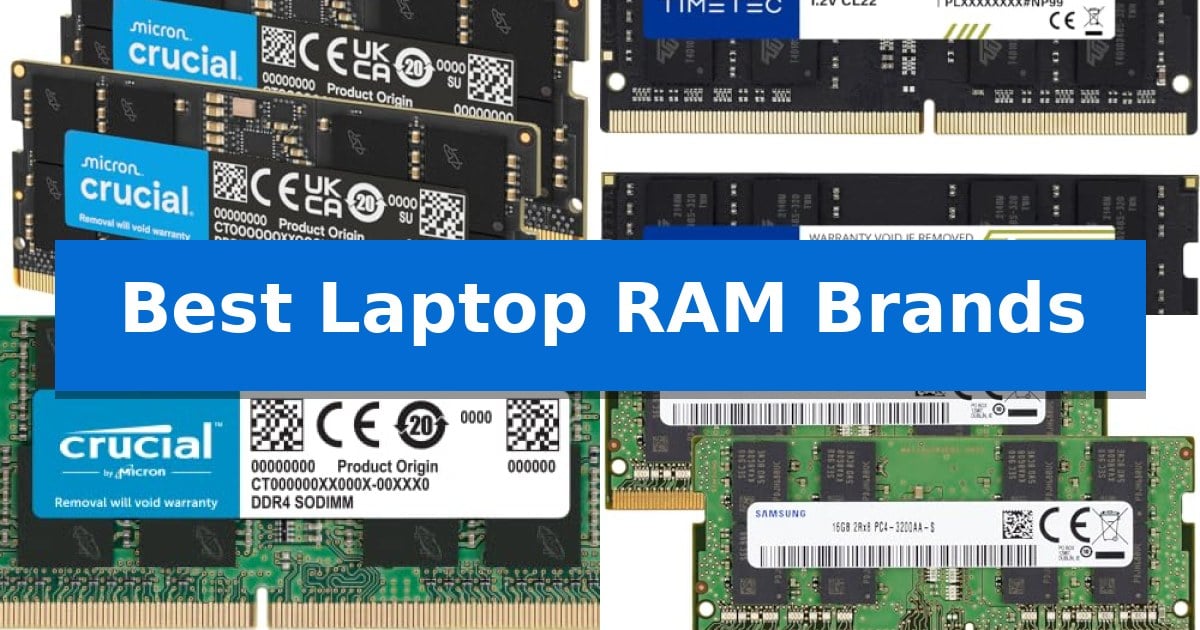
Struggling with sluggish performance or frequent system freezes when running multiple applications? Upgrading your memory is often the most effective way to breathe new life into an aging machine or boost the capabilities of a modern workstation. Finding the Best Laptop RAM Brands ensures you select modules that provide the stability and speed necessary for your specific hardware configuration.
Whether you are looking to enhance your gaming frame rates or simply want a smoother experience during daily productivity tasks, choosing the right memory is essential. We have analyzed current memory options to help you identify the most reliable modules that match your laptop's technical requirements and performance goals.
Best Laptop RAM Brands in 2026: Maximize Multitasking Speed
Quick Comparison
| Product | Best For | Key Strength | Score |
|---|---|---|---|
| Crucial DDR5 SODIMM Memory | Best Overall | High-speed performance options up to 5600MHz for improved system responsiveness. | 4.9 |
| Timetec DDR4 SODIMM Memory | Reliable DDR4 System Upgrades | 32GB total capacity for enhanced multitasking performance. | 4.5 |
| Crucial DDR4 SODIMM Memory | Broad Compatibility for Laptops | 3200MHz speed for improved system responsiveness. | 4.4 |
| Samsung DDR4 SODIMM Memory | Genuine OEM Quality Standards | 32GB total capacity significantly boosts multitasking headroom. | 4.5 |
| Timetec DDR3L SODIMM Memory | Essential Support for Older Systems | Dual-voltage support (1.35V/1.5V) ensures broad compatibility with various motherboard power requireme… | 4.9 |
How We Chose
- Compatibility with specific DDR generations and pin counts.
- Operating frequency and latency performance for system responsiveness.
- Support for industry-standard profiles like XMP and EXPO.
- Build quality and adherence to JEDEC standards for stability.
- Reliability and warranty coverage provided by the manufacturer.
1 Crucial DDR5 SODIMM Memory — Modern High-Speed DDR5 Performance
Upgrading to the Crucial 32GB DDR5 RAM Kit (2x16GB) provides a significant boost for modern computing, utilizing the latest DDR5 architecture to handle intensive multitasking and demanding workloads. This memory kit is engineered to operate at speeds of 5600MHz, 5200MHz, or 4800MHz, offering versatile performance scaling depending on your system's requirements.
Designed for compatibility with 12th Gen Intel Core and AMD Ryzen 7000 Series processors, this 262-Pin SODIMM kit integrates seamlessly into compatible laptop configurations. The inclusion of Intel XMP 3.0 and AMD EXPO support allows for optimized performance profiles, ensuring that users can leverage the full potential of their hardware without complex manual tuning.
Reliability is a core focus of this memory, which is backed by 42 years of expertise from Micron. Each module undergoes rigorous testing at both the component and module levels to ensure stability under load. With a power-efficient 1.1V operating voltage and a non-ECC configuration, it is built to provide consistent performance for gaming and professional productivity tasks.
Whether you are looking to accelerate gaming frame rates or improve system responsiveness during heavy data processing, this kit offers a robust solution. The versatile downclocking capabilities ensure that the RAM adapts to the specific speed requirements of your motherboard, making it a flexible choice for users upgrading their mobile workstations or gaming laptops.
Best for: Users looking to upgrade their 12th Gen Intel or AMD Ryzen 7000 series laptops with high-speed, reliable DDR5 memory for multitasking and gaming.
Skip if: Users with older laptops that utilize DDR4 memory slots, as this DDR5 module is not physically or electrically compatible with previous generation standards.
PROS
- High-speed performance options up to 5600MHz for improved system responsiveness.
- Broad compatibility with modern Intel and AMD platforms including XMP 3.0 and EXPO support.
- Rigorous testing standards backed by Micron's long-standing memory expertise.
- Efficient 1.1V power consumption suitable for laptop thermal constraints.
CONS
- DDR5-only compatibility prevents use in older systems requiring DDR4 or earlier memory types.
2 Timetec DDR4 SODIMM Memory — Reliable DDR4 System Upgrades
Upgrading your system memory is one of the most effective ways to improve multitasking capabilities, and the Timetec DDR4 SODIMM Memory kit provides a straightforward path to achieving this. With a total capacity of 32GB (2 x 16GB modules), this kit is specifically engineered for laptops, notebooks, and mini PCs that utilize 260-Pin SODIMM slots, offering a substantial boost for memory-intensive applications.
This memory operates at a speed of 3200MHz, providing a high-bandwidth solution for modern computing needs. The modules are designed with Non-ECC Unbuffered architecture and run at a standard 1.2V, ensuring compatibility with a wide range of DDR4-capable systems. A notable feature is the automatic downclocking capability, which allows the RAM to seamlessly adjust to 2933MHz or 2666MHz if your specific hardware configuration requires lower speeds.
Installation is designed to be a plug-and-play process, requiring no specialized technical expertise to integrate into your existing setup. While the physical appearance—such as the PCB color or rank—may vary between production batches, the performance standards remain consistent across all units. This ensures that you receive a reliable component that adheres to strict quality benchmarks.
To provide long-term peace of mind, the product is backed by a Limited Lifetime Warranty and supported by technical assistance based in the United States. This commitment to quality makes the Timetec DDR4 SODIMM Memory a practical choice for users looking to extend the utility of their current portable or compact desktop hardware.
Best for: Users looking to increase system memory capacity for multitasking on compatible DDR4-based laptops, notebooks, and mini PCs.
Skip if: Users with systems that require DDR5 memory or desktop motherboards that utilize full-sized DIMM slots, as this module is physically incompatible.
PROS
- 32GB total capacity for enhanced multitasking performance.
- Plug-and-play installation for quick and easy upgrades.
- Automatic downclocking ensures compatibility with various system speeds.
- Limited Lifetime Warranty for long-term reliability.
CONS
- Not compatible with desktop DIMM slots or non-DDR4 systems.
3 Crucial DDR4 SODIMM Memory — Broad Compatibility for Laptops
Upgrading system memory is a direct way to improve multitasking and responsiveness, and the Crucial 16GB DDR4 RAM is engineered to provide a stable boost for compatible laptops. Operating at 3200MHz, this module is designed to handle demanding applications by increasing the available overhead for your operating system and software.
Compatibility is a primary concern when selecting laptop memory, and this SODIMM 260-pin module is built to integrate with a wide range of systems, including those using 13th Gen Intel Core and AMD Ryzen 7000 processors. To ensure a correct fit, the manufacturer provides a System Scanner and Upgrade Selector tool, which helps identify the specific memory requirements for your hardware before purchase.
Installation is intended to be straightforward, requiring no specialized computer skills to replace or add to existing modules. The Crucial 16GB DDR4 RAM is backed by 42 years of memory expertise, with each module undergoing rigorous testing at both the component and module levels to maintain consistent performance standards.
This memory operates at a standard 1.2V, making it an efficient choice for laptop power management. As a non-ECC module, it is optimized for standard consumer and professional laptop use, providing a reliable path to extending the functional life of your hardware through a simple capacity increase.
Best for: Users looking to improve multitasking performance on compatible laptops through a straightforward, high-capacity memory upgrade.
Skip if: Users with laptops requiring DDR5 memory or those whose systems have reached their maximum supported RAM capacity.
PROS
- 3200MHz speed for improved system responsiveness.
- Easy installation process suitable for non-technical users.
- Rigorous testing ensures reliability and compatibility.
- Limited Lifetime Warranty provides long-term support.
CONS
- Non-ECC memory is not intended for workstation-grade error correction requirements.
4 Samsung DDR4 SODIMM Memory — Genuine OEM Quality Standards
Upgrading your laptop's memory capacity is a direct way to improve multitasking and reduce system bottlenecks. The Samsung 32GB (2x16GB) DDR4 3200MHz PC4-25600 SODIMM kit provides a reliable path for users looking to maximize their notebook or All-in-One computer's available memory resources.
This 32GB RAM kit consists of two 16GB modules designed to the JEDEC DDR4 standard at 1.2V. Operating at speeds up to 3200MHz, these 2Rx8 Dual Rank modules are engineered to integrate into compatible systems without the need for ECC buffering, ensuring broad compatibility with a wide range of standard DDR4 laptop architectures.
Each module is built to OEM quality standards, offering a consistent, stable performance profile for demanding workloads. The 260-pin SO-DIMM form factor ensures a precise fit for standard laptop memory slots, making it a straightforward installation for those comfortable with internal hardware upgrades.
Choosing this kit is an effective strategy for users who require higher memory headroom for intensive applications. By utilizing genuine Samsung components, you benefit from a Limited Lifetime Warranty covering defects in materials and workmanship, providing long-term peace of mind for your hardware investment.
Best for: Users looking to expand memory capacity in DDR4-compatible laptops or All-in-One systems to improve multitasking performance.
Skip if: Users with systems requiring DDR5 memory or those whose laptops have soldered RAM that cannot be upgraded.
PROS
- 32GB total capacity significantly boosts multitasking headroom.
- 3200MHz speed meets high-performance standards for DDR4 laptops.
- Genuine OEM quality ensures reliable, consistent hardware operation.
- Limited Lifetime Warranty provides long-term protection against defects.
CONS
- DDR4 interface is not compatible with newer DDR5-based systems.
- Dual-rank configuration may not be supported by all older laptop motherboards.
5 Timetec DDR3L SODIMM Memory — Essential Support for Older Systems
Upgrading an older laptop or mini PC often requires specific memory modules that balance capacity with strict voltage requirements. The Timetec DDR3L SODIMM Memory provides a reliable 16GB kit, consisting of two 8GB modules, specifically engineered to support systems that demand the DDR3L standard while maintaining backward compatibility with standard DDR3 slots.
This memory kit operates at a frequency of 1600MHz with a CL11 latency, ensuring stable data transfer for everyday computing tasks. A standout feature is its dual-voltage capability, allowing the modules to function at either 1.35V or 1.5V. This flexibility makes it a versatile choice for users looking to maximize the lifespan of older hardware without worrying about power delivery mismatches.
Designed as a 204-pin SODIMM form factor, these modules are built for compact devices, including notebooks, mini PCs, and all-in-one systems. The dual rank (2Rx8) architecture is optimized for broad system compatibility, and each unit undergoes rigorous testing to meet industry standards. For added peace of mind, the product is backed by a guaranteed lifetime warranty and access to United States-based technical support.
When installing this memory, users should confirm their system supports the 16GB total capacity and the DDR3L/DDR3 1600MHz specification. While the green PCB design is purely functional, the focus here remains on providing a stable, long-term memory solution for legacy platforms that still have plenty of utility for modern productivity.
Best for: Users looking to upgrade or repair older laptops, mini PCs, or all-in-one devices that require DDR3L/DDR3 SODIMM memory.
Skip if: Users with modern laptops that require faster DDR4, DDR5, or soldered memory modules.
PROS
- Dual-voltage support (1.35V/1.5V) ensures broad compatibility with various motherboard power requirements.
- Lifetime warranty provides long-term protection for the investment.
- 16GB capacity effectively boosts multitasking capabilities for older systems.
- Rigorous testing protocols ensure consistent quality and stability.
CONS
- Legacy DDR3/DDR3L technology is not compatible with modern DDR4 or DDR5 memory slots.
- Green PCB design may not appeal to users seeking a specific aesthetic for open-chassis builds.
Best Laptop RAM Brands Buying Guide
Understanding RAM Compatibility
Before purchasing, you must verify your laptop's DDR generation and SODIMM form factor. Memory is not universally interchangeable; a DDR5 module will not fit into a DDR4 slot, and vice versa. Always check your system manufacturer's specifications to confirm the maximum capacity and speed your motherboard supports.
Additionally, consider the pin count and voltage requirements. Most modern laptops utilize 260-pin or 262-pin SODIMM modules. Using memory that operates at the correct voltage, such as 1.1V for DDR5 or 1.2V for DDR4, is critical for preventing system instability and ensuring long-term hardware health.
Frequency and Latency Trade-offs
Higher MHz speeds generally allow for faster data transfer, which can benefit tasks like video rendering or high-end gaming. However, your system will automatically downclock faster RAM to match the maximum speed supported by your CPU and motherboard. It is often more cost-effective to match your RAM speed to your system's native limit.
CAS Latency (CL) is another factor that dictates how quickly memory can access data. While higher speeds are desirable, a lower latency can sometimes offer better real-world performance in latency-sensitive applications. Balancing these two metrics is key to optimizing your specific workflow.
Dual-Channel Configurations
Installing memory in pairs—known as a dual-channel configuration—can significantly increase memory bandwidth compared to using a single stick. If your laptop has two available slots, purchasing a kit of two identical modules is usually the best approach to ensure they are synchronized and compatible with each other.
Even if your laptop currently has one stick of RAM, adding a second matching module can often provide a noticeable performance boost in multitasking. Always aim for identical capacity, speed, and timing specifications when pairing modules to avoid potential system errors.
The Importance of JEDEC Standards
Reliable memory brands adhere to JEDEC standards, which define the baseline operating parameters for memory modules. This ensures that your RAM will work reliably at its rated speed without requiring complex manual configuration in the BIOS.
While some high-performance modules include profiles like Intel XMP or AMD EXPO for overclocking, the foundation of a stable system is its ability to run at standard, tested speeds. Prioritizing modules that meet these industry standards reduces the risk of crashes or boot failures.
Longevity and Warranty
Memory is a component that should last the lifetime of your computer. Reputable manufacturers typically offer Limited Lifetime Warranties, which provide peace of mind regarding the quality of the components used in the module.
When selecting from the Best Laptop RAM Brands, consider the manufacturer's history and their commitment to rigorous testing at both the component and module levels. This testing process is what separates high-quality memory from generic alternatives that may fail under heavy load.
Frequently Asked Questions
How do I know if my laptop supports DDR5 RAM?
You should consult your laptop's manual or use a system scanner tool provided by the RAM manufacturer. DDR5 is physically keyed differently than DDR4 and is typically only compatible with newer processors, such as 12th Gen Intel Core or AMD Ryzen 7000 series.
Can I mix different brands of RAM?
While it is technically possible, it is not recommended. Mixing brands, speeds, or latencies can lead to system instability or cause the memory to run at the speed of the slowest module. For best results, use identical modules.
What is the difference between SODIMM and DIMM?
SODIMM is the smaller form factor designed specifically for laptops, notebooks, and mini PCs. DIMM is the larger form factor used in desktop computers. They are not interchangeable.
Does higher frequency RAM always make my laptop faster?
Only if your system supports that higher speed. If your laptop's motherboard or CPU is limited to a lower frequency, the RAM will automatically downclock to that limit, and you will not see the benefits of the higher-rated speed.
Is it easy to install laptop RAM myself?
In most laptops, yes. It typically involves removing the bottom panel and inserting the module into the SODIMM slot until it clicks. However, some ultra-thin laptops have soldered RAM that cannot be upgraded, so check your device's upgradeability first.
Conclusion: Our Top Pick
Selecting the right memory is a straightforward way to improve your laptop's performance. By matching the correct generation and speed to your system's requirements, you can ensure a stable and responsive computing experience for years to come.
For those seeking the latest in memory technology, the Crucial DDR5 SODIMM Memory stands out as our top recommendation. Its support for high-speed operation and compatibility with modern Intel and AMD processors make it an excellent choice for users looking to maximize their system's multitasking capabilities.