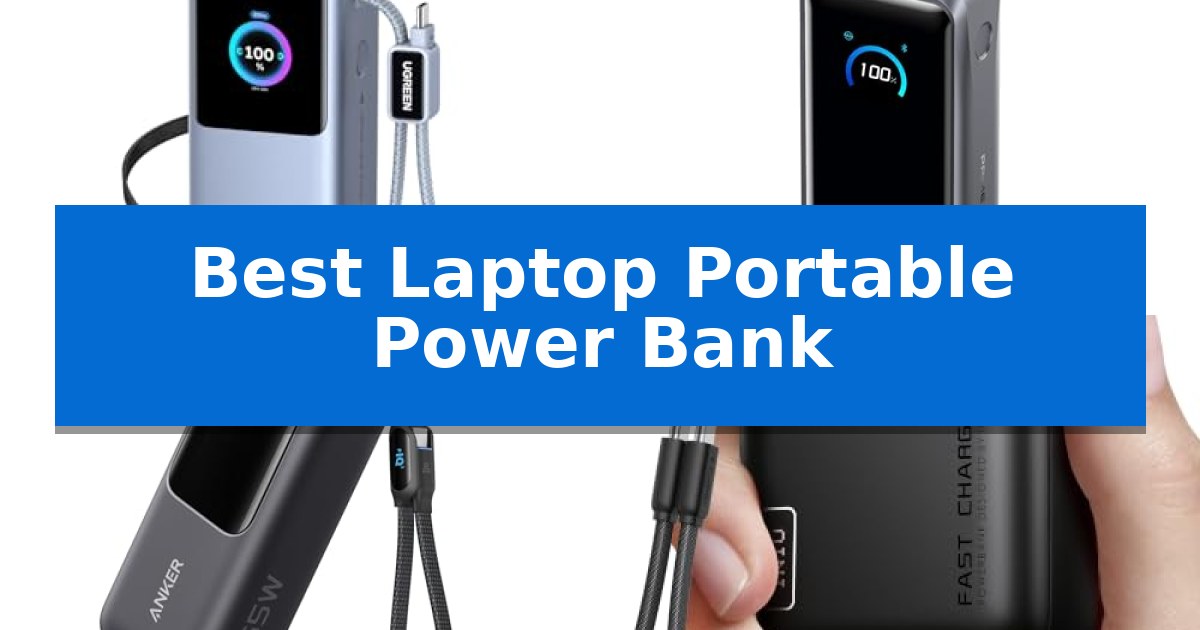
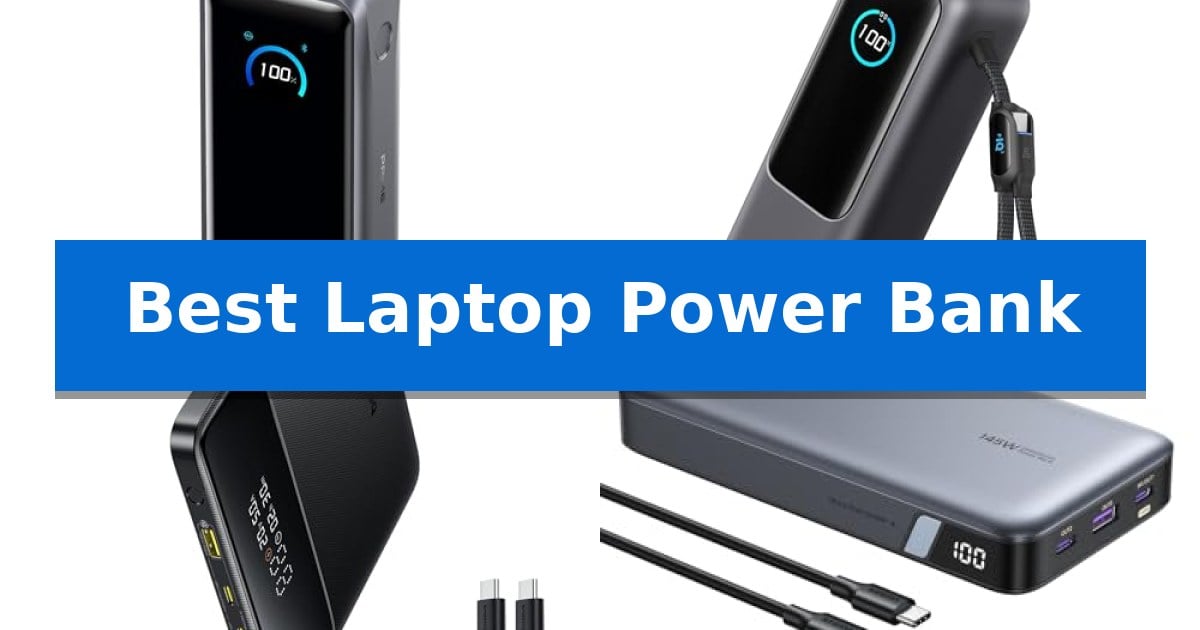
Best Laptop Power Bank Brands in 2026

Best Laptop Power Bank Brands

Finding reliable power for your mobile workstation can be a challenge when you are away from wall outlets for extended periods. The Best Laptop Power Bank Brands offer high-wattage output and significant battery capacity to keep your devices running during long commutes, flights, or remote work sessions.

Selecting the right portable charger requires balancing total capacity with physical size and charging standards. Whether you need rapid power delivery for a high-performance laptop or a slim profile for your briefcase, understanding the technical capabilities of these power banks helps ensure your gear stays charged when it matters most.

Best Laptop Power Bank Brands in 2026

Our Top Picks
  1. High-Output Single-Port Charging TALIX Laptop Power Bank
  2. Slim Profile for Briefcases Baseus Blade Power Bank
  3. Versatile AC Outlet Integration Paopaoyu Portable Power Bank
  4. Convenient Built-in Retractable Cable AsperX Laptop Power Bank

Quick Comparison

Product Best For Key Strength Score
Anker Prime Power Bank Best Overall 250W dual-port input for extremely fast recharging. 4.9
TALIX Laptop Power Bank High-Output Single-Port Charging 140W single-port fast charging for high-demand laptops. 4.5
Baseus Blade Power Bank Slim Profile for Briefcases 100W PD fast charging for rapid laptop replenishment. 4.7
Paopaoyu Portable Power Bank Versatile AC Outlet Integration Integrated 100W AC outlet for non-USB devices 4.4
AsperX Laptop Power Bank Convenient Built-in Retractable Cable Built-in retractable cable eliminates the need for extra cords. 4.4

How We Chose

  • Maximum power output (Wattage) to ensure compatibility with demanding laptop hardware.
  • Battery capacity measured in mAh and Wh to assess total charge potential.
  • Port configuration, including USB-C Power Delivery (PD) and AC outlet integration.
  • Physical dimensions and weight for ease of transport in standard laptop bags.
  • Compliance with TSA regulations for safe air travel.

1 Anker Prime Power Bank — Fastest Recharge for Busy Travelers

The Anker Prime Power Bank distinguishes itself with an industry-leading 250W dual USB-C input, allowing the device to recharge to 50% capacity in just 13 minutes. This high-speed intake makes it a practical solution for travelers who need to replenish their power supply during short layovers or busy mornings.

Engineered for high-demand hardware, this power bank features a 300W total output across two USB-C ports and one USB-A port. It is capable of delivering up to 140W from a single USB-C port, which provides enough power to charge a MacBook Pro (M4 Pro) to 50% in 27 minutes. The unit includes a smart display and app control, enabling users to monitor charging data and manually adjust output power settings.

With a capacity of 26,250mAh (99.75Wh), the Anker Prime Power Bank is TSA-approved for air travel. Its compact dimensions of 6.3 x 2.5 x 1.5 inches and weight of approximately 1.32 pounds allow it to fit into standard travel bags while providing enough energy to charge a MacBook Pro (M4) up to 0.8 times.

The package includes a 240W USB-C to USB-C charging cable and a travel pouch. The device is backed by a 24-month warranty, ensuring support for the internal battery and electronics over extended use.

Best for: Frequent travelers and professionals who require rapid recharging and high-wattage output for multiple laptops and mobile devices.

Skip if: Users who require compatibility with Starlink mini or those seeking a lighter, lower-capacity power bank for simple smartphone-only charging.

PROS

  • 250W dual-port input for extremely fast recharging.
  • 300W total output capable of powering two MacBook Pros simultaneously.
  • TSA-approved 99.75Wh capacity for convenient air travel.
  • Smart display and app integration for precise power management.

CONS

  • Incompatible with Starlink mini hardware.
  • Heavier footprint compared to lower-capacity portable chargers.

2 TALIX Laptop Power Bank — High-Output Single-Port Charging

Maintaining power for high-performance hardware while traveling requires a reliable energy source, and the TALIX Laptop Power Bank addresses this with a 190W total output capacity. This device is designed to manage multiple electronics simultaneously, featuring a built-in USB-C cable that functions as both a power delivery tether and a convenient carrying strap.

The internal architecture utilizes 20000mAh / 73Wh capacity, comprised of four automotive-grade 21700 cells. This configuration remains within the TSA flight-approved limit, allowing for transport on commercial aircraft. Users can monitor power levels and thermal status through a smart digital display, which provides real-time data on input and output wattage, temperature, and estimated charge time.

Versatility is a core design element, as the unit includes one integrated USB-C cable, one additional USB-C port, and one USB-A port. When utilizing the primary USB-C port independently, the power bank delivers up to 140W of fast charging, sufficient for demanding laptops. Safety is managed through NTC thermal monitoring and integrated protection circuits against overcharge, overcurrent, and short-circuit scenarios.

The housing is constructed from flame-retardant materials to ensure durability during transit. At approximately one pound, the unit balances a high energy-to-weight ratio with the practical necessity of having an integrated cable, which eliminates the need to carry separate charging cords for most modern devices.

Best for: Travelers and remote professionals who need high-wattage, multi-port charging for laptops and mobile devices in a flight-compliant package.

Skip if: Users who require a lightweight, pocket-sized charger for small accessories only, as the 20000mAh capacity and 190W output design prioritize power over extreme portability.

PROS

  • 140W single-port fast charging for high-demand laptops.
  • Integrated USB-C cable simplifies cable management and doubles as a carry strap.
  • Smart digital display provides precise real-time diagnostic data.
  • Flight-approved 73Wh capacity for convenient air travel.

CONS

  • Heavier footprint compared to lower-capacity portable chargers.
  • Fixed cable length may limit positioning in tight workspaces.

3 Baseus Blade Power Bank — Slim Profile for Briefcases

Maintaining power for high-performance hardware during travel requires a balance of capacity and portability, a challenge the Baseus Laptop Portable Charger 100W 20000mAh addresses with its slim, briefcase-friendly profile. This power bank is engineered for professionals who need to keep laptops, tablets, and mobile devices running through long-haul flights or back-to-back meetings without searching for wall outlets.

The device features 100W USB-C PD fast charging, capable of bringing a MacBook Pro to 50% capacity in approximately 30 minutes. Its 20000mAh high-capacity battery is TSA-approved for air travel and provides enough energy to charge most 13-15 inch laptops to over 70%, or fully recharge a smartphone multiple times. A built-in real-time power display allows users to monitor remaining energy levels during use.

Designed for versatility, the unit includes two USB-C and two USB-A ports, enabling simultaneous charging for multiple devices. Safety is managed through advanced overcharge, overheat, and short-circuit protection, which are certified by UL and IEC standards. The package includes a 100W USB-C cable and is backed by a 24-month warranty.

While the slim design is optimized for portability, users should note that the power bank's physical footprint is flat and wide, which may require specific pocket arrangements in smaller bags. It remains a robust solution for those prioritizing a thin, high-wattage power source for mobile workstations.

Best for: Business travelers and remote workers who need a slim, high-wattage power bank to charge laptops and mobile devices simultaneously while on the go.

Skip if: Users who require a ruggedized or waterproof power bank for outdoor environments, or those who prefer a smaller, cylindrical form factor for tighter storage spaces.

PROS

  • 100W PD fast charging for rapid laptop replenishment.
  • Slim, travel-friendly design that fits easily into briefcases.
  • 20000mAh high-capacity suitable for international travel.
  • Four-port output for charging multiple devices at once.

CONS

  • Wide, flat profile may be less convenient for users with very small or narrow bags.

4 Paopaoyu Portable Power Bank — Versatile AC Outlet Integration

Maintaining power for professional hardware during travel requires versatile solutions that go beyond standard USB charging. The Paopaoyu Portable Power Bank addresses this need by integrating a dedicated 100W AC outlet, allowing users to power electrical appliances and laptops that require wall-plug connectivity while away from a traditional power source.

Beyond its AC capabilities, this unit features a 65W PD Type-C port that serves as both an input and output, enabling high-speed charging for compatible laptops and mobile devices. The internal 27000mAh capacity is distributed across four output ports, including two USB-A ports (12W and 18W), ensuring multiple devices can be managed simultaneously during emergencies or outdoor excursions.

Designed with mobility in mind, the power bank maintains a form factor that is TSA compliant, as its capacity does not exceed 100Wh. This makes it a practical companion for business travel where reliable backup power is essential. The device also incorporates multiple protection technologies to guard against over-charging, over-voltage, and short circuits, ensuring safe operation under various conditions.

The Paopaoyu Portable Power Bank offers a balanced approach for users who need both high-wattage AC output and fast USB-C delivery. Its ability to recharge fully in 1.5 hours via the Type-C port minimizes downtime, providing a streamlined experience for those who rely on consistent power for their mobile workstations.

Best for: Business travelers and outdoor enthusiasts who require both AC outlet power for appliances and high-speed USB-C charging for laptops.

Skip if: Users who only need to charge small mobile devices and prefer a significantly lighter, pocket-sized battery pack without AC functionality.

PROS

  • Integrated 100W AC outlet for non-USB devices
  • Fast 65W PD Type-C input and output
  • Large 27000mAh capacity for multiple charges
  • TSA compliant for air travel

CONS

  • AC outlet usage is limited to appliances under 100W
  • Larger physical footprint compared to standard power banks

5 AsperX Laptop Power Bank — Convenient Built-in Retractable Cable

Managing multiple devices during travel or a busy workday often leads to a tangled mess of cables and drained batteries. The AsperX Laptop Power Bank addresses this with a built-in retractable cable, allowing for immediate, clutter-free charging without the need to carry extra cords. This design choice simplifies your mobile setup, ensuring you can power up your laptop or phone in seconds.

Engineered for efficiency, this power bank features a 165W fast charging capability. It is capable of delivering 100W and 65W output simultaneously, which allows for fast charging of two computers at once. The device is housed in a genuine aluminum alloy unibody, providing a durable exterior that offers 40% better heat dissipation compared to standard plastic alternatives, which helps maintain stable performance during high-power output.

The AsperX Laptop Power Bank includes a large, colorful TFT display that provides real-time data on battery levels, remaining charge time, and power input/output. For users with smaller electronics, the device features an exclusive Small Power Mode, activated by a long-press of the power button, which safely adapts to low-power devices like headphones and smartwatches.

Designed with portability in mind, the unit is 20% more compact than previous iterations, making it a practical addition to a professional or student gear bag. It comes with a 24-month warranty and includes a 240W USB-C cable and a carrying bag, providing a comprehensive solution for users who require reliable, high-speed power on the move.

Best for: Professionals and travelers who need a high-capacity, compact power bank capable of fast-charging multiple USB-C devices simultaneously.

Skip if: Users whose devices do not support USB-C charging or those who require a lighter, smaller power bank for low-power devices only.

PROS

  • Built-in retractable cable eliminates the need for extra cords.
  • 165W total output with dual-port fast charging for laptops.
  • Aluminum alloy casing provides superior heat dissipation and durability.
  • TFT display offers detailed, real-time power and battery information.

CONS

  • Charging speed is limited by the power of the wall adapter used to recharge the bank.
  • USB-C compatibility is required, as the unit does not support non-USB-C charging ports.

Best Laptop Power Bank Brands Buying Guide

Understanding Power Delivery (PD) Standards

USB-C Power Delivery is the standard for modern laptop charging. A power bank must support a high enough wattage, typically 65W or higher, to effectively charge a laptop while it is in use. Lower wattage chargers may only provide a 'trickle charge' that is insufficient for heavy tasks.

Check your laptop's specific power requirements before purchasing. While many power banks offer 100W or more, your device will only draw the power it is designed to handle. Using a high-wattage bank ensures you have the overhead needed for faster charging speeds.

Capacity and Flight Regulations

Most airlines follow TSA guidelines that limit portable battery capacity to 100Wh for carry-on luggage. When choosing a power bank, look for models that explicitly state they are TSA-approved to avoid issues at security checkpoints.

Capacity is often listed in mAh (milliamp-hours), but the Wh (watt-hour) rating is what airlines use for safety compliance. Always verify the Wh rating on the device label to ensure it falls within the allowed limits for air travel.

Portability vs. Power

There is a direct trade-off between battery capacity and physical weight. A larger 27,000mAh bank provides more total charges but adds significant bulk to your bag. If you prioritize mobility, a slimmer 20,000mAh model may be more practical for daily commuting.

Consider the design of the power bank. Some models feature built-in cables or flat, slim profiles that slide easily into laptop sleeves, while others are thicker and require carrying separate charging cables.

Input and Recharge Speed

The speed at which the power bank itself recharges is just as important as how fast it charges your laptop. High-end models support dual-port input, allowing you to replenish the battery in under an hour, which is essential for busy travelers.

Look for specifications regarding input wattage. A power bank that supports high-speed input will save you significant time when you are at a hotel or airport lounge with limited access to a power outlet.

Safety and Protection Features

Reliable brands incorporate thermal monitoring and protection circuits to prevent overcharging, over-voltage, and short-circuiting. These features are critical when dealing with high-wattage lithium-ion batteries.

Look for certifications such as UL or IEC, which indicate that the product has undergone rigorous safety testing. These protections not only safeguard the power bank but also protect your expensive laptop and phone from electrical damage.

Frequently Asked Questions

Can I take a 20,000mAh power bank on a plane?

Yes, most 20,000mAh power banks fall under the 100Wh limit set by the TSA and are generally permitted in carry-on luggage.

Will a 65W power bank charge my 100W laptop?

It will charge the laptop, but likely at a slower rate than the original wall charger. It may also struggle to charge the device while it is under a heavy processing load.

Do I need a special cable for fast charging?

Yes, to achieve maximum charging speeds, you must use a high-quality USB-C cable rated for the specific wattage (e.g., 5A or 100W) supported by your power bank and laptop.

Why does my power bank get warm while charging?

It is normal for lithium-ion batteries to generate heat during high-speed charging. However, if the device becomes too hot to touch, you should disconnect it immediately.

Can I charge multiple devices at once?

Many modern laptop power banks feature multiple ports and can distribute power to a laptop, phone, and earbuds simultaneously, though the charging speed per port may decrease.

Conclusion: Our Top Pick

For those seeking the most efficient and powerful solution, the Anker Prime Power Bank stands out as the top choice. Its ability to deliver 300W of total output and support for rapid dual-port recharging makes it highly effective for professionals who need to keep multiple high-performance devices running throughout the day.

While it offers industry-leading performance, ensure your specific laptop model supports USB-C Power Delivery to take full advantage of its capabilities. Its TSA-approved capacity ensures it remains a versatile companion for both daily office work and international travel.
Best Laptop Power Bank in 2026

Best Laptop Power Bank

Finding a reliable Best Laptop Power Bank is essential for professionals and students who need to keep their devices running during long commutes or remote work sessions. With modern laptops requiring significant power delivery, choosing the right battery pack ensures you stay productive without hunting for a wall outlet.

We have analyzed the latest portable chargers to help you identify the most efficient solutions for your specific hardware. From high-wattage output for demanding laptops to compact designs for travel, these options provide the necessary energy to keep your workflow uninterrupted throughout the day.

Best Laptop Power Bank in 2026

Our Top Picks
  1. Convenient Built-in Retractable Cables Anker Laptop Power Bank
  2. Slim Profile for Business Travel Baseus Blade Laptop Power Bank
  3. High-Speed PD 3.1 Laptop Charging UGREEN Nexode Power Bank
  4. Compact Pocket-Sized Power INIU Laptop Power Bank

Quick Comparison

Product Best For Key Strength Score
Anker Prime Power Bank Best Overall 300W total output for simultaneous multi-device charging 4.9
Anker Laptop Power Bank Convenient Built-in Retractable Cables Triple 100W USB-C ports for simultaneous high-speed charging. 4.5
Baseus Blade Laptop Power Bank Slim Profile for Business Travel 100W USB-C PD output for rapid laptop charging 4.6
UGREEN Nexode Power Bank High-Speed PD 3.1 Laptop Charging 145W total output capable of rapid laptop charging. 4.3
INIU Laptop Power Bank Compact Pocket-Sized Power 65W fast charging capable of powering laptops and gaming handhelds. 4.4

How We Chose

  • Power Delivery (PD) Wattage: We prioritized models capable of providing at least 65W to 140W to ensure compatibility with modern laptop charging standards.
  • Battery Capacity: We assessed the total mAh and Wh ratings to determine how many full charges a device can provide for standard 13-inch to 16-inch laptops.
  • Port Versatility: We looked for multiple USB-C and USB-A ports that support simultaneous charging for laptops, phones, and tablets.
  • Travel Compliance: We verified that each unit adheres to standard TSA and airline carry-on capacity limits for lithium-ion batteries.
  • Design and Build: We evaluated the physical footprint, weight, and the inclusion of integrated cables or smart displays for real-time power management.

1 Anker Prime Power Bank — Fastest Charging for Multiple Laptops

Maintaining high-performance hardware while traveling requires a power solution that keeps pace with modern laptop demands. The Anker Prime Power Bank addresses this by delivering a massive 300W total output, capable of powering two MacBook Pros simultaneously at full speed.

Designed for efficiency, this unit features 140W max fast charging via USB-C, allowing a MacBook Pro (M4 Pro) to reach 50% capacity in just 27 minutes. The inclusion of 250W dual-port input technology enables the power bank itself to recharge to 50% in only 13 minutes, minimizing downtime during busy schedules.

The device packs a 26,250mAh (99.75Wh) capacity, which is specifically engineered to be TSA-approved for air travel. Users can monitor real-time charging status through a built-in smart display or utilize app control to manually adjust output power, providing granular management over energy distribution.

Included in the package are a 240W USB-C to USB-C cable and a travel pouch, ensuring the unit is ready for immediate use. While it offers high-wattage versatility, it is important to note that this specific model is not compatible with Starlink mini hardware.

Best for: Professionals and travelers who need to charge multiple high-power laptops and mobile devices simultaneously with rapid recharge capabilities.

Skip if: Users who require compatibility with Starlink mini or those seeking a lighter, lower-capacity power bank for simple phone charging.

PROS

  • 300W total output for simultaneous multi-device charging
  • 140W high-speed output for rapid laptop replenishment
  • TSA-approved capacity for convenient air travel
  • Smart display and app control for precise power monitoring

CONS

  • Not compatible with Starlink mini hardware
  • Higher weight due to large battery capacity

2 Anker Laptop Power Bank — Convenient Built-in Retractable Cables

Managing multiple devices during travel requires a reliable power source, and the Anker Laptop Power Bank addresses this with a substantial 25,000mAh capacity and a total output of 165W. Designed for portability, this unit is airline carry-on friendly and complies with 100Wh restrictions, making it a practical companion for long-haul trips or remote work environments.

The device features three 100W USB-C ports, allowing for simultaneous high-speed charging of multiple laptops or mobile devices. This multi-port configuration is ideal for users who need to keep a workstation powered without juggling multiple wall adapters. The power bank also supports ultra-fast recharge speeds when paired with a 100W or higher charger, minimizing downtime between uses.

Usability is enhanced by dual built-in cables, including one extendable cable reaching up to 2.3 ft that supports 20,000 retractions. The second cable, measuring 0.98 ft, functions as a durable carrying strap tested for over 20,000 bends. This integrated design reduces the need to carry extra cords, streamlining your travel setup.

With the ability to charge 4 devices at once—utilizing the two built-in USB-C cables, one additional USB-C port, and one USB-A port—this power bank provides significant versatility. It comes with a protective pouch and an 18-month warranty, offering a comprehensive solution for users who prioritize convenience and high-wattage output in a compact, travel-ready form factor.

Best for: Frequent travelers and remote workers who need to charge multiple high-power devices simultaneously using integrated cables.

Skip if: Users who require a lightweight, pocket-sized battery for occasional smartphone top-ups, as the 25,000mAh capacity and 165W output design prioritize high-performance laptop charging over extreme portability.

PROS

  • Triple 100W USB-C ports for simultaneous high-speed charging.
  • Integrated retractable cables that double as a carrying strap.
  • 25,000mAh capacity compliant with airline carry-on regulations.
  • Four-device charging capability including USB-A and USB-C options.

CONS

  • Higher weight and dimensions compared to standard pocket-sized power banks.
  • External charger not included for achieving maximum recharge speeds.

3 Baseus Blade Laptop Power Bank — Slim Profile for Business Travel

Maintaining productivity during long-haul flights or back-to-back meetings requires a reliable power source that fits into a professional workflow. The Baseus Blade Laptop Power Bank addresses this need with a remarkably thin, flat design that slides easily into a laptop bag or briefcase, ensuring you remain powered without adding significant bulk to your carry-on.

Equipped with 100W USB-C PD fast charging, this device is capable of charging a MacBook Pro to 50% in just 30 minutes. It features a versatile port configuration, including dual USB-C and dual USB-A ports, allowing you to charge a laptop, phone, tablet, and headphones simultaneously. The 20000mAh high-capacity battery provides enough energy to extend the runtime of most 13-15 inch laptops by over 70%, making it a practical companion for extended travel.

Usability is enhanced by a real-time power display, which helps you monitor remaining energy levels during busy days. Safety is a core design priority, with the unit featuring advanced overcharge, overheat, and short-circuit protection that is certified by UL and IEC standards. For added convenience, the device is TSA-approved, allowing for hassle-free travel through airport security.

This power bank is a balanced solution for professionals who prioritize portability and high-wattage output. While it offers significant power in a slim form factor, users should ensure their specific laptop supports USB-C Power Delivery to fully utilize the 100W charging capability.

Best for: Business travelers and professionals who need a slim, high-capacity power bank capable of fast-charging laptops and multiple mobile devices simultaneously.

Skip if: Users who require a ruggedized, waterproof power bank or those whose laptops do not support USB-C Power Delivery charging.

PROS

  • 100W USB-C PD output for rapid laptop charging
  • Slim and flat profile designed for easy transport in laptop bags
  • 20000mAh capacity suitable for multiple device charges
  • Real-time power display for accurate battery management

CONS

  • Requires USB-C PD compatibility for optimal laptop charging performance

4 UGREEN Nexode Power Bank — High-Speed PD 3.1 Laptop Charging

When you need to keep high-power devices running during travel or remote work, the UGREEN Nexode Power Bank offers a significant 25000mAh capacity paired with high-speed delivery. This portable charger is engineered to handle demanding hardware, featuring a total output of 145W to support laptops, tablets, and mobile devices simultaneously.

The core of this device is its Ultra-Fast 145W Charging capability, utilizing PD3.1 and QC3.0 standards. A single USB-C1 port can provide up to 140W, which is sufficient to charge a 16-inch MacBook Pro from 0-56% in approximately 30 minutes. This makes it a practical solution for users who need to top off power-hungry machines while on the move.

Designed for versatility, the power bank includes three USB-C ports and supports Two-Way Fast Recharge. You can replenish the internal battery in about 2 hours when using a 65W PD charger. The integrated digital display provides immediate feedback on remaining battery life, allowing you to monitor your power reserves without guesswork.

Compatibility extends across a wide range of electronics, including the Steam Deck, iPad, and various smartphone series. To ensure optimal performance, the manufacturer recommends using a 65W or higher charging adapter for the power bank itself and utilizing the included 5A USB-C to USB-C cable for device connections.

Best for: Users who need high-wattage, fast-charging power for laptops and multiple mobile devices while traveling.

Skip if: Users who require a lightweight, pocket-sized charger for occasional phone top-offs, as this unit is built for higher capacity and power output.

PROS

  • 145W total output capable of rapid laptop charging.
  • 25000mAh capacity provides multiple charges for mobile devices.
  • Bi-directional fast recharging reduces downtime for the power bank.
  • Digital display for clear battery status monitoring.

CONS

  • Requires a 65W charger to achieve the fastest 2-hour recharge time.
  • Heavier footprint compared to standard phone-only power banks.

5 INIU Laptop Power Bank — Compact Pocket-Sized Power

Maintaining a full suite of mobile devices while traveling often leads to the frustration of carrying multiple wall adapters or finding insufficient power outlets. The INIU Laptop Power Bank addresses this by integrating a high-capacity 20,000mAh core into a compact, wallet-sized form factor, utilizing advanced high-density stacking to reduce volume by 38% compared to traditional designs.

Engineered for versatility, this power bank features a 65W triple-port output, allowing for simultaneous charging of a laptop, smartphone, and smaller accessories like earbuds or smartwatches. It is capable of reviving a MacBook, HP, Lenovo, or Dell laptop to over 50% capacity in approximately 30 minutes, while also providing full-speed charging for devices like the Steam Deck.

Practicality is central to its design, highlighted by a 4.7-inch detachable USB-C cable that functions as both a charging lead and a durable carry handle. The unit is built with braided nylon for increased toughness, and its airline-safe construction ensures it meets TSA requirements for travel. Users are further supported by a 3-year replacement promise, providing long-term reliability for off-grid energy needs.

While the device offers significant power density, users should note that the 65W output is optimized for modern USB-C PD-compatible hardware. Its compact footprint makes it an efficient choice for those prioritizing space-saving gear without sacrificing the ability to keep multiple high-drain devices operational throughout a weekend.

Best for: Travelers and professionals who need a compact, high-capacity power source capable of fast-charging laptops and multiple mobile devices simultaneously.

Skip if: Users who require AC outlet functionality or those whose primary devices do not support USB-C Power Delivery standards.

PROS

  • 65W fast charging capable of powering laptops and gaming handhelds.
  • Compact, wallet-sized design that maximizes portability.
  • Triple-port output for simultaneous device charging.
  • TSA-approved for worry-free air travel.

CONS

  • Limited to USB-C/USB-A connectivity, excluding devices that rely strictly on proprietary barrel-plug chargers.

Best Laptop Power Bank Buying Guide

Understanding Power Delivery (PD) Standards

The USB-PD standard is the most critical factor when selecting a power bank for your computer. Unlike standard phone chargers, laptops require higher voltage and wattage to initiate charging, typically starting at 45W or 65W for ultrabooks and up to 140W for high-performance workstations.

Always check your laptop's required input wattage. Using a power bank that provides lower wattage than your laptop requires may result in extremely slow charging or the device failing to charge entirely while in use.

Capacity vs. Portability Trade-offs

There is a direct relationship between battery capacity and physical size. A 25,000mAh or 26,250mAh power bank provides significant energy for multiple charges but will be heavier and bulkier than a 20,000mAh model.

For daily commuters, a smaller, more compact unit might be preferable, while travelers on long-haul flights or remote workers should prioritize the highest capacity allowed by airline regulations, which is typically capped at 100Wh.

The Importance of Multi-Port Charging

Modern power banks often feature multiple output ports, allowing you to charge your laptop, smartphone, and accessories simultaneously. However, note that the total output wattage is often shared across these ports.

When charging multiple devices, the power bank will dynamically distribute power. If you need to charge your laptop at full speed, you may need to disconnect other devices to ensure the primary USB-C port receives the maximum available wattage.

Airline Safety and TSA Compliance

If you plan to travel by air, you must ensure your power bank is TSA-approved. Most airlines restrict lithium-ion batteries to a maximum of 100Wh for carry-on luggage.

Always check the label on your power bank before flying. Most high-capacity laptop chargers are designed to sit right at or below this limit to ensure they remain flight-safe while providing maximum possible energy.

Integrated Cables and Smart Features

Some newer models include built-in retractable cables, which eliminate the need to carry extra cords. This is a significant convenience for travel, though you should ensure the integrated cables support the high-speed charging protocols your laptop requires.

Smart displays and app connectivity are also becoming common. These features allow you to monitor the health of your battery, see exact charging speeds, and adjust power distribution, which helps in managing your energy usage during long trips.

Frequently Asked Questions

Can I charge my laptop with any power bank?

No, you need a power bank that supports USB-PD (Power Delivery) and provides enough wattage to meet your laptop's minimum charging requirements.

What is the maximum capacity I can take on a plane?

Most airlines limit lithium-ion batteries to 100Wh. Always check your specific airline's policy, but most power banks marketed for laptops are designed to comply with this limit.

Does the power bank charge my laptop as fast as a wall outlet?

If the power bank's output wattage matches or exceeds your laptop's original charger, it can charge at similar speeds. Lower wattage power banks will charge the device more slowly.

Why does my power bank get warm while charging?

It is normal for power banks to generate heat during high-speed charging due to the conversion of energy. However, if it becomes uncomfortably hot, you should disconnect it.

Can I charge my phone and laptop at the same time?

Yes, most multi-port power banks allow simultaneous charging, though the total wattage will be split between the connected devices, which may reduce the charging speed for your laptop.

Conclusion: Our Top Pick

When selecting the Best Laptop Power Bank, the Anker Prime Power Bank stands out due to its high 300W total output and fast-charging capabilities. Its ability to deliver 140W to a single device makes it a versatile choice for users with demanding hardware, such as MacBook Pros.

While it offers industry-leading performance and smart app control, users should ensure they have a compatible 5A cable to achieve the maximum 140W output. Its TSA-approved capacity makes it a reliable companion for those who need to maintain a high-performance workflow while traveling.

Best Laptop Portable Power Bank in 2026

Best Laptop Portable Power Bank

Finding a reliable power source for your mobile workstation can be a challenge when you are away from wall outlets. A high-capacity Best Laptop Portable Power Bank ensures your machine stays charged during long flights, remote work sessions, or travel, preventing the frustration of a dead battery when you need it most.

We have analyzed several leading options to help you identify which device best suits your specific hardware requirements. Whether you prioritize ultra-fast charging speeds, compact dimensions for easy packing, or the ability to power multiple peripherals simultaneously, the right choice depends on your daily workflow and device compatibility.

Best Laptop Portable Power Bank in 2026

Our Top Picks
  1. High-Speed Dual-Port Laptop Power Anker Prime Power Bank
  2. Integrated Cables for Travel Anker Laptop Power Bank
  3. Ultra-Compact Pocket Design INIU Laptop Power Bank
  4. Versatile AC Outlet Charging Paopaoyu Portable Power Bank

Quick Comparison

Product Best For Key Strength Score
UGREEN Nexode Pro Power Bank Best Overall 200W total output capable of fast-charging multiple laptops simultaneously. 4.9
Anker Prime Power Bank High-Speed Dual-Port Laptop Power 300W total output enables simultaneous high-speed charging for multiple laptops. 4.3
Anker Laptop Power Bank Integrated Cables for Travel Triple 100W USB-C ports for simultaneous high-speed charging. 4.3
INIU Laptop Power Bank Ultra-Compact Pocket Design Ultra-compact wallet-sized design for maximum portability. 4.6
Paopaoyu Portable Power Bank Versatile AC Outlet Charging 100W AC outlet for powering small electrical appliances. 4.4

How We Chose

  • Total power output capacity and compatibility with standard USB-PD protocols.
  • Physical dimensions and weight relative to battery capacity for travel convenience.
  • Number and type of output ports available for simultaneous multi-device charging.
  • Integrated features such as built-in cables, real-time displays, and low-current modes.
  • Compliance with airline safety regulations for carry-on luggage.

1 UGREEN Nexode Pro Power Bank — Fastest Multi-Device Laptop Charging

Managing multiple high-power devices on the go requires a reliable energy source, and the UGREEN Nexode Pro Power Bank addresses this with a massive 25000mAh capacity and a total 200W output. Designed for professionals who rely on power-hungry hardware, this unit provides the necessary wattage to keep laptops and mobile devices operational during extended travel.

The device features an integrated 26.7-inch retractable USB-C cable that supports 100W PD input/output, effectively eliminating the need for extra tangled cords in your bag. This design choice prioritizes convenience, while the 90Wh rating ensures the power bank meets airline regulations for carry-on travel, making it a practical companion for business trips.

Monitoring your power levels is straightforward thanks to the Smart TFT display, which provides real-time data on output wattage, battery health, and remaining capacity. For smaller accessories, the power bank includes a Low Current Mode, allowing you to safely charge earbuds and smartwatches without the risk of overcharging.

Safety is managed through 13-layer protection and ThermalGuard technology, which monitors internal temperatures 200 times per second. With support for PD 3.1 and QC 3.0 protocols, the unit offers broad compatibility across various laptop brands, tablets, and smartphones, ensuring consistent performance for a wide range of modern electronics.

Best for: Business travelers and professionals who need to charge multiple high-power laptops and mobile devices simultaneously using a single, compact, and airline-friendly solution.

Skip if: Users who prioritize a lightweight or ultra-slim power bank for occasional phone charging will find the high capacity and robust 200W output of this model excessive for their needs.

PROS

  • 200W total output capable of fast-charging multiple laptops simultaneously.
  • Integrated retractable cables reduce clutter and improve portability.
  • Smart TFT display provides precise real-time monitoring of power status.
  • Airline-friendly 90Wh capacity allows for travel with high-performance gear.

CONS

  • Substantial physical footprint due to the high-capacity battery and protective casing.

2 Anker Prime Power Bank — High-Speed Dual-Port Laptop Power

Maintaining high-performance hardware while traveling requires a reliable power source, and the Anker Prime Power Bank addresses this with a substantial 26,250mAh (99.75Wh) capacity. This unit is specifically engineered to keep demanding devices operational, offering TSA-approved portability that fits within standard carry-on requirements for air travel.

The device features a total 300W output distributed across two USB-C ports and one USB-A port, allowing for simultaneous charging of multiple high-drain devices. When utilizing a 5A cable, the unit provides up to 140W fast charging to a single laptop, capable of bringing a MacBook Pro (M4 Pro) to 50% charge in approximately 27 minutes.

Efficiency extends to the recharging process, which utilizes 250W dual USB-C input to replenish the bank to 50% in just 13 minutes. This rapid intake is designed for users who need to maximize power during short windows of availability, such as airport layovers or quick office transitions.

Users can monitor and manage power delivery through a smart display or the dedicated Anker app, which allows for manual adjustments of output power. The package includes a 240W USB-C to USB-C cable and a travel pouch, providing a complete solution for mobile power management.

Best for: Travelers and professionals who need to rapidly charge multiple high-wattage laptops and mobile devices in environments with limited outlet access.

Skip if: Users who require compatibility with the Starlink mini or those seeking a lightweight, pocket-sized charger for low-power accessories.

PROS

  • 300W total output enables simultaneous high-speed charging for multiple laptops.
  • 250W dual-port input allows for extremely fast recharging of the power bank itself.
  • Smart display and app control provide precise monitoring and power management.
  • TSA-approved 99.75Wh capacity ensures compliance for air travel.

CONS

  • Not compatible with Starlink mini hardware.
  • Significant physical weight due to the high-capacity battery cells.

3 Anker Laptop Power Bank — Integrated Cables for Travel

Managing multiple devices during travel requires a reliable power source that minimizes cable clutter. The Anker Laptop Power Bank, 25,000mAh Travel Essential with 165W Total Output addresses this by integrating retractable cables directly into its design, ensuring you have the necessary connections without carrying extra cords.

This power bank is equipped with three 100W USB-C ports, allowing for simultaneous high-speed charging of multiple laptops or mobile devices. With a 25,000mAh capacity, it provides substantial energy reserves for long-haul trips and is compliant with 100Wh airline carry-on restrictions, making it a practical companion for frequent travelers.

The device features a unique dual built-in cable system, including one extendable cable reaching up to 2.3 feet and a shorter 0.98-foot cable that doubles as a durable carrying strap. These cables are engineered for longevity, tested to withstand over 20,000 retractions and bends respectively, ensuring they remain functional throughout extensive use.

Beyond its primary USB-C outputs, the unit includes a USB-A port, enabling users to charge up to four devices at once. The package includes a protective pouch, and the unit supports ultra-fast recharge speeds when paired with a 100W or higher charger, reducing downtime between uses.

Best for: Frequent travelers and remote workers who need to charge multiple high-power devices simultaneously without carrying loose cables.

Skip if: Users who require a lightweight or pocket-sized battery, as the 25,000mAh capacity and integrated cable housing result in a more substantial form factor.

PROS

  • Triple 100W USB-C ports for simultaneous high-speed charging.
  • Integrated retractable cables reduce the need for external accessories.
  • Airline-friendly design compliant with 100Wh limits.
  • Durable cable construction tested for over 20,000 uses.

CONS

  • Higher weight and size compared to standard, non-integrated power banks.
  • Charger not included for the power bank's own fast-recharge capability.

4 INIU Laptop Power Bank — Ultra-Compact Pocket Design

Maintaining a high-performance workflow while away from a wall outlet requires a power solution that balances capacity with portability. The INIU Laptop Power Bank addresses this by integrating a 20,000mAh capacity into a chassis smaller than a standard wallet, utilizing advanced high-density stacking to reduce volume by 38% compared to traditional designs.

Engineered for versatility, this unit features 65W triple-port charging, allowing users to power a laptop, phone, and accessories simultaneously. It is capable of reviving devices like MacBooks, HP, Lenovo, or Dell laptops to over 50% in approximately 30 minutes. The inclusion of a detachable 4.7-inch braided nylon USB-C cable serves a dual purpose, acting as both a charging lead and a durable carry handle for transport.

Designed with the mobile professional in mind, the power bank is TSA-approved for air travel and incorporates multi-layer protection to mitigate overheating risks. The high-capacity core is sufficient to provide one full charge for a MacBook Air or over three charges for most flagship smartphones, making it a viable off-grid energy source for extended trips.

The INIU Laptop Power Bank is backed by a 3-year replacement warranty, emphasizing its long-term utility. While it offers significant power in a compact form factor, users should note that the 65W output is optimized for specific fast-charging protocols, ensuring compatibility with demanding devices like the Steam Deck without triggering slow-charger warnings.

Best for: Travelers and remote professionals who need a compact, high-capacity power source capable of fast-charging laptops and mobile devices simultaneously.

Skip if: Users requiring higher than 65W output for workstation-grade laptops or those who prefer a larger, non-portable power station with AC outlets.

PROS

  • Ultra-compact wallet-sized design for maximum portability.
  • 65W fast charging capable of powering laptops and handheld consoles.
  • Detachable braided nylon cable that functions as a carry handle.
  • TSA-approved for safe air travel.

CONS

  • 65W output limit may not support high-wattage professional laptops at full speed.
  • Limited to USB-C/USB-A ports, lacking AC outlet functionality.

5 Paopaoyu Portable Power Bank — Versatile AC Outlet Charging

The Paopaoyu Portable Power Bank distinguishes itself by integrating a dedicated 100W AC outlet, allowing users to power small electrical appliances directly without relying on specialized DC adapters. This design choice makes it a versatile backup power source for business travel or emergency home use, providing a level of utility beyond standard USB-only battery packs.

Equipped with a 27000mAh high capacity, this unit features a comprehensive array of ports to handle multiple devices simultaneously. The 65W PD Type-C port serves as both an input and output, enabling rapid charging for compatible laptops and smartphones. According to the specifications, this port supports fast recharging, allowing the power bank itself to reach full capacity in approximately 1.5 hours.

Designed with portability in mind, the device remains TSA compliant as it stays under the 100Wh threshold, making it a practical companion for air travel. The inclusion of four distinct output ports—including the AC outlet, 65W PD, and two standard USB ports—ensures compatibility with a wide range of electronics, from tablets and cameras to mobile phones.

Safety remains a core focus, with the unit featuring multiple protection technologies to guard against over-charging, over-voltage, and short circuits. It is engineered to automatically enter a protection mode if connected devices exceed the AC power limit, ensuring reliable operation during extended use.

Best for: Travelers and professionals needing a portable AC outlet to power laptops and small electronics on the go.

Skip if: Users who only require basic smartphone charging and prefer a more lightweight, pocket-sized power bank without AC capabilities.

PROS

  • 100W AC outlet for powering small electrical appliances.
  • 65W PD Type-C port for fast laptop charging and rapid bank recharging.
  • TSA compliant design suitable for air travel.
  • High 27000mAh capacity with four versatile output ports.

CONS

  • AC power limit restricts use to appliances under 100W.

Best Laptop Portable Power Bank Buying Guide

Understanding Power Delivery (PD) Standards

The USB-PD standard is critical when selecting a power bank for your laptop. Ensure your chosen model supports the wattage required by your specific laptop model, as insufficient output may result in slow charging or the device failing to charge entirely while in use.

Look for PD 3.1 or higher compatibility if you are using modern, high-performance laptops. This standard allows for higher power delivery, which is essential for maintaining battery levels during intensive tasks like video editing or software development.

Capacity vs. Portability

There is a direct trade-off between battery capacity and the physical size of the power bank. While a 25,000mAh or 27,000mAh unit provides multiple charges for your devices, it will naturally be heavier and bulkier than a 20,000mAh model.

If you travel frequently, consider the 98Wh or 99Wh limit for airline carry-on items. Most high-capacity power banks are designed to stay just under this threshold to ensure they are compliant with international flight safety regulations.

Port Configuration and Versatility

The number of USB-C ports determines how many devices you can charge at once. For users with multiple peripherals, such as a smartphone, tablet, and laptop, having at least two or three high-output ports is a significant advantage.

Some models include integrated cables, which eliminate the need to carry extra cords. This design choice is particularly useful for reducing cable clutter in your bag, though you should verify that the built-in cables support the necessary wattage for your laptop.

Safety and Thermal Management

High-speed charging generates heat, making thermal management technology a vital feature. Look for units that feature active temperature monitoring, which helps protect both the power bank and your connected devices from overheating during extended charging sessions.

Additionally, verify that the unit includes multi-layer protection against over-voltage, over-current, and short circuits. These safety mechanisms are standard in reputable power banks and are essential for long-term hardware reliability.

Monitoring Your Power Levels

A TFT display or similar digital interface provides real-time data on your charging status. Knowing exactly how much wattage is being delivered and the remaining battery percentage allows you to manage your power usage more effectively.

Some advanced models offer low-current modes, which are specifically designed for smaller devices like earbuds or smartwatches. This prevents the power bank from shutting off prematurely when it detects a low power draw.

Frequently Asked Questions

Can I take these power banks on an airplane?

Most power banks with a capacity under 100Wh are generally permitted in carry-on luggage. Always check your airline's specific policy before traveling.

Will these power banks charge my laptop while I am using it?

Yes, provided the power bank's output wattage meets or exceeds your laptop's minimum charging requirement. Check your laptop's power adapter specifications to confirm.

What is the benefit of a built-in cable?

Built-in cables provide convenience by reducing the number of loose accessories you need to pack and ensuring you always have a compatible cable on hand.

How long does it take to recharge these power banks?

Recharge time depends on the input wattage supported by the power bank and the charger you use. Models supporting high-speed PD input can often be recharged in under two hours.

Are these power banks compatible with all laptop brands?

Most modern power banks use the universal USB-C PD standard, making them compatible with a wide range of laptops from brands like Apple, Dell, HP, and Lenovo.

Conclusion: Our Top Pick

Selecting the right power bank requires balancing your need for high-wattage output with the physical constraints of your travel setup. For most users, prioritizing a model that offers high-speed charging and reliable safety features will provide the best experience.

The UGREEN Nexode Pro Power Bank stands out as our top recommendation due to its impressive 200W total output and convenient integrated cable design. It offers the necessary versatility for multi-device users while remaining within airline-friendly capacity limits, making it a highly practical choice for business travel and daily productivity.

Best Laptop Portable Charger in 2026: Stay Charged Anywhere

Best Laptop Portable Charger

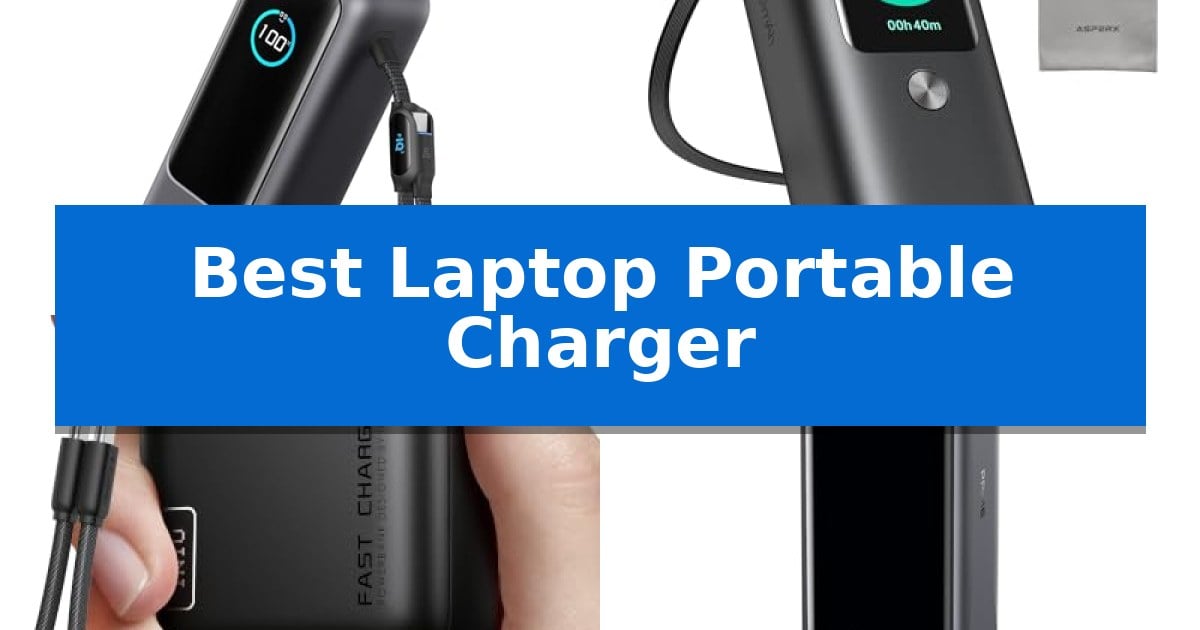
Finding a reliable power source for your mobile workstation can be a challenge when you are away from wall outlets. Whether you are traveling for business or working from a remote location, having the Best Laptop Portable Charger ensures your devices remain powered throughout the day.

Selecting the right power bank requires balancing capacity, output wattage, and physical size. We have analyzed current market options to help you identify which portable charging solution best fits your specific hardware and travel requirements.

Best Laptop Portable Charger in 2026: Stay Charged Anywhere

Our Top Picks
  1. Premium Aluminum Build AsperX Laptop Power Bank
  2. Most Compact Design INIU Laptop Power Bank
  3. Fastest Charging Speeds Anker Prime Power Bank
  4. Best Value for Laptops JUOVI Laptop Power Bank

Quick Comparison

Product Best For Key Strength Score
Anker Laptop Power Bank Best Overall Triple 100W USB-C ports for simultaneous high-speed charging. 4.9
AsperX Laptop Power Bank Premium Aluminum Build Built-in retractable cable for convenient, clutter-free charging. 4.4
INIU Laptop Power Bank Most Compact Design Compact wallet-sized form factor for high portability. 4.6
Anker Prime Power Bank Fastest Charging Speeds 300W total output for simultaneous high-speed charging. 4.9
JUOVI Laptop Power Bank Best Value for Laptops 65W fast charging output suitable for most modern laptops. 4.3

How We Chose

  • Maximum power output in watts to ensure compatibility with demanding laptops.
  • Total battery capacity measured in milliamp-hours (mAh).
  • Port configuration, focusing on USB-C Power Delivery (PD) standards.
  • Physical dimensions and weight for ease of transport.
  • Compliance with airline carry-on regulations for travel safety.

1 Anker Laptop Power Bank — Best for Multi-Device Power

The Anker Laptop Power Bank simplifies mobile power management by integrating two retractable cables directly into its chassis, eliminating the need to carry loose cords for your devices. This 25,000mAh unit is designed for high-demand users, offering a total output of 165W to keep multiple electronics operational during travel.

Performance is driven by three dedicated 100W USB-C ports, allowing for simultaneous high-speed charging of laptops and other hardware. The inclusion of a 2.3 ft extendable cable and a 0.98 ft cable that doubles as a carrying strap provides practical utility for users working in remote environments or transit hubs.

Designed with portability in mind, the device complies with 100Wh airline carry-on restrictions, making it a viable companion for long-haul flights. The system supports charging up to four devices at once, utilizing its USB-C and USB-A ports to manage a mix of tablets, smartphones, and professional gear.

While the high capacity and integrated cable system offer significant convenience, users should note that the power bank requires a 100W or higher charger to achieve its fastest recharge speeds. The package includes a protective pouch to maintain the exterior during transit.

Best for: Travelers and remote professionals who need to charge multiple high-wattage devices simultaneously using a single, cable-integrated power source.

Skip if: Users who prioritize the lightest possible weight or smallest footprint may find the 25,000mAh capacity and integrated cable housing bulkier than standard, single-port power banks.

PROS

  • Triple 100W USB-C ports for simultaneous high-speed charging.
  • Integrated retractable cables reduce the need for external charging accessories.
  • Airline-friendly 25,000mAh capacity compliant with 100Wh travel restrictions.
  • Versatile 4-device charging capability via USB-C and USB-A ports.

CONS

  • Requires a 100W+ charger to utilize the fastest recharge speeds for the unit itself.
  • Increased physical dimensions due to the built-in cable management system.

2 AsperX Laptop Power Bank — Premium Aluminum Build

The AsperX Laptop Power Bank distinguishes itself with a built-in retractable cable, eliminating the need to carry extra cords for daily charging. This design choice simplifies the portable power experience, allowing for immediate connection to devices without the clutter of tangled cables.

Engineered for high-demand hardware, this power bank features a 165W total output, with a single-port capacity of up to 100W. This capability allows users to fast-charge two laptops simultaneously at 100W and 65W respectively, significantly improving efficiency for professional setups.

The device is housed in a genuine aluminum alloy unibody, which provides a 40% increase in heat dissipation compared to plastic alternatives. This construction not only enhances durability but also contributes to stable charging performance and extended battery lifespan for both the power bank and connected devices.

A high-tech TFT display provides real-time monitoring of battery levels, remaining charge time, and power output. The unit also includes an exclusive Small Power Mode, activated by a long-press of the power button, which safely accommodates low-power accessories like headphones and smartwatches.

Included with the unit is a 240W high-speed USB-C to USB-C cable and a carrying bag. The product is backed by a 24-month comprehensive protection plan, ensuring support for defects in materials and workmanship.

Best for: Professionals and travelers requiring high-wattage, simultaneous charging for multiple USB-C laptops and mobile devices.

Skip if: You require a lightweight, pocket-sized charger, as the aluminum construction and 20,000mAh capacity result in a more substantial, desk-oriented form factor.

PROS

  • Built-in retractable cable for convenient, clutter-free charging.
  • 165W total output capable of fast-charging two laptops at once.
  • Aluminum unibody design offers superior heat dissipation and durability.
  • TFT display provides detailed, real-time power and battery diagnostics.
  • Small Power Mode for safely charging low-power accessories.

CONS

  • Requires a high-power charger adapter (up to 65W) to achieve optimal recharging speeds for the power bank itself.
  • USB-C charging compatibility must be verified, as some laptop ports are data-only.

3 INIU Laptop Power Bank — Most Compact Design

Maintaining power for high-performance mobile hardware while traveling requires a balance of capacity and portability. The INIU Laptop Power Bank addresses this by utilizing advanced high-density stacking technology to pack 20,000mAh of energy into a chassis smaller than a standard wallet, making it a practical choice for those who need to keep devices charged without carrying bulky equipment.

This device features a 65W triple-port charging system, capable of delivering power to laptops, smartphones, and accessories simultaneously. It is engineered to revive laptops like MacBooks or Dell models to over 50% capacity in approximately 30 minutes, while also providing full-speed charging for handheld gaming devices like the Steam Deck.

Design-focused features include a detachable 4.7-inch USB-C lanyard cable that serves as both a charging lead and a convenient carry handle. The braided nylon construction is designed for durability, and the cable can be replaced if necessary, extending the overall service life of the power bank.

Safety and travel compliance are prioritized, as the unit is TSA-approved and includes multi-layer protection against overheating. With a 20,000mAh capacity, it provides enough energy to sustain a MacBook Air for a full charge or keep flagship smartphones powered for multiple cycles, backed by a 3-year warranty for long-term reliability.

Best for: Travelers and remote workers who need a compact, high-wattage power source for laptops and mobile devices.

Skip if: Users requiring higher than 65W output for power-hungry workstations or those who prefer a larger capacity battery for extended off-grid use.

PROS

  • Compact wallet-sized form factor for high portability.
  • 65W fast charging capability for laptops and gaming handhelds.
  • Detachable braided nylon cable that doubles as a carry handle.
  • TSA-approved for convenient air travel.

CONS

  • 65W maximum output may be insufficient for high-end laptops requiring higher wattage.

4 Anker Prime Power Bank — Fastest Charging Speeds

Maintaining high-performance hardware while traveling requires a power solution capable of keeping pace with demanding workflows. The Anker Prime Power Bank distinguishes itself with a massive 300W total output power, enabling users to charge multiple high-draw devices, such as two MacBook Pros, simultaneously at full speed.

Beyond its raw output, this device prioritizes efficiency for the mobile professional. It features 140W max fast charging via USB-C, which can power a MacBook Pro (M4 Pro) to 50% in just 27 minutes. The inclusion of 250W dual USB-C input allows the power bank itself to recharge to 50% in only 13 minutes, minimizing downtime during busy travel schedules.

The unit is designed with portability and utility in mind, offering a 26,250mAh (99.75Wh) capacity that is TSA-approved for air travel. Users can monitor their power status through a smart display or utilize app control to manually adjust output settings, providing granular management over how power is distributed among connected devices.

While it offers significant power, it is important to note that this model is not compatible with the Starlink mini. Included in the package are a 3.3 ft 240W USB-C to USB-C cable and a travel pouch, ensuring the device is ready for immediate use in professional or remote environments.

Best for: Professionals and travelers who need to charge multiple high-power laptops and mobile devices simultaneously at maximum speed.

Skip if: Users who require compatibility with specialized hardware like the Starlink mini or those seeking a lighter, lower-capacity power bank for casual phone charging.

PROS

  • 300W total output for simultaneous high-speed charging.
  • Rapid 250W dual-port input for quick recharging of the bank.
  • TSA-approved 99.75Wh capacity for convenient air travel.
  • Smart display and app integration for precise power management.

CONS

  • Incompatible with Starlink mini hardware.
  • Higher weight and size compared to standard pocket-sized chargers.

5 JUOVI Laptop Power Bank — Best Value for Laptops

Maintaining productivity while traveling often requires reliable power for high-demand devices. The JUOVI Laptop Power Bank addresses this by providing 65W fast charging capabilities, allowing users to power laptops from brands like MacBook, Dell, and Thinkpad without relying on wall outlets.

This device simplifies your carry by consolidating charging needs into a single unit. Equipped with 2 USB-A and 2 USB-C ports, it enables simultaneous charging for a laptop, phone, and tablet. Its 20000mAh capacity is supported by a variety of fast-charging protocols, including PD, PPS, QC, FCP, and SCP, ensuring broad compatibility across common mobile devices.

Designed for portability, the JUOVI Laptop Power Bank is airline-approved, making it a practical companion for frequent travelers. The unit includes multi-protection features to safeguard connected hardware against overvoltage, overload, overheating, overcurrent, and short circuits. It also features an automatic shut-off function once a device reaches full charge to preserve battery health.

With dimensions of 5.4 by 2.8 by 1 inches and a weight of approximately 0.88 pounds, this charger balances capacity with a compact form factor. It includes a 3-year manufacturer warranty, providing long-term support for the hardware.

Best for: Travelers and professionals who need a compact, airline-compliant power source capable of charging laptops and multiple mobile devices simultaneously.

Skip if: Users who require higher than 65W output for power-hungry workstations or those who prefer a lighter, lower-capacity power bank for phone-only charging.

PROS

  • 65W fast charging output suitable for most modern laptops.
  • Four-port design allows for simultaneous charging of multiple devices.
  • Airline-compliant capacity for seamless travel.
  • Comprehensive safety protections including overvoltage and overheating prevention.

CONS

  • 65W limit may not be sufficient for high-performance laptops requiring higher wattage.
  • Weight of nearly 0.9 lbs is noticeable for those prioritizing ultralight gear.

Best Laptop Portable Charger Buying Guide

Understanding Power Delivery (PD) Standards

USB-C Power Delivery is the standard that allows portable chargers to supply enough energy to laptops. When choosing a charger, ensure the output wattage matches or exceeds your laptop's requirements, as lower-wattage chargers may charge slowly or not at all.

Many modern power banks support PPS (Programmable Power Supply), which allows for more efficient energy transfer. Checking your laptop's specific input requirements is essential before making a purchase to ensure full compatibility.

Battery Capacity vs. Portability

Higher mAh capacity allows for more charges but typically results in a heavier, bulkier device. For most users, a 20,000mAh to 25,000mAh range offers the best balance between providing enough energy for a full laptop charge and remaining manageable in a backpack.

It is important to note that higher capacity units often approach the 100Wh limit set by many airlines. Always verify the Wh (Watt-hour) rating on the device if you plan to carry it on international or domestic flights.

The Importance of Multiple Ports

If you need to charge a phone, tablet, and laptop simultaneously, look for a charger with multiple USB-C ports. High-end models can distribute power dynamically, ensuring your laptop receives priority while other devices charge at lower speeds.

Using multiple ports simultaneously will reduce the maximum wattage available to any single device. Review the manufacturer's specifications to see how the total output is divided when all ports are occupied.

Cable Integration and Durability

Some modern chargers feature built-in retractable cables, which eliminate the need to carry extra cords. These integrated solutions are convenient but should be checked for durability, specifically the number of retractions or bends they are rated for.

If you prefer using your own cables, ensure they are rated for the high-speed charging capabilities of your power bank. Using a standard, low-quality cable can significantly throttle the charging speed, regardless of how powerful the battery pack is.

Safety and Thermal Management

Charging high-performance devices generates heat. Look for power banks that utilize aluminum alloy casings or advanced internal cooling systems to dissipate heat effectively during long charging sessions.

Reliable chargers also include multi-protection features such as overvoltage, short-circuit, and overheating protection. These safety protocols are critical for protecting both the power bank and your expensive laptop battery.

Frequently Asked Questions

Can I take these power banks on an airplane?

Most power banks with a capacity under 100Wh are generally permitted in carry-on luggage. Always check your airline's specific policy before traveling.

Will a 65W charger work with a 100W laptop?

Yes, but it will charge the laptop more slowly than a 100W charger. Some laptops may display a 'slow charger' warning if the input is significantly lower than the recommended wattage.

Do I need a special cable for fast charging?

Yes, you typically need a high-quality USB-C to USB-C cable capable of handling the specific wattage (e.g., 100W or 240W) to achieve maximum charging speeds.

How do I know if my laptop supports USB-C charging?

Check your laptop's manual or specifications. Not all USB-C ports support power input; some are data-only ports.

What is the benefit of a TFT display on a power bank?

A display provides real-time data on battery levels, remaining charge time, and current input/output power, allowing you to monitor the charging process accurately.

Conclusion: Our Top Pick

When evaluating the options, the Anker Laptop Power Bank stands out as the most versatile choice for users who need to power multiple devices simultaneously. Its 165W total output and triple USB-C port configuration provide the necessary power for demanding laptops while remaining within airline-friendly limits.

While other models offer specific advantages like aluminum builds or ultra-compact sizes, this unit provides the most balanced feature set for general productivity and travel. It is a dependable solution for keeping your essential gear running throughout long days.

Best Laptop Performance for Price in 2026

Best Laptop Performance for Price

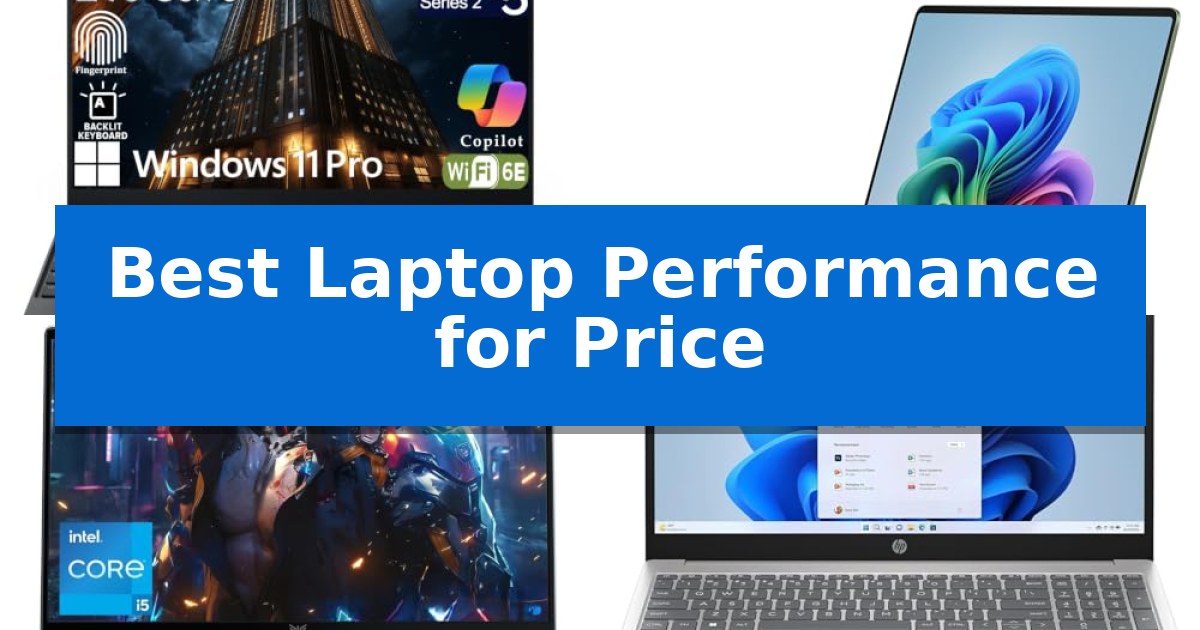
Finding the right machine often feels like a balancing act between high-end specifications and your total budget. When searching for the Best Laptop Performance for Price, it is essential to prioritize components that directly impact your daily tasks, such as processor efficiency and memory capacity, rather than paying for unnecessary extras.

Our guide focuses on identifying laptops that deliver reliable speed and multitasking capabilities without the premium markup. By evaluating core hardware and real-world utility, we highlight options that offer the most significant return on your investment for work, study, or creative projects.

Best Laptop Performance for Price in 2026

Our Top Picks
  1. Premium AI-Accelerated Efficiency Microsoft Surface Laptop
  2. High-Performance Multitasking Value MALLRACE LX15PRO Laptop
  3. Reliable Daily Computing Essentials HP 15.6 Inch Laptop
  4. Budget-Friendly Student Portability HYYUO 15.6 Inch Laptop

Quick Comparison

Product Best For Key Strength Score
Lenovo ThinkPad E16 Gen 3 Best Overall Intel Core Ultra 5 processor with integrated AI Boost NPU for efficient multitasking. 4.9
Microsoft Surface Laptop Premium AI-Accelerated Efficiency Qualcomm Snapdragon X2 Elite 12-core processor for fast, AI-accelerated performance. 4.7
MALLRACE LX15PRO Laptop High-Performance Multitasking Value Expandable storage via dual M.2 slots supporting up to 4TB. 4.8
HP 15.6 Inch Laptop Reliable Daily Computing Essentials 16GB RAM provides ample memory for smooth multitasking. 4.8
HYYUO 15.6 Inch Laptop Budget-Friendly Student Portability 12GB RAM provides a comfortable buffer for smooth multitasking. 4.8

How We Chose

  • Processor Efficiency: Assessing the balance between core count and power consumption for sustained performance.
  • Memory and Storage: Evaluating the capacity for multitasking and the speed of data access.
  • Connectivity and Ports: Ensuring the device supports modern peripherals and external displays.
  • Display Quality: Checking for resolution and anti-glare features that improve long-term usability.
  • Portability and Build: Considering the weight and physical durability for mobile users.

1 Lenovo ThinkPad E16 Gen 3 — AI-Enhanced Professional Productivity

Modern business demands require a machine that balances raw processing power with the efficiency needed for long-term reliability. The Lenovo ThinkPad E16 Gen 3 addresses this by integrating an Intel Core Ultra 5 processor, which features an integrated AI Boost NPU. This specialized hardware foundation is designed to handle complex multitasking and data-heavy workflows, providing a significant advantage for professionals seeking the best laptop performance for price in a professional-grade chassis.

Beyond its internal processing capabilities, the device prioritizes a functional workspace through its 16-inch anti-glare display. This expansive screen real estate is tailored to reduce eye strain during extended work sessions, making it a practical choice for data-intensive tasks. The inclusion of a backlit keyboard ensures that the device remains usable in various lighting environments, maintaining productivity regardless of office conditions.

Connectivity remains a cornerstone of the professional experience, and this model delivers with a comprehensive port selection. Users have access to Thunderbolt 4, USB-A, HDMI, and Ethernet, allowing for seamless integration into diverse peripheral setups. To further minimize downtime, the system supports rapid USB-C fast charging via the included 65W adapter, ensuring that power management is efficient throughout the workday.

Security is woven into the hardware design, featuring a fingerprint power button and a physical camera shutter to protect sensitive information. Running on Windows 11 Pro, the laptop leverages advanced encryption protocols to maintain a secure environment. These features, combined with its robust build, offer a balanced solution for those who require a secure, AI-enhanced workstation without the premium cost of ultra-portable consumer ultrabooks.

Best for: Business professionals and data workers who require a secure, AI-enhanced workstation with versatile port connectivity.

Skip if: Users who prioritize ultra-lightweight portability over a 16-inch screen size and a full-featured I/O port selection.

PROS

  • Intel Core Ultra 5 processor with integrated AI Boost NPU for efficient multitasking.
  • Versatile connectivity including Thunderbolt 4, HDMI, and Ethernet ports.
  • Layered security features like a fingerprint reader and physical camera shutter.
  • Rapid USB-C fast charging to reduce downtime.

CONS

  • 16-inch form factor may be less portable for frequent travelers.
  • Large display footprint requires more desk space than smaller ultrabooks.

2 Microsoft Surface Laptop — Premium AI-Accelerated Efficiency

The Microsoft Surface Laptop (2026) integrates the Qualcomm Snapdragon X2 Elite (12 Core) processor to deliver high-efficiency, AI-accelerated performance. This architecture is engineered to handle demanding multitasking and creative workflows, allowing users to move between intensive applications without compromising the device's portable form factor.

Visuals are rendered on a 13.8-inch PixelSense touchscreen, which utilizes a brilliant LCD display to produce high-contrast imagery and saturated colors. The chassis is crafted from a premium aluminum alloy, providing a durable and modern aesthetic that is available in multiple colors, including a distinct Jade finish.

Designed for sustained mobile productivity, the system offers up to 20 hours of battery life, enabling users to manage work and media consumption throughout the day without needing a power outlet. Connectivity is managed through two USB-C / USB4 ports, which provide the necessary bandwidth for high-speed data transfers or the creation of an external desktop setup.

As a Copilot+ PC, the device features deep integration with AI capabilities directly within the Windows 11 environment. This software-hardware synergy is intended to assist with workflow management and communication, catering to users who prioritize AI-assisted efficiency in their daily operations.

Best for: Users requiring a balance of high-performance AI-accelerated computing and long-lasting battery life in a portable 13.8-inch form factor.

Skip if: Users who require a larger 15-inch display or specific legacy ports not supported by the dual USB-C/USB4 configuration.

PROS

  • Qualcomm Snapdragon X2 Elite 12-core processor for fast, AI-accelerated performance.
  • 20-hour battery life supports all-day productivity.
  • 13.8-inch PixelSense touchscreen with high-saturation display quality.
  • Premium aluminum alloy chassis for a durable and stylish build.

CONS

  • Limited port selection restricted to two USB-C/USB4 connections.
  • Fixed 16GB RAM configuration may not suit users requiring future memory expansion.

3 MALLRACE LX15PRO Laptop — High-Performance Multitasking Value

Balancing high-end processing power with a portable form factor, the MALLRACE LX15PRO Laptop utilizes the 12th Gen Intel i5-12600H processor to handle demanding multitasking and complex work tasks. This 12-core, 16-thread CPU provides the foundation for a machine designed to bridge the gap between professional productivity and student utility.

The device features a generous 24GB LPDDR5 4800MHz memory configuration, ensuring smooth operation across multiple applications. Storage needs are met by a 512GB M.2 NVMe PCIe 3.0 SSD, with the added benefit of a second M.2 slot that allows for expansion up to 4TB total capacity. This flexibility makes it a viable long-term solution for users with growing file storage requirements.

Designed for mobility, the laptop weighs just 1.65kg and features a slim profile. The 15.6-inch Full HD display is paired with a 180-degree hinge, facilitating easy collaboration and content sharing. Connectivity is handled by WiFi 6 and Bluetooth 5.2, while the physical privacy switch on the 1MP webcam provides a tactile security measure for remote communication.

The MALLRACE LX15PRO Laptop runs on Windows 11 and includes a comprehensive port selection, including three USB 3.2, two Type-C, and HDMI 1.4, ensuring compatibility with a wide range of peripherals. Its durable plastic construction is built to withstand the rigors of daily travel and office use, supported by a 54.72Wh lithium-polymer battery.

Best for: Students and professionals who require high multitasking capability and storage expandability in a portable, travel-friendly chassis.

Skip if: Users who require a dedicated high-end discrete GPU for intensive 3D rendering or professional-grade gaming will find the integrated Intel Iris Xe graphics insufficient.

PROS

  • Expandable storage via dual M.2 slots supporting up to 4TB.
  • High-performance 12th Gen Intel i5-12600H processor.
  • Generous 24GB LPDDR5 RAM for seamless multitasking.
  • Ultra-portable 1.65kg weight for easy commuting.

CONS

  • Integrated graphics limit performance in graphically demanding creative or gaming tasks.
  • Plastic chassis may not offer the same premium feel as metal-bodied alternatives.

4 HP 15.6 Inch Laptop — Reliable Daily Computing Essentials

The HP 15.6 Inch Laptop is built to handle daily computing tasks with a focus on efficiency, featuring an Intel High-Performance 4-core N100 CPU paired with 16GB of RAM. This combination provides a stable foundation for multitasking across office applications and web browsing, making it a practical choice for users who prioritize consistent performance for standard productivity workflows.

Designed for clarity and comfort, the device includes a 15.6-inch anti-glare display with a 250nits brightness rating. The screen features a thin-bezel design that achieves an 85% screen-to-body ratio, maximizing the available viewing area for documents and media. Integrated Intel UHD Graphics support the display to ensure visual output remains clear and consistent during regular use.

Storage needs are addressed by a 512GB SSD, offering a balance of capacity and responsiveness for file management and system boot times. The laptop is engineered with an ultra-quiet design to maintain a low noise profile during operation, which is beneficial for shared workspaces or quiet home environments.

The chassis measures 0.73 inches in width, maintaining a portable profile for a 15.6-inch machine. It comes pre-installed with Windows 11 Pro and includes Microsoft Office, providing immediate access to essential software suites right out of the box.

Best for: Students and professionals requiring a reliable, quiet machine for daily office tasks and web-based productivity.

Skip if: Users who require high-end graphical processing power for gaming or intensive video editing will find the integrated UHD graphics insufficient.

PROS

  • 16GB RAM provides ample memory for smooth multitasking.
  • 512GB SSD offers sufficient storage for documents and media.
  • Ultra-quiet design minimizes operational noise.
  • Anti-glare display reduces reflections for improved visibility.

CONS

  • Integrated Intel UHD Graphics are not suitable for demanding graphical tasks.
  • 250nits brightness may be limited in very bright lighting conditions.

5 HYYUO 15.6 Inch Laptop — Budget-Friendly Student Portability

The HYYUO 15.6 Inch Laptop offers a balanced approach to daily computing by pairing a Pentium 6500Y processor with 12GB of RAM and a 256GB SSD. This configuration is intended to provide a responsive experience for standard office tasks, streaming, and academic work, ensuring that multitasking remains smooth during typical daily usage.

Designed for portability, this device weighs 3.5 lbs and features a 15.6-inch FHD IPS display. The screen is engineered with wide viewing angles and a 170° hinge, which facilitates easier collaboration and comfortable viewing during video meetings or online learning sessions. The inclusion of a built-in webcam cover adds a layer of privacy for users working in shared environments.

Connectivity is handled through a versatile array of ports, including dual Type-C ports, HDMI, and standard USB ports. These options allow for straightforward integration with external monitors, storage drives, and peripherals. With WiFi 5 and Bluetooth 5.0 support, the laptop maintains reliable wireless connections for home or office setups.

The chassis is built for quiet operation, making it suitable for classrooms or professional settings where noise reduction is preferred. With a battery life rated for up to 6 hours, it provides enough endurance for typical travel or study sessions, supported by a lightweight design that simplifies transport.

Best for: Students and professionals seeking a lightweight, budget-friendly device for everyday productivity and online learning.

Skip if: Users requiring high-performance processing for intensive tasks like video editing, 3D rendering, or modern gaming.

PROS

  • 12GB RAM provides a comfortable buffer for smooth multitasking.
  • FHD IPS display offers clear visuals with wide viewing angles.
  • Built-in webcam cover enhances user privacy.
  • Lightweight 3.5 lbs design improves portability for daily travel.

CONS

  • 6-hour battery life may require frequent charging during long workdays.
  • Pentium 6500Y processor is optimized for basic tasks rather than high-demand applications.

Best Laptop Performance for Price Buying Guide

Understanding Processor Tiers

The processor is the heart of your laptop's performance. When looking for the best value, consider the generation of the chip rather than just the clock speed. Modern processors with integrated AI units or high-efficiency cores often outperform older, higher-clocked models while consuming less power.

For most users, a mid-range processor like an Intel Core Ultra or i5 provides more than enough power for multitasking. Avoid overspending on top-tier chips unless your specific workflow involves heavy video rendering or complex data modeling.

The Importance of Memory (RAM)

RAM is critical for keeping multiple applications open simultaneously. In 2026, 16GB of DDR5 RAM has become the standard for a smooth experience. Anything less may lead to system slowdowns when running modern web browsers and productivity suites.

Check if the laptop allows for memory expansion. While some thin-and-light models have soldered RAM, others offer slots that allow you to upgrade your capacity later, effectively extending the lifespan of your purchase.

Storage Speed and Capacity

A Solid State Drive (SSD) is non-negotiable for modern performance. It significantly reduces boot times and file access speeds compared to traditional hard drives. Aim for at least 512GB of storage to ensure you have enough room for your operating system, applications, and documents.

If you work with large media files, look for models with expandable storage slots. This allows you to add a second drive later, providing a cost-effective way to manage your growing digital library without needing to replace the entire machine.

Connectivity and Peripheral Support

A laptop is only as useful as its ability to connect to your workspace. Look for a variety of ports, including USB-C with Thunderbolt support, which allows for high-speed data transfer and external monitor connections. HDMI ports remain a valuable inclusion for presentations and secondary displays.

Consider the wireless connectivity standards as well. Wi-Fi 6 or higher ensures a stable and fast internet connection, which is vital for video conferencing and cloud-based collaboration in busy environments.

Display and Ergonomics

Since you will likely spend hours looking at your screen, prioritize Full HD (FHD) resolution and anti-glare coatings. These features help reduce eye strain and provide a clearer workspace, which is essential for long-term productivity.

Don't overlook the keyboard and trackpad. A backlit keyboard is a major benefit for working in low-light conditions, while a responsive, spacious trackpad can significantly improve your navigation speed and overall comfort during daily use.

Frequently Asked Questions

How much RAM do I really need for daily work?

For most office tasks, web browsing, and streaming, 16GB of RAM is the sweet spot. It ensures your system remains responsive even with many tabs and applications open.

Is an AI-enhanced processor worth the extra cost?

If you frequently use video conferencing tools or productivity software that utilizes AI for noise suppression and background management, these processors offer tangible benefits in efficiency.

Can I upgrade my laptop's storage later?

It depends on the model. Many business-class laptops feature accessible M.2 slots for SSD upgrades, but some ultra-portable models have soldered storage. Always check the specifications before purchasing.

What is the benefit of a 16-inch screen over a 13-inch screen?

A 16-inch screen provides significantly more workspace for side-by-side multitasking, which is ideal for data processing and document editing, though it comes at the cost of increased weight.

Do I need Windows 11 Pro for home use?

Windows 11 Pro includes advanced security features like BitLocker encryption and remote desktop capabilities, which are useful for professionals but generally optional for standard home or student use.

Conclusion: Our Top Pick

Choosing the right laptop requires balancing your specific performance needs with your budget. After reviewing the current market, the Lenovo ThinkPad E16 Gen 3 stands out as the most well-rounded option for professionals and students alike.

With its robust Intel Core Ultra processor, generous 16GB of DDR5 RAM, and a spacious 16-inch anti-glare display, it provides a reliable foundation for demanding work tasks. Its inclusion of modern security features and versatile port selection makes it a highly practical investment that delivers excellent performance for the price.

Best Laptop Panels in 2026

Best Laptop Panels

Finding the right accessories to enhance your computing environment can significantly impact your daily efficiency. Whether you are looking to protect your vision during long work sessions or simply need a better way to manage your physical workspace, the Best Laptop Panels provide practical solutions for modern professionals.

Our selection covers two distinct categories: protective screen panels designed to reduce blue light exposure and acrylic memo boards that keep your essential notes within reach. By focusing on these specific tools, you can create a more ergonomic and organized setup that supports your unique workflow needs.

Best Laptop Panels in 2026

Our Top Picks
  1. Best for Reducing Eye Strain KEANBOLL Anti Blue Light Screen Panel
  2. Best for Organizing Sticky Notes DOLLAR BOSS Monitor Memo Board
  3. Compact Note Management Yocoolfun Laptop Monitor Memo Board
  4. Best for Larger Laptop Displays KEANBOLL 16-Inch Blue Light Panel

Quick Comparison

Product Best For Key Strength Score
ViewSonic VS2747-H Computer Monitor Best Overall 100Hz refresh rate for smoother motion than standard displays. 4.9
KEANBOLL Anti Blue Light Screen Panel Best for Reducing Eye Strain Tool-free installation using a patented frame-hanging design. 4.6
DOLLAR BOSS Monitor Memo Board Best for Organizing Sticky Notes Damage-free installation using no-trace adhesive. 4.7
Yocoolfun Laptop Monitor Memo Board Compact Note Management Transparent design integrates seamlessly with most monitor styles. 4.8
KEANBOLL 16-Inch Blue Light Panel Best for Larger Laptop Displays No-lamination hanging design allows for quick installation and removal. 4.7

How We Chose

  • Compatibility with standard laptop and monitor display sizes.
  • Material durability and clarity for long-term daily use.
  • Ease of installation without requiring permanent adhesives or tools.
  • Effectiveness of the primary feature, whether it is blue light filtration or note management.
  • Design impact on screen visibility and overall workspace aesthetics.

1 ViewSonic VS2747-H Computer Monitor — Best for Extended Desktop Space

Upgrading your workstation requires a display that balances screen real estate with visual clarity. The ViewSonic VS2747-H Computer Monitor features a 27-inch Full HD (1920 x 1080) LED panel that serves as a versatile hub for home offices, offering a clean, frameless design that minimizes distractions and facilitates multi-monitor setups.

At the core of its performance is SuperClear IPS technology, which maintains consistent color accuracy and brightness across wide viewing angles. This ensures that the image quality remains stable whether you are collaborating with others or viewing the screen from an off-center position. The 100Hz refresh rate provides a smoother visual experience for daily navigation and scrolling compared to standard 60Hz panels, while the 1ms response time supports responsive interaction during standard desktop tasks.

To prioritize user comfort during extended work sessions, the monitor integrates Flicker-Free technology and a Blue Light Filter to help mitigate eye fatigue. Users can further refine the visual output using ViewMode presets, which allow for rapid adjustments between "Game," "Movie," "Web," "Text," and "Mono" modes to optimize contrast and gamma curves for specific applications.

Connectivity is managed through HDMI and VGA inputs, providing reliable compatibility with a variety of modern laptops, PCs, and legacy hardware. Backed by a 3-year limited warranty, this monitor is built to provide long-term support for your professional or academic environment.

Best for: Users seeking an affordable, high-refresh-rate 27-inch display for multi-tasking and extended desktop productivity.

Skip if: Users requiring 4K resolution or specialized color-accurate displays for professional-grade creative editing.

PROS

  • 100Hz refresh rate for smoother motion than standard displays.
  • SuperClear IPS technology ensures consistent color from wide angles.
  • Integrated eye care features including flicker-free and blue light filters.
  • Versatile connectivity with both HDMI and legacy VGA support.

CONS

  • 1080p resolution on a 27-inch screen may appear less sharp than higher density displays.
  • Limited to HDMI and VGA inputs, lacking modern USB-C or DisplayPort connectivity.

2 KEANBOLL Anti Blue Light Screen Panel — Best for Reducing Eye Strain

Managing screen glare and eye fatigue during extended work sessions often requires a practical, non-permanent solution that does not interfere with the laptop's native display performance. The KEANBOLL Anti Blue Light Screen Panel addresses this by utilizing a specialized frame-hanging design that attaches directly to the display bezel in under 10 seconds, eliminating the need for messy adhesives or permanent lamination.

Engineered with advanced optical-grade material, this panel is designed to selectively filter harmful blue light wavelengths between 380nm and 450nm. By maintaining over 90% visible light transmittance, it ensures that color accuracy and image clarity remain high, making it suitable for tasks ranging from detailed design work to casual media consumption.

Beyond its primary filtering capabilities, the panel features a matte surface finish that acts as an effective anti-glare layer, improving readability in brightly lit environments. It also serves as a physical screen armor, providing a durable barrier against dust, accidental scratches, and everyday wear-and-tear that could otherwise damage the laptop's display surface.

The KEANBOLL Anti Blue Light Screen Panel is compatible with a wide range of 14 to 15.6-inch widescreen displays, including various models from HP, Dell, Lenovo, and portable monitor brands. Its flexible, tool-free installation allows users to easily remove or flip up the panel whenever a completely unobstructed view is required, offering a versatile approach to screen protection.

Best for: Users seeking an easily removable, non-adhesive blue light filter and screen protector for 14 to 15.6-inch laptops.

Skip if: Users who prefer a permanent, invisible screen protector or those whose laptop bezels are too narrow to support a hanging-style panel.

PROS

  • Tool-free installation using a patented frame-hanging design.
  • High light transmittance over 90% preserves visual quality.
  • Dual-purpose protection against blue light and physical screen damage.
  • Matte finish effectively reduces glare from overhead lighting.

CONS

  • Bezel dependency requires a compatible frame width for the hanging mechanism.
  • External profile adds a slight physical layer over the screen surface.

3 DOLLAR BOSS Monitor Memo Board — Best for Organizing Sticky Notes

Maintaining a clear, organized workspace often requires keeping essential notes and reminders within your immediate line of sight. The DOLLAR BOSS Monitor Memo Board provides a dedicated vertical surface for sticky notes and to-do lists, helping to declutter your desk while keeping critical information at eye level.

Constructed from high-grade, shatter-resistant transparent acrylic, these panels offer a minimalist aesthetic that integrates into most modern office setups. The material is designed to be waterproof and resistant to yellowing or cracking, ensuring the boards maintain their clarity over extended use. Each set includes two panels measuring 11 x 3.1 inches, intended for placement on the left and right sides of your display.

Installation is simplified through the use of upgraded no-trace adhesive, which allows for secure attachment without leaving residue or causing damage to monitor frames. The ultra-slim design is engineered to fit 99% of PC monitors and laptops, ensuring that the boards do not obstruct your screen view during daily tasks.

Beyond the computer, these panels offer versatile organization options. Because they utilize adhesive mounting, they can be applied to other surfaces such as cabinets, refrigerators, or dressers, making them useful for home office or school cubicle organization.

Best for: Professionals and students who need to keep sticky notes and reminders visible without cluttering their physical desk space.

Skip if: Users with ultra-thin or bezel-less monitors where the adhesive might interfere with the screen edge or those who prefer digital-only task management.

PROS

  • Damage-free installation using no-trace adhesive.
  • Shatter-resistant transparent acrylic construction.
  • Universal fit for most PC monitors and laptops.
  • Dual-side pack provides dedicated space for both sides of the screen.

CONS

  • No warranty provided by the manufacturer.
  • Adhesive-dependent mounting may not be suitable for all monitor frame textures.

4 Yocoolfun Laptop Monitor Memo Board — Compact Note Management

Managing physical notes and reminders on a busy desk often leads to clutter, but the Yocoolfun Laptop Monitor Memo Board offers a streamlined solution. These two acrylic panels attach directly to the sides of your monitor, providing a dedicated space to keep important tasks and to-dos within your immediate line of sight.

Each board measures 8 x 2.56 x 0.08 inches, making them compact enough to fit 14-inch to 17-inch laptop screens or desktop monitors. The transparent acrylic material ensures they blend into your existing setup without obstructing your view, while the reliable self-adhesive tape allows for secure mounting on plastic monitor edges.

Installation is straightforward, and the adhesive is designed to be removed without leaving sticky residue behind. By keeping your workspace organized, these panels help you track essential information without relying on loose paper scattered across your desk.

The Yocoolfun Laptop Monitor Memo Board is a practical accessory for those who prefer a tactile approach to task management. While they are durable and easy to install, ensure your monitor has a flat plastic bezel to allow for proper adhesion of the panels.

Best for: Users who need a physical, organized space for sticky notes and reminders directly on their monitor bezel.

Skip if: Users with ultra-thin, bezel-less monitors or those who prefer entirely digital task management tools.

PROS

  • Transparent design integrates seamlessly with most monitor styles.
  • Easy installation with residue-free adhesive backing.
  • Durable acrylic construction ensures long-term use.
  • Two-piece set provides dedicated space for both sides of the screen.

CONS

  • Requires a flat plastic edge for secure mounting.
  • Limited to physical notes and cannot hold heavy items.

5 KEANBOLL 16-Inch Blue Light Panel — Best for Larger Laptop Displays

Maintaining screen clarity while protecting your vision is a priority for those spending long hours at their desks. The KEANBOLL 16-Inch Blue Light Panel offers a straightforward, non-adhesive solution for users who need to reduce eye strain without compromising the visual quality of their primary display.

Designed with a frame hanging type mechanism, this screen protector eliminates the need for messy lamination or adhesives. It is engineered to fit a wide range of 16-inch laptops and portable monitors, including popular models from HP, Dell, Lenovo, and ASUS. The installation process is quick, requiring only the removal of side stickers before hanging the panel directly over the existing screen.

The panel is constructed from acrylic and features a 98% transparency rating, ensuring that the original brightness and color accuracy of your laptop remain largely unaffected. Beyond its clarity, the screen protector provides a functional barrier against 99% of harmful UV rays and reduces 45% of blue light in the 420nm to 460nm range. This makes it a practical addition for office workers, programmers, and gamers who want to mitigate the effects of prolonged screen exposure.

Durability is addressed through the inclusion of hydrophobic and oleophobic coatings, which help the panel resist fingerprints, dust, and daily scratches. Because it is a removable, hanging-style accessory, it offers flexibility for users who may want to switch between devices or remove the protection when it is not needed.

Best for: Users of 16-inch laptops or portable monitors who want an easily removable, non-adhesive blue light filter that maintains high screen transparency.

Skip if: Users who prefer a permanent, ultra-thin adhesive film that sits flush against the display or those with laptops smaller or larger than the 16-inch standard.

PROS

  • No-lamination hanging design allows for quick installation and removal.
  • 98% transparency ensures minimal impact on screen brightness and clarity.
  • Hydrophobic and oleophobic layers provide protection against fingerprints and scratches.
  • Reduces 45% of blue light to help minimize eye strain during long work sessions.

CONS

  • External hanging frame may add a slight physical protrusion to the laptop screen bezel.
  • Size-specific design is limited to 16-inch displays, making it incompatible with other screen sizes.

Best Laptop Panels Buying Guide

Understanding Screen Protection

When selecting a blue light filter, prioritize optical-grade materials that maintain high transparency. A quality panel should filter harmful wavelengths while ensuring that your screen's color accuracy remains intact for tasks like design or video editing.

Consider the mounting mechanism carefully. Frame-hanging designs are generally superior for those who need to remove the protector frequently, as they avoid the bubble issues and sticky residue often associated with adhesive-backed films.

Maximizing Desk Organization

Monitor memo boards are simple yet effective tools for reclaiming desk space. By utilizing the vertical area on the sides of your display, you keep your to-do lists and reminders at eye level, reducing the need to look away from your screen.

Look for shatter-resistant acrylic construction to ensure the boards withstand accidental bumps. Transparent materials are preferred as they blend seamlessly with most monitor bezels without creating visual clutter.

Installation and Maintenance

Most modern laptop accessories are designed for tool-free installation. Whether it is a hanging screen panel or an adhesive-backed note holder, ensure the surface of your monitor is clean and free of dust before application to guarantee a secure hold.

For maintenance, use a microfiber cloth to wipe down your panels. Avoid harsh chemicals or abrasive cleaners, as these can scratch the surface of the acrylic or damage the anti-glare coatings on your display.

Ergonomics and Eye Health

Beyond using a blue light panel, consider your overall screen positioning. Your monitor should be at a height where the top of the screen is at or slightly below eye level, which helps reduce neck strain during extended periods of use.

Pairing a blue light blocking panel with proper lighting in your room can further minimize eye fatigue. Reducing glare from overhead lights is just as important as filtering the light emitted by your screen.

Compatibility Considerations

Always verify the dimensions of your laptop or monitor before purchasing. While many panels are designed for standard 14 to 16-inch laptops, the bezel thickness can vary, affecting how a frame-hanging panel sits on the screen.

For memo boards, ensure you have enough clearance on the sides of your monitor. Some ultra-thin bezel displays may have limited surface area for adhesive strips, so check the product specifications against your specific hardware.

Frequently Asked Questions

Do blue light panels affect screen brightness?

High-quality panels are designed with high transparency to ensure minimal impact on brightness. However, some light reduction is expected as the panel filters specific wavelengths.

Can I use a memo board on a curved monitor?

Most memo boards are designed for flat surfaces. Applying them to a curved monitor may result in poor adhesion or an awkward angle for viewing your notes.

Will the adhesive on memo boards damage my screen?

Reputable brands use no-trace adhesives designed to be removed without leaving residue or scratching the monitor bezel, provided they are applied to the frame rather than the screen itself.

Are these panels compatible with touchscreens?

Frame-hanging panels are generally safe for touchscreens because they do not require permanent lamination, but they may interfere with touch sensitivity if they do not sit perfectly flush.

How do I know which size panel I need?

Measure the diagonal length of your screen and compare it to the product's dimensions. Always check the width and height specifications provided by the manufacturer to ensure a proper fit.

Conclusion: Our Top Pick

For users looking to expand their workspace, the ViewSonic VS2747-H Computer Monitor stands out as a versatile solution. Its 27-inch IPS display offers a significant upgrade in screen real estate, making it ideal for multitasking and professional workflows.

While the other accessories in this guide focus on protection and organization, this monitor provides the foundational visual clarity needed for a productive setup. Its combination of a 100Hz refresh rate and eye-care technology makes it a reliable choice for long-term daily use.

Best Laptop Oscilloscope in 2026: Portable Signal Analysis

Best Laptop Oscilloscope

When you need to diagnose complex electronic signals away from a traditional workbench, a portable solution becomes essential. The Best Laptop Oscilloscope transforms your computer into a powerful diagnostic station, allowing you to visualize waveforms, analyze serial protocols, and troubleshoot circuits with ease.

Selecting the right tool depends on your specific environment, whether you are working on automotive systems, hobbyist electronics, or professional circuit design. We have evaluated several USB-based oscilloscopes to help you identify which device offers the right balance of channel count, bandwidth, and software features for your mobile setup.

Best Laptop Oscilloscope in 2026: Portable Signal Analysis

Our Top Picks
  1. Reliable entry-level PC-based capture Hantek 6022BE USB Oscilloscope
  2. Specialized for vehicle system testing Hantek 1008C Automotive Diagnostic Oscilloscope
  3. Versatile all-in-one maker tool EspoTek Labrador USB Oscilloscope
  4. Dual-purpose signal and logic analysis Hantek 6022BL Logic Analyzer Oscilloscope

Quick Comparison

Product Best For Key Strength Score
Pico Technology PicoScope 2204A Oscilloscope Best Overall Ultra-compact, travel-friendly design that fits easily in a laptop bag. 4.9
Hantek 6022BE USB Oscilloscope Reliable entry-level PC-based capture USB-powered operation eliminates the need for bulky external power adapters. 4.8
Hantek 1008C Automotive Diagnostic Oscilloscope Specialized for vehicle system testing 8-channel capability for simultaneous monitoring of complex automotive systems. 4.5
EspoTek Labrador USB Oscilloscope Versatile all-in-one maker tool All-in-one functionality combining five essential diagnostic tools in a single device. 4.5
Hantek 6022BL Logic Analyzer Oscilloscope Dual-purpose signal and logic analysis Dual-functionality combining a 2-channel oscilloscope and 16-channel logic analyzer. 4.4

How We Chose

  • Input bandwidth and sampling rate capabilities for signal fidelity.
  • Channel count and compatibility with specific diagnostic tasks like automotive or logic analysis.
  • Software interface usability and availability of advanced measurement tools.
  • Portability and power requirements for field-ready operation.
  • Versatility of additional features like waveform generation or protocol decoding.

1 Pico Technology PicoScope 2204A Oscilloscope — Advanced analysis in a compact frame

The Pico Technology PicoScope 2204A Oscilloscope transforms a standard laptop into a versatile diagnostic workstation by leveraging a compact, USB-powered design. This 2-channel device provides a 10 MHz bandwidth and a 100 MS/s maximum sampling rate, making it a highly portable solution for engineers and hobbyists who need to perform signal analysis on the go.

Equipped with PS7 software for Windows, Linux, and Mac, the unit functions as an advanced oscilloscope, spectrum analyzer, and both a function and arbitrary waveform generator. It includes a 10,000 waveform circular buffer and features mask limit testing, advanced math, and filtering capabilities, allowing for efficient debugging of complex designs directly from a computer screen.

Designed for convenience, the PicoScope 2204A is small enough to fit into a laptop bag and draws its power directly through a USB 2.0 connection, which is also compatible with USB 3.0/3.1 ports. The kit comes ready to use with two passive probes, ensuring that users have the necessary hardware to begin measurements immediately upon setup.

While this model offers robust analysis tools, it is important to note that it is not compatible with PicoScope 7 Automotive Software. Users requiring specialized automotive diagnostic features should look toward the dedicated 4425A or 4225A models instead.

Best for: Engineers and electronics hobbyists who require a highly portable, USB-powered diagnostic tool for signal analysis and waveform generation.

Skip if: Users who specifically need automotive-grade diagnostic software or advanced features not supported by the 2204A series.

PROS

  • Ultra-compact, travel-friendly design that fits easily in a laptop bag.
  • Versatile functionality including spectrum analysis and waveform generation in one unit.
  • USB-powered operation eliminates the need for external power supplies.
  • Continuous software improvements provided through free, lifetime updates.

CONS

  • Incompatible with automotive-specific software versions.
  • Limited to 10 MHz bandwidth, which may not suit high-frequency applications.

2 Hantek 6022BE USB Oscilloscope — Reliable entry-level PC-based capture

The Hantek 6022BE USB Oscilloscope provides a streamlined approach to signal analysis by utilizing a single USB 2.0 connection for both data transfer and power delivery. This design eliminates the need for external power supplies, making it a practical choice for users who require a portable, space-saving diagnostic tool for workbench or field environments.

Engineered with a compact industrial design, this unit features an anodized-aluminum enclosure with protective rubber ends. It offers two-channel signal capture with a 20 MHz bandwidth and a 48 MSa/s maximum real-time sample rate, supported by up to 1 M memory depth per channel for detailed waveform observation.

The device includes a comprehensive suite of measurement and analysis tools, such as 20 automatic measurements, FFT spectrum analysis, waveform math, and X-Y display modes. These features enable users to perform pass/fail checking and cursor measurements directly through their computer interface.

This complete starter package ensures immediate utility by including two passive probes, a USB communication cable, and the necessary software media. It is built to integrate into existing PC setups, providing an accessible entry point for digital storage oscilloscope functionality without requiring dedicated bench space.

Best for: Engineers and hobbyists needing a portable, PC-based oscilloscope for basic signal analysis and field diagnostics.

Skip if: Users requiring high-bandwidth performance or standalone operation without a computer connection should look for traditional benchtop oscilloscopes.

PROS

  • USB-powered operation eliminates the need for bulky external power adapters.
  • Compact aluminum enclosure provides durability and portability for field use.
  • Comprehensive software tools include FFT analysis and 20 automatic measurements.
  • Complete starter kit includes two passive probes and all necessary cables.

CONS

  • PC-dependency requires a computer connection for all operations and display.
  • 20 MHz bandwidth limits the device to lower-frequency signal analysis.

3 Hantek 1008C Automotive Diagnostic Oscilloscope — Specialized for vehicle system testing

The Hantek 1008C PC USB 8CH Automotive Diagnostic Digital Oscilloscope serves as a specialized tool for technicians and hobbyists who require a multi-channel interface for vehicle system analysis. By leveraging a USB 2.0 connection to a Windows-based PC, this device transforms a standard laptop into a comprehensive diagnostic station capable of monitoring ignition, sensor, bus, and actuator signals.

Engineered for versatility, the unit features 8 analogue channels with 12 bits of resolution and a 2.4MSa/s real-time sampling rate. This allows users to capture and visualize complex automotive data with a 4K memory depth. Beyond general-purpose oscilloscope tasks, the system includes a programmable signal generator with an LVTTL output level and a frequency range of 0-250KHz, which is useful for simulating crankshaft and camshaft signals during troubleshooting.

The software suite provides access to more than 80 automotive diagnostic functions, enabling users to quickly assess the stability of charging and starting systems. With 20 automatic measurement modes selectable via one-key operation, the interface is designed to provide intuitive signal readings, making it a practical choice for those learning basic circuit diagnostics or performing repairs on home appliances and automobiles.

Measuring 8.8 inches in length and weighing only 0.68 pounds, the Hantek 1008C is a compact, portable solution for field diagnostics. While it requires a PC connection to function, its integration of diagnostic, oscilloscope, and signal generator capabilities into a single hardware unit offers a streamlined approach for users who need to manage multiple signal paths simultaneously.

Best for: Automotive technicians and electronics hobbyists who need an 8-channel diagnostic tool for vehicle system troubleshooting via a Windows PC.

Skip if: Users who require a standalone, battery-powered handheld oscilloscope or those who operate exclusively on macOS or Linux platforms.

PROS

  • 8-channel capability for simultaneous monitoring of complex automotive systems.
  • Includes over 80 pre-configured automotive diagnostic functions for rapid testing.
  • Integrated programmable signal generator for simulating engine sensors.
  • Compact and lightweight design for easy transport between workstations.

CONS

  • Requires a Windows PC via USB 2.0 to operate and display data.
  • No standalone display or battery power for field use without a computer.

4 EspoTek Labrador USB Oscilloscope — Versatile all-in-one maker tool

The EspoTek Labrador USB Oscilloscope functions as a comprehensive, all-in-one laboratory tool designed for makers who need to interface directly with their computer. By consolidating multiple instruments into a single, compact device, it streamlines workspace management for those working on Windows, Mac, Linux, Android, or Raspberry Pi platforms.

This device integrates five distinct functions into one unit: a 2-channel oscilloscope with 750ksps, a 2-channel arbitrary waveform generator at 1MSPS, and a 2-channel logic analyzer capable of 3MSPS with serial decoding. These capabilities allow users to visualize signals and analyze digital communication protocols directly through a connected host system.

Beyond signal analysis, the hardware includes a power supply providing 4.5 to 15V with 0.75W maximum output and closed-loop feedback, alongside a built-in multimeter for measuring voltage, current, resistance, and capacitance. This versatility makes it a practical choice for troubleshooting circuits or prototyping electronics without requiring separate, bulky bench equipment.

Given its small form factor and USB connectivity, the EspoTek Labrador USB Oscilloscope is suited for portable diagnostic tasks or space-constrained environments. While it offers a broad range of diagnostic tools, users should ensure their specific signal requirements align with the stated sampling rates and power output limits to maintain signal integrity during testing.

Best for: Makers and engineers requiring a compact, multi-instrument diagnostic tool for prototyping and circuit troubleshooting.

Skip if: Users requiring high-bandwidth signal analysis or high-power supply output beyond the 0.75W limit will need dedicated benchtop instrumentation.

PROS

  • All-in-one functionality combining five essential diagnostic tools in a single device.
  • Broad platform compatibility including Windows, Mac, Linux, Android, and Raspberry Pi.
  • Compact, portable design suitable for limited workspaces or mobile electronics work.
  • Integrated serial decoding within the logic analyzer for digital signal analysis.

CONS

  • Limited power output of 0.75W restricts the device to low-power circuit testing.
  • Sampling rates are optimized for general maker projects rather than high-speed professional signal analysis.

5 Hantek 6022BL Logic Analyzer Oscilloscope — Dual-purpose signal and logic analysis

The Hantek 6022BL Logic Analyzer Oscilloscope offers a compact, portable solution for signal analysis by integrating a 2-channel 20MHz oscilloscope with a 16-channel logic analyzer into a single, USB-powered device. Its anodised aluminium casing provides a durable, heat-resistant exterior that is designed for portability, measuring just 8 inches in length.

Designed for versatility in technical applications, this device connects directly to a PC via a USB 2.0 port, eliminating the need for an external power supply. It features over 20 automatic measurement functions and a PASS/FAIL check capability, making it suitable for product line maintenance or field work where space is limited.

The unit utilizes a standard USBXITM interface, allowing it to integrate into existing setups or be used as a standalone instrument for notebook computers. Its small footprint and robust construction ensure it remains a practical tool for professionals who require a combination instrument that fits easily into a travel kit.

While this device provides significant functionality in a small form factor, users should note that it relies entirely on a PC connection for operation and interface. It is optimized for those who prioritize portability and multi-functionality over the dedicated, high-power requirements of large desktop-only laboratory equipment.

Best for: Technicians and engineers who require a portable, dual-purpose signal and logic analysis tool for field maintenance or mobile setups.

Skip if: Users who require high-bandwidth performance or a standalone benchtop unit that does not rely on a PC connection for interface and power.

PROS

  • Dual-functionality combining a 2-channel oscilloscope and 16-channel logic analyzer.
  • USB-powered design eliminates the need for bulky external power supplies.
  • Durable anodised aluminium casing offers enhanced wearability and heat resistance.
  • Highly portable dimensions suitable for business travel and field service.

CONS

  • PC-dependent operation requires a constant USB connection to a computer.
  • Limited bandwidth of 20MHz may not suit high-frequency signal analysis.

Best Laptop Oscilloscope Buying Guide

Understanding Bandwidth and Sampling

Bandwidth determines the highest frequency signal your oscilloscope can capture accurately. For most general electronics and hobbyist projects, a 10 MHz to 20 MHz bandwidth is sufficient to observe standard digital and analog signals.

The sampling rate is equally critical, as it dictates how often the device records the signal. A higher sampling rate prevents aliasing and ensures that fast-transient events are captured clearly, which is vital for debugging high-speed communication lines.

Channel Count and Diagnostic Needs

Most portable oscilloscopes offer two channels, which is standard for comparing a signal input against an output. However, specialized tasks like automotive diagnostics often require eight channels to monitor multiple sensors, ignition systems, and actuators simultaneously.

Consider whether your work involves logic analysis. If you are debugging microcontrollers or digital buses, a device that supports both analog signal capture and digital logic analysis provides a significant advantage in a single, compact package.

Software and Analysis Tools

The effectiveness of a laptop-based oscilloscope is largely defined by its software interface. Look for platforms that support automatic measurements, FFT spectrum analysis, and serial protocol decoding to speed up your troubleshooting process.

Ensure the software is compatible with your operating system, whether you use Windows, macOS, or Linux. Some advanced software packages offer continuous updates, which can add new features and improve measurement accuracy over the life of the device.

Portability and Power Efficiency

A primary benefit of these devices is their USB-powered design, which eliminates the need for bulky external power supplies. This makes them ideal for field service, where you may only have access to your laptop's battery.

Check the physical dimensions and build quality of the enclosure. Anodized aluminum or reinforced housings provide better durability for travel, while compact designs ensure the device fits comfortably in a standard laptop bag alongside your other tools.

Versatility for Maker Projects

Many modern USB oscilloscopes function as all-in-one instruments. Beyond signal capture, some units include built-in arbitrary waveform generators, multimeters, and programmable power supplies.

These multi-function tools are excellent for makers and students who need a comprehensive lab setup that fits on a crowded desk or in a small project box, reducing the amount of hardware you need to carry.

Frequently Asked Questions

Do I need an external power supply for these oscilloscopes?

Most USB-based oscilloscopes are powered directly through the USB connection to your laptop, making them highly portable for field work.

Can I use these devices for automotive diagnostics?

Standard 2-channel oscilloscopes can perform basic automotive tests, but specialized 8-channel models are designed specifically for complex vehicle system testing.

Are these oscilloscopes compatible with Mac and Linux?

Compatibility varies by model. While many support Windows, you should verify if the specific device's software supports your preferred operating system.

What is the difference between an oscilloscope and a logic analyzer?

An oscilloscope measures varying signal voltages over time, while a logic analyzer captures and displays digital signals to help debug communication protocols.

Can I use these for high-frequency RF work?

Portable USB oscilloscopes typically have bandwidths in the 10-20 MHz range, which is generally not sufficient for high-frequency RF applications.

Conclusion: Our Top Pick

For users seeking a balance of advanced analysis and portability, the Pico Technology PicoScope 2204A Oscilloscope stands out as the most capable option. Its combination of 10 MHz bandwidth, 100 MS/s sampling rate, and robust software support makes it a reliable choice for both simple tests and complex design debugging.

While other models offer specialized features like 8-channel automotive support or all-in-one maker functionality, the PicoScope 2204A provides the most refined experience for general-purpose signal analysis. Its compact, USB-powered design ensures it remains a versatile tool in any mobile technician's kit.

Best Laptop or Tablet for Video Editing in 2026

Best Laptop or Tablet for Video Editing

Finding the right hardware for creative projects requires balancing raw processing power with the portability needed for a mobile workflow. Whether you are rendering high-resolution footage or managing complex timelines, the Best Laptop or Tablet for Video Editing must handle intensive tasks without compromising on color accuracy or thermal management.

Our selection focuses on devices that provide the necessary technical specifications for smooth playback and efficient exports. By analyzing processor performance, display resolution, and connectivity options, we help you identify the ideal tool to streamline your editing process and enhance your creative output.

Best Laptop or Tablet for Video Editing in 2026

Our Top Picks
  1. Expansive Screen for Editing HP 17 Laptop
  2. Portable Touchscreen for Creators QAZIPO 2-in-1 Laptop Tablet
  3. Versatile Business-Grade Tablet HP Elite X2 1012 G2 Tablet
  4. Flexible Modes for Design Tylvx 15.6 Inch 2-in-1 Laptop

Quick Comparison

Product Best For Key Strength Score
NIMO 15.6 Inch Gaming Laptop Best Overall Upgradable DDR5 RAM and SSD storage options. 4.9
HP 17 Laptop Expansive Screen for Editing 17.3-inch Full HD display provides an expansive area for detailed editing. 4.5
QAZIPO 2-in-1 Laptop Tablet Portable Touchscreen for Creators 12GB RAM provides smooth multitasking capabilities. 4.7
HP Elite X2 1012 G2 Tablet Versatile Business-Grade Tablet Versatile 2-in-1 design allows for both tablet and laptop usage modes. 4.8
Tylvx 15.6 Inch 2-in-1 Laptop Flexible Modes for Design 360-degree hinge enables four distinct usage modes. 4.3

How We Chose

  • Processor performance and core count for multi-threaded rendering tasks.
  • Display resolution and color accuracy for precise visual editing.
  • RAM capacity and storage speed to ensure smooth timeline scrubbing.
  • Portability and thermal management for sustained workloads.
  • Connectivity options for external monitors and high-speed storage devices.

1 NIMO 15.6 Inch Gaming Laptop — High-Performance for Creative Work

The NIMO 15.6 Inch Gaming Laptop provides a robust foundation for creative workflows through its high-performance AMD Ryzen 7 7735HS processor. With 8 cores and 16 threads, this machine is engineered to handle demanding tasks such as 3D rendering and professional video editing, while the integrated AMD Radeon 680M graphics support fluid visuals for 4K streaming.

Designed for portability, the device weighs only 3.75 lbs and measures 0.76 inches in thickness, making it a viable choice for creators who require desktop-level power on the go. The 15.6-inch Full HD IPS anti-glare display offers an 85% screen-to-body ratio, which helps maintain focus by reducing eye strain during extended editing sessions.

Flexibility is a core component of this laptop's architecture. Unlike many modern alternatives, it features expandable SSD storage and DDR5 RAM, allowing users to upgrade components as their project requirements grow. The inclusion of a 100W USB-C GaN II fast charger further enhances its utility, as it can simultaneously power the laptop and other mobile devices, reducing overall travel bulk.

Thermal management is handled by a dual-fan system with copper heat pipes, ensuring the system remains quiet and cool during intensive file exports. Security and privacy are addressed through an integrated fingerprint sensor and a physical webcam shutter, providing peace of mind for professionals working in shared or public environments.

Best for: Creators and students who need a portable, upgradeable laptop capable of handling video editing and multitasking.

Skip if: Users who require a dedicated high-end discrete GPU for complex 3D modeling or professional-grade color-accurate displays for print-ready production.

PROS

  • Upgradable DDR5 RAM and SSD storage options.
  • High-performance AMD Ryzen 7 7735HS processor.
  • Ultra-portable 3.75 lb design for mobile workflows.
  • 100W GaN II fast charging for multi-device convenience.

CONS

  • Limited to integrated Radeon 680M graphics, which may not match dedicated GPU performance for heavy 3D rendering.

2 HP 17 Laptop — Expansive Screen for Editing

The HP 17 Laptop provides a substantial 17.3-inch Full HD anti-glare display, offering an expansive workspace that benefits editors who require precise control over their timelines and high-definition previews. Its narrow-bezel design maximizes the available screen real estate, making it a practical choice for those managing complex video projects or detailed professional workflows.

Under the hood, this machine is powered by an AMD Ryzen 5 7520U processor, which features 4 cores and 8 threads capable of reaching speeds up to 4.3GHz. This hardware configuration is designed to handle multi-core tasks efficiently, providing a reliable foundation for AI-enhanced office applications and standard video editing requirements.

To support memory-intensive software, the system is equipped with LPDDR5 RAM and a PCIe NVMe M.2 SSD. This combination facilitates rapid data access and quick boot times, ensuring that professional applications remain responsive during multitasking sessions. The inclusion of Windows 11 Pro adds enterprise-level security features, while the integrated 720p privacy camera includes a physical shutter for controlled video conferencing.

Designed for a mobile workstation setup, the package includes essential accessories such as a mouse and a tablet stand. Connectivity is handled through Wi-Fi 6 and Bluetooth 5.3, alongside USB Type-C and HDMI ports for peripheral integration. With a full-size keyboard featuring a numeric keypad and a battery rated for up to 9 hours, it serves as a ready-to-deploy solution for business users and creators alike.

Best for: Editors and professionals who prioritize a large, high-definition screen and a dedicated mobile workstation setup for productivity.

Skip if: Users who require a highly portable, compact device or those needing high-end dedicated GPU performance for intensive 4K rendering.

PROS

  • 17.3-inch Full HD display provides an expansive area for detailed editing.
  • LPDDR5 RAM and PCIe NVMe SSD ensure rapid data access and system responsiveness.
  • Comprehensive connectivity including Wi-Fi 6, USB Type-C, and HDMI.
  • Included accessories like a mouse and tablet stand streamline the mobile workstation.

CONS

  • Large form factor may be less suitable for users prioritizing extreme portability.
  • Integrated graphics may limit performance for high-end 4K video rendering compared to dedicated GPU systems.

3 QAZIPO 2-in-1 Laptop Tablet — Portable Touchscreen for Creators

The QAZIPO 2-in-1 Laptop Tablet offers a versatile solution for creators and students by combining a 12-inch 2K IPS touchscreen with a detachable magnetic keyboard. This design allows users to transition between a traditional laptop setup for productivity and a handheld tablet mode for sketching or media consumption.

Performance is driven by an Intel N5095 4-core processor with boost speeds up to 2.90 GHz, supported by 12GB of RAM and a 512GB SSD. These specifications provide the necessary overhead for multitasking across creative applications, document management, and virtual meetings without significant lag.

Visual clarity is a priority, featuring a 12-inch 2K (2000 x 1200) display with an sRGB 100% color gamut and 10-point touch sensitivity. This screen configuration is tailored for accurate photo editing and detailed note-taking, while the 16:9 aspect ratio supports immersive widescreen viewing.

Portability is a core strength, as the device weighs only 1.4 pounds and measures 0.39 inches thin. Connectivity options include dual USB-C ports for 4K video output and fast charging, alongside dual-band Wi-Fi and Bluetooth 4.2, ensuring the device remains functional in various mobile work environments.

The system runs on Windows 11 Home, providing a familiar interface for professional software and multitasking. Integrated hardware includes a 5MP rear camera, a 1MP front camera, and dual speakers, facilitating clear communication for remote work and online classes.

Best for: Students, remote workers, and mobile creators who require a lightweight, versatile Windows-based device for multitasking and creative tasks.

Skip if: Users who require high-performance dedicated graphics or intensive processing power for professional 4K video rendering will find the Intel N5095 processor insufficient.

PROS

  • 12GB RAM provides smooth multitasking capabilities.
  • 2K IPS touchscreen with 100% sRGB coverage for accurate visuals.
  • Ultra-slim and lightweight form factor at 1.4 pounds for portability.
  • Dual USB-C ports support 4K video output and fast charging.

CONS

  • Intel N5095 processor is optimized for efficiency rather than heavy-duty video rendering.
  • 1MP front camera resolution may limit video call clarity compared to higher-end sensors.

4 HP Elite X2 1012 G2 Tablet — Versatile Business-Grade Tablet

The HP Elite X2 1012 G2 Tablet provides a versatile 2-in-1 form factor that transitions between a handheld tablet and a functional laptop, making it a candidate for mobile workflows. Its 12.3-inch FHD touchscreen display offers a clear interface for tasks that benefit from direct interaction, such as sketching or navigating complex project timelines.

Under the hood, the device is powered by an Intel Core i5-7300U processor with a clock speed ranging from 2.6GHz up to 3.5GHz, supported by 8GB of DDR4 RAM. This configuration is intended to handle standard productivity tasks and multitasking requirements. The inclusion of a 256GB SSD provides storage for project files, while the pre-installed Windows 11 Pro operating system adds management and security features suitable for professional environments.

Connectivity is facilitated through a selection of ports, including a USB 3.0 port, a USB Type-C interface, and a Micro SD card slot. These options allow for the connection of external peripherals or the expansion of storage, which is essential for managing media assets. The device is designed to accommodate various work styles, whether you are in a stationary office setting or moving between locations.

The physical design emphasizes portability, measuring 12.5 inches in length and 8 inches in height. By combining a touchscreen interface with a robust operating system, the HP Elite X2 1012 G2 Tablet aims to balance the convenience of a tablet with the utility of a business-grade laptop for users who need a compact, multi-functional tool.

Best for: Business professionals and mobile users who require a compact, versatile 2-in-1 device for productivity and light creative tasks.

Skip if: Users who require high-performance dedicated graphics or significant internal storage for intensive 4K video rendering and complex post-production workflows.

PROS

  • Versatile 2-in-1 design allows for both tablet and laptop usage modes.
  • Touchscreen interface enhances efficiency for sketching and navigation.
  • Windows 11 Pro provides advanced security and management features.
  • Integrated port selection includes USB Type-C and Micro SD expansion.

CONS

  • Limited processing power compared to dedicated workstations for heavy video editing.
  • Fixed 8GB RAM may restrict performance during high-demand multitasking.

5 Tylvx 15.6 Inch 2-in-1 Laptop — Flexible Modes for Design

The Tylvx 15.6 Inch 2-in-1 Laptop distinguishes itself through a versatile 360-degree hinge, allowing users to transition between laptop, tablet, tent, and stand modes. This adaptability makes it a practical choice for those who need to switch between intensive tasks like document editing and creative workflows such as sketching or media consumption.

Equipped with an Intel Core m3-8100Y processor and 16GB of RAM, this device is built to handle multitasking across various applications and browser tabs. The inclusion of a 512GB SSD provides significant storage capacity for projects, while the 15.6-inch Full HD touchscreen offers an intuitive interface for navigating creative software or digital note-taking.

Designed with a unique Deep Purple chassis, the laptop combines aesthetic appeal with functional utility. Its 38Wh battery is intended to support extended use throughout a day of classes or streaming, and the device comes pre-installed with Windows 11 to provide a secure, touch-optimized environment right out of the box.

Connectivity remains a priority, featuring three USB 3.0 ports, an HDMI output, and a Type-C data port to accommodate various peripherals. Dual-band Wi-Fi 5 and Bluetooth 5.0 ensure stable wireless connections, making it a reliable hub for both productivity and entertainment needs.

Best for: Students and creative users who require a flexible 2-in-1 device for note-taking, sketching, and daily multitasking.

Skip if: Users requiring high-performance hardware for intensive 4K video rendering or professional-grade 3D modeling will find the Intel m3 processor insufficient.

PROS

  • 360-degree hinge enables four distinct usage modes.
  • 16GB RAM supports efficient multitasking.
  • 512GB SSD provides ample storage for projects.
  • Comprehensive connectivity including HDMI and multiple USB ports.

CONS

  • Intel m3-8100Y processor is limited to daily tasks and light creative work.
  • 38Wh battery may require frequent charging during heavy usage.

Best Laptop or Tablet for Video Editing Buying Guide

Processor and Graphics Performance

The central processing unit (CPU) is the engine of your editing setup. For video work, look for multi-core processors that can manage background tasks while you render effects. High core counts are essential for reducing export times.

Integrated graphics, such as those found in modern mobile processors, are increasingly capable of handling 4K streaming and basic color grading. Ensure your chosen device has sufficient thermal headroom to maintain these speeds during long sessions.

Display Quality and Color Accuracy

A high-resolution Full HD (FHD) or 2K display is non-negotiable for video editors. Look for anti-glare coatings to reduce eye strain and an IPS panel for consistent viewing angles, which is critical when you are adjusting contrast and saturation.

The aspect ratio also plays a role in your workspace. A wider screen provides more room for your timeline and preview window, allowing you to see more of your project without constant zooming or scrolling.

Memory and Storage Requirements

DDR5 RAM provides the bandwidth necessary for handling large files and multiple open applications. Aim for at least 16GB of memory to prevent lag when working with high-bitrate footage or complex project files.

PCIe NVMe SSD storage is essential for fast boot times and quick access to your media library. Unlike traditional hard drives, these drives allow for near-instant file retrieval, which significantly speeds up your daily workflow.

Portability and Thermal Management

If you work from coffee shops or travel frequently, the weight and thickness of your device are key. Modern designs often include advanced cooling systems with dual fans to keep the chassis cool even when the processor is under heavy load.

Effective thermal management ensures that your device does not throttle performance during intense exports. Look for models that prioritize airflow and efficient heat dissipation to maintain consistent clock speeds.

Connectivity and Expansion

A robust I/O suite is vital for connecting external peripherals. Look for USB-C ports that support fast charging and data transfer, as well as HDMI outputs for connecting to external 4K monitors.

Consider whether the device allows for user-accessible upgrades. Being able to expand your RAM or storage later can extend the lifespan of your hardware as software requirements evolve.

Frequently Asked Questions

How much RAM do I need for video editing?

For basic 1080p editing, 8GB may suffice, but 16GB or more is highly recommended for 4K workflows and multitasking to ensure smooth performance.

Is a tablet better than a laptop for video editing?

Tablets offer superior portability and touch-based interaction for sketching or quick edits, while laptops typically provide more processing power and better thermal management for heavy rendering.

Why is an SSD important for video editing?

An SSD provides significantly faster read and write speeds compared to traditional hard drives, which reduces the time spent waiting for files to load or projects to export.

Can I use a 2-in-1 device for professional editing?

Yes, many 2-in-1 devices feature powerful processors and high-resolution touchscreens that are well-suited for creative tasks, provided they meet your specific software's hardware requirements.

What should I look for in a display for color grading?

Prioritize an IPS panel with high color accuracy and an anti-glare coating to ensure that your colors remain consistent and visible in various lighting conditions.

Conclusion: Our Top Pick

Choosing the right device depends on your specific creative needs, whether you prioritize raw rendering power or maximum portability. For those who need a balance of high-performance processing and a portable design, the NIMO 15.6 Inch Gaming Laptop stands out as a versatile choice for creators.

With its robust AMD Ryzen 7 processor, future-ready DDR5 RAM, and efficient dual-fan cooling system, this laptop is well-equipped to handle demanding video editing tasks. Its combination of a high-quality display and expandable storage makes it a reliable long-term investment for any professional or student editor.

Best Laptop or Tablet for Reading in 2026

Best Laptop or Tablet for Reading

Finding the right setup for extended reading sessions can be a challenge, especially when you want to avoid arm fatigue or neck strain. Whether you are using a tablet or a physical book, the Best Laptop or Tablet for Reading accessories are designed to provide stable, ergonomic support that transforms your bed or sofa into a comfortable reading nook.

These specialized stands and pillows offer adjustable angles and hands-free convenience, allowing you to focus entirely on your content rather than your posture. By utilizing a dedicated support system, you can maintain a clear line of sight and enjoy your favorite media for hours without the physical discomfort often associated with handheld devices or heavy hardcovers.

Best Laptop or Tablet for Reading in 2026

Our Top Picks
  1. Includes Magnetic Page Bookmarks UikJOY Lap Book Pillow Stand
  2. Versatile Work and Reading Hub LULULOOK 2-in-1 Lap Desk
  3. Height-Adjustable for Neck Relief elitehood Adjustable iPad Pillow Stand
  4. Ergonomic Support for Travel Brookstone Tablet Lap Cushion

Quick Comparison

Product Best For Key Strength Score
Viozon Lap Book Pillow Stand Best Overall Adjustable 180° viewing angle for improved ergonomics. 4.9
UikJOY Lap Book Pillow Stand Includes Magnetic Page Bookmarks 180° adjustable arm for customizable viewing heights. 4.6
LULULOOK 2-in-1 Lap Desk Versatile Work and Reading Hub Versatile 2-in-1 design that switches between a lap desk and a pillow stand. 4.7
elitehood Adjustable iPad Pillow Stand Height-Adjustable for Neck Relief Dual-axis design allows for precise height and angle adjustments. 4.4
Brookstone Tablet Lap Cushion Ergonomic Support for Travel Soft memory foam construction provides long-term comfort. 4.4

How We Chose

  • Adjustability: Assessing the range of angles and height settings to ensure optimal eye-level viewing.
  • Stability: Evaluating the base construction and weight capacity to prevent tipping during use.
  • Versatility: Checking compatibility with different device sizes, e-readers, and physical book thicknesses.
  • Ergonomics: Analyzing the comfort of materials and the ability to reduce physical strain on the neck and wrists.
  • Utility: Reviewing integrated features like storage compartments or magnetic accessories that enhance the user experience.

1 Viozon Lap Book Pillow Stand — Integrated Storage for Reading Essentials

Achieving a comfortable reading posture often requires more than just a flat surface, especially when relaxing on a bed or sofa. The Viozon Lap Book Pillow Stand addresses this by combining a soft, beanbag-style base with a rigid, adjustable wood panel, allowing users to position books or tablets at a more ergonomic viewing angle.

The stand features a 180° adjustable support arm that enables users to set the viewing height up to 13.38 inches, effectively reducing neck and shoulder strain during extended sessions. Its large dark wood panel is designed to accommodate a wide range of materials, from A5 to A3 books, as well as tablets and e-readers, while the two-stage page clamp provides a secure hold for thick hardcovers up to 1.57 inches.

Beyond its primary function as a book rest, the device includes a built-in storage compartment located beneath the top panel. This space is intended for small essentials like glasses, pens, bookmarks, or AirPods, helping to keep reading areas organized. The internal structure is reinforced to support up to 3kg (6.6 lbs), making it versatile enough to serve as a stable surface for sketching or holding small laptops.

Designed for immediate use, the Viozon Lap Book Pillow Stand requires zero assembly and arrives ready to use out of the box. Its beanbag base is filled with premium foam beads that conform to the user's lap, providing a stable and comfortable foundation for hands-free reading in various environments, including dorm rooms and cozy reading nooks.

Best for: Readers who want a stable, hands-free way to hold heavy books or tablets while sitting on a bed or sofa.

Skip if: Users who require a lightweight, portable stand for travel, as the 3.3-pound weight and beanbag design are optimized for stationary home use.

PROS

  • Adjustable 180° viewing angle for improved ergonomics.
  • Integrated storage compartment for organizing reading accessories.
  • Two-stage page clamp securely holds thick books and tablets.
  • Foam bead base provides a stable, moldable fit on laps.

CONS

  • Heavier design compared to simple, non-cushioned book stands.
  • Stationary footprint is less suited for compact travel bags.

2 UikJOY Lap Book Pillow Stand — Includes Magnetic Page Bookmarks

Achieving a comfortable reading position often involves finding the right angle to reduce strain on your neck and shoulders, which is where the UikJOY Lap Book Pillow Stand proves particularly useful. This multifunctional accessory combines a soft, cushioned beanbag base with a sturdy, adjustable support arm, allowing you to transition seamlessly between reading in bed, on a sofa, or at a desk.

The UikJOY Lap Book Pillow Stand features a 180° adjustable support arm that can raise your reading material up to 15.35 inches, helping to maintain a more ergonomic line of sight. The 12.99" x 8.77" wooden panel is designed to accommodate a wide range of items, from A5 to A3 books, Bibles, tablets, and e-readers. To keep your pages or devices secure, it utilizes an upgraded ball-bearing clip capable of holding materials up to 1.57 inches thick.

Beyond its primary function as a stand, the unit includes a spacious 10.98" x 6.25" storage compartment. This built-in area provides a dedicated space for essentials like pens, phones, AirPods, and glasses, helping to keep your immediate reading area organized. The stand is reinforced to support up to 8.8 lbs, making it versatile enough to serve as a small laptop stand, sketching board, or tablet holder.

Assembly is straightforward, and the unit is designed for easy disassembly when you need to store it or move it to a different room. Each purchase includes 4 magnetic bookmarks featuring oil-painting designs, providing a simple way to keep your place. The product is backed by 2 years of support, ensuring long-term utility for your reading setup.

Best for: Readers who want a stable, hands-free way to prop up books or tablets while lounging in bed or on a sofa.

Skip if: Users who require a lightweight, ultra-portable device holder that can fit into a small bag for travel.

PROS

  • 180° adjustable arm for customizable viewing heights.
  • Integrated storage compartment for organizing reading essentials.
  • Reinforced construction supporting up to 8.8 lbs.
  • Versatile compatibility with books, tablets, and e-readers.

CONS

  • Larger footprint compared to simple, non-cushioned tablet stands.

3 LULULOOK 2-in-1 Lap Desk — Versatile Work and Reading Hub

Finding a comfortable way to read or work in bed often leads to awkward posture and neck strain, but the LULULOOK 2-in-1 Lap Desk addresses this by functioning as both a stable desk and a plush pillow stand. This versatile accessory allows you to transition from a productive workspace to a relaxed reading environment in seconds, making it a practical addition for those who spend significant time with tablets, Kindles, or laptops in bed.

The core of its design is a cloud-like, contouring support system using breathable yoga fabric filled with micro EPS beads. This material adapts to your body, providing a stable base that remains comfortable during long sessions. Whether you are propping up a 14-inch laptop or a small smartphone, the unit provides a secure foundation that stays in place while you shift positions.

For those who prioritize ergonomics, the device features effortless, full-range adjustment via a 4-point control system. By utilizing an adjustable ball joint and three damping hinges, you can fine-tune the viewing angle of your tablet or Kindle to suit your specific posture, whether you are sitting upright or lying down. This flexibility is essential for maintaining a comfortable line of sight during extended reading or streaming.

Beyond its primary function, the LULULOOK 2-in-1 Lap Desk includes a built-in storage hub designed to keep essentials like phones, remotes, and snacks within reach. Constructed from marine wood and ABS plastic, the frame is built to resist moisture and daily wear, ensuring the unit remains durable over time. It offers a thoughtful balance of utility and comfort for anyone looking to optimize their bedside setup.

Best for: Users who want a single, adaptable platform for both focused laptop work and hands-free tablet or Kindle reading in bed.

Skip if: Users who require a rigid, desk-mounted arm or those who prefer a minimalist, ultra-slim stand that does not include a beanbag cushion base.

PROS

  • Versatile 2-in-1 design that switches between a lap desk and a pillow stand.
  • Customizable viewing angles with a 4-point adjustment system.
  • Comfort-focused construction using breathable fabric and micro EPS beads.
  • Integrated storage for snacks and small devices.

CONS

  • Larger footprint compared to simple, non-cushioned tablet stands.
  • Weight of 4.18 pounds may be noticeable during extended use on the lap.

4 elitehood Adjustable iPad Pillow Stand — Height-Adjustable for Neck Relief

Finding a comfortable position for extended reading sessions often leads to neck strain and poor posture when using tablets or e-readers on a flat surface. The elitehood Adjustable iPad Pillow Stand addresses this by utilizing a beanbag base filled with food-grade EPS foam that conforms to uneven surfaces like beds, sofas, or laps, providing a stable foundation for your device.

This stand features a dual-axis design with rotating hinges that allow for infinite angle and height adjustments, enabling you to raise your device up to 12 inches. This elevation helps bring the screen to eye level, which is designed to reduce the physical discomfort associated with looking down at a screen for long periods. It supports a wide range of devices from 4.7-inch phones to 15.6-inch tablets, including iPads, Kindles, and even books.

Constructed with skin-friendly Lycra and a lightweight frame, the stand is designed for portability and can be folded down to the size of a travel pillow. The removable cover is machine-washable, simplifying maintenance after regular use. Whether you are reading in a recliner or browsing on a desk, the microbead base adapts to your environment to maintain a secure viewing angle for your digital library.

The elitehood Adjustable iPad Pillow Stand offers a versatile solution for those who prioritize ergonomic positioning during leisure time. By combining a flexible, moldable base with a rigid, adjustable arm, it bridges the gap between a soft cushion and a traditional desktop mount.

Best for: Users who frequently read or watch content on tablets and e-readers while lounging on soft or uneven surfaces like beds and sofas.

Skip if: Users who require a strictly rigid, desk-mounted arm or those who prefer a minimalist, ultra-compact stand that does not include a soft pillow base.

PROS

  • Dual-axis design allows for precise height and angle adjustments.
  • Beanbag base provides stability on uneven surfaces like laps and beds.
  • Wide compatibility supports devices ranging from 4.7 to 15.6 inches.
  • Machine-washable cover ensures easy cleaning and maintenance.

CONS

  • Larger footprint compared to simple, non-adjustable tablet stands.
  • Weight of 2.4 lbs may be less portable than lightweight folding stands.

5 Brookstone Tablet Lap Cushion — Ergonomic Support for Travel

Maintaining proper posture during long reading sessions is often compromised by the need to hold a device at an awkward angle. The Brookstone Tablet Lap Cushion addresses this by utilizing a soft memory foam base that provides a stable, cushioned platform on your lap, allowing you to keep your Kindle, iPad, or other tablet at an optimal viewing height without constant manual adjustment.

Designed for versatility, this Brookstone Tablet Lap Cushion serves as a hands-free solution for various environments, from relaxing in bed to staying entertained during travel. Its ergonomic construction is specifically intended to reduce wrist and neck strain, making it a practical accessory for those who spend extended periods engaged with digital content.

The unit features a lightweight design that is easy to transport, making it a suitable companion for flights, road trips, or daily commutes. By providing a secure base, it ensures your device remains stable on uneven surfaces, which is particularly useful when you lack a traditional desk or table.

While primarily focused on comfort and stability, the cushion's design is straightforward and functional. It supports a wide range of devices, including the Kindle Paperwhite, iPad Pro, and various Samsung Galaxy models, ensuring broad compatibility for most users seeking a more relaxed reading experience.

Best for: Readers and tablet users who want to reduce neck and wrist strain while using their devices in bed, on the couch, or during travel.

Skip if: Users who require a rigid, height-adjustable mechanical stand or a mount that attaches directly to furniture, as this is a soft, lap-based cushion.

PROS

  • Soft memory foam construction provides long-term comfort.
  • Hands-free design reduces neck and wrist strain.
  • Travel-ready and lightweight for portability.
  • Stable support on uneven surfaces like beds or laps.

CONS

  • Soft cushion base may be less stable than a rigid desk-mounted stand.

Best Laptop or Tablet for Reading Buying Guide

Understanding Ergonomic Support

The primary goal of a reading stand is to align your device or book with your natural line of sight. By raising the screen or page to eye level, you significantly reduce the need to hunch over, which is a common cause of neck and shoulder pain during long reading sessions.

Look for stands that offer multi-axis adjustments. This flexibility allows you to tilt the device or book to match your specific position, whether you are sitting upright in a chair or lying flat on a bed. A well-designed stand acts as a bridge between your environment and your content, ensuring that comfort is maintained regardless of your posture.

Stability and Weight Capacity

Stability is crucial when using a lap-based stand. A base filled with high-quality materials, such as premium foam beads, allows the stand to mold to the contours of your lap or uneven surfaces like a sofa cushion. This creates a solid foundation that prevents wobbling or accidental tipping.

Always check the weight capacity of the stand if you plan to use it for heavier items like thick hardcovers or larger laptops. A reinforced internal structure is essential for maintaining stability when supporting heavier devices, ensuring that the stand remains secure while you read, write, or watch videos.

Compatibility and Device Versatility

Not all reading stands are created equal when it comes to device size. Some are optimized for smaller e-readers and tablets, while others feature larger panels capable of holding A5 to A3 books or full-sized laptops. Ensure the stand you choose has a clamping mechanism that can accommodate the thickness of your specific books or the dimensions of your tablet.

Two-stage or adjustable clamps are particularly useful for securing thick books without damaging the pages. For digital users, ensure the stand provides enough clearance for charging cables or accessory ports, allowing you to keep your device powered during marathon reading sessions.

Storage and Portability

Many modern reading stands incorporate built-in storage compartments. These are highly convenient for keeping essentials like reading glasses, pens, bookmarks, or small electronics within reach. This feature helps keep your immediate area organized and prevents you from having to get up to retrieve items.

If you travel frequently, consider the portability of the unit. Some stands are designed to fold down into a compact size, making them easy to pack for flights or road trips. Lightweight materials are a significant advantage here, as they allow for easy transport without sacrificing the structural integrity needed for daily use.

Material Quality and Maintenance

The materials used in your reading stand affect both its longevity and comfort. Breathable fabrics, such as Lycra, are often used for the beanbag base to ensure the stand remains cool and comfortable against your skin. Removable and machine-washable covers are a major plus for maintaining hygiene over time.

For the support panel, look for durable materials like marine wood or high-grade ABS plastic. These materials are resistant to moisture and daily wear, ensuring that your stand remains a reliable part of your reading setup for years to come.

Frequently Asked Questions

Can these stands be used for both physical books and tablets?

Yes, most of the stands featured are designed with versatile panels and adjustable clamps that can securely hold both physical books of various thicknesses and digital devices like tablets or e-readers.

How do I ensure the stand is stable on a soft surface like a bed?

Stands with beanbag-style bases filled with foam beads are specifically designed to mold to uneven surfaces like beds or sofas, providing a stable, non-slip foundation for your reading material.

Are these stands adjustable for different heights?

Many models feature adjustable support arms that allow you to change the viewing height and angle. This is essential for bringing the screen or page to eye level and reducing neck strain.

Do these stands require assembly?

Most of the models listed are designed for convenience and are ready to use right out of the box with no complex installation required.

Can I store my accessories inside the stand?

Several models include built-in storage compartments under the top panel, which are perfect for keeping small items like glasses, pens, and bookmarks organized and accessible.

Conclusion: Our Top Pick

When selecting the best support for your reading habits, the Viozon Lap Book Pillow Stand stands out as a top choice due to its combination of a highly adjustable 180-degree support arm and a convenient built-in storage compartment. Its ability to mold to your lap while providing a sturdy, wood-panel surface makes it an excellent, versatile tool for both physical books and digital devices.

While other options offer unique benefits like magnetic bookmarks or 2-in-1 desk functionality, the Viozon model excels in providing a balanced, durable, and comfortable experience for long-term use. It is a practical investment for anyone looking to improve their posture and overall comfort during daily reading or study sessions.

Best Laptop Offers in 2026: Find Your Ideal Mobile Workstation

Best Laptop Offers

Finding the right computer can be a daunting task, especially with the wide variety of hardware configurations available today. Whether you are a student, a business professional, or someone who needs a reliable machine for daily tasks, identifying the Best Laptop Offers requires balancing raw processing power with your specific mobility requirements.

Our guide focuses on current market options that provide tangible benefits for different user profiles. By examining technical specifications like processor efficiency, memory capacity, and display ergonomics, we aim to simplify your search and help you secure a device that fits your workflow without unnecessary complexity.

Best Laptop Offers in 2026: Find Your Ideal Mobile Workstation

Our Top Picks
  1. Best Overall HP 15.6 Inch Laptop
  2. Expansive Screen for Productivity HP OmniBook 3 17.3 Inch Laptop
  3. Ergonomic Design for Daily Tasks Dell 15.6 Inch Laptop
  4. Durable Build for Mobile Work Lenovo 15.6 Inch Essential Laptop
  5. Large Display for Office Work HP 17.3 Inch Business Laptop

Quick Comparison

Product Best For Key Strength Score
HP 15.6 Inch Laptop Best Overall 10-core Intel Core i7-1255U processor for efficient multitasking. 4.9
HP OmniBook 3 17.3 Inch Laptop Expansive Screen for Productivity Expansive 17.3-inch Full HD display for improved multitasking. 4.3
Dell 15.6 Inch Laptop Ergonomic Design for Daily Tasks Ergonomic lifted hinge design for comfortable typing angles. 4.8
Lenovo 15.6 Inch Essential Laptop Durable Build for Mobile Work MIL-STD-810H certified durability for reliable mobile use. 4.9
HP 17.3 Inch Business Laptop Large Display for Office Work Expansive 17.3-inch IPS display with anti-glare coating. 4.5

How We Chose

  • Processor efficiency and core count for multitasking performance.
  • Display resolution, brightness levels, and anti-glare coatings for visual comfort.
  • Physical build quality, including weight and dimensions for portability.
  • Connectivity options, specifically the availability of modern ports like USB-C and Wi-Fi 6.
  • Storage capacity and memory configurations for responsive application handling.

1 HP 15.6 Inch Laptop — High-Performance Multitasking Power

The HP 15.6 Inch Laptop (2026 Edition) centers its performance around the 10-core Intel Core i7-1255U processor, which reaches speeds up to 4.7GHz to handle demanding multitasking and academic workloads. This machine is built for users who require a balance of processing power and portability, featuring a lightweight 3.52 lb chassis that fits easily into a backpack for mobile productivity.

Visual clarity is provided by a 15.6-inch Full HD (1920×1080) anti-glare display, utilizing a micro-edge bezel design to achieve an 85% screen-to-body ratio. The system is configured with 16GB of RAM and a 1TB PCIe NVMe SSD, ensuring rapid boot times and sufficient space for large file libraries and software applications.

Security and connectivity are prioritized through integrated features such as a physical camera shutter and a dedicated mic mute key. The laptop supports modern standards including Wi-Fi 6 and Bluetooth 5.3, with physical ports including USB-C and HDMI to accommodate external displays and peripherals.

Designed for business and academic environments, the device maintains a professional aesthetic in a soft grey finish. While it offers high-performance internals, the focus remains on providing a reliable, secure, and portable computing experience for daily professional use.

Best for: Students and professionals who need a reliable, high-performance machine for multitasking and document management on the go.

Skip if: Users who require dedicated graphics for high-end gaming or professional video rendering will find the integrated Intel graphics insufficient for those specific tasks.

PROS

  • 10-core Intel Core i7-1255U processor for efficient multitasking.
  • 1TB PCIe NVMe SSD provides ample and fast storage.
  • Integrated privacy features including a camera shutter and mic mute key.
  • Lightweight 3.52 lb design enhances portability.

CONS

  • DDR4 RAM is standard, which may be slower than newer memory architectures.
  • 250 nits brightness may be limited for use in direct, bright sunlight.

2 HP OmniBook 3 17.3 Inch Laptop — Expansive Screen for Productivity

The HP OmniBook 3 17.3 Inch Laptop provides an expansive visual workspace, making it a practical choice for users who need to manage multiple documents, spreadsheets, and virtual meetings simultaneously. Its large 17.3-inch Full HD display offers the screen real estate necessary for side-by-side multitasking without the immediate need for an external monitor.

Under the hood, the device is powered by an AMD Ryzen 3 processor, supported by 8GB of DDR5-5500 RAM and a 512GB PCIe NVMe M.2 SSD. This combination is designed to facilitate responsive application loading and efficient file management for daily business tasks, remote work, and academic projects.

Communication and input are prioritized through a 1080p FHD webcam, which includes HDR auto-switching and temporal noise reduction to improve clarity during video calls. The integrated full-size backlit keyboard includes a dedicated numeric keypad, assisting with data entry and comfortable typing in varied lighting conditions.

Connectivity is handled by a versatile array of ports, including two USB-C ports, two USB Type-A ports, and HDMI 2.1, alongside Wi-Fi 6 and Bluetooth 5.4 support. The inclusion of HP Fast Charge allows the battery to reach an 80% charge in approximately 45 minutes, supporting productivity for those on the move.

Best for: Users requiring a large-screen display for document-heavy multitasking, remote work, and efficient daily office productivity.

Skip if: Users who prioritize a lightweight, highly portable form factor or those requiring high-performance dedicated graphics for intensive gaming or professional video editing.

PROS

  • Expansive 17.3-inch Full HD display for improved multitasking.
  • Fast DDR5-5500 memory for responsive application performance.
  • HP Fast Charge capability for rapid battery replenishment.
  • Comprehensive connectivity including USB-C and HDMI 2.1.

CONS

  • Large physical footprint may be cumbersome for frequent travel.
  • AMD Ryzen 3 processor is optimized for everyday tasks rather than heavy computational workloads.

3 Dell 15.6 Inch Laptop — Ergonomic Design for Daily Tasks

The Dell 15.6 Inch Laptop prioritizes user comfort during extended work sessions through its integrated lifted hinge design, which creates an ergonomic typing angle. This focus on physical usability is complemented by Dell ComfortView software, engineered to reduce blue light emissions during long periods of screen time.

Designed for daily productivity, this machine features a full-sized keyboard that includes a dedicated numeric keypad and a specific calculator hotkey for rapid data entry. The hardware is powered by an Intel Core 3 processor and includes 8 GB of RAM, providing a standard foundation for everyday computing tasks and office applications.

Efficiency is a core component of the device's design, incorporating energy-efficient battery management and Express Charge support to minimize downtime. The 15.6-inch display utilizes an anti-glare IPS WVA panel with a brightness rating of 250 nits, ensuring visibility in various lighting environments while maintaining a consistent visual experience.

Connectivity and support are central to the user experience, with the inclusion of Wi-Fi 6 and Bluetooth for stable wireless integration. Every unit is backed by a 1-Year Basic Onsite Service warranty, which provides professional support at your location following remote diagnosis, ensuring that hardware issues are addressed without the need for shipping the device away.

Best for: Users seeking an ergonomic, reliable laptop for daily office tasks and productivity with the added security of onsite support.

Skip if: Creative professionals or gamers requiring high-end dedicated graphics, extensive RAM, or high-refresh-rate displays for intensive workloads.

PROS

  • Ergonomic lifted hinge design for comfortable typing angles.
  • Dedicated numeric keypad and calculator hotkey for efficient data entry.
  • 1-Year Onsite Service included for convenient hardware support.
  • ComfortView software to help reduce eye strain from blue light.

CONS

  • Limited 8 GB RAM may constrain heavy multitasking.
  • Standard 250 nits brightness is best suited for indoor environments.

4 Lenovo 15.6 Inch Essential Laptop — Durable Build for Mobile Work

Finding reliable Best Laptop Offers requires balancing daily utility with long-term durability. The Lenovo 15.6 Inch Essential Laptop addresses this by integrating a robust chassis tested to MIL-STD-810H standards, ensuring it withstands the rigors of frequent travel and daily use without sacrificing a portable, 0.70-inch thin profile.

Performance is driven by an Intel processor paired with 8GB LPDDR5 memory and 128GB UFS 2.2 storage, providing the responsiveness needed for multitasking across web browsing, document editing, and virtual meetings. The system includes 1TB of cloud storage, offering a practical solution for users who need to manage large files while maintaining a lightweight 3.42 lb device.

The visual experience centers on a 15.6-inch Full HD anti-glare display featuring a 250-nit brightness rating and TÜV Rheinland Low Blue Light software, which helps reduce eye strain during extended work or study sessions. Connectivity is comprehensive, featuring Wi-Fi 6, Bluetooth 5.2, and a versatile array of ports including USB-C with Power Delivery and DisplayPort, HDMI 1.4, and an SD card reader.

Designed for modern productivity, the laptop comes with Windows 11 Home and Microsoft 365 Personal pre-installed. A dedicated Copilot AI key provides direct access to integrated assistance, while the 720p camera includes a physical privacy shutter to ensure security during remote sessions. The 47Wh battery and included 65W adapter support consistent mobile use throughout the day.

Best for: Students and professionals seeking a durable, lightweight laptop for essential productivity tasks and remote communication.

Skip if: Users requiring high-capacity local storage for large media files or high-performance hardware for intensive creative rendering or gaming.

PROS

  • MIL-STD-810H certified durability for reliable mobile use.
  • Versatile connectivity including USB-C with Power Delivery and Wi-Fi 6.
  • TÜV Rheinland Low Blue Light display for comfortable viewing.
  • Physical privacy shutter on the 720p camera.

CONS

  • Limited 128GB internal storage capacity.
  • Standard 250-nit brightness may be less visible in direct sunlight.

5 HP 17.3 Inch Business Laptop — Large Display for Office Work

The HP 17.3 Inch Business Laptop centers its design around an expansive 17.3-inch IPS HD+ display, which features an anti-glare coating and 250 nits of brightness to support extended work sessions. This large-format screen provides a significant workspace, making it a practical choice for users who prioritize screen real estate for multitasking or document management.

Under the hood, this machine is powered by an Intel Core 5 120U processor, utilizing 10 cores and 12 threads to manage demanding applications and background processes. With 16GB of RAM, the system is configured to handle concurrent tasks efficiently, while the 512GB SSD provides a foundation for file storage and system responsiveness.

Connectivity is a primary focus for this model, offering a versatile array of ports including USB 3.0 Type-C, USB 3.0 Type-A, HDMI, and a dedicated headphone/mic combo jack. Wireless networking is supported by Wi-Fi 6 and Bluetooth 5.4, ensuring stable connections in modern office or home environments.

Designed with a 0.81-inch profile, the laptop balances its large display with a functional form factor. It includes integrated access to Microsoft 365 for the Web, allowing for immediate productivity without the need for additional software subscriptions, which simplifies the initial setup for business users.

Best for: Professionals and home office users who require a large-screen display for multitasking and document-heavy workflows.

Skip if: Users who prioritize portability and frequent travel, as the 17.3-inch form factor and 5-pound weight are designed for stationary desk use rather than mobile computing.

PROS

  • Expansive 17.3-inch IPS display with anti-glare coating.
  • Efficient multitasking provided by the 10-core Intel Core 5 processor and 16GB RAM.
  • Versatile connectivity including USB-C, HDMI, and modern Wi-Fi 6 standards.

CONS

  • Larger physical footprint and 5-pound weight limit portability.
  • Stationary-focused design may be cumbersome for frequent commuters.

Best Laptop Offers Buying Guide

Understanding Processor Performance

The processor is the heart of your laptop, dictating how quickly it handles tasks. Look for multi-core chips that can manage several applications simultaneously without significant slowdowns.

For most office and academic work, a mid-range processor provides a balance of speed and power efficiency, ensuring your battery lasts longer during the workday.

Display Quality and Ergonomics

A Full HD display is the standard for comfortable viewing, offering enough clarity for spreadsheets and documents. Features like anti-glare coatings are essential for reducing eye strain in brightly lit environments.

Consider the screen-to-body ratio and bezel size, as these factors significantly impact the overall footprint of the laptop, making it easier to transport in a bag.

Memory and Storage Requirements

RAM determines how many programs you can keep open at once. For modern operating systems, 8GB is the baseline, while 16GB is recommended for more intensive multitasking.

Solid State Drive (SSD) storage is crucial for fast boot times and quick file access. Prioritize NVMe technology for the best performance, and ensure you have enough capacity for your growing library of files.

Connectivity and Privacy Features

Modern laptops should include Wi-Fi 6 for stable wireless connections and a variety of ports like USB-C and HDMI to connect to external monitors or peripherals.

Privacy-focused features such as physical camera shutters and dedicated microphone mute keys provide peace of mind during virtual meetings and remote work sessions.

Portability and Build Durability

If you travel frequently, the weight and chassis material are vital. Laptops under 4 lbs are generally comfortable for daily commuting.

Look for devices that have undergone durability testing to ensure they can withstand the rigors of being moved between home, school, and the office.

Frequently Asked Questions

How much RAM do I actually need for daily tasks?

For basic web browsing, email, and document editing, 8GB of RAM is sufficient. If you frequently keep many browser tabs open or use complex software, 16GB is a better choice.

Is a 17-inch laptop too big for travel?

A 17-inch laptop offers an expansive workspace, which is great for productivity, but it is heavier and larger than 15.6-inch models. It is better suited for users who primarily work in one location.

What does the processor speed (GHz) mean for my work?

Higher GHz generally indicates faster processing. However, modern multi-core processors are more important than raw speed alone, as they allow the laptop to handle multiple tasks efficiently.

Are anti-glare screens worth it?

Yes, especially if you work near windows or under bright office lights. They significantly reduce reflections, which helps prevent eye fatigue during long hours of use.

Can I upgrade the storage later?

It depends on the specific model. Some laptops allow for SSD upgrades, while others have soldered components. It is best to choose a storage capacity that meets your needs at the time of purchase.

Conclusion: Our Top Pick

Selecting the right laptop depends on your specific balance of screen size, performance, and portability. After reviewing the available options, the HP 15.6 Inch Laptop stands out as a versatile choice for those needing a reliable machine for multitasking and productivity.

With its capable processor and efficient storage, it provides a solid foundation for both business and academic environments. While other models in this list offer larger screens or specific ergonomic designs, the HP 15.6 Inch Laptop delivers a well-rounded experience that justifies its place as our top recommendation.