
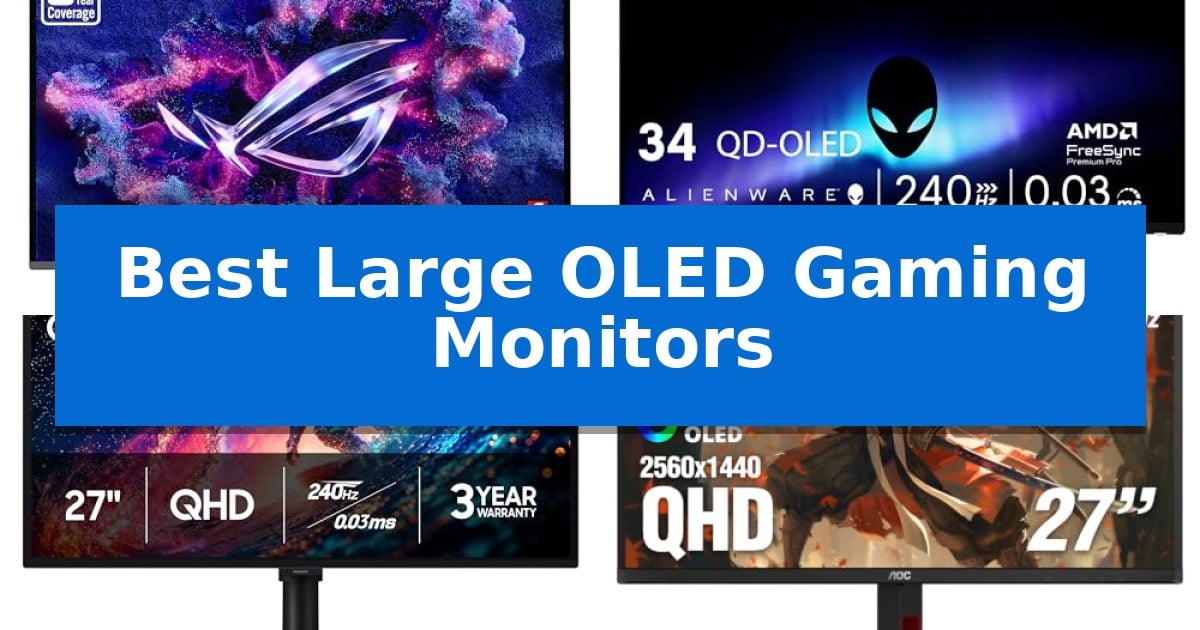
Finding the right display for your desk setup requires balancing screen size, resolution, and panel technology. The Best Large OLED Gaming Monitors provide a significant upgrade in color depth and motion clarity, making them a popular choice for enthusiasts who demand high-fidelity visuals.
Whether you are looking for an expansive ultrawide experience or a sharp 4K panel, selecting the right monitor involves understanding how specific features like refresh rates and protective coatings impact your daily gaming sessions. This guide examines the latest options to help you determine which display aligns with your hardware and space requirements.
Best Large OLED Gaming Monitors in 2026
Quick Comparison
| Product | Best For | Key Strength | Score |
|---|---|---|---|
| ASUS ROG PG32UCDM3 Gaming Monitor | Best Overall | BlackShield Film Technology for enhanced durability and deeper black levels. | 4.9 |
| Alienware 34 QD-OLED Gaming Monitor | Ultrawide immersion for elite gaming | 240Hz refresh rate for smooth motion handling | 4.7 |
| Samsung Odyssey OLED G6 Gaming Monitor | Advanced burn-in protection technology | OLED Safeguard technology for active burn-in prevention | 4.6 |
| AOC 27 Gaming Monitor | Vivid colors with infinite contrast | QD-OLED panel technology for infinite contrast and vivid color reproduction. | 4.8 |
| ASUS ROG XG27AQDMGR Gaming Monitor | Glossy panel for enhanced visual depth | TrueBlack Glossy WOLED panel for superior visual depth. | 4.6 |
How We Chose
- Panel Technology: We prioritized QD-OLED and WOLED panels for their superior contrast ratios and color accuracy.
- Motion Handling: We assessed refresh rates and response times to ensure smooth, ghost-free performance in fast-paced titles.
- Connectivity Standards: We checked for modern interfaces like HDMI 2.1 and DisplayPort 2.1 to ensure compatibility with current and future hardware.
- Burn-in Mitigation: We reviewed the inclusion of proprietary cooling or proximity-based protection features designed to extend panel lifespan.
- Ergonomics and Build: We looked for adjustable stands and physical design choices that facilitate a comfortable viewing experience.
1 ASUS ROG PG32UCDM3 Gaming Monitor — Premium 4K clarity for immersive play
The ASUS ROG PG32UCDM3 distinguishes itself with BlackShield Film Technology, which enhances panel hardness for improved scratch resistance while simultaneously boosting perceived black levels by up to 40%. This 32-inch 4K QD-OLED monitor is engineered for high-fidelity gaming, utilizing a 240 Hz refresh rate and an ultra-fast 0.03ms response time to maintain visual clarity during rapid motion.
Beyond its display capabilities, the monitor integrates Advanced OLED Care Pro features, including a Neo Proximity Sensor that automatically triggers a black screen when the user steps away, actively mitigating burn-in risks. The visual experience is further supported by VESA DisplayHDR 500 True Black compliance, ensuring deep contrast and accurate color reproduction with a 99.5% DCI-P3 gamut and **Delta E
Connectivity is handled through a robust suite of ports, featuring DisplayPort 2.1 UHBR20 with 80Gbps bandwidth, HDMI 2.1, and a USB-C port with 90-watt Power Delivery. This setup allows for seamless integration with high-end PCs and modern consoles like the PS5 and Xbox, while the DisplayWidget Center Software simplifies firmware updates and configuration management.
Designed for longevity and convenience, the unit includes a 3-year warranty that specifically covers burn-in. Users also receive a complimentary 3-month Adobe Creative Cloud Subscription, adding value for creators who require color-accurate, high-resolution displays for their professional workflows.
Best for: Competitive gamers and creative professionals who require a high-refresh 4K OLED display with robust burn-in protection and modern connectivity.
Skip if: Users who primarily work in static environments with limited desk space may find the 32-inch footprint and OLED-specific maintenance requirements less convenient than a traditional IPS panel.
PROS
- BlackShield Film Technology for enhanced durability and deeper black levels.
- Ultra-fast 0.03ms response time and 240Hz refresh rate for fluid motion.
- Comprehensive 3-year warranty including specific burn-in coverage.
- Future-proof connectivity with DisplayPort 2.1 and 90W USB-C power delivery.
CONS
- Large 32-inch form factor may be restrictive for smaller desk setups.
- OLED maintenance features require active user management to maximize panel lifespan.
2 Alienware 34 QD-OLED Gaming Monitor — Ultrawide immersion for elite gaming
The Alienware 34 240Hz QD-OLED Gaming Monitor utilizes a distinct 1800R curvature to create an expansive field of view, designed to pull players into their digital environments. By pairing a 34.2-inch WQHD resolution with advanced QD-OLED panel technology, this display achieves high-contrast visuals that emphasize color accuracy and motion clarity, making it a compelling choice for those seeking the Best Large OLED Gaming Monitors.
Performance is driven by a 240Hz refresh rate, which works alongside adaptive sync technologies including NVIDIA G-SYNC Compatible, AMD FreeSync Premium Pro, and VESA AdaptiveSync. These features are designed to minimize visual artifacts during high-speed gameplay, ensuring fluid motion across the ultrawide screen. The monitor also supports 99.3% DCI-P3 color coverage and maintains a Delta E < 2, providing the color precision required for demanding visual content.
Beyond its speed, the display features VESA DisplayHDR TrueBlack 400 and a 1000-nit peak brightness, which enhances the depth of shadows and highlights. The 0.03ms response time is engineered to eliminate ghosting, a critical benefit for competitive gaming. With a 3-year warranty, the unit is built for long-term reliability in both gaming and productivity workflows.
The 34.2-inch form factor balances significant screen real estate with a manageable footprint for most desk setups. While the ultrawide aspect ratio provides an immersive experience, users should consider that some software or game titles may not natively support this format, potentially leading to pillarboxing or stretched visuals.
Best for: Gamers seeking an immersive, high-refresh-rate ultrawide experience with precise color accuracy and deep contrast.
Skip if: Users who require a standard 16:9 aspect ratio or those working in environments where a curved display would interfere with professional design tasks.
PROS
- 240Hz refresh rate for smooth motion handling
- QD-OLED panel providing infinite contrast and vivid color
- 1800R curve for enhanced ultrawide immersion
- Comprehensive adaptive sync support for varied hardware
CONS
- Ultrawide aspect ratio may not be compatible with all game titles
- Curved display design is less ideal for non-gaming productivity tasks
3 Samsung Odyssey OLED G6 Gaming Monitor — Advanced burn-in protection technology
The Samsung 27" Odyssey OLED G6 (G61SH) distinguishes itself through its OLED Safeguard technology, a thermal modulation system designed to actively mitigate burn-in risks. This focus on panel longevity is paired with a high-performance QD-OLED display that provides deep contrast and vibrant color reproduction, making it a compelling choice for users prioritizing both visual quality and long-term hardware reliability.
Engineered for competitive and immersive play, this monitor features a 240Hz refresh rate and a rapid 0.03ms response time. These specifications are supported by AMD FreeSync Premium to minimize screen tearing and lag. The inclusion of Glare Free Technology ensures that the display remains clear even in environments with challenging external light sources, maintaining visual fidelity during extended sessions.
Precision is central to the design, with the screen being Pantone Validated to accurately reproduce over 2,100 colors and 110 skin tone shades. The integration of HDR10 enhances the viewing experience by providing nuanced shadows and brighter highlights. Users can further customize their setup using the height-adjustable ergonomic stand, which offers pivot, tilt, and swivel functionality for optimal positioning.
The Samsung 27" Odyssey OLED G6 (G61SH) balances advanced display technology with practical utility. While it offers a high-end visual experience, the 27-inch form factor is specifically tailored for desk-based gaming setups. Backed by a 3-year manufacturer warranty, this monitor provides a comprehensive solution for those seeking a high-refresh-rate OLED experience with integrated protective features.
Best for: Gamers who prioritize high-speed performance and color accuracy in a 27-inch form factor with built-in burn-in protection.
Skip if: Users who require a larger screen size for cinematic viewing or those who prefer a non-OLED panel to avoid any concerns regarding static image retention.
PROS
- OLED Safeguard technology for active burn-in prevention
- High-speed 240Hz refresh rate with 0.03ms response time
- Pantone Validated color accuracy
- Glare-free display coating for reduced reflections
- Versatile height-adjustable ergonomic stand
CONS
- 27-inch size may be too small for users seeking a large-format display
- OLED panel technology requires awareness of static image management
4 AOC 27 Gaming Monitor — Vivid colors with infinite contrast
Achieving high-fidelity visuals in fast-paced titles often requires balancing refresh rates with color depth. The AOC 27 Gaming Monitor addresses this by utilizing an advanced QD-OLED panel, which provides infinite contrast and deep, true blacks that distinguish it from standard backlit displays. This panel technology supports a wide color gamut, covering 147% sRGB and 110% DCI-P3, ensuring that colors remain vivid during intense gaming sessions.
For competitive play, the monitor features a 240Hz refresh rate combined with an ultra-fast 0.03ms response time. These specifications are engineered to minimize motion blur and ghosting, providing a clearer image during rapid camera movements. The inclusion of NVIDIA G-SYNC compatibility further assists in maintaining smooth, tear-free performance by synchronizing the display's output with the graphics card.
Connectivity and ergonomics are central to its design. The monitor includes HDMI 2.1 and DisplayPort 1.4 ports, making it compatible with modern PCs and current-generation consoles like the PS5 and Xbox Series X. Users can adjust the height-adjustable stand for tilt, swivel, and pivot, while the integrated USB 3.2 hub provides convenient access for peripherals. The unit also includes Flicker-Free technology to assist with visual comfort during extended use.
The AOC 27 Gaming Monitor is a specialized tool for those prioritizing motion clarity and contrast. While it offers premium visual performance, users should ensure their desk space accommodates the specific dimensions of the stand and that their hardware supports the high-bandwidth requirements of HDMI 2.1 to fully utilize the 240Hz capabilities.
Best for: Competitive gamers and enthusiasts who prioritize high-speed motion clarity and deep contrast ratios in a 1440p resolution.
Skip if: Users who require a 4K resolution display for professional creative work or those with limited desk space who cannot accommodate a 27-inch monitor with an ergonomic stand.
PROS
- QD-OLED panel technology for infinite contrast and vivid color reproduction.
- 0.03ms response time and 240Hz refresh rate for reduced motion blur.
- HDMI 2.1 connectivity supports high-refresh-rate gaming on modern consoles.
- Ergonomic stand with full height, tilt, swivel, and pivot adjustments.
CONS
- QHD resolution may not satisfy users requiring 4K pixel density for productivity.
- Requires high-bandwidth hardware to fully leverage the 240Hz performance.
5 ASUS ROG XG27AQDMGR Gaming Monitor — Glossy panel for enhanced visual depth
The ASUS ROG XG27AQDMGR Gaming Monitor distinguishes itself with a TrueBlack Glossy WOLED panel, a design choice specifically engineered to enhance visual depth and clarity for high-end gaming setups. By prioritizing a glossy finish over traditional matte coatings, this 26.5-inch display aims to deliver deeper blacks and more vibrant color reproduction for users who prioritize image fidelity.
Performance is anchored by a 240 Hz refresh rate and an ultra-fast 0.03ms gray-to-gray response time, which work in tandem to minimize motion blur and ghosting during fast-paced sequences. The monitor supports VESA DisplayHDR 400 True Black and covers 99% of the DCI-P3 color gamut, ensuring that colors remain accurate and punchy, backed by a Delta E < 2 color difference rating.
To address the inherent longevity concerns of OLED technology, the unit includes ASUS OLED Care Pro features. A built-in Neo Proximity Sensor detects user presence, automatically dimming or switching to a black screen when the user is away to mitigate the risk of burn-in. Users can manage these protective settings and general display adjustments through the ASUS DisplayWidget Center software, which allows for mouse-based control instead of relying solely on physical buttons.
The monitor is built for versatility, featuring ROG Gaming A.I technology to assist with in-game enhancements. It is also backed by a 3-year warranty that explicitly includes burn-in coverage, providing a safety net for the investment. As a bonus, the purchase includes a free 3-month subscription to Adobe Creative Cloud, catering to users who may also use the display for color-critical creative work.
Best for: Competitive gamers and visual enthusiasts who prioritize deep contrast, high-speed motion clarity, and long-term display protection.
Skip if: Users who prefer a matte screen finish to combat reflections in brightly lit rooms or those requiring a larger screen size than 26.5 inches.
PROS
- TrueBlack Glossy WOLED panel for superior visual depth.
- 0.03ms response time for minimal motion blur.
- Neo Proximity Sensor for automated burn-in protection.
- 3-year warranty including burn-in coverage.
CONS
- Glossy screen surface may be prone to reflections in high-ambient-light environments.
Best Large OLED Gaming Monitors Buying Guide
Understanding Panel Types
The market currently features two primary OLED variations: QD-OLED and WOLED. QD-OLED panels are known for their exceptional color volume and brightness, which can make HDR content appear more vibrant. These panels often excel in environments where you want the most saturated colors possible.
WOLED panels, conversely, often feature a white sub-pixel that can assist with peak brightness levels. Some manufacturers apply glossy coatings to these panels to enhance perceived black levels and depth, which can be a deciding factor if you prefer a sharper, more vivid image over a matte finish.
Resolution and Refresh Rate
For a large display, 4K resolution is essential to maintain pixel density and image sharpness. A 32-inch monitor at 4K provides a crisp experience that prevents the 'screen-door effect' often seen on lower-resolution large panels.
A 240Hz refresh rate has become the standard for high-end gaming. This high frequency, combined with the near-instantaneous 0.03ms response time inherent to OLED technology, ensures that motion remains fluid and clear, which is particularly beneficial in competitive shooters or fast-paced action games.
Burn-in Protection Features
OLED technology is susceptible to image retention, so modern monitors include OLED Care features. These often involve thermal management systems or software-based pixel shifting that runs in the background to prevent static elements from damaging the panel.
Some newer models include a Neo Proximity Sensor, which detects when you are away from the desk and automatically dims or turns off the screen. This is a highly effective way to reduce the risk of burn-in without requiring manual intervention.
Connectivity and Future-Proofing
Your monitor should support the latest standards to handle high-bandwidth signals. Look for HDMI 2.1 ports, which are necessary for full 4K/120Hz support on modern consoles like the PS5 and Xbox Series X. For PC users, DisplayPort 2.1 provides the bandwidth required for high-refresh-rate 4K gaming.
USB-C with Power Delivery is a convenient addition if you use your monitor with a laptop. A monitor that provides 90W of power can charge your device while simultaneously handling the video signal, effectively reducing cable clutter on your desk.
Ergonomics and Mounting
A large monitor can dominate your workspace, so the included stand is critical. A high-quality stand should offer height, tilt, and swivel adjustments to ensure the screen is at eye level, reducing neck strain during long sessions.
If you prefer a cleaner desk, ensure the monitor is VESA mount compatible. This allows you to attach the display to a monitor arm, freeing up valuable desk space and providing more flexibility in how you position your screen relative to your seating distance.
Frequently Asked Questions
What is the main advantage of OLED over traditional LED monitors?
OLED monitors offer infinite contrast ratios because each pixel can turn off completely. This results in true blacks and significantly better HDR performance compared to traditional LED backlighting.
Do I need a special cable for 4K 240Hz gaming?
Yes, you generally need a high-bandwidth cable, such as a certified HDMI 2.1 cable or a DisplayPort 2.1 cable, to support the high data throughput required for 4K resolution at 240Hz.
How do I prevent burn-in on my OLED monitor?
Utilize built-in features like pixel shifting, screen savers, and auto-dimming. Avoid leaving static images on the screen for extended periods and use the monitor's dedicated OLED care software.
Are curved monitors better for gaming?
Curved monitors, particularly ultrawide models, can provide a more immersive experience by matching the natural curvature of the human eye, which helps maintain focus across the entire screen.
Can I use these monitors for professional work?
Yes, many OLED monitors offer excellent color accuracy and wide color gamuts, making them suitable for creative tasks like photo and video editing, provided you manage the screen brightness and use care features.
Conclusion: Our Top Pick
The ASUS ROG PG32UCDM3 Gaming Monitor stands out as our top recommendation due to its combination of a high-resolution 4K QD-OLED panel and advanced protective features like the Neo Proximity Sensor. Its ability to balance high-end gaming performance with long-term panel reliability makes it a versatile choice for both demanding gamers and creative professionals.
While it represents a significant investment, the inclusion of future-proof connectivity like DisplayPort 2.1 and a comprehensive 3-year warranty provides peace of mind. For those seeking a premium, large-format display that prioritizes both visual fidelity and longevity, this monitor is an exceptional choice.