
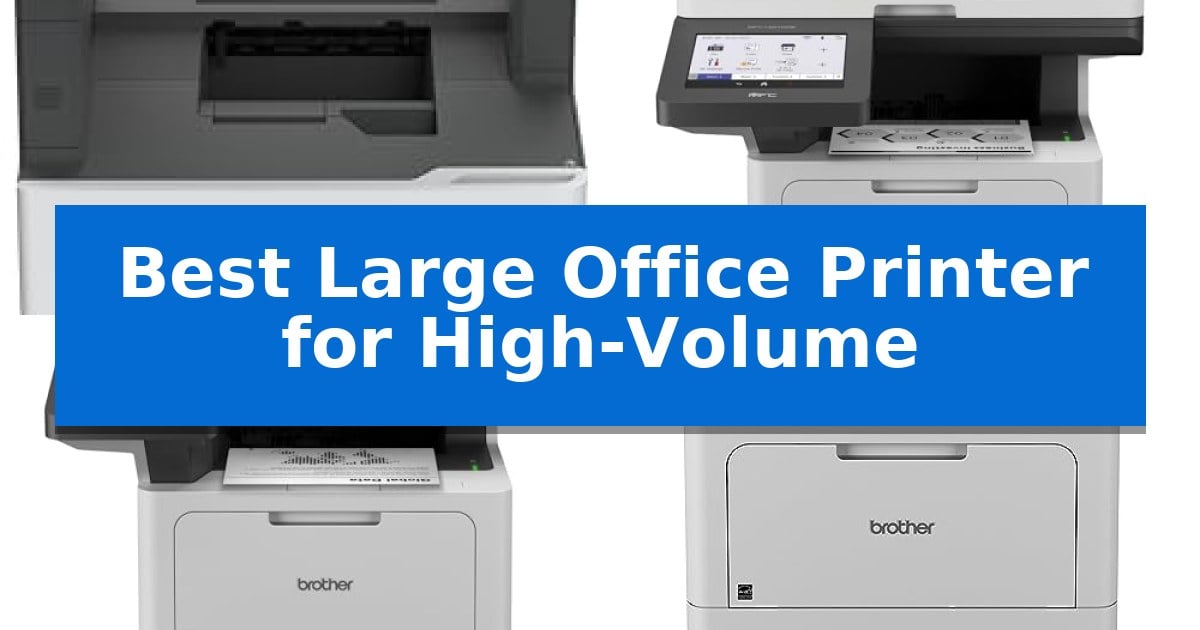
Managing heavy document workflows requires hardware that balances consistent output speeds with reliable paper handling. Choosing the Best Large Office Printer for High-Volume environments means prioritizing machines that can handle thousands of pages monthly without frequent maintenance interruptions or paper jams.
Our selection focuses on enterprise-grade laser printers designed for workgroups that demand efficiency, security, and scalability. Whether you need high-speed scanning for digital archiving or expandable paper capacity for long print runs, these machines are engineered to support the rigorous demands of a busy office.
Best Large Office Printer for High-Volume in 2026
Quick Comparison
| Product | Best For | Key Strength | Score |
|---|---|---|---|
| Lexmark MX822ade Monochrome Laser Printer | Best Overall | High-volume capacity supporting up to 50,000 pages per month | 4.9 |
| Brother MFC-L6810DW Enterprise Laser Printer | Fastest Workgroup Productivity | High-speed output of up to 52ppm for professional documents. | 4.9 |
| Brother MFC-L5915DW Monochrome Laser Printer | Efficient High-Speed Scanning | High-speed output of up to 50 pages per minute. | 4.5 |
| Brother HL-6210DW Monochrome Laser Printer | Expandable Capacity for Large Jobs | 50 ppm print speed for rapid document production | 4.3 |
| HP Color LaserJet Enterprise M554dn | Secure Professional Color Output | High-speed performance reaching up to 35 ppm. | 4.7 |
How We Chose
- Monthly Duty Cycle and Throughput: Assessing the printer's capacity to handle high page volumes consistently.
- Paper Handling and Expandability: Evaluating standard tray sizes and the availability of additional paper inputs to minimize downtime.
- Scanning and Copying Efficiency: Reviewing the speed and capacity of automatic document feeders for multi-page document processing.
- Enterprise Security Features: Checking for integrated network protection and authentication protocols necessary for office environments.
- Operational Cost and Efficiency: Considering the availability of high-yield toner options to reduce the cost per page.
1 Lexmark MX822ade Monochrome Laser Printer — Highest Volume Enterprise Performance
Managing massive document workflows requires hardware that prioritizes consistent throughput and operational endurance. The Lexmark MX822ade Monochrome Laser Printer is engineered specifically for high-demand environments, supporting a recommended monthly page volume of up to 50,000 pages to ensure your office remains productive without constant maintenance interruptions.
This device features a robust monochrome laser engine capable of reaching print speeds of 55 ppm, allowing for rapid document turnaround. To further streamline office tasks, it includes integrated duplex printing, which automatically handles two-sided documents to save on paper costs and reduce manual handling time.
Usability is centered around a large 10-inch color touch screen, providing a clear interface for managing complex print jobs and system settings. The unit is designed for heavy-duty placement, measuring 45.3 inches in height and weighing 147.6 pounds, which reflects its industrial-grade build quality and capacity for high-volume paper handling.
For organizations requiring reliable, high-speed output, this printer offers a specialized solution that balances speed with a significant duty cycle. It is an Energy Star certified machine, ensuring that even with high-volume usage, the device adheres to efficiency standards suitable for modern enterprise office settings.
Best for: Large offices and enterprise environments that require high-speed monochrome printing and a high monthly duty cycle.
Skip if: Users who require color printing or those with limited floor space who cannot accommodate a large, heavy-duty floor-standing unit.
PROS
- High-volume capacity supporting up to 50,000 pages per month
- Fast 55 ppm print speed for efficient document processing
- Integrated duplex printing for automated two-sided output
- Intuitive 10-inch color touch screen interface
CONS
- Large physical footprint requires significant dedicated floor space
- Heavy weight makes the unit difficult to relocate once installed
2 Brother MFC-L6810DW Enterprise Laser Printer — Fastest Workgroup Productivity
Managing high-volume document workflows requires hardware that minimizes downtime and maximizes throughput. The Brother MFC-L6810DW Enterprise Laser Printer addresses this by delivering print and copy speeds up to 52ppm, ensuring that large workgroups maintain productivity without waiting on slow output cycles.
Efficiency extends beyond raw speed through the device's robust paper handling. It features a 520-sheet capacity paper tray and a 100-sheet multipurpose tray out of the box, with the ability to expand total capacity up to 1,660 sheets using optional trays. This configuration significantly reduces the frequency of manual refills during intensive printing tasks.
For digital document management, the integrated 80-page capacity auto document feeder supports single-pass, two-sided scanning at up to 200ipm. Users can route documents directly to cloud services via the 7-inch touchscreen display, streamlining the transition from physical paperwork to digital archives.
Security and maintenance are prioritized for enterprise environments. The unit includes Triple Layer Security to protect network traffic and documents, alongside an integrated NFC card reader for secure badge authentication. To manage operational costs, it ships with an 8,000-page toner cartridge and supports the TN920UXXL ultra high-yield replacement toner for up to 18,000 pages of output.
Best for: Mid to large-sized workgroups requiring high-speed monochrome printing, rapid duplex scanning, and scalable paper capacity.
Skip if: Users who require color printing capabilities or those with limited office space who do not need high-volume paper expansion options.
PROS
- High-speed output of up to 52ppm for professional documents.
- Expandable paper capacity up to 1,660 sheets to support heavy workloads.
- Enterprise-grade security including an integrated NFC card reader.
- Efficient scanning with a single-pass, two-sided 80-page document feeder.
CONS
- Monochrome-only output limits the device to black-and-white printing.
- Large physical footprint may require significant dedicated desk or floor space.
3 Brother MFC-L5915DW Monochrome Laser Printer — Efficient High-Speed Scanning
Maintaining productivity in a fast-paced office requires hardware that keeps pace with high-volume demands. The Brother MFC-L5915DW Monochrome Laser Printer is engineered for this environment, featuring an impressive print and copy speed of up to 50 pages per minute. This capability ensures that large documents are processed quickly, minimizing wait times for busy teams.
Beyond raw speed, this all-in-one device prioritizes operational efficiency through its ultra high-yield 18,000-page replacement toner cartridge option. By reducing the frequency of supply changes, it helps manage long-term operating costs. The inclusion of a 3,000-page starter cartridge allows offices to begin high-volume tasks immediately upon setup.
Scanning workflows are equally optimized with a 70-page capacity auto document feeder. This component supports single-pass, two-sided scanning at speeds up to 56 images per minute, which is ideal for digitizing multi-page legal-sized documents efficiently. The large document glass provides additional flexibility for scanning bound materials or non-standard sizes.
Connectivity is handled through built-in Gigabit Ethernet and dual-band wireless networking. These options offer the flexibility to integrate the printer into existing wired or wireless office infrastructures, ensuring reliable access for multiple users. The unit is designed with a compact footprint of 19.5" x 18.6" x 19.1", making it a practical addition to shared workspaces without occupying excessive floor or desk space.
Best for: Busy office environments requiring high-speed monochrome printing, rapid two-sided scanning, and low-cost, high-yield toner options.
Skip if: Users who require color printing or those with very limited desk space who do not need high-volume scanning capabilities.
PROS
- High-speed output of up to 50 pages per minute.
- Ultra high-yield toner support reduces replacement frequency.
- Single-pass, two-sided scanning for efficient document digitization.
- Flexible connectivity via Gigabit Ethernet and dual-band Wi-Fi.
CONS
- Monochrome-only printing limits use for documents requiring color graphics.
- Large physical footprint may be restrictive for smaller workstations.
4 Brother HL-6210DW Monochrome Laser Printer — Expandable Capacity for Large Jobs
Managing heavy document workflows requires hardware that prioritizes speed and expandability. The Brother HL-6210DW Monochrome Laser Printer is engineered for such environments, offering a robust 50 ppm print speed to ensure high-volume tasks are completed with efficiency. Its design focuses on minimizing downtime by providing a substantial 520-sheet main tray and a 100-sheet multipurpose tray out of the box.
For offices with evolving needs, this printer supports modular growth. The paper capacity is expandable up to 1,660 sheets through optional trays, allowing the device to scale alongside your business requirements. This flexibility ensures that large print jobs can run with minimal manual intervention, keeping your team focused on core tasks rather than reloading paper.
Connectivity and security are central to the Brother HL-6210DW Monochrome Laser Printer architecture. It features Gigabit Ethernet and dual-band wireless networking, facilitating reliable integration into existing business networks and supporting mobile printing. To protect sensitive information, the unit includes Triple Layer Security features designed to safeguard data during transmission and printing.
Operational costs are a critical consideration for high-volume printing. This model is compatible with Brother Genuine ultra high-yield replacement toner cartridges, which are rated for up to 18,000 pages. This high-capacity consumable support helps manage long-term expenses, making the printer a practical choice for offices that demand consistent, cost-efficient monochrome document production.
Best for: High-volume office environments that require fast print speeds, expandable paper capacity, and secure network integration.
Skip if: Users who require color printing or those with very limited desk space who do not need the high-capacity paper handling features.
PROS
- 50 ppm print speed for rapid document production
- Expandable paper capacity up to 1,660 sheets
- Ultra high-yield toner support for up to 18,000 pages
- Triple Layer Security for network and document protection
CONS
- Monochrome-only printing capability
- Large physical footprint when fully expanded with optional trays
5 HP Color LaserJet Enterprise M554dn — Secure Professional Color Output
Maintaining consistent output in a busy office requires hardware that balances speed with reliable document management. The HP Color LaserJet Enterprise M554dn is engineered for high-volume environments, featuring a robust 650-sheet input capacity and print speeds of up to 35 ppm to support demanding workflows.
Beyond raw speed, this printer integrates HP Wolf Enterprise Security, which provides defensive layers designed to detect and self-heal from malware threats. This focus on security ensures that sensitive business data remains protected while the device operates in a networked office environment.
Efficiency is further supported by HP Web Admin, a tool that allows IT managers to centralize control over the printing environment. This includes the ability to add new devices, apply corporate policies, and update features across the fleet from a single interface, reducing the administrative burden of managing multiple machines.
The device also prioritizes sustainability through HP Auto-On/Auto-Off Technology, which intelligently manages power consumption by adjusting the printer's state based on usage. With its automatic 2-sided printing capability, it helps reduce paper waste while maintaining the professional quality expected for high-volume color documentation.
Best for: High-volume office environments that require secure, centralized management and consistent color output.
Skip if: Users who require a multifunction device with scanning, copying, or faxing capabilities, as this is a print-only unit.
PROS
- High-speed performance reaching up to 35 ppm.
- HP Wolf Enterprise Security for proactive threat detection.
- Centralized fleet management via HP Web Admin.
- Energy-efficient operation with Auto-On/Auto-Off technology.
CONS
- Print-only functionality lacks integrated scanning or copying.
- Large physical footprint requires dedicated office space.
Best Large Office Printer for High-Volume Buying Guide
Understanding Monthly Duty Cycles
The monthly duty cycle is a critical metric for any high-volume office printer. It represents the maximum number of pages a device can print in a month without failing. For busy workgroups, selecting a machine with a duty cycle that comfortably exceeds your average monthly volume ensures the hardware remains durable over time.
It is important to distinguish between the maximum duty cycle and the recommended monthly page volume. While the maximum is a theoretical limit for occasional spikes, the recommended volume is the range within which the printer will operate most reliably and require the least amount of maintenance.
The Importance of Paper Capacity
Frequent paper refills can significantly disrupt office productivity. High-volume printers often feature large standard input trays, but the ability to add optional paper trays is what truly scales the device to meet growing business needs. Look for models that allow you to expand total capacity to over 1,000 sheets.
In addition to capacity, consider the versatility of the multipurpose tray. This allows for printing on specialized media like envelopes, labels, or heavy cardstock without needing to unload the main paper supply, keeping your workflow seamless.
Scanning and Document Processing
For offices that digitize physical records, the Automatic Document Feeder (ADF) is just as important as the print engine. A high-quality ADF should support single-pass, two-sided scanning, which processes both sides of a page simultaneously to save time and reduce wear on the document.
Check the images per minute (ipm) rating for scanning. Faster scanning speeds facilitate quicker document archiving and sharing, which is essential for maintaining a fast-paced digital workflow in modern office settings.
Security for Enterprise Networks
Printers are often overlooked as potential security vulnerabilities in a corporate network. Enterprise-level printers should include Triple Layer Security or similar defensive features to protect data in transit, secure the device interface, and safeguard the network from unauthorized access.
Features like NFC card readers for badge authentication ensure that sensitive documents are only released to the authorized user, preventing confidential materials from sitting unattended in the output tray.
Managing Operational Costs
High-volume printing can become expensive if the cost per page is not managed correctly. Investing in a printer that supports ultra high-yield toner cartridges is one of the most effective ways to lower your long-term operating expenses.
While the initial price of the printer is a factor, the total cost of ownership is heavily influenced by the price and page yield of the consumables. Always compare the yield of replacement cartridges to ensure the hardware aligns with your budget for ongoing supplies.
Frequently Asked Questions
What is the primary difference between a standard office printer and an enterprise model?
Enterprise models are built for higher monthly duty cycles, offer faster print/scan speeds, and include advanced security features like network encryption and badge authentication that are typically absent in consumer-grade printers.
Can I increase the paper capacity of these printers later?
Many enterprise laser printers are modular. If a model supports optional paper trays, you can purchase and install them as your office's printing volume grows, allowing the hardware to scale with your business.
Why is single-pass duplex scanning important?
Single-pass duplex scanning captures both sides of a document in one movement. This is significantly faster and more reliable than dual-pass scanning, which requires the printer to physically flip the paper over to scan the second side.
Are monochrome laser printers better for high-volume than color?
Monochrome laser printers are generally more cost-effective for high-volume text documents. They typically have lower costs per page and faster print speeds compared to color laser printers, making them the standard choice for internal business documentation.
How do I ensure my printer is secure on the network?
Look for printers with built-in security features like secure boot, firmware integrity checks, and support for encrypted communication protocols. Using features like user authentication via NFC badges also prevents unauthorized access to print jobs.
Conclusion: Our Top Pick
For offices requiring the most robust performance, the Lexmark MX822ade Monochrome Laser Printer stands out as the premier choice. Its massive monthly duty cycle of up to 50,000 pages and high-speed output of 55 ppm make it exceptionally well-suited for demanding enterprise environments where reliability is non-negotiable.
While this model is a significant investment, its ability to handle extreme workloads with minimal maintenance provides long-term value for high-volume operations. Ensure your office space can accommodate its footprint, as this is a heavy-duty machine designed for constant, high-speed output.