
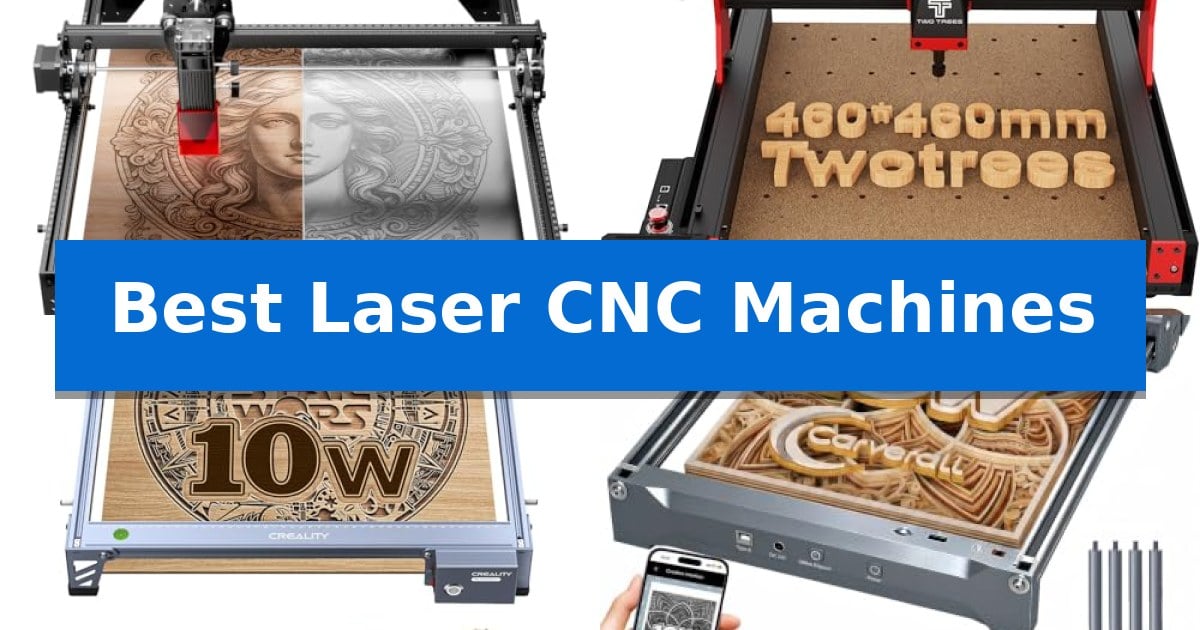
Finding the right equipment for your creative projects requires balancing precision, workspace requirements, and material versatility. Whether you are a hobbyist looking to personalize home décor or a small business owner scaling up production, the Best Laser CNC Machines offer the control and accuracy needed to turn raw materials into professional-grade products.
Selecting the right machine involves understanding how different laser powers and spindle capabilities impact your workflow. From compact diode engravers designed for intricate detail to robust CNC routers capable of handling dense materials, the following options provide distinct advantages for various crafting and manufacturing needs.
Best Laser CNC Machines in 2026: Precision Cutting for Every Workshop
Quick Comparison
| Product | Best For | Key Strength | Score |
|---|---|---|---|
| LONGER Ray5 Laser Engraver | Best Overall | High-speed engraving up to 24,000 mm/min. | 4.9 |
| Twotrees TTC450 Pro CNC Router | Large-Format Multi-Axis Versatility | Large 18.1-inch square working area for substantial projects. | 4.6 |
| Creality Falcon 10W Laser Engraver | Fine-Detail Cutting Accuracy | High-precision 0.06mm spot focus for detailed work. | 4.6 |
| Carverall K15 Pro Laser Engraver | Compact Design for Small Spaces | Compact A4 workspace that fits easily on standard desks. | 4.7 |
| LUNYEE 3018 Pro Max CNC Machine | Robust All-Metal Build | All-metal construction provides superior stability and durability. | 4.6 |
How We Chose
- Working Area: Assessing the physical dimensions to ensure the machine accommodates your specific project sizes, from small trinkets to large signage.
- Laser and Spindle Performance: Reviewing the power output and precision metrics that dictate what materials you can cut or engrave effectively.
- Control and Connectivity: Evaluating the ease of operation through touchscreen interfaces, offline capabilities, and software compatibility.
- Structural Integrity: Analyzing the build materials and safety features that contribute to long-term stability and reliable performance during high-load tasks.
- Versatility: Determining the machine's ability to adapt to different tasks, such as switching between engraving, cutting, or milling modes.
1 LONGER Ray5 Laser Engraver — High-Speed Dual-Beam Precision
Precision and versatility define the LONGER Ray5 Laser Engraver, a machine equipped with a 10W dual-beam laser capable of executing intricate designs with an ultra-fine 0.06 × 0.06 mm laser spot. This device integrates a 240MHz ESP32 processor to achieve engraving speeds reaching 24,000 mm/min, ensuring that both hobbyists and small business owners can maintain high throughput without sacrificing the 0.01 mm engraving accuracy required for professional-grade results.
The machine features a 400 × 400 mm working area, providing ample space for diverse projects ranging from personalized tumblers to detailed wood signs. A standout technical capability is the smart multi-machine control architecture, which allows a single controller to manage multiple units simultaneously, streamlining production in workshop or classroom environments.
Operation is managed through a 3.5-inch touchscreen that facilitates real-time progress monitoring and parameter adjustments. The system offers significant flexibility in connectivity, supporting USB, TF card, Wi-Fi, and app-based control, and maintains compatibility with industry-standard software such as LightBurn and LaserGRBL.
Safety remains a priority with the inclusion of emergency stop functionality, motion protection, and overheat detection. The unit ships with protective covers and safety goggles, providing necessary safeguards for users working with materials like wood, leather, acrylic, and anodized metal.
Best for: Small business owners and makers who require high-speed, multi-machine scalability for batch production of personalized items.
Skip if: Users who need a fully enclosed laser system for advanced air filtration or those requiring a higher wattage laser for cutting thicker industrial-grade materials.
PROS
- High-speed engraving up to 24,000 mm/min.
- Multi-machine control via advanced ESP32 architecture.
- Versatile connectivity including Wi-Fi, USB, and offline TF card support.
- Precision dual-beam laser with a 0.06 mm spot size.
CONS
- Manual assembly required for initial setup.
- Open-frame design necessitates external ventilation or enclosure for smoke management.
2 Twotrees TTC450 Pro CNC Router — Large-Format Multi-Axis Versatility
The Twotrees TTC450 Pro CNC Router distinguishes itself with an extra-large 18.1-inch square working area, providing the necessary space for furniture panels and large-scale signage. This machine integrates a high-precision Z-axis driven by a 57 stepping motor, which achieves a positioning accuracy of 0.0025 mm to support complex relief work and intricate multi-layer engraving.
Designed for versatility, the control box features dedicated ports for a 4th-axis rotation module, a laser module, and a 500W spindle, allowing users to expand the machine's capabilities from standard milling to laser engraving or 4-axis carving. The system utilizes an open-source GRBL control architecture, ensuring broad compatibility with industry-standard design software like Fusion 360, ArtCam, and Carveco Maker across Windows, macOS, and Linux.
Stability is managed through an industrial-grade structure built from aluminum alloy and stainless steel, reinforced by dual limit switches on all three axes to prevent over-travel. The machine arrives with a comprehensive accessory kit, including 10 varied cutting tools and clamping plates, enabling immediate work on materials ranging from wood and acrylic to aluminum and stainless steel.
Operating the device is streamlined via a 3.5-inch IPS capacitive touch screen, which provides a responsive interface for managing production tasks. Users should note that for Windows 11 environments, the specific CH341 driver is required for proper machine-to-computer communication, as the standard CH340 driver may not be fully compatible.
Best for: Makers and small workshops requiring a versatile, large-format CNC machine capable of both milling and modular laser upgrades.
Skip if: Users seeking a compact, plug-and-play desktop engraver for small trinkets may find the 18.1-inch footprint and assembly requirements of this professional-grade router excessive.
PROS
- Large 18.1-inch square working area for substantial projects.
- Modular expansion ports for 4th-axis and laser module integration.
- High-precision Z-axis with 0.0025 mm positioning accuracy.
- Sturdy aluminum and stainless steel construction for vibration suppression.
CONS
- Assembly and driver installation required, specifically the CH341 driver for Windows 11.
- Large physical footprint may limit placement in restricted workshop spaces.
3 Creality Falcon 10W Laser Engraver — Fine-Detail Cutting Accuracy
Achieving precise cuts on wood or acrylic requires a machine that prioritizes stability and focus. The Creality Falcon 10W Laser Engraver utilizes an all-aluminum alloy structure paired with a steel shaft wheel guide rail design to maintain structural integrity during operation. This robust build is complemented by a 0.06mm x 0.06mm super fine spot focus, which allows for engraving and cutting accuracy controlled within 0.004 inches.
Performance is driven by a 10W output power capable of cutting through 5mm basswood or 3mm black acrylic in a single pass at speeds reaching 10,000mm/m. To ensure consistent results, the device features a strong belt tension adjustment system and maintains a repositioning accuracy of less than 0.007 inches. Users can manage projects via Wi-Fi, USB cable, or SD card, with software compatibility spanning LightBurn for experienced users and LaserGRBL for those newer to laser engraving.
Safety and ease of use are integrated into the design through an anti-UV filter acrylic module that blocks 97% of UV rays. The machine is designed for quick setup, typically requiring only 10-20 minutes for assembly. A dedicated focusing plate is included with the laser head, enabling users to adjust the focus manually without the need for additional tools, streamlining the transition between different material thicknesses.
The Creality Falcon 10W Laser Engraver offers a versatile solution for creators working with diverse consumables, including leather, paper, plastic, metal, and glass. With one-button management and comprehensive software support across Windows, Mac, and Linux, it provides a stable platform for both detailed engraving and functional cutting tasks.
Best for: Makers and hobbyists requiring high-precision cutting and engraving on materials like wood, acrylic, and leather.
Skip if: Users who require higher output power for cutting thicker materials or those who prefer a fully enclosed, pre-assembled industrial laser system.
PROS
- High-precision 0.06mm spot focus for detailed work.
- Durable aluminum alloy frame with steel shaft guide rails.
- Integrated anti-UV filter for enhanced operator safety.
- Tool-free focus adjustment via the included focusing plate.
CONS
- Manual focus adjustment may be less convenient than automated systems.
- 10W output power limits the thickness of materials that can be cut in a single pass.
4 Carverall K15 Pro Laser Engraver — Compact Design for Small Spaces
Precision and versatility define the Carverall K15 Pro Laser Engraver, a 10W diode-based machine designed to handle over 300 materials including wood, acrylic, leather, and coated metal. Its 11.8×7.9-inch A4 workspace is engineered to balance compact storage with the capacity to manage the majority of daily DIY projects, while four included heightening columns allow for engraving on taller items like skateboards and gift boxes.
The machine prioritizes user accessibility through the CutLabX software, which supports AI-generated designs and wireless control via mobile devices. For those managing batch jobs, the offline engraving capability allows files to be loaded onto a TF card for operation without a constant computer connection. The unit is built for longevity, featuring a dual-fan diode module designed to mitigate heat buildup during extended sessions, with a rated module life of 15,000 hours.
Technical performance is highlighted by 4K clarity at 0.01mm precision and a maximum speed of 15,000mm/min. The one-touch smart focus system streamlines the setup process, while the onboard smart memory retains the last file for rapid repeat jobs. The system is designed to grow with the user, supporting optional upgrades such as a 1W IR laser head for bare metal engraving, as well as add-ons like honeycomb plates, air pumps, and rotary rollers.
Assembly is straightforward, requiring only six screws for setup, and the package includes a starter kit with safety glasses and materials. The Carverall K15 Pro Laser Engraver provides a flexible foundation for both home crafting and small business merchandise production, supported by a 1-year manufacturer warranty.
Best for: Small business owners and home crafters who need a compact, upgradeable machine for batch engraving and cutting on a variety of materials.
Skip if: Users requiring large-format engraving areas or those who need to engrave bare stainless steel immediately without purchasing an additional IR laser head.
PROS
- Compact A4 workspace that fits easily on standard desks.
- Offline engraving capability via TF card for batch processing.
- Upgradeable design allowing for future addition of an IR laser head.
- One-touch smart focus for simplified operation.
CONS
- Bare metal engraving requires the purchase of an optional IR laser head.
- Limited work area compared to larger 40x40cm machines.
5 LUNYEE 3018 Pro Max CNC Machine — Robust All-Metal Build
Precision fabrication requires a machine that balances structural rigidity with operational control. The LUNYEE 3018 Pro Max CNC Machine distinguishes itself with a full all-metal frame, eliminating plastic components to ensure stability during demanding cutting tasks. This construction choice provides the necessary durability to handle dense materials like aluminum and copper without sacrificing the precision required for intricate carving.
Equipped with a 500W spindle, this unit offers a versatile range of 0-12000RPM, allowing users to transition between heavy-duty cutting and detailed etching. The machine achieves a maximum movement speed of 5000mm/min, facilitating efficient project completion. Its 80mm Z-axis travel stands out as an extended range compared to standard models, providing more vertical clearance for varied workpiece thicknesses.
Operational safety and convenience are integrated through a comprehensive system featuring 6 limit switches and an emergency stop button. These components work to prevent abnormal conditions during operation. Additionally, the inclusion of manual handwheels on the XYZ axes allows for precise, tactile adjustments to the machine origin, simplifying the setup process before automated tasks begin.
The system is designed for a two-in-one workflow, enabling users to switch between spindle-based cutting and carving modes seamlessly. To assist with initial setup, the manufacturer provides installation and wiring videos, and the unit includes a 4G USB flash drive pre-loaded with the necessary software, making it a functional choice for those focused on immediate productivity.
Best for: Makers and hobbyists who require a rigid, all-metal CNC router capable of processing dense materials like aluminum and copper.
Skip if: Users who require a larger working area than the 300 x 180 x 80mm capacity or those who prefer a pre-assembled machine without any manual setup.
PROS
- All-metal construction provides superior stability and durability.
- 500W high-power spindle supports cutting dense materials.
- Extended 80mm Z-axis travel offers greater vertical workspace.
- Integrated safety features including limit switches and emergency stop.
CONS
- Manual assembly required for the frame and components.
- Limited working area of 300 x 180mm restricts large-scale projects.
Best Laser CNC Machines Buying Guide
Understanding Laser Power and Spindle Speed
The power of your laser or spindle is the primary factor in determining which materials you can process. A 10W laser is generally sufficient for engraving and cutting thin materials like wood, leather, and acrylic. If your projects involve thicker materials or require faster production, look for machines with higher output power or robust spindle motors.
Spindle speed is equally critical for CNC routing. A machine with a wide RPM range allows you to adjust your cutting speed to match the density of the material, preventing burning or uneven edges. Always verify the maximum speed against the requirements of the materials you intend to use most frequently.
Workspace and Footprint Considerations
Before purchasing, measure your available workspace carefully. While a larger working area offers more creative freedom for batch production and large signs, it also requires a significantly larger desk footprint. Consider if you need a machine that can slide under a desk when not in use or one that remains stationary in a dedicated shop area.
Some machines offer heightening columns or open-frame designs that allow you to work on taller objects, such as tumblers or gift boxes. This flexibility can be a major advantage if your projects vary in shape and size, even if the base working area remains the same.
Software Compatibility and Workflow
The software ecosystem is the bridge between your design and the finished product. Ensure the machine you choose is compatible with industry-standard software like LightBurn or LaserGRBL. These programs offer advanced features for managing complex designs and optimizing cutting paths.
Connectivity options like Wi-Fi, USB, and TF card support can streamline your workflow significantly. Offline control, often managed via a built-in touchscreen, allows you to run batch jobs without needing a dedicated computer connected to the machine at all times.
Safety and Maintenance
Laser and CNC machines involve inherent risks, so prioritize models with integrated safety features. Emergency stop buttons, motion protection, and overheat detection are essential for preventing accidents during operation. Additionally, protective covers or goggles are necessary to shield your eyes from laser exposure.
Regular maintenance is required to keep your machine accurate. This includes cleaning the laser lens, checking belt tension, and ensuring that all moving parts are properly lubricated. Machines with modular designs are often easier to repair and upgrade as your skills and needs evolve.
Material Versatility
Not all machines are built to handle the same range of materials. While most diode lasers excel at wood, acrylic, and leather, engraving on bare metal often requires an infrared laser head or a specialized CNC router. Check the manufacturer's specifications to ensure the machine supports the specific materials you plan to use.
If you anticipate needing to work with a wide variety of materials, look for machines that support modular upgrades. The ability to add a rotary roller for tumblers or an air pump for cleaner cuts can extend the lifespan and utility of your investment.
Frequently Asked Questions
What is the difference between a laser engraver and a CNC router?
A laser engraver uses a focused light beam to burn or cut materials, making it ideal for intricate designs on wood, acrylic, and leather. A CNC router uses a physical rotating bit to carve or mill materials, which is better suited for cutting through thicker, denser materials like aluminum or solid wood.
Can I use these machines for small business production?
Yes, many of these machines are designed for small business use. Features like multi-machine control and offline operation allow for efficient batch production. However, ensure the machine's duty cycle and build quality match the volume of your expected output.
Do I need special software to operate these machines?
Most laser CNC machines are compatible with open-source software like LaserGRBL or professional software like LightBurn. Some manufacturers also provide their own proprietary software, but cross-platform compatibility is common and recommended for better design control.
How do I ensure the laser is focused correctly?
Many modern laser engravers feature one-touch smart focus or include a focusing plate to simplify the process. Always follow the manufacturer's guide to set the correct focal length, as an improper focus will result in blurry engravings or incomplete cuts.
Are these machines difficult to assemble?
Assembly complexity varies, but most desktop models are designed for hobbyists and can be assembled in 10 to 30 minutes. Look for models that include a full set of installation tools and clear, step-by-step video tutorials to make the process easier.
Conclusion: Our Top Pick
Selecting the right tool depends on your specific project goals and workspace constraints. For those seeking a balance of high-speed performance, precision, and ease of use, the LONGER Ray5 Laser Engraver stands out as a versatile choice for both beginners and experienced makers. Its dual-beam technology and smart connectivity options provide a reliable foundation for a wide range of creative tasks.
While the LONGER Ray5 Laser Engraver is our top recommendation, ensure you evaluate your specific material needs before finalizing your decision. If your work requires heavy-duty milling or cutting through dense metals, a dedicated CNC router might be a more appropriate long-term investment. Always prioritize safety features and software compatibility to ensure a smooth and productive experience.