
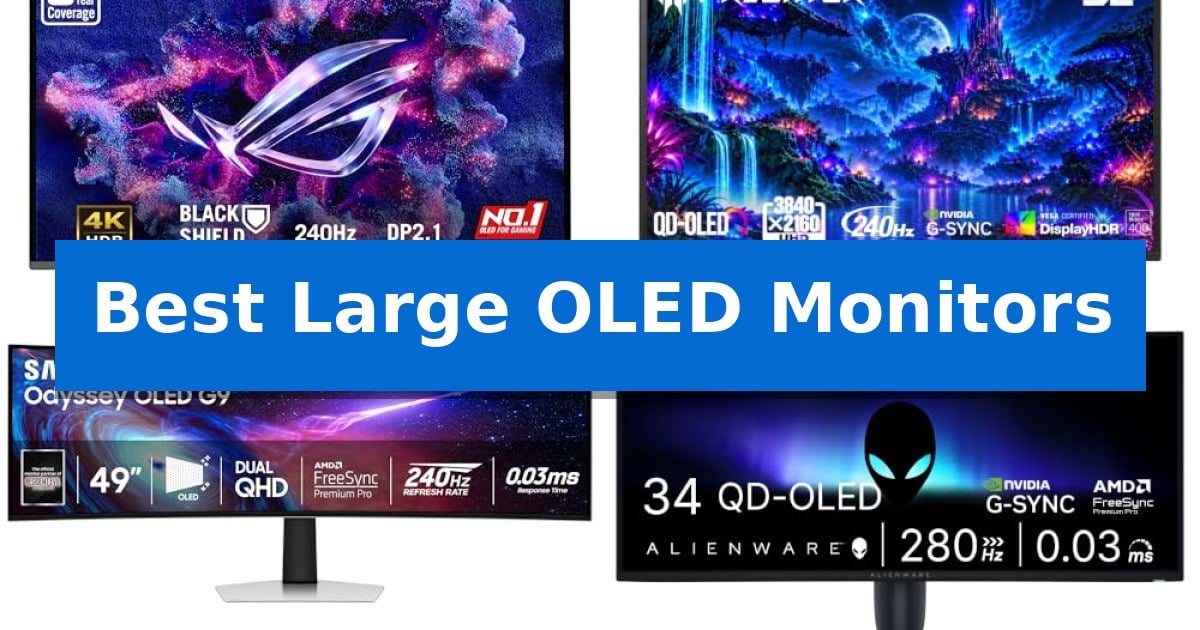
Finding the right display for a high-end setup requires balancing screen real estate with technical performance. Whether you are looking for a massive ultrawide canvas for multitasking or a sharp 4K panel for competitive gaming, the latest generation of display technology offers significant improvements in color accuracy and motion clarity.
In this guide, we evaluate the Best Large OLED Monitors currently available to help you navigate the trade-offs between resolution, refresh rates, and physical dimensions. By focusing on core specifications like response times and connectivity, we aim to clarify which model best suits your specific desk space and hardware requirements.
Best Large OLED Monitors in 2026: Elevate Your Gaming Immersion
Quick Comparison
| Product | Best For | Key Strength | Score |
|---|---|---|---|
| ASUS ROG PG32UCDM3 Gaming Monitor | Best Overall | BlackShield Film Technology for improved durability and contrast. | 4.9 |
| Acer Predator X32 X Gaming Monitor | Immersive Curved 4K | 240Hz refresh rate and 0.03ms response time for fluid gaming. | 4.8 |
| Samsung Odyssey G93SC Gaming Monitor | Ultrawide Desktop Immersion | 0.03ms (GTG) response time for near-instant reaction. | 4.8 |
| Alienware AW3426DW Gaming Monitor | High-Speed Ultrawide | 280Hz refresh rate and 0.03ms response time for fluid motion. | 4.8 |
How We Chose
- Panel performance including resolution, refresh rate, and response time.
- Connectivity options such as HDMI 2.1, DisplayPort 2.1, and USB-C power delivery.
- Ergonomic features like stand adjustability and curvature radius.
- Integrated protective features designed to mitigate image retention risks.
- HDR capabilities and color gamut coverage for accurate visual reproduction.
1 ASUS ROG PG32UCDM3 Gaming Monitor — Premium 4K Clarity
The ASUS ROG PG32UCDM3 distinguishes itself with BlackShield Film Technology, which enhances panel hardness for improved scratch resistance while simultaneously boosting perceived black levels by up to 40%. This 32-inch monitor is built around a 4K QD-OLED display, delivering a high-fidelity visual experience for users who prioritize image depth and color accuracy.
Engineered for high-speed performance, the display features a 240 Hz refresh rate and an ultra-fast 0.03ms response time. These specifications ensure fluid motion, while the VESA DisplayHDR 500 True Black compliance and **Delta E
Usability is enhanced by the Neo Proximity Sensor, which forms part of the Advanced OLED Care Pro suite. This sensor detects user presence to automatically manage screen states, helping to mitigate burn-in risks during periods of inactivity. The DisplayWidget Center software further simplifies maintenance by enabling auto firmware updates and seamless settings management across different devices.
Connectivity is robust, featuring DisplayPort 2.1 UHBR20 with 80Gbps bandwidth, HDMI 2.1, and USB-C with 90W Power Delivery. These options provide a versatile foundation for multi-device setups, including support for modern consoles like the PS5 and Xbox, while the included 3-year warranty covers burn-in to provide long-term peace of mind.
Best for: Competitive gamers and creative professionals who require a high-refresh 4K OLED display with advanced burn-in protection and modern connectivity.
Skip if: Users who require a smaller form factor or those who do not need the high-bandwidth capabilities of DisplayPort 2.1 for their current hardware setup.
PROS
- BlackShield Film Technology for improved durability and contrast.
- Advanced OLED Care Pro with proximity sensing to protect the panel.
- DisplayPort 2.1 UHBR20 support for high-bandwidth connectivity.
- 90W USB-C Power Delivery for convenient device charging.
CONS
- Large 32-inch footprint may be restrictive for smaller desk spaces.
2 Acer Predator X32 X Gaming Monitor — Immersive Curved 4K
The Acer Predator X32 X Gaming Monitor utilizes a 31.5-inch 4K UHD quantum dot OLED panel to deliver high-contrast visuals and deep blacks, making it a distinctive choice for users prioritizing image quality in large-format displays. Its 1700R curvature is engineered to wrap around the user's field of vision, aiming to provide an immersive environment for gaming and media consumption.
Performance is driven by a 240Hz refresh rate paired with a 0.03ms (G to G) response time, which supports fluid motion during fast-paced gameplay. The display covers 99% of the DCI-P3 color gamut and features VESA DisplayHDR True Black 400 certification, ensuring vibrant color reproduction and precise luminance control for dark scenes.
Connectivity options include two HDMI 2.1 ports, two DisplayPort inputs, and a USB-C port with 65W power delivery, allowing for integration with various gaming rigs and peripherals. The included ergonomic stand supports tilt, swivel, and height adjustments, enabling users to customize their viewing angle for extended sessions.
To maintain panel longevity, the monitor incorporates image retention refresh technology. While the 31.5-inch size offers a expansive canvas, the 1700R curve and 16:9 aspect ratio are specifically optimized for a focused, single-user gaming setup rather than multi-monitor productivity workstations.
Best for: Gamers seeking an immersive, high-refresh-rate 4K OLED experience with flexible ergonomic adjustments.
Skip if: Users who require a flat panel for professional graphic design work or those with limited desk space for a 31.5-inch curved display.
PROS
- 240Hz refresh rate and 0.03ms response time for fluid gaming.
- 4K UHD QD-OLED panel with 99% DCI-P3 color gamut.
- Versatile connectivity including HDMI 2.1 and 65W USB-C charging.
- Adjustable ergonomic stand for tilt, swivel, and height.
CONS
- Large 31.5-inch footprint may not suit all desk configurations.
- Curved 1700R display is less ideal for traditional productivity tasks compared to flat monitors.
3 Samsung Odyssey G93SC Gaming Monitor — Ultrawide Desktop Immersion
The Samsung Odyssey G93SC Gaming Monitor features a remarkably slim 4.5mm profile, housing a high-performance QD-OLED panel that brings expansive visuals to life. This ultrawide display is designed for those who require maximum screen real estate, utilizing an 1800R curvature to wrap around the user's field of vision for increased depth and engagement.
Engineered for competitive gaming, the monitor achieves a 0.03ms (GTG) response time and a 240Hz refresh rate. These specifications are supported by both G-Sync compatibility and FreeSync Premium Pro, which work to maintain synchronization between the GPU and the panel to prevent screen-lag and image tearing during fast-paced action.
The display utilizes DisplayHDR True Black 400 to provide deep, accurate blacks and high contrast without pixel light bleed. Connectivity is handled through HDMI 2.1 and DisplayPort inputs, while an integrated USB Hub allows for peripheral management. The Auto Source Switch+ feature simplifies multi-device setups by automatically detecting and switching to active input signals.
For multitasking, the Picture-by-Picture mode allows users to split the screen to display two separate inputs at their native resolution simultaneously. The unit includes an adjustable stand to assist with ergonomic positioning, ensuring that the expansive 49-inch display can be integrated into various desktop environments effectively.
Best for: Gamers and power users who require an expansive, ultrawide workspace with high-speed response times for immersive, multi-source setups.
Skip if: Users with limited desk space or those who prefer a standard 16:9 aspect ratio for traditional productivity tasks may find the 49-inch curved form factor impractical.
PROS
- 0.03ms (GTG) response time for near-instant reaction.
- 240Hz refresh rate supported by G-Sync and FreeSync Premium Pro.
- QD-OLED technology providing high color accuracy and true black levels.
- Picture-by-Picture functionality for efficient multi-device workflows.
CONS
- Large 49-inch footprint requires significant desk space.
- 1800R curvature may not suit all professional non-gaming applications.
4 Alienware AW3426DW Gaming Monitor — High-Speed Ultrawide
Achieving a fluid gaming experience requires hardware that keeps pace with rapid frame rates, and the Alienware AW3426DW Gaming Monitor addresses this with a high-speed 280Hz refresh rate and a near-instant 0.03ms response time. This ultrawide display utilizes QD-OLED Penta Tandem technology, providing a 21:9 aspect ratio and an 1800R curve designed to pull the user into the center of the action.
Visual fidelity is prioritized through DisplayHDR True Black 500 certification and Dolby Vision support, which work alongside an infinite contrast ratio to deliver deep blacks and vibrant highlights. The inclusion of a new RGB stripe subpixel layout is specifically engineered to improve text clarity, addressing a common concern with previous OLED panel generations. For motion clarity, the monitor includes NVIDIA G-SYNC Compatible, AMD FreeSync Premium Pro, and VESA AdaptiveSync to eliminate screen tearing.
The physical design follows the Alienware 30 aesthetic, incorporating AlienFX lighting and a 360-degree ventilation system to manage thermals during extended sessions. Connectivity is handled via two HDMI 2.1 ports, one DisplayPort 1.4, and a USB-C port with 15W power delivery. Cable management is integrated into the stand to maintain a clean workspace.
Longevity is a core focus, with the manufacturer including an enhanced anti-burn-in AI algorithm and a specialized graphite sheet to dissipate heat. This hardware-level protection is supported by a 3-year warranty that explicitly covers OLED burn-in, providing a safety net for users concerned about long-term display health.
Best for: Competitive gamers and enthusiasts who require high refresh rates and deep contrast in an ultrawide format.
Skip if: Users who prioritize a flat panel display or those whose primary workflow involves static productivity tasks for extended hours may prefer alternative panel technologies.
PROS
- 280Hz refresh rate and 0.03ms response time for fluid motion.
- QD-OLED Penta Tandem panel with improved RGB stripe subpixel layout.
- Comprehensive 3-year warranty including OLED burn-in coverage.
- Dolby Vision and DisplayHDR True Black 500 for high-end visual depth.
CONS
- 1800R curve may not suit users who prefer flat screens for professional design work.
- 15W USB-C power delivery is insufficient for charging high-performance laptops.
Best Large OLED Monitors Buying Guide
Understanding OLED Panel Technology
OLED technology is prized for its infinite contrast ratio and ability to produce true blacks by turning off individual pixels. Unlike traditional LED or LCD screens, OLEDs do not require a backlight, which allows for thinner designs and faster pixel response times, often reaching as low as 0.03ms.
When shopping for these displays, it is important to consider the subpixel layout, which can impact text clarity for productivity tasks. Many modern panels have been refined to improve sharpness, making them more versatile for both creative work and gaming.
Resolution and Refresh Rate Considerations
The balance between 4K resolution and high refresh rates is critical for visual fidelity. A 32-inch 4K monitor provides a high pixel density that is excellent for detail-oriented tasks, while ultrawide models offer an expansive field of view that can enhance immersion in simulation games.
A 240Hz refresh rate or higher ensures that motion remains fluid during fast-paced action. Ensure your graphics card supports the necessary bandwidth, particularly if you are utilizing high-speed connections like DisplayPort 2.1 or HDMI 2.1 to drive these high-resolution panels at their maximum potential.
Connectivity and Peripheral Integration
Modern monitors often serve as the hub for your entire desk setup. Features like USB-C Power Delivery allow you to charge laptops or peripherals directly through the monitor, reducing cable clutter. High-bandwidth ports are essential for maintaining full resolution and refresh rate without compression.
Consider how many devices you plan to connect simultaneously. Monitors with multiple inputs, such as HDMI 2.1 and DisplayPort, provide the flexibility to switch between a PC, a gaming console, and other devices without needing to swap cables.
Ergonomics and Physical Footprint
Large monitors require significant desk space and careful placement. Curved displays are designed to wrap around your field of vision, which can reduce eye strain and improve focus on ultrawide models. Check the dimensions of the stand to ensure it fits your specific workspace.
Adjustability is key to long-term comfort. Look for stands that offer tilt, swivel, and height adjustments. If your desk space is limited, consider whether the monitor is compatible with standard VESA mounts to free up surface area.
Protecting Your Investment
OLED panels are susceptible to image retention if static elements are left on the screen for extended periods. Many manufacturers now include OLED Care features, such as proximity sensors or pixel-shifting algorithms, to help preserve panel health.
Review the warranty terms provided by the manufacturer, specifically regarding burn-in coverage. A comprehensive warranty provides peace of mind, ensuring that your display remains a reliable part of your setup for years to come.
Frequently Asked Questions
What is the main advantage of QD-OLED over standard OLED?
QD-OLED technology combines Quantum Dot layers with OLED panels to achieve higher peak brightness and more vibrant color reproduction while maintaining the deep black levels characteristic of OLED.
Do I need a specific cable for 240Hz at 4K?
Yes, to achieve high refresh rates at 4K resolution, you should use high-bandwidth cables such as HDMI 2.1 or DisplayPort 2.1 to ensure the signal is not throttled.
Are these monitors good for office work?
While excellent for media and gaming, OLED monitors are also great for productivity. However, users should be mindful of static UI elements and utilize features like dark mode or screen savers to prevent image retention.
What is the benefit of a curved screen?
A curved screen helps maintain a consistent distance between your eyes and the edges of the display, which can enhance immersion and reduce the need for head movement on wider monitors.
How do I prevent burn-in on my OLED monitor?
You can mitigate burn-in by using built-in OLED care software, setting your screen to turn off after inactivity, and avoiding keeping static images or taskbars on the screen for long durations.
Conclusion: Our Top Pick
Choosing the right monitor depends heavily on your primary use case, whether that is high-fidelity 4K gaming or expansive ultrawide productivity. Each of the models reviewed offers unique strengths, from advanced connectivity to specialized panel technologies designed for longevity.
For those seeking the best balance of features, the ASUS ROG PG32UCDM3 Gaming Monitor stands out as our top recommendation. Its combination of a high-resolution 4K QD-OLED panel, robust connectivity options, and dedicated OLED care features makes it a versatile and reliable centerpiece for any high-end gaming or creative workstation.