
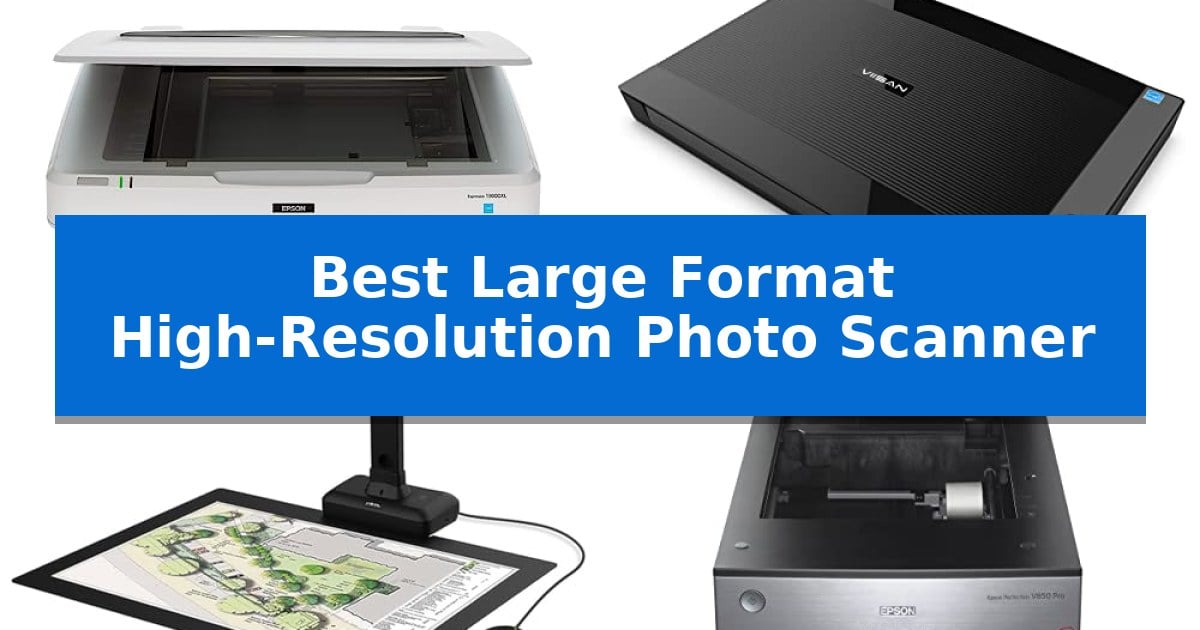
Preserving oversized memories or professional artwork requires specialized hardware that can capture fine detail across a larger surface area. Finding the Best Large Format High-Resolution Photo Scanner involves balancing your need for optical clarity with the physical dimensions of your media, whether you are archiving family photo albums or digitizing large-scale documents.
This guide examines five distinct scanning solutions, ranging from professional flatbeds designed for archival-quality prints to versatile overhead cameras that handle bound books and thick objects. By understanding the trade-offs between sensor types and capture methods, you can select the tool that best fits your specific digitization project.
Best Large Format High-Resolution Photo Scanner in 2026
Quick Comparison
| Product | Best For | Key Strength | Score |
|---|---|---|---|
| Epson Expression 13000XL Photo Scanner | Best Overall | Large 12.2" x 17.2" scanning area for oversized photos and documents. | 4.9 |
| VIISAN 3120 A3 Flatbed Scanner | Fast Wide Area Digitization | Large 11.98" x 16.8" scanning area for oversized documents. | 4.8 |
| VIISAN S21 Large Format Scanner | Overhead Capture for Oversized Media | A2 large format capture capability for oversized media. | 4.6 |
| Epson Perfection V850 Pro Scanner | Advanced Dual Lens Precision | Exclusive dual lens system for optimized scanning results. | 4.8 |
| Epson Perfection V600 Photo Scanner | Versatile Film and Print Restoration | Built-in Transparency Unit for versatile film scanning. | 4.8 |
How We Chose
- Maximum scanning area dimensions to ensure compatibility with your largest prints or documents.
- Optical resolution capabilities, measured in DPI, to determine the level of detail captured.
- Sensor technology, such as CCD or CIS, and its impact on depth of field and color accuracy.
- Software integration, including support for TWAIN drivers and automated restoration tools.
- Physical form factor and its suitability for either flat media or three-dimensional objects.
1 Epson Expression 13000XL Photo Scanner — Professional Grade Large Format
The Epson Expression 13000XL Photo Scanner provides a specialized solution for digitizing large-format media, featuring a generous scanning area of 12.2" x 17.2". This flatbed scanner is engineered for high-fidelity archival work, utilizing Epson MatrixCCD and ReadyScan LED technologies to ensure color accuracy and detail for professional-grade results.
Performance is driven by a high optical resolution of 2400 x 4800 dpi combined with Epson Micro Step Drive technology, which helps maintain clarity across large documents. The unit includes Easy Photo Fix technology, a one-touch feature designed to restore faded colors and automatically remove dust from aging photographs, simplifying the preparation of historical collections.
For users requiring versatile media handling, the scanner supports batch scanning to improve workflow efficiency when processing multiple images. While the base unit is optimized for reflective media, it can be expanded with an optional Transparency Unit (sold separately) to accommodate film up to 12" x 16.5", making it a adaptable tool for diverse archival needs.
Integration into existing digital environments is facilitated by the included TWAIN driver and LaserSoft Imaging SilverFast Ai software, which comes with calibration targets to ensure consistent output. The scanner is built for demanding environments, though its substantial footprint requires a dedicated workspace to accommodate its 25.8" width and 31.5-pound weight.
Best for: Professional photographers, archivists, and institutions requiring high-resolution, large-format digitization of reflective media and film.
Skip if: Users with limited desk space or those who only require standard letter-sized scanning will find this large-format unit unnecessarily bulky and expensive.
PROS
- Large 12.2" x 17.2" scanning area for oversized photos and documents.
- High 2400 x 4800 dpi resolution for professional-grade detail.
- Easy Photo Fix technology for automated restoration of faded images.
- SilverFast Ai software included for precise color management.
CONS
- Large physical footprint requires significant dedicated workspace.
- Transparency Unit sold separately for film scanning capabilities.
2 VIISAN 3120 A3 Flatbed Scanner — Fast Wide Area Digitization
Digitizing large-scale documents requires a specialized tool capable of handling expansive dimensions without sacrificing image clarity. The VIISAN 3120 A3 Flatbed Scanner addresses this need with a generous scanning area of 11.98" x 16.8", making it a practical solution for archiving oversized items like painting albums, CAD drawings, and newspapers.
Engineered for efficiency, the device features a frameless and narrow boundary design that simplifies the placement of thick books or magazines. Its Auto-Scan function streamlines workflows by initiating the capture process as soon as the lid is closed, while the integrated LED light source eliminates the need for warm-up time, allowing for immediate operation.
The scanner achieves a maximum optical resolution of 1200 x 1200 dpi, providing 48-bit color depth for detailed image reproduction. Users can reach these high-resolution settings using the supplied ViiScan software, which is compatible with both Windows and MacOS environments. For faster, routine tasks, it delivers an A3-size color scan in approximately 8 seconds at 200 dpi.
Compatibility is straightforward, as the unit includes a universal power adapter suitable for global voltage standards. It supports standard drivers including TWAIN and WIA for Windows, and ICA for MacOS. To maintain optimal results, the manufacturer recommends periodic cleaning of the scanner glass to prevent the appearance of white lines during the digitization process.
Best for: Users needing to digitize large-format documents up to A3 size, such as graphic designers, librarians, and those archiving photo albums or technical drawings.
Skip if: Users requiring the digitization of three-dimensional objects, as the CIS sensor technology is strictly limited to flat paper-based media.
PROS
- Large 11.98" x 16.8" scanning area for oversized documents.
- Fast 8-second scan speed at 200 dpi for high-efficiency batch work.
- Frameless design facilitates easy placement of thick books and magazines.
- Universal power compatibility for worldwide use without extra converters.
CONS
- CIS sensor limitations prevent the scanning of three-dimensional items.
- WIA driver resolution cap of 600 dpi on Windows systems.
3 VIISAN S21 Large Format Scanner — Overhead Capture for Oversized Media
Digitizing oversized media requires a specialized approach that standard flatbed scanners often cannot accommodate. The VIISAN S21 Large Format Scanner addresses this by utilizing an overhead camera design, allowing users to capture documents, maps, and journals up to A2 size without the constraints of a glass platen.
This device offers a high-resolution output of up to 26MP, providing the clarity necessary for detailed archival work. Its height-adjustable design and 90-degree foldable hinge allow for versatile positioning, while the included software provides essential post-processing tools such as auto-flattening for curved book pages and fingerprint removal, which are vital for maintaining document integrity during the scanning process.
For those managing large collections, the integrated OCR (Optical Character Recognition) functionality simplifies the transition from physical to digital by converting scans into editable formats like Word, Excel, or searchable PDFs. The scanner also features a built-in 3-level LED light control, ensuring consistent illumination across the capture area, provided the environment is not overly bright or reflective.
Compatibility is a key consideration for this unit, as the bundled OfficeCam software is designed specifically for x64 and x86 architectures on Windows and macOS. Users should note that this scanner is not compatible with ARM-based devices such as the Surface Pro X, making it essential to verify system architecture before integration into a workflow.
Best for: Archivists and professionals needing to digitize large-format documents, maps, or bound books up to A2 size using an overhead capture method.
Skip if: Users operating on ARM-based hardware or those requiring a traditional flatbed scanner for high-glare, reflective photographic prints.
PROS
- A2 large format capture capability for oversized media.
- Intelligent software features including auto-flattening and OCR.
- Adjustable overhead design with a 90-degree foldable hinge.
- High-resolution 26MP sensor for detailed image capture.
CONS
- Incompatibility with ARM-based devices such as the Surface Pro X.
- Not recommended for highly reflective or glary papers.
4 Epson Perfection V850 Pro Scanner — Advanced Dual Lens Precision
Preserving analog archives requires a specialized approach to optical clarity and light management. The Epson Perfection V850 Pro Photo Scanner is engineered for this task, utilizing an exclusive dual lens system that automatically toggles between lenses to maintain high-resolution focus across various media types. This design choice ensures that users can transition between different film formats and reflective documents without sacrificing image sharpness.
For professional-grade digital reproduction, the device features a 6400 dpi resolution capable of capturing intricate textures and fine details. The integration of a 4.0 Dmax LED array provides an expansive tonal range, which is critical for maintaining deep shadow detail and smooth color transitions in high-contrast images. This hardware configuration is designed to support demanding archival workflows where color accuracy and dynamic range are paramount.
Practical utility is enhanced by Digital ICE technology, which automates the removal of surface defects like dust and scratches from physical film and prints. This feature reduces the need for manual post-processing, streamlining the digitization process. With a weight of 20.9 pounds and a robust, stationary build, the scanner is optimized for consistent performance in a dedicated workspace rather than portable use.
Compatibility is maintained through support for a wide range of operating systems, including Windows and Mac OS X, facilitating integration into established professional environments. The unit includes a one-year warranty, providing a baseline of support for users managing intensive scanning projects.
Best for: Professional photographers and archivists requiring high-resolution digital conversion with advanced tonal range and integrated dust-removal technology.
Skip if: Users seeking a portable or lightweight scanning solution, as the 20.9-pound weight and stationary design are intended for permanent desktop placement.
PROS
- Exclusive dual lens system for optimized scanning results.
- 6400 dpi resolution for high-fidelity image capture.
- 4.0 Dmax LED array for superior tonal range and shadow detail.
- Digital ICE technology for automated image cleanup.
CONS
- Substantial physical footprint and weight may limit placement options.
- Stationary design is not intended for travel or frequent relocation.
5 Epson Perfection V600 Photo Scanner — Versatile Film and Print Restoration
Preserving high-quality film archives requires precision, and the Epson Perfection V600 Photo Scanner is engineered to handle diverse media formats with professional-grade detail. By integrating a built-in Transparency Unit directly into the lid, this flatbed scanner allows for the digitizing of 35mm slides, negatives, and medium-format film up to 6 x 22cm, alongside standard photos and documents.
The device achieves a maximum resolution of 6400 x 9600 dpi, which provides sufficient clarity for creating high-quality enlargements up to 17 x 22 inches. To streamline the workflow, it features ReadyScan LED technology, which eliminates the need for warm-up time, allowing for immediate operation while maintaining energy efficiency.
For those dealing with aged or damaged physical media, the scanner includes a comprehensive software suite. DIGITAL ICE technology is specifically designed to detect and remove dust and scratches from film, while Easy Photo Fix assists in restoring the color of faded prints. Four customizable buttons on the front panel provide quick access to common tasks like PDF creation and email attachments.
Connectivity is handled via a Hi-Speed USB 2.0 interface, ensuring a stable link to your computer. The package includes a variety of film holders to secure different media types, making it a versatile tool for photographers and archivists looking to convert analog collections into digital files.
Best for: Photographers and archivists requiring a versatile flatbed scanner capable of digitizing both reflective prints and various film formats at high resolution.
Skip if: Users who primarily need to scan large-format documents larger than 8.5 x 11.7 inches or those who require wireless network connectivity.
PROS
- Built-in Transparency Unit for versatile film scanning.
- ReadyScan LED technology for instant-on operation.
- DIGITAL ICE technology for automated dust and scratch removal.
- High 6400 x 9600 dpi resolution for detailed enlargements.
CONS
- Wired USB 2.0 connectivity only.
- Limited to 8.5 x 11.7 inch maximum document size.
Best Large Format High-Resolution Photo Scanner Buying Guide
Understanding Scanning Sensors
The two primary sensor technologies found in these devices are CCD (Charge-Coupled Device) and CIS (Contact Image Sensor). CCD sensors typically offer a greater depth of field, making them ideal for scanning items that are not perfectly flat, such as textured art or slightly warped photos.
CIS sensors are generally more compact and energy-efficient, often resulting in a thinner scanner profile. While they are highly effective for standard documents and flat photos, they may struggle with items that have significant surface irregularities or thickness.
Resolution and DPI Requirements
Optical resolution is the most critical factor for high-quality digital archiving. A higher DPI (dots per inch) allows you to enlarge small photos or capture intricate details in artwork without pixelation. For professional restoration, look for scanners that offer at least 2400 DPI.
Keep in mind that higher resolution settings result in larger file sizes and longer scan times. Ensure your computer has sufficient storage and processing power to handle high-resolution files, especially when performing batch scanning of multiple images.
Flatbed vs. Overhead Capture
Flatbed scanners provide the most consistent results for reflective media like photographs and flat art. They ensure the document remains perfectly flush against the glass, which is essential for maintaining focus across the entire surface area.
Overhead scanners offer superior versatility for bound books, magazines, and 3D objects. Because they do not require the item to be pressed against a glass surface, they prevent damage to fragile spines and allow for the rapid digitization of thick, non-flat materials.
Software and Workflow Efficiency
The included software package can significantly reduce your post-processing time. Features like automatic dust removal, color restoration, and OCR (Optical Character Recognition) allow you to turn faded or damaged originals into clean, editable digital files.
Check for TWAIN driver compatibility, which ensures the scanner will work seamlessly with your existing photo editing or document management software. This integration is vital for maintaining a streamlined workflow in professional or archival settings.
Handling Oversized Media
Before purchasing, verify the maximum scan area against your largest media. While some scanners are designed for A3 or A2 sizes, others may be limited to standard letter or legal formats. Always account for the physical footprint of the scanner on your desk as well.
If you frequently scan film or negatives, ensure the device supports an optional transparency unit. This specialized hardware is necessary for backlit scanning, which is distinct from the reflective scanning used for prints and documents.
Frequently Asked Questions
Can I scan 3D objects with a flatbed scanner?
Most flatbed scanners use a CIS sensor with a very shallow depth of field, which is not designed for 3D objects. Attempting to scan thick items may result in blurred images or damage to the scanner glass.
What is the difference between optical and interpolated resolution?
Optical resolution is the actual physical detail the sensor can capture. Interpolated resolution is a software-enhanced estimate that fills in pixels, which does not add genuine detail to the image.
Do I need special software to use these scanners?
Most scanners come with proprietary software, but they also include TWAIN or WIA drivers that allow them to interface with standard imaging applications like Adobe Photoshop or Windows Image Capture.
How do I clean my scanner if lines appear in my scans?
Lines are usually caused by dust or debris on the scanner glass or the internal calibration strip. Use a soft, lint-free cloth and a mild glass cleaner to gently wipe the surface.
Can I scan large books without removing the pages?
Yes, an overhead document camera or book scanner is designed specifically for this purpose. These devices use software to flatten curved pages and remove fingers from the final image.
Conclusion: Our Top Pick
For those requiring the highest level of detail and color accuracy for large-format projects, the Epson Expression 13000XL Photo Scanner stands out as the most capable solution. Its combination of a 12.2" x 17.2" scanning area, 2400 x 4800 DPI resolution, and advanced Epson MatrixCCD technology makes it the premier choice for professional photo archiving and restoration.
While other models offer faster speeds or better handling of bound books, this scanner provides the necessary optical precision for high-end reproduction. If your primary goal is the long-term preservation of large-format prints and artwork, this device offers the best balance of quality and professional-grade features.