
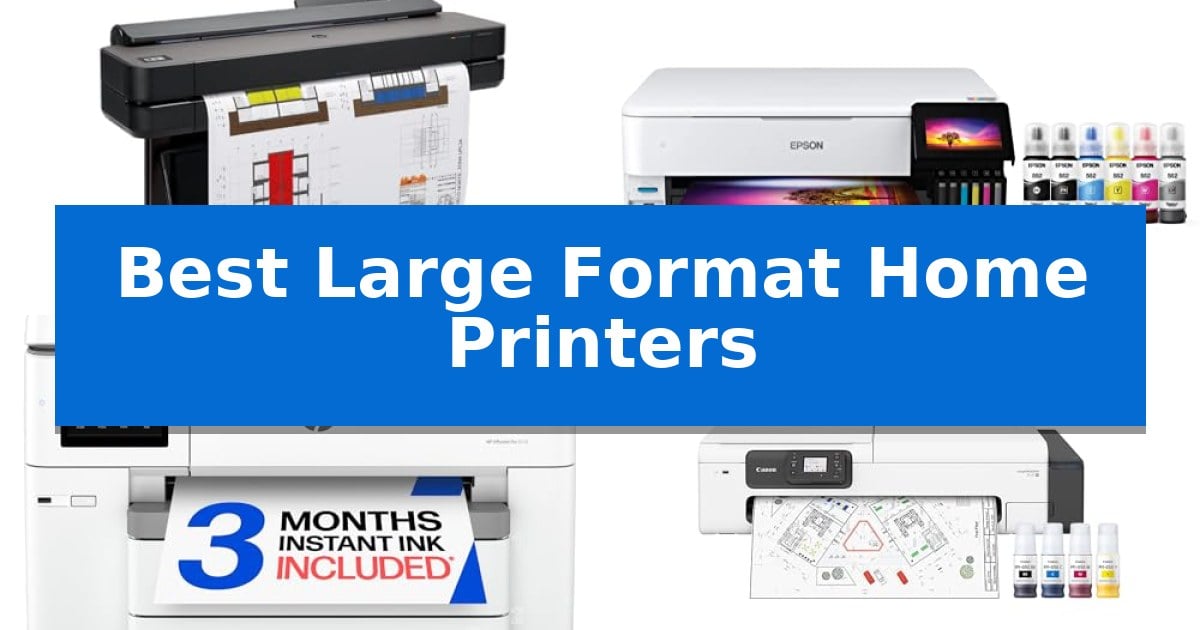
Finding the right equipment for oversized projects can be challenging when space and budget are limited. Whether you are an architect needing precise technical line-drawings or a creator looking to produce high-quality wide-format photography, selecting the right hardware is essential for professional results.
The Best Large Format Home Printers offer a balance of footprint, media handling, and output quality to transform your home studio or office. By focusing on specific needs like roll-feed capabilities or color accuracy, you can find a solution that fits your workflow without requiring a dedicated industrial print shop.
Best Large Format Home Printers in 2026
Quick Comparison
| Product | Best For | Key Strength | Score |
|---|---|---|---|
| HP DesignJet T650 Large Format Printer | Best Overall | Automatic sheet/roll switching for multi-size projects. | 4.9 |
| Epson EcoTank ET-8550 Wide-Format Printer | Most Cost-Effective Photo Printing | Cartridge-free printing significantly lowers the cost per photo. | 4.8 |
| HP OfficeJet Pro 9730 Wide-Format Printer | Best All-in-One for Offices | Wide-format printing up to 11×17 inches for professional documents. | 4.3 |
| Canon imagePROGRAF TC-21M Multifunction Printer | Easiest for Scanning and Enlarging | Integrated flatbed scanner for direct enlargements. | 4.9 |
| Epson Expression Photo HD XP-15000 Printer | Compact Pick for Photo Studios | 6-color Claria Photo HD ink system with red and gray for superior color accuracy. | 4.6 |
How We Chose
- Media flexibility, including support for both roll-fed and sheet-fed paper types.
- Connectivity options such as Wi-Fi, Ethernet, and direct USB printing for seamless integration.
- Print speed and efficiency for high-volume technical or creative tasks.
- Ease of use, including software support for file management and error checking.
- Physical footprint and suitability for home or small office environments.
1 HP DesignJet T650 Large Format Printer — Best for Precise Technical Drawings
The HP DesignJet T650 Large Format Printer simplifies professional workflows by integrating an automatic sheet feeder that allows for seamless switching between large-format 36-inch rolls and smaller 13-inch by 19-inch sheets. This design choice eliminates the need for manual media adjustments, making it a practical solution for architects and engineers who frequently alternate between technical line drawings and smaller reference documents.
Engineered for high-quality output, this plotter features HP Click Software which provides essential tools like PDF error checking and auto-nesting to reduce paper and ink waste. The device is built for efficiency, capable of producing A1/D size prints in as little as 25 seconds. With 1GB of memory and support for common design file formats including PDF, JPEG, TIFF, and HP-GL/2, it integrates directly into standard CAD applications.
Connectivity is handled through Gigabit Ethernet, Hi-Speed USB 2.0, and Wi-Fi 802.11, allowing for flexible placement within a workspace. Users can manage print jobs remotely via the HP Smart app on mobile devices or desktops. To ensure long-term reliability, the unit includes a 2-year HP Care Pack with onsite support, providing a safety net for professional environments.
While the printer offers robust performance for technical documents, its footprint of 52 inches in width requires a dedicated space in an office or studio. The use of HP 712 Original Ink and the HP 713 Printhead ensures consistent quality, though users should account for the physical dimensions when planning their installation.
Best for: Architects, engineers, and construction professionals who require precise, high-speed technical line drawings and flexible media handling.
Skip if: Users with limited floor space or those who do not require large-format 36-inch printing capabilities should consider a standard wide-format desktop printer.
PROS
- Automatic sheet/roll switching for multi-size projects.
- HP Click Software reduces paper and ink waste through auto-nesting.
- 2-year onsite warranty support included.
- Remote management via the HP Smart app.
CONS
- Large physical footprint requires significant dedicated office space.
- Specific ink and printhead requirements limit third-party supply options.
2 Epson EcoTank ET-8550 Wide-Format Printer — Most Cost-Effective Photo Printing
Achieving professional-grade prints at home requires a device capable of handling diverse media sizes without the constant overhead of traditional ink cartridges. The Epson EcoTank Photo ET-8550 Wireless Wide-Format All-in-One Tank Printer addresses this by utilizing a high-capacity, cartridge-free 6-color ink system designed for creators and home studios. By moving away from standard cartridges, this unit allows for large-format printing up to 13 x 19 inches, making it a versatile tool for photographers and designers who require precision and scale.
The core of this system is the Claria ET Premium 6-color ink set, which is engineered to produce vibrant colors and sharp text. This printer is built for efficiency, offering a significant reduction in long-term costs; printing 4" x 6" photos can cost approximately 4 cents each compared to the 40 cents typically associated with traditional ink cartridges. The inclusion of high-yield ink bottles means users can print up to 6,200 color pages, effectively providing up to two years of ink right out of the box.
Beyond its primary printing capabilities, the Epson EcoTank ET-8550 functions as a comprehensive all-in-one device, offering scanning and copying features. Its design emphasizes sustainability by eliminating the waste associated with disposable cartridges, as each replacement ink bottle set is equivalent to roughly 100 individual ink cartridges. This approach not only reduces landfill contributions but also minimizes the frequency of maintenance interruptions during large creative projects.
With dimensions of 20.6 inches in width and 16.9 inches in height, the unit is substantial, weighing 24.5 pounds. It is designed to fit into a dedicated workspace, providing a stable platform for high-accuracy print jobs. The combination of wireless connectivity and a robust, high-accuracy printhead ensures that users can manage complex graphics and detailed photography with consistent output quality.
Best for: Creators and home studio users who require high-volume, wide-format photo and graphic printing with a focus on low-cost, sustainable ink usage.
Skip if: Users with limited desk space or those who only require standard letter-sized document printing, as the wide-format footprint and specialized photo ink system may be excessive for basic needs.
PROS
- Cartridge-free printing significantly lowers the cost per photo.
- Supports wide-format printing up to 13 x 19 inches.
- Includes up to 2 years of ink in the box for extended use.
- Reduces environmental impact through zero cartridge waste.
CONS
- Large physical footprint requires a dedicated workspace.
- Higher initial investment compared to standard home printers.
3 HP OfficeJet Pro 9730 Wide-Format Printer — Best All-in-One for Offices
Managing large-scale documents requires hardware that balances precision with physical capacity. The HP OfficeJet Pro 9730 Wide-Format Wireless All-in-One Color Inkjet Printer addresses this by offering native support for printing up to 11×17 inch media, making it a functional choice for floorplans, mood boards, and complex spreadsheets.
Engineered for high-volume office environments, this model includes two 250-sheet input trays and an automatic document feeder capable of single-pass, two-sided scanning. These features are designed to streamline workflows that involve digitizing or reproducing multi-page documents, reducing the need for manual intervention during large print or scan jobs.
The device distinguishes itself with a P3 color gamut, providing screen-accurate output for professional design tasks. Users can manage these functions via a 4.3-inch color touchscreen, while the integrated HP AI software assists in formatting web pages and emails to prevent layout errors and wasted paper.
Connectivity and security are prioritized through dual-band Wi-Fi with automatic connection recovery and the inclusion of HP Wolf Pro Security to defend against network-based threats. Built with over 30% recycled plastic, the printer also incorporates a subscription-based ink delivery service to manage supply levels automatically.
Best for: Professional office environments requiring wide-format printing capabilities for technical documents, floorplans, and design layouts.
Skip if: Users with limited desk space or those who do not require wide-format 11×17 printing will find the large footprint of this device unnecessary.
PROS
- Wide-format printing up to 11×17 inches for professional documents.
- P3 color gamut support for screen-accurate color reproduction.
- Dual 250-sheet input trays to minimize paper reloading.
- HP Wolf Pro Security for integrated network protection.
CONS
- Large physical footprint requires significant dedicated office space.
- Subscription-based ink service requires ongoing management after the initial trial.
4 Canon imagePROGRAF TC-21M Multifunction Printer — Easiest for Scanning and Enlarging
Streamlining large-format output requires a device that balances physical footprint with versatile media handling. The Canon imagePROGRAF TC-21M Multifunction Printer distinguishes itself by integrating a flatbed scanner directly into a 24-inch plotter, enabling users to create enlargements from smaller originals without needing external equipment.
Designed for efficiency, this unit features an automatic roll and cut sheet paper feeder, which simplifies the transition between different project types. Users can manage tasks via a 2.7-inch tiltable touchscreen LCD, providing a centralized interface for navigation and status monitoring. This setup is particularly useful for environments where space is at a premium but large-format capabilities are required.
Connectivity options are built for modern workflows, including USB, Wi-Fi, and LAN support. A dedicated USB flash drive port allows for direct printing, while integrated cloud printing and scanning capabilities facilitate remote document management. The auto sheet feeder adds further flexibility, supporting up to 100 sheets of letter-size paper or 50 sheets of 11-inch by 17-inch paper.
This printer fits into professional or home office settings where the ability to scan, copy, and print in large formats is a daily necessity. By combining plotting and scanning into a single 38-inch wide footprint, it minimizes the need for multiple machines while maintaining a focus on high-utility document handling.
Best for: Users who need an all-in-one solution for scanning, copying, and printing large-format documents in a compact office space.
Skip if: Users who require high-speed production printing or specialized color-critical graphic design output beyond the standard capabilities of this multifunction plotter.
PROS
- Integrated flatbed scanner for direct enlargements.
- Versatile paper handling with auto roll and sheet feeding.
- Direct printing via USB flash drive port.
- Cloud connectivity for remote printing and scanning.
CONS
- Limited to 24-inch width, which may not suit all large-format professional needs.
5 Epson Expression Photo HD XP-15000 Printer — Compact Pick for Photo Studios
The Epson Expression Photo HD XP-15000 is engineered for photographers and home studios requiring high-quality, wide-format output. This device supports borderless printing up to 13 inches by 19 inches, utilizing a 6-color Claria Photo HD ink system that incorporates dedicated gray and red inks to achieve an ultra-wide color gamut and refined black-and-white tonal range.
Designed with a focus on space efficiency, this A3 plus printer features an ultra-compact footprint, measuring 30 percent smaller than previous iterations to fit comfortably on most desktops. It balances professional output with versatile media handling, including a 50-sheet rear tray specifically configured for specialty media like cardstock.
For high-volume document tasks, the unit includes a 200-sheet front tray and supports automatic 2-sided printing. The system is designed to be used exclusively with Epson Genuine Cartridges to maintain print quality and warranty coverage, and it features Dash Replenishment to track ink levels and automate ordering when supplies run low.
While it offers significant versatility for creative projects, users should note that the printing system is strictly optimized for genuine ink, and the unit is tailored primarily for photo-centric workflows rather than high-speed office document production.
Best for: Photographers and home studio creators who need professional-grade, wide-format photo printing in a space-saving design.
Skip if: Users who require a high-speed office document printer or those who prefer using third-party ink alternatives.
PROS
- 6-color Claria Photo HD ink system with red and gray for superior color accuracy.
- Supports borderless printing up to 13 x 19 inches.
- Ultra-compact design that is 30% smaller than its predecessor.
- Dedicated 50-sheet rear tray for specialty media and cardstock.
CONS
- Exclusive use of Epson Genuine Cartridges required for warranty and system health.
- Moderate print speed of up to 9.2 ppm.
Best Large Format Home Printers Buying Guide
Understanding Media Handling
Large format printing relies heavily on how a device manages paper. Printers that support roll-fed media are essential for long banners or multiple technical drawings, as they allow for continuous printing without manual sheet replacement.
Conversely, an automatic sheet feeder is vital for smaller, high-quality projects. Look for models that offer an automatic switch between these sources to save time and reduce paper waste during complex jobs.
Connectivity and Workflow Integration
Modern printers should integrate directly into your existing digital workspace. Features like Gigabit Ethernet and Wi-Fi 802.11 connectivity allow you to print from multiple devices, including smartphones and tablets, using dedicated apps.
Software integration is equally important. Tools that support PDF error checking and auto-nesting help optimize paper usage, ensuring that your files are printed with precision and minimal manual intervention.
Color Accuracy and Print Quality
For creative professionals, the color gamut is a primary concern. Printers utilizing 6-color ink systems or specialized color profiles like P3 provide a wider range of vibrant, screen-accurate colors compared to standard four-color models.
Technical users, however, may prioritize line-quality and crisp text. In these cases, look for printers designed specifically for CAD applications that can render fine details without bleeding or blurring.
Maintenance and Long-Term Costs
The cost of ink and routine maintenance can significantly impact the total value of your printer. Models that offer cartridge-free ink tanks or high-yield bottles can drastically lower the cost per page compared to traditional ink cartridges.
Consider the maintenance requirements of the printhead. Some units are designed to use significantly less ink during routine cleaning cycles, which provides long-term efficiency for users who print intermittently.
Space and Ergonomics
Even 'large format' printers vary significantly in size. Before purchasing, measure your available workspace, including the clearance needed for the paper bin and the rear tray for specialty media.
Some compact models are designed to be 30% smaller than predecessors, making them suitable for home studios, while others are built as floor-standing plotters that require a dedicated corner of the room.
Frequently Asked Questions
Can I print on cardstock with these printers?
Many wide-format printers feature a rear feed tray specifically designed to accommodate thicker specialty media like cardstock, though you should always verify the maximum paper weight supported by your specific model.
What is the difference between a plotter and a wide-format printer?
A plotter is typically optimized for technical line drawings and vector-based CAD files, while a wide-format printer is often more versatile, handling both high-resolution photography and graphic design projects.
Do I need a special computer to run these printers?
Most modern large format printers are compatible with standard Windows and macOS environments and connect via Wi-Fi or USB, though specialized CAD software may require specific drivers provided by the manufacturer.
How do I reduce ink costs for large format printing?
Choosing a printer with high-yield ink bottles or an ink subscription service can significantly reduce your cost per page. Additionally, using software that optimizes print nesting helps prevent paper and ink waste.
Are these printers difficult to set up?
Setup difficulty varies by model. Many consumer-focused wide-format printers feature intuitive touchscreens and mobile app integration that guide you through the initial configuration, while larger plotter units may require more assembly.
Conclusion: Our Top Pick
Selecting the right printer depends on whether your priority is technical precision or creative color reproduction. For those focused on architectural or engineering tasks, the HP DesignJet T650 Large Format Printer stands out due to its specialized handling of line drawings and efficient, automated workflow features.
If your work leans toward photography or graphic design, consider models that offer a wider color gamut and cartridge-free ink systems. Regardless of your choice, ensure the dimensions and connectivity options align with your home studio setup to maximize your productivity.