
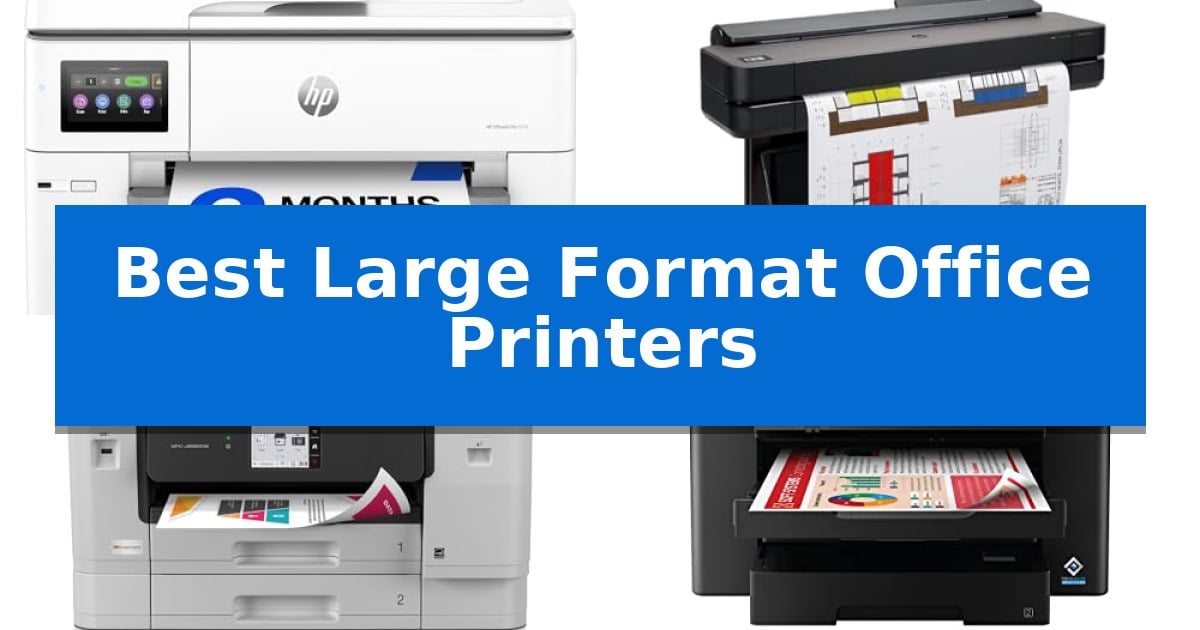
Finding the right equipment for oversized documents requires balancing print quality with functional workspace constraints. Whether you are an architect needing precise line work or a business requiring large-format spreadsheets, selecting from the Best Large Format Office Printers ensures your output remains professional and legible.
This guide evaluates top-tier wide-format solutions based on their specific output capabilities, media handling, and integration into modern office environments. We focus on identifying which machines offer the best balance of speed, color accuracy, and technical reliability for your specific professional needs.
Best Large Format Office Printers in 2026
Quick Comparison
| Product | Best For | Key Strength | Score |
|---|---|---|---|
| HP OfficeJet Pro 9730 All-in-One Printer | Best Overall | P3 color gamut support for superior, screen-accurate color reproduction. | 4.9 |
| HP DesignJet T650 Large Format Plotter | Best for Technical Blueprints | Automatic media switching between rolls and sheets. | 4.4 |
| Brother INKvestment MFC-J6960DW All-in-One Printer | High-Volume Business Productivity | 11’’x17’’ support for large-format printing, scanning, and copying. | 4.5 |
| Epson Workforce Pro WF-7310 Inkjet Printer | Fast Wide-Format Performance | Wide-format printing capability up to 13" x 19" | 4.8 |
| Epson EcoTank ET-15000 Supertank Printer | Lowest Cost Per Page | Wide-format printing capability up to 13 x 19 inches. | 4.8 |
How We Chose
- Media Versatility: Evaluating support for various paper sizes, including 11×17 and 13×19, as well as roll-feed capabilities for technical blueprints.
- Print Speed and Efficiency: Assessing pages-per-minute (ppm) ratings and the ability to handle high-volume workloads without sacrificing quality.
- Connectivity and Integration: Checking for reliable wireless, Ethernet, and mobile app support to ensure seamless workflow integration.
- Operational Costs: Considering ink delivery systems and maintenance requirements that impact long-term office expenditure.
- Accuracy and Resolution: Reviewing color gamut support and text clarity for professional-grade document reproduction.
1 HP OfficeJet Pro 9730 All-in-One Printer — Best for Color Accuracy
The HP OfficeJet Pro 9730 All-in-One Printer distinguishes itself as the world's first wide-format printer to incorporate P3 color gamut support, enabling screen-accurate prints for professional floorplans, mood boards, and complex spreadsheets. Designed for high-volume office environments, it balances professional output with a user-friendly 4.3-inch touchscreen interface that mimics smartphone navigation.
Performance is driven by a robust engine capable of printing up to 22 ppm in black and 18 ppm in color. To maintain efficiency, the device features an auto document feeder (ADF) with single-pass 2-sided scanning and dual 250-sheet input trays, minimizing the need for frequent paper reloading. Connectivity is managed through reliable dual-band Wi-Fi, while HP Wolf Pro Security provides integrated protection against network-based cyber threats.
Practicality is enhanced by the HP App, which allows for remote printing, scanning, and faxing directly from mobile devices. The printer also utilizes HP AI to optimize formatting for web pages and emails, automatically removing unwanted content to prevent wasted pages and awkward layouts. Constructed with more than 30% recycled plastic, the unit reflects a focus on sustainable office hardware.
Users can streamline supply management through the included 3-month trial of the Instant Ink delivery service, which automates toner replenishment to prevent downtime. The combination of wide-format capabilities and advanced software tools makes this an adaptable solution for offices requiring both precision and high-speed document handling.
Best for: Professional offices that require wide-format printing up to 11×17 inches with high color accuracy.
Skip if: Users with limited desk space who do not require wide-format printing or advanced document scanning features.
PROS
- P3 color gamut support for superior, screen-accurate color reproduction.
- Dual 250-sheet input trays for high-capacity paper management.
- Single-pass 2-sided scanning via the integrated auto document feeder.
- HP Wolf Pro Security for robust network data protection.
CONS
- Large physical footprint requires significant dedicated office space.
- Instant Ink subscription requires ongoing management after the trial period.
2 HP DesignJet T650 Large Format Plotter — Best for Technical Blueprints
Precision and efficiency define the HP DesignJet T650 Large Format Plotter, a device engineered to handle demanding technical workflows for architects, engineers, and construction professionals. This 36-inch printer simplifies complex projects by automating media handling, allowing users to switch between roll-fed large format media and sheet-fed wide format prints without manual intervention.
Performance is driven by a robust architecture capable of delivering A1/D size prints in as little as 25 seconds. With a 1GB memory capacity and integrated HP Click Software, the printer streamlines the production of technical line drawings, renders, and posters. The software provides critical workflow tools such as PDF error checking, auto-nesting, and drag-and-drop file management for formats including PDF, JPEG, TIFF, and HP-GL/2.
Connectivity options are comprehensive, featuring Gigabit Ethernet, Hi-Speed USB 2.0, and Wi-Fi 802.11 for flexible integration into office networks. Users can manage printing tasks remotely via the HP Smart app, enabling 1-click printing from mobile devices or desktops. The system utilizes HP 712 Original Ink cartridges and the HP 713 Printhead to maintain high-quality output while offering cost-saving efficiencies in routine maintenance.
Durability and peace of mind are supported by an included 2-year HP Care Pack with onsite support. The unit features an automatic horizontal cutter and a built-in media bin to ensure clean, organized output. This model is designed to fit into professional environments where space and time are at a premium, providing a reliable solution for high-quality wide or large format printing needs.
Best for: Architects and engineers requiring precise, automated large-format technical printing and remote workflow management.
Skip if: Users who do not require 36-inch wide media support or those looking for a compact desktop printer for standard document sizes.
PROS
- Automatic media switching between rolls and sheets.
- 2-year onsite warranty support included.
- HP Click Software for streamlined PDF and CAD file management.
- Remote printing capabilities via the HP Smart app.
CONS
- Large physical footprint requires dedicated office space.
- Specific ink and printhead requirements limit third-party supply options.
3 Brother INKvestment MFC-J6960DW All-in-One Printer — High-Volume Business Productivity
Managing high-volume office tasks requires hardware capable of handling oversized documents without sacrificing speed or workflow efficiency. The Brother INKvestment MFC-J6960DW All-in-One Printer addresses this need by offering native 11’’x17’’ printing, scanning, and copying capabilities, making it a versatile choice for businesses that frequently work with spreadsheets, architectural plans, or large-format presentations.
Engineered with proprietary MAXIDRIVE Technology, this unit achieves print speeds of up to 31 pages per minute in black and 30 pages per minute in color. To maintain consistent output, the PerfectPrint Auto Detection System monitors print quality, while the 500-sheet paper capacity across two trays and a 100-sheet multipurpose tray minimize the need for frequent paper refills during busy workdays.
Usability is centered around a 3.5’’ color touchscreen that facilitates direct navigation to cloud services like Google Drive, Dropbox, and OneDrive. For those who prefer mobile management, the Brother Mobile Connect app provides comprehensive control over printing, scanning, and device maintenance directly from a smartphone or tablet. Connectivity options are robust, supporting wireless networking, Wi-Fi Direct, Ethernet, and USB.
Designed for demanding environments, the printer includes a 50-page single-pass duplex ADF for efficient double-sided scanning and copying. It ships with an initial supply of Brother Genuine LC506 Ink, which is specifically tested for seamless integration with the device to ensure reliable, long-term operation.
Best for: Small businesses and offices that require high-speed, multi-function support for large-format 11’’x17’’ documents.
Skip if: Users with limited office space or those who exclusively print standard letter-sized documents may find the large footprint of this unit unnecessary.
PROS
- 11’’x17’’ support for large-format printing, scanning, and copying.
- High-capacity 600-sheet total paper input across three trays.
- Single-pass duplex scanning via the 50-page ADF.
- Versatile connectivity including Wi-Fi Direct, Ethernet, and cloud integration.
CONS
- Large physical footprint requires significant desk or floor space.
- Specific ink requirements necessitate the use of Brother Genuine LC506 cartridges for optimal performance.
4 Epson Workforce Pro WF-7310 Inkjet Printer — Fast Wide-Format Performance
When your business requires high-volume output without sacrificing document size, the Epson Workforce Pro WF-7310 offers a specialized solution for wide-format tasks. Engineered for demanding office environments, this printer handles media up to 13" x 19", making it a practical choice for printing spreadsheets, posters, and technical layouts that standard letter-sized machines cannot accommodate.
At the heart of its performance is PrecisionCore Heat-Free Technology, which eliminates warmup time to streamline your workflow. This system supports print speeds of up to 25 black and 12 color ISO ppm, ensuring that high-volume tasks are completed efficiently. The printer is designed for durability, featuring a robust 500-sheet paper capacity split between two 250-sheet trays, plus a rear feed for versatile media handling.
The Epson Workforce Pro WF-7310 prioritizes print-shop quality through the use of DURABrite Ultra instant-dry pigment inks, which produce sharp text and vivid colors suitable for professional presentations. Navigation is handled via a 2.4" color display, while the Epson Smart Panel App provides convenient control directly from your smart devices. Connectivity is maintained through Wi-Fi 5 and Wi-Fi Direct, allowing for a flexible, cable-free office setup.
While this printer is built for heavy workloads, it is important to note that the system is designed to be used exclusively with Epson Genuine Cartridges. Using non-genuine ink may result in damage not covered under the limited warranty. Its dimensions of 34.9" x 20.3" x 17.6" require a dedicated space, but for teams needing reliable wide-format output, it provides a balance of speed and media flexibility.
Best for: Businesses and creative professionals who require consistent, high-speed wide-format printing up to 13" x 19" for heavy-duty office tasks.
Skip if: Users who primarily print standard documents and have limited desk space, as the wide-format footprint and specialized ink requirements may be unnecessary.
PROS
- Wide-format printing capability up to 13" x 19"
- High-capacity 500-sheet paper handling with dual trays
- PrecisionCore Heat-Free Technology for zero warmup time
- Versatile wireless connectivity including Wi-Fi Direct
CONS
- Requires exclusive use of Epson Genuine Cartridges
- Large physical footprint may not fit in compact workspaces
5 Epson EcoTank ET-15000 Supertank Printer — Lowest Cost Per Page
Managing high-volume document workflows requires hardware capable of handling oversized media without sacrificing daily efficiency. The Epson EcoTank ET-15000 Wireless All-in-One Wide-Format Supertank Printer addresses this by combining wide-format printing capabilities with a high-capacity ink system designed to minimize frequent maintenance.
This all-in-one printer serves as a central hub for small offices, offering integrated printing, faxing, copying, and scanning functions. It supports media up to 13 x 19 inches, making it suitable for spreadsheets, technical drawings, or large-format marketing materials. With a monthly duty cycle of 33,000 pages, it is built to sustain consistent output demands.
Connectivity is streamlined through Wi-Fi, Ethernet, and USB 2.0 interfaces, allowing for flexible placement within a shared workspace. The device achieves a print resolution of up to 4800 x 2400 dpi, ensuring high readability for text-heavy documents and detailed graphics alike. It operates at speeds of 17 ppm in black/white and 9 ppm in color, providing a balanced performance profile for varied office tasks.
The Epson EcoTank ET-15000 features a compact footprint for a wide-format machine, measuring approximately 19.6 inches in width and 14.3 inches in height. This design choice allows it to fit on standard office furniture while still accommodating larger paper sizes. It includes a 1-year limited warranty, providing baseline support for its core mechanical components.
Best for: Small offices and home professionals who require wide-format printing up to 13 x 19 inches alongside standard document management tasks.
Skip if: Users who require high-speed production printing or those with limited desk space who do not need wide-format media support.
PROS
- Wide-format printing capability up to 13 x 19 inches.
- All-in-one functionality including fax, scan, and copy.
- Versatile connectivity options including Ethernet and Wi-Fi.
- High-resolution output up to 4800 x 2400 dpi.
CONS
- Moderate print speeds of 17 ppm black/9 ppm color may be slow for high-volume environments.
- Physical footprint is larger than standard letter-sized printers.
Best Large Format Office Printers Buying Guide
Understanding Media Handling
The primary differentiator for these printers is their ability to manage non-standard paper sizes. While standard office printers are limited to letter or legal sizes, the Best Large Format Office Printers accommodate 11×17, 13×19, and even 36-inch wide rolls.
Consider whether your workflow requires a dedicated roll-feed for technical drawings or if an automatic sheet feeder for large-format paper is sufficient. Proper media handling reduces manual intervention and prevents paper jams during high-volume tasks.
Connectivity and Workflow Integration
Modern office printers must integrate into existing network infrastructures. Look for dual-band Wi-Fi, Ethernet connectivity, and support for mobile printing apps, which allow staff to print directly from smartphones or tablets.
Advanced features like cloud-based scanning and direct-to-cloud printing can significantly streamline document management. Ensure the printer's software is compatible with your existing CAD or design applications to avoid workflow bottlenecks.
Ink Technology and Cost Efficiency
The cost per page is a critical factor for high-volume offices. Supertank or subscription-based ink delivery systems often provide a lower total cost of ownership compared to traditional cartridge-based models.
Evaluate the type of ink used, such as pigment-based inks for sharp, moisture-resistant text and graphics. This is especially important for documents that require long-term durability or professional presentation.
Security and Data Protection
Office printers are often overlooked endpoints in network security. Selecting models with built-in security protocols, such as data encryption and threat detection, helps protect sensitive business information from cyber threats.
Ensure the printer supports firmware updates and administrative controls to manage access, which is essential for maintaining a secure office environment.
Space and Ergonomics
Large-format printers have a larger physical footprint than standard desktop units. Measure your available office space carefully, accounting for the clearance needed for paper trays and access to the rear or front loading areas.
Consider the weight and accessibility of the unit, particularly if it requires frequent maintenance or media changes. A well-placed printer should be accessible to the team while remaining out of high-traffic walkways.
Frequently Asked Questions
What is the difference between a wide-format printer and a plotter?
A wide-format printer typically handles large sheets of paper (like 13×19) for documents and graphics, while a plotter is specifically designed to print high-precision technical line drawings on large rolls.
Can these printers handle standard 8.5×11 paper?
Yes, all the printers listed in this guide are capable of printing standard letter-sized documents in addition to their larger wide-format capabilities.
How do I reduce my printing costs?
Look for printers that offer high-yield ink cartridges, subscription ink services, or supertank systems that allow for bulk ink refills.
Do I need a special network for these printers?
Most modern office printers connect via standard Wi-Fi or Ethernet. However, ensure your network supports the printer's bandwidth requirements if you are printing high-resolution files frequently.
Are these printers suitable for high-volume printing?
Yes, models designed for business use, such as those with multi-tray capacities and high-speed processors, are specifically engineered to handle consistent, high-volume workloads.
Conclusion: Our Top Pick
Selecting the right printer depends on whether your office prioritizes technical precision, high-volume document output, or cost-effective color printing. For offices that need a versatile, all-in-one solution that balances color accuracy with professional-grade features, the HP OfficeJet Pro 9730 All-in-One Printer stands out as the top choice.
This model excels by offering P3 color gamut support and efficient 11×17 printing capabilities, making it ideal for a wide range of professional documents. While other models in this guide offer specialized advantages for technical blueprints or extreme volume, the HP OfficeJet Pro 9730 provides the most balanced performance for a modern, diverse office environment.