
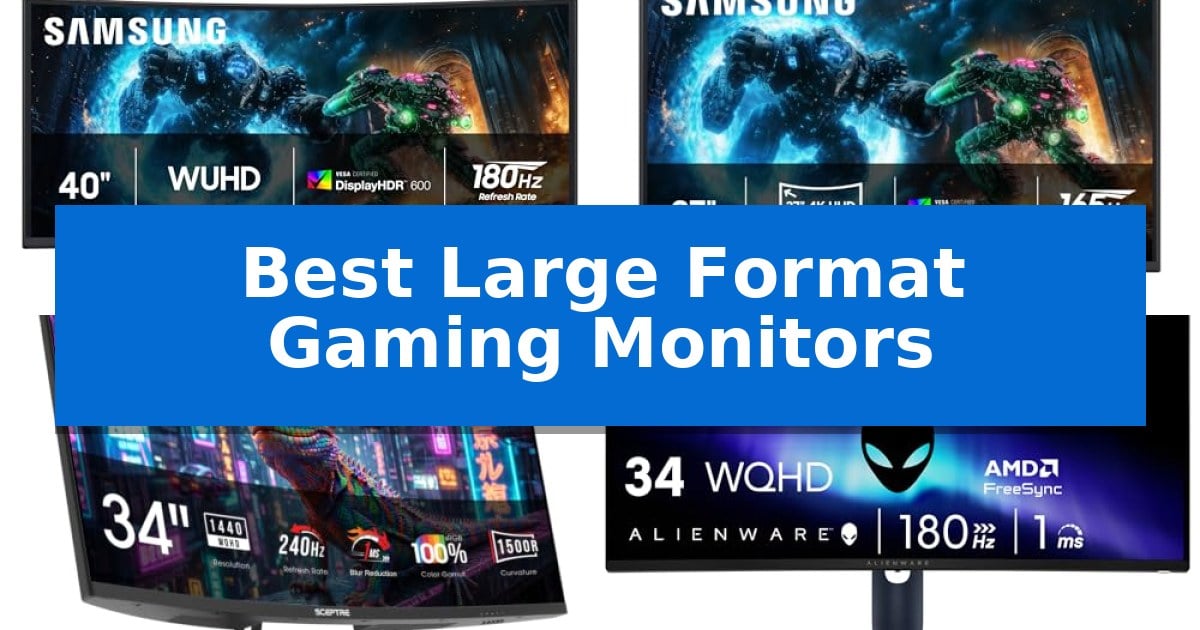
Finding the right display for a high-end gaming rig requires balancing screen real estate with technical performance. The Best Large Format Gaming Monitors offer expansive views that pull you deeper into virtual worlds, but choosing between ultrawide aspect ratios and high-resolution 4K panels depends heavily on your specific hardware and desk space.
Our guide focuses on the critical trade-offs between refresh rates, curvature, and resolution. Whether you prioritize peripheral immersion or pixel-dense clarity, we break down the essential specifications to help you select a display that complements your gaming style and hardware capabilities.
Best Large Format Gaming Monitors in 2026
Quick Comparison
| Product | Best For | Key Strength | Score |
|---|---|---|---|
| Samsung Odyssey G7 40-inch Gaming Monitor | Best Overall | 1000R curvature provides an immersive, wrap-around viewing experience. | 4.9 |
| Samsung Odyssey G7 37-inch Gaming Monitor | Spectacular 4K Realism | 1000R curvature provides an immersive, wrap-around viewing experience. | 4.7 |
| Sceptre 34-inch Curved Gaming Monitor | High-Speed Ultrawide Performance | 240Hz refresh rate for fluid motion | 4.6 |
| Alienware 34-inch Curved Gaming Monitor | Expansive WQHD Detail | 180Hz refresh rate and 1ms response time for fluid motion | 4.7 |
| LG Ultragear 32-inch Curved Gaming Monitor | Steep Curve for Peripheral Focus | 1000R steep curve for enhanced immersion | 4.6 |
How We Chose
- Refresh rate and response time capabilities for motion clarity.
- Resolution and panel technology for color accuracy and contrast.
- Curvature radius and its impact on peripheral immersion.
- Connectivity options for seamless device integration.
- Physical footprint and adjustability for desk ergonomics.
1 Samsung Odyssey G7 40-inch Gaming Monitor — Ultrawide 4K Immersion
The Samsung 40” Odyssey G7 (G75F) Series WUHD Curved Gaming Monitor centers the visual experience around a massive 40-inch 1000R curved display, designed to wrap around the user's field of vision for heightened immersion. This ultrawide 21:9 format provides significant screen real estate, making it a distinctive choice for those prioritizing expansive, panoramic views during gameplay.
Engineered for fluid movement, the monitor features a 180Hz refresh rate paired with a 1ms (GtG) response time, which works to minimize lag and motion blur. The integration of AMD FreeSync™ Premium Pro technology further supports smooth performance by synchronizing the display with compatible hardware, reducing potential screen tearing during fast-paced action.
Visual fidelity is supported by the VESA DisplayHDR™ 600 certification, which enhances contrast by producing deeper blacks and brighter whites. This capability is intended to provide greater clarity in high-contrast scenes, ensuring details remain visible even in dark environments. The Ultrawide 4K resolution ensures that the large 40-inch panel maintains sharp image density.
The physical design includes a substantial footprint, measuring approximately 36.56 inches in width and weighing 24.9 pounds. This size requires a dedicated workspace, but the curvature is specifically calibrated to maintain consistent viewing distances across the entire screen surface, reducing the need for excessive head movement.
Best for: Gamers who prioritize high-resolution, ultrawide immersion and require a large, curved screen for a panoramic field of view.
Skip if: Users with limited desk space or those who prefer a standard 16:9 aspect ratio for traditional productivity and gaming setups.
PROS
- 1000R curvature provides an immersive, wrap-around viewing experience.
- 180Hz refresh rate and 1ms response time support smooth motion.
- VESA DisplayHDR 600 enhances contrast and clarity in dark scenes.
- Ultrawide 4K resolution delivers high-density visuals across the 40-inch panel.
CONS
- Large 40-inch form factor requires significant desk space.
- Heavy 24.9-pound weight necessitates a sturdy mounting surface or stand.
2 Samsung Odyssey G7 37-inch Gaming Monitor — Spectacular 4K Realism
The Samsung 37” Odyssey G7 (G75F) Series 4K UHD Curved Gaming Monitor centers on a massive 37-inch 1000R curved display, engineered to wrap around the user's field of vision for an immersive visual experience. This large-format display is designed for gamers who prioritize screen real estate and high-fidelity visuals, utilizing a 4K UHD resolution to maintain image clarity across its expansive surface.
Performance is driven by a 165Hz refresh rate paired with a 1ms (GtG) response time, which works to minimize lag during fast-paced sequences. The integration of AMD FreeSync Premium Pro technology helps synchronize the display with compatible hardware to support smooth gameplay. For visual depth, the monitor features VESA DisplayHDR 600, which enhances contrast by producing deeper blacks and brighter whites, aiding in visibility during dark in-game environments.
Measuring 32.1 inches in width and 26.6 inches in height, this monitor occupies a significant footprint on any desk. The curved design is a deliberate choice to maintain consistent viewing distances across the wide panel, reducing the need for excessive head movement. It is a specialized piece of hardware for those looking to maximize their visual immersion through a high-resolution, high-refresh-rate large-format setup.
Best for: Gamers seeking an immersive, high-resolution large-format display for 4K gaming.
Skip if: Users with limited desk space or those who prefer a flat panel display for professional color-critical work.
PROS
- 1000R curvature provides an immersive, wrap-around viewing experience.
- 4K UHD resolution ensures sharp, detailed visuals on a large 37-inch screen.
- 165Hz refresh rate and 1ms response time support smooth, responsive gameplay.
- VESA DisplayHDR 600 improves contrast and clarity in high-dynamic-range scenes.
CONS
- Large physical footprint requires significant desk space for proper placement.
- Curved form factor may not be ideal for users who prefer flat screens for non-gaming tasks.
3 Sceptre 34-inch Curved Gaming Monitor — High-Speed Ultrawide Performance
The Sceptre 34-inch Curved Gaming Monitor utilizes a 1500R curvature to wrap the display around your field of vision, creating a sense of depth that draws you into high-intensity gaming environments. This ultrawide form factor is designed to maximize screen real estate, providing a expansive canvas for both competitive titles and complex professional workflows.
Engineered for speed, the monitor features an ultra-smooth 240Hz refresh rate and a 1ms response time with blur reduction technology. These specifications are critical for fast-paced gaming, as they work in tandem to minimize motion artifacts and ensure that on-screen action remains fluid and responsive during rapid movements.
Visual fidelity is supported by 100% sRGB color gamut coverage, which ensures vibrant and accurate color reproduction for creative tasks. The 3440 x 1440 resolution provides a sharp, detailed image, while integrated Blue-Light Shift technology helps mitigate eye strain, making it a practical choice for users who spend extended hours in front of the screen.
Connectivity is streamlined through two HDMI ports and two DisplayPort inputs, allowing for versatile integration with multiple devices. The inclusion of integrated speakers and an audio-out jack further simplifies your workspace by reducing the need for external sound systems, helping to maintain a clean and organized desk setup.
Best for: Gamers and professionals who require a high-refresh-rate ultrawide display for immersive gaming and color-accurate creative work.
Skip if: Users with limited desk space or those who prefer a flat-panel display for specific professional design requirements.
PROS
- 240Hz refresh rate for fluid motion
- 1500R curvature for immersive viewing
- 100% sRGB color gamut coverage
- Versatile connectivity with dual HDMI and DisplayPort
CONS
- Large 34-inch footprint requires significant desk space
4 Alienware 34-inch Curved Gaming Monitor — Expansive WQHD Detail
Immersive gaming requires more than just high frame rates; it demands a display that pulls you into the action. The Alienware 34 Curved Gaming Monitor – AW3425DWM achieves this through its expansive 34-inch ultrawide panel, which features a 1500R curve designed to wrap around your field of view for a more consistent visual experience across the entire screen.
Performance is anchored by a 180Hz refresh rate and a rapid 1ms gray-to-gray response time, ensuring that fast-paced motion remains fluid and clear. To eliminate screen tearing and stuttering, the monitor integrates AMD FreeSync Premium and VESA AdaptiveSync technology, which synchronize the display output with your graphics hardware.
Visual fidelity is prioritized with WQHD resolution, providing the pixel density necessary for sharp, detailed landscapes. The monitor covers 95% of the DCI-P3 color gamut and carries VESA DisplayHDR 400 certification, delivering a broad color range and enhanced contrast for high-dynamic-range content.
Designed for long-term comfort, the AW3425DWM includes a hardware-based low blue light solution that minimizes eye strain without sacrificing color accuracy. Additionally, a dedicated console mode ensures compatibility and optimal performance when connected to external gaming systems, making it a versatile hub for various gaming setups.
Best for: Gamers who prioritize immersion and fluid motion in open-world titles or competitive play using an ultrawide setup.
Skip if: Users who require a flat display for professional color-critical work or those with limited desk space who cannot accommodate a 34-inch curved footprint.
PROS
- 180Hz refresh rate and 1ms response time for fluid motion
- 1500R curvature for enhanced visual immersion
- Hardware-based low blue light filter to reduce eye strain
- AMD FreeSync Premium and VESA AdaptiveSync support
CONS
- Large 34-inch footprint requires significant desk space
- Curved panel design may not suit all productivity workflows
5 LG Ultragear 32-inch Curved Gaming Monitor — Steep Curve for Peripheral Focus
The LG Ultragear 32-inch Curved Gaming Monitor centers your visual experience around a steep 1000R curved screen, designed to extend your periphery and create a sense of immersion during fast-paced gameplay. This display is built for those who prioritize a wrap-around field of view to stay locked into the action.
Engineered for competitive responsiveness, the monitor features a 180Hz refresh rate paired with a 1ms GtG response time. These specifications work in tandem with AMD FreeSync to provide fluid, tear-free motion, ensuring that rapid movements remain clear. The inclusion of Dynamic Action Sync further assists by reducing input lag, allowing for near-instant reactions to on-screen events.
Visual fidelity is supported by 99% sRGB color gamut coverage and HDR10 compatibility, which help enhance color depth and contrast in dark scenes through the integrated Black Stabilizer. The monitor offers a practical, three-side borderless design that saves space on a desk while providing tilt adjustability for ergonomic positioning.
Connectivity is handled via two HDMI ports and a DisplayPort, giving you the flexibility to connect multiple devices. The Enhanced Gaming GUI allows you to toggle between specific modes like FPS or RTS, while a built-in FPS Counter provides real-time performance data directly on the screen, making it a functional tool for tracking your setup's output.
Best for: Gamers who want an immersive, high-refresh-rate experience with a steep curve for better peripheral focus.
Skip if: Users who require 4K resolution for professional creative work or those with limited desk space who prefer a flat panel display.
PROS
- 1000R steep curve for enhanced immersion
- 180Hz refresh rate and 1ms GtG for smooth motion
- Black Stabilizer improves visibility in dark environments
- 99% sRGB color gamut provides vibrant visuals
CONS
- QHD resolution may not satisfy users seeking 4K clarity
- Tilt-only stand offers limited ergonomic adjustment
Best Large Format Gaming Monitors Buying Guide
Understanding Display Curvature
The 1000R and 1500R curvature ratings indicate how tightly a screen wraps around your field of view. A 1000R curve is steeper, designed to match the natural shape of the human eye, which helps maintain consistent distance from the screen to the edges of your peripheral vision.
Choosing a steeper curve is often beneficial for large format monitors as it reduces the need to turn your head to see the corners of the display. However, users who also perform precision creative work may find that a flatter 1500R panel provides a more natural perspective for straight lines and design tasks.
Resolution vs. Refresh Rate
Balancing 4K UHD resolution with high refresh rates is the primary challenge for modern gaming hardware. While 4K provides superior pixel density for sharp textures, it requires significant GPU power to maintain high frame rates. Monitors offering 165Hz or 180Hz provide a middle ground that keeps motion fluid without demanding the extreme overhead of higher-refresh panels.
For competitive gaming, prioritize a higher refresh rate and a 1ms response time (GtG) to minimize ghosting and input lag. If your focus is on atmospheric, single-player titles, the visual impact of a wider color gamut and HDR certification will likely provide a more rewarding experience than raw frame rate alone.
Connectivity and Peripheral Integration
Modern gaming monitors should offer versatile connectivity, typically featuring a mix of HDMI and DisplayPort inputs. DisplayPort is generally preferred for high-refresh-rate gaming as it provides the necessary bandwidth for G-Sync or FreeSync compatibility, ensuring a tear-free experience.
Consider whether your monitor includes built-in features like Black Stabilizer or integrated speakers. These additions can help declutter your desk by reducing the need for external audio hardware or specific software adjustments to see enemies in dark game environments.
Ergonomics and Desk Space
A large format monitor demands a significant amount of desk depth. Before purchasing, verify the item dimensions and the stand's footprint to ensure it fits your workspace. Many of these monitors feature tilt-adjustable stands, but the sheer size of 37-inch or 40-inch panels may require a dedicated monitor arm if your desk space is limited.
Look for borderless or ultra-thin designs if you plan to use a multi-monitor setup. A thinner bezel minimizes the gap between screens, creating a more cohesive visual experience when spanning games or productivity applications across multiple displays.
Color Accuracy and HDR Standards
The VESA DisplayHDR certification is a key indicator of a monitor's ability to produce high-contrast imagery. HDR600, for instance, offers a noticeable improvement in brightness and black levels compared to standard panels, making it ideal for games with complex lighting and shadows.
Check for sRGB color gamut coverage if you intend to use your monitor for photo or video editing alongside gaming. A high percentage of sRGB coverage ensures that colors appear vibrant and accurate, preventing the washed-out look often found in lower-tier gaming displays.
Frequently Asked Questions
What is the benefit of a 21:9 aspect ratio?
A 21:9 ultrawide aspect ratio provides a wider field of view, which can be advantageous in racing, flight simulation, and open-world games by allowing you to see more of the environment without moving your camera.
Is 1ms response time necessary for all gamers?
A 1ms GtG response time is most beneficial for fast-paced competitive shooters where reducing motion blur is critical. For slower-paced strategy or RPG games, a slightly higher response time is often imperceptible.
Do I need a specific cable for high refresh rates?
Yes, ensure you are using a high-quality DisplayPort cable or a modern HDMI cable that supports the bandwidth required for your monitor's specific resolution and refresh rate to avoid capping your performance.
How does FreeSync improve my gaming experience?
AMD FreeSync synchronizes the monitor's refresh rate with your GPU's frame output, effectively eliminating screen tearing and stuttering during intense gameplay sequences.
Can I use a large gaming monitor for office work?
Absolutely. The increased screen real estate is excellent for multitasking, allowing you to snap multiple windows side-by-side, which can significantly improve productivity compared to a standard 24-inch or 27-inch monitor.
Conclusion: Our Top Pick
For those seeking the ultimate balance of immersion and performance, the Samsung Odyssey G7 40-inch Gaming Monitor stands out as our top recommendation. Its 40-inch 1000R curved panel combined with a 21:9 aspect ratio creates a uniquely wrap-around visual experience that is difficult to match with smaller or flatter displays.
While its size requires a substantial desk, the combination of 180Hz refresh rates, 1ms response time, and VESA DisplayHDR 600 makes it a versatile powerhouse for both competitive gaming and cinematic immersion. If you have the space, this monitor provides the most comprehensive feature set for a high-end gaming setup.