
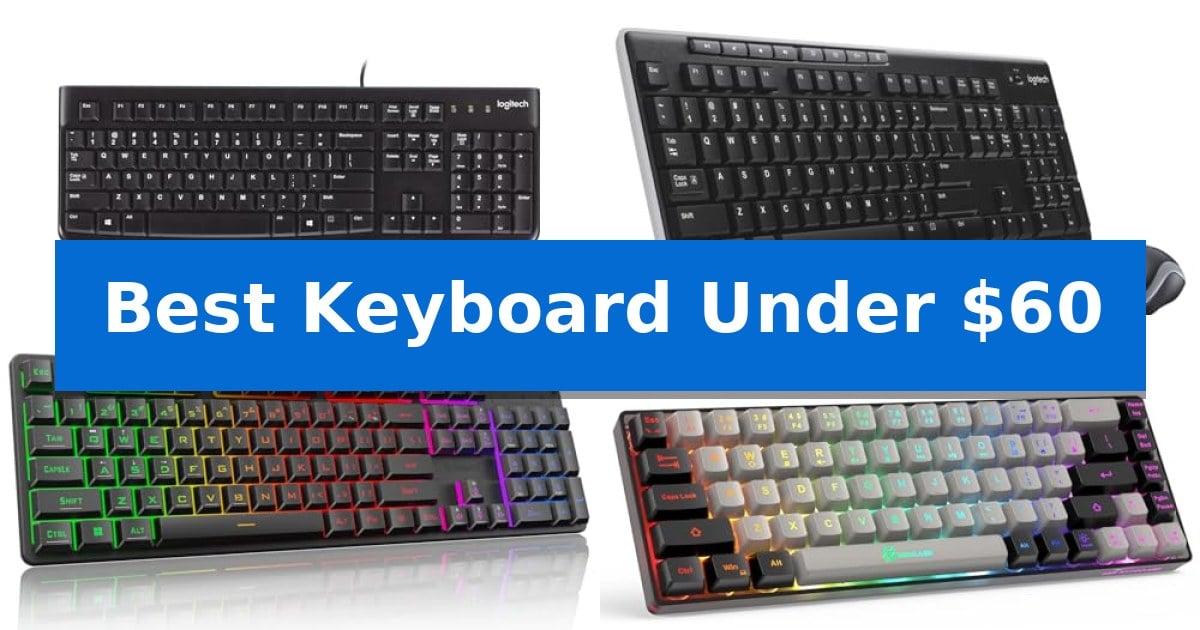
Finding a dependable typing tool does not require a massive investment. Whether you are upgrading your home office or seeking a responsive gaming companion, the Best Keyboard Under $60 offers a balance of functionality and affordability that meets most daily requirements.
Our selection focuses on practical design, connectivity options, and build quality. By examining various layouts and features, we help you identify which model aligns with your specific desk setup and typing habits.
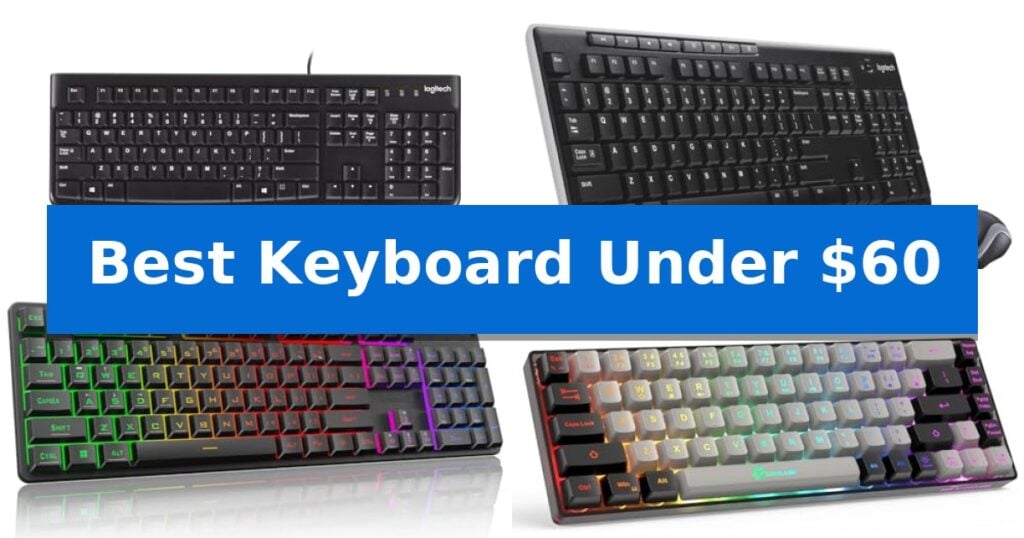
Best Keyboard Under $60 in 2026
Quick Comparison
| Product | Best For | Key Strength | Score |
|---|---|---|---|
| Logitech K120 Wired Keyboard | Best Overall | USB plug-and-play setup requires no software. | 4.9 |
| Logitech MK270 Wireless Keyboard Combo | Convenient Wireless Desk Essential | Long battery life with up to 36 months for the keyboard and 12 months for the mouse. | 4.3 |
| Redragon K521 Gaming Keyboard | Dazzling Backlit Gaming Performance | Upgraded LED backlight with adjustable brightness and breathing modes. | 4.4 |
| GEODMAER 65% Gaming Keyboard | Space-Saving Compact Layout | Space-saving 65% compact design that is easy to transport. | 4.8 |
| Logitech K400 Plus Wireless Keyboard | Integrated Touchpad for TV Control | Integrated touchpad eliminates the need for a separate mouse. | 4.3 |
How We Chose
- Connectivity type, distinguishing between stable wired USB and flexible wireless options.
- Layout and form factor, including full-size configurations and space-saving compact designs.
- Build durability, focusing on spill-resistant materials and key longevity.
- Specialized features such as integrated touchpads, backlighting, and anti-ghosting capabilities.
- Compatibility with common operating systems like Windows, macOS, and gaming consoles.
1 Logitech K120 Wired Keyboard — Reliable Standard for Daily Typing
Reliability in a workspace often comes down to the simplicity of the tools at hand, and the Logitech K120 Wired Keyboard focuses on providing a straightforward, functional typing experience. Designed with a full-size layout that includes a dedicated number pad and F-keys, this keyboard is built to handle daily administrative tasks and extended typing sessions without unnecessary complexity.
Setting up the device is immediate, as it utilizes a USB plug-and-play connection that requires no additional software installation. This makes it a practical choice for users who need to switch between desktops or laptops quickly. The inclusion of sturdy tilt legs allows for adjustable height, helping to tailor the typing angle to personal preference during long work hours.
Durability is integrated into the design through a spill-resistant construction, which helps protect against minor accidents at the desk. The keys are also treated to be anti-fade, ensuring that the characters remain legible over time. Furthermore, the keyboard incorporates 51% certified post-consumer recycled plastic in its construction, reflecting a focus on material sourcing.
With a 2-year warranty and broad compatibility across Windows 7, 8, 10, or later, this keyboard serves as a dependable, no-nonsense peripheral. It balances essential features like a curved space bar for comfort with a robust build, making it a functional addition to any home or office setup.
Best for: Users seeking a reliable, full-size, plug-and-play wired keyboard for standard office or home productivity tasks.
Skip if: Users who require wireless connectivity, mechanical switches, or specialized programmable macro keys for gaming or advanced workflows.
PROS
- USB plug-and-play setup requires no software.
- Spill-resistant design adds a layer of durability.
- Full-size layout includes a number pad and F-keys.
- Adjustable tilt legs allow for customizable typing angles.
CONS
- Wired-only connection limits desk placement flexibility.
- Standard membrane keys lack the tactile feedback of mechanical alternatives.
2 Logitech MK270 Wireless Keyboard Combo — Convenient Wireless Desk Essential
The Logitech MK270 Wireless Keyboard Combo provides a straightforward, cable-free workspace solution by utilizing a single USB-A Nano Receiver to connect both the keyboard and mouse. This plug-and-play design ensures a reliable wireless connection up to 33 feet, allowing for a clutter-free desk environment without the need for complex software installation.
Designed for everyday utility, the keyboard features a full-size layout that includes a dedicated number pad, arrow keys, and full-size F-keys. The low-profile, quiet keys are built into a spill-resistant chassis, which is supported by sturdy, adjustable tilt legs to help maintain a comfortable typing angle. For added convenience, the board includes 8 dedicated multimedia hotkeys for instant control over volume, email, and media playback.
The included compact mouse is engineered for ambidextrous use, making it suitable for both left- and right-handed users. It offers smooth cursor control across most surfaces, ensuring consistent navigation. Both devices are built with longevity in mind, featuring power-efficient designs that support up to 36 months of battery life for the keyboard and 12 months for the mouse, complete with physical on/off switches to conserve energy when not in use.
Sustainability and durability are integrated into the build, as the device incorporates certified post-consumer recycled plastic—49% in the mouse and 54% in the keyboard. With its combination of essential features and a focus on long-term reliability, this combo serves as a practical, low-maintenance input solution for standard office or home computing tasks.
Best for: Users seeking a reliable, full-size wireless keyboard and mouse combo that prioritizes long battery life and simple plug-and-play connectivity.
Skip if: Users who require advanced features like mechanical switches, customizable macro keys, or a backlit design for low-light environments.
PROS
- Long battery life with up to 36 months for the keyboard and 12 months for the mouse.
- Spill-resistant design protects against accidental liquid exposure.
- Single USB-A Nano Receiver simplifies connectivity for both devices.
- Full-size layout includes a number pad and 8 multimedia hotkeys.
CONS
- Lacks advanced features such as backlighting or customizable mechanical switches.
- Standard membrane keys may not satisfy users preferring tactile mechanical feedback.
3 Redragon K521 Gaming Keyboard — Dazzling Backlit Gaming Performance
The Redragon K521 Gaming Keyboard distinguishes itself with an upgraded LED backlight design that enhances light penetration for a more vivid visual effect during use. This full-sized 104-key wired keyboard is built to provide a mechanical-like typing experience, balancing tactile feedback with the rapid trigger response required for intensive gaming sessions.
Functionality is centered around user convenience and efficiency. The device features a dedicated one-touch button to toggle lighting, allowing users to switch between three breathing modes and four brightness levels without navigating complex software. Additionally, the inclusion of 12 multimedia combination keys provides quick access to essential controls, streamlining both gaming and office tasks.
For competitive scenarios, the keyboard incorporates 19-key anti-ghosting technology, ensuring that complex key combinations are registered accurately during gameplay. Its plug-and-play design requires no drivers, offering broad compatibility across Windows, macOS, and major gaming consoles including PS4, PS5, and Xbox.
The Redragon K521 Gaming Keyboard is a practical choice for users seeking a reliable, backlit input device that prioritizes essential gaming features at an accessible price point. Its durable construction and straightforward setup make it a versatile addition to any desktop or console gaming environment.
Best for: Gamers and office users who require a responsive, backlit, full-sized keyboard with multimedia controls and broad console compatibility.
Skip if: Users who prefer a compact tenkeyless (TKL) form factor or those who require genuine mechanical switches with specific actuation force profiles.
PROS
- Upgraded LED backlight with adjustable brightness and breathing modes.
- 19-key anti-ghosting support for accurate input during gaming.
- Plug-and-play compatibility with PC, Mac, and gaming consoles.
- 12 multimedia keys for enhanced workflow efficiency.
CONS
- Wired-only connection limits desk placement flexibility.
- Mechanical-feeling switches rather than true mechanical hardware.
4 GEODMAER 65% Gaming Keyboard — Space-Saving Compact Layout
Maximizing desk real estate while maintaining full functionality is a common challenge for PC users, and the GEODMAER 65% Gaming Keyboard addresses this with a space-saving design that omits the number pad while retaining essential navigation keys. This 65% compact layout is specifically engineered to fit into tight workspaces or backpacks, making it a practical choice for those who prioritize portability without sacrificing the core keys needed for daily tasks and gaming.
The keyboard utilizes a detachable Type-C cable for a reliable, wired connection that ensures consistent input. To support gaming sessions, it features 26-key anti-ghosting technology, which prevents input conflicts during complex key combinations. Users can also engage the FN+Win lockable key feature to disable the Windows key, preventing accidental interruptions during intense gameplay.
Durability and usability are central to its construction, with each key rated for a 10,000,000+ keystroke lifespan and treated with a UV coating to resist fading. The two-color injection molding keycaps allow for transparent, luminous characters, which are illuminated by an integrated LED backlight. This lighting system offers adjustable brightness and breathing frequency, ensuring visibility in low-light environments.
Designed with an ergonomic keycap height, the keyboard aims to provide a comfortable typing experience that reduces wrist strain over extended periods. It employs imitation mechanical technology to deliver a tactile, mechanical-like feel while maintaining the quiet operation characteristic of a membrane keyboard. With 11 dedicated media buttons accessible via function keys, it provides quick control over audio and system tasks.
Best for: Users seeking a compact, space-saving keyboard with a mechanical-like feel for both gaming and general office productivity.
Skip if: Users who require a dedicated number pad for data entry or those who prefer the distinct tactile feedback and sound of genuine mechanical switches.
PROS
- Space-saving 65% compact design that is easy to transport.
- 26-key anti-ghosting for reliable input during gaming.
- Quiet membrane technology that mimics a mechanical feel.
- Adjustable LED backlighting with multiple brightness and breathing modes.
CONS
- Lacks a dedicated number pad, which may limit efficiency for heavy data entry tasks.
- Membrane-based switches do not provide the exact same tactile response as true mechanical switches.
5 Logitech K400 Plus Wireless Keyboard — Integrated Touchpad for TV Control
Navigating a PC-connected TV setup often requires a specialized input device that combines typing and cursor control into one footprint. The Logitech K400 Plus Wireless Keyboard addresses this by integrating a large, built-in touchpad directly into the chassis, effectively replacing the need for a separate mouse when managing media from a distance.
Designed for seamless living room integration, this keyboard offers a wireless range of up to 33 feet via a plug-and-play USB Unifying receiver. The device features quiet keys and a spill-resistant design, ensuring it remains reliable during casual use. With an emphasis on longevity, the unit is rated for up to 18 months of battery life, supported by a dedicated on/off switch to conserve power when not in use.
Compatibility is broad, supporting Windows, Android, and Chrome OS environments. Users can further customize their experience by utilizing the Logitech Options Software to adjust specific controls. While it provides a compact and efficient solution for HTPC setups, it is a membrane-style keyboard intended for media navigation rather than high-speed typing or gaming applications.
The Logitech K400 Plus Wireless Keyboard balances utility and convenience, making it a practical choice for those who want to declutter their entertainment area. By merging navigation and input, it simplifies the interaction between the user and their PC-connected display.
Best for: Users who need a compact, all-in-one solution for controlling a PC-connected TV or HTPC from their couch.
Skip if: Users who require a full-sized mechanical keyboard, dedicated gaming features, or backlighting for low-light environments.
PROS
- Integrated touchpad eliminates the need for a separate mouse.
- Long battery life of up to 18 months.
- Plug-and-play connectivity with a 33-foot wireless range.
- Spill-resistant design for added durability.
CONS
- Membrane key switches are not suitable for heavy typing or gaming.
- Lacks backlighting for use in dark rooms.
Best Keyboard Under $60 Buying Guide
Wired vs. Wireless Connectivity
Choosing between a wired and wireless keyboard depends on your desk environment. Wired keyboards offer a plug-and-play experience, ensuring a constant connection without the need for batteries or charging. This is ideal for stationary setups where reliability is the primary concern.
Wireless keyboards provide a cleaner workspace by eliminating cable clutter. These models typically use a USB receiver to maintain connectivity. When selecting a wireless option, consider the battery life and the distance range to ensure it meets your specific desk layout requirements.
Understanding Layouts and Form Factors
The full-size layout is the standard for most office tasks, as it includes a dedicated number pad and a full set of function keys. This layout is essential for data entry and tasks that require frequent numerical input.
For those with limited desk space, a compact or 65% layout is a practical alternative. These keyboards remove the number pad to create a smaller footprint, making them easier to transport or position alongside a mouse for a more ergonomic posture.
Durability and Spill Resistance
Accidental spills are a common hazard in any workspace. Many modern keyboards feature a spill-resistant design, which helps protect internal components from minor liquid exposure. This feature is a significant factor for longevity in high-traffic environments.
Beyond spill protection, look for anti-fade keys and sturdy construction. These elements ensure that the keyboard remains functional and legible even after years of daily use, providing better long-term value.
Gaming-Specific Features
If you use your keyboard for gaming, look for anti-ghosting technology. This ensures that multiple simultaneous key presses are registered accurately, which is critical for complex game commands. This feature prevents input errors during intense sessions.
Backlighting is another common gaming feature that improves visibility in low-light conditions. Whether it is a simple breathing mode or a fixed rainbow effect, lighting can enhance the visual appeal of your setup while serving a functional purpose.
Compatibility and Ease of Use
Before purchasing, verify that the keyboard is compatible with your operating system. Most options are designed for Windows compatibility, but many also work seamlessly with macOS, Chrome OS, and gaming consoles like the PS4/5 or Xbox.
Ease of setup is equally important. Look for models that do not require complex software installations. A true plug-and-play device allows you to connect via USB or a wireless receiver and begin working or playing immediately.
Frequently Asked Questions
Are mechanical keyboards available under $60?
While many keyboards in this price range use membrane technology to simulate a mechanical feel, some entry-level mechanical or mechanical-feeling options are available that offer tactile feedback and fast tapping capabilities.
How do I know if a keyboard is compatible with my Mac?
Most USB-based keyboards are compatible with macOS. However, some function keys may behave differently than they do on Windows. Always check the product specifications for explicit macOS support.
Do wireless keyboards come with batteries included?
Most wireless keyboards include batteries, but the lifespan varies significantly. Look for models with on/off switches to help extend battery life when the device is not in use.
What is the benefit of a 65% layout?
A 65% layout is designed to save desk space by removing the number pad. It is ideal for gamers who need more room for mouse movement or for users with smaller workstations.
Is a spill-resistant keyboard waterproof?
Spill-resistant means the keyboard is designed to handle minor liquid accidents by allowing the liquid to drain away from internal components. It does not mean the keyboard is submersible or waterproof.
Conclusion: Our Top Pick
For those seeking a dependable and straightforward typing experience, the Logitech K120 Wired Keyboard stands out as the most reliable choice. Its full-size layout, comfortable key profile, and spill-resistant construction make it an excellent partner for both home and office environments.
While other models offer wireless freedom or gaming-specific backlighting, the simplicity and durability of this wired keyboard provide consistent performance without the need for batteries or software setup. It remains a practical, long-lasting solution for any standard desk configuration.