
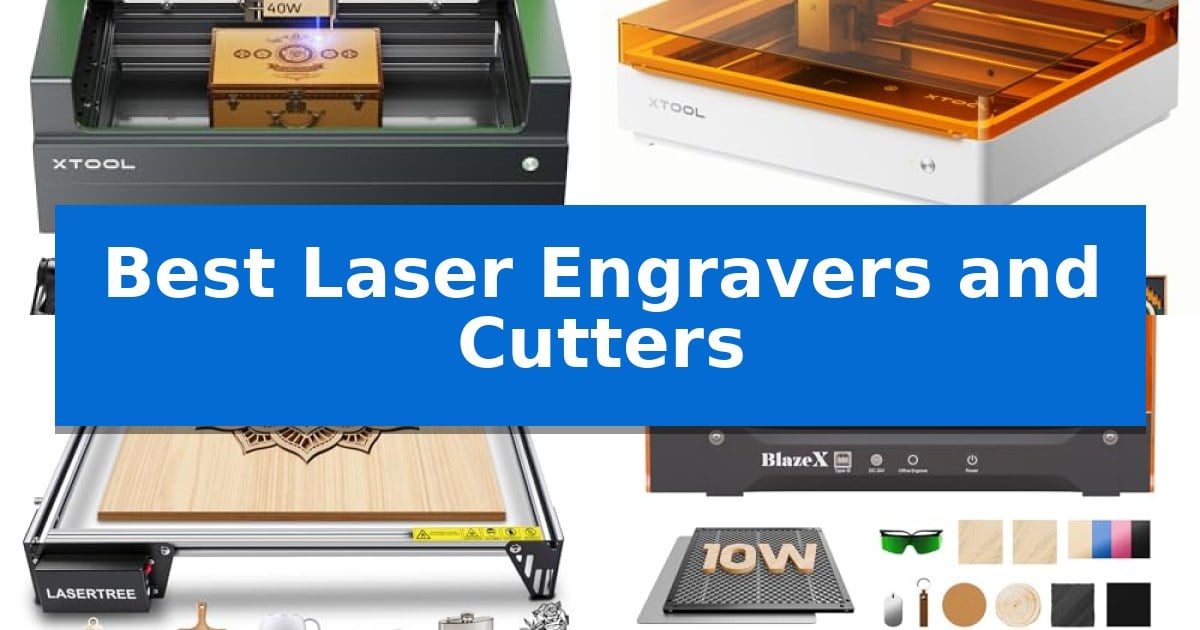
Finding the right equipment for your workshop can be a daunting task, especially with the wide range of capabilities available in modern desktop manufacturing. Whether you are looking to personalize small gifts or handle large-scale batch production, selecting the Best Laser Engravers and Cutters requires balancing laser power, workspace dimensions, and software integration.
Our guide focuses on machines that offer reliable performance for hobbyists and small business owners alike. By examining key specifications like output power, safety certifications, and material compatibility, we help you navigate the technical landscape to find a tool that fits your specific creative workflow and space constraints.
Best Laser Engravers and Cutters in 2026
Quick Comparison
| Product | Best For | Key Strength | Score |
|---|---|---|---|
| xTool S1 Laser Cutter | Best Overall | 40W high-power laser for efficient single-pass cutting of thick materials. | 4.9 |
| xTool M2 Laser Engraver | Easiest for Home DIY | Dual-camera system for accurate, real-time workspace preview and alignment. | 4.9 |
| LASER TREE 20W Laser Engraver | High-Speed Batch Production | Large 400x800mm working area for batch production. | 4.7 |
| BlazeX M3 Laser Engraver | Precision with Smart Guidance | Smart camera guidance for real-time design preview and placement. | 4.3 |
| ELIDOR Laser Engraver | Compact Portable Choice | High-precision 0.01 mm accuracy for detailed graphics and text. | 4.6 |
How We Chose
- Laser Power and Cutting Depth: Assessing the optical output to determine which materials, such as wood or acrylic, can be processed in a single pass.
- Working Area Dimensions: Measuring the physical bed size to ensure it accommodates the scale of your intended projects.
- Safety and Enclosure: Verifying the presence of protective shielding, flame sensors, and ventilation systems for a secure environment.
- Software and Ease of Use: Evaluating the compatibility with design tools and the availability of pre-set material parameters for streamlined operation.
- Precision and Positioning: Checking for integrated cameras or alignment technologies that reduce material waste and improve accuracy.
1 xTool S1 Laser Cutter — Best for Large-Scale Projects
Achieving professional-grade precision in custom fabrication requires a machine that balances raw power with intuitive control. The xTool S1 40W Laser Cutter addresses this by integrating a high-output 40W laser module capable of slicing through 18mm cherry wood in a single pass, making it a robust solution for those tackling demanding, large-scale projects.
Beyond its cutting capacity, the machine streamlines the creative process through Auto-focus and the xTool Creative Space (XCS) software. This ecosystem includes pre-tested parameters for over 400 materials and AI-powered design tools, which assist users in generating unique patterns without requiring advanced CAD skills. The inclusion of AutoPassthrough Technology further extends its utility, allowing for the processing of materials up to 118 inches in length.
Safety and structural integrity are central to its design, featuring a 3mm aerospace-grade aluminum frame that ensures stability during high-speed operations of up to 600mm/s. The unit operates as a Class 1 safety-certified device, utilizing an enclosed design with a light-filtering cover that eliminates the need for external goggles. Integrated flame sensors and an emergency stop button provide essential safeguards during unattended or complex engraving tasks.
The xTool S1 40W Laser Cutter is built for durability, having undergone over 71,830 hours of rigorous testing to ensure consistent performance. By combining Pin-point Positioning for 3D curved surface engraving with a spacious 23.93" x 15.16" bed, it offers a comprehensive toolset for creators who need to scale their production while maintaining high standards of accuracy.
Best for: Creators and small business owners who require a high-power, enclosed laser system for large-format wood and metal projects.
Skip if: Users who need a portable or ultra-compact laser engraver for small, occasional hobbyist tasks may find the footprint and weight of this unit excessive.
PROS
- 40W high-power laser for efficient single-pass cutting of thick materials.
- Class 1 safety enclosure with integrated flame sensors and light-filtering lid.
- AutoPassthrough Technology allows for handling exceptionally long materials.
- Aerospace-grade aluminum frame provides high structural stability.
CONS
- Large physical footprint requires significant dedicated workspace.
- Higher complexity may be more than what is needed for simple, entry-level engraving.
2 xTool M2 Laser Engraver — Easiest for Home DIY
Precision crafting at home requires tools that minimize setup time and maximize creative output. The xTool M2 10W Laser Engraver distinguishes itself with an integrated dual-camera system that provides a real-time workspace preview, allowing users to align designs directly on materials before engraving begins. This "Place & Go" functionality removes the guesswork typically associated with manual positioning, ensuring that complex patterns are placed exactly where intended.
Designed for versatility, the machine features a 10W diode laser capable of handling a wide range of materials including wood, leather, felt, and cardstock. The fully enclosed design meets Class 1 safety standards, making it a practical choice for home environments where safety and air quality are primary concerns. Its modular architecture also supports future expansion, such as the addition of a CMYK Inkjet module for full-color printing or a 3W IR laser for specialized metal and plastic work.
Software integration is handled via xTool Studio, which includes an AI image generator and a library of ready-to-use templates. This ecosystem is built to lower the barrier to entry for beginners, allowing users to transition from initial design to a finished product in minutes. By streamlining the workflow, the system enables creators to focus on project execution rather than technical configuration.
While the base unit provides a robust foundation for most DIY projects, it is important to note that specialized components like the rotary attachment or inkjet module are sold separately. This modular approach allows users to start with the core engraving capabilities and scale their setup only as their specific creative needs evolve.
Best for: Home crafters and DIY makers who prioritize ease of use, safety, and precise material alignment for personalized projects.
Skip if: Users requiring high-volume industrial production or those who need integrated rotary and full-color printing capabilities without purchasing additional modules.
PROS
- Dual-camera system for accurate, real-time workspace preview and alignment.
- Class 1 enclosed design provides enhanced safety for home use.
- Beginner-friendly software with integrated AI image generation and templates.
- Modular architecture allows for future upgrades like IR lasers or inkjet modules.
CONS
- Additional modules such as the CMYK Inkjet and RA3 Lite Rotary are sold separately.
- 10W diode laser may be limited for heavy-duty industrial cutting compared to higher-wattage options.
3 LASER TREE 20W Laser Engraver — High-Speed Batch Production
The LASER TREE 20W Laser Engraver & Cutter utilizes advanced 3-beam combined compression technology to deliver a stable 20W of optical power, enabling precise, one-pass cutting on materials like 10mm plywood and 8mm acrylic. This machine is built for those who require both high-precision detail and the ability to process thicker materials without the need for repeated passes.
Designed for versatility and scale, the unit features an expansive 400x800mm working area. This large format is particularly beneficial for users transitioning from small-scale DIY projects to batch production or oversized creations, such as custom murals and large wooden signage.
Efficiency is a core focus, with the device achieving engraving speeds of up to 10000mm/min. Despite this high speed, the system maintains clear detail, making it suitable for both rapid prototyping and commercial small-batch workflows. The inclusion of a fixed focal length design simplifies the setup process, allowing users to begin work quickly without complex calibration.
Compatibility is ensured through support for mainstream software like LightBurn and LaserGRBL, running on both Windows and Mac systems. The machine handles a wide range of file formats, including SVG, DXF, and various image files, while its multi-material capability—spanning wood, leather, fabric, and coated metals—provides a comprehensive solution for diverse creative and commercial applications.
Best for: Users needing a large-format laser cutter for batch production and thick material processing.
Skip if: Users with limited workspace who do not require the 400x800mm footprint or the 20W power output for thick material cutting.
PROS
- Large 400x800mm working area for batch production.
- 20W optical power for efficient, one-pass cutting.
- High-speed engraving up to 10000mm/min.
- Fixed focal length for simplified setup.
CONS
- Large footprint requires significant dedicated table space.
4 BlazeX M3 Laser Engraver — Precision with Smart Guidance
Achieving precise, clean cuts on materials like wood, acrylic, and metal requires a system that balances power with visual guidance. The BlazeX M3 Laser Engraver distinguishes itself by integrating a high-definition smart camera directly into its workflow, allowing users to preview designs on their material via PC before the laser ever fires. This feature is designed to eliminate material waste by ensuring perfect placement for every project.
This 2-in-1 laser cutter and engraver utilizes a high-density beam to achieve an ultra-fine precision of 0.01mm. The system is built for versatility, handling intricate patterns on glass and leather as effectively as it cuts through wood. To support a clean and safe environment, the machine includes a protective enclosure with an integrated fan that exhausts smoke and odors while operating at reduced noise levels.
Safety and compatibility are core to the machine's design, featuring a Class 1 Safety rating that filters harmful radiation. It is fully compatible with industry-standard software including LightBurn, LaserGRBL, and CutLabX, and supports operation across Windows, macOS, iOS, and Android. The unit also includes smart sensors that provide an automatic stop if the lid is opened or the machine is tilted during operation.
The BlazeX M3 Laser Engraver is part of an expandable ecosystem. Users can enhance the machine's capabilities with optional accessories like a Rotary Roller and Risers for cylindrical engraving, or an Air Assist and Purifier to improve edge clarity and detail. This modular approach allows hobbyists to scale their setup as their project complexity increases.
Best for: Beginners and hobbyists who prioritize precise design placement via smart camera guidance and require a safe, enclosed workspace.
Skip if: Users who need a high-power industrial laser for thick material cutting beyond the capabilities of a 10W diode system.
PROS
- Smart camera guidance for real-time design preview and placement.
- Class 1 Safety rating with automatic shut-off sensors.
- Wide software compatibility including LightBurn and LaserGRBL.
- Enclosed design with integrated smoke and odor exhaust.
CONS
- 10W laser power may limit the thickness of materials that can be cut in a single pass.
- Requires separate accessory purchases for advanced features like rotary engraving.
5 ELIDOR Laser Engraver — Compact Portable Choice
The ELIDOR Laser Engraver distinguishes itself with a highly focused 0.04 × 0.14 mm laser spot, enabling intricate detail work with an engraving accuracy of up to 0.01 mm. This level of precision allows creators to produce crisp text and complex graphics on a variety of materials, including wood, leather, acrylic, and metal.
Designed for versatility and mobility, the unit features a 300 × 300 mm working area while maintaining a lightweight profile of only 2.13 kg. This compact footprint makes it a practical choice for home workshops or mobile craft projects where space is at a premium. Users can achieve engraving speeds up to 10,000 mm/min, balancing efficiency with detailed output.
Software flexibility is a core component of this system, as it provides seamless compatibility with industry-standard tools like LaserGRBL and LightBurn. It supports a wide range of common file formats, including NC, DXF, BMP, JPG, and PNG, across Windows, macOS, and Linux platforms. This broad support ensures that users can easily import and execute their custom designs.
For those prioritizing safety in their workspace, the machine is designed to be paired with a protective enclosure to establish a Class 1 laser system. This configuration is particularly beneficial for classroom or shared environments where safety standards are a primary concern. The ELIDOR Laser Engraver offers a balance of professional-grade control and beginner-friendly operation for DIY enthusiasts and small business creators alike.
Best for: DIY makers and small business creators who require a portable, high-precision tool for custom engraving projects on various materials.
Skip if: Users who require a high-power industrial laser for deep cutting of thick materials or those who do not have the space to add a separate enclosure for Class 1 safety compliance.
PROS
- High-precision 0.01 mm accuracy for detailed graphics and text.
- Lightweight and portable design weighing only 2.13 kg.
- Wide software compatibility including support for LightBurn and LaserGRBL.
- Versatile material support covering wood, leather, acrylic, metal, and more.
CONS
- Requires a separate enclosure to achieve a Class 1 laser safety rating.
- Compact 300 × 300 mm workspace may limit the size of larger projects.
Best Laser Engravers and Cutters Buying Guide
Understanding Laser Power
The optical power of a laser, typically measured in watts, is the primary factor determining what a machine can cut. A 10W laser is often sufficient for detailed engraving and light cutting, while 20W or 40W lasers provide the penetration needed for thicker materials like 10mm plywood or acrylic.
Consider your primary material needs before purchasing. If you intend to cut thick hardwoods or perform high-speed batch production, prioritizing a higher wattage will save significant time and prevent the need for multiple passes, which can often lead to charred edges.
Workspace and Bed Size
Your available workshop space and the size of your projects dictate the necessary working area. Compact machines are excellent for desktop use and small crafts, while expanded beds are essential for larger signs or mass-producing multiple items simultaneously.
Always check if the machine supports passthrough technology, which allows you to feed longer materials through the unit. This feature effectively expands your workspace beyond the physical dimensions of the machine bed, offering greater flexibility for large-format projects.
Safety Standards
Laser safety is non-negotiable, especially in home or classroom environments. Look for Class 1 safety ratings, which indicate that the laser is fully enclosed, preventing harmful light exposure and reducing the need for protective goggles.
Additional features like flame sensors and automatic shut-off triggers provide essential peace of mind. These sensors monitor for combustion during the cutting process and can halt operation instantly if a fire is detected, protecting both your machine and your workspace.
Software Compatibility
The software interface is your primary point of interaction with the machine. Look for systems that are compatible with industry-standard software like LightBurn or LaserGRBL, as these provide robust control over cutting paths and power settings.
Many modern machines also include proprietary software with AI-powered design tools and pre-tested material libraries. These features can significantly reduce the learning curve for beginners by automatically suggesting optimal settings for hundreds of common materials.
Precision and Alignment
Achieving consistent results requires accurate material placement. Machines equipped with built-in cameras allow for a real-time preview of the workspace, enabling you to align your design precisely on the material before the laser fires.
This visual feedback loop eliminates guesswork and minimizes wasted material. For those working with irregular or curved surfaces, look for machines that offer advanced positioning technologies to ensure your engraving remains sharp and centered.
Frequently Asked Questions
What is the difference between an engraver and a cutter?
An engraver primarily marks the surface of a material, while a cutter has sufficient power to penetrate through the material entirely. Many modern machines are hybrid units capable of both functions depending on the power settings used.
Do I need a separate ventilation system?
While many enclosed machines have built-in fans to exhaust smoke, it is always recommended to operate your laser in a well-ventilated area or use an external air purifier to ensure air quality remains safe.
Can these lasers cut metal?
Most diode lasers can mark or engrave coated metals, such as anodized aluminum. However, cutting through thick, solid metal typically requires a different class of laser, such as a fiber laser, which is not standard in these desktop models.
Is it difficult to set up a laser machine?
Many current models are designed for quick assembly and feature auto-focusing capabilities. Beginners should look for machines that emphasize a 'ready to use' setup and provide extensive tutorial libraries.
What is a rotary attachment used for?
A rotary attachment allows the laser to engrave on cylindrical objects like tumblers, mugs, or spoons by rotating the item while the laser head moves, ensuring the design wraps correctly around the surface.
Conclusion: Our Top Pick
For those seeking the most versatile and powerful performance, the xTool S1 Laser Cutter stands out as the premier choice. Its 40W laser provides the necessary power to cut through thick materials efficiently, while the patented positioning technology ensures that even complex projects are completed with high accuracy.
This machine is particularly well-suited for users who need a reliable, safe, and productive tool for large-scale projects. By combining robust hardware with intuitive software, it offers a balanced experience that caters to both the precision requirements of professional work and the ease of use desired by serious hobbyists.