
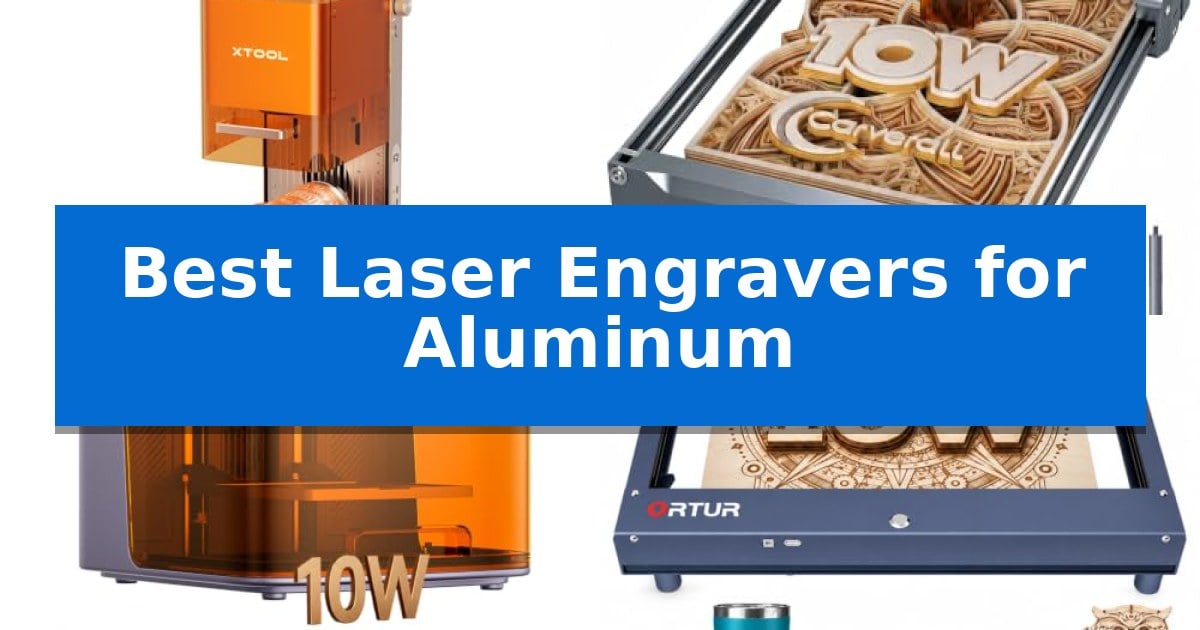
Finding the right equipment for metal projects can be challenging, as not all systems are built to handle the unique thermal properties of aluminum. Whether you are a hobbyist looking to personalize gifts or a small business owner scaling production, selecting the Best Laser Engravers for Aluminum requires balancing laser power, wavelength, and material compatibility.
Our guide focuses on machines that offer the precision and versatility needed for consistent results on various metal surfaces. We have analyzed current market options to help you identify which features—such as dual-laser systems or modular upgrades—best align with your specific creative requirements and workspace constraints.
Best Laser Engravers for Aluminum in 2026
Quick Comparison
| Product | Best For | Key Strength | Score |
|---|---|---|---|
| xTool F2 Dual Laser Engraver | Best Overall | Dual-laser system combining 15W diode and 5W IR for versatility across 300+ materials. | 4.9 |
| Carverall K15 Pro Laser Engraver | Upgradeable for Bare Metal | Modular design allows for future upgrades to bare metal engraving. | 4.5 |
| Creality Falcon A1C Laser Engraver | Fast Modular Laser Swapping | 15-second quick-swap modular design for rapid laser head changes. | 4.5 |
| Ortur H10 Laser Engraver | Pre-Assembled for Quick Setup | Pre-assembled design allows for immediate setup and use. | 4.5 |
| Twotrees TTS-10 Pro Laser Engraver | Dual-Motor Precision Stability | High-precision 0.069mm laser spot for detailed work. | 4.3 |
How We Chose
- Laser Wavelength Compatibility: Assessing whether the machine uses infrared (IR) or diode lasers to achieve marking on coated or bare aluminum.
- Operational Precision: Evaluating motion accuracy and camera-assisted positioning for high-resolution, detailed engraving.
- Material Versatility: Determining the range of additional materials the system can process beyond aluminum.
- Workflow Efficiency: Analyzing setup time, software compatibility, and batch processing capabilities.
- Safety and Design: Reviewing enclosure features and fume management for indoor or on-site use.
1 xTool F2 Dual Laser Engraver — Best for Color Marking Metal
Achieving precise, high-contrast results on metal surfaces requires specialized hardware capable of handling both organic and inorganic materials. The xTool F2 5W IR & 15W Diode Dual Laser Engraver distinguishes itself by integrating two distinct laser sources into a single desktop unit, allowing users to switch between deep, vivid color marking on metal and intricate 3D embossing on a wide variety of substrates.
Efficiency is central to the design of this xTool F2 Dual Laser Engraver, which reaches industry-leading speeds of up to 6000mm/s. This performance capability enables rapid batch processing, making it suitable for small-scale commercial production of items like coasters or phone cases. The inclusion of a 50MP camera provides a real-time visualization of the workspace, ensuring an alignment accuracy of up to 0.1 mm to minimize material waste during complex projects.
Portability and ease of use are prioritized through its fully enclosed, leak-proof chassis. Weighing 4.6 kg, the device is built for deployment in diverse environments, from workshops to on-site pop-up markets. The system arrives fully assembled and utilizes built-in material presets, which streamlines the setup process for users who need to transition quickly between different engraving tasks.
While the device offers significant versatility, it is a Class 4 laser system that relies on its enclosed design for safety. Users looking to expand their workflow can integrate optional accessories like the RA3 rotary tool or a Slide Extension, which further enhances the machine's capacity for handling larger or cylindrical objects in a professional setting.
Best for: Small-batch creators and professionals needing high-speed, precise color marking on metal and versatile material engraving.
Skip if: Users requiring large-format engraving areas or those who do not need the specific dual-laser functionality for metal color marking.
PROS
- Dual-laser system combining 15W diode and 5W IR for versatility across 300+ materials.
- High-speed performance reaching 6000mm/s for efficient batch processing.
- 50MP built-in camera for precise workspace visualization and 0.1 mm alignment accuracy.
- Portable, fully enclosed design suitable for on-site customization and workshop safety.
CONS
- Class 4 laser classification requires strict adherence to safety protocols.
- Compact footprint may limit the size of individual items compared to open-frame laser systems.
2 Carverall K15 Pro Laser Engraver — Upgradeable for Bare Metal
Achieving precise marks on metal surfaces requires a machine that balances power with material-specific capabilities. The Carverall K15 Pro Laser Engraver distinguishes itself by offering a modular design that allows users to transition from standard diode-based engraving on wood and acrylic to bare metal marking by adding an optional 1W IR laser head.
This 2-in-1 laser engraver and cutter features a compact 11.8×7.9-inch A4 workbed, designed to fit into home studios while handling common projects like custom coasters, leather goods, and branded merchandise. It utilizes a dual-fan diode module to manage heat during extended batch jobs, which is essential for maintaining consistent results when working on multiple items.
Usability is a core focus, evidenced by the one-touch smart focus system that removes manual measurement guesswork. The machine supports offline engraving via a TF card, allowing users to run repeated jobs without a constant PC connection. For those who prefer digital control, the CutLabX software is compatible with mobile devices and tablets, while the hardware remains compatible with industry-standard tools like LightBurn and LaserGRBL.
The system is built for longevity, with a module life rated at 15,000 hours supported by a high-speed cooling fan. By including four heightening columns, the unit accommodates taller objects such as gift boxes or skateboards, providing versatility beyond flat surfaces. This combination of 4K precision and upgradeability makes it a practical choice for those starting with basic materials who intend to expand into metal engraving later.
Best for: Small business owners and hobbyists who need a compact, upgradeable machine for diverse materials including wood, acrylic, and eventually bare metal.
Skip if: Users requiring immediate, out-of-the-box capability to engrave bare metal without purchasing an additional IR laser module.
PROS
- Modular design allows for future upgrades to bare metal engraving.
- Compact A4 footprint fits easily on standard desks.
- One-touch smart focus simplifies the setup process.
- Offline batch processing via TF card reduces reliance on a PC.
CONS
- Bare metal engraving requires an additional IR laser head purchase.
- Limited work area may not accommodate oversized signage.
3 Creality Falcon A1C Laser Engraver — Fast Modular Laser Swapping
Precision and versatility define the Creality Falcon A1C 10W Mini Laser Engraver, a desktop machine that streamlines the transition from digital design to physical output. Its standout 15-second quick-swap modular design allows users to switch between 5W, 10W, and 1.2W infrared laser modules without complex installation, providing the flexibility required to handle a wide range of materials efficiently.
Equipped with a built-in HD smart camera, the unit enables precise visual positioning and real-time previews, significantly reducing material waste by ensuring designs are perfectly aligned before engraving begins. The auto-focus system further simplifies operation by automatically adjusting laser height for different substrates, removing the need for manual calibration.
Performance is driven by a rigid frame capable of reaching engraving speeds of up to 15,000 mm/min. This high-motion accuracy, combined with a fine laser spot, delivers crisp lines and stable results across wood, leather, and acrylic. For those working with specific metals or plastics, the separately available 1.2W infrared module expands the machine's utility beyond standard organic materials.
Safety and ease of use are central to its design, featuring a fully enclosed Class 1 eye-safe housing that eliminates the need for protective goggles during operation. The machine includes intelligent flame detection, tilt protection, and a USB safety lock, while the Falcon Design Space software provides AI-powered tools like image extraction and material recognition to support both beginners and experienced creators.
The Creality Falcon A1C Laser Engraver offers a compact, portable footprint suitable for workshops, classrooms, or retail counters. While the 10W diode module is highly capable for common materials, users focusing primarily on bare metal engraving should note that the infrared module is an additional purchase required to unlock those specific capabilities.
Best for: Makers and small business owners who need a compact, modular laser engraver that can handle diverse materials with high precision and integrated safety features.
Skip if: Users who require high-power industrial cutting capabilities for thick metals or large-scale production runs will find the 10W desktop form factor and diode-based technology limiting.
PROS
- 15-second quick-swap modular design for rapid laser head changes.
- Class 1 enclosed safety design removes the need for external protective goggles.
- Integrated HD smart camera for real-time preview and visual positioning.
- AI-powered software simplifies design, material recognition, and auto-focusing.
CONS
- Infrared laser module for metal and plastic compatibility must be purchased separately.
- 10W diode power is optimized for engraving and light cutting rather than heavy-duty industrial metal fabrication.
4 Ortur H10 Laser Engraver — Pre-Assembled for Quick Setup
Achieving precise, clean results on metal surfaces requires a machine that balances structural stability with high-speed movement. The Ortur H10 Laser Engraver addresses this through a full-aluminum frame designed with a low center of gravity, effectively minimizing wobble during high-speed operations of up to 20000mm/min. This construction ensures that the precision of the Nema17 stepper motor is maintained, even when working on intricate designs.
For those looking to expand their creative capabilities, the Ortur H10 Laser Engraver features a 300×300mm workspace that supports modular upgrades, allowing users to swap between 5.5W, 10W, and 20W laser modules. The included 10W module is engineered for longevity, boasting an over 10000-hour service life, and provides the power necessary to cut 8mm pine wood in a single pass. A reserved air-assist port is integrated to further refine cutting quality.
Usability is a core focus, as the unit arrives pre-assembled, allowing users to begin projects immediately without complex setup. The machine offers versatile connectivity options, including WiFi APP, USB, and TF-card offline engraving, which provides flexibility for different workshop environments. Safety is managed through five built-in detections that monitor exposure, tilt, voltage, and current to support reliable operation.
This device is capable of engraving on over 340 types of colored metal, making it a versatile tool for small businesses and hobbyists producing custom signage or personalized merchandise. By combining a compact desktop footprint with professional-grade features, it serves as a practical solution for those transitioning from basic DIY projects to more demanding craft orders.
Best for: Beginners and small business owners who require a pre-assembled, compact laser engraver capable of working on various metals and wood.
Skip if: Users who require a larger workspace than 300x300mm or those who need integrated laser modules higher than 10W out of the box.
PROS
- Pre-assembled design allows for immediate setup and use.
- Full-aluminum frame provides stability and reduces vibration.
- Modular laser support enables future power upgrades.
- Five built-in safety detections enhance operational security.
CONS
- Fixed workspace size of 300x300mm may limit large-scale projects.
- Requires separate module purchase for power upgrades beyond the included 10W laser.
5 Twotrees TTS-10 Pro Laser Engraver — Dual-Motor Precision Stability
Precision is paramount when working with metal, and the Twotrees TTS-10 Pro Laser Engraver distinguishes itself with a 0.069mm laser spot that enables high-detail work on anodized and coated surfaces. This machine is designed for those who require a reliable motion system, utilizing dual Y-axis motors and GT2-6mm synchronous belts to maintain accuracy across its 300x300mm engraving area.
The core of this engraver is a 10000mW optical power blue light diode laser, which provides the energy necessary for deep marking on materials like bamboo, acrylic, and leather. While it is highly capable, users should note that it is not intended for bare stainless steel or uncoated metal unless a marking spray is applied to the surface first.
Usability is enhanced by a 32-bit dual-core MCU mainboard, which supports both online operation and TF card offline engraving. This flexibility allows for project management via mobile app or computer, and the system is compatible with industry-standard software like LightBurn and LaserGRBL, simplifying the transition from design to execution.
Built with a full metal frame and injection-molded components, the unit is engineered for stability. Every machine undergoes testing before shipping to ensure it meets quality standards. For those who prioritize a structured workflow, the included 4GB TF card and comprehensive assembly tools allow for a straightforward setup process, supported by an online wiki for guidance.
Best for: Hobbyists and small business owners needing a stable, high-precision laser for engraving coated metals, wood, and acrylic within a 12-inch workspace.
Skip if: Users specifically requiring a laser for cutting or marking bare, uncoated stainless steel or raw metal surfaces without the use of additional marking sprays.
PROS
- High-precision 0.069mm laser spot for detailed work.
- Dual Y-axis motors provide enhanced motion stability.
- Offline engraving capability via TF card for standalone operation.
- Broad software compatibility with LightBurn and LaserGRBL.
CONS
- Not suitable for bare metal without surface preparation.
- 300x300mm workspace may limit projects larger than 12 inches.
Best Laser Engravers for Aluminum Buying Guide
Understanding Laser Types for Metal
The Best Laser Engravers for Aluminum often utilize specific laser technologies to achieve results. Diode lasers are excellent for cutting and engraving organic materials and coated metals, but they often struggle with bare aluminum. For bare metal, an infrared (IR) laser is typically required because its wavelength is better absorbed by metallic surfaces.
Many modern systems now offer dual-laser versatility, combining both diode and IR modules. This hybrid approach allows users to switch between high-power cutting and fine-detail metal marking without needing to purchase two separate machines, making it a highly efficient choice for diverse creative projects.
Precision and Positioning
Accuracy is paramount when working on small metal items like jewelry or custom tags. Look for machines equipped with high-resolution cameras that provide real-time workspace visualization. This feature allows for precise alignment, significantly reducing material waste by ensuring your design is perfectly centered before the laser fires.
Motion accuracy is another critical factor. Systems with 0.00199-inch motion precision or similar specifications enable the capture of intricate details. When combined with auto-focus capabilities, these machines eliminate the guesswork of manual calibration, allowing for a faster and more reliable workflow.
Workspace and Portability
The physical footprint of your laser engraver should match your available space. Desktop laser engravers are ideal for home studios, while portable units weighing under 5 kg are better suited for those who need to transport their equipment to markets or pop-up events.
Consider the enclosure design as well. A fully enclosed machine not only provides essential eye protection but often includes built-in fans or ports for air purifiers. This is vital for maintaining a clean, fume-free environment, especially if you are operating your machine in a shared living or office space.
Software and Connectivity
The ease of use often comes down to the software ecosystem. Many top-tier engravers support industry-standard software like LightBurn and LaserGRBL, providing a familiar interface for experienced users. Beginners should look for machines that offer AI-powered design tools or proprietary apps that simplify the process from image generation to final engraving.
Connectivity options such as Wi-Fi, USB, and TF card support allow for flexible working modes. Offline engraving is particularly useful for batch processing, as it enables you to run repetitive jobs directly from the machine's internal memory without needing a constant connection to a computer.
Scalability and Upgrades
Your needs may evolve, so choosing a machine that supports modular upgrades can be a smart long-term investment. Some systems allow you to swap laser modules in seconds, enabling you to upgrade from a basic diode setup to a more powerful or specialized laser head as your business grows.
Accessories like rotary rollers for tumblers or slide extensions for batch engraving can significantly expand your capabilities. Before purchasing, check if the machine's ecosystem supports these add-ons, as they can transform a simple desktop engraver into a professional-grade production tool.
Frequently Asked Questions
Can all laser engravers mark bare aluminum?
No. Most standard diode lasers cannot mark bare aluminum effectively. You typically need an infrared (IR) laser or a specifically coated aluminum surface to achieve a visible mark.
What is the benefit of a dual-laser system?
A dual-laser system combines the cutting power of a diode laser with the metal-marking capability of an IR laser, providing a single, versatile machine that can handle a much wider range of materials.
Do I need special software for these engravers?
Most of these machines are compatible with common software like LightBurn and LaserGRBL. Some brands also provide their own user-friendly apps with AI features to help beginners get started.
How do I ensure safety while using a laser engraver?
Always prioritize machines with Class 1 enclosed designs to block laser exposure. Additionally, ensure your workspace has proper ventilation or use an air purifier to manage fumes.
Can I engrave cylindrical objects like tumblers?
Yes, many of these engravers support optional rotary roller accessories that allow you to engrave on curved or cylindrical surfaces.
Conclusion: Our Top Pick
Selecting the right tool for your metal projects depends on your specific material needs and production volume. For those requiring a balance of high-speed performance and the ability to mark both coated and bare metals, the xTool F2 Dual Laser Engraver stands out as a versatile choice.
The xTool F2 Dual Laser Engraver offers a unique combination of a 15W diode and 5W IR laser, making it highly capable for diverse applications. Its built-in 50MP camera and portable design provide the precision and flexibility needed for both personal projects and small-batch commercial work.