
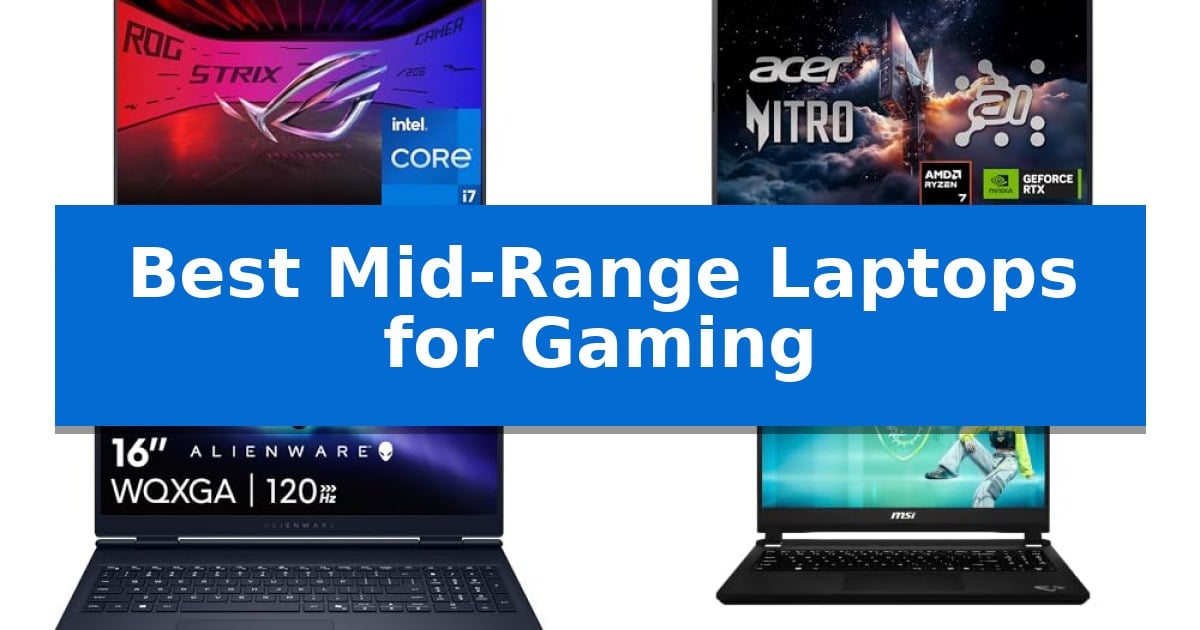
Finding the right balance between high-end performance and affordability is the primary challenge for many gamers. The current market offers several capable machines that handle modern titles without requiring a flagship-level investment.
Our guide explores the Best Mid-Range Laptops for Gaming, focusing on hardware configurations, thermal management, and display specifications to ensure you get the most value for your budget.
You may also want to compare Best Mid-Range Laptop for Work, Best Mid-Range Laptop for Everyday Use, and Best Mid-Range Laptop for College Students.
Best Mid-Range Laptops for Gaming
Quick Comparison
| Product | Best For | Key Strength | Score |
|---|---|---|---|
| ASUS ROG Strix G16 Gaming Laptop | Best Overall | Advanced thermal management featuring liquid metal and tri-fan cooling. | 4.9 |
| Acer Nitro V 16S Gaming Laptop | High Refresh Rate Visuals | High-refresh 180Hz display with 100% sRGB coverage for smooth and accurate visuals. | 4.6 |
| Alienware 16 Aurora Gaming Laptop | Streamlined Thermal Design | Cryo-Chamber cooling enhances airflow without increasing chassis depth. | 4.5 |
| MSI Cyborg Gaming Laptop | Includes Versatile Docking Station | Included 130W Belkin 6-in-1 GaN dock expands connectivity options significantly. | 4.7 |
| Acer Nitro V Gaming Laptop | Reliable Entry-Level Performance | 165Hz refresh rate display for fluid motion. | 4.3 |
How We Chose
- GPU and CPU performance for modern gaming workloads.
- Thermal management systems to prevent performance throttling.
- Display refresh rates and color accuracy for visual clarity.
- Memory and storage configurations for multitasking and game libraries.
- Build quality and port connectivity for peripheral integration.
1 ASUS ROG Strix G16 Gaming Laptop — Advanced Thermal Cooling System
The ASUS ROG Strix G16 (2025) Gaming Laptop distinguishes itself through a sophisticated ROG Intelligent Cooling system that integrates an end-to-end vapor chamber, tri-fan technology, and Conductonaut extreme liquid metal applied directly to the chipset. This thermal management architecture is designed to sustain high-level performance during extended gaming sessions by maintaining optimal operating temperatures.
Under the hood, this machine is powered by an Intel Core i7 Processor 14650HX paired with an NVIDIA GeForce RTX 5060 Laptop GPU. The inclusion of the NVIDIA Blackwell architecture enables advanced features like DLSS 4 and Max-Q technologies, which assist in balancing power consumption and graphical output. The system is rounded out with 16GB of DDR5-5600MHz memory and a 1TB PCIe Gen 4 SSD, providing a responsive foundation for multitasking and rapid game loading.
Visuals are rendered on a 16-inch FHD+ 16:10 display featuring a 165Hz refresh rate and a 3ms response time. ASUS has incorporated a new ACR film on the panel, which is engineered to enhance contrast while simultaneously reducing glare for improved clarity. For users who prioritize aesthetics, the laptop features a 360° RGB light bar that can be synchronized with other peripherals, while a dedicated Stealth Mode allows for the immediate deactivation of all lighting in professional environments.
With a chassis measuring 0.9 inches in thickness and weighing approximately 5.84 pounds, the device is built for users who require a balance of desktop-grade cooling and portable gaming capability. The integration of Wi-Fi 7 ensures modern wireless connectivity standards, while the pre-installed Windows 11 Home provides the necessary software environment for current gaming titles and creative applications.
Best for: Gamers and creators who require sustained high-performance cooling and modern GPU features in a 16-inch form factor.
Skip if: Users seeking an ultra-lightweight or thin-and-light laptop for frequent travel, as the robust cooling system contributes to a heavier 5.84-pound build.
PROS
- Advanced thermal management featuring liquid metal and tri-fan cooling.
- NVIDIA Blackwell architecture support for DLSS 4 and Max-Q.
- 165Hz high-refresh display with anti-glare ACR film.
- Customizable 360° RGB lighting with a professional Stealth Mode.
CONS
- Heavier chassis design compared to ultra-portable gaming alternatives.
2 Acer Nitro V 16S Gaming Laptop — High Refresh Rate Visuals
The Acer Nitro V 16S Gaming Laptop distinguishes itself through the integration of the AMD Ryzen 7 260 processor, which supports up to 38 AI Overall TOPS to balance demanding gaming sessions with intensive AI-driven workloads. This machine is engineered for users who require a blend of high-speed processing and modern graphical fidelity in a portable form factor.
At the heart of its visual performance is the NVIDIA GeForce RTX 5060 Laptop GPU, utilizing the Blackwell architecture to deliver advanced ray tracing and neural rendering. With 572 AI TOPS, the system leverages DLSS 4 technology to enhance frame rates and image quality, providing a responsive experience during fast-paced gameplay. The 16-inch WUXGA display complements this power with a 180Hz refresh rate and 100% sRGB color coverage, ensuring fluid motion and accurate color reproduction.
The internal configuration is built for sustained productivity and gaming, featuring 32GB of DDR5 5600MHz memory across two slots. Storage needs are addressed by a 1TB PCIe Gen 4 SSD, with an additional M.2 slot available for future expansion. These specifications provide a robust foundation for multitasking and managing large game libraries without compromising on speed.
Measuring 0.79 inches in thickness and weighing 4.63 pounds, the device maintains a manageable profile for a 16-inch gaming laptop. It includes Wi-Fi 6 for stable connectivity and is backed by a one-year International Travelers Limited Warranty, offering a practical solution for users who need a reliable, high-performance workstation that fits into a standard travel setup.
Best for: Gamers and creators who require a balance of high-refresh-rate gaming performance and AI-accelerated productivity in a 16-inch form factor.
Skip if: Users who prioritize extreme portability or a smaller screen size may find the 16-inch dimensions and 4.63-pound weight less convenient for frequent travel.
PROS
- High-refresh 180Hz display with 100% sRGB coverage for smooth and accurate visuals.
- AI-powered performance via the AMD Ryzen 7 260 and NVIDIA RTX 5060 GPU.
- Expandable storage with an additional PCIe M.2 slot for future upgrades.
- 32GB DDR5 memory provides substantial headroom for multitasking.
CONS
- Fixed maximum memory capacity of 32GB limits future RAM upgrades.
- Larger 16-inch footprint may be less portable than 14-inch alternatives.
3 Alienware 16 Aurora Gaming Laptop — Streamlined Thermal Design
The Alienware 16 Aurora Gaming Laptop utilizes a specialized Cryo-Chamber structure to focus airflow directly toward core components, eliminating the need for a bulky rear thermal shelf. This design choice allows for a streamlined profile while maintaining thermal support during intensive gaming sessions.
Equipped with the NVIDIA GeForce RTX 5050 Laptop GPU powered by NVIDIA Blackwell architecture and AI, this machine is built for both gaming and creative workflows. The visual experience is driven by a 16-inch WQXGA 120Hz display that offers 300 nits of brightness, providing a clear and responsive canvas for high-frame-rate content.
Connectivity and performance are bolstered by Wi-Fi 7 and 16GB of DDR5 RAM, ensuring modern standards for data transfer and multitasking. The inclusion of a 1TB SSD provides substantial storage for large game libraries and creative project files, while the Intel Core 7 240H processor handles demanding computational tasks.
The device comes with 1-Year Onsite Service, which includes support at your home or office if hardware issues cannot be resolved remotely. This service model provides a practical safety net for users who rely on their hardware for daily productivity and gaming.
Best for: Gamers and creators who prioritize a slim, thermally efficient design without sacrificing modern GPU performance.
Skip if: Users who require a higher refresh rate display or more than 16GB of RAM for professional-grade rendering tasks.
PROS
- Cryo-Chamber cooling enhances airflow without increasing chassis depth.
- NVIDIA Blackwell-powered RTX 5050 graphics support modern AI-driven gaming.
- Wi-Fi 7 integration ensures future-ready wireless connectivity.
- 1-Year Onsite Service provides convenient hardware support at your location.
CONS
- 120Hz display may be insufficient for competitive esports players seeking higher refresh rates.
- 16GB DDR5 RAM may limit heavy multitasking or complex creative projects.
4 MSI Cyborg Gaming Laptop — Includes Versatile Docking Station
The MSI Cyborg Gaming Laptop distinguishes itself by bundling a versatile 130W Belkin 6-in-1 GaN dock, providing immediate connectivity expansion for peripherals and external displays alongside its core gaming hardware. This inclusion addresses the common need for extra ports in a compact 0.89-inch thick chassis, making it a practical choice for users who transition between a dedicated gaming desk and a mobile workspace.
At the heart of this machine is the Intel Core i5-13420H processor, which balances power for gaming, streaming, and multitasking. It is paired with 16GB of DDR5 RAM, ensuring responsive performance when managing multiple browser tabs or demanding applications. The visual experience is driven by the NVIDIA GeForce RTX 5050 8GB GDDR7 graphics card, designed to handle modern gaming titles and GPU-accelerated creative workloads with dedicated video memory.
The display is a 15.6-inch Full HD (1920 x 1080) panel featuring a 144Hz refresh rate, which promotes smoother motion during fast-paced gaming sessions. Storage is handled by a 512GB NVMe SSD, offering quick load times for games and system files. The laptop comes pre-installed with Windows 11 Home, providing a current software environment out of the box.
Weighing approximately 4.19 pounds, the device maintains a portable profile without sacrificing the essential components needed for mid-range gaming. The combination of high-speed memory, dedicated graphics, and the included docking station offers a comprehensive setup for users looking for a balanced, ready-to-use gaming solution.
Best for: Gamers and students who need a portable, well-rounded machine that includes essential docking accessories for a multi-monitor or peripheral-heavy desk setup.
Skip if: Users who require massive internal storage for extensive game libraries or those who need a higher resolution display than 1080p for professional-grade video editing.
PROS
- Included 130W Belkin 6-in-1 GaN dock expands connectivity options significantly.
- 144Hz refresh rate display provides fluid motion for competitive gaming.
- 16GB DDR5 RAM ensures efficient multitasking capabilities.
- NVIDIA GeForce RTX 5050 8GB GDDR7 offers dedicated graphics performance.
CONS
- 512GB NVMe SSD may require external storage upgrades for large game collections.
- 1080p resolution is standard but may not satisfy users seeking 1440p or 4K visuals.
5 Acer Nitro V Gaming Laptop — Reliable Entry-Level Performance
Balancing high-frame-rate gaming with multitasking capability, the Acer Nitro V Gaming Laptop utilizes the Intel Core i5-13420H processor to manage demanding workloads. This machine is built for users who need to transition between competitive gaming and creative tasks like video or photo editing without compromising system responsiveness.
The device features the NVIDIA GeForce RTX 4050 Laptop GPU, which leverages 194 AI TOPS to support DLSS 3.5. This technology enhances ray tracing and visual fidelity, allowing for a more immersive experience during gameplay. The 15.6-inch Full HD display complements these graphics with a 165Hz refresh rate, designed to minimize ghosting and provide the visual clarity required for fast-paced titles.
Connectivity is a priority for this setup, offering Wi-Fi 6 for stable wireless performance and a Killer Ethernet E2600 port for wired stability in high-traffic environments. The inclusion of a Thunderbolt 4 port provides a versatile interface for high-speed data transfer, external display output, and power delivery, making it a flexible hub for various peripherals.
Internal specifications include 8GB of DDR5 memory, which can be expanded up to 32GB across two slots, and a 512GB PCIe Gen 4 SSD for storage. These components are housed in a chassis measuring roughly 0.93 inches in thickness, balancing internal hardware capacity with a portable form factor suitable for mobile gaming setups.
Best for: Gamers who require a versatile, mid-range machine capable of handling both high-refresh-rate gaming and productivity-focused multitasking.
Skip if: Users who require a high-capacity storage solution or massive amounts of RAM out of the box, as the base configuration may necessitate future upgrades.
PROS
- 165Hz refresh rate display for fluid motion.
- Thunderbolt 4 port for versatile connectivity.
- AI-powered DLSS 3.5 support for enhanced visuals.
- Expandable memory up to 32GB via two slots.
CONS
- 8GB base RAM may limit performance in heavy multitasking scenarios.
- 512GB storage capacity may fill up quickly with modern game installations.
Best Mid-Range Laptops for Gaming Buying Guide
Understanding GPU Performance
The graphics processing unit is the heart of your gaming experience. In the mid-range category, look for current-generation GPUs that support advanced features like DLSS and ray tracing to maximize frame rates.
These technologies allow you to maintain high visual fidelity while keeping performance smooth, effectively extending the lifespan of your laptop as game requirements evolve.
The Importance of Thermal Management
Gaming laptops generate significant heat during intensive sessions. Advanced cooling solutions, such as vapor chambers and tri-fan technology, are essential for maintaining consistent clock speeds.
Effective thermals not only protect your internal components but also ensure that your system remains responsive and quiet during long gaming sessions.
Display Quality and Refresh Rates
A high refresh rate, such as 165Hz or 180Hz, is crucial for fast-paced competitive gaming. It reduces motion blur and provides a more fluid experience compared to standard 60Hz panels.
Additionally, look for displays with high color coverage, such as 100% sRGB, to ensure that your games and creative projects look vibrant and accurate.
Memory and Storage Requirements
Modern games and applications demand significant resources. A minimum of 16GB of DDR5 RAM is recommended for smooth multitasking, while 1TB of PCIe Gen 4 SSD storage provides the necessary speed and capacity for your library.
Having expandable storage slots is a major advantage, allowing you to increase your capacity as your collection of games grows over time.
Connectivity and Portability
Your gaming setup often requires multiple peripherals, including mice, keyboards, and external monitors. Ensure your laptop features modern ports like Thunderbolt 4 or high-speed USB-C for versatile connectivity.
While gaming laptops are generally heavier than ultrabooks, checking the weight and dimensions helps determine if the machine fits your specific travel or desk space requirements.
Frequently Asked Questions
What is the benefit of DDR5 memory in a gaming laptop?
DDR5 memory offers faster data transfer speeds and improved power efficiency compared to older standards, which helps reduce loading times and improves overall system responsiveness.
Do I need a high refresh rate display for all games?
While high refresh rates are most noticeable in fast-paced competitive shooters, they also provide a smoother visual experience in almost every genre, making the overall movement on screen feel more natural.
How does DLSS technology improve gaming performance?
DLSS uses AI to render games at a lower resolution and then upscale them, allowing you to achieve higher frame rates without sacrificing significant visual quality.
Can I upgrade the storage on these mid-range laptops?
Many mid-range gaming laptops include extra M.2 slots, allowing you to add more storage capacity later. Always check the specific model's internal layout before purchasing.
Why is thermal cooling critical for gaming laptops?
Effective cooling prevents the CPU and GPU from overheating, which would otherwise force the system to slow down, or 'throttle,' to protect itself, resulting in lower performance.
Conclusion: Our Top Pick
Selecting the right machine depends on your specific performance needs and budget. After reviewing the available options, the ASUS ROG Strix G16 Gaming Laptop stands out as the most balanced choice for most users.
With its advanced thermal cooling system, high-speed memory, and reliable performance, it provides a solid foundation for both gaming and daily tasks. While other models offer specific advantages like higher refresh rates or different processor architectures, this unit delivers a consistent, high-quality experience.