
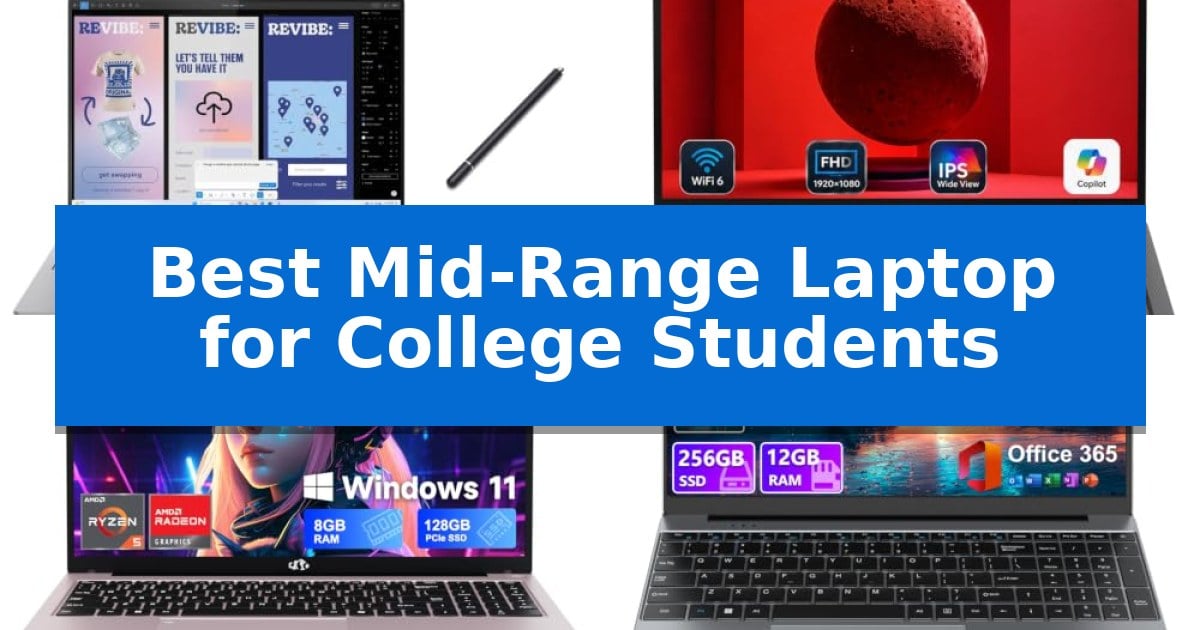
Navigating the demands of higher education requires a reliable machine that balances processing power, battery longevity, and portability. Whether you are drafting research papers, attending virtual lectures, or managing complex group projects, finding the right hardware is essential for academic success.
The Best Mid-Range Laptop for College Students should offer a seamless experience without the premium price tag of high-end workstations. We have evaluated a selection of current models to help you identify which device best aligns with your specific course requirements and campus lifestyle.
You may also want to compare Best Mid-Range Karaoke Machines, Best Mid-Range IPS Monitors, and Best Mid-Range Integrated Amplifiers.
Best Mid-Range Laptop for College Students
Quick Comparison
| Product | Best For | Key Strength | Score |
|---|---|---|---|
| Lenovo Yoga 7i 2-in-1 Laptop | Best Overall | Versatile 2-in-1 design with an included stylus for flexible input methods. | 4.9 |
| Lenovo V15 Student Laptop | Reliable Productivity for Daily Tasks | Versatile connectivity including Wi-Fi 6, Ethernet, and HDMI ports. | 4.7 |
| NIMO 15.6-inch FHD Student Laptop | Upgradable Memory for Heavy Multitasking | Extensive upgradability with support for up to 64GB RAM and 4TB SSD storage. | 4.5 |
| DRKAKO 15.6-inch FHD Student Laptop | Lay-Flat Hinge for Group Projects | 180° lay-flat hinge for easy collaboration | 4.8 |
| BLUEING 14-inch FHD Laptop | Compact Design for Campus Mobility | 180-degree lay-flat hinge for versatile positioning. | 4.4 |
How We Chose
- Processing capability for handling multitasking and educational software.
- Display quality and screen resolution for comfortable reading and research.
- Portability and build design for easy transport between lecture halls and dorms.
- Connectivity options to ensure compatibility with campus peripherals and external displays.
- Storage and memory configurations for managing large files and academic projects.
1 Lenovo Yoga 7i 2-in-1 Laptop — Versatile Touchscreen for Note Taking
Balancing academic demands with creative projects requires a device that transitions seamlessly between a traditional workstation and a digital canvas. The Lenovo Yoga 7i 2-in-1 Laptop addresses this by integrating a versatile 16-inch touchscreen with a bundled stylus, allowing students to switch from typing research papers to annotating lecture notes or sketching diagrams instantly.
At the heart of this machine is the Intel Core Ultra 7 256V processor, a member of the Lunar Lake family designed for efficient, high-performance computing. With its architecture featuring 4 Skymont E-cores and 4 Lion Cove P-cores, it handles multitasking across productivity suites and web-based research tools with ease. The inclusion of 16GB of LPDDR5x-8533 RAM and a 512GB SSD provides a responsive environment for managing large datasets and multiple browser tabs.
Visual clarity is prioritized through the 16-inch WUXGA touchscreen display, which offers a sharp 1920 x 1200 resolution and 300 nits of brightness. The integration of Dolby Vision ensures color accuracy for media consumption, while TUV Low Blue Light technology helps mitigate eye strain during long study sessions. The chassis remains portable at just 0.62 inches thick, making it a practical choice for carrying between lecture halls and the library.
The Lenovo Yoga 7i 2-in-1 Laptop includes a capacitive stylus that requires no Bluetooth pairing or charging, ensuring it is ready for use whenever inspiration strikes. Connectivity is bolstered by Thunderbolt 4 support, allowing for fast data transfers and external display setups. This combination of processing power, display quality, and included accessories makes it a well-rounded tool for the modern student.
Best for: Students who need a versatile 2-in-1 device for both intensive typing tasks and digital note-taking or creative work.
Skip if: Users who require a dedicated high-end discrete GPU for professional-grade 3D rendering or heavy gaming will find the integrated Arc 140V graphics limiting.
PROS
- Versatile 2-in-1 design with an included stylus for flexible input methods.
- Efficient Intel Core Ultra 7 256V processor capable of handling modern multitasking.
- TUV Low Blue Light certified display to reduce eye fatigue during extended use.
- Modern Thunderbolt 4 connectivity for high-speed peripherals.
CONS
- 60Hz refresh rate may feel less fluid than higher-end gaming displays.
- Integrated graphics are not intended for professional-level video editing or high-demand gaming.
2 Lenovo V15 Student Laptop — Reliable Productivity for Daily Tasks
Managing a demanding academic schedule requires hardware that balances portability with consistent performance. The Lenovo V15 Student Laptop centers its design on a slim, professional profile, making it a practical choice for students who need to transition between classrooms, libraries, and home study spaces without carrying excessive weight.
At the heart of its utility is the Intel N150 quad-core processor, which provides the necessary computing power for standard academic workloads, including web research, document creation, and participating in online video meetings. The inclusion of a 15.6-inch Full HD anti-glare display ensures that long study sessions remain comfortable by reducing reflections, while the integrated privacy shutter on the webcam offers a physical layer of security for personal space.
Connectivity is a primary strength of this model, as it minimizes the need for external dongles. With built-in Wi-Fi 6, RJ45 Ethernet, USB-C, and HDMI ports, students can easily connect to campus networks, external monitors, or peripheral accessories like mice and keyboards. The system also runs on Windows 11 Pro, providing a familiar and secure environment for managing school projects.
While the base configuration includes 8GB of DDR5 RAM and a 256GB SSD, the hardware supports upgrades up to 32GB of RAM and 1TB of storage. This flexibility allows the device to adapt as academic requirements evolve, ensuring that the laptop remains a viable tool throughout a student's educational journey.
Best for: Students who prioritize a balance of essential connectivity, a large anti-glare display, and a slim design for daily academic tasks.
Skip if: Users who require high-end dedicated graphics for intensive 3D rendering, video editing, or demanding gaming applications.
PROS
- Versatile connectivity including Wi-Fi 6, Ethernet, and HDMI ports.
- Upgradable memory and storage options for long-term utility.
- Privacy-focused design with an integrated webcam shutter.
- Anti-glare display to reduce eye strain during extended study.
CONS
- Base storage capacity is limited to 256GB, which may require cloud storage or upgrades for large media files.
3 NIMO 15.6-inch FHD Student Laptop — Upgradable Memory for Heavy Multitasking
Balancing academic demands with creative projects requires hardware that adapts to changing workloads. The NIMO 15.6-inch FHD Student Laptop distinguishes itself through its upgradable architecture, featuring dual SO-DIMM slots that allow users to expand memory up to 64GB and an M.2 2280 slot capable of supporting up to 4TB of storage. This design choice provides a foundation for students to scale their machine as their coursework or professional needs evolve.
At the core of this device is an AMD Ryzen 5 6600H processor, which utilizes 4 cores and 8 threads to handle multitasking, from managing multiple browser tabs and spreadsheets to running AI-assisted applications. The inclusion of AMD Radeon Vega 8 Graphics supports smooth visual output on the 15.6-inch anti-glare IPS display, which is designed to facilitate split-screen workflows and collaborative group projects with its 180-degree lay-flat hinge.
Practicality for campus life is addressed through several integrated features, including a backlit keyboard for late-night study sessions and a fingerprint reader for secure, rapid access. The device also prioritizes privacy with a physical webcam shutter. Connectivity is managed via a comprehensive port selection, including USB-C, USB-A, and HDMI 2.0, reducing the need for external adapters when connecting to projectors or external monitors.
Power management is supported by 65W PD fast charging, which provides up to two hours of use from a 15-minute charge, helping to mitigate battery anxiety during long days on campus. With a 2-year manufacturer warranty and US-based support, this laptop offers a structured, long-term solution for students seeking a reliable, modular computer for their daily academic and creative tasks.
Best for: Students and creators who require a modular, upgradable laptop that can grow with their storage and memory needs.
Skip if: Users who prioritize ultra-portability or a lightweight chassis, as the 3.75-pound weight and 15.6-inch form factor are designed for desk-bound or stationary use rather than frequent travel.
PROS
- Extensive upgradability with support for up to 64GB RAM and 4TB SSD storage.
- 180-degree lay-flat display hinge for easy collaboration and presentations.
- 65W PD fast charging capabilities for quick power replenishment.
- Physical webcam shutter and fingerprint reader for enhanced security.
CONS
- Larger 15.6-inch footprint may be cumbersome for students needing a highly compact device.
- Base configuration of 128GB SSD is limited for users with large media libraries.
4 DRKAKO 15.6-inch FHD Student Laptop — Lay-Flat Hinge for Group Projects
Balancing the demands of coursework and daily productivity requires a reliable machine that handles multitasking without unnecessary bulk. The DRKAKO 15.6-inch FHD Student Laptop distinguishes itself with a versatile 180° lay-flat hinge, a design choice that simplifies screen sharing during group projects and collaborative study sessions.
Under the hood, the device is powered by a J4105 quad-core processor paired with 12GB of DDR4 RAM, providing a stable foundation for web browsing, streaming online classes, and managing everyday document workflows. It comes equipped with a 256GB SSD for quick system startup, and the storage remains flexible for long-term needs, as it is expandable up to 2TB via SSD or 1TB via microSD.
The visual experience is anchored by a 15.6-inch FHD IPS display featuring a 1920×1080 resolution. The inclusion of ultra-narrow bezels maximizes the active screen area, which helps maintain focus during extended reading or video conferencing. For connectivity, the laptop integrates dual-band Wi-Fi 5 and a comprehensive array of ports, including USB 3.2, USB-C (supporting data, video, and charging), and Mini HDMI, ensuring compatibility with standard campus peripherals.
Portability is a primary focus, with the unit weighing 3.7 lbs and measuring 0.79 inches thin. The 53.2Wh battery is rated for up to 6 hours of use, providing enough endurance for back-to-back lectures. Additionally, the inclusion of a 1-year pre-installed Office 365 subscription and an integrated AI assistant offers immediate utility for drafting essays and organizing notes right out of the box.
Best for: Students who prioritize a portable, collaborative design with pre-installed productivity software for coursework.
Skip if: Users who require high-performance hardware for intensive video editing, 3D rendering, or gaming will find the processor and integrated graphics limiting.
PROS
- 180° lay-flat hinge for easy collaboration
- 12GB RAM for smooth multitasking
- Expandable storage up to 2TB
- Pre-installed Office 365 subscription
CONS
- 6-hour battery life may require a charger for long days
- J4105 processor is optimized for basic productivity rather than heavy creative tasks
5 BLUEING 14-inch FHD Laptop — Compact Design for Campus Mobility
Balancing academic demands with a tight budget often requires hardware that prioritizes efficiency and portability. The BLUEING 14-inch FHD Laptop addresses this by integrating a Pentium Gold 6500Y processor capable of reaching 3.4GHz, designed to handle daily coursework and office applications without unnecessary bulk.
The device features a 14-inch 1920 x 1080 FHD IPS display with a 100% sRGB color gamut, providing a crisp visual experience for research or media consumption. Its 93% screen-to-body ratio maximizes the available workspace, while the 180-degree lay-flat hinge offers flexibility for collaborative study sessions or limited desk space.
Storage and performance are managed through 8GB of RAM and a 256GB M.2 2280 SATA SSD, which supports NVMe for faster data access. For students needing extra capacity, the integrated TF card slot allows for storage expansion up to 512GB, accommodating larger file collections or project archives.
Designed for campus mobility, the laptop includes a 38Wh lithium-polymer battery and a comprehensive array of connectivity options, including USB-C full-function, USB 3.2, and HDMI ports. Privacy is maintained via a manual camera slider, ensuring the HD webcam remains inactive when not in use.
Best for: Students requiring a lightweight, budget-friendly machine for word processing, research, and general media consumption.
Skip if: Users who require high-performance hardware for intensive video editing, 3D rendering, or modern gaming.
PROS
- 180-degree lay-flat hinge for versatile positioning.
- 100% sRGB color gamut for accurate color representation.
- Manual privacy slider for the integrated HD camera.
- Expandable storage via the built-in TF card slot.
CONS
- Pentium Gold processor is limited to lightweight office tasks.
- 256GB base storage may require external expansion for large media libraries.
Best Mid-Range Laptop for College Students Buying Guide
Prioritizing Processor and Memory
The processor acts as the brain of your laptop, determining how quickly you can switch between browser tabs, research tools, and writing applications. For most students, an upper mid-range processor provides the necessary speed to handle concurrent tasks without significant lag.
Equally important is the RAM capacity. Having at least 16GB of DDR5 memory ensures that your system remains responsive even when you have multiple heavy applications open simultaneously, which is common during intense study sessions.
Display Quality and Eye Comfort
Since you will spend hours reading digital textbooks and writing assignments, a high-quality FHD or WUXGA display is a non-negotiable feature. Look for screens that offer anti-glare technology to minimize eye strain under harsh library or classroom lighting.
Features like Dolby Vision or high color accuracy can also enhance your experience if your coursework involves creative projects, photo editing, or media consumption during your downtime.
Portability and Build Quality
College life involves constant movement, making the weight and thickness of your laptop critical factors. A device that is thin and lightweight is easier to carry in a backpack across campus throughout the day.
Consider the hinge design as well. A 180-degree lay-flat hinge or a 2-in-1 convertible design can be particularly useful for collaborative group projects or when you need to share your screen with classmates in a study room.
Connectivity and Peripheral Support
Your laptop must connect to various campus resources, including projectors, external monitors, and high-speed networks. Ensure your chosen model includes a variety of USB-C, HDMI, and audio ports to minimize the need for extra dongles.
Reliable Wi-Fi 6 connectivity is essential for stable video meetings and accessing cloud-based academic platforms, ensuring you stay connected even in crowded campus environments.
Storage and Data Management
Solid-state drive (SSD) storage is standard for modern laptops, offering faster boot times and quicker file access compared to older hard drives. A 256GB or 512GB SSD is typically sufficient for storing documents, research, and media files.
Some models offer expandable storage options, such as microSD slots or M.2 slots, which allow you to increase your capacity as your academic requirements grow over the years.
Frequently Asked Questions
How much RAM do I really need for college?
For most undergraduate studies, 8GB is the bare minimum, but 16GB is highly recommended to ensure smooth multitasking and longevity throughout your degree.
Is a 2-in-1 laptop better than a traditional clamshell?
It depends on your workflow. A 2-in-1 is excellent if you prefer taking handwritten notes with a stylus or need flexibility for presentations, while traditional laptops often provide a more rigid, classic typing experience.
Does the processor type matter for non-STEM majors?
Yes, even for humanities majors, a capable processor ensures that your laptop handles web research, video conferencing, and document formatting without stuttering.
Why is an anti-glare screen important for students?
Anti-glare screens reduce reflections from overhead lights in classrooms and libraries, which significantly helps in reducing eye fatigue during long hours of study.
Should I prioritize battery life or performance?
Ideally, you want a balance. Look for laptops that offer at least 6 to 8 hours of battery life to get you through a day of classes without needing to hunt for a wall outlet.
Conclusion: Our Top Pick
Choosing the right laptop is a foundational step in your academic journey. After reviewing the available options, the Lenovo Yoga 7i 2-in-1 Laptop stands out as the most versatile choice for students. Its combination of an upper mid-range processor, 16GB of DDR5 RAM, and a high-resolution touchscreen display makes it well-equipped to handle both rigorous coursework and creative tasks.
The inclusion of a capacitive stylus adds significant value for those who prefer digital note-taking, while the lightweight design ensures it remains portable enough for daily campus life. For students seeking a reliable, high-performance machine that adapts to various study environments, this model offers a comprehensive set of features that justify its place as our top recommendation.