
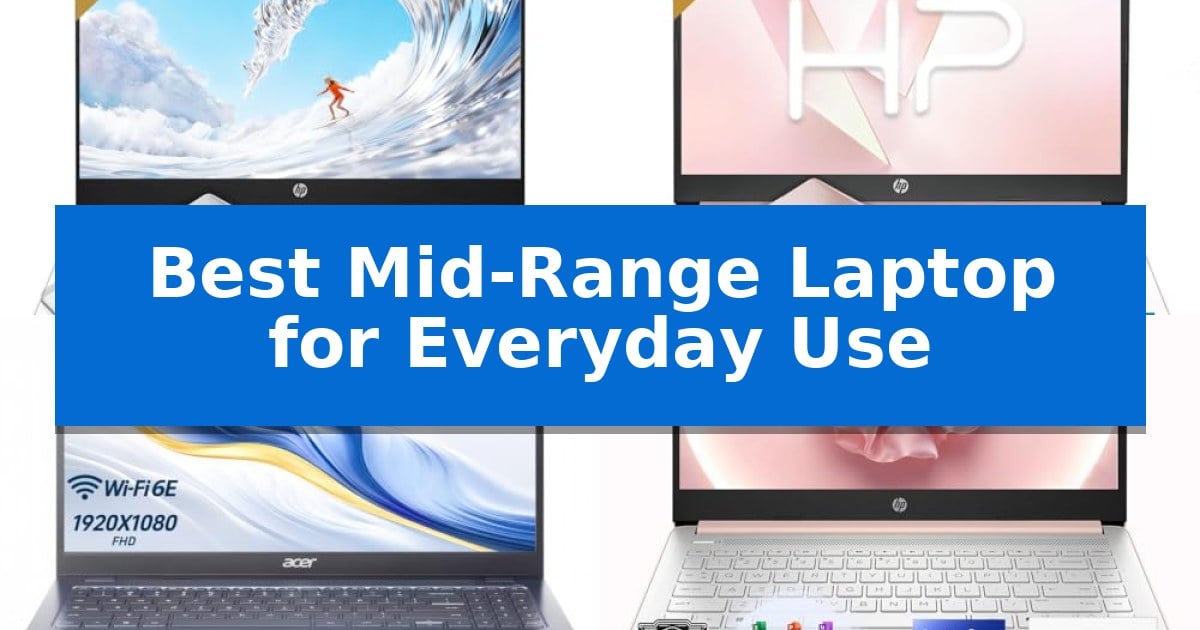
Finding the right machine for your daily tasks requires balancing performance, portability, and price. Whether you are a student managing coursework or a professional handling office documents, the Best Mid-Range Laptop for Everyday Use must provide a reliable experience without unnecessary complexity.
Our guide focuses on identifying laptops that offer practical features like efficient processors, comfortable displays, and long-lasting battery life. We have evaluated four distinct models to help you understand which device aligns best with your specific mobility and productivity needs.
You may also want to compare Best Mid-Range Laptop for College Students, Best Mid-Range Laptop, and Best Mid-Range Karaoke Machines.
Best Mid-Range Laptop for Everyday Use
Quick Comparison
| Product | Best For | Key Strength | Score |
|---|---|---|---|
| HP Everyday Laptop | Best Overall | Lightweight 3.24 lb design for easy portability. | 4.9 |
| HP 14" Everyday Laptop • Copilot AI • 2026 Edition • Latest Intel 4-Core N150 Processor • 12 | Reliable Performance for Students | Portable 14-inch design weighing only 3.24 lbs. | 4.3 |
| Acer Chromebook | Streamlined Productivity Made Simple | 15.6-inch Full HD anti-glare display for comfortable viewing. | 4.3 |
| HP Ultrabook Laptop | Portable Design for Mobile Users | Lightweight 3.24 lb design for enhanced portability. | 4.9 |
How We Chose
- Processor efficiency for smooth multitasking and web browsing.
- Display quality, specifically focusing on anti-glare comfort and resolution.
- Portability, including total weight and chassis thickness.
- Battery longevity for uninterrupted work and streaming.
- Input features, such as keyboard layout and integrated AI-assisted shortcuts.
1 HP Everyday Laptop — Modern Aesthetic for Daily Tasks
Balancing portability with daily utility, the HP Everyday Laptop offers a streamlined solution for students and professionals who require a reliable machine for routine tasks. With its lightweight 3.24 lb chassis and elegant Snowflake White finish, this device is built for users who prioritize a clean, aesthetic workspace without sacrificing essential functionality.
Performance is driven by an Intel Processor and integrated Intel Graphics, providing the necessary power for web browsing, streaming, and office-based productivity. The 14-inch HD micro-edge display features anti-glare technology and 250 nits of brightness, ensuring comfortable viewing during extended sessions. The inclusion of a full-size keyboard with a dedicated Microsoft Copilot key and a multi-touch HP Imagepad further simplifies navigation for everyday workflows.
Designed for mobility, the laptop supports up to 11 hours of video playback or 7.5 hours of wireless streaming, allowing for extended use away from a power outlet. Virtual collaboration is supported by the HP True Vision 720p HD camera, which utilizes temporal noise reduction and dual array microphones to maintain clarity during online meetings.
The device comes equipped with 8GB of RAM and a 192GB SSD, complemented by 1TB of cloud storage, providing a balance of local speed and remote capacity. While the 1366×768 resolution is sufficient for standard document work and media consumption, it serves as a functional trade-off to maintain the laptop's compact form factor and energy efficiency.
Best for: Students and young professionals who need a lightweight, portable device for web browsing, streaming, and light office tasks.
Skip if: Users who require high-resolution displays for professional photo editing or advanced multitasking that demands significant local storage and processing power.
PROS
- Lightweight 3.24 lb design for easy portability.
- All-day battery life supporting up to 11 hours of video playback.
- Dedicated Microsoft Copilot key for streamlined AI-assisted input.
- Anti-glare display reduces eye strain in various lighting conditions.
CONS
- 1366×768 HD resolution may limit workspace for complex multitasking.
- 192GB SSD capacity is relatively modest for large media libraries.
2 HP 14" Everyday Laptop • Copilot AI • 2026 Edition • Latest Intel 4-Core N150 Processor • 12 — Reliable Performance for Students
Balancing portability with daily productivity, the HP 14" Everyday Laptop • Copilot AI • 2026 Edition • Latest Intel 4-Core N150 Processor • 128GB SSD • Microsoft 365 • Windows 11 • Long Battery Life • Thin & Portable is engineered for users who require a reliable machine for web browsing, document editing, and online learning. Weighing only 3.24 lbs and measuring 0.71 inches thin, this device prioritizes mobility without sacrificing the essential connectivity needed for modern tasks.
At the heart of the system is the Intel N150 quad-core processor paired with 8GB of RAM, providing the necessary overhead for smooth multitasking across everyday applications. The inclusion of Microsoft 365 and 1TB of OneDrive cloud storage ensures that users have immediate access to productivity tools and ample space for file management right out of the box.
Communication and collaboration are supported by a 720p HD camera and dual-array microphones, designed to provide clarity during virtual meetings and online classes. A dedicated Copilot Key offers direct access to AI-driven productivity tools, streamlining common workflows and system interactions.
Connectivity is maintained through Wi-Fi 6 technology, which supports stable performance for cloud-based collaboration and video streaming. With a battery rated for up to 11 hours of use, the laptop is built to sustain productivity throughout a typical day of work or study, fitting into a variety of mobile environments.
Best for: Students and everyday users who need a lightweight, portable device for document editing, web browsing, and virtual collaboration.
Skip if: Users who require high-performance hardware for intensive tasks like video editing, 3D rendering, or heavy gaming will find the processor and storage capacity limiting.
PROS
- Portable 14-inch design weighing only 3.24 lbs.
- Includes Microsoft 365 and 1TB of OneDrive storage for immediate productivity.
- Wi-Fi 6 connectivity for stable online performance.
- Dedicated Copilot Key for quick access to AI tools.
CONS
- 128GB SSD capacity may require reliance on cloud storage for large file libraries.
- 720p HD camera is standard and may not meet high-end professional video requirements.
3 Acer Chromebook — Streamlined Productivity Made Simple
The Acer Chromebook offers a practical solution for daily computing tasks by combining a spacious 15.6-inch anti-glare display with the streamlined efficiency of ChromeOS. This device is engineered for users who prioritize quick startup times and integrated security for routine activities like document creation, spreadsheet management, and streaming.
Equipped with a 15.6-inch Full HD display, the laptop provides a 1920 x 1080 resolution that supports clear visuals for both work and entertainment. The inclusion of a numeric keypad enhances productivity for data entry, while the physical camera shutter provides a simple manual control for privacy during video calls.
Connectivity is a central focus of this model, featuring Wi-Fi 6E for stable wireless performance alongside Bluetooth 5.3. The chassis includes versatile port options such as USB-C, USB-A, and HDMI, allowing for easy integration with external monitors or peripherals. DTS Audio and dual microphones round out the hardware, supporting clear communication and media playback.
Designed for portability and ease of use, the unit weighs 3.53 pounds and measures 0.73 inches in height. The system supports fast charging to minimize downtime, and the dedicated Quick Insert Key simplifies access to common tools within the Google ecosystem, making it a straightforward choice for everyday computing needs.
Best for: Students and professionals seeking a reliable, budget-friendly laptop for web-based productivity, streaming, and video conferencing.
Skip if: Users who require specialized professional software, high-end gaming performance, or significant local storage for large media files will find the ChromeOS environment and hardware limitations restrictive.
PROS
- 15.6-inch Full HD anti-glare display for comfortable viewing.
- Wi-Fi 6E support for modern wireless connectivity.
- Integrated camera shutter for enhanced privacy.
- Fast charging capability to reduce downtime.
CONS
- ChromeOS limitations restrict the use of traditional desktop applications.
- 4GB LPDDR5 RAM may limit multitasking capacity for heavy users.
4 HP Ultrabook Laptop — Portable Design for Mobile Users
Balancing mobility with essential computing needs, the HP 14" Ultrabook Laptop features a lightweight 3.24 lb chassis finished in a modern Rose Gold. This device is engineered for students and professionals who require a portable machine for daily office tasks, streaming, and online classes.
The laptop is powered by an Intel processor paired with Intel Graphics, ensuring smooth operation for standard productivity workflows. It includes a 14-inch HD LED micro-edge display with anti-glare technology and 250 nits of brightness, designed to maintain visual clarity in various lighting conditions. The screen-to-body ratio of 79% and 62.5% sRGB coverage provide an immersive viewing area for multimedia content.
Connectivity is a priority, featuring Wi-Fi 6 and Bluetooth 5.4 for reliable wireless performance. The port selection includes USB-C, two USB-A ports, HDMI 1.4b, an SD media card reader, and a dedicated headphone/microphone combo jack. For virtual collaboration, the system integrates an HP True Vision 720p HD camera with temporal noise reduction and dual array microphones.
Usability is enhanced by a full-size keyboard that incorporates a dedicated Microsoft Copilot key for quick access to AI-assisted features. The device also includes a multi-touch HP Imagepad for navigation. With an internal battery capable of up to 11 hours of video playback or 7.5 hours of wireless streaming, this laptop supports extended use away from a power outlet.
Best for: Students and mobile professionals seeking a lightweight, aesthetic laptop for everyday web-based tasks and virtual meetings.
Skip if: Users requiring high-resolution displays, heavy multitasking capabilities, or significant local storage capacity for large professional media files.
PROS
- Lightweight 3.24 lb design for enhanced portability.
- Wi-Fi 6 and Bluetooth 5.4 for modern wireless connectivity.
- Dedicated Microsoft Copilot key for integrated AI assistance.
- Versatile port selection including USB-C and SD card reader.
CONS
- Limited 1366×768 HD resolution may not suit high-detail creative work.
- 4GB RAM and 64GB SSD configurations restrict intensive multitasking and large file storage.
Best Mid-Range Laptop for Everyday Use Buying Guide
Prioritizing Portability and Weight
For users who frequently travel or move between classrooms and offices, the physical weight of a laptop is a critical factor. A device weighing around 3.2 lbs is generally considered highly portable, allowing for easy transport in standard bags without adding significant strain.
Beyond weight, the overall dimensions and chassis thickness determine how easily a laptop fits into tight spaces. Choosing a thin and portable design ensures that your workspace remains clean and aesthetic, regardless of where you choose to set up.
Display Comfort and Visual Clarity
The screen is your primary interface, so its quality directly impacts your daily experience. Look for displays that feature anti-glare technology, which is essential for maintaining visibility in bright indoor environments or near windows.
While resolution is important, the inclusion of micro-edge bezels can provide a more immersive viewing experience by maximizing the screen-to-body ratio. This allows for a larger visual area without increasing the overall footprint of the laptop.
Battery Life and Power Management
A reliable laptop for everyday use should support your schedule without requiring constant access to a power outlet. Look for models that offer all-day battery life, typically measured in hours of video playback or wireless streaming.
Fast-charging capabilities are a valuable addition to any mid-range device. This feature allows you to regain significant battery percentage in a short amount of time, providing peace of mind during busy days when you have limited time to plug in.
Connectivity and Modern Input Features
Modern workflows often rely on stable wireless connections. Features like Wi-Fi 6 or Wi-Fi 6E ensure faster and more stable internet performance, which is vital for video conferencing, online classes, and cloud-based collaboration.
Input convenience is also evolving with the integration of dedicated keys for productivity tools. A dedicated Copilot key or similar shortcuts can streamline your interaction with operating systems and AI-assisted software, making common tasks faster to execute.
Storage and Memory Considerations
The balance between local storage and cloud integration is key for mid-range laptops. While local SSD storage provides fast boot times and quick file access, many modern laptops now include cloud storage subscriptions to augment your capacity.
Memory, or RAM, dictates how many applications you can run simultaneously. For standard browsing, document editing, and streaming, 8GB of RAM is generally sufficient to maintain a smooth experience without significant lag.
Frequently Asked Questions
What is the primary benefit of a 14-inch laptop for everyday use?
A 14-inch screen size offers a balance between screen real estate for productivity and a compact form factor that is easy to carry.
Do these laptops support video conferencing?
Yes, most models in this category include integrated HD cameras and dual-array microphones designed to improve clarity during virtual meetings.
Is 128GB or 192GB of SSD storage enough?
For users who primarily use web-based applications and store files in the cloud, these capacities are sufficient. If you store large local media libraries, you may need to supplement with external drives.
What does the dedicated Copilot key do?
The dedicated Copilot key provides quick, one-touch access to Microsoft's AI-powered productivity tools, helping you navigate and manage tasks more efficiently.
Are these laptops suitable for students?
Yes, these laptops are designed for students who need reliable performance for research, writing papers, attending online classes, and streaming educational content.
Conclusion: Our Top Pick
Choosing the right laptop depends on your specific needs for mobility and daily task management. If you prioritize a balance of aesthetic design, reliable performance, and portability, the HP Everyday Laptop stands out as a strong candidate for your daily needs.
This model provides a modern, clean look and efficient hardware that handles browsing and office tasks with ease. Its lightweight chassis and long battery life make it a practical choice for those who need a dependable device that can move with them throughout the day.