
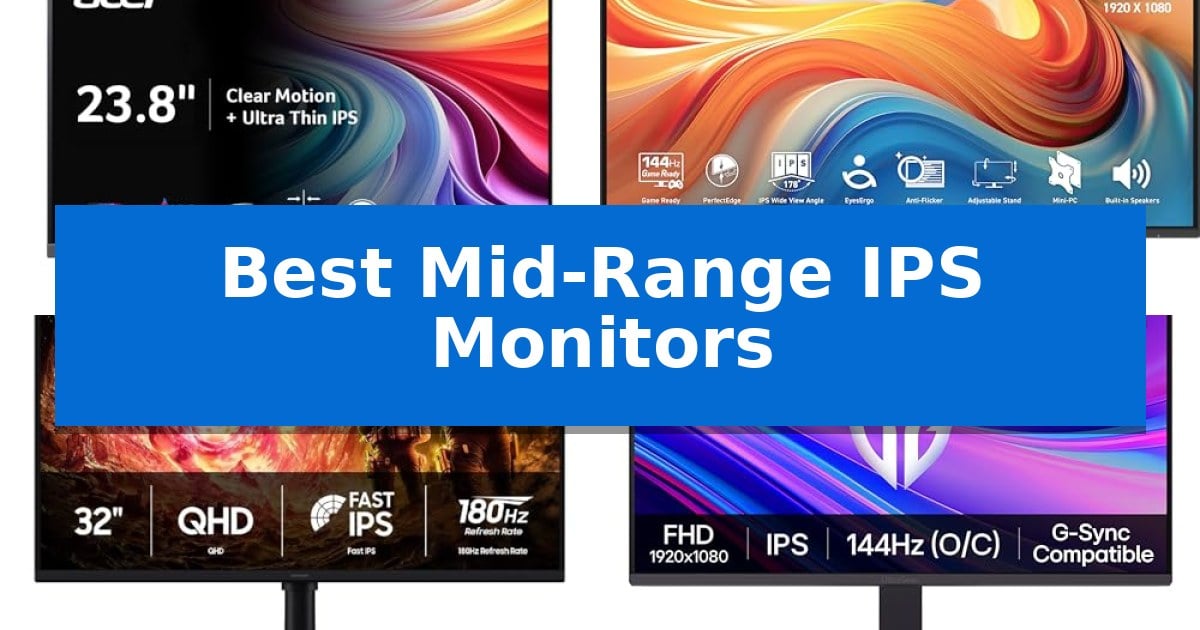
Finding the right display for your desk often feels like a compromise between vibrant color reproduction and the fast response times required for smooth motion. The Best Mid-Range IPS Monitors bridge this gap, offering the wide viewing angles and consistent color accuracy of IPS panels alongside the high refresh rates once reserved for specialized gaming hardware.
Whether you are balancing complex spreadsheets, editing creative projects, or jumping into competitive gaming sessions, selecting the right monitor requires looking beyond basic resolution. We have analyzed the latest options to help you identify which features—from ergonomic adjustability to specific connectivity standards—best suit your daily workflow and entertainment needs.
You may also want to compare Best Mid-Range Integrated Amplifiers, Best Mid-Range Integrated Amplifier, and Best Mid-Range Inkjet All-in-One Printers.
Best Mid-Range IPS Monitors
Quick Comparison
| Product | Best For | Key Strength | Score |
|---|---|---|---|
| Acer SH243Y P1si Monitor | Best Overall | ErgoStand provides extensive tilt, swivel, and height adjustment. | 4.9 |
| MSI PRO MP275PG E14 Monitor | Full Height and Swivel Flexibility | 144Hz refresh rate provides fluid motion for gaming and navigation. | 4.7 |
| Samsung Odyssey G5 QHD Monitor | Sharper Resolution for Immersive Play | 180Hz refresh rate for fluid motion. | 4.6 |
| LG UltraGear 24G411A-B Monitor | Competitive Speed with HDR Color | 144Hz overclocked refresh rate for fluid motion | 4.9 |
| INNOCN 34C1R Ultrawide Monitor | Expansive Workspace for Multitasking | Expansive 21:9 ultrawide aspect ratio for enhanced multitasking. | 4.4 |
How We Chose
- Panel Performance: Assessing color accuracy, contrast ratios, and the consistency of IPS technology across various viewing angles.
- Motion Handling: Evaluating refresh rates and response time claims to ensure smooth visuals for both gaming and high-speed productivity tasks.
- Ergonomic Versatility: Reviewing the physical adjustability of stands, including height, tilt, and swivel capabilities, to support long-term comfort.
- Connectivity and Compatibility: Checking for essential port configurations like HDMI, DisplayPort, and legacy support to ensure seamless integration with your existing hardware.
- Multitasking Features: Identifying built-in tools such as picture-in-picture modes or screen-splitting software that enhance workflow efficiency.
1 Acer SH243Y P1si Monitor — Ergonomic Adjustability for Any Setup
The Acer SH243Y P1si Monitor prioritizes physical versatility with its ErgoStand, which offers -5° to 25° tilt, 360° swivel, and 3.93 inches of height adjustment. This design allows users to find an ideal viewing angle for both office tasks and gaming sessions, while the quick-release mechanism simplifies the transition to VESA wall mounting.
Engineered for fluid motion, the display features a 144Hz refresh rate that reduces frame rendering time and minimizes input lag. This high refresh rate is paired with AMD FreeSync Technology to synchronize the monitor with the GPU, effectively eliminating stutter and tearing during fast-paced sequences.
Visual clarity is maintained through a Full HD 1920×1080 resolution on the 23.8-inch IPS panel, ensuring crisp text and detailed imagery. The 1ms (VRB) response time further enhances the experience by preventing smearing or ghosting during rapid transitions, making it a capable choice for dynamic content.
Connectivity is handled through standard HDMI and VGA ports, providing compatibility with a variety of computer setups. With its combination of ergonomic flexibility and responsive display technology, this monitor serves as a functional tool for users balancing professional productivity with gaming.
Best for: Users who require a highly adjustable, ergonomic display for a mix of office productivity and gaming.
Skip if: Users who need higher than 1080p resolution or require modern connectivity ports like DisplayPort or USB-C.
PROS
- ErgoStand provides extensive tilt, swivel, and height adjustment.
- 144Hz refresh rate delivers smooth motion for gaming.
- AMD FreeSync support minimizes visual stutter.
- 1ms (VRB) response time reduces motion blur.
CONS
- Limited connectivity options restricted to HDMI and VGA.
- Full HD resolution may lack the sharpness of higher-density panels.
2 MSI PRO MP275PG E14 Monitor — Full Height and Swivel Flexibility
Achieving a fluid visual experience for both competitive gaming and professional workflows requires a display that balances high-speed responsiveness with color accuracy. The MSI PRO MP275PG E14 Monitor addresses this by pairing a 144Hz refresh rate with a 27-inch IPS panel, ensuring smooth motion tracking and consistent color reproduction across wide 178-degree viewing angles.
Designed for long-term usability, this monitor features an extensive ergonomic stand that supports height, tilt, swivel, and pivot adjustments, allowing for a customized setup in either portrait or landscape orientation. To support extended sessions, it incorporates TUV Rheinland certified Flicker Free and Low Blue Light technologies, alongside a built-in Eye-Q Check tool to help users manage visual fatigue.
The display integrates FreeSync technology to synchronize the refresh rate with your GPU, effectively mitigating screen tearing and stuttering during high-frame-rate gameplay. Connectivity is versatile, featuring HDMI 2.0 with CEC for device control, DisplayPort 1.2a for high-bandwidth performance, and a legacy D-Sub (VGA) port for older hardware compatibility.
Maintenance and longevity are prioritized through support for firmware updates, ensuring the monitor remains optimized for performance over time. With its VESA 100x100mm mounting capability and slim bezel design, it serves as a flexible solution for users looking to consolidate their gaming and office requirements into a single, reliable display.
Best for: Users who need a versatile 27-inch display that bridges the gap between high-refresh-rate gaming and ergonomic office productivity.
Skip if: Users requiring higher resolutions like 1440p or 4K for professional-grade creative work or those who do not need the 144Hz gaming-focused refresh rate.
PROS
- 144Hz refresh rate provides fluid motion for gaming and navigation.
- Fully adjustable stand offers height, tilt, swivel, and pivot flexibility.
- IPS panel technology ensures consistent color and wide viewing angles.
- TUV Rheinland certified eye-care features reduce strain during long sessions.
CONS
- 1080p resolution may appear less sharp on a 27-inch screen compared to higher-density displays.
- Legacy VGA port may be unnecessary for modern digital-only workflows.
3 Samsung Odyssey G5 QHD Monitor — Sharper Resolution for Immersive Play
The Samsung 32” Odyssey G5 (G50F) Series QHD Gaming Monitor prioritizes visual clarity and fluid motion through its Fast IPS panel and 180Hz refresh rate. Designed to bridge the gap between high-resolution detail and competitive responsiveness, this display features a QHD (2560 x 1440) resolution that provides a sharper image density than standard 1080p monitors, making it a strong candidate for those seeking Best Mid-Range IPS Monitors that do not compromise on pixel density.
Performance is bolstered by a 1ms (GtG) response time, which works alongside NVIDIA G-Sync compatibility and AMD FreeSync to minimize screen tearing and input lag during fast-paced sequences. The inclusion of HDR10 support enhances the dynamic range, allowing for more nuanced shadows and brighter highlights, while the Black Equalizer feature is specifically tuned to improve visibility in darker in-game environments.
Usability is a core focus of the design, featuring an ergonomic stand that supports height adjustment, tilting, and swiveling to accommodate various desk setups. The Auto Source Switch+ functionality simplifies multi-device management by automatically detecting and switching to active inputs. Additionally, the Virtual Aim Point tool provides a static crosshair overlay, offering a consistent reference point for players regardless of the game's native UI.
With a 178-degree viewing angle, the IPS panel ensures color consistency across the screen, which is beneficial for both gaming and general productivity tasks. While the monitor is packed with gaming-centric features, its versatile design and high-resolution output make it a balanced choice for users who require a single display for both work and entertainment.
Best for: Gamers and productivity users who require a high-resolution, responsive display with flexible ergonomic adjustments.
Skip if: Users who require a 4K resolution display or those with limited desk space who may find a 32-inch footprint too large.
PROS
- 180Hz refresh rate for fluid motion.
- Fast IPS panel with wide 178-degree viewing angles.
- 1ms (GtG) response time reduces ghosting.
- Ergonomic stand allows for height, tilt, and swivel adjustments.
- G-Sync and FreeSync compatibility for tear-free gaming.
CONS
- 32-inch size may be too large for compact desk setups.
- QHD resolution is lower than 4K alternatives.
4 LG UltraGear 24G411A-B Monitor — Competitive Speed with HDR Color
The LG UltraGear 24G411A-B Monitor distinguishes itself with a versatile 120Hz native refresh rate that can be overclocked to 144Hz, providing a fluid visual experience for competitive gaming. This 24-inch display utilizes an IPS panel to deliver rich, vivid colors with 99% sRGB color gamut coverage and HDR10 support, ensuring that shadows and highlights remain detailed during fast-paced action.
To maintain visual clarity, the monitor features 1ms Motion Blur Reduction (MBR), which works to minimize ghosting and blur during rapid movement. Gamers can further optimize their experience using integrated tools like Dynamic Action Sync to reduce input lag, and the Black Stabilizer, which enhances visibility in dark in-game environments to help identify threats more effectively.
Compatibility is a core strength of this model, as it supports both NVIDIA G-SYNC and AMD FreeSync technologies to ensure tear-free, low-latency gameplay. The inclusion of the Switch app adds a layer of utility, allowing users to split the screen into up to six sections for multitasking, making it a functional choice for both gaming and productivity workflows.
The physical design emphasizes a streamlined, minimalist aesthetic with an ultra-slim bezel that maximizes the active viewing area. The stand is tilt-adjustable, providing ergonomic flexibility to suit different desk setups, while the overall construction maintains a clean, weightless appearance that fits well into modern desktop environments.
Best for: Competitive gamers and multitaskers who require a responsive, color-accurate display with flexible screen-splitting software.
Skip if: Users who prioritize 4K resolution or larger screen real estate for professional video editing or immersive cinematic viewing will find the 1080p resolution and 24-inch size limiting.
PROS
- 144Hz overclocked refresh rate for fluid motion
- IPS panel technology with 99% sRGB coverage
- Dual-sync compatibility with G-SYNC and FreeSync
- Switch app for efficient multitasking and screen splitting
CONS
- 1080p resolution may lack sharpness for high-resolution content
- Limited ergonomic adjustments restricted to tilt only
5 INNOCN 34C1R Ultrawide Monitor — Expansive Workspace for Multitasking
The INNOCN 34C1R Ultrawide Monitor provides an expansive 21:9 aspect ratio, effectively replacing dual-monitor setups for tasks like video editing, coding, and side-by-side document comparison. This 34-inch display is designed to streamline complex workflows by offering significant horizontal screen real estate.
Engineered for performance, the monitor features a 180Hz refresh rate and a 1ms (MPRT) response time, which work to reduce motion blur and ghosting during fast-paced gaming. It includes Adaptive-Sync and is G-SYNC Compatible, helping to minimize screen tearing and stuttering for a smoother visual experience in action-oriented titles.
Visual accuracy is supported by a 100% sRGB color gamut and HDR400 capability, ensuring vivid contrast and detailed shadows. The IPS panel maintains consistent color reproduction across its 178° viewing angles, which is essential for creative professionals who require reliable color consistency across the entire screen surface.
The unit prioritizes user comfort and versatility with a fully adjustable ergonomic stand that allows for 130mm height adjustment and tilt customization. Integrated PIP (Picture-in-Picture) and PBP (Picture-by-Picture) modes enable simultaneous display from multiple sources, such as a PC and a console, through its dual HDMI 2.0 and DP 1.4 ports.
Best for: Users requiring an expansive ultrawide workspace for multitasking, creative professional workflows, or high-refresh-rate gaming.
Skip if: Users who require integrated USB-C connectivity for single-cable laptop charging or those with limited desk space who cannot accommodate a 34-inch ultrawide footprint.
PROS
- Expansive 21:9 ultrawide aspect ratio for enhanced multitasking.
- 180Hz high refresh rate with 1ms response time for fluid motion.
- Integrated PIP/PBP modes for multi-device workflows.
- Fully adjustable ergonomic stand with height and tilt customization.
CONS
- No USB-C connectivity for single-cable power delivery.
- Large physical footprint requires significant desk space.
Best Mid-Range IPS Monitors Buying Guide
Understanding IPS Panel Benefits
In-Plane Switching (IPS) technology is widely regarded for its superior color reproduction and wide viewing angles. Unlike other panel types that may shift colors when viewed from the side, IPS monitors maintain consistent hues and contrast, making them ideal for creative work or setups where you might view the screen from different positions.
While older IPS panels were often slower, modern iterations have significantly improved response times. When shopping for the Best Mid-Range IPS Monitors, look for panels that combine this color fidelity with high refresh rates to avoid the motion blur that can distract during fast-paced movement.
Refresh Rates and Motion Clarity
The refresh rate, measured in Hertz (Hz), determines how many times per second the screen updates. A standard 60Hz monitor is sufficient for basic office tasks, but for gaming or smooth scrolling, moving to 120Hz or 144Hz provides a noticeably more fluid experience.
Response time is equally critical, as it dictates how quickly pixels change color. A 1ms response time is the gold standard for minimizing ghosting and smearing. Pairing a high refresh rate with a low response time ensures that fast-moving objects remain sharp rather than leaving a trailing blur behind them.
Ergonomics and Workspace Comfort
A monitor's stand is often overlooked, yet it is essential for preventing neck and eye strain. The Best Mid-Range IPS Monitors typically feature an ErgoStand or similar adjustable mechanism that allows for height, tilt, and swivel adjustments.
If your desk space is limited or you prefer a specific viewing angle, ensure the monitor is VESA mountable. This allows you to remove the factory stand and attach the display to an aftermarket monitor arm, freeing up valuable desk real estate and providing greater flexibility in positioning.
Connectivity Standards
Before purchasing, verify that the monitor's ports match your computer's output. HDMI is the most common standard, but DisplayPort is often required to achieve the highest refresh rates on many high-performance monitors.
Some models also include legacy ports like VGA for older hardware or built-in speakers for basic audio needs. Always check the specific version of the ports provided to ensure they support the resolution and refresh rate you intend to use.
Adaptive Sync Technologies
Technologies like AMD FreeSync and NVIDIA G-Sync are designed to eliminate screen tearing and stuttering by synchronizing the monitor's refresh rate with your graphics card's frame output. This is particularly beneficial during gaming sessions where frame rates may fluctuate.
Choosing a monitor that is compatible with your GPU's sync technology can significantly improve the smoothness of your visual experience. Even if you aren't a competitive gamer, these features help maintain a stable, tear-free image during demanding graphical tasks.
Frequently Asked Questions
What is the primary advantage of an IPS monitor over other types?
IPS monitors are primarily chosen for their excellent color accuracy and wide viewing angles, which prevent color distortion when looking at the screen from off-center positions.
Do I need a 144Hz monitor for office work?
While 144Hz is not strictly necessary for basic office tasks, it provides a smoother experience when scrolling through documents and navigating interfaces, which can reduce eye fatigue over long periods.
What does VESA mountable mean?
VESA mountable means the monitor follows a standard hole pattern on the back, allowing you to attach it to wall mounts or adjustable desk arms instead of using the included stand.
Can I use a gaming monitor for professional design work?
Many modern gaming monitors use IPS panels with good color coverage, making them suitable for design work, provided the monitor's color gamut (like sRGB coverage) meets your specific project requirements.
Is a 1ms response time noticeable?
Yes, a 1ms response time is highly noticeable in fast-moving content, as it significantly reduces ghosting and smearing, keeping the image clear during rapid motion.
Conclusion: Our Top Pick
Selecting the right display depends on how you balance your specific needs for speed and color. For most users, the Acer SH243Y P1si Monitor stands out as a versatile choice, offering a strong combination of high refresh rates, ergonomic flexibility, and reliable IPS color performance that suits both gaming and professional tasks.
While other options in this list provide specialized benefits like ultrawide real estate or higher QHD resolution, the Acer model provides the most balanced feature set for a wide range of users. Its ability to adjust for height and swivel ensures it fits comfortably into almost any desk setup, making it a dependable foundation for your workspace.