
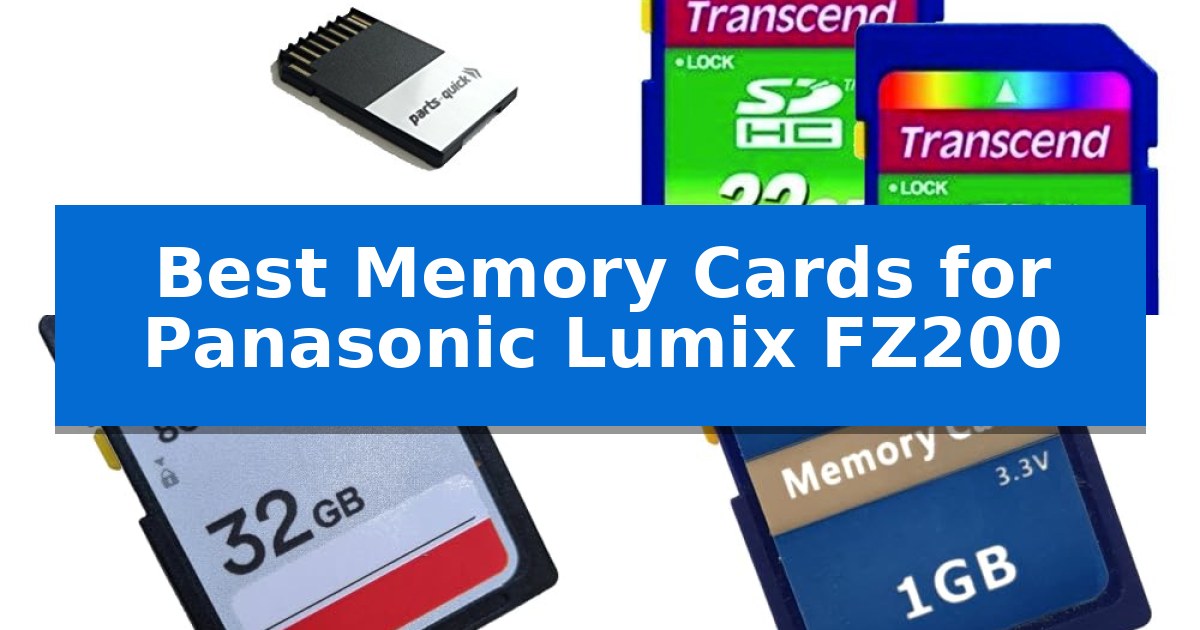
Finding the right storage for your camera is essential for ensuring that every image and video clip is captured without interruption. When searching for the Best Memory Cards for Panasonic Lumix FZ200, it is important to prioritize compatibility with the camera's specific SDHC and SD standards to avoid data errors or performance limitations during use.
Whether you are looking for high-capacity storage for extended shooting sessions or a reliable backup solution, selecting a card that matches your device's requirements is the first step toward a seamless photography experience. We have evaluated several options to help you identify the most suitable memory card for your specific needs.
You may also want to compare Best Memory Cards for Panasonic Lumix FZ82, Best Memory Cards for Panasonic Lumix FZ80, and Best Memory Cards for Panasonic Lumix Cameras.
Best Memory Cards for Panasonic Lumix FZ200
Quick Comparison
| Product | Best For | Key Strength | Score |
|---|---|---|---|
| Parts-Quick 32GB Memory Card | Best Overall | Generous 32GB capacity for extensive media storage. | 4.9 |
| Transcend SDHC Memory Card | Dual Pack for Backup Storage | Dual 32GB capacity provides a total of 64GB of storage space. | 4.5 |
| EPPS 32GB SDHC Memory Card | High-Speed Class 10 Performance | Full-size SDHC format ensures direct compatibility with the Lumix FZ200. | 4.3 |
| EPPS 1GB SD Memory Card | Standard Format for Legacy Compatibility | Full-size SDSC format ensures specific compatibility with the Panasonic Lumix FZ200. | 4.5 |
How We Chose
- Format Compatibility: Verifying that each card meets the SDHC or SDSC standards required by the camera.
- Storage Capacity: Assessing the 1GB to 32GB range to match typical user needs for photo and video volume.
- Reliability Features: Identifying the presence of physical write-protect switches to prevent accidental data loss.
- Packaging and Warranty: Evaluating the inclusion of manufacturer warranties and the nature of the product delivery.
1 Parts-Quick 32GB Memory Card — Reliable Capacity for Extended Shooting
The Parts-Quick 32GB Memory Card for Panasonic Lumix DMC-FZ200 provides a substantial 32GB capacity of Flash Memory storage, designed to accommodate the high-resolution image files and video clips generated by your camera. This card serves as a reliable repository for your media, ensuring you have enough space to capture extended shooting sessions without needing to frequently swap or offload data.
Utilizing Flash Memory technology, this card is built to handle the read and write demands of the FZ200. The 32GB storage tier offers a practical balance for photographers who prioritize having a single, high-capacity card inside their device, minimizing the risk of losing smaller cards while in the field.
Designed specifically for compatibility with the Panasonic Lumix series, this card integrates seamlessly into your existing workflow. By providing a dedicated storage solution, it allows you to focus on framing shots and adjusting camera settings rather than worrying about remaining storage space during critical moments.
While this card excels at providing consistent storage, it is a straightforward, high-capacity solution without specialized high-speed bus ratings or ruggedized exterior certifications. It is best suited for standard photography and videography tasks where reliable, ample storage is the primary requirement for your creative process.
Best for: Photographers who need a single, high-capacity storage solution for extended shooting sessions with the Panasonic Lumix FZ200.
Skip if: Users who require specialized high-speed performance for continuous burst mode photography or professional 4K video workflows.
PROS
- Generous 32GB capacity for extensive media storage.
- Reliable Flash Memory architecture.
- Seamless compatibility with the Panasonic Lumix DMC-FZ200.
CONS
- Lacks specialized high-speed ratings for professional burst shooting.
- Standard design without ruggedized environmental protections.
2 Transcend SDHC Memory Card — Dual Pack for Backup Storage
Managing storage for the Panasonic Lumix FZ200 requires a reliable approach to data handling, especially when capturing high-resolution images or extended video clips. The Transcend SDHC Memory Card 2-pack provides a practical solution by offering two 32GB units, allowing photographers to maintain a dedicated backup or expand their total capacity without needing to offload files immediately.
Each card in this set is a Secure Digital High Capacity (SDHC) model, ensuring compatibility with the camera's storage interface. By utilizing a dual-pack configuration, users can organize their workflow by keeping one card inside the device while maintaining a secondary card ready for rapid swapping during field sessions or long events.
The 32GB capacity per card offers a balanced amount of space for standard shooting requirements. This setup is particularly useful for those who prefer to segment their media, reducing the risk of data loss on a single card and providing a straightforward method for managing large volumes of digital assets.
Choosing this bundle simplifies the procurement process for FZ200 owners by providing two identical, verified storage units in one purchase. It serves as a foundational storage strategy for users who prioritize having extra space on hand to avoid interruptions during critical shooting moments.
Best for: Photographers who want a reliable, dual-card storage solution for backup or extended shooting sessions with the Panasonic Lumix FZ200.
Skip if: Users who require high-speed UHS-II or UHS-III performance for professional-grade 4K video recording, as these cards are standard SDHC units.
PROS
- Dual 32GB capacity provides a total of 64GB of storage space.
- Two-pack bundle allows for immediate backup or secondary storage.
- SDHC standard ensures broad compatibility with the Panasonic Lumix FZ200.
CONS
- Standard SDHC speed may not support the fastest write requirements for high-bitrate professional video.
3 EPPS 32GB SDHC Memory Card — High-Speed Class 10 Performance
Ensuring your camera is ready for a long day of shooting requires reliable storage, and the EPPS 32GB SDHC Memory Card provides a dedicated solution for the Panasonic Lumix DMC-FZ200. This full-size SDHC card is specifically designed to meet the format requirements of your camera, offering a straightforward way to expand your storage capacity for photos and videos.
With a 32GB capacity, this card offers ample space for high-resolution captures. It is rated as a Class 10 card, ensuring it meets the necessary speed standards for consistent performance during standard operation. The inclusion of a physical write-protect switch provides an extra layer of security, allowing you to prevent accidental deletion or overwriting of your important files.
Compatibility is essential for digital storage, and this card is engineered to integrate directly with the Panasonic Lumix DMC-FZ200. Before your first use, the card should be formatted within the camera settings to ensure optimal file system alignment. Please note that this is a full-size SDHC card and is not compatible with devices restricted to standard SD/SDSC or microSD slots.
The product is supplied with a 12-month manufacturer warranty, providing coverage for your purchase. It arrives in a reinforced cardboard envelope, prioritizing functional delivery over retail packaging. By choosing this card, you gain a reliable, dedicated storage medium that fits the specific technical requirements of your Lumix camera without unnecessary complexity.
Best for: Photographers using the Panasonic Lumix FZ200 who need a reliable, standard-capacity storage card with physical write protection.
Skip if: Users requiring high-speed UHS-II performance for burst-mode photography or those who need a microSD card for a different device.
PROS
- Full-size SDHC format ensures direct compatibility with the Lumix FZ200.
- Includes a physical write-protect switch for data security.
- Backed by a 12-month manufacturer warranty.
- Class 10 performance rating suitable for standard camera operations.
CONS
- Not compatible with devices limited to standard SD/SDSC formats.
- Full-size form factor cannot be used in microSD-only slots.
4 EPPS 1GB SD Memory Card — Standard Format for Legacy Compatibility
The EPPS 1GB SD Memory Card is a specialized storage solution engineered specifically for the Panasonic Lumix FZ200. By utilizing the full-size SDSC format, this card ensures direct compatibility with the camera's legacy hardware requirements, avoiding the potential connectivity issues often associated with modern microSD adapters or high-capacity SDHC/SDXC standards that the FZ200 may not support.
Practical utility is centered on reliability and data security. The card features an integrated physical write-protect switch, a hardware-level mechanism that prevents accidental deletion or overwriting of your images. This is particularly useful for photographers who need to preserve critical files while swapping cards in the field. To ensure optimal performance, the card must be formatted directly within the Panasonic Lumix FZ200 before its first use, which aligns the file system with the camera's internal architecture.
Designed with a focus on environmental responsibility, the product is shipped in a reinforced cardboard envelope, eliminating unnecessary plastic retail packaging. While the 1GB capacity is modest by contemporary standards, it serves as a dedicated, stable medium for standard-capacity photography workflows. Every unit is supported by a 12-month manufacturer warranty, providing hardware coverage for the duration of the initial ownership period.
Users should note that this card is strictly an SDSC (Standard Capacity) device. It is not compatible with devices requiring SDHC or SDXC formats, making it a niche choice for specific legacy-compatible hardware. Because formatting the card will erase any existing data, users should always ensure that any previously stored files are backed up to a computer or secondary storage before initializing the card in their camera.
Best for: Photographers using the Panasonic Lumix FZ200 who require a standard-capacity SDSC card for reliable, basic image storage.
Skip if: Users who need high-capacity storage for long-form video or high-speed burst shooting, as this 1GB card is limited in capacity and speed.
PROS
- Full-size SDSC format ensures specific compatibility with the Panasonic Lumix FZ200.
- Integrated write-protect switch prevents accidental data loss.
- Includes a 12-month manufacturer warranty for hardware peace of mind.
- Ships in reinforced cardboard packaging to minimize plastic waste.
CONS
- 1GB capacity is limited compared to modern high-capacity standards.
- Not compatible with devices requiring SDHC or SDXC formats.
Best Memory Cards for Panasonic Lumix FZ200 Buying Guide
Understanding SD Card Formats
The Panasonic Lumix FZ200 relies on specific memory card standards. It is crucial to distinguish between SDHC (Secure Digital High Capacity) and standard SD (Secure Digital) formats. While they may look identical, the internal architecture differs, and using an incompatible card can lead to read errors or the camera failing to recognize the storage media entirely.
Always check your camera's manual or settings to confirm the maximum supported capacity. While 32GB is a common standard for this model, older or legacy firmware versions might have specific limitations regarding how they address memory, making it vital to choose a card that aligns with the device's technical specifications.
The Importance of Capacity
Selecting the right storage capacity depends heavily on your shooting habits. If you primarily shoot JPEG images, a smaller card may suffice for a day of casual photography. However, if you frequently record high-definition video, the larger 32GB cards are significantly more practical, as they reduce the frequency of needing to offload files.
It is often a better strategy to carry multiple smaller-capacity cards rather than one massive card. This practice provides a layer of redundancy; if one card fails or is lost, you do not lose your entire collection of images from a trip or event.
Reliability and Data Protection
A physical write-protect switch is a simple but highly effective feature found on many full-size SD cards. By sliding this switch into the locked position, you prevent the camera or a computer from overwriting or deleting files. This is particularly useful when you want to ensure that your raw files remain untouched until you have successfully backed them up.
Because memory cards are flash-based storage, they are generally durable, but they are not immune to corruption. Always format your card within the camera menu before its first use. This process ensures the file system is perfectly aligned with the camera's internal software, minimizing the risk of future errors.
Performance and Class Ratings
The Class 10 rating indicates a minimum sustained write speed, which is critical for video recording. For the Panasonic Lumix FZ200, a Class 10 card ensures that the camera can write data to the card fast enough to keep up with the video stream, preventing dropped frames or recording interruptions.
While faster cards exist, the camera's internal interface will dictate the maximum speed you can actually achieve. Investing in an excessively fast card often provides no benefit if the camera's hardware cannot utilize those speeds, so focusing on the correct class rating is more cost-effective.
Proper Handling and Storage
To extend the life of your memory cards, keep them in a protective case when not in use. Avoid exposing the gold contact pins to dust, moisture, or static electricity. Even a small amount of debris on the contacts can cause intermittent connection issues between the card and the camera.
When removing a card from the camera, ensure the device is powered off. Removing a card while the camera is still writing data can cause immediate file corruption. Following these simple maintenance habits will ensure your storage remains reliable for years to come.
Frequently Asked Questions
Can I use a microSD card with an adapter?
While many adapters exist, it is generally recommended to use a full-size SD or SDHC card designed for your camera. Adapters can sometimes introduce connection instability or physical fitment issues.
What happens if I don't format the card in the camera?
Formatting the card in the camera ensures the file system is correctly configured for your specific device. Skipping this step can lead to unrecognized cards or unexpected data errors.
Is 32GB the maximum capacity for the FZ200?
The FZ200 is designed to work with SDHC cards, which typically top out at 32GB. Always verify your specific camera firmware, but 32GB is the standard reliable limit for this model.
How do I know if my card is write-protected?
Look for a small sliding switch on the side of the card. If it is pushed toward the bottom (usually marked with a lock icon), the card is write-protected and cannot be erased or modified.
Why does my camera say 'Card Error'?
A card error can be caused by a dirty contact, an incompatible format, or file system corruption. Try cleaning the contacts gently and reformatting the card in the camera.
Conclusion: Our Top Pick
For most users, the Parts-Quick 32GB Memory Card stands out as the most practical choice for the Panasonic Lumix FZ200. Its 32GB capacity offers a balanced amount of storage for both high-resolution photos and video, ensuring you spend less time managing files and more time shooting.
While other options like dual packs or legacy-sized cards serve specific needs, the reliability of this 32GB SDHC card makes it an essential accessory for your camera kit. Always remember to format your card in-camera before your first session to ensure optimal performance and compatibility.