
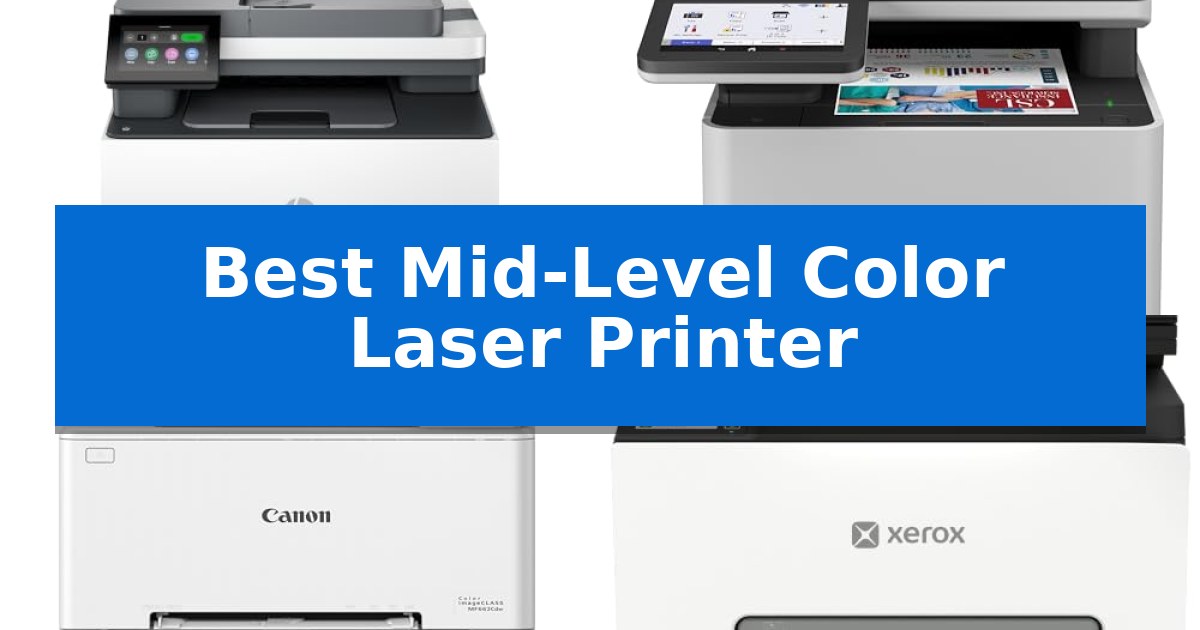
Finding the right Best Mid-Level Color Laser Printer requires balancing high-speed output with the specific connectivity and document handling needs of a growing team. Whether you are managing a small office or a hybrid workspace, selecting a device that integrates seamlessly into your existing digital workflow is essential for maintaining consistent productivity.
Our analysis focuses on identifying printers that offer the best combination of print speed, automated scanning capabilities, and reliable security features. By evaluating how these machines handle daily tasks like duplex printing and cloud integration, we help you determine which model provides the most practical value for your specific office environment.
You may also want to compare Best Mid-Level Cardioid Microphone, Best Mid-Level Camera Drone, and Best Mid-Level Business Laptops.
Best Mid-Level Color Laser Printer
Quick Comparison
| Product | Best For | Key Strength | Score |
|---|---|---|---|
| HP Color LaserJet Pro 3304fdw | Best Overall | High-speed color output of up to 26 pages per minute. | 4.9 |
| Brother MFC-L8930CDW Laser Printer | High-Volume Business Efficiency | High-speed duplex scanning up to 104ipm | 4.3 |
| Canon Color imageCLASS MF662Cdw | Reliable Three-Year Warranty | 3-year limited warranty provides long-term peace of mind. | 4.3 |
| Xerox C245 Color Laser Printer | Compact Multifunction Design | Compact 3-in-1 design saves valuable desk space. | 4.5 |
| Brother MFC-L3720CDW Laser Printer | Intuitive Cloud Integration | Intuitive 3.5-inch color touchscreen with customizable shortcuts. | 4.3 |
How We Chose
- Print and Scan Speed: We compared pages-per-minute (PPM) and image-per-minute (IPM) ratings to ensure the device keeps pace with daily business requirements.
- Connectivity and Integration: We assessed the availability of dual-band Wi-Fi, Ethernet, and cloud-service compatibility for seamless multi-user access.
- Document Handling: We prioritized models featuring automatic document feeders (ADF) and duplex printing to minimize manual intervention during large tasks.
- Security Features: We examined built-in data protection measures, such as secure network protocols and authentication options, to safeguard sensitive information.
- Workflow Automation: We looked for software features that simplify repetitive tasks, including smart scanning, file naming, and cloud-based document management.
1 HP Color LaserJet Pro 3304fdw — Best for Automated Workflow
Managing high-volume office documentation requires more than just basic printing; it demands a system that integrates scanning, copying, and security into a single, cohesive workflow. The HP Color LaserJet Pro 3304fdw addresses this by incorporating an auto document feeder and auto 2-sided printing and scanning, specifically engineered to support teams of up to seven people.
Performance is defined by its blazing fast color output, capable of reaching speeds of up to 26 pages per minute. Beyond raw speed, the device focuses on administrative efficiency through its Scan to Email functionality. This feature utilizes AI to automatically generate smart subject lines, file names, and actionable summaries, which helps reduce the manual overhead typically associated with digitizing paper reports.
Connectivity and security are central to its design. The unit features reliable Wi-Fi that automatically reconnects to maintain uptime, and it integrates HP Wolf Pro Security with customizable settings to protect sensitive information. Users can manage the entire suite of functions—including print, scan, copy, and fax—directly from their smartphones via the HP app.
Setup is streamlined through a guided, step-by-step process via the mobile application. However, users should note that this printer is designed to function exclusively with original HP chips or circuitry. It will actively block cartridges that utilize non-HP components, and the system relies on periodic firmware updates to enforce these compatibility measures.
Best for: Small to medium-sized office teams requiring high-speed color document production and automated digital filing workflows.
Skip if: Users who prefer the flexibility of using third-party or remanufactured ink cartridges, as this device strictly requires original HP chips.
PROS
- High-speed color output of up to 26 pages per minute.
- AI-powered Scan to Email simplifies file naming and summarization.
- Integrated security via HP Wolf Pro for data protection.
- Comprehensive all-in-one functionality including auto 2-sided printing and fax.
CONS
- Strict cartridge compatibility requires original HP chips or circuitry.
- Firmware-dependent restrictions on non-original supplies.
2 Brother MFC-L8930CDW Laser Printer — High-Volume Business Efficiency
Maintaining document workflows requires hardware that balances speed with consistent output quality. The Brother MFC-L8930CDW Laser Printer is engineered for high-volume office environments, featuring print and copy speeds reaching 33ppm. Its design is notably compact, occupying a footprint 25% smaller than its predecessor, which helps in optimizing limited workspace without sacrificing professional-grade output.
Efficiency is central to this model, which includes a 7-inch color touchscreen for intuitive navigation and the ability to store up to 64 customized shortcuts for recurring tasks. For document digitization, the printer utilizes an 80-page auto document feeder capable of two-sided scanning at speeds up to 104ipm. This allows users to convert physical files into searchable, editable Microsoft Office documents directly from the interface.
Cost management is addressed through flexible toner options. The device ships with standard yield cartridges but supports TN635XXL super high yield replacements, providing up to 7,500 pages for black and 6,500 pages for color toner. This scalability helps organizations manage ongoing supply expenses while maintaining consistent print quality.
Security and connectivity are integrated to support modern network demands. The unit features built-in dual-band wireless and Gigabit Ethernet networking, alongside a Triple Layer Security suite that protects data in transit. An integrated NFC card reader facilitates badge-based authentication, ensuring that sensitive documents remain secure until the authorized user is physically present at the device.
Best for: Small to medium-sized business offices requiring high-speed duplex scanning and efficient, high-volume color printing.
Skip if: Home users with minimal printing needs who do not require advanced network security, NFC authentication, or high-capacity document feeding.
PROS
- High-speed duplex scanning up to 104ipm
- Compact footprint 25% smaller than previous models
- Advanced security with integrated NFC badge authentication
- Flexible toner capacity supporting super high yield cartridges
CONS
- Large physical dimensions (21.6 inches high) may require dedicated floor or heavy-duty desk space
3 Canon Color imageCLASS MF662Cdw — Reliable Three-Year Warranty
The Canon Color imageCLASS MF662Cdw simplifies office workflows by integrating a 5-inch color touchscreen with an intuitive Application Library, allowing users to customize access to frequently used tasks. This 3-in-1 laser printer handles printing, scanning, and copying in a compact footprint, making it a practical choice for environments where space and efficiency are prioritized.
Performance is driven by fast print speeds of up to 26 ppm for both color and monochrome documents, supported by a quick first print time of approximately 10.3 seconds. To maintain consistent output quality and reduce the frequency of maintenance, the device utilizes Canon Genuine Toner 075 or high-capacity variants, which are designed to deliver high page yields.
Connectivity is streamlined through easy wireless setup and support for mobile printing via the Canon PRINT app, Apple AirPrint, and Mopria Print Service. The unit also promotes resource efficiency with automatic 2-sided printing, helping to reduce paper consumption during high-volume tasks.
Built for reliability, the printer includes a 3-year limited warranty and is both ENERGY STAR and EPEAT Silver certified. The hardware features a 250-sheet standard cassette and a 1-sheet multipurpose tray, providing sufficient capacity for typical mid-level office demands while remaining compatible with Chromebooks.
Best for: Small offices or home workspaces requiring a reliable, compact, and energy-efficient 3-in-1 color laser printer with robust mobile connectivity.
Skip if: Users who require high-volume industrial printing capabilities or specialized wide-format media handling will find the 250-sheet capacity and medium size restrictive.
PROS
- 3-year limited warranty provides long-term peace of mind.
- Fast print speeds of 26 ppm improve daily productivity.
- Customizable 5-inch color touchscreen simplifies complex workflows.
- Automatic 2-sided printing reduces paper waste.
CONS
- Limited paper capacity of 250 sheets may require frequent refills in high-volume settings.
4 Xerox C245 Color Laser Printer — Compact Multifunction Design
Maximizing desk space while maintaining professional output is a common challenge for hybrid offices and small teams. The Xerox C245 Wireless Color All-in-One Printer addresses this by integrating print, scan, and copy functions into a single, compact unit designed specifically for environments where every square inch of workspace counts.
This device offers 26 ppm printing and features a 50-sheet document feeder, which streamlines the handling of multi-page reports and documents. For connectivity, it utilizes dual-band Wi-Fi and supports Apple AirPrint and Mopria, allowing users to print directly from mobile devices or laptops without the need for complex cabling.
Installation is simplified through the Xerox Easy Assist App, which guides users through the setup process to bypass traditional driver hurdles. The printer is built to handle a monthly duty cycle of up to 1,500 pages, making it a suitable choice for consultants and small professional teams requiring consistent document production.
While the Xerox C245 Wireless Color All-in-One Printer comes with standard-yield toner for lighter workloads, it also supports high-yield options to help manage long-term operating costs. Its combination of vibrant print quality for graphics and sharp text output ensures that business presentations and reports maintain a professional appearance.
Best for: Small offices, remote teams, and consultants who require a space-saving, reliable 3-in-1 color printer with mobile connectivity.
Skip if: High-volume corporate environments that require heavy-duty floor-standing units or monthly print volumes significantly exceeding 1,500 pages.
PROS
- Compact 3-in-1 design saves valuable desk space.
- Easy smartphone setup via the Xerox Easy Assist App.
- Dual-band Wi-Fi and mobile printing support for flexible connectivity.
- 50-sheet document feeder improves efficiency for scanning and copying.
CONS
- Standard-yield toner may require frequent replacement for high-volume users.
- 1,500-page monthly limit is intended for small business or personal use rather than enterprise-level demands.
5 Brother MFC-L3720CDW Laser Printer — Intuitive Cloud Integration
Managing high-volume document workflows requires hardware that balances physical footprint with digital efficiency. The Brother MFC-L3720CDW Wireless Color Laser Printer addresses this by integrating a 3.5-inch color touchscreen, which serves as a central hub for navigating 48 customizable shortcuts. This interface provides direct access to cloud services such as Google Drive, Dropbox, and OneNote, allowing users to scan and print documents without needing a computer connection.
Designed for consistent office productivity, the unit includes a 250-sheet adjustable paper tray and a 50-sheet auto document feeder. These components support continuous operation, while the automatic duplex printing feature helps reduce paper usage. The printer delivers professional-grade output at speeds up to 19 ppm, ensuring that standard business documents are produced with clarity and efficiency.
Connectivity is a core strength, featuring dual-band wireless networking (2.4GHz/5GHz) and Wi-Fi Direct. These options allow multiple users to connect seamlessly from various devices. Furthermore, the companion app provides remote access, enabling users to monitor toner levels and manage printer settings directly from a mobile device, which simplifies maintenance in a shared workspace.
With a compact design measuring 17.5 inches in width and 15.8 inches in height, this printer fits into shared office environments without occupying excessive desk space. By combining high-capacity paper handling with versatile cloud and mobile integration, it offers a practical solution for offices that require reliable, multi-user document management.
Best for: Small to medium-sized offices requiring efficient cloud integration and multi-user wireless connectivity.
Skip if: Users who require ultra-high-speed printing or specialized large-format media handling beyond standard office documents.
PROS
- Intuitive 3.5-inch color touchscreen with customizable shortcuts.
- Dual-band wireless networking for seamless multi-user connectivity.
- Automatic duplex printing and 50-sheet auto document feeder for increased productivity.
- Direct cloud service integration for streamlined document management.
CONS
- 19 ppm print speed may be a limitation for extremely high-volume output requirements.
Best Mid-Level Color Laser Printer Buying Guide
Understanding Print Speed and Volume
When selecting a Best Mid-Level Color Laser Printer, it is important to match the printer's rated speed to your typical monthly volume. Higher PPM ratings are beneficial for teams that frequently print large reports, while a robust duty cycle ensures the machine can handle sustained use without frequent maintenance.
Consider the difference between standard and high-yield toner options. High-yield cartridges often lower the total cost of ownership over time, making them a smarter investment for offices that print hundreds of pages every month.
Connectivity and Multi-User Access
Modern office printers must support diverse connectivity needs. Look for models that offer both Gigabit Ethernet for stable wired connections and dual-band Wi-Fi to accommodate mobile devices and laptops throughout the office.
Features like Wi-Fi Direct allow guests or employees to print directly from their smartphones without needing to join the main network, which is a significant advantage for flexible or hybrid office layouts.
Automated Workflow Features
Efficiency is often defined by how much time the printer saves you on manual tasks. An Automatic Document Feeder (ADF) is essential for scanning or copying multi-page documents without needing to feed them one by one.
Look for advanced software integration that allows you to scan directly to email, SharePoint, or cloud services. Some models even offer AI-driven features that automatically generate file names or summaries, further reducing the time spent on document organization.
Security and Data Protection
Protecting your office network is critical when adding new hardware. A reliable printer should include advanced security features such as secure boot, encrypted document transmission, and user authentication.
For offices handling sensitive client data, look for models that support badge authentication or secure print release, which ensures that documents are only printed when the authorized user is physically present at the machine.
Maintenance and Long-Term Reliability
The physical footprint and ease of maintenance are often overlooked. Ensure the printer fits your available desk or floor space and that the paper trays are easily accessible for refilling.
Check the manufacturer's warranty and the availability of replacement parts. A longer warranty period, such as a three-year limited plan, can provide peace of mind and protect your investment against unexpected hardware failures.
Frequently Asked Questions
What is the primary difference between a standard and a mid-level laser printer?
Mid-level printers typically offer higher print speeds, more robust paper handling features like automatic duplexing and document feeders, and advanced network security compared to entry-level home models.
Do all these printers support mobile printing?
Yes, all the models listed support mobile printing through various apps, Apple AirPrint, or Mopria, allowing you to print directly from your smartphone or tablet.
How often should I expect to replace the toner cartridges?
Replacement frequency depends on your print volume and the toner yield. Using high-yield cartridges will significantly extend the time between replacements, which is more cost-effective for high-volume users.
Can these printers handle legal-size paper?
Many mid-level models feature legal-size glass or adjustable paper trays, but you should verify the specific dimensions of the document feeder and tray capacity for the model you choose.
Is a wired connection better than wireless for an office printer?
A wired Ethernet connection is generally more stable and secure for permanent office setups, while wireless connectivity offers greater flexibility for mobile users and temporary workspaces.
Conclusion: Our Top Pick
For most professional environments, the HP Color LaserJet Pro 3304fdw stands out as the most capable choice due to its balance of speed, security, and automated workflow features. Its ability to simplify scan-to-email tasks and its reliable wireless connectivity make it an excellent fit for teams of up to seven people.
While other models offer specific advantages like longer warranties or higher paper capacities, the HP provides the most comprehensive set of tools for modern office productivity. Ensure your office infrastructure supports the printer's connectivity requirements to get the most out of its automated features.