
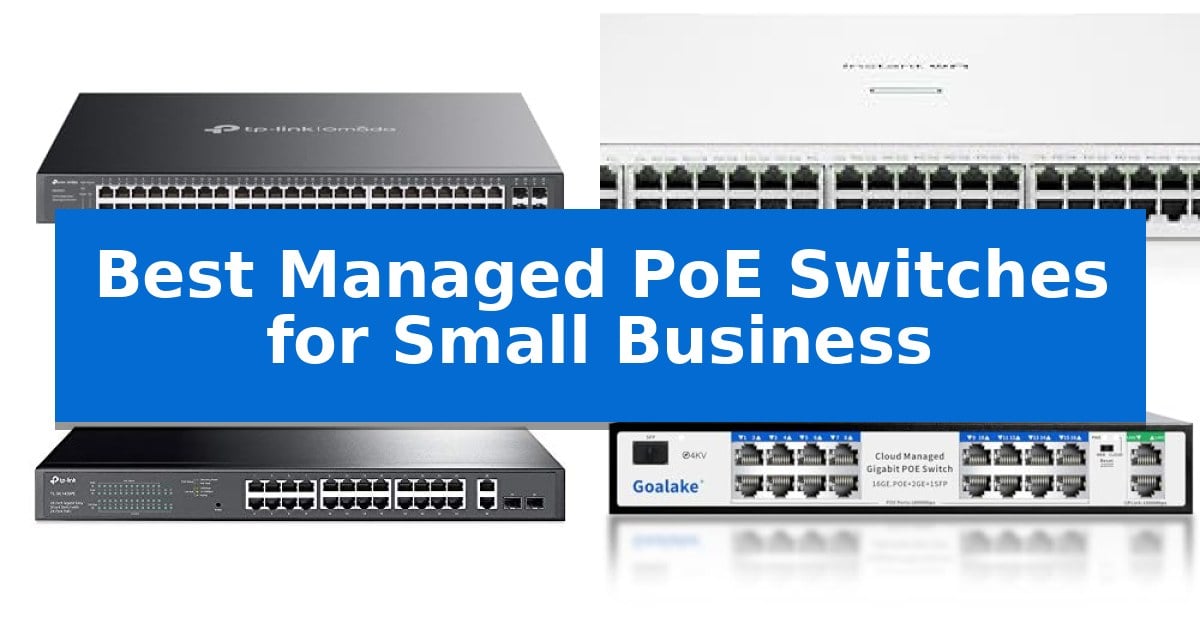
Managing a growing network requires more than basic connectivity; it demands granular control over power delivery and data traffic. The Best Managed PoE Switches for Small Business provide the necessary infrastructure to power IP cameras, wireless access points, and VoIP phones while ensuring your network remains secure and efficient.
Selecting the right hardware involves balancing port density, total power budget, and management capabilities. Whether you need advanced cloud-based monitoring or a simple, reliable desktop solution, understanding these technical requirements is essential for maintaining a stable and scalable office environment.
You may also want to compare Best Managed PoE Switches for Security Cameras, Best Managed PoE Switches, and Best Managed Network Switches.
Best Managed PoE Switches for Small Business
Quick Comparison
| Product | Best For | Key Strength | Score |
|---|---|---|---|
| TP-Link Omada SG2452LP Managed Switch | Best Overall | High-density connectivity with 48 total ports and 32 PoE+ enabled ports. | 4.9 |
| HPE Instant On 1930 Managed Switch | Enterprise-Grade Reliability | Smart-managed Layer 2+ functionality with intuitive GUI and mobile app management. | 4.9 |
| TP-Link TL-SG1428PE Managed Switch | Easy Smart Configuration | 250W PoE+ power budget supports multiple high-draw devices. | 4.3 |
| Goalake 16-Port Gigabit Managed Switch | Extended Range Connectivity | 240W total power budget supports multiple high-draw devices simultaneously. | 4.4 |
| NETGEAR 5-Port PoE Managed Switch | Compact Desktop Solution | 4 PoE+ ports with a 63W total budget for flexible device power. | 4.4 |
How We Chose
- Power Budget: Assessing the total wattage available to ensure all connected PoE devices receive consistent power.
- Management Interface: Comparing web-based GUI, CLI, and cloud-platform options for configuration and troubleshooting.
- Port Configuration: Evaluating the mix of Gigabit RJ45, PoE+ ports, and SFP uplink slots for high-speed connectivity.
- Security Features: Reviewing built-in protocols like VLAN segmentation, ACLs, and storm control for network protection.
- Physical Design: Considering form factor, fanless operation, and mounting options for diverse workspace environments.
1 TP-Link Omada SG2452LP Managed Switch — Advanced Cloud Management
Maintaining a robust network infrastructure requires reliable hardware that simplifies management without sacrificing performance. The TP-Link Omada SG2452LP Managed Switch addresses this need by offering a high-density solution featuring 48 Gigabit ports, including 32 PoE+ ports and 4 dedicated SFP slots, providing the versatility required for diverse small business environments.
Central to this device is its integration with the Omada Cloud Management Platform, which enables administrators to perform remote network configuration, monitor traffic, and utilize Zero Touch Provisioning (ZTP) for streamlined deployment. For those preferring local control, the switch supports a comprehensive suite of management options including web GUI, CLI, SNMP, and RMON, ensuring compatibility with various administrative workflows.
The hardware is engineered for quiet operation through a fanless, passive cooling design, making it suitable for office spaces, conference rooms, or healthcare facilities where noise reduction is a priority. Despite its silent operation, it maintains a 230W PoE budget, allowing for the consistent power delivery required for connected access points, cameras, and VoIP phones.
Security and uptime are prioritized through advanced networking features such as failover connections to minimize downtime during ISP outages. The switch also includes a robust security suite featuring 802.1X authentication, IP-MAC-Port binding, DHCP snooping, and ACLs, all supported by a 5-year warranty and a commitment to secure-by-design principles.
Best for: Small businesses requiring a high-density, quiet, and centrally managed PoE solution for powering multiple network devices.
Skip if: Users who require higher than 230W of total PoE power or those who do not need the advanced L2 management and cloud integration features.
PROS
- High-density connectivity with 48 total ports and 32 PoE+ enabled ports.
- Fanless, silent operation suitable for quiet office environments.
- Centralized management via the Omada Cloud platform for remote configuration.
- Comprehensive security suite including ACLs, DHCP snooping, and 802.1X.
CONS
- 230W PoE budget may limit the number of high-draw devices if all ports are utilized.
- Advanced management features may have a steeper learning curve for non-technical users.
2 HPE Instant On 1930 Managed Switch — Enterprise-Grade Reliability
The HPE Instant On 1930 Managed Switch streamlines network management for small businesses by offering a smart-managed layer 2+ Ethernet solution that integrates seamlessly with both mobile app and web-based GUI interfaces. This switch provides the foundational connectivity required for modern office environments, supporting Class 4 PoE to power essential hardware like IP phones, surveillance cameras, and door locks directly through the network cabling.
Designed to eliminate traffic bottlenecks, the HPE Instant On 1930 Managed Switch features four dedicated 1G/10G SFP+ fiber ports on its 48-port model. These high-speed uplinks ensure that data-heavy applications and high-bandwidth devices maintain reliable performance across the network, while integrated security controls allow administrators to define access permissions for specific network areas to protect sensitive business data.
The hardware is built for versatility, available in 8-, 24-, and 48-port configurations to suit varying business scales. With a 370W PoE power budget on the 48-port model, it provides sufficient capacity to manage multiple power-hungry devices simultaneously. The inclusion of a lifetime manufacturer warranty underscores the focus on long-term reliability for small business infrastructure.
Choosing the right switch involves balancing port density with power requirements. This series offers a straightforward deployment path for businesses that need to scale their IoT and connectivity needs without the complexity of enterprise-level command-line management, making it a practical choice for environments prioritizing ease of use and consistent uptime.
Best for: Small businesses needing a reliable, manageable PoE switch to power IoT devices and high-bandwidth network uplinks.
Skip if: Users requiring full Layer 3 routing capabilities or those needing more than 370W of total PoE power for high-density device deployments.
PROS
- Smart-managed Layer 2+ functionality with intuitive GUI and mobile app management.
- 1G/10G SFP+ fiber ports to eliminate network traffic bottlenecks.
- Class 4 PoE support for powering IP phones, cameras, and access points.
- Lifetime manufacturer warranty for long-term support.
CONS
- 370W PoE budget may be a limiting factor for extremely high-density PoE device setups.
- Layer 2+ management lacks the advanced routing features of full Layer 3 switches.
3 TP-Link TL-SG1428PE Managed Switch — Easy Smart Configuration
Maintaining a reliable network for a small business requires hardware that balances power delivery with intelligent traffic management. The TP-Link TL-SG1428PE Managed Switch addresses this by offering a robust 250W total PoE power budget across 24 Gigabit PoE+ ports, ensuring that connected devices like IP cameras, access points, and VoIP phones receive consistent power.
Beyond its power capabilities, this switch simplifies network administration through an easy-to-use web-based management interface. It includes essential features such as VLAN support for traffic segmentation, which enhances security by isolating sensitive data, and IGMP snooping to optimize multicast traffic flow.
A standout feature for minimizing downtime is the PoE Auto Recovery function. This allows the switch to automatically detect and reboot unresponsive PoE-powered devices, reducing the need for manual intervention. The unit also features 2 SFP slots for high-speed fiber uplinks, providing the flexibility needed for expanding network infrastructures.
Designed for straightforward deployment, the switch supports a plug-and-play setup for basic connectivity, while offering deeper configuration options for those who need to manage specific network parameters. With its 3-year warranty and dedicated technical support, it provides a stable foundation for small business operations.
Best for: Small businesses requiring a centralized, manageable PoE+ solution for powering multiple network devices while maintaining traffic security and uptime.
Skip if: Users who require advanced Layer 3 routing features or those with extremely high-density fiber requirements beyond the two provided SFP slots.
PROS
- 250W PoE+ power budget supports multiple high-draw devices.
- PoE Auto Recovery automates device troubleshooting and reboots.
- VLAN and QoS features allow for effective traffic segmentation and prioritization.
- 2 SFP slots enable flexible, high-speed fiber connectivity.
CONS
- Limited to two SFP ports for uplink expansion.
- Requires configuration to enable specific advanced features like Auto Recovery.
4 Goalake 16-Port Gigabit Managed Switch — Extended Range Connectivity
The Goalake 16-Port Gigabit Managed Switch simplifies network expansion for small-to-mid-sized businesses by offering 16 PoE+ ports with a robust 240W power budget. This unit is designed to handle simultaneous connections for IP cameras, VoIP phones, and WiFi 6 access points, ensuring reliable power delivery without the need for additional power supplies.
Engineered for versatility, the switch includes two dedicated Gigabit uplink ports and one combo SFP slot to eliminate data bottlenecks. Its AI Extend function is a standout feature for large-scale deployments, enabling both power and data transmission over distances up to 250 meters, which is ideal for expansive office floors, warehouses, or security camera setups.
The device prioritizes network management and security through an intuitive interface that supports 802.1Q VLAN, QoS optimization, and storm control. Administrators can perform remote management to monitor network status and troubleshoot issues, reducing the need for on-site maintenance. Furthermore, the AI Auto Detection feature prevents damage by identifying whether connected devices require PoE power.
Built for durability and ease of use, the switch features a rugged metal housing and a fanless design for silent operation. It includes comprehensive protection against short-circuits, overcurrent, overvoltage, and 4KV lightning strikes. The plug-and-play setup makes it an accessible solution for users who need professional-grade control without complex software installation.
Best for: Small-to-mid-sized businesses requiring long-range PoE connectivity and remote management for IP cameras and wireless access points.
Skip if: Users who require a non-managed, entry-level switch without the need for VLAN support or extended-range power transmission.
PROS
- 240W total power budget supports multiple high-draw devices simultaneously.
- AI Extend allows for data and power transmission up to 250 meters.
- Advanced management features including VLAN support and remote cloud monitoring.
- Comprehensive electrical protection including 4KV lightning shielding.
CONS
- Fanless design may require adequate ventilation in enclosed spaces despite silent operation.
- Managed features may be more complex than necessary for simple, non-configured network setups.
5 NETGEAR 5-Port PoE Managed Switch — Compact Desktop Solution
Managing network power and traffic for a small office requires a balance of reliability and granular control. The NETGEAR 5-Port PoE Managed Switch (GS305EP) addresses this by providing 4 PoE+ ports with a total 63W power budget, allowing for the direct powering of devices like IP cameras or access points without needing separate power injectors.
Designed for versatility, this switch features 5 Gigabit Ethernet ports that auto-negotiate speeds to match connected devices. Its fanless, silent operation makes it suitable for quiet office environments, while the compact metal chassis supports both desktop and wall-mount installation, ensuring it fits into tight spaces or server closets.
The device functions as an Easy Smart Managed switch, offering an intuitive software interface for essential network tasks. Small business administrators can utilize this interface to configure VLANs, implement Quality of Service (QoS) for traffic prioritization, and monitor port status to maintain network security and efficiency.
Built for energy efficiency, the unit incorporates IEEE 802.3az standards to reduce power consumption during idle periods. It is backed by a 3-year hardware warranty, providing a level of support that aligns with the needs of small-scale professional network deployments.
Best for: Small businesses needing a compact, silent, and managed PoE+ solution for powering and prioritizing traffic for up to four network devices.
Skip if: Users requiring more than five total ports or a power budget exceeding 63W will need a larger or more robust enterprise-grade switch.
PROS
- 4 PoE+ ports with a 63W total budget for flexible device power.
- Fanless design ensures silent operation in office settings.
- Easy Smart Managed software for VLAN and QoS configuration.
- Compact metal housing allows for flexible wall or desktop mounting.
CONS
- Limited to 5 total ports, which may restrict scalability for growing networks.
- 63W power budget may be insufficient for high-draw PoE devices.
Best Managed PoE Switches for Small Business Buying Guide
Understanding PoE Budgets
The PoE budget is the total amount of power a switch can supply to connected devices. When choosing a switch, calculate the power requirements of your IP cameras, access points, and phones, then ensure the switch's total wattage exceeds this sum to prevent power drops.
Consider future expansion when selecting your budget. A switch that is fully loaded today may not support additional devices tomorrow, so opting for a higher capacity or a modular system can save on replacement costs.
Management Capabilities
Managed switches offer features like VLAN segmentation and QoS (Quality of Service), which are vital for prioritizing critical traffic like voice or video. These tools allow you to isolate sensitive data and ensure that bandwidth-heavy applications do not disrupt daily operations.
Cloud-based management platforms provide the added benefit of remote configuration and monitoring. This is particularly useful for small businesses that may not have a dedicated on-site IT professional to manage the network hardware.
Uplink and Connectivity
Gigabit ports are the standard for modern office networks, but the inclusion of SFP or SFP+ uplink slots is crucial for connecting to fiber-optic backbones or high-speed servers. These ports help eliminate bottlenecks that occur when multiple devices compete for bandwidth.
Always check the uplink speed compatibility of your existing infrastructure. Using the wrong module or cable type can lead to connection failures or reduced performance across your network segments.
Security Protocols
Modern managed switches include essential security features such as DHCP snooping, IP-MAC-Port binding, and Access Control Lists (ACLs). These tools defend your network against unauthorized access and common cyber threats like DoS attacks.
Implementing these security measures at the switch level is a proactive way to protect business data. Regularly updating firmware and configuring these settings correctly is a fundamental part of maintaining a secure office environment.
Physical Deployment and Noise
For office environments, the fanless design of many modern switches is a significant advantage. It allows for silent operation, making these units suitable for placement in conference rooms, reception areas, or shared workspaces without causing distractions.
Mounting flexibility is another key factor. Whether you require a rack-mountable unit for a server closet or a compact desktop model for a small office, ensure the switch dimensions and mounting hardware match your physical space requirements.
Frequently Asked Questions
What is the difference between PoE and PoE+?
PoE (802.3af) provides up to 15.4W per port, while PoE+ (802.3at) supports up to 30W per port. PoE+ is necessary for more power-hungry devices like pan-tilt-zoom cameras or high-performance Wi-Fi 6 access points.
Can I use a managed switch without configuring it?
Yes, most managed switches function as plug-and-play devices out of the box. However, you will miss out on advanced features like VLANs, security protocols, and remote monitoring if you do not access the management interface.
Why does my switch need an SFP port?
SFP ports allow for flexible, high-speed connections, typically via fiber-optic cables. They are used to connect switches over longer distances or to link to high-bandwidth devices like core routers or servers.
How do I know if a switch is compatible with my devices?
Check the IEEE standards supported by both the switch and your devices. Most modern PoE switches are backward compatible, but verifying the power class and data speed requirements is essential for optimal performance.
What is PoE Auto Recovery?
PoE Auto Recovery is a feature that monitors the status of connected devices. If a device becomes unresponsive, the switch can automatically power-cycle that specific port to reboot the device without manual intervention.
Conclusion: Our Top Pick
Choosing the right networking hardware is a foundational step for any growing business. The TP-Link Omada SG2452LP Managed Switch stands out for its balance of high port density, robust security, and the convenience of the Omada Cloud Management Platform, making it a versatile choice for diverse office needs.
While this model offers significant advantages, ensure your specific power budget and port requirements align with your current and future network topology. By prioritizing scalability and management, you can build a reliable infrastructure that supports your business operations for years to come.