
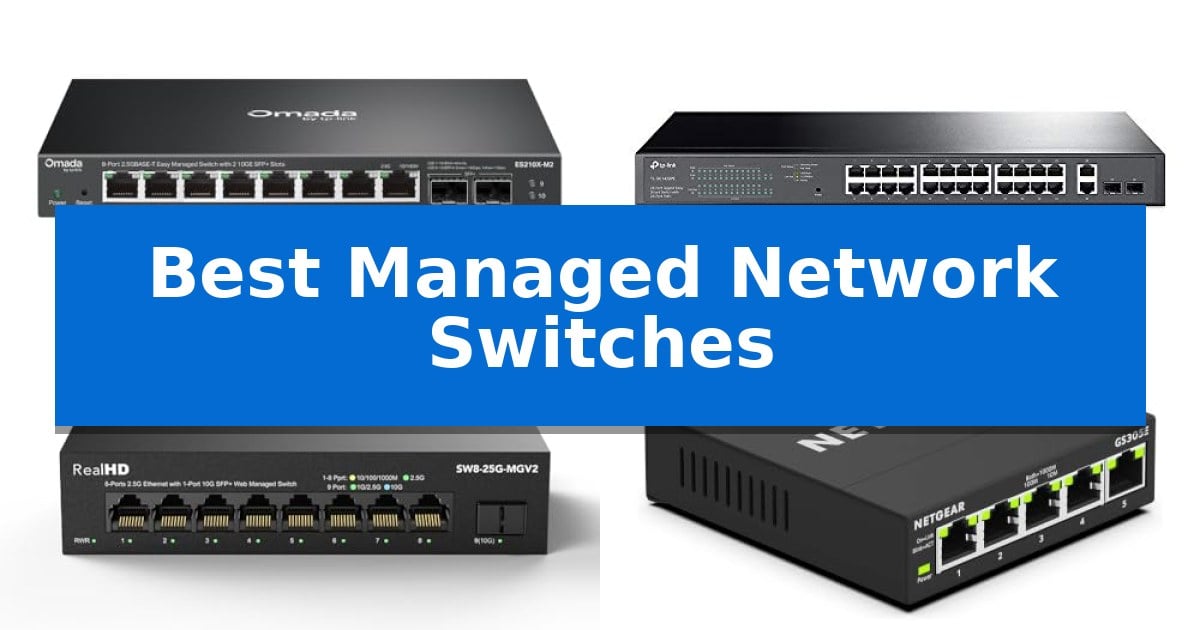
Managing a modern network requires more than just basic connectivity; it demands granular control over traffic flow, security, and device prioritization. Whether you are setting up a high-speed home lab or scaling a small office, the Best Managed Network Switches provide the necessary tools to segment your traffic and ensure reliable performance for bandwidth-intensive applications.
Selecting the right hardware involves balancing port density, throughput requirements, and management capabilities. From multi-gigabit uplinks to Power over Ethernet (PoE) functionality, the following options cater to diverse deployment scenarios, helping you maintain a stable and secure network environment without unnecessary complexity.
You may also want to compare Best Managed Network Switch Brand, Best Managed Home PoE Switches, and Best Managed Gigabit Ethernet Switch.
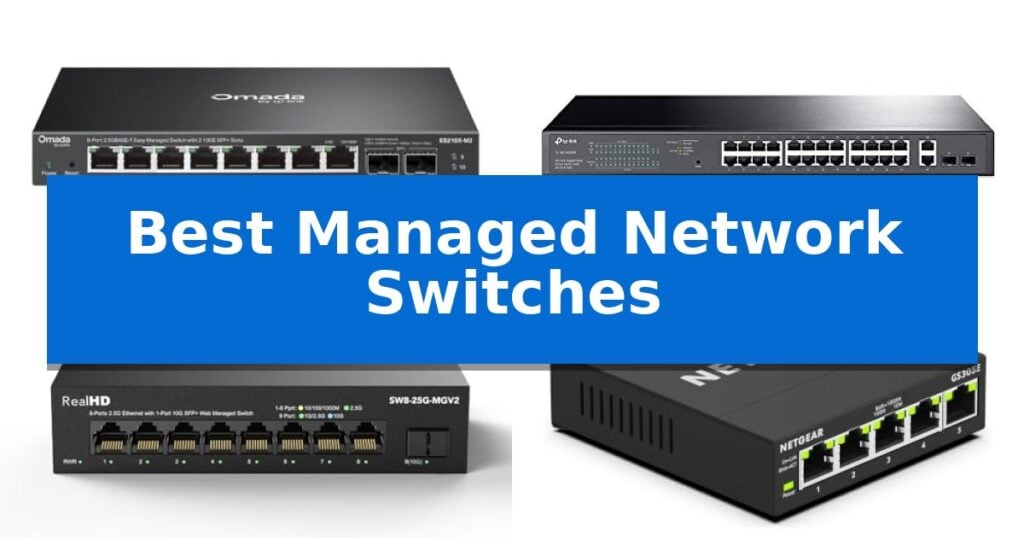
Best Managed Network Switches
Quick Comparison
| Product | Best For | Key Strength | Score |
|---|---|---|---|
| TP-Link Omada ES210X-M2 Managed Switch | Best Overall | Eight 2.5 Gbps ports for high-speed device connectivity. | 4.9 |
| TP-Link TL-SG1428PE Managed PoE Switch | Power-Rich for Connected Devices | 250W total PoE budget supports multiple high-draw devices. | 4.4 |
| Real HD 8-Port Managed Ethernet Switch | High-Speed Uplink for Small Offices | 8 x 2.5G RJ45 ports for high-speed device connectivity. | 4.4 |
| NETGEAR GS305E Managed Network Switch | Compact Essential Network Control | Intuitive management software for VLAN and QoS configuration | 4.8 |
| TP-Link SG2452LP Managed Network Switch | Scalable Enterprise-Grade Management | 48 Gigabit ports with 32 PoE+ capacity for extensive device connectivity. | 4.4 |
How We Chose
- Port configuration and speed standards (1G vs 2.5G vs 10G)
- Management feature set including VLAN support and traffic prioritization
- Power over Ethernet (PoE) budget and device compatibility
- Physical build quality and thermal management design
- Integration capabilities with existing network management platforms
1 TP-Link Omada ES210X-M2 Managed Switch — Multi-Gigabit for Modern Networks
Modern high-bandwidth home and office networks require hardware capable of handling increased data throughput without sacrificing control. The TP-Link Omada ES210X-M2 Managed Switch addresses this demand by integrating eight 2.5 Gbps RJ45 ports, providing the necessary bandwidth for WiFi 6/7 access points, NAS storage, and high-performance gaming setups.
Beyond its multi-gigabit capabilities, the switch features two 10 Gbps SFP+ uplinks designed to eliminate potential bottlenecks when connecting to core network infrastructure or high-speed servers. This configuration ensures that internal traffic flows efficiently across your entire network environment.
Management is handled through the TP-Link Omada SDN platform, which offers centralized control via a web interface or mobile app. Administrators can utilize features like VLAN support, IGMP Snooping, and Auto Loop Prevention to maintain stable and secure traffic segmentation, making it a versatile tool for complex home or small office deployments.
The physical design prioritizes both longevity and environment. Its durable metal casing includes shielded ports to protect against electromagnetic interference and aid in heat dissipation. Furthermore, the fanless, zero-noise operation ensures the device remains silent, allowing it to be placed on desktops or in quiet workspaces without distraction.
Best for: Users needing high-bandwidth 2.5G connectivity for modern access points and NAS devices within a centralized Omada management ecosystem.
Skip if: Users who require a rack-mounted form factor or those who do not have a need for 2.5G or 10G uplink speeds.
PROS
- Eight 2.5 Gbps ports for high-speed device connectivity.
- Dual 10 Gbps SFP+ uplinks to prevent network bottlenecks.
- Fanless, silent design suitable for quiet office environments.
- Centralized management via the Omada SDN platform.
CONS
- Desktop-focused form factor may not suit standard rack-mount requirements.
2 TP-Link TL-SG1428PE Managed PoE Switch — Power-Rich for Connected Devices
Managing a professional network requires hardware that balances port density with intelligent power distribution. The TP-Link TL-SG1428PE Managed PoE Switch addresses this by offering 24 Gigabit PoE+ ports alongside two dedicated Gigabit non-PoE ports and two SFP slots, providing a versatile foundation for high-speed connectivity in environments requiring both data and power delivery.
This switch simplifies infrastructure maintenance through its PoE Auto Recovery feature, which automatically detects and reboots unresponsive connected devices. This capability reduces the need for manual intervention, ensuring that security cameras or access points remain operational without constant oversight. The unit supports a total 250W PoE power budget, with up to 30W available per port, catering to demanding network peripherals.
Configuration is handled via a web-based interface and a smart utility, allowing for granular control over network traffic. Administrators can utilize VLAN features to segment traffic, which enhances overall network security by isolating sensitive data streams. The inclusion of features like QoS and IGMP snooping further assists in optimizing bandwidth allocation for critical applications.
Designed for standard rack mounting, the hardware is built to integrate into existing server setups. With its plug-and-play functionality for basic connectivity and a comprehensive 3-year warranty, it provides a reliable path for scaling network operations while maintaining consistent uptime.
Best for: Small to medium-sized businesses needing a centralized, manageable power solution for multiple PoE-enabled devices like cameras and access points.
Skip if: Users who require a fully Layer 3 managed switch or those who do not need Power over Ethernet capabilities will find the specialized PoE features unnecessary.
PROS
- 250W total PoE budget supports multiple high-draw devices.
- PoE Auto Recovery minimizes manual maintenance for connected hardware.
- VLAN and QoS support allows for effective network traffic segmentation.
- Flexible port configuration includes 24 PoE+ ports and 2 SFP slots.
CONS
- Configuration required to enable the automated device reboot functionality.
- Limited to Layer 2 management features.
3 Real HD 8-Port Managed Ethernet Switch — High-Speed Uplink for Small Offices
Managing high-bandwidth traffic in a modern home or small office requires hardware capable of handling the latest standards, such as the Real HD 8-Port Managed Ethernet Switch. This device distinguishes itself by offering 8 x 2.5G RJ45 ports paired with a 10G SFP+ uplink, providing the necessary throughput for high-speed NAS devices, Wi-Fi 6 access points, and gaming PCs.
The switch features a web-managed interface that allows administrators to configure essential network settings including VLANs, QoS, and security protocols. This level of control is vital for segmenting traffic and ensuring that critical applications receive priority, though it is important to note that the device does not include built-in VPN functionality.
Designed for durability and quiet operation, the unit is housed in a sturdy metal chassis that supports effective heat dissipation without the need for internal fans. It is rated for reliable performance in temperatures ranging from -20 to 50℃ and includes 4KV lightning protection, making it a robust choice for various installation environments.
To achieve the full 2.5G potential of the switch, users must ensure their cabling infrastructure consists of CAT6 or higher-grade pure copper ethernet cables. Because network speed is governed by the slowest device in the chain, upgrading all connected hardware to support the 2.5G standard is recommended for optimal performance.
Best for: Small office or home network environments requiring multi-gigabit speeds and granular traffic management.
Skip if: Users who require integrated VPN functionality or those who have not yet upgraded their connected devices and cabling to the 2.5G standard.
PROS
- 8 x 2.5G RJ45 ports for high-speed device connectivity.
- 10G SFP+ uplink port for high-bandwidth network backbones.
- Fanless metal housing for silent operation and effective cooling.
- Web-managed interface for configuring VLAN, QoS, and security settings.
CONS
- No built-in VPN functionality.
- Requires CAT6 or higher cabling to achieve advertised speeds.
4 NETGEAR GS305E Managed Network Switch — Compact Essential Network Control
Managing network traffic in a small office or home environment requires reliable hardware that offers more than basic plug-and-play connectivity. The NETGEAR 5-Port Gigabit Ethernet Easy Smart Managed Network Switch (GS305E) provides essential control through an intuitive software interface, allowing users to configure VLANs, prioritize traffic with QoS, and monitor port status without the complexity of enterprise-grade equipment.
Designed for versatility, this switch features a compact metal chassis that supports both desktop and wall-mount installation. Its fanless design ensures silent operation, making it suitable for quiet workspaces. Furthermore, the unit incorporates IEEE 802.3az Energy Efficient Ethernet, which reduces power consumption during periods of low data activity, maintaining high-speed performance while optimizing energy usage.
The device includes 5 x 1.0Gbps Ethernet ports that utilize auto-negotiation to detect the optimal speed for connected devices. It is fully compatible with existing Cat5e or Cat6 cabling, ensuring a straightforward integration into your current network infrastructure. The NETGEAR GS305E Managed Network Switch is specifically engineered for use in U.S. and CA markets and comes backed by a limited 3-year hardware warranty.
While this switch offers significant management capabilities, it remains an entry-level solution. Users requiring advanced Layer 3 routing or high-density port counts for large-scale data centers may find the feature set and physical capacity of this model limiting compared to more robust, rack-mounted alternatives.
Best for: Small business owners or home users needing basic traffic prioritization and VLAN configuration in a compact, silent form factor.
Skip if: You require high-density port counts, advanced Layer 3 routing, or enterprise-level management features beyond basic VLAN and QoS settings.
PROS
- Intuitive management software for VLAN and QoS configuration
- Silent, fanless operation suitable for desktop environments
- Energy-efficient design compliant with IEEE 802.3az standards
- Compact, durable metal housing with flexible mounting options
CONS
- Limited to 5 ports, which may not suffice for larger network setups
- Regional compatibility restricted to U.S. and CA markets
5 TP-Link SG2452LP Managed Network Switch — Scalable Enterprise-Grade Management
Maintaining a stable, secure, and scalable network infrastructure requires hardware that balances granular control with ease of deployment. The TP-Link SG2452LP Managed Network Switch addresses this by offering a 48-port Gigabit configuration, featuring 32 PoE+ ports and 4 SFP ports, providing the necessary density for demanding office or facility environments.
Designed for versatility, this switch supports both Omada Cloud Management for centralized remote configuration and traditional standalone management via web GUI, CLI, SNMP, and RMON. This flexibility allows administrators to choose the interface that best fits their existing workflow, whether they prefer cloud-based automation or direct command-line access.
Reliability is central to the hardware design, which utilizes a fanless, passive cooling system to ensure silent operation even under full PoE load. To further minimize downtime, the unit includes failover connection capabilities, ensuring that critical network paths remain active during ISP outages.
Security and network segmentation are handled through a robust suite of features, including 802.1Q VLAN, IP-MAC-Port binding, DHCP snooping, and ACLs. The switch is also a signatory of the CISA Secure-by-Design pledge, reflecting a commitment to integrating advanced security protocols directly into the device architecture.
For long-term peace of mind, the unit is backed by a 5-year warranty and professional technical support. Its 230W PoE budget and support for PoE Recovery make it a practical choice for powering IP cameras, access points, and VoIP phones across a large deployment.
Best for: Small to medium-sized businesses and facilities needing high-density PoE+ connectivity with centralized cloud management.
Skip if: Users requiring 10GbE uplink speeds or those with power demands exceeding the 230W PoE budget will need a more specialized hardware solution.
PROS
- 48 Gigabit ports with 32 PoE+ capacity for extensive device connectivity.
- Fanless design ensures silent operation in office or conference room settings.
- Omada Cloud integration allows for Zero Touch Provisioning and remote management.
- Comprehensive security suite including 802.1X, ACL, and flood control.
- 5-year warranty provides long-term hardware support.
CONS
- 230W PoE budget may limit the number of high-draw devices connected simultaneously.
- Gigabit-only ports lack the multi-gigabit throughput required for high-bandwidth server backbones.
Best Managed Network Switches Buying Guide
Understanding Managed vs. Unmanaged Switches
An unmanaged switch is a plug-and-play device that requires no configuration, making it suitable for simple home setups. In contrast, a managed switch allows administrators to configure, monitor, and manage the local area network (LAN), providing essential control over data traffic.
By choosing a managed model, you gain access to features like VLANs (Virtual Local Area Networks), which isolate traffic for better security, and QoS (Quality of Service), which ensures critical data like video calls or gaming traffic receives priority over background downloads.
The Importance of Port Speed and Uplinks
Modern networking demands higher bandwidth to support devices like WiFi 6/7 access points and NAS (Network Attached Storage) units. Switches featuring 2.5G RJ45 ports offer a significant speed advantage over standard Gigabit ports, preventing bottlenecks in high-performance environments.
SFP+ uplinks are equally critical for connecting to core switches or servers at 10 Gbps speeds. When selecting a switch, ensure the uplink capacity matches your backbone infrastructure to maintain consistent throughput across your entire network.
Power over Ethernet (PoE) Considerations
If your network includes IP cameras, VoIP phones, or wireless access points, a PoE switch is essential. These devices draw power directly from the Ethernet cable, eliminating the need for separate power adapters and simplifying cable management.
Always calculate the total PoE power budget required by your connected devices. Exceeding the switch's rated wattage can lead to unstable performance or device failure, so ensure your chosen model provides sufficient headroom for your specific load.
Management Interfaces and Cloud Integration
The ease of configuring your network depends on the switch's management interface. Many modern switches offer web-based GUI access, which is intuitive and requires no specialized command-line knowledge to perform basic tasks like port status monitoring or loop prevention.
For larger deployments, cloud-based management platforms allow administrators to manage multiple switches remotely. This is particularly useful for businesses that need to push configuration updates or monitor network health across different locations from a single dashboard.
Thermal Design and Physical Durability
Network switches generate heat, and how they dissipate it impacts their longevity. Fanless designs are ideal for quiet environments like home offices or conference rooms, as they operate silently while relying on high-quality metal casings for passive heat dissipation.
Durable metal construction also provides better protection against electromagnetic interference compared to plastic housings. When installing in high-traffic areas, look for switches with robust mounting options, such as wall-mount brackets or rack-mount kits, to ensure a secure and organized setup.
Frequently Asked Questions
Do I need a managed switch for a home network?
A managed switch is beneficial if you want to segment your network using VLANs, prioritize specific traffic with QoS, or monitor device performance, which are common requirements for home labs and smart home setups.
What is the difference between PoE and PoE+?
PoE (802.3af) provides up to 15.4W of power per port, while PoE+ (802.3at) supports up to 30W, making it necessary for more power-hungry devices like high-performance access points or PTZ cameras.
Can I use a 2.5G switch with 1G devices?
Yes, most 2.5G switches are backward compatible with 10/100/1000 Mbps devices. The switch will automatically negotiate the connection speed based on the capabilities of the connected device.
What happens if I exceed the PoE budget?
If the total power draw of your connected devices exceeds the switch's PoE budget, the switch may stop providing power to lower-priority ports or experience instability. It is important to calculate your total power requirements before deployment.
Is a fanless switch better than one with a fan?
Fanless switches are preferred for quiet environments like offices and homes because they produce zero noise. However, high-density enterprise switches often require active cooling (fans) to manage the heat generated by a large number of high-speed ports.
Conclusion: Our Top Pick
For users seeking a balance of high-speed performance and advanced management, the TP-Link Omada ES210X-M2 Managed Switch stands out as the most versatile option. Its combination of 2.5G ports and 10G SFP+ uplinks provides the necessary bandwidth for modern high-speed devices, while the fanless design ensures it remains silent in any work environment.
While other models offer specific advantages—such as higher PoE budgets for large-scale security deployments or compact footprints for simple desktop use—the TP-Link Omada ES210X-M2 provides the most comprehensive feature set for the widest range of modern network needs. Its integration with the Omada SDN platform further simplifies long-term maintenance and configuration.