
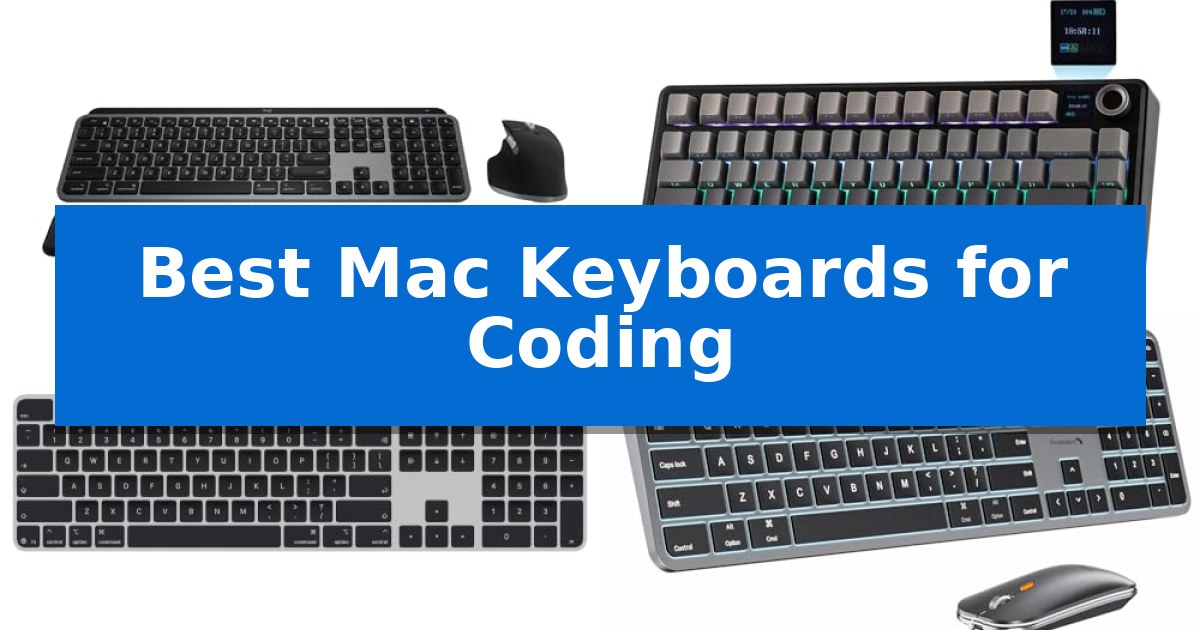
Finding the right input device is essential for developers who spend hours at their desks. The Best Mac Keyboards for Coding must offer more than just basic functionality; they need to provide a reliable layout, comfortable key travel, and seamless integration with the macOS ecosystem to minimize friction during long programming sessions.
Whether you prefer the tactile feedback of a mechanical board or the slim, low-profile design of a standard wireless model, your choice directly impacts your daily efficiency. We have analyzed several leading keyboards to help you identify which features—such as multi-device pairing, backlit keys, or native Touch ID support—best align with your specific coding environment and hardware setup.
You may also want to compare Best Mac Keyboards and Mice, Best Mac Keyboards, and Best Mac Keyboard With Touch ID.
Best Mac Keyboards for Coding
Quick Comparison
| Product | Best For | Key Strength | Score |
|---|---|---|---|
| Logitech MX Keys S Combo | Best Overall | Seamless multi-device switching between up to three Mac or iPad devices. | 4.9 |
| EPOMAKER X Aula F75 MAX Keyboard | Tactile Mechanical Feel for Coders | TFT smart display for convenient monitoring of battery and connection status. | 4.5 |
| Apple Magic Keyboard with Touch ID | Native Security and Seamless Pairing | Integrated Touch ID for secure and fast authentication. | 4.9 |
| ProtoArc KM100-A Keyboard | Backlit Keys for Dim Environments | Full-size layout with a dedicated numeric keypad for efficient data entry. | 4.5 |
| Apple Magic Keyboard | Compact Minimalist Design | Automatic pairing with Mac devices for immediate setup. | 4.9 |
How We Chose
- Mac-specific layout and function key support
- Wireless connectivity stability and multi-device switching
- Key switch type and tactile feedback quality
- Ergonomic design features like wrist support or adjustable angles
- Build quality and material durability
1 Logitech MX Keys S Combo — Fluid Typing for Long Sessions
Achieving a consistent workflow requires hardware that keeps pace with your logic, and the Logitech MX Keys S Combo is engineered specifically to integrate into a macOS environment. By combining a low-profile, stable keyboard with a high-precision mouse, this set provides a cohesive input experience for developers who prioritize desk ergonomics and seamless device switching.
The keyboard features a laptop-like profile with spherically dished keys designed to match the natural shape of your fingertips, promoting fluid and precise typing during long coding sessions. To support focus, the smarter illumination system detects your hands as they approach, activating the backlighting automatically. You can further customize brightness and duration through the Logi Options+ software, ensuring the lighting environment matches your preference.
Efficiency is central to the included MX Master 3S wireless mouse, which features the MagSpeed scroll wheel capable of scrolling 1,000 lines per second. Its 8K DPI sensor is engineered to track on virtually any surface, including glass, providing reliable navigation. Both devices are designed for multi-device workflows, allowing you to pair with up to three Mac computers or iPads via Bluetooth Low Energy and toggle between them with a single button press.
Built with a focus on longevity and comfort, the keyboard offers an optimum typing angle for better wrist posture, while the mouse is sculpted to support your hand during extended use. The system is finished in a professional Space Grey that complements the aesthetic of modern MacBook Pro, MacBook Air, and iMac setups, while incorporating post-consumer recycled plastic into its construction.
Best for: Developers and power users who require a high-precision, multi-device input solution specifically optimized for the macOS ecosystem.
Skip if: Users who prefer the tactile feedback of mechanical switches or those who require a wired-only connection for their peripherals.
PROS
- Seamless multi-device switching between up to three Mac or iPad devices.
- MagSpeed scroll wheel allows for rapid navigation through long code files.
- Spherically dished keys provide a comfortable, fluid typing experience.
- Smarter illumination adjusts automatically based on hand proximity.
CONS
- Non-mechanical key switches may not satisfy users who prefer deep tactile feedback.
- Integrated battery design requires USB-C charging rather than user-replaceable cells.
2 EPOMAKER X Aula F75 MAX Keyboard — Tactile Mechanical Feel for Coders
The EPOMAKER X Aula F75 MAX Wireless Mechanical Keyboard distinguishes itself with a built-in TFT smart display that provides real-time monitoring of battery levels and connectivity status, serving as a functional dashboard for your workspace. This 75% layout keyboard integrates a volume knob and 80 programmable keys, offering a compact footprint without sacrificing essential navigation or media controls.
Designed with a Gasket-Mount structure and a flex-cut PC plate, the keyboard is engineered to minimize harsh bottom-out impacts, resulting in a softer typing experience. The internal architecture includes layers of foam and silicone to dampen echo, while the factory-lubed linear switches are tuned to produce a consistent, mellow sound profile suitable for extended coding sessions.
For multi-device workflows, the F75 MAX supports Bluetooth, 2.4Ghz wireless, and wired connectivity, maintaining a 1000Hz polling rate in wireless and cable modes. Its NKRO (N-Key Rollover) capability ensures accurate input during rapid typing, and the device offers broad compatibility across macOS, Windows, Linux, and Android systems.
Personalization is central to the design, featuring south-facing per-key RGB backlighting and hot-swappable sockets. This allows users to replace the stock switches with any 3/5-pin mechanical switches to tailor the tactile feel. The included software enables macro editing and key remapping, providing the flexibility needed to optimize repetitive coding tasks.
Best for: Programmers and office professionals who require a compact, highly customizable mechanical keyboard with real-time status monitoring.
Skip if: Users who prefer a full-sized layout with a dedicated number pad or those who require a low-profile, ultra-slim keyboard design.
PROS
- TFT smart display for convenient monitoring of battery and connection status.
- Gasket-Mount structure provides a flexible, dampened typing feel.
- Hot-swappable PCB allows for easy switch customization without soldering.
- Tri-mode connectivity ensures versatility across multiple operating systems.
CONS
- 75% layout lacks a dedicated number pad, which may be a limitation for data-heavy workflows.
3 Apple Magic Keyboard with Touch ID — Native Security and Seamless Pairing
Integrating biometric security directly into your workspace, the Apple Magic Keyboard with Touch ID and Numeric Keypad offers a streamlined way to handle system logins and secure online purchases. By utilizing Touch ID, this keyboard removes the need to manually type passwords, providing a faster and more secure authentication process for developers working on Mac systems with Apple silicon.
Designed with an extended layout, this keyboard includes dedicated document navigation controls and full-size arrow keys, which are beneficial for navigating large codebases or managing complex spreadsheets. The inclusion of a numeric keypad further enhances its utility for data-heavy tasks, finance applications, and general productivity workflows.
The keyboard features wireless connectivity and a rechargeable battery that provides power for about a month or more between charges. It pairs automatically with your Mac, ensuring a quick setup. Charging is handled via a USB-C port, and the package includes a woven USB-C Charge Cable for immediate use.
With its black keys and low-profile design, it maintains a clean aesthetic on any desk. While it offers a precise typing experience, it is specifically optimized for Mac models with Apple silicon, making it a specialized tool for users within the Apple ecosystem.
Best for: Developers and power users working within the Apple silicon ecosystem who require biometric security and a dedicated numeric keypad.
Skip if: Users who prefer mechanical switches or require compatibility with non-Apple hardware and operating systems.
PROS
- Integrated Touch ID for secure and fast authentication.
- Extended layout with a dedicated numeric keypad for data entry.
- Automatic pairing with Mac devices for immediate setup.
- Rechargeable battery offering long-lasting performance.
CONS
- Limited compatibility restricted to Mac models with Apple silicon.
- Non-mechanical key switches may not suit users preferring tactile mechanical feedback.
4 ProtoArc KM100-A Keyboard — Backlit Keys for Dim Environments
The ProtoArc KM100-A Keyboard provides a dedicated full-size layout with a numeric keypad specifically tailored for Mac users, mirroring the familiar experience of a standard Apple keyboard. This wireless solution integrates both a keyboard and mouse, utilizing Bluetooth 5.1 to maintain connectivity across three distinct devices, allowing for seamless switching during complex coding sessions.
Designed with a flat, low-profile architecture, the keyboard promotes a neutral wrist position to enhance comfort during extended periods of typing. The keys feature responsive scissor switches that deliver a hushed typing experience, which is particularly beneficial for maintaining focus in quiet work environments. For those working in low-light conditions, the soft white LED backlighting offers three adjustable brightness levels to ensure visibility without causing eye strain.
Efficiency is supported by the inclusion of built-in rechargeable batteries for both the keyboard (1200mAh) and the mouse (300mAh). To preserve power, the system automatically enters a sleep mode after 60 minutes of inactivity. The accompanying mouse provides further utility with three adjustable DPI levels (1000/1600/2400), allowing developers to customize cursor sensitivity to their specific workflow requirements.
While the full-size design is intended to maximize productivity, it does require a larger desk footprint compared to compact alternatives. The ProtoArc KM100-A Keyboard is compatible with macOS 10.12 or later, as well as iPadOS and iOS 13.0 or above, making it a versatile choice for multi-device Apple setups.
Best for: Developers and power users who require a full-size layout with a numeric keypad and multi-device Bluetooth connectivity for Mac-based workflows.
Skip if: Users with limited desk space or those who prefer a compact, tenkeyless design will find the full-size dimensions of this keyboard too large for their setup.
PROS
- Full-size layout with a dedicated numeric keypad for efficient data entry.
- Triple Bluetooth channels allow for quick switching between three devices.
- Adjustable white LED backlighting improves visibility in dim environments.
- Rechargeable batteries eliminate the need for disposable power sources.
CONS
- Large physical footprint may not fit on smaller or crowded desks.
- Bluetooth-only connectivity means no option for a wired USB connection.
5 Apple Magic Keyboard — Compact Minimalist Design
The Apple Magic Keyboard streamlines your workspace with a compact, minimalist design that prioritizes a clean aesthetic while maintaining a precise typing experience. Engineered for seamless integration with Mac and Apple Vision Pro, this peripheral removes the friction of manual configuration by offering automatic pairing as soon as it connects to your device.
Efficiency for long coding sessions is supported by an internal rechargeable battery designed to last for about a month or more between charges. The inclusion of a USB-C port and a dedicated woven USB-C Charge Cable ensures that you can power the device directly from your Mac, simplifying your cable management and ensuring the keyboard is always ready for use.
Measuring 12.13 inches in length and 5.04 inches in width, this keyboard occupies a small footprint on your desk, leaving more room for your mouse or other peripherals. Its low-profile construction and consistent key response are tailored for users who prefer a stable, reliable typing surface without the bulk of mechanical alternatives.
While this model excels in portability and integration, it is a specialized tool optimized for the Apple ecosystem. It provides a straightforward, plug-and-play experience that minimizes setup time, allowing you to focus on your development workflow rather than hardware maintenance.
Best for: Developers who prioritize a minimalist desk setup and seamless integration within the Apple ecosystem.
Skip if: Users who require mechanical switches, customizable macro keys, or multi-device switching capabilities beyond Apple hardware.
PROS
- Automatic pairing with Mac devices for immediate setup.
- Long-lasting internal battery providing up to a month of use.
- USB-C charging capability for modern, unified cable management.
- Compact, minimalist footprint ideal for clean workspaces.
CONS
- Fixed layout lacks mechanical switch options or tactile customization.
- Limited to Apple ecosystem for optimal functionality.
Best Mac Keyboards for Coding Buying Guide
Mechanical vs. Scissor Switches
The choice between mechanical and scissor switches is a matter of personal preference and typing style. Mechanical switches often provide a more pronounced tactile bump and audible feedback, which many developers find helpful for rhythm and accuracy during long coding sessions.
Conversely, scissor switches, like those found on Apple's own keyboards, offer a shorter, quieter, and more stable keystroke. These are often preferred by those who want a low-profile, portable, or minimalist desk setup that mimics the feel of a laptop keyboard.
Layout and Connectivity
For Mac users, a native Mac layout is crucial to ensure that command, option, and control keys are positioned exactly where you expect them. This eliminates the need for software remapping and ensures that media and system shortcuts work out of the box.
Wireless connectivity via Bluetooth is standard for most modern setups, but the ability to switch between multiple devices is a significant advantage. If you frequently jump between a MacBook, an iPad, or a secondary workstation, look for a keyboard that supports multi-device pairing.
Ergonomics and Comfort
Coding often involves repetitive movements that can lead to strain. A keyboard with an optimum typing angle or an included palm rest can significantly improve wrist posture over time.
Some keyboards feature a flat design to encourage a neutral wrist position, while others offer adjustable kickstands. Choosing the right profile depends on your desk height and whether you prefer to keep your wrists elevated or resting on the surface.
Backlighting and Visibility
If you often work in dimly lit environments, backlit keys are an essential feature. Adjustable brightness levels allow you to customize the illumination to suit your surroundings without causing eye strain.
Beyond aesthetics, backlighting helps maintain productivity during late-night coding sessions. Some models even include smart sensors that detect your hands approaching to activate the light automatically.
Build Quality and Materials
A keyboard is a daily tool, so durability matters. Models constructed with recycled plastics or high-quality metal frames offer a more stable typing experience and a longer lifespan.
Consider the weight and footprint of the keyboard as well. A heavier, full-size keyboard is excellent for a permanent desk setup, while a compact, lightweight model is better suited for those who frequently move their workspace.
Frequently Asked Questions
Are mechanical keyboards better for coding than standard ones?
It depends on your preference. Mechanical keyboards offer tactile feedback that some coders find improves their typing speed and accuracy, while standard scissor-switch keyboards are quieter and offer a lower profile.
Do I need a Mac-specific keyboard for my MacBook?
While you can use a Windows keyboard, a Mac-specific layout ensures that system keys like Command and Option are correctly labeled and mapped, which is much more convenient for macOS users.
How important is multi-device switching?
If you use multiple computers or tablets, multi-device switching is highly beneficial as it allows you to toggle your keyboard connection between devices with a single button press.
Does backlighting affect battery life?
Yes, using backlighting will consume more power. However, most modern wireless keyboards are rechargeable and designed to manage battery life efficiently, even with the lights enabled.
What is the benefit of a numeric keypad for coders?
A numeric keypad is useful if your workflow involves frequent data entry, spreadsheet work, or if you prefer a full-size layout for document navigation.
Conclusion: Our Top Pick
Selecting the right keyboard is a personal decision that balances your typing preference with your specific workspace needs. For most users, the Logitech MX Keys S Combo stands out as a versatile choice, offering a comfortable, laptop-like typing experience combined with the precision of a high-performance mouse.
Its native macOS compatibility, multi-device switching, and smart backlighting make it a reliable partner for long coding sessions. While other options like mechanical boards or compact Apple designs offer unique benefits, this combo provides the most comprehensive feature set for a professional Mac-based development environment.