
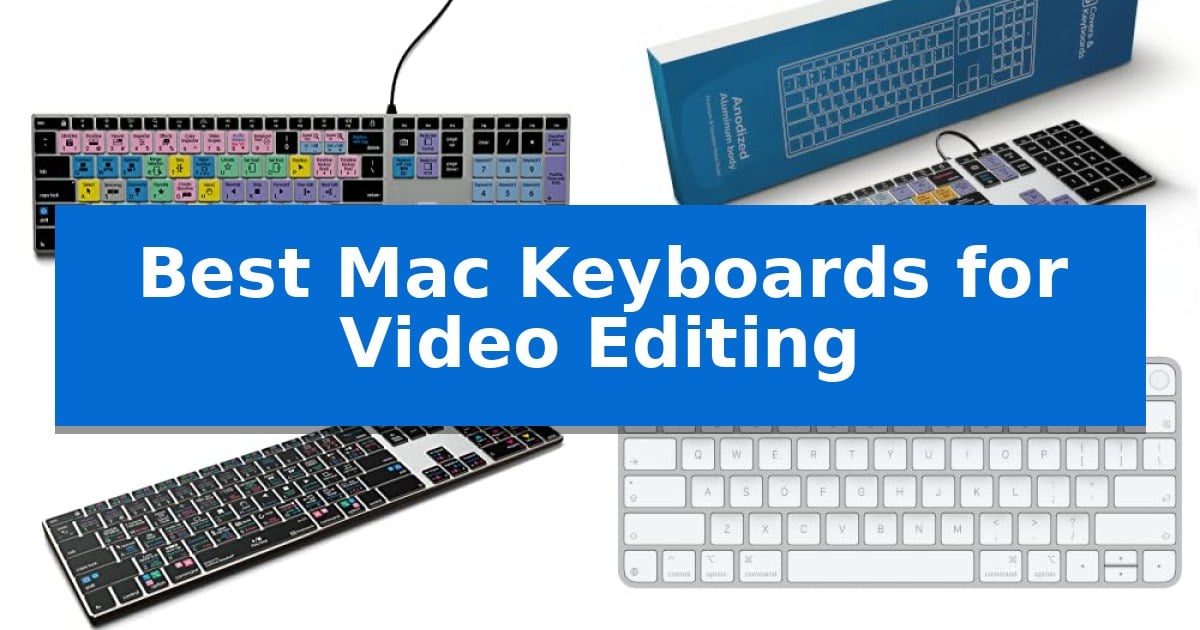
Video editing requires precision and speed, often involving hundreds of repetitive keystrokes to trim, mark, and grade footage. Using a standard keyboard can slow down your progress, forcing you to navigate complex menus instead of focusing on the creative flow of your project.
Finding the Best Mac Keyboards for Video Editing involves balancing specialized shortcut layouts with comfortable typing ergonomics. Whether you are working in Final Cut Pro, Adobe Premiere Pro, or DaVinci Resolve, the right tool can significantly reduce the time spent on technical tasks, allowing you to dedicate more energy to your final edit.
You may also want to compare Best Mac Keyboards for Programming, Best Mac Keyboards for Pro Tools, and Best Mac Keyboards for Designers.
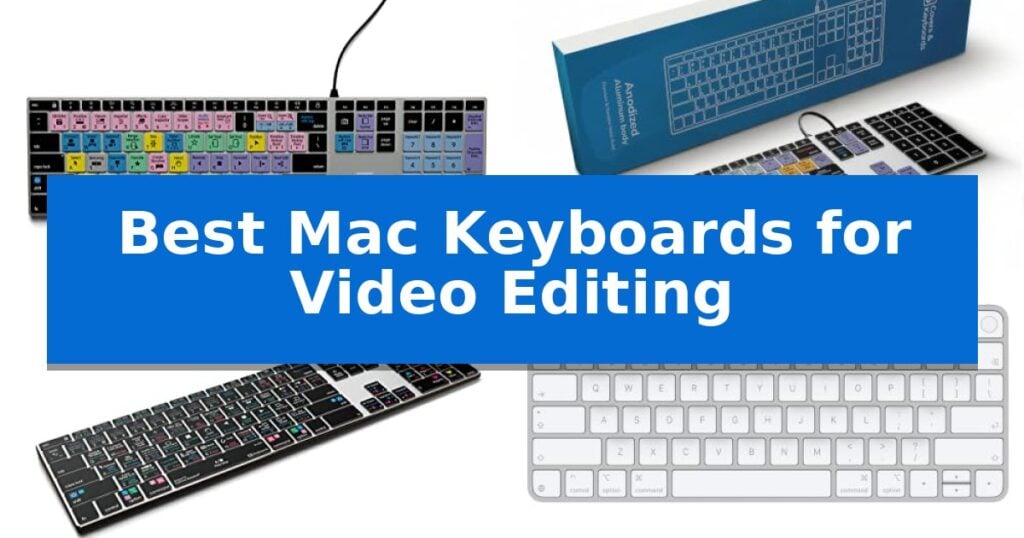
Best Mac Keyboards for Video Editing
Quick Comparison
| Product | Best For | Key Strength | Score |
|---|---|---|---|
| KB Covers Final Cut Pro Keyboard | Best Overall | 150+ color-coded shortcuts for intuitive navigation of Final Cut Pro functions. | 4.9 |
| KB Covers Adobe Premiere Pro Keyboard | Color-coded keys for workflow efficiency | 150+ color-coded shortcuts for faster navigation in Adobe Premiere Pro. | 4.9 |
| KB Covers DaVinci Resolve Keyboard | Streamlined grading and timeline control | Color-coded shortcut keys for faster navigation in DaVinci Resolve. | 4.3 |
| Apple Magic Keyboard with Touch ID | Secure authentication for quick logins | Integrated Touch ID for fast and secure authentication. | 4.3 |
| ProtoArc KM100-A Wireless Keyboard | Full-size layout for desk productivity | Full-size Mac layout with a dedicated numeric keypad for efficient data entry. | 4.6 |
How We Chose
- Shortcut Integration: We prioritized keyboards featuring dedicated, color-coded keys for specific NLE software to minimize menu navigation.
- Build and Stability: We assessed the frame construction, focusing on aluminum designs that provide a stable, non-flex typing surface.
- Connectivity Standards: We analyzed connection types, favoring wired USB-C options for zero-latency performance and wireless models for desk flexibility.
- Ergonomics and Layout: We reviewed the key layout, including full-size numeric keypads and low-profile designs that support neutral wrist positioning.
- macOS Compatibility: We ensured all selections natively support macOS layouts, including Command, Option, and Control key placement.
1 KB Covers Final Cut Pro Keyboard — Visual shortcuts for faster editing
Navigating a complex video timeline requires precision, and the KB Covers Final Cut Pro Keyboard addresses this by integrating over 150 color-coded shortcuts directly onto the keys. By mapping essential editing, trimming, and playback commands to specific color-coded zones, this tool allows editors to execute complex functions without relying solely on on-screen menus.
Designed specifically for the macOS ecosystem, this keyboard features a standard US layout with dedicated Command, Option, and Control keys. It connects via a USB-C wired interface, ensuring a stable, lag-free connection that eliminates the need for Bluetooth pairing or battery management. This plug-and-play functionality is ideal for professional workstations where reliability is paramount.
The build quality centers on a solid aluminum frame, providing a durable foundation for intensive editing sessions. To support work in dim environments or late-night production cycles, the keys are fully backlit. Because it functions as a standard keyboard, users retain the ability to type normally while simultaneously utilizing the printed shortcut icons, effectively turning the peripheral into a dual-purpose productivity tool.
This device is intended for those who prefer tactile, visual references over software-based control panels. By removing the need for additional drivers or complex software installation, it integrates seamlessly into existing Mac Studio, Mac mini, or MacBook setups, provided the host device includes a compatible USB-C port.
Best for: Video editors and content creators who want to accelerate their Final Cut Pro workflow through visual, color-coded shortcut keys.
Skip if: Users who require a wireless connection or those who do not use Final Cut Pro as their primary editing software.
PROS
- 150+ color-coded shortcuts for intuitive navigation of Final Cut Pro functions.
- USB-C wired connection ensures a stable, lag-free experience without battery maintenance.
- Backlit keys improve visibility in low-light editing environments.
- Solid aluminum frame provides a durable, professional-grade build.
CONS
- Wired-only connectivity limits placement flexibility compared to wireless alternatives.
- Specific software mapping makes the shortcut labels less useful for non-Final Cut Pro applications.
2 KB Covers Adobe Premiere Pro Keyboard — Color-coded keys for workflow efficiency
The KB Covers Adobe Premiere Pro Keyboard streamlines complex editing workflows by featuring over 150 dedicated shortcuts printed directly onto the keys. By utilizing color-coded functions, editors can identify commands for cutting, trimming, and timeline navigation at a glance, reducing the need to rely on memorized hotkeys during intense sessions.
Designed specifically for the macOS environment, this keyboard maintains a standard US layout including Command, Option, and Control keys. It offers a true plug-and-play experience for any Mac equipped with a USB-C port, such as the MacBook Pro, iMac, or Mac Studio, requiring no additional software, drivers, or complex setup procedures.
Unlike specialized control panels, this device functions as a full-featured typing keyboard. Each key retains its standard letter alongside the Adobe Premiere Pro shortcut icon, allowing users to switch between standard typing and professional video editing tasks seamlessly. The solid aluminum frame provides a stable base, while the integrated backlit keys ensure visibility in dim studio environments or during late-night editing sessions.
The wired USB-C connection provides a reliable, lag-free interface, eliminating concerns regarding battery life or Bluetooth pairing stability. This makes it a practical choice for professional video editors, YouTubers, and film students who prioritize consistent performance and immediate responsiveness in their editing suite.
Best for: Video editors and content creators using Adobe Premiere Pro on a Mac who want a tactile, wired keyboard with visual shortcut references.
Skip if: Users who prefer a wireless setup or those who do not use Adobe Premiere Pro as their primary editing software.
PROS
- 150+ color-coded shortcuts for faster navigation in Adobe Premiere Pro.
- Backlit keys designed for visibility in low-light editing environments.
- Wired USB-C connection ensures a stable, lag-free experience without battery maintenance.
- Solid aluminum frame provides a durable and professional build quality.
CONS
- Wired-only connection limits desk flexibility compared to wireless alternatives.
- Software-specific layout is optimized primarily for Adobe Premiere Pro users.
3 KB Covers DaVinci Resolve Keyboard — Streamlined grading and timeline control
Navigating complex video timelines requires precise control, and the KB Covers DaVinci Resolve Keyboard simplifies this by featuring dedicated, color-coded shortcut keys for essential functions like cutting, trimming, and color grading. By placing these commands directly on the keycaps, it allows editors to execute tasks at a glance without needing to memorize secondary hotkeys.
Designed specifically for the macOS environment, this keyboard includes the standard Command and Option layout, ensuring seamless integration with Apple hardware. It connects via a USB-C wired interface, which provides a stable, lag-free connection that is ideal for long editing sessions where reliability is paramount. Because it is a plug-and-play device, there is no need for additional software or driver installations.
The keyboard is built with a solid aluminum frame, offering a sturdy foundation for intensive typing. It also features backlit keys, which are particularly beneficial for colorists working in darkened grading suites or editors working late into the night. It functions as a full-featured typing keyboard, meaning it handles standard text entry for titles and file naming just as effectively as it manages complex software shortcuts.
As a dedicated tool for DaVinci Resolve, this model is intended for users who want to optimize their workflow through visual cues. It is a specialized peripheral rather than a standalone control console, making it a practical addition for those who prefer a traditional keyboard layout while gaining the efficiency of labeled editing commands.
Best for: Video editors and colorists who use DaVinci Resolve on a Mac and want to improve workflow speed through visual shortcut labeling.
Skip if: Users who require a dedicated hardware editing console with jog wheels or faders, or those who do not use DaVinci Resolve as their primary editing software.
PROS
- Color-coded shortcut keys for faster navigation in DaVinci Resolve.
- Backlit keys for visibility in low-light editing environments.
- Stable USB-C wired connection eliminates latency and battery concerns.
- Durable aluminum frame construction.
CONS
- Specific to DaVinci Resolve, limiting its utility for other NLE software.
- Lacks dedicated hardware controls like jog wheels or specialized grading knobs.
4 Apple Magic Keyboard with Touch ID — Secure authentication for quick logins
Streamlining a video editing workflow often begins with the interface between the editor and the Mac, where the Apple Magic Keyboard with Touch ID provides a distinct advantage through its integrated biometric security. This keyboard allows for rapid, secure authentication, enabling editors to log in or authorize purchases without manually typing passwords, which keeps the focus on the timeline.
Designed specifically for Mac models with Apple silicon, the Apple Magic Keyboard with Touch ID offers a remarkably comfortable and precise typing experience. Its low-profile keys are engineered for stability, which can assist in maintaining accuracy during long editing sessions. The wireless design helps keep a workspace uncluttered, while the rechargeable internal battery is rated to last about a month or more between charges.
Setup is straightforward, as the keyboard pairs automatically with your Mac. The inclusion of a woven USB-C Charge Cable allows for both pairing and charging, ensuring the device remains ready for use. This model maintains a compact footprint, measuring approximately 12.13 inches in length, making it suitable for desks where space is at a premium.
While the keyboard excels in convenience and integration, it is important to note that its primary utility is centered on standard input and secure authentication. It does not include specialized programmable macro keys or dedicated jog wheels often found on professional-grade editing consoles, meaning it serves best as a reliable, high-quality primary input device rather than a dedicated control surface for complex video software.
Best for: Editors who prioritize a clean, wireless workspace and require fast, secure authentication for their Mac-based editing environment.
Skip if: Users who require dedicated macro keys, physical jog wheels, or specialized hardware controls for advanced video editing software.
PROS
- Integrated Touch ID for fast and secure authentication.
- Remarkably comfortable and precise typing feel.
- Long-lasting internal battery providing roughly a month of use.
- Automatic pairing with Mac systems via USB-C.
CONS
- Lacks dedicated macro keys or specialized editing controls.
- Fixed layout without customization options for complex workflows.
5 ProtoArc KM100-A Wireless Keyboard — Full-size layout for desk productivity
The ProtoArc KM100-A Wireless Keyboard is engineered with a full-size layout that includes a dedicated numeric keypad, providing the expansive workspace often required for efficient video editing workflows. This device is specifically tailored for Mac users, offering compatibility with macOS 10.12 or later and iOS/iPadOS 13.0 or above.
Designed for extended editing sessions, the keyboard features a flat design intended to promote a neutral wrist position, which helps minimize strain during long hours at the desk. The soft-touch scissor switch keys are built for quiet operation, ensuring a hushed environment while you focus on your timeline.
For users managing multiple machines, the ProtoArc KM100-A Wireless Keyboard supports triple Bluetooth channels, allowing you to switch between three different devices with a simple button press. The unit is rechargeable, featuring a 1200mAh battery for the keyboard and a 300mAh battery for the included mouse, with an automatic sleep mode that triggers after 60 minutes of inactivity to conserve power.
Visibility in low-light editing suites is addressed by the soft white LED backlighting, which offers three adjustable brightness levels. The included mouse provides further customization with three adjustable DPI levels (1000/1600/2400), allowing you to fine-tune cursor sensitivity to match your precision editing needs.
Best for: Video editors who require a full-size layout with a numeric keypad and the ability to switch between multiple Mac devices seamlessly.
Skip if: Users with limited desk space or those who prefer a compact, tenkeyless form factor should consider a smaller alternative.
PROS
- Full-size Mac layout with a dedicated numeric keypad for efficient data entry.
- Triple Bluetooth connectivity for managing up to three devices simultaneously.
- Adjustable white LED backlighting for improved visibility in dim environments.
- Rechargeable batteries for both the keyboard and mouse to reduce waste.
CONS
- Requires significant desk space due to the full-size design.
- Bluetooth-only connection means no USB dongle is included or supported.
Best Mac Keyboards for Video Editing Buying Guide
Shortcut-Specific vs. Standard Layouts
The most significant decision for a video editor is whether to use a software-specific keyboard or a standard model. Keyboards with color-coded shortcut keys are designed to map complex commands directly to the hardware, which can drastically reduce the learning curve for new editors and speed up muscle memory for professionals.
Conversely, standard keyboards offer more versatility if you use multiple applications throughout the day. If you frequently switch between video editing, graphic design, and general office tasks, a standard high-quality keyboard may be more practical than a dedicated editing console.
Wired vs. Wireless Connectivity
In a professional editing environment, wired USB-C connectivity is often preferred for its reliability. A wired connection eliminates the risk of input lag or battery failure during critical rendering or export moments, ensuring your commands are registered instantly.
Wireless keyboards provide a cleaner desk setup and are ideal for editors who frequently move their workspace or prefer a minimalist aesthetic. If you choose a wireless model, ensure it features a long-lasting internal battery and a reliable connection protocol like Bluetooth 5.1 to maintain consistent performance.
Ergonomics and Desk Space
Video editing sessions can last for many hours, making ergonomic design essential. Look for keyboards with a low-profile design that allows your wrists to remain in a neutral position, which helps minimize strain over time.
Full-size layouts that include a numeric keypad are generally recommended for video editors. The keypad is frequently used for timecode entry and frame-by-frame navigation, providing a level of efficiency that compact keyboards cannot match.
Build Quality and Backlighting
A solid, heavy frame—often made of aluminum—prevents the keyboard from sliding or flexing during intense editing sessions. This stability is crucial when you are performing rapid, repetitive keystrokes or complex keyboard shortcuts.
Backlit keys are a vital feature for editors working in dim studios or late-night environments. Adjustable brightness levels allow you to customize the illumination to your specific lighting conditions, ensuring that your shortcut labels remain visible without causing eye strain.
Compatibility and Ecosystem
Always verify that your keyboard is specifically designed for the macOS US layout. Keyboards that lack native support for Command, Option, and Control keys can cause significant frustration, as you will need to remap your software shortcuts manually.
For users of modern Mac hardware, features like Touch ID can provide a seamless experience, allowing for fast and secure authentication without interrupting your workflow. Ensure the keyboard is compatible with your specific Mac model, especially if it uses Apple silicon.
Frequently Asked Questions
Do I need special software to use a shortcut-coded keyboard?
No, most shortcut-coded keyboards act as standard HID (Human Interface Device) keyboards. The shortcuts are printed on the keys for your reference, but the keyboard does not require proprietary drivers or software to function.
Can I use a dedicated editing keyboard for regular typing?
Yes, these are full-function keyboards. Each key displays the standard letter or character in addition to the shortcut icon, allowing you to type emails or documents just as you would on a standard keyboard.
Why is a numeric keypad important for video editing?
The numeric keypad is highly useful for entering timecode values directly into your editing software and can be mapped to specific timeline navigation controls, which is much faster than using the number row above the letters.
Are wired keyboards better than wireless for video editing?
Wired keyboards are generally considered more reliable for professional editing because they eliminate the possibility of latency, interference, or battery depletion during long sessions.
Will these keyboards work with all Mac models?
Most of these keyboards are designed for Mac models with USB-C ports or standard Bluetooth connectivity. However, you should always check the manufacturer's compatibility list to ensure the specific layout and connection type match your Mac.
Conclusion: Our Top Pick
Choosing the right keyboard can transform your editing experience by placing essential commands at your fingertips. For those working within the Apple ecosystem, the KB Covers Final Cut Pro Keyboard stands out as the most effective tool for streamlining your workflow, thanks to its dedicated, color-coded shortcut keys and durable aluminum construction.
While other options like the Apple Magic Keyboard offer superior wireless integration and security features, the specialized layout of the KB Covers model provides a tangible efficiency gain for dedicated Final Cut Pro editors. Ensure you select the version that matches your primary editing software to maximize your productivity.