
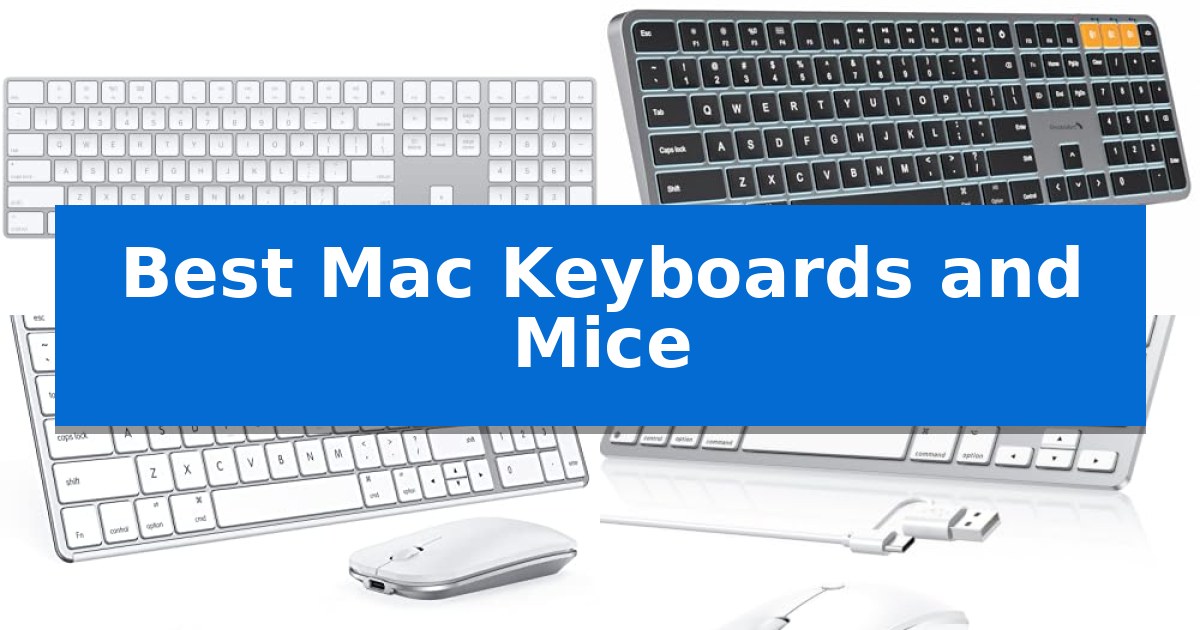
Finding the right peripherals for your Apple computer can significantly impact your daily productivity and comfort. Whether you are managing complex spreadsheets, editing creative projects, or simply navigating your desktop, the Best Mac Keyboards and Mice provide the precision and reliability needed to streamline your workflow.
Selecting the ideal hardware involves balancing connectivity preferences, layout requirements, and ergonomic design. From seamless ecosystem integration to specialized wired solutions, we have analyzed the latest options to help you make an informed decision for your workspace.
You may also want to compare Best Mac Keyboards, Best Mac Keyboard With Touch ID, and Best Mac Keyboard for Programming.
Best Mac Keyboards and Mice
Quick Comparison
| Product | Best For | Key Strength | Score |
|---|---|---|---|
| Apple Magic Keyboard with Numeric Keypad | Best Overall | Integrated numeric keypad for efficient data entry. | 4.9 |
| ProtoArc KM100-A Backlit Keyboard and Mouse | Illuminated Keys for Dim Environments | Triple-device Bluetooth connectivity for efficient multitasking. | 4.7 |
| seenda SKM64-2 Bluetooth Keyboard and Mouse | Ultra-Slim Design for Portability | Multi-device Bluetooth switching across three channels. | 4.4 |
| OMOTON Wired Keyboard and Mouse Combo | Lag-Free Wired Reliability | Dual-interface connectivity with both USB-A and Type-C options. | 4.9 |
| Macally Full Size Wired Keyboard and Mouse | Spill-Resistant Full-Size Layout | Plug-and-play wired connectivity eliminates battery maintenance. | 4.4 |
How We Chose
- Compatibility with macOS versions and Apple hardware interfaces.
- Typing and navigation ergonomics, including key feel and mouse precision.
- Connectivity reliability, focusing on Bluetooth stability and wired latency.
- Power management features, such as rechargeable battery life and charging convenience.
- Layout and design, specifically the inclusion of Mac-specific shortcut keys and numeric pads.
1 Apple Magic Keyboard with Numeric Keypad — Seamless Apple Ecosystem Integration
Efficiency in a workspace often begins with the right input tools, specifically those designed to integrate seamlessly into an Apple-centric environment. The Apple Magic Keyboard with Numeric Keypad offers a specialized layout that prioritizes document navigation and data entry, making it a distinct choice for users who frequently manage spreadsheets or finance applications.
This keyboard provides a wireless, rechargeable experience, connecting via Bluetooth to your Mac, iPad, or iPhone. By eliminating the need for loose batteries, it streamlines your desk setup while maintaining a consistent connection. The internal battery is designed to last for about a month or more between charges, and the included Lightning to USB cable allows for convenient pairing and power replenishment through your Mac's USB port.
Beyond its power management, the device features an extended layout that includes full-size arrow keys and dedicated document navigation controls. These additions are paired with a numeric keypad, which is specifically suited for rapid numerical input. The keyboard is engineered to deliver a precise and comfortable typing experience, ensuring that the hardware supports extended work sessions without unnecessary strain.
Compatibility is straightforward, requiring a Bluetooth-enabled Mac with macOS 10.12.4 or later, an iPad with iPadOS 13.4 or later, or an iPhone or iPod touch with iOS 10.3 or later. Its slim profile and white finish align with the aesthetic of other Apple peripherals, providing a cohesive look for your office or home setup.
Best for: Users who require a dedicated numeric keypad and extended navigation keys for spreadsheet management and finance tasks within the Apple ecosystem.
Skip if: Users who prefer a compact, tenkeyless design or those who require a wired-only connection for specific security or latency-sensitive environments.
PROS
- Integrated numeric keypad for efficient data entry.
- Long-lasting internal battery providing weeks of use per charge.
- Seamless wireless connectivity across Mac, iPad, and iPhone.
- Extended layout with dedicated document navigation controls.
CONS
- Larger footprint compared to standard compact keyboards.
- Lightning connector requirement for charging.
2 ProtoArc KM100-A Backlit Keyboard and Mouse — Illuminated Keys for Dim Environments
Maintaining a clean, efficient workspace often begins with the right peripherals, especially when balancing multiple devices. The ProtoArc KM100-A Backlit Keyboard and Mouse offers a full-size layout with a dedicated numeric keypad, designed to mimic the familiar feel of standard Mac keyboards while providing the flexibility of wireless connectivity.
This set connects to up to three devices simultaneously via Bluetooth, allowing for seamless switching between a MacBook, iPad, or iPhone. The keyboard features soft white LED backlighting with three adjustable brightness levels, ensuring visibility in low-light environments without causing eye strain. The system is compatible with Mac OS 10.12 or later and iOS/iPadOS 13.0 or above.
Designed with a flat, low-profile architecture, the keyboard promotes a neutral wrist position to enhance comfort during extended typing sessions. The included mouse complements this with three adjustable DPI levels—1000, 1600, and 2400—offering customizable sensitivity for various tasks. Both devices utilize scissor switch keys for a responsive and quiet typing experience.
Both devices are rechargeable, featuring built-in batteries—1200mAh for the keyboard and 300mAh for the mouse—that support power-saving modes after 60 minutes of inactivity. While the full-size design provides a comprehensive input solution, it is worth noting that it requires more desk real estate than compact alternatives.
Best for: Users who require a full-size, backlit wireless input solution for multiple Apple devices.
Skip if: Users with limited desk space or those who prefer compact, tenkeyless keyboard layouts.
PROS
- Triple-device Bluetooth connectivity for efficient multitasking.
- Adjustable LED backlighting for improved visibility in dim conditions.
- Rechargeable batteries for both the keyboard and mouse.
- Full-size layout including a dedicated numeric keypad.
CONS
- Larger footprint requires more desk space than compact models.
- Bluetooth-only connection lacks a USB dongle option.
3 seenda SKM64-2 Bluetooth Keyboard and Mouse — Ultra-Slim Design for Portability
The seenda SKM64-2 Bluetooth Keyboard and Mouse prioritizes a streamlined workspace for Apple users through its ultra-thin, metal-reinforced construction. Measuring just 0.12 inches for the keyboard and 0.9 inches for the mouse, this set is engineered for portability and fits seamlessly into bags for commuters or students working across various locations.
Designed specifically for the Apple ecosystem, this combo supports macOS 10.12+, iPadOS 13.0+, and iOS 13.0+. It utilizes three distinct Bluetooth channels, allowing users to toggle connectivity between a MacBook, iPad, and iPhone without the need for additional receivers or USB ports. This multi-device functionality is tailored for professionals who manage multiple Apple devices simultaneously.
The hardware features Type-C rechargeability, eliminating the need for disposable batteries and providing up to 200 hours of standby time. To further manage power, the device includes an integrated on/off switch and an auto-sleep function. The keys are engineered for whisper-quiet operation, utilizing enhanced stability to reduce noise while maintaining tactile responsiveness, making it suitable for quiet environments like libraries or shared offices.
Constructed from a combination of stainless steel and premium ABS, the set balances durability with a modern aesthetic. Because it relies exclusively on Bluetooth 4.0 or higher, it is optimized for Apple hardware and is not fully compatible with Windows systems, ensuring a dedicated experience for those committed to the Apple platform.
Best for: Apple ecosystem users who require a portable, multi-device, and quiet input solution for MacBooks and iPads.
Skip if: Users who primarily operate Windows systems or require a wired USB connection for their peripherals.
PROS
- Multi-device Bluetooth switching across three channels.
- Type-C rechargeable battery with 200-hour standby.
- Ultra-slim, durable stainless steel and ABS construction.
- Whisper-quiet keys designed for noise-sensitive environments.
CONS
- Not fully compatible with Windows operating systems.
- Bluetooth-only connectivity with no USB receiver included.
4 OMOTON Wired Keyboard and Mouse Combo — Lag-Free Wired Reliability
Maintaining a consistent, lag-free connection is essential for office productivity, and the OMOTON Wired Keyboard and Mouse Combo addresses this by utilizing a direct, stable wired interface. By eliminating the reliance on wireless protocols, this set ensures an instant response for daily tasks, making it a reliable choice for users who prioritize performance consistency over wireless freedom.
The keyboard features a versatile dual-interface design with both USB-A and Type-C connectors, allowing it to connect to a wide range of Mac hardware without requiring additional adapters. Its ultra-compact, lightweight frame—measuring just 11.22 by 4.72 inches—is specifically engineered for portability, fitting easily into bags for use in cafes, libraries, or shared office spaces.
Designed with an ergonomic tilt, the keyboard is shaped to align with natural hand anatomy to help reduce fatigue during extended typing sessions. The included mouse is equally focused on utility, featuring a simple plug-and-play setup that connects directly into the keyboard's integrated USB-A hub. This clever design choice helps manage cable clutter and preserves available ports on your Mac.
Compatibility is strictly focused on macOS 11.3 and above, ensuring the hardware is optimized for modern Apple environments. With its straightforward wired functionality and space-saving footprint, this combo provides a practical, no-fuss solution for Mac users seeking a dedicated, reliable input setup.
Best for: Mac users who require a stable, lag-free wired connection and a space-saving, portable input solution for office or travel use.
Skip if: Users who prefer a wireless workspace, require a standalone numeric keypad, or operate on macOS versions older than 11.3.
PROS
- Dual-interface connectivity with both USB-A and Type-C options.
- Integrated USB-A hub on the keyboard for seamless mouse connection.
- Ultra-compact and lightweight design ideal for portability.
- Stable wired connection eliminates lag and signal loss.
CONS
- No numeric keypad included in the compact layout.
- Strict compatibility limited to macOS 11.3 and newer.
5 Macally Full Size Wired Keyboard and Mouse — Spill-Resistant Full-Size Layout
Reliability in a workspace often comes down to the simplicity of a wired connection, and the Macally Full Size Wired Keyboard and Mouse offers a straightforward solution for Mac users who prefer to avoid battery management. This combo features a full-sized 104-key layout, complete with a numeric keypad and 16 dedicated Apple shortcut keys, ensuring that common system tasks remain accessible with a single press.
The keyboard utilizes low-profile, membrane-based keys designed for quiet operation and a responsive feel. To accommodate different desk setups, the unit includes a foldable kickstand for ergonomic tilting, while anti-slip rubber pads keep the device stable during use. The connection is handled via a 5-foot USB cable, providing a consistent, plug-and-play experience without the need for drivers or pairing.
Durability is a core focus of the design, with keycaps rated for up to 10,000,000 keystrokes. The keyboard also incorporates a spill-resistant architecture with integrated drainage holes to help protect internal components from accidental liquid exposure. This focus on longevity is matched by the included optical mouse, which offers 1200 DPI precision and a 1000 Hz polling rate.
The bundled optical mouse is designed with a compact, ergonomic shape intended to fit comfortably in the palm. Like the keyboard, it connects via a 5-foot USB-A cable, ensuring it remains powered and responsive throughout the workday. This combination provides a practical, no-fuss setup for users who prioritize functional consistency over wireless mobility.
Best for: Users who prefer a reliable, battery-free, plug-and-play wired connection for their Mac desktop or laptop setup.
Skip if: Users who require wireless connectivity, Bluetooth multi-device switching, or a compact footprint for travel.
PROS
- Plug-and-play wired connectivity eliminates battery maintenance.
- Integrated 16 Apple-specific shortcut keys for efficient navigation.
- Spill-resistant design with drainage holes for added durability.
- Full-sized layout includes a dedicated numeric keypad.
CONS
- Wired-only connection limits desk placement and portability.
- Requires available USB-A ports on the host device.
Best Mac Keyboards and Mice Buying Guide
Connectivity: Wireless vs. Wired
Choosing between wireless Bluetooth and wired USB connections depends on your desk environment and usage patterns. Wireless options offer a clean, cable-free workspace and are often easier to transport, making them ideal for minimalist setups or mobile professionals.
Conversely, wired peripherals provide a direct, lag-free connection that eliminates concerns about battery life or signal interference. If you work in a high-density environment or require absolute input consistency, a wired connection remains a reliable standard.
Ergonomics and Layout
The physical layout of your keyboard, such as the presence of a numeric keypad or full-size arrow keys, is crucial for data-heavy tasks. A full-size layout is generally preferred for finance and spreadsheet work, while compact designs save valuable desk space.
Ergonomic considerations, including tilted designs or low-profile keys, help maintain a neutral wrist position. Selecting a device that aligns with your natural hand anatomy can help reduce fatigue during extended work sessions.
Battery and Power Management
Modern rechargeable keyboards and mice utilize internal batteries, often charged via USB-C or Lightning cables. This design choice removes the need for disposable batteries, reducing waste and long-term maintenance costs.
Look for devices with auto-sleep functionality to extend battery life between charges. Understanding the standby time and charging requirements ensures your tools are ready when you need them.
Mac-Specific Functionality
Not all keyboards are created equal when it comes to macOS. Devices designed for Mac often include dedicated shortcut keys for system controls like brightness, volume, and Mission Control, which are essential for navigating the Apple ecosystem efficiently.
Ensuring your hardware supports the specific macOS version you are running is vital. Always check the system requirements to confirm that advanced features, such as multi-device switching or specific software drivers, are fully compatible.
Material and Build Quality
The materials used in your keyboard and mouse, such as stainless steel or premium ABS plastic, affect both durability and aesthetics. A sturdy build ensures the device remains stable on your desk during intensive use.
Features like spill-resistant designs or high-durability keycaps add a layer of protection against daily wear. Investing in quality materials often results in a more satisfying tactile experience and a longer product lifespan.
Frequently Asked Questions
Do I need special drivers for these Mac keyboards and mice?
Most Mac-compatible peripherals are plug-and-play, utilizing standard HID profiles. However, some multi-device or backlit models may require specific settings within macOS to function optimally.
Can I use a Windows keyboard on my Mac?
While many Windows keyboards will function, the key mapping for Command and Option keys will differ. Using a keyboard designed specifically for the Mac layout ensures all system shortcuts work as expected.
How do I know if a keyboard is compatible with my macOS version?
Always check the manufacturer's specifications for the minimum required macOS version. Older hardware may not support modern Bluetooth standards or specific system-level shortcuts.
Are wireless mice reliable for professional design work?
Modern Bluetooth 5.0+ mice offer high stability and precision. For professional creative work, ensure the mouse has an adjustable DPI setting to match your preferred cursor speed and accuracy.
What is the benefit of a scissor-switch keyboard?
Scissor-switch mechanisms provide a low-profile, stable typing experience with short travel distance, which is often preferred for fast, quiet, and comfortable typing on thin keyboards.
Conclusion: Our Top Pick
Selecting the right hardware for your Mac is an investment in your daily productivity. The Apple Magic Keyboard with Numeric Keypad stands out as the most cohesive choice for users deeply integrated into the Apple ecosystem, offering seamless pairing and a layout specifically optimized for macOS.
While other options provide unique benefits like backlighting or wired-only reliability, the native integration of the Apple Magic Keyboard ensures consistent performance and system-level compatibility. It remains our top recommendation for those seeking a balance of comfort, design, and functional excellence.