
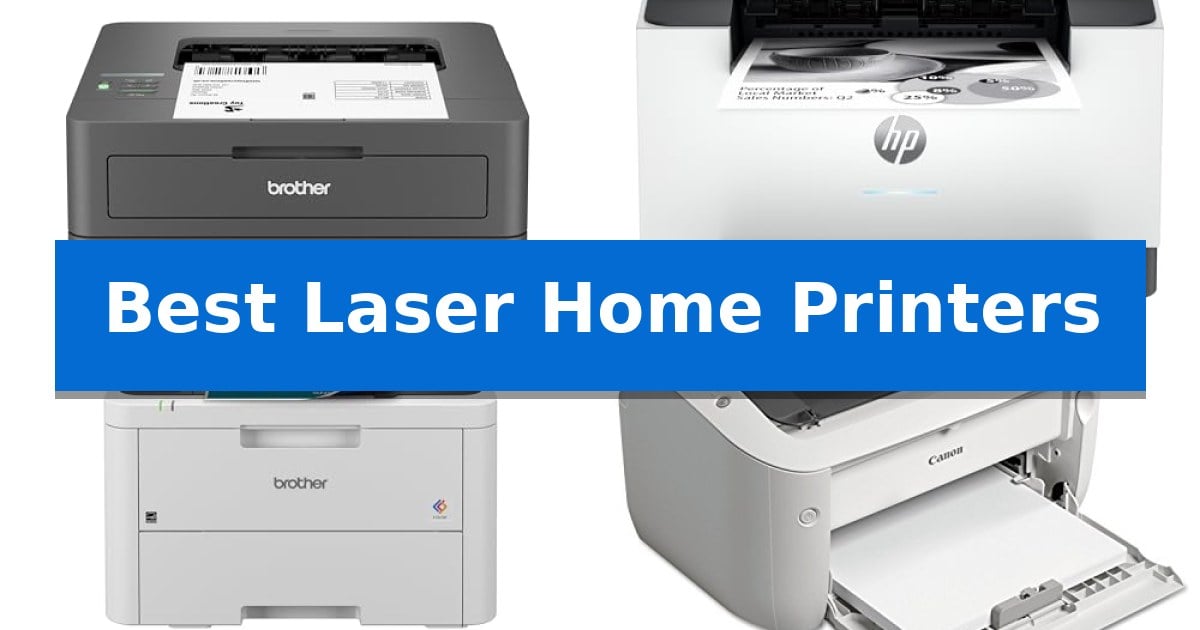
Finding the right machine for your home office can be a challenge, especially when balancing print speed with a compact footprint. Whether you are managing a small business or handling daily document needs, having a reliable device is essential for maintaining productivity.
We have evaluated the Best Laser Home Printers to help you identify which model fits your specific workflow. From high-speed monochrome units to versatile all-in-one hubs, our guide focuses on the technical specifications and practical benefits that matter most for your home environment.
Best Laser Home Printers in 2026: Maximize Efficiency at Home
Quick Comparison
| Product | Best For | Key Strength | Score |
|---|---|---|---|
| Brother HL-L2405W Laser Printer | Best Overall | Dual-band wireless connectivity for flexible device integration | 4.9 |
| HP LaserJet M207dw Printer | Fastest Class Two-Sided Output | Fastest two-sided printing in its class for efficient document handling. | 4.4 |
| Brother HL-L3220CDW Color Laser Printer | Vibrant Professional Home Office Color | Automatic duplex printing for efficient double-sided document production. | 4.4 |
| Canon imageCLASS LBP6030w Laser Printer | Ultra-Compact Design for Tight Spaces | Ultra-compact footprint fits easily into small home or office spaces. | 4.9 |
| Brother MFC-L2820DW All-in-One Laser Printer | Efficient Multi-Function Small Office Hub | Fast monochrome print speeds of up to 36 ppm. | 4.4 |
How We Chose
- Print Speed: Evaluating pages-per-minute (PPM) to ensure efficient document handling.
- Connectivity Options: Checking for dual-band wireless, Ethernet, and mobile app compatibility.
- Physical Footprint: Assessing dimensions to ensure the device fits in home office spaces.
- Paper Handling: Reviewing tray capacity and the inclusion of manual feed slots for specialty media.
- Multi-functionality: Identifying units that offer scanning, copying, and faxing capabilities.
1 Brother HL-L2405W Laser Printer — Reliable Monochrome Daily Printing
The Brother HL-L2405W Wireless Compact Monochrome Laser Printer is engineered for environments where consistent, high-quality text output is the priority. Measuring 14.2 inches in length and 7.2 inches in height, this compact unit is designed to fit into home offices without occupying excessive desk space while maintaining a robust 250-sheet paper tray capacity.
Connectivity is a primary focus for this model, offering both a wired USB interface and dual-band wireless (2.4GHz/5GHz) support. This flexibility allows users to connect multiple devices securely or maintain a direct link to a single computer. The integration with the Brother Mobile Connect App enables remote management, allowing users to track toner levels and initiate print jobs from mobile devices.
Performance is centered on efficiency, with the printer capable of producing black-and-white documents at speeds up to 30 pages per minute. For those requiring specialized media handling, a manual feed slot is included to accommodate envelopes and other specialty paper types, providing versatility beyond standard letter-sized documents.
To assist with long-term maintenance, the device supports the Refresh EZ Print Subscription Service, which automates toner replacement. Users can choose between standard TN830 or high-yield TN830XL cartridges. The printer is supported by a 1-year limited warranty and access to lifetime online, call, or live chat support.
Best for: Home office users who require a compact, reliable monochrome printer with flexible wireless connectivity and mobile printing capabilities.
Skip if: Users who require color printing, high-volume duplex scanning, or an integrated automatic document feeder for multi-page copying.
PROS
- Dual-band wireless connectivity for flexible device integration
- Compact footprint suitable for small home office spaces
- 30ppm print speed for efficient document production
- 250-sheet paper tray reduces the frequency of paper refills
CONS
- Monochrome-only output limits use to text and black-and-white documents
- No automatic document feeder for scanning or copying multi-page sets
2 HP LaserJet M207dw Printer — Fastest Class Two-Sided Output
Efficiency in a home office often hinges on the ability to handle high-volume document tasks without constant intervention. The HP LaserJet M207dw Printer addresses this by offering the fastest two-sided printing in its class, allowing users to process multi-page documents at up to 28 pages per minute single-sided. This design choice prioritizes workflow speed, making it a practical tool for small teams of 1 to 5 people who frequently manage brochures, presentations, and business documents.
Beyond its speed, the device integrates dual-band Wi-Fi with self-reset capability, which proactively monitors and resolves connectivity interruptions to maintain a stable link to your network. For environments where security is a priority, the printer includes built-in security features designed to protect the system from potential unauthorized access or attacks.
Usability is enhanced through broad compatibility, supporting wireless printing from PCs, tablets, and mobile devices across various operating systems including Mac, Windows, Chromebook, and Android. The inclusion of an Ethernet port provides an alternative for users who prefer a hardwired connection for their office setup. Measuring approximately 14 inches wide and 8 inches high, the unit is compact enough to fit on most desks without occupying excessive space.
While this printer excels at monochrome office tasks, its focus is strictly on black-and-white output. It is an ideal choice for users who require a dedicated, reliable document printer rather than a versatile color or photo-printing solution. The one-year limited warranty provides standard coverage for this office-focused hardware.
Best for: Small offices or home workspaces requiring fast, reliable monochrome document printing and wireless connectivity for up to five users.
Skip if: You require color printing, photo reproduction, or a multi-function device with scanning and copying capabilities.
PROS
- Fastest two-sided printing in its class for efficient document handling.
- Dual-band Wi-Fi with self-reset for consistent wireless connectivity.
- Built-in security features to protect against network attacks.
- Broad mobile and desktop compatibility including AirPrint and Chromebook support.
CONS
- Monochrome-only output limits the printer to black-and-white documents.
- No integrated scanner or copier functionality.
3 Brother HL-L3220CDW Color Laser Printer — Vibrant Professional Home Office Color
The Brother HL-L3220CDW Color Laser Printer is engineered to streamline high-volume document tasks in a home office, featuring a 250-sheet paper tray that significantly reduces the frequency of manual refills. This compact unit, measuring 15.7 inches in width and length, balances a professional-grade output with a footprint suitable for dedicated workspaces.
Performance is driven by a 19 PPM (pages per minute) print speed, ensuring that business documents, reports, and graphics are produced with efficiency. The inclusion of automatic duplex printing allows for double-sided document creation, which aids in paper conservation without requiring manual intervention.
Connectivity is a core component of this model, utilizing advanced wireless capabilities to facilitate printing directly from laptops, smartphones, and tablets. The integration with major mobile printing platforms and cloud services provides flexibility for users who manage documents across multiple devices, supported by built-in security protocols to protect sensitive business data.
For specialized media, the printer includes a manual feed slot that accommodates envelopes and other unique paper types. With a weight of 24.7 pounds and a height of 9.4 inches, the device offers a stable, standard-sized form factor for users prioritizing consistent, high-quality laser output over multi-function scanning or copying features.
Best for: Home office users who prioritize high-speed, professional-quality color laser printing and wireless mobile connectivity for document-heavy workloads.
Skip if: Users who require a multi-function device with integrated scanning, copying, or faxing capabilities, as this model is a dedicated printer.
PROS
- Automatic duplex printing for efficient double-sided document production.
- Wireless connectivity with support for mobile and cloud-based printing.
- 250-sheet paper tray capacity minimizes the need for frequent reloading.
- Manual feed slot provides versatility for specialty media like envelopes.
CONS
- Single-function design lacks integrated scanning or copying features.
- 19 PPM output may be slower than enterprise-level laser printers.
4 Canon imageCLASS LBP6030w Laser Printer — Ultra-Compact Design for Tight Spaces
The Canon imageCLASS LBP6030w is engineered for environments where desk real estate is at a premium, featuring a compact, space-saving design that measures just 14.3 inches wide and 7.8 inches high. This monochrome laser printer is built to handle personal or small office document needs without dominating your workspace.
Performance is centered on efficiency, offering print speeds of up to 19 pages per minute. To support continuous operation, the unit includes a 150-sheet paper capacity, reducing the frequency of refills during high-volume tasks. It utilizes Canon Genuine Toner 125, which is rated for a 1,600-page yield, ensuring consistent output for text-heavy documents.
Connectivity is a primary focus, as the printer features integrated wireless connectivity. This allows users to print documents directly from compatible mobile devices, providing flexibility in how you manage your printing tasks from different locations within your workspace. The setup is supported by a 1-year limited warranty for added peace of mind.
Designed with energy efficiency in mind, the device consumes less than 2 watts in Energy Saver mode, making it a practical choice for those monitoring power usage. Its straightforward, single-function design prioritizes reliability for users who need a dedicated monochrome printing solution without the complexity of scanning or copying features.
Best for: Home office users or students who require a reliable, space-saving monochrome printer with wireless mobile printing capabilities.
Skip if: Users who require color printing, integrated scanning, or high-volume automatic document feeding will need a more comprehensive multi-function device.
PROS
- Ultra-compact footprint fits easily into small home or office spaces.
- Wireless connectivity enables convenient printing from mobile devices.
- Energy-efficient operation uses less than 2 watts in power-save mode.
- Reliable monochrome output at 19 pages per minute.
CONS
- Single-function design lacks scanning and copying capabilities.
- Limited paper capacity of 150 sheets may require frequent reloading for heavy users.
5 Brother MFC-L2820DW All-in-One Laser Printer — Efficient Multi-Function Small Office Hub
The Brother MFC-L2820DW All-in-One Laser Printer streamlines document management in compact workspaces by integrating print, copy, scan, and fax capabilities into a single, space-saving unit. Designed for efficiency, this monochrome laser device handles high-volume tasks with print speeds reaching up to 36 ppm and a 50-page auto document feeder that simplifies multi-page processing.
Navigation is managed through an intuitive 2.7-inch touchscreen, which provides direct access to cloud-based applications like Google Drive, Dropbox, and OneNote. This interface allows users to scan documents directly to the cloud or print files from these services without needing a computer, enhancing workflow flexibility for small office environments.
Connectivity options include dual-band wireless (2.4GHz/5GHz), Ethernet, and a local USB interface, ensuring the printer integrates into various network setups. Users can also utilize the Brother Mobile Connect app to manage printing, scanning, and toner tracking remotely from mobile devices, providing greater control over the printer's status while on the move.
To maintain consistent output quality, the system is designed to work with Brother Genuine TN830 or TN830XL replacement toner. The inclusion of the Refresh EZ Print Subscription Service offers a convenient way to manage supplies, with the potential for cost savings on genuine toner by automating the replacement process before the cartridge runs empty.
Best for: Small office environments requiring a compact, multi-function monochrome laser printer with cloud integration and mobile management capabilities.
Skip if: Users who require high-quality color printing or those who do not have a need for fax and multi-page scanning features.
PROS
- Fast monochrome print speeds of up to 36 ppm.
- Integrated 50-page auto document feeder for efficient multi-page handling.
- Flexible connectivity including dual-band Wi-Fi, Ethernet, and USB.
- Intuitive 2.7-inch touchscreen with direct cloud app support.
CONS
- Monochrome-only printing limits use to black and white documents.
- Requires specific Brother Genuine toner for optimal performance and subscription service compatibility.
Best Laser Home Printers Buying Guide
Understanding Print Technology
Laser printers utilize a toner-based process to fuse images and text onto paper, which is generally faster and more durable than inkjet alternatives. This technology is ideal for text-heavy documents, as it produces sharp, crisp text that resists smudging.
When choosing between monochrome and color models, consider your primary output. Monochrome laser printers are typically more cost-effective for high-volume text documents, while color laser printers provide the versatility needed for professional presentations and graphics.
Connectivity and Mobile Integration
Modern home printers should offer flexible wireless connectivity to support multiple devices. Features like dual-band Wi-Fi (2.4GHz/5GHz) help maintain a stable connection, reducing the likelihood of dropouts during large print jobs.
Many current models include mobile app support, allowing you to print directly from your smartphone or tablet. This is particularly useful for remote workers who need to manage their document workflow while away from their primary computer.
Space and Ergonomics
The physical dimensions of a printer are a critical factor for home offices with limited desk space. Compact designs allow for easier placement on shelves or smaller workstations without sacrificing paper capacity.
Look for features like a manual feed slot, which provides the flexibility to print on envelopes or specialty media without needing to swap out the main paper tray. This keeps your setup efficient and organized.
Duplex Printing and Efficiency
Automatic duplex printing is a valuable feature that prints on both sides of the paper, helping to reduce paper consumption and save time on multi-page projects. This is a standard requirement for many professional home office environments.
Check the auto document feeder (ADF) capacity if you frequently scan or copy multi-page documents. An ADF allows for hands-free processing, which significantly boosts productivity during administrative tasks.
Toner Management and Subscription Services
Managing toner costs is essential for long-term ownership. Many manufacturers offer subscription services that track your usage and automatically ship replacement toner, which can provide significant cost savings compared to purchasing individual cartridges.
Always verify the page yield of the compatible toner cartridges. Higher-yield cartridges are often more economical for users with heavy printing demands, as they require less frequent replacement.
Frequently Asked Questions
What is the main advantage of a laser printer over an inkjet?
Laser printers are generally faster and produce sharper text that is more resistant to smudging, making them ideal for high-volume document printing.
Do I need a color laser printer for a home office?
If you primarily print text documents, a monochrome printer is more cost-effective. Choose a color laser printer only if you regularly print graphics, charts, or professional presentations.
What does duplex printing mean?
Duplex printing refers to the printer's ability to automatically print on both sides of a sheet of paper, which saves paper and is more environmentally friendly.
Can I print from my phone with these models?
Yes, most modern laser printers featured here include mobile app support or wireless protocols that allow for direct printing from smartphones and tablets.
How do I know which toner to buy?
Check the manufacturer's specifications for the specific model number. Many brands also offer subscription services that track your usage and ensure you have the correct toner on hand.
Conclusion: Our Top Pick
For most home users, the Brother HL-L2405W Laser Printer stands out as the most reliable choice for daily monochrome printing. Its combination of a compact design, fast 30ppm print speeds, and flexible dual-band wireless connectivity makes it an excellent fit for diverse home office setups.
While other models offer specific advantages like color output or multi-function scanning, the Brother HL-L2405W excels in consistent performance and ease of use. It is a highly capable, space-efficient solution that balances quality with affordability for your everyday document needs.