
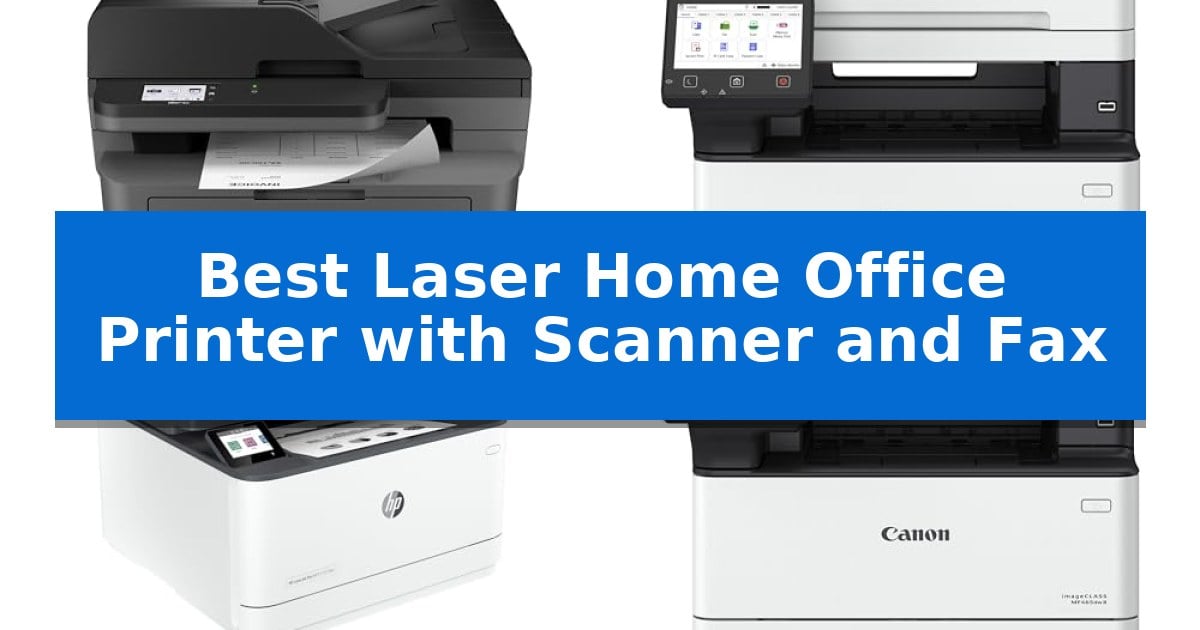
Managing a home office requires equipment that balances high-volume output with reliable, multi-functional performance. When your daily tasks involve digitizing paperwork, sending secure transmissions, and producing crisp documents, the Best Laser Home Office Printer with Scanner and Fax becomes the central hub of your workspace.
Selecting the right unit requires looking beyond simple print speeds. You need a machine that integrates seamlessly with your existing network, handles multi-page documents without constant manual intervention, and offers intuitive controls. We have analyzed the latest monochrome laser all-in-one printers to help you identify which model aligns with your specific workflow requirements.
Best Laser Home Office Printer with Scanner and Fax in 2026
Quick Comparison
| Product | Best For | Key Strength | Score |
|---|---|---|---|
| Brother MFC-L2820DW Laser Printer | Best Overall | Compact footprint ideal for small office desks. | 4.9 |
| Canon imageCLASS MF462dw II Laser Printer | Fast Output with Intuitive Touchscreen | Fast print speeds of up to 37 pages per minute. | 4.8 |
| HP LaserJet Pro 3101fdw Laser Printer | Secure Printing for Small Teams | Fast print speeds of up to 35 pages per minute. | 4.8 |
| Canon imageCLASS MF465dw II Laser Printer | High-Volume Monochrome Productivity | 42 ppm print speed for efficient high-volume document handling. | 4.6 |
| Brother MFC-L5915DW Laser Printer | High-Speed Professional Performance | High-speed 50ppm monochrome printing and copying. | 4.5 |
How We Chose
- Document handling capabilities, specifically the speed and capacity of the automatic document feeder.
- Connectivity options, including dual-band wireless, Ethernet, and mobile printing support.
- Print and scan speeds measured in pages per minute and images per minute.
- Navigation and usability, focusing on touchscreen interfaces and cloud integration.
- Operational efficiency, considering toner yield and paper capacity expansion.
1 Brother MFC-L2820DW Laser Printer — Compact Footprint for Small Offices
Managing high-volume document workflows in a limited workspace requires hardware that balances footprint with multi-functionality. The Brother MFC-L2820DW Laser Printer addresses this by integrating laser printing, copying, scanning, and faxing into a compact 12.5" x 16.1" x 15.7" chassis, making it a practical choice for small office environments.
Efficiency is driven by a 50-page auto document feeder, which streamlines the processing of multi-page documents for scanning, copying, or faxing. The device supports fast output with print speeds up to 36 ppm, ensuring that high-demand periods do not create bottlenecks. Connectivity is versatile, featuring dual-band wireless (2.4GHz/5GHz), Ethernet, and USB interfaces to accommodate various network setups.
Usability is centered around a 2.7" touchscreen that facilitates direct navigation and integration with cloud-based services like Google Drive, Dropbox, and Evernote. Users can also utilize the Brother Mobile Connect App to manage print and scan tasks remotely, providing flexibility for mobile-heavy workflows.
To manage ongoing operational costs, the printer supports the Refresh EZ Print Subscription Service, which automates toner replenishment. By utilizing Brother Genuine TN830 or TN830XL toner, the system is designed to maintain consistent output quality while offering potential savings on supplies.
Best for: Small offices requiring a space-saving, all-in-one monochrome laser solution for frequent printing, scanning, and faxing.
Skip if: Users who require color printing or high-volume tabloid-sized document handling will find this monochrome, letter-sized unit insufficient for their needs.
PROS
- Compact footprint ideal for small office desks.
- Fast print speeds up to 36 ppm for efficient workflows.
- Dual-band wireless connectivity for reliable network integration.
- Integrated 50-page auto document feeder for multi-page tasks.
CONS
- Monochrome-only output limits document versatility.
- Standard letter-size capacity may not suit specialized large-format printing needs.
2 Canon imageCLASS MF462dw II Laser Printer — Fast Output with Intuitive Touchscreen
Managing a high-volume home office requires equipment that minimizes downtime, and the Canon imageCLASS MF462dw II addresses this with a rapid print speed of up to 37 pages per minute. This monochrome laser printer is designed to handle heavy document workflows by combining printing, scanning, copying, and faxing into a single, space-efficient unit.
Efficiency is central to the design, featuring a 50-sheet duplex automatic document feeder that enables one-pass, two-sided scanning and copying. Users can navigate settings and access frequently used functions through an intuitive 5-inch color touchscreen, which supports customization via the Canon Application Library.
The printer accommodates various workload sizes through its flexible paper handling, starting with a 250-sheet cassette and a 100-sheet multipurpose tray. For offices with higher output requirements, the capacity is expandable with an optional 550-sheet paper cassette. To maintain consistent quality and reduce the frequency of maintenance, the system utilizes high-capacity Canon Genuine Toner 070 cartridges.
Connectivity options are built for modern environments, supporting mobile printing through the Canon PRINT app, Apple AirPrint, and Mopria Print Service. The wireless setup process is streamlined for quick integration into existing office networks, and the inclusion of automatic two-sided printing helps reduce paper consumption during daily operations.
Best for: Small to medium-sized home offices that require high-speed monochrome printing and frequent multi-page document scanning.
Skip if: Users who require color printing or those with very limited desk space who do not need the integrated fax and high-capacity paper handling features.
PROS
- Fast print speeds of up to 37 pages per minute.
- One-pass duplex scanning via the 50-sheet automatic document feeder.
- Expandable paper capacity to support high-volume tasks.
- Intuitive 5-inch color touchscreen for simplified workflow management.
CONS
- Monochrome-only output limits use to text and black-and-white documents.
- Large physical footprint may be restrictive for smaller workstations.
3 HP LaserJet Pro 3101fdw Laser Printer — Secure Printing for Small Teams
Maintaining a productive workflow requires hardware that handles high-volume document tasks without constant intervention. The HP LaserJet Pro 3101fdw Laser Printer addresses this need by combining print, copy, scan, and fax capabilities into a single, space-saving footprint designed specifically for small teams of up to seven people.
Efficiency is central to this model's design, featuring super-fast print speeds of up to 35 pages per minute for single-sided black-and-white documents. To further streamline office tasks, the unit includes auto 2-sided printing and an integrated auto document feeder, which significantly reduces the time spent manually handling multi-page reports or scanning projects.
Connectivity and security are prioritized to ensure the device integrates seamlessly into modern digital environments. The printer utilizes Intelligent Wi-Fi to maintain a stable connection, while also supporting Ethernet and Bluetooth for versatile setup options. Compatibility extends across major platforms including Microsoft, Mac, AirPrint, Android, and Chromebook, allowing users to print directly from mobile devices, tablets, or PCs.
Data protection is managed through HP Wolf Pro Security, which offers customizable settings to safeguard sensitive information. With its compact dimensions of 19.25 by 19.25 by 15 inches, this all-in-one laser printer provides a robust, secure solution for offices that require reliable, high-speed document management.
Best for: Small teams of up to seven people who require a high-speed, secure, and versatile monochrome all-in-one printer for daily office document tasks.
Skip if: Users who require color printing or those with very limited desk space who do not need the integrated fax and high-volume document feeder functionality.
PROS
- Fast print speeds of up to 35 pages per minute.
- Integrated auto document feeder and auto 2-sided printing for efficient multi-page handling.
- HP Wolf Pro Security for customizable data protection.
- Broad connectivity including Intelligent Wi-Fi, Ethernet, and Bluetooth.
CONS
- Monochrome-only printing limits use to black-and-white documents.
- Substantial footprint may be too large for cramped home office desks.
4 Canon imageCLASS MF465dw II Laser Printer — High-Volume Monochrome Productivity
High-volume document workflows require hardware that balances speed with consistent output. The Canon imageCLASS MF465dw II is engineered for these environments, offering a 42 ppm print speed to keep pace with demanding office schedules. This monochrome wireless duplex 4-in-1 device integrates printing, scanning, copying, and faxing into a single footprint, streamlining multi-step administrative tasks.
Navigation and device management are handled through a 5-inch touchscreen, which provides a centralized interface for configuring settings and managing jobs. The unit supports mobile device printing, allowing users to initiate tasks directly from their phones or tablets without needing to be tethered to a workstation. This connectivity is supported by an easy wireless setup process designed to reduce time spent on network configuration.
Designed for versatility, the machine features duplex functionality, enabling automatic double-sided printing to conserve paper. For offices with high-volume needs, the printer includes expandable paper capacity options, allowing the device to scale alongside growing document demands. The inclusion of a 3-year manufacturer warranty provides a baseline of support for the hardware's operational life.
While the Canon imageCLASS MF465dw II offers robust capabilities for text-heavy documents, its monochrome-only output means it is not suited for color-dependent tasks like marketing materials or charts. Its medium size requires a dedicated workspace, making it a professional-grade tool rather than a compact solution for small desks.
Best for: High-volume monochrome document production and multi-functional office tasks in a networked environment.
Skip if: Users who require color printing for graphics or those with limited desk space who need a compact, low-profile device.
PROS
- 42 ppm print speed for efficient high-volume document handling.
- 4-in-1 functionality including print, scan, copy, and fax.
- 5-inch touchscreen for intuitive device management.
- Expandable paper capacity to support growing office needs.
CONS
- Monochrome-only output limits the device to text and black-and-white documents.
- Medium physical footprint requires a dedicated office space.
5 Brother MFC-L5915DW Laser Printer — High-Speed Professional Performance
Efficiency in a high-volume workspace often hinges on the speed of document processing, and the Brother MFC-L5915DW Laser Printer addresses this with a robust 50ppm print and copy speed. This monochrome laser all-in-one is engineered for demanding environments where waiting for documents is not an option, providing a reliable foundation for daily office tasks.
Beyond its primary printing capabilities, the device integrates a 70-page auto document feeder that supports single-pass, two-sided scanning at up to 56ipm. This feature allows for rapid digitization of multi-page legal-sized documents, significantly reducing the time spent at the machine. The inclusion of a large document glass further enhances its versatility for handling various media types.
Managing long-term operating expenses is a key consideration for any home office, and this model supports cost-effective workflows through the use of the Brother Genuine TN920UXXL ultra high-yield toner cartridge, rated for up to 18,000 pages. This high-capacity consumable is designed to minimize the frequency of replacements, allowing for more consistent, uninterrupted operation during heavy workloads.
Connectivity is streamlined through built-in Gigabit Ethernet and dual-band wireless networking, ensuring the printer integrates easily into existing wired or wireless infrastructures. With its compact footprint of approximately 19.5" x 18.6" x 19.1", the unit provides a balance between professional-grade performance and the space constraints typical of a dedicated home office setup.
Best for: High-volume home offices requiring rapid monochrome printing, high-speed duplex scanning, and low-cost per-page toner options.
Skip if: Users who require color printing or those with very limited desk space who do not need high-volume scanning and copying capabilities.
PROS
- High-speed 50ppm monochrome printing and copying.
- Single-pass, two-sided scanning via a 70-page auto document feeder.
- Support for ultra high-yield 18,000-page toner cartridges to lower operating costs.
- Flexible dual-band wireless and Gigabit Ethernet connectivity.
CONS
- Monochrome-only output limits document versatility.
- Large physical footprint may be restrictive for smaller workstations.
Best Laser Home Office Printer with Scanner and Fax Buying Guide
Understanding Print and Scan Speeds
In a busy office, time spent waiting for documents is time lost. Print speeds are typically measured in pages per minute (ppm), while scan speeds are measured in images per minute (ipm). For high-volume environments, look for machines that offer at least 35 ppm to ensure that large reports or multi-page documents are processed without significant delays.
Equally important is the Automatic Document Feeder (ADF) capacity. An ADF allows you to load a stack of pages for scanning or copying, freeing you from manual page-turning. Models with duplex scanning capabilities can scan both sides of a page in a single pass, which is a critical feature for digitizing double-sided financial or legal documents efficiently.
Connectivity and Network Integration
Modern home offices rely on diverse devices, from desktop workstations to mobile tablets. A printer with dual-band wireless (2.4GHz/5GHz) connectivity provides a more stable and faster connection, reducing the likelihood of dropouts during large print jobs. Ethernet ports offer a reliable, wired alternative for those who prefer a direct network connection.
Beyond physical connections, look for mobile printing support through manufacturer-specific apps or standards like AirPrint. These features allow you to print directly from your smartphone or tablet, enabling a more flexible workflow when you are away from your primary computer.
Touchscreen Navigation and Cloud Services
The interface is your primary point of interaction with the printer. A color touchscreen simplifies complex tasks like configuring scan-to-cloud destinations or managing fax settings. Intuitive menus reduce the learning curve, allowing you to quickly access features you use most frequently.
Many modern laser printers now offer direct cloud integration, enabling you to scan documents directly to services like Google Drive, Dropbox, or Evernote. This functionality streamlines your digital filing system, eliminating the need to transfer files through an intermediary computer.
Paper Capacity and Expansion
Frequent paper refills can interrupt your productivity. Standard paper cassettes usually hold between 250 and 350 sheets, which may be sufficient for light use. However, if your office handles heavy document loads, consider models that offer expandable paper capacity through optional trays.
A multipurpose tray is another valuable feature, allowing you to print on different media types like envelopes, labels, or cardstock without removing the standard paper supply. This versatility is essential for offices that frequently switch between standard document printing and specialized tasks.
Security and Data Protection
As home offices handle increasingly sensitive information, printer security has become a priority. Look for models that include built-in security features such as encrypted data transmission or customizable administrative settings. These tools help protect your documents and network from unauthorized access.
Some printers also offer features like secure print, which requires a PIN or authentication at the device before a document is released. This is particularly useful in shared office environments where privacy is a concern.
Frequently Asked Questions
What is the benefit of a monochrome laser printer over an inkjet?
Monochrome laser printers are generally faster, more reliable for high-volume text documents, and offer a lower cost-per-page compared to inkjet printers. They are ideal for offices that primarily print reports, invoices, and legal documents.
Do I need a dedicated fax line for these printers?
Most all-in-one laser printers with fax capabilities can share a standard telephone line. However, check your specific model's requirements, as some may perform better with a dedicated line to avoid interference with voice calls.
What does duplex printing mean?
Duplex printing refers to the printer's ability to automatically print on both sides of a sheet of paper. This feature helps reduce paper consumption and is a standard requirement for professional document production.
Can I print from my phone with these printers?
Yes, all the models featured in this guide support mobile printing. Most utilize manufacturer apps, AirPrint, or Mopria to allow wireless printing directly from your smartphone or tablet.
How often will I need to replace the toner?
Toner replacement frequency depends on your print volume and the yield of the cartridge. Many models offer high-yield or ultra-high-yield toner options, which can significantly reduce the frequency of replacements and lower your overall operating costs.
Conclusion: Our Top Pick
Choosing the right all-in-one printer depends on balancing your specific volume needs with the available space in your home office. For most users, the Brother MFC-L2820DW Laser Printer stands out as the most balanced option, offering a compact footprint without sacrificing the essential print, scan, and fax functionality required for daily operations.
Its combination of fast monochrome output, flexible wireless connectivity, and intuitive touchscreen navigation makes it a reliable workhorse for small office environments. While other models in this list provide higher page yields or faster speeds for heavy-duty professional use, the Brother MFC-L2820DW provides the most efficient feature set for a standard home office setup.