
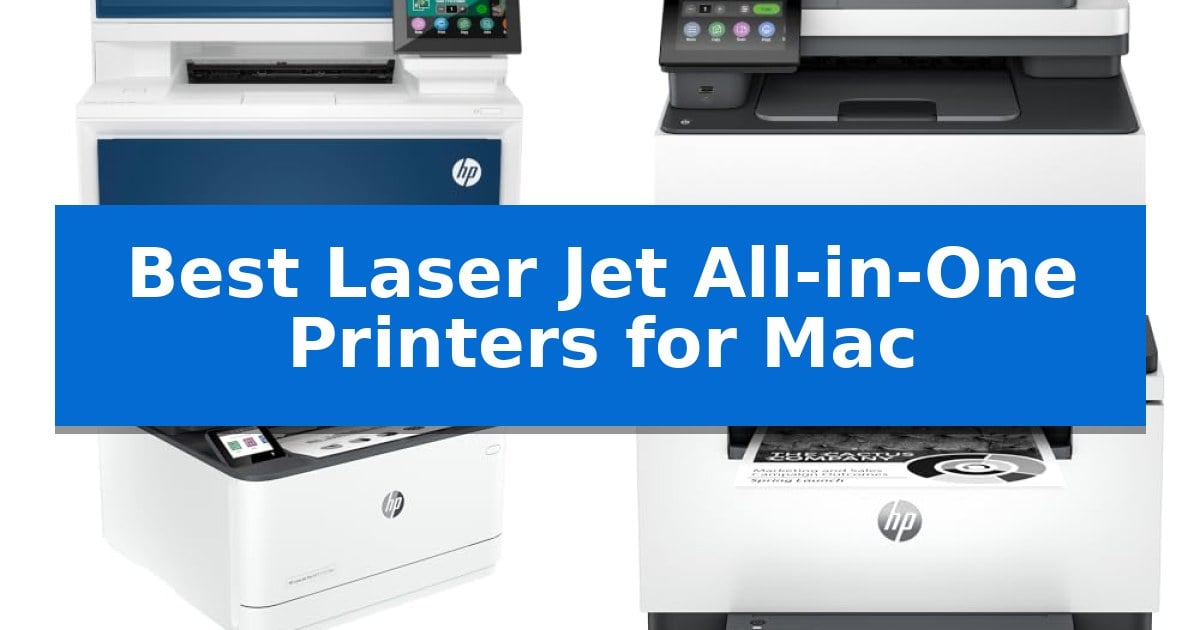
Finding a reliable printer that plays nicely with macOS can often feel like a challenge. You need a machine that supports AirPrint, offers consistent wireless connectivity, and handles your document workflow without constant driver troubleshooting. Whether you are managing a busy home office or a small team, the right hardware should simplify your tasks rather than complicate them.
We have evaluated the top models to help you identify the Best Laser Jet All-in-One Printers for Mac that prioritize stability, speed, and ease of use. From compact units designed for tight desk spaces to high-capacity machines built for heavy document volume, these selections ensure your printing, scanning, and copying needs are met with professional precision.
Best Laser Jet All-in-One Printers for Mac in 2026
Quick Comparison
| Product | Best For | Key Strength | Score |
|---|---|---|---|
| HP Color LaserJet Pro MFP 4301fdw | Best Overall | High-speed color printing up to 35 pages per minute. | 4.9 |
| HP Color LaserJet Pro MFP 3301fdw | Efficient Color for Small Offices | Fast print speeds of up to 26 ppm for both color and black documents. | 4.3 |
| HP LaserJet Pro 3101fdw | Reliable Monochrome Workhorse | Super-fast print speeds of up to 35 pages per minute. | 4.6 |
| HP LaserJet MFP M235sdw | Compact Duplex Printing | Fastest in-class two-sided printing for efficient document processing. | 4.4 |
| HP LaserJet MFP M140w | Smallest Footprint for Desks | Smallest laser footprint in its class for tight desk spaces | 4.4 |
How We Chose
- Native AirPrint and macOS compatibility for driverless setup.
- Wireless connectivity stability, including dual-band Wi-Fi and self-reset capabilities.
- Print and scan speeds relative to typical small team or home office workloads.
- Physical footprint and paper handling features like automatic document feeders and duplex printing.
- Security features, such as built-in data protection and customizable administrative settings.
1 HP Color LaserJet Pro MFP 4301fdw — Fastest Color for Busy Teams
Managing high-volume document workflows requires a reliable engine, and the HP Color LaserJet Pro MFP 4301fdw is engineered to handle the demands of small teams of up to 10 people. This all-in-one unit centralizes printing, scanning, copying, and faxing into a single footprint, ensuring that professional-quality color reports and documents are produced with efficiency.
Performance is defined by its blazing fast color output, capable of reaching speeds up to 35 pages per minute. To maintain workflow continuity, the device features auto 2-sided printing and an integrated auto document feeder, which streamlines the processing of multi-page reports. Connectivity is handled through intelligent Wi-Fi that actively monitors for the most stable connection, alongside standard Ethernet and Bluetooth options.
Compatibility is a core strength, as the HP Color LaserJet Pro MFP 4301fdw integrates seamlessly with Mac, AirPrint, Microsoft, and Android environments. Security is prioritized through HP Wolf Pro Security, which provides customizable settings to protect sensitive data. The unit ships with pre-installed introductory cartridges, providing a 1,200-page yield for black and 1,000 pages for color to get operations started immediately.
While the device offers robust capabilities, users should note that it is designed exclusively for use with original HP chips or circuitry. This system will block cartridges utilizing non-HP components, and the printer requires periodic firmware updates to maintain these security and operational standards.
Best for: Small teams of up to 10 people who require a high-speed, secure, and versatile all-in-one color laser printing solution for Mac and cross-platform office environments.
Skip if: Users who rely on third-party or non-HP ink/toner cartridges will find this device unsuitable due to its strict original-chip-only requirement.
PROS
- High-speed color printing up to 35 pages per minute.
- Comprehensive connectivity including Wi-Fi, Ethernet, and Bluetooth for Mac and mobile devices.
- Integrated security via HP Wolf Pro Security.
- Efficient document handling with automatic 2-sided printing and a built-in document feeder.
CONS
- Restricted cartridge compatibility requiring original HP chips or circuitry.
- Firmware-dependent operation that enforces the use of proprietary supplies.
2 HP Color LaserJet Pro MFP 3301fdw — Efficient Color for Small Offices
The HP Color LaserJet Pro MFP 3301fdw streamlines office workflows by integrating high-speed color printing, scanning, copying, and faxing into a single, compact footprint. Designed for small teams, this all-in-one device delivers print speeds of up to 26 pages per minute for both black and color documents, ensuring professional-quality output for reports and business materials.
Efficiency is central to the design, featuring an automatic document feeder and auto 2-sided printing to reduce paper waste and manual handling. The inclusion of 2-sided single-pass scanning further accelerates digitizing tasks, while the 250-sheet input tray minimizes the frequency of paper refills during high-volume jobs. The unit utilizes next-generation TerraJet toner to produce vivid, professional colors.
Connectivity is handled via dual-band Wi-Fi with self-reset technology, which proactively monitors and resolves network connection interruptions. This ensures the printer remains ready for the demands of a busy work environment. The device is built for consistent performance, offering reliability for teams that require a dependable, multi-functional machine.
Users should note that this printer is engineered to function exclusively with cartridges containing original HP chips or circuitry. It will block cartridges using non-HP components, and periodic firmware updates are implemented to maintain these security and performance measures.
Best for: Small teams requiring a compact, reliable all-in-one device for high-speed color printing, scanning, and document management.
Skip if: Users who require the flexibility to use third-party or remanufactured toner cartridges, as this device enforces the use of original HP circuitry.
PROS
- Fast print speeds of up to 26 ppm for both color and black documents.
- Integrated 2-sided single-pass scanning and auto-duplexing for improved productivity.
- Dual-band Wi-Fi with self-reset functionality for stable wireless connectivity.
- Compact all-in-one design that includes faxing capabilities.
CONS
- Restricted cartridge compatibility requiring original HP chips or circuitry.
3 HP LaserJet Pro 3101fdw — Reliable Monochrome Workhorse
Maintaining a high-volume document workflow in a macOS environment requires hardware that balances speed with reliable connectivity. The HP LaserJet Pro 3101fdw is engineered for small teams of up to seven people, providing a comprehensive suite of tools including printing, scanning, copying, and faxing within a single, compact footprint. By integrating these functions, it serves as a central hub for professional black-and-white document management.
Efficiency is driven by super-fast print speeds reaching up to 35 pages per minute, which helps teams manage heavy daily workloads without significant downtime. To further reduce manual intervention, the device features auto 2-sided printing and an integrated auto document feeder, allowing for streamlined, automated handling of multi-page scanning and copying tasks.
Connectivity is designed for modern office flexibility, utilizing intelligent Wi-Fi that actively monitors for the most stable signal to ensure the printer remains online. Beyond wireless convenience, the unit supports AirPrint and includes Ethernet and Bluetooth options, ensuring broad compatibility across Mac, PC, and mobile devices for seamless integration into existing office networks.
Security is a critical component of the device, which comes equipped with HP Wolf Pro Security. This system offers customizable settings to protect sensitive information, providing a necessary layer of defense for professional environments where data integrity and privacy are high priorities.
Best for: Small teams of up to seven people needing a reliable, high-speed monochrome all-in-one printer with robust security and Mac compatibility.
Skip if: Users who require color printing or those with very limited desk space who do not need the integrated fax and document feeder functionality.
PROS
- Super-fast print speeds of up to 35 pages per minute.
- Integrated auto document feeder and auto 2-sided printing for efficient workflows.
- HP Wolf Pro Security for customizable data protection.
- Broad connectivity options including AirPrint, Wi-Fi, Ethernet, and Bluetooth.
CONS
- Monochrome-only printing limits the device to black-and-white documents.
- Physical footprint of 19.25 inches in width and length may be large for cramped home office desks.
4 HP LaserJet MFP M235sdw — Compact Duplex Printing
Managing a busy home office requires equipment that balances speed with space-saving design. The HP LaserJet MFP M235sdw addresses this by offering fastest in-class two-sided printing, allowing users to process multi-page documents efficiently without sacrificing desk real estate.
Designed for small teams of 1-5 people, this monochrome laser printer handles printing, scanning, and copying tasks. Its dual-band Wi-Fi with self-reset technology actively monitors and resolves connectivity drops, ensuring that the printer remains accessible across your network. This is particularly useful for Mac users who rely on seamless integration with AirPrint for wireless workflows.
Security remains a priority for professional environments, and this model includes built-in security features to protect against potential network vulnerabilities. Beyond its wireless capabilities, the unit includes an Ethernet port for stable, wired connections, providing flexibility for various office layouts.
Measuring approximately 16.46 inches in width and 11.59 inches in height, the HP LaserJet MFP M235sdw is a compact solution for those who need reliable, high-volume black-and-white document production. While it excels at text-heavy business documents, brochures, and presentations, its monochrome-only output means it is not intended for color-critical creative work.
Best for: Small offices or home workstations requiring fast, reliable monochrome document printing and scanning with robust wireless connectivity.
Skip if: Users who require color printing for graphics, photos, or marketing materials will need to look for a color-capable laser or inkjet alternative.
PROS
- Fastest in-class two-sided printing for efficient document processing.
- Dual-band Wi-Fi with self-reset for reliable wireless connectivity.
- Compact footprint suitable for crowded office desks.
- Built-in security features to protect sensitive business data.
CONS
- Monochrome-only printing limits use to black-and-white documents.
- Not suitable for color brochures or high-quality photo printing.
5 HP LaserJet MFP M140w — Smallest Footprint for Desks
The HP LaserJet MFP M140w is engineered for environments where space is at a premium, holding the distinction of being the world's smallest laser printer in its class. This compact device integrates printing, scanning, and copying capabilities into a footprint measuring just 14.2 by 10.4 inches, making it a practical choice for small teams of one to three people who require professional-quality black-and-white documents.
Efficiency is central to its design, offering print speeds of up to 21 pages per minute for single-sided documents. The unit supports wireless connectivity with a self-reset feature to maintain network stability. Users can manage tasks directly from mobile devices, PCs, or tablets, and the HP Smart App simplifies workflows by allowing users to scan to the cloud or initiate copies directly from a smartphone.
Practicality extends to document handling, as the printer includes a specific function to copy both sides of ID cards or small documents onto a single sheet of paper. This feature reduces paper waste and streamlines administrative tasks. The printer is designed for compatibility with a wide range of operating systems, including Mac, Microsoft, and Chromebook environments.
It is important to note that this printer is strictly intended for use with cartridges containing original HP chips or circuitry. The system will block cartridges that utilize non-HP components, and periodic firmware updates are implemented to ensure these compatibility measures remain effective. This design choice ensures consistent performance with proprietary supplies.
Best for: Small teams of 1-3 people who need a compact, reliable monochrome laser printer for basic office tasks like printing, scanning, and copying.
Skip if: Users who require color printing, high-volume production, or the flexibility to use third-party or remanufactured toner cartridges.
PROS
- Smallest laser footprint in its class for tight desk spaces
- Fast print speeds reaching 21 pages per minute
- Versatile mobile printing via the HP Smart App and wireless connectivity
- Convenient ID card copying feature for professional document handling
CONS
- Proprietary cartridge requirement restricts the use of non-HP chips or third-party toner
- Monochrome only output limits use to black-and-white documents
Best Laser Jet All-in-One Printers for Mac Buying Guide
Connectivity and macOS Compatibility
The most critical factor for Mac users is seamless integration. Look for printers that explicitly support AirPrint, which allows you to print directly from your Mac, iPhone, or iPad without needing to install complex, proprietary drivers. This standard ensures that your printer is immediately recognized by the macOS system, providing a plug-and-play experience that is both reliable and efficient.
Beyond basic printing, consider the wireless stability of the device. Many modern laser printers include dual-band Wi-Fi with self-reset technology. This feature is invaluable for maintaining a consistent connection, as it automatically detects and resolves network drops, ensuring your printer remains ready to work whenever you send a document from your computer.
Print Speed and Volume
Your choice should reflect the volume of documents you handle daily. For small teams or high-output home offices, a printer capable of 35 pages per minute (ppm) offers significant time savings. These high-speed models are engineered to handle large reports and multi-page documents without significant lag, keeping your workflow moving.
If your needs are more modest, you might prioritize a smaller, more efficient machine. While these units may have lower ppm ratings, they often provide the same professional-quality text and graphics. Assess your average daily print count to determine if you need a high-speed workhorse or a more compact, moderate-speed device.
All-in-One Functionality
An all-in-one printer should handle more than just text documents. Features like an automatic document feeder (ADF) are essential for scanning or copying multi-page contracts and reports, allowing you to process stacks of paper without manual intervention. This significantly reduces the time spent at the machine.
Also, consider the value of automatic two-sided (duplex) printing. This feature not only saves paper and reduces your environmental footprint but also creates professional-looking booklets and reports. Ensure the model you choose supports duplexing for both printing and, if possible, scanning to maximize your productivity.
Security and Data Protection
In a professional or home office environment, protecting your printed information is paramount. Look for printers that include robust security protocols, such as HP Wolf Pro Security. These systems allow for customizable settings that help secure your printer against potential network attacks and unauthorized access.
Security is not just about the software; it is about the entire ecosystem. Ensure that the printer supports secure wireless communication and that you can manage administrative settings easily through a web interface or a dedicated app. This level of control ensures your sensitive documents remain private.
Space and Design
The physical size of your printer matters, especially if your workspace is limited. Some models are designed with a small footprint, making them ideal for tight desks or home offices where every inch of surface area counts. These compact units often sacrifice little in terms of functionality, providing full scan and copy capabilities in a smaller package.
Conversely, if you have a dedicated office area, a larger, more robust machine might be preferable. These units often feature larger paper trays, which means you spend less time refilling paper. Balance your available space against your need for high-capacity paper handling to find the right physical fit for your environment.
Frequently Asked Questions
Do I need to install special software to use these printers with my Mac?
Most modern laser printers support AirPrint, which allows you to print directly from macOS without needing to install proprietary drivers or additional software.
Can I print from my iPhone or iPad as well as my Mac?
Yes, all the printers listed support wireless printing from mobile devices, including iPhones, iPads, and Android devices, provided they are on the same network.
What is the benefit of an automatic document feeder?
An automatic document feeder (ADF) allows you to load multiple pages for scanning or copying at once, so you do not have to place each sheet on the scanner glass manually.
Are these printers suitable for printing color photos?
While these laser printers are excellent for professional-quality color documents, reports, and graphics, they are generally optimized for business use rather than high-end photo printing.
How do I ensure my printer stays connected to my Wi-Fi?
Many of these models feature dual-band Wi-Fi with self-reset technology, which automatically detects and resolves connectivity issues to keep your printer online.
Conclusion: Our Top Pick
For users seeking the most robust performance, the HP Color LaserJet Pro MFP 4301fdw stands out as the premier choice. Its combination of high-speed color printing, advanced security features, and seamless macOS integration makes it an ideal solution for busy home offices and small teams that require consistent, professional results.
While it is a larger unit, the trade-off in size is compensated by its ability to handle high-volume tasks efficiently. If your workspace is extremely limited, you may want to consider our more compact monochrome options, but for those who need a versatile, all-in-one color laser printer that reliably connects to a Mac, this model is our top recommendation.