
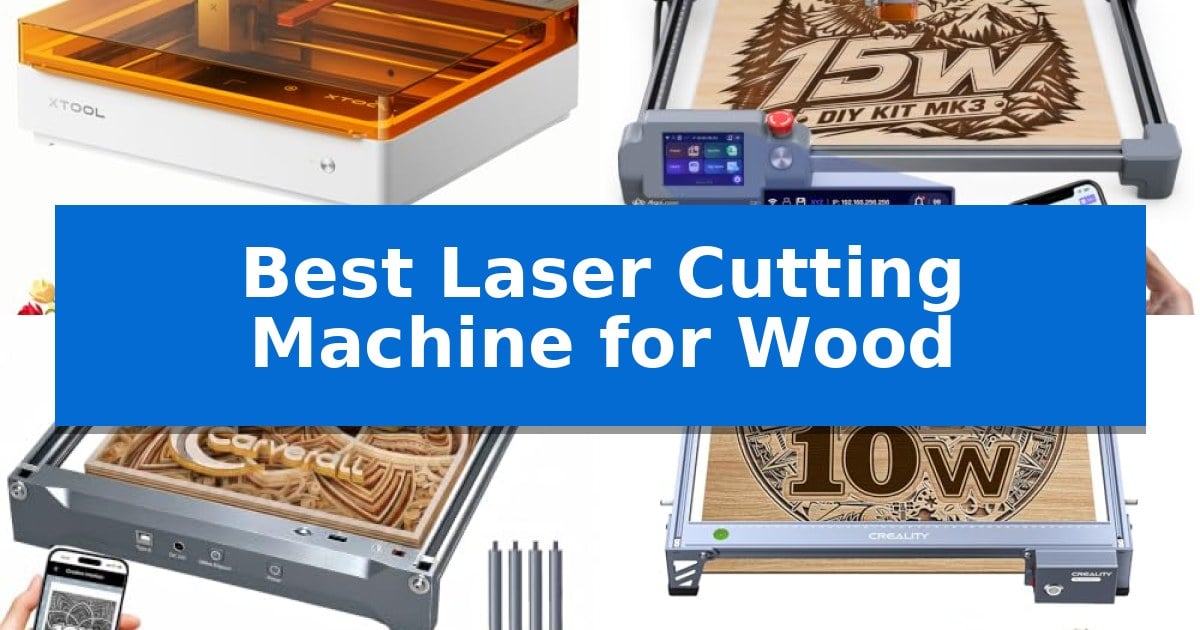
Finding the right tool to bring your creative vision to life can be challenging, especially when working with natural materials like wood. Whether you are a hobbyist looking to personalize home decor or a small business owner seeking to streamline production, choosing the Best Laser Cutting Machine for Wood requires balancing cutting power, software accessibility, and safety features.
Our guide highlights the most capable machines currently available, focusing on how their specific capabilities—such as dual-camera previews, offline control, and compact footprints—can impact your workflow. By understanding these technical trade-offs, you can select a system that aligns with your specific project goals and workshop constraints.
Best Laser Cutting Machine for Wood in 2026
Quick Comparison
| Product | Best For | Key Strength | Score |
|---|---|---|---|
| xTool M2 Laser Engraver | Best Overall | Dual-camera system for precise workspace preview and alignment. | 4.9 |
| AlgoLaser MK3 Laser Engraver | PC-Free Touchscreen Control | PC-free operation via integrated 3.5-inch touchscreen and AlgoOS. | 4.9 |
| Carverall K15 Pro Laser Engraver | Compact A4 Workspace | Compact A4 workspace that fits easily on standard desks. | 4.5 |
| Creality Falcon Laser Engraver | High-Precision Cutting Focus | High-precision 0.06mm spot focus for detailed work. | 4.8 |
| ELIDOR Laser Engraver | Portable Desktop Versatility | High-precision 0.01 mm accuracy for detailed graphics and text. | 4.6 |
How We Chose
- Cutting and Engraving Precision: We prioritized machines with fine laser spot sizes and high-resolution output to ensure clean edges and detailed designs.
- Software and Connectivity: We assessed the ease of integration with standard design software and the availability of offline control options for batch processing.
- Safety and Enclosure: We reviewed the presence of protective enclosures and safety monitoring systems essential for home and classroom environments.
- Workspace and Portability: We considered the physical footprint and material capacity to determine which machines best fit different workshop sizes.
- Versatility and Upgradability: We examined the ability of each unit to handle diverse materials beyond wood and its potential for future hardware expansions.
1 xTool M2 Laser Engraver — Smart Dual-Camera Preview
Precision crafting requires tools that bridge the gap between digital design and physical material, and the xTool M2 Laser Engraver addresses this with an integrated dual-camera system. This hardware setup provides a real-time workspace preview, allowing users to align designs directly on wood or other materials with high accuracy, effectively eliminating the guesswork often associated with manual positioning.
Designed for versatility, this Class 1 enclosed laser features a 10W diode laser capable of handling a wide range of materials including wood, leather, and fabric. The machine utilizes an innovative architecture that supports modular upgrades, such as an optional CMYK Inkjet module for full-color printing or a 3W IR laser for specialized metal and plastic engraving, enabling the system to adapt as creative requirements evolve.
The user experience is centered around the xTool Studio software, which simplifies the workflow by offering a library of templates and an integrated AI image generator. This software-hardware integration facilitates a seamless 'Place & Go' experience, making it accessible for home crafters to produce personalized gifts or home decor without navigating a steep learning curve.
Safety remains a primary focus, as the fully enclosed design and real-time monitoring ensure the unit meets Class 1 safety standards. This protective housing makes it a practical choice for home environments, providing a secure setup for DIY makers interested in batch cutting or detailed engraving projects.
Best for: Home crafters and DIY makers seeking a safe, enclosed laser system with intuitive software-assisted alignment for wood and multi-material projects.
Skip if: Users requiring high-power industrial cutting capabilities or those who do not need the integrated camera and software-driven workflow may find simpler, open-frame laser systems more cost-effective.
PROS
- Dual-camera system for precise workspace preview and alignment.
- Class 1 safety enclosure suitable for home environments.
- Modular architecture allows for future expansion with inkjet or IR laser modules.
- Beginner-friendly software with built-in AI image generation.
CONS
- Add-on modules like the CMYK Inkjet and RA3 Lite Rotary are sold separately.
- 10W diode laser may be limited for heavy-duty industrial cutting compared to higher-wattage alternatives.
2 AlgoLaser MK3 Laser Engraver — PC-Free Touchscreen Control
The AlgoLaser MK3 Laser Engraver streamlines the transition from concept to creation by integrating a 3.5-inch touchscreen that allows for standalone operation without a computer. By utilizing the built-in AlgoOS, users can access AlgoType for text entry or AlgoSketch for manual drawing directly on the device, making it a practical choice for those who prefer an on-screen creative workspace.
Designed for versatility, this 15W diode laser system handles both detailed engraving and material cutting. The 400 x 400mm work area provides sufficient space for arranging multiple craft components, signs, or batch-engraved items. A visual preview feature allows for precise layout adjustments before processing, which is useful for maintaining consistency across coordinated collections.
Preparation is simplified through a 95% pre-assembled design and a manual focus stick attached to the laser module. This configuration reduces setup time for beginners and small business owners alike. While the machine functions independently via its internal library of 400+ projects and presets, it remains compatible with professional software like LightBurn and LaserGRBL for users requiring more advanced design capabilities.
This machine balances mixed-use functionality with ease of use, serving as a dedicated tool for personalizing wood, leather, acrylic, and metal. Whether developing inventory for a craft market or creating custom gifts, the combination of offline control and expandable software support provides a flexible workflow for various project scales.
Best for: Beginners and small business owners who need a versatile, pre-assembled laser cutter that can operate independently of a computer.
Skip if: Users who require high-power industrial cutting capabilities beyond the scope of a 15W diode laser or those who prefer a fully custom-built machine.
PROS
- PC-free operation via integrated 3.5-inch touchscreen and AlgoOS.
- 95% pre-assembled design for rapid setup.
- Versatile 15W diode laser capable of both engraving and cutting.
- Spacious 400 x 400mm work area with visual preview tools.
CONS
- 15W power limitation may be insufficient for thick or dense material cutting compared to higher-wattage industrial lasers.
3 Carverall K15 Pro Laser Engraver — Compact A4 Workspace
Achieving precise detail on small-scale woodworking projects requires a tool that balances power with a manageable footprint. The Carverall K15 Pro Laser Engraver distinguishes itself with an 11.8×7.9-inch A4 workbed, providing enough surface area for 98% of common DIY tasks while remaining compact enough to store under a standard desk.
Performance is driven by a 10W diode module capable of multi-pass cutting on 12mm plywood and 8mm acrylic. To ensure consistent results during batch jobs, the unit incorporates a dual-fan heat control system, which extends the module life to 15,000 hours. The machine achieves 4K clarity with 0.01mm precision, supported by a rapid 15,000mm/min engraving speed.
Usability is a core focus, featuring one-touch smart focus to eliminate manual calibration errors. Users can manage operations via the CutLabX software on mobile or desktop, or utilize offline engraving by loading files onto a TF card. For those expanding their capabilities, the system is designed to be upgradeable, allowing for the addition of an optional 1W IR laser head to process stainless steel and aluminum.
The setup process is streamlined for quick assembly, requiring only six screws to get the machine operational in approximately three minutes. Four heightening columns are included to accommodate taller items like gift boxes or skateboards, ensuring the device remains versatile for various crafting needs without requiring additional accessory purchases.
Best for: Small business owners and hobbyists needing a compact, upgradeable machine for engraving and cutting wood, acrylic, and leather.
Skip if: Users requiring large-format cutting capabilities beyond an A4 workspace or those needing to process thick materials beyond 12mm plywood will find this machine too restrictive.
PROS
- Compact A4 workspace that fits easily on standard desks.
- Upgradeable design allows for future addition of an IR laser for metal engraving.
- Offline engraving capability via TF card for batch projects without a PC.
- One-touch smart focus simplifies setup and reduces calibration time.
CONS
- Limited work area may not accommodate large-scale furniture or oversized wood signs.
- Requires optional hardware for advanced metal engraving tasks.
4 Creality Falcon Laser Engraver — High-Precision Cutting Focus
Achieving precise cuts on wood and acrylic requires a machine capable of maintaining high focus and stability. The Creality Laser Engraver Machine 10W utilizes a 0.06mm super fine spot focus and an all-aluminum alloy structure to ensure that intricate designs are executed with accuracy controlled within 0.004 inches.
This unit is built for versatility, featuring a 10W output that allows for cutting 5mm basswood or 3mm black acrylic in a single pass. The inclusion of a steel shaft wheel guide rail and a belt tension adjustment device provides the mechanical rigidity necessary for consistent performance during both engraving and cutting tasks.
Usability is a priority for this model, which supports multiple connectivity options including Wi-Fi, USB, and SD card. It is compatible with industry-standard software like LightBurn for advanced users and LaserGRBL for those just starting, allowing for flexible workflow integration across Windows, Mac, and Linux systems.
Safety and maintenance are addressed through thoughtful design choices. The module includes an anti-UV filter that blocks 97% of UV rays, while the tool-free focusing plate simplifies setup. Users can typically complete assembly in 10 to 20 minutes, supported by a 1-year warranty on parts.
Best for: Makers and hobbyists who need a reliable, high-precision laser for cutting wood and acrylic with flexible software compatibility.
Skip if: Users requiring industrial-grade production speeds or those who need to process materials thicker than 5mm in a single pass.
PROS
- High-precision 0.06mm spot focus for detailed work.
- Versatile connectivity via Wi-Fi, USB, and SD card.
- Tool-free focusing for quick setup and adjustments.
- Robust aluminum alloy structure for improved stability.
CONS
- Limited to 5mm basswood cutting capacity in one pass.
- Requires assembly which may take up to 20 minutes.
5 ELIDOR Laser Engraver — Portable Desktop Versatility
Precision and portability define the ELIDOR Laser Engraver and Cutter Machine, a tool engineered for creators who require detailed output in a compact form factor. With a fine 0.04 × 0.14 mm laser spot and 0.01 mm engraving accuracy, this machine provides the technical foundation necessary for intricate text, portraits, and custom graphics on a variety of materials.
The device features a 300 × 300 mm working area, offering sufficient space for personalized projects like custom keychains, tumblers, and home décor. Weighing only 2.13 kg, it is designed for mobility, making it a practical choice for workshops, classrooms, or craft fairs where space is at a premium. Its lightweight build does not sacrifice versatility, as the module is capable of processing wood, leather, acrylic, cardboard, ceramic, glass, and metal.
Integration into existing workflows is simplified through broad software support, including LaserGRBL and LightBurn on Windows, macOS, and Linux. The machine handles common file formats such as NC, DXF, BMP, JPG, and PNG, allowing for straightforward design imports. For those prioritizing safety, the unit is compatible with a protective enclosure to create a Class 1 laser system.
Operating at speeds up to 10,000 mm/min, the ELIDOR Laser Engraver balances speed with consistent results. Whether you are a hobbyist or a small business creator, this machine provides the necessary professional flexibility to bring diverse creative ideas to life while maintaining reliable precision across various DIY projects.
Best for: Makers and small business creators who need a portable, high-precision laser engraver for diverse materials like wood, leather, and acrylic.
Skip if: Users requiring high-volume industrial production or those who need a machine capable of cutting through thick, dense materials beyond the scope of a compact desktop engraver.
PROS
- High-precision 0.01 mm accuracy for detailed graphics and text.
- Compact and lightweight design at 2.13 kg for easy transport.
- Broad software compatibility including LightBurn and LaserGRBL.
- Versatile material support covering wood, metal, glass, and acrylic.
CONS
- Requires separate purchase of a protective enclosure to achieve Class 1 safety standards.
Best Laser Cutting Machine for Wood Buying Guide
Understanding Laser Power and Material Compatibility
The laser output power is the most critical factor when determining what a machine can cut in a single pass. Most entry-level diode lasers are rated around 10W, which is generally sufficient for cutting thin plywood or basswood, but thicker materials may require multiple passes or higher power levels.
Beyond wood, consider the material compatibility of the laser module. Some systems are optimized for organic materials, while others offer modularity that allows for adding infrared lasers to engrave coated metals or plastics, providing greater long-term utility for your shop.
Software Integration and Workflow Efficiency
A machine is only as effective as the software that drives it. Look for compatibility with industry-standard tools like LightBurn or LaserGRBL, which offer robust control over power, speed, and pathing. These programs are essential for achieving professional-grade results.
For those who prefer a simpler setup, some machines include proprietary software with built-in templates and AI-assisted design tools. These can significantly reduce the learning curve for beginners who want to start creating personalized gifts without mastering complex vector design software.
Safety Standards and Enclosure Requirements
Laser cutting involves high-intensity light and potential smoke generation, making Class 1 safety enclosures a vital feature for home use. An enclosed design protects users from direct laser exposure and often includes ventilation ports to manage fumes effectively.
Always verify if the machine includes real-time monitoring or flame detection sensors. These features provide an extra layer of security, especially during long engraving jobs where the machine might operate unattended for extended periods.
Work Area and Machine Footprint
The effective work area determines the maximum size of the projects you can undertake. A compact A4-sized bed is often sufficient for small crafts, keychains, and coasters, but it may limit your ability to work on larger signs or batch-process multiple items at once.
Consider the physical footprint of the machine relative to your available desk space. Some systems are designed to be portable and lightweight, while others are more substantial, requiring a dedicated, stable workstation to ensure accuracy and reduce vibration during operation.
The Importance of Focus and Calibration
Achieving a crisp, clean cut depends heavily on the laser focus. Machines with one-touch smart focus or integrated focus sticks simplify the setup process, ensuring the laser beam is perfectly calibrated to the surface of your material.
Automated or manual focus adjustment is a frequent task in woodworking, as material thickness can vary. A system that makes this adjustment quick and repeatable will save you significant time and reduce the likelihood of wasted material due to poor focus.
Frequently Asked Questions
Can these laser machines cut through all types of wood?
While these machines are effective on most common woods like basswood, plywood, and balsa, the thickness and density of the wood will affect performance. Always check the manufacturer's specifications for maximum cutting depth.
Do I need a computer to operate these laser engravers?
Many modern laser engravers offer offline control via SD cards or touchscreen interfaces, allowing you to run pre-loaded files without a constant computer connection.
Is it necessary to use an air assist with these machines?
Air assist is highly recommended for cutting wood as it clears debris and smoke from the cutting path, resulting in cleaner edges and reducing the risk of charring.
What safety equipment should I use?
Even with enclosed machines, it is best practice to use certified laser safety glasses and ensure your workspace has adequate ventilation to exhaust smoke and fumes.
Can I upgrade my laser machine later?
Some models are designed with modularity in mind, allowing you to add accessories like rotary rollers for tumblers or different laser modules for engraving metal.
Conclusion: Our Top Pick
Selecting the right equipment depends on your specific creative goals, but the xTool M2 Laser Engraver stands out as a versatile choice for those prioritizing ease of use and precision. Its integrated dual-camera system and enclosed safety design make it a reliable partner for both beginners and experienced makers looking to produce high-quality wooden crafts.
By choosing a system that balances your current project needs with potential for future growth, you ensure that your investment remains relevant as your skills evolve. Whether you are batch-producing personalized items or experimenting with intricate designs, the right machine will streamline your process and help you achieve consistent, professional results.