
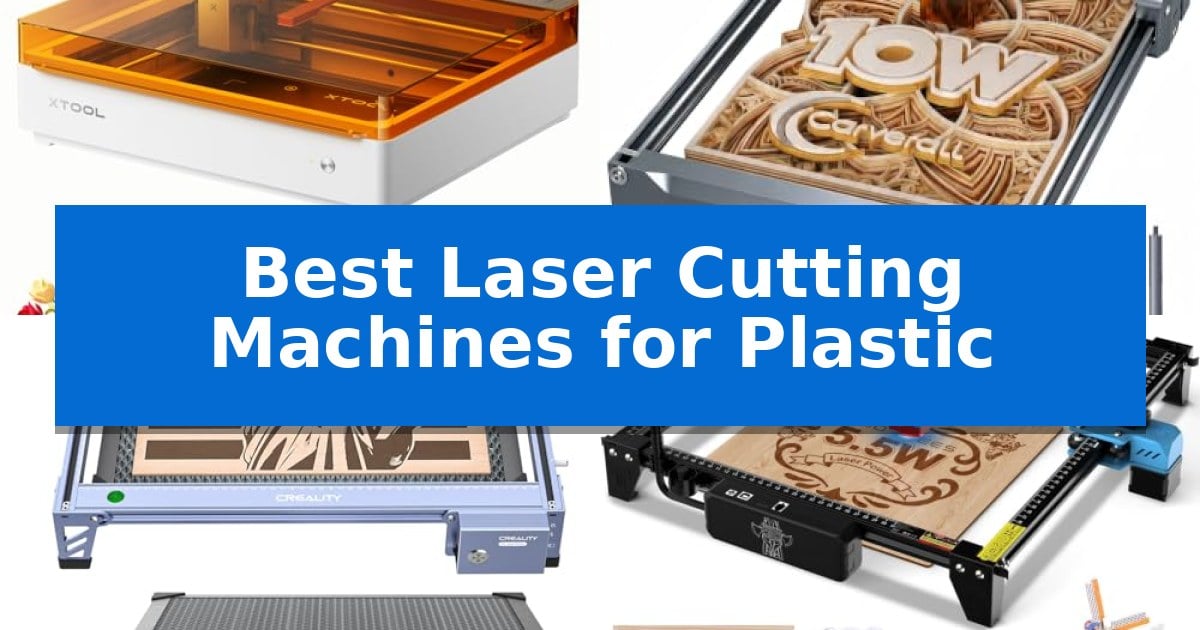
Finding the right equipment for detailed material work requires balancing power, safety, and workspace constraints. When searching for the Best Laser Cutting Machines for Plastic, it is essential to consider how different laser types and enclosure designs impact your specific project goals, whether you are creating custom signage, intricate jewelry, or personalized home decor.
Our guide evaluates current market options to help you identify which machine aligns with your technical requirements and creative ambitions. By focusing on workspace dimensions, safety certifications, and software compatibility, we provide a clear path to selecting a reliable tool that fits your home or workshop environment without unnecessary complexity.
Best Laser Cutting Machines for Plastic in 2026
Quick Comparison
| Product | Best For | Key Strength | Score |
|---|---|---|---|
| xTool M2 Laser Engraver | Best Overall | Class 1 safety enclosure protects users during operation. | 4.9 |
| Carverall K15 Pro Laser Engraver | Compact A4 Workspace for Crafts | High-precision 0.01mm resolution for detailed engraving. | 4.5 |
| Creality Falcon Laser Engraver | Large Bed for Bigger Projects | High-precision 0.06mm laser accuracy for detailed work. | 4.5 |
| Twotrees TTS-55 Pro Laser Engraver | High-Speed 32-Bit Control | Integrated air assist support for cleaner, deeper cuts. | 4.7 |
| ACMER S1 Laser Engraver | Portable Design for DIY Beginners | 99% preassembled design allows for near-instant setup. | 4.6 |
How We Chose
- Laser power output and material compatibility for consistent cutting and engraving performance.
- Safety features, including enclosure design and laser classification, to ensure a secure operating environment.
- Software accessibility and template availability to support both beginners and experienced makers.
- Workspace dimensions and machine footprint to match varying home and small business studio needs.
- Connectivity options and offline control capabilities for streamlined, efficient workflows.
1 xTool M2 Laser Engraver — Safe Enclosed Design for Home
The xTool M2 Laser Engraver distinguishes itself through a Class 1 enclosed design that prioritizes safety for home environments while offering a 10W diode laser capable of handling diverse materials like wood, leather, and fabric. Its integrated dual-camera system provides a real-time workspace preview, which, when combined with motion control, facilitates a "Place & Go" workflow that reduces material waste.
Designed for versatility, the machine features an innovative dual-mode architecture. While it comes standard for laser engraving and cutting, it supports an optional CMYK Inkjet module for full-color printing and a 3W IR laser for fine work on metal or plastic. This modular approach allows users to expand the machine's capabilities as their creative projects evolve from simple engravings to complex, multi-process masterpieces.
Usability is a core focus, supported by the xTool Studio software. This platform includes a library of ready-to-use templates and an integrated AI image generator, lowering the barrier to entry for beginners. The software streamlines the design process, allowing users to move from concept to finished product without navigating a steep learning curve.
The xTool M2 Laser Engraver balances professional-grade features with home-friendly safety protocols. Its fully enclosed structure and real-time monitoring ensure that users can operate the device in a domestic setting with peace of mind, making it a practical choice for hobbyists and those looking to launch a small-scale creative side hustle.
Best for: Home crafters and DIY makers who require a safe, enclosed, and versatile machine for engraving, cutting, and optional color printing on a wide variety of materials.
Skip if: Users who need a high-power industrial laser for thick metal cutting or those who do not require the integrated camera and software ecosystem provided by the M2.
PROS
- Class 1 safety enclosure protects users during operation.
- Dual-camera system enables precise material placement and real-time previews.
- Modular design supports optional CMYK printing and IR laser upgrades.
- Beginner-friendly software includes AI image generation and ready-to-use templates.
CONS
- CMYK Inkjet module and RA3 Lite Rotary must be purchased separately.
- 10W diode laser may require additional modules for specific metal or plastic applications.
2 Carverall K15 Pro Laser Engraver — Compact A4 Workspace for Crafts
Precision cutting and engraving on plastic require a machine that balances power with fine control, and the Carverall K15 Pro Laser Engraver addresses this by offering 4K clarity at 0.01mm precision. This diode-based system is designed for creators who need to handle detailed work on materials like acrylic and wood without the bulk of industrial-sized equipment.
The machine features a compact 11.8×7.9-inch A4 workbed, which is optimized to fit easily into home studios or small workshops while still accommodating 98% of typical craft projects. Its 10W laser module is engineered with a dual-fan heat control system, ensuring consistent performance during longer batch jobs, such as creating custom coasters or branded merchandise.
Usability is a primary focus, supported by the CutLabX software which functions across computers, tablets, and phones. For those who prefer a streamlined workflow, the system supports offline engraving via TF card, allowing users to bypass a constant PC connection. The inclusion of one-touch smart focus simplifies the setup process, reducing the time spent on manual adjustments before starting a project.
The Carverall K15 Pro Laser Engraver is also built for long-term utility. It supports multi-pass cutting on materials like 8mm acrylic and is upgradeable, allowing users to add an optional 1W IR laser head for engraving bare metals in the future. With a 15,000-hour module lifespan, it provides a stable platform for both hobbyists and small business owners looking to scale their production capabilities.
Best for: Small business owners and hobbyists who need a compact, upgradeable laser system for detailed engraving and cutting on acrylic, wood, and leather.
Skip if: Users requiring a large-format work area for oversized signs or those who need to cut through thick, industrial-grade plastic sheets beyond 8mm.
PROS
- High-precision 0.01mm resolution for detailed engraving.
- Compact A4 workspace that fits easily on standard desks.
- Upgradeable design allowing for future expansion into metal engraving.
- Versatile software compatibility including mobile and offline support.
CONS
- Limited to 8mm acrylic for cutting applications.
- Requires optional IR laser for bare metal engraving.
3 Creality Falcon Laser Engraver — Large Bed for Bigger Projects
Achieving precise cuts on acrylic and plastic requires a machine that balances power with fine-tuned control, and the Creality Falcon 10W Laser Engraver Machine is engineered to meet these specific demands. By utilizing a 10W laser output, this unit provides the necessary intensity to slice through various plastics and acrylics cleanly, while its 0.06mm laser accuracy ensures that intricate designs remain sharp and detailed.
The inclusion of a 500mm x 500mm honeycomb working panel is a significant advantage for plastic fabrication. This bed elevates the material, which improves airflow during the cutting process and helps prevent the scorching or melting often associated with laser-cutting synthetic materials. The spacious 15.7" x 16.3" workspace allows for larger sheets of material to be processed in a single pass, reducing the need for repositioning.
Usability is prioritized through a design that is ready to use right out of the box, with assembly typically requiring only 5-10 minutes. For those integrating the machine into a workflow, it offers wide compatibility with industry-standard software like LightBurn and LaserGRBL, supporting both Windows and macOS environments. This flexibility makes it a practical choice for hobbyists or small business owners looking to scale their production.
Safety remains a core consideration, featuring an emergency stop button and tilt detection to mitigate risks during operation. While the machine is highly capable for its class, users should note that as a Laser Class 4 device, it requires a dedicated, well-ventilated space to handle the fumes generated when cutting plastics, ensuring a safe and effective creative environment.
Best for: Hobbyists and small business owners who need a large, reliable workspace for cutting and engraving plastic, acrylic, and wood projects.
Skip if: Users who require an enclosed, fully shielded laser system for high-volume industrial production or those who lack a well-ventilated workspace for managing plastic fumes.
PROS
- High-precision 0.06mm laser accuracy for detailed work.
- Included honeycomb bed reduces scorching on the underside of materials.
- Large 15.7" x 16.3" workspace accommodates bigger projects.
- Fast, 5-10 minute assembly for immediate productivity.
CONS
- Open-frame design requires a well-ventilated area for plastic cutting.
- Class 4 laser rating necessitates strict adherence to safety protocols.
4 Twotrees TTS-55 Pro Laser Engraver — High-Speed 32-Bit Control
Achieving precise cuts on various materials requires a machine that balances power with fine-tuned control. The Twotrees TTS-55 Pro Laser Engraver distinguishes itself with a 5500mW laser module and an integrated metal air-assisted nozzle, designed to facilitate cleaner, deeper cuts through materials like acrylic and plywood.
This device utilizes advanced LD+FAC+C-Lens compression technology, resulting in a 0.08mm by 0.46mm super fine spot focus. This high-precision optics system allows for detailed work with up to 0.1mm engraving accuracy, making it a capable tool for hobbyists and makers who need to process 3mm acrylic or 5mm plywood within its 300 x 300 mm working area.
Operational efficiency is managed by a dual-core 32-bit MCU, which supports engraving speeds up to 30,000mm/min. Users can manage projects through multiple connectivity options, including online operation, TF card offline engraving, or wireless control via a mobile app or web interface, providing flexibility for different workshop setups.
Compatibility is a core strength of the Twotrees TTS-55 Pro Laser Engraver, as it supports industry-standard software like LaserGRBL and LightBurn across Windows, macOS, and Linux platforms. The inclusion of a red laser shield and the modular design for air assist integration prioritize safety and maintenance for users focused on consistent material processing.
Best for: Hobbyists and small-scale creators who require a versatile, high-speed laser system for cutting and engraving acrylic, wood, and leather.
Skip if: Users who require high-wattage industrial-grade cutting power for thick materials or those who lack the space for a 300 x 300 mm footprint.
PROS
- Integrated air assist support for cleaner, deeper cuts.
- High-speed 32-bit control board with wireless connectivity.
- Broad software compatibility including LightBurn and LaserGRBL.
- Ultra-fine 0.08mm laser spot for high-precision detail.
CONS
- 5.5W laser power is limited to thinner materials like 3mm acrylic.
- Manual assembly required for the initial setup.
5 ACMER S1 Laser Engraver — Portable Design for DIY Beginners
Precision and portability define the ACMER S1 Laser Engraver, a compact desktop solution engineered for detailed work on materials like plastic, wood, and acrylic. Weighing only 2kg and constructed from industrial-grade aluminum alloy, this machine is designed for creators who need a reliable, space-saving tool for small-scale projects.
The device features a 2500mW diode laser with a 455±5nm wavelength and a 2mm focal length, enabling high-precision engraving and cutting. It achieves repeatable positioning accuracy of 0.01mm and engraving speeds up to 10,000mm/min, providing the technical capability required for intricate DIY crafts and professional small-business applications.
Usability is a core focus, as the unit arrives 99% preassembled, requiring only a one-minute installation for the laser head. It is fully optimized for the free Acmerstudio software while maintaining broad compatibility with industry-standard tools like LightBurn and LaserGRBL, supporting file formats including NC, DXF, and PNG across macOS, Windows, and Linux systems.
With a 130 x 130mm working area, the ACMER S1 Laser Engraver balances a small footprint with functional versatility. It is a practical choice for those seeking a straightforward, beginner-friendly setup that does not sacrifice the accuracy needed for vivid, detailed results on various surfaces.
Best for: Beginners and hobbyists who require a compact, easy-to-assemble machine for detailed engraving and light cutting of plastic and wood projects.
Skip if: Users who need to process large-format materials will find the 130 x 130mm working area too restrictive for their production needs.
PROS
- 99% preassembled design allows for near-instant setup.
- High-precision 0.01mm repeatable positioning for detailed work.
- Wide software compatibility including LightBurn and LaserGRBL.
- Portable and durable industrial-grade aluminum alloy construction.
CONS
- Limited 130 x 130mm working area restricts the size of projects.
- 2500mW laser power is optimized for light cutting rather than heavy-duty industrial material processing.
Best Laser Cutting Machines for Plastic Buying Guide
Understanding Laser Power and Material Compatibility
The power output of a laser, typically measured in watts, dictates its ability to cut through or engrave different types of plastic. While lower-wattage lasers are often sufficient for surface engraving, cutting through thicker acrylic or plastic sheets requires higher power and often multiple passes.
Always verify the specific material compatibility of your machine. Some plastics, such as PVC, can release hazardous fumes when cut by a laser, so ensure your workspace is well-ventilated and that you only use laser-safe materials.
Safety Features and Enclosure Design
Safety is paramount when operating laser equipment at home. A fully enclosed design, often categorized as Class 1, provides a physical barrier between the laser beam and the user, significantly reducing the risk of accidental exposure.
Look for machines that include real-time monitoring, tilt detection, and emergency stop buttons. These features add an essential layer of protection, especially in environments where family members or pets may be present.
Software and Workflow Integration
The ease of use often comes down to the software ecosystem. Many modern laser engravers offer proprietary software with pre-built templates and AI-driven design tools, which can drastically reduce the learning curve for beginners.
Advanced users should check for compatibility with industry-standard software like LightBurn or LaserGRBL. This ensures you can import your own designs seamlessly and maintain control over complex cutting paths and engraving details.
Workspace and Portability
Consider the physical footprint of the machine relative to your available desk or workbench space. Compact models are ideal for small studios, but they may limit the size of the projects you can undertake.
If you plan to move your machine frequently, look for lightweight construction and pre-assembled designs. Some machines offer heightening columns, which allow you to engrave taller objects without needing a larger overall footprint.
Connectivity and Offline Operation
Modern laser engravers often support wireless connectivity, allowing you to manage projects via mobile apps or web interfaces. This adds significant convenience, especially for simple, repetitive tasks.
For batch production or environments with unreliable internet, look for machines that support offline operation via TF cards. This allows you to load your files directly onto the machine and run jobs without needing a dedicated computer connection.
Frequently Asked Questions
Can all laser engravers cut through plastic?
Not all machines are designed for cutting. While most can engrave plastic, cutting requires sufficient laser power and the right focal length. Always check the manufacturer's specifications for the maximum cutting thickness.
Is it safe to use a laser engraver for plastic at home?
Yes, provided you use a Class 1 enclosed machine and ensure proper ventilation. Some plastics produce toxic fumes when burned, so always research the material safety data before starting a project.
What is the difference between an engraver and a cutter?
An engraver primarily marks the surface of a material, while a cutter is designed to penetrate through the material. Many modern diode lasers are capable of both, depending on the power level and the number of passes.
Do I need special software to run these machines?
Most machines come with their own software, but many also support popular third-party programs like LightBurn. Check the product specifications to ensure your preferred software is compatible.
How do I maintain my laser engraver?
Regular maintenance includes cleaning the laser lens to ensure beam clarity, checking the cooling fans for dust buildup, and ensuring the workspace remains free of debris that could interfere with the motion system.
Conclusion: Our Top Pick
Selecting the right laser cutting machine depends on your specific project scale and the level of safety you require for your home environment. For those prioritizing a balance of advanced features, ease of use, and a secure, enclosed design, the xTool M2 Laser Engraver stands out as a versatile choice for a wide range of creative tasks.
While other models offer specific benefits like larger beds or higher portability, the xTool M2 provides a comprehensive, beginner-friendly experience that minimizes the learning curve while maintaining high accuracy. Always ensure you have adequate ventilation and use only laser-safe materials to achieve the best results with your new equipment.