
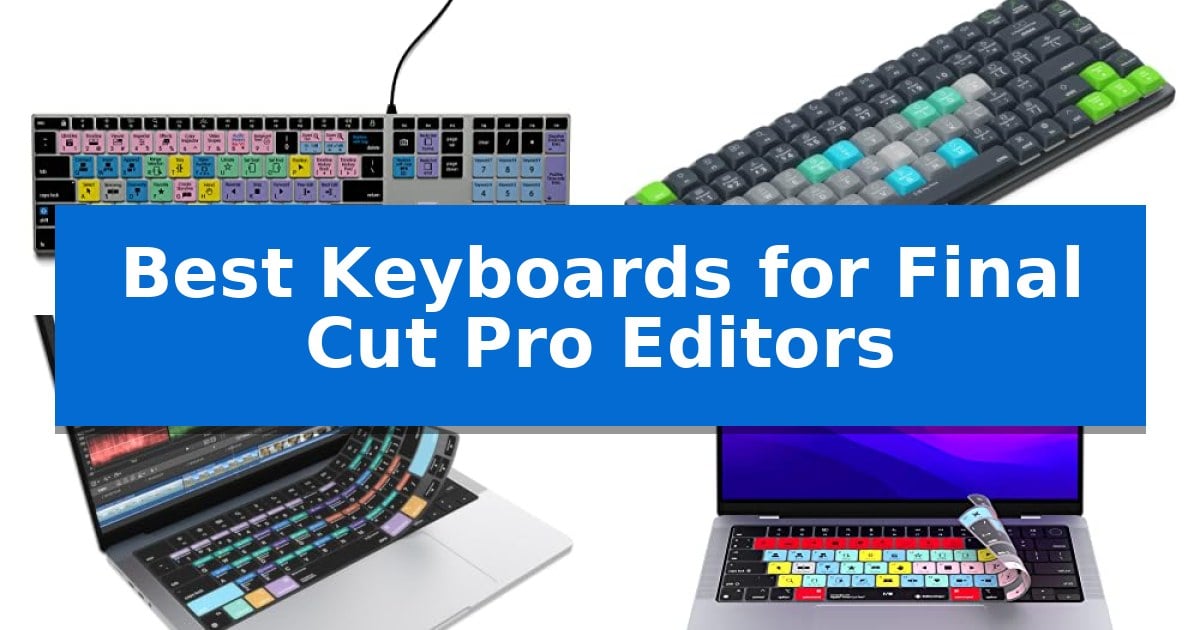
Video editing requires precision and speed, yet navigating complex menus can significantly slow down your creative process. Finding the right hardware to map your most frequent commands can transform how you interact with your timeline, turning tedious tasks into fluid motions.
Our guide explores the Best Keyboards for Final Cut Pro Editors to help you identify the right tool for your specific setup. Whether you prefer a dedicated hardware keyboard or a protective cover for your existing laptop, these options focus on improving your efficiency.
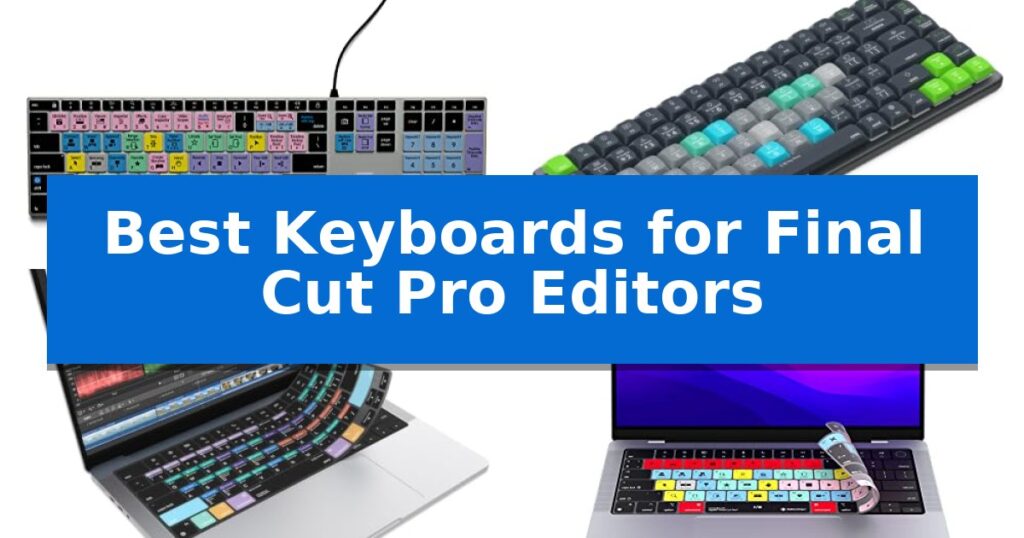
Best Keyboards for Final Cut Pro Editors in 2026: Speed Up Your Timeline
Quick Comparison
| Product | Best For | Key Strength | Score |
|---|---|---|---|
| KB Covers Final Cut Pro Keyboard | Best Overall | 150+ color-coded shortcuts printed directly on keys for immediate reference. | 4.9 |
| JCPAL Dash Final Cut Pro Keyboard | Programmable Wireless Workflow Tool | Color-coded shortcut keys pre-mapped for Final Cut Pro efficiency. | 4.9 |
| JCPAL Final Cut Pro Keyboard Cover | Ultra-Thin Shortcut Protection | Color-coded shortcuts for over 90 Final Cut Pro commands. | 4.4 |
| Editors Keys Final Cut Pro Cover | Speeds Up Editing Workflows | 100 functional shortcut keys for efficient navigation. | 4.7 |
| XSKN Final Cut Pro Keyboard Cover | Durable Silicone Shortcut Skin | Visual shortcut references for faster command memorization. | 4.8 |
How We Chose
- Shortcut accessibility and color-coding for rapid command identification.
- Compatibility with specific Mac models and operating system layouts.
- Build quality, including material durability and backlighting for low-light environments.
- Connectivity options, such as wired stability versus wireless flexibility.
- Ease of installation and maintenance, including washability and software-free operation.
1 KB Covers Final Cut Pro Keyboard — Dedicated Backlit Shortcut Keys
Streamlining complex video editing workflows requires tools that minimize menu diving and maximize tactile efficiency. The KB Covers Final Cut Pro Keyboard for Mac integrates over 150 dedicated Final Cut Pro shortcuts directly onto the keycaps, providing visual cues for trimming, playback, and timeline management without requiring external software or complex macro programming.
Designed specifically for the macOS ecosystem, this USB-C wired keyboard features a familiar layout with standard Command, Option, and Control keys. Because it functions as a standard input device rather than a proprietary control panel, it maintains full utility for general typing tasks alongside its specialized editing functions. This dual-purpose design allows editors to switch between creative tasks and administrative work seamlessly.
The hardware is constructed with a solid aluminum frame and includes backlit keys, which are essential for maintaining visibility in dim studio environments or during late-night editing sessions. By utilizing a wired USB-C connection, the device ensures a stable, lag-free input experience, eliminating the need for battery management or Bluetooth pairing concerns.
This keyboard is a practical addition for professionals who prefer a tactile reference for their software commands. It is compatible with a wide range of Mac hardware, including MacBook Pro, MacBook Air, iMac, Mac mini, and Mac Studio, offering a plug-and-play experience that integrates immediately into existing editing stations.
Best for: Video editors and filmmakers who want to accelerate their Final Cut Pro workflow with dedicated, color-coded shortcut keys.
Skip if: Users who require a wireless connection or those who prefer a mechanical switch feel, as this model is a standard wired membrane-style keyboard.
PROS
- 150+ color-coded shortcuts printed directly on keys for immediate reference.
- Backlit keys improve visibility in low-light editing environments.
- Stable USB-C wired connection eliminates latency and battery charging.
- Plug-and-play compatibility with no software or drivers required.
CONS
- Wired-only connection limits desk flexibility compared to wireless alternatives.
- Standard membrane feel may not satisfy users who prefer mechanical switches.
2 JCPAL Dash Final Cut Pro Keyboard — Programmable Wireless Workflow Tool
Streamlining a video editing workflow requires tools that minimize menu navigation, and the JCPAL Dash Final Cut Pro Keyboard addresses this by featuring pre-mapped, color-coded shortcut keys specifically for Final Cut Pro. This layout allows editors to identify and execute common commands instantly, reducing the time spent searching through software menus during the cutting and grading process.
The keyboard offers significant flexibility through the KeyStudio browser-based remapping tool. This utility allows users to customize key functions without installing software, and because the layout is saved directly to the keyboard's internal memory, these personalized shortcuts remain consistent across different workstations. For those who prefer a specific tactile arrangement, the package includes 20 spare shortcut keycaps, enabling users to physically rearrange the board to match their unique editing habits.
Designed with a compact, low-profile form factor, this device helps maintain an ergonomic desk setup by keeping the mouse closer to the user. It supports tri-mode connectivity, offering Bluetooth for up to three devices, 2.4GHz wireless, or a USB-C wired connection. The integrated 3500mAh battery is rated for up to 450 hours of use, providing reliable power for extended editing sessions across Mac, PC, iOS, iPadOS, Android, and Linux platforms.
As a 2025 Red Dot Product Design Award winner, the JCPAL Dash Final Cut Pro Keyboard balances professional utility with a space-saving footprint. It is backed by a 12-month manufacturer warranty, ensuring support for the hardware as part of a creative workstation.
Best for: Video editors who want a dedicated, color-coded hardware interface to speed up their Final Cut Pro workflow.
Skip if: Users who prefer a full-sized keyboard with a dedicated number pad or those who do not use Final Cut Pro as their primary editing software.
PROS
- Color-coded shortcut keys pre-mapped for Final Cut Pro efficiency.
- KeyStudio remapping tool saves custom layouts directly to the keyboard.
- Tri-mode connectivity supports wireless and wired use across multiple operating systems.
- Compact, low-profile design improves desk ergonomics.
CONS
- No dedicated number pad due to the compact design.
- Shortcut-specific layout may require an adjustment period for general typing tasks.
3 JCPAL Final Cut Pro Keyboard Cover — Ultra-Thin Shortcut Protection
The JCPAL Final Cut Pro Keyboard Cover provides a direct visual reference for over 90 editing commands, allowing editors to identify essential functions like trimming, blade tools, and timeline navigation without navigating through software menus. Designed specifically for the MacBook Pro 14/16 (M1-M5) and MacBook Air 13/15 (M2-M5) series, this accessory integrates color-coded shortcuts directly onto the key surface.
Engineered with a 0.3 mm ultra-thin silicone material, the cover maintains tactile responsiveness for fast keystrokes while acting as a protective barrier. This semi-transparent design ensures that the underlying keyboard layout remains visible while the printed shortcuts assist in streamlining complex video editing workflows.
Beyond its utility for Final Cut Pro, the cover serves as a washable protector against dust, crumbs, and accidental spills. The material is designed to be easily removed, rinsed, and dried, ensuring the keyboard remains clean during long editing sessions. Each unit is supported by a 12-month manufacturer warranty.
The cover is precision-cut to fit the US English ANSI layout, ensuring that the shortcut indicators align perfectly with the physical keys of compatible MacBook models. By keeping critical commands in the user's line of sight, it reduces the reliance on memory and software guides during high-intensity post-production tasks.
Best for: Video editors using Final Cut Pro who want a visual reference for shortcuts while protecting their MacBook keyboard from debris.
Skip if: Users who prefer a tactile typing experience without any overlay or those who use a non-US keyboard layout.
PROS
- Color-coded shortcuts for over 90 Final Cut Pro commands.
- Ultra-thin 0.3 mm silicone preserves key responsiveness.
- Washable material protects against dust and spills.
- 12-month manufacturer warranty included.
CONS
- US English ANSI layout only.
- Overlay design may feel different than the native key texture.
4 Editors Keys Final Cut Pro Cover — Speeds Up Editing Workflows
Navigating complex video timelines often requires more than just muscle memory, and the Editors Keys Final Cut Pro Cover is designed to streamline this process by placing essential commands directly under your fingertips. By overlaying your existing MacBook Pro keyboard with color-coded shortcuts, this accessory allows you to execute commands without hunting through menus, effectively turning your laptop into a dedicated professional workstation.
The cover is specifically engineered for 14-inch and 16-inch MacBook Pro models released from 2021 onwards, ensuring a precise fit that maintains the tactile feel of your keys. Beyond its utility as a reference tool for 100 functional shortcut keys, the silicone material serves as a protective barrier, shielding your internal components from accidental food and drink spills that can occur during long editing sessions.
Integrating this cover into your workflow is intended to help you edit over 40% faster by reducing the time spent on repetitive tasks. Because it is designed for M-series Mac hardware, the layout aligns perfectly with the current Apple keyboard architecture, providing a seamless transition between standard typing and intensive video production.
While this cover excels at providing visual guidance, it is important to note that it is a physical overlay rather than a software-based solution. It is an ideal choice for editors who prefer a tactile, visual reference to improve their speed and protect their hardware simultaneously.
Best for: Video editors using Final Cut Pro on 14-inch or 16-inch MacBook Pro laptops who want to increase workflow speed through visual shortcut references.
Skip if: Users who prefer a clean, unadorned keyboard surface or those who already have all necessary shortcuts memorized and do not require physical protection.
PROS
- 100 functional shortcut keys for efficient navigation.
- Provides physical protection against spills and debris.
- Designed for faster editing workflows.
- Custom fit for 14-inch and 16-inch MacBook Pro models.
CONS
- Physical overlay may alter the typing feel for some users.
- Requires manual placement on the keyboard.
5 XSKN Final Cut Pro Keyboard Cover — Durable Silicone Shortcut Skin
The XSKN Final Cut Pro Keyboard Cover is a specialized silicone overlay designed to streamline video editing workflows by providing clear, visual references for essential software shortcuts directly on your MacBook keys. This accessory is precision-engineered to fit a wide range of Apple laptops, including 14-inch and 16-inch MacBook Pro models with M1 through M5 chips, as well as 13-inch and 15-inch MacBook Air models.
Constructed from high-quality, soft silicone, each cover is individually molded for a 1:1 fit that ensures tactile responsiveness while typing. The shortcuts are applied using hand silk-screen printing on clear silicone, which is then heat-fused to the material to ensure long-lasting durability and a professional appearance. This design choice helps users who are not yet familiar with complex editing commands to memorize functions more efficiently.
Beyond its utility as a learning tool, the cover serves as a protective barrier for your hardware. It effectively shields the keyboard from dust, liquid spills like coffee or milk, and general contaminants that can accumulate during long editing sessions. The material is fully washable, allowing you to maintain a clean workspace without compromising the integrity of the shortcut legends.
To ensure compatibility, it is essential to verify your specific MacBook model number, which starts with an 'A' and is located on the underside of the laptop. This version is specifically designed for the US-style keyboard layout featuring a horizontal wide bar 'Return' key. By verifying your model number against the supported list, you ensure a secure fit that stays in place during intensive use.
Best for: Video editors using Final Cut Pro on compatible MacBook Pro or Air models who want to speed up their workflow through visual shortcut references.
Skip if: Users who prefer the tactile feel of bare keys or those who own a MacBook with a non-US keyboard layout.
PROS
- Visual shortcut references for faster command memorization.
- Full protection against liquid spills, dust, and debris.
- Precision-molded 1:1 fit for specific MacBook models.
- Washable and durable silicone construction.
CONS
- Model-specific compatibility requires careful verification of the 'Axxxx' model number.
- US-layout restriction means it will not fit international keyboard configurations.
Best Keyboards for Final Cut Pro Editors Buying Guide
Dedicated Hardware vs. Keyboard Covers
Choosing between a standalone keyboard and a silicone cover depends on your workspace and mobility needs. A dedicated hardware keyboard offers a permanent, stable solution for studio desks, often featuring backlit keys and aluminum construction for a premium feel.
Conversely, keyboard covers are ideal for editors who work on the go with a MacBook. These ultra-thin silicone protectors provide the same shortcut visual guides while adding a layer of spill and dust protection to your laptop's built-in keyboard.
Shortcut Mapping and Workflow Efficiency
The primary benefit of these tools is the color-coded shortcut mapping. By having commands like trim, blade, and playback clearly labeled, you reduce the cognitive load required to navigate Final Cut Pro.
Some advanced models offer programmable keys, allowing you to remap commands to match your unique editing style. This level of customization ensures that your most-used tools are always within reach, minimizing the need for repetitive mouse clicks.
Compatibility and Connection Standards
Before purchasing, verify the layout compatibility with your specific Mac model. Many dedicated keyboards are designed for macOS US layouts, ensuring that Command, Option, and Control keys function exactly as expected.
For wireless options, consider the connectivity standards such as Bluetooth or 2.4GHz wireless. A USB-C wired connection remains the gold standard for editors who prioritize a lag-free experience and want to avoid the hassle of charging batteries.
Durability and Maintenance
Video editing environments can be high-traffic areas. Silicone covers are particularly useful because they are washable, allowing you to easily remove dust, crumbs, or accidental spills to keep your workspace hygienic.
For hardware keyboards, look for solid frames and high-quality key switches. A durable build ensures that the keyboard can withstand the rapid, repetitive keystrokes common in long editing sessions without showing signs of wear.
Ergonomics and Desk Space
A compact, low-profile design can significantly improve your posture by keeping your mouse closer to your keyboard. This reduces the distance your arm needs to travel, which is a major factor in comfort during long hours of post-production.
Consider the overall footprint of your input device. If your desk is cluttered with hard drives and monitors, a slim keyboard or a thin cover allows you to maintain a professional, organized workstation without sacrificing functionality.
Frequently Asked Questions
Do I need to install special software to use these keyboards?
Most dedicated Final Cut Pro keyboards are plug-and-play, meaning they work immediately without drivers. However, some programmable wireless models may offer optional browser-based tools for custom key mapping.
Will a keyboard cover affect my typing speed?
High-quality, ultra-thin silicone covers are designed to be responsive. While there is a slight difference in tactile feel compared to bare keys, they generally do not hinder typing speed once you adjust to the texture.
How do I know which keyboard cover fits my MacBook?
Always check your MacBook's model number, typically found on the bottom of the laptop (e.g., 'Axxxx'). Manufacturers provide specific compatibility lists based on these model numbers to ensure a perfect fit.
Can I use these keyboards for other applications?
Yes, these are standard keyboards that function perfectly for general typing. The shortcut labels are simply an added layer of visual guidance for Final Cut Pro users.
Are these keyboards compatible with Windows PCs?
Most are specifically built for macOS. While some wireless models offer multi-platform support, the shortcut labels are optimized for Final Cut Pro on Mac, which is exclusive to the Apple ecosystem.
Conclusion: Our Top Pick
For editors seeking the most reliable and professional input solution, the KB Covers Final Cut Pro Keyboard stands out as the premier choice. Its backlit aluminum build and USB-C wired connection provide the stability and durability required for demanding studio environments, while the clearly printed, color-coded shortcuts significantly accelerate your editing workflow.
While other options like silicone covers offer excellent portability and protection, this dedicated keyboard is the best investment for those who spend the majority of their time at a desk. It eliminates the need for software installation and ensures that your most critical commands are always visible, helping you maintain focus on your creative vision.