
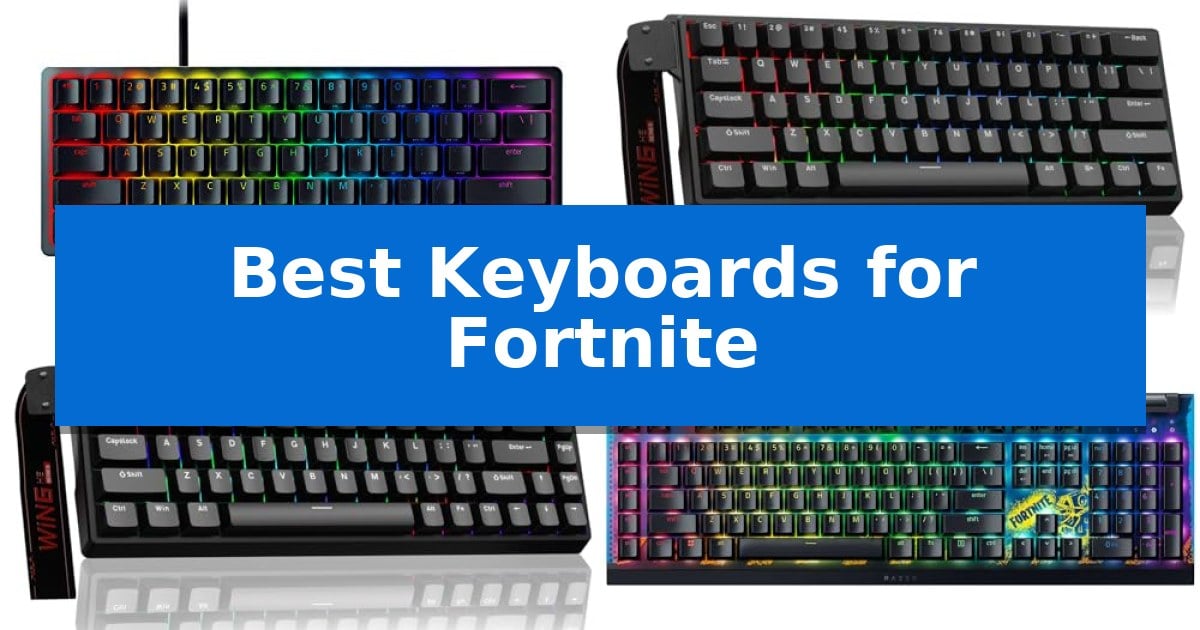
Fortnite demands split-second reactions, whether you are building complex structures under pressure or tracking enemies during a high-stakes firefight. The right hardware can significantly influence your ability to execute these inputs consistently, making the search for the Best Keyboards for Fortnite a critical step in optimizing your gaming setup.
We have evaluated a selection of keyboards designed for competitive play, focusing on switch responsiveness, space-saving designs, and programmable features. From magnetic switches that offer adjustable actuation to compact layouts that maximize your mouse movement area, these options cater to different playstyles and desk configurations.
Best Keyboards for Fortnite in 2026
Quick Comparison
| Product | Best For | Key Strength | Score |
|---|---|---|---|
| Razer Huntsman Mini Gaming Keyboard | Best Overall | Optical beam-based actuation for faster input registration than traditional mechanical switches. | 4.9 |
| Aula WIN60 HE Gaming Keyboard | Magnetic Switches with Rapid Trigger | Rapid trigger mode with 0.02mm sensitivity for instant response. | 4.4 |
| AULA WIN68 HE Gaming Keyboard | Adjustable Actuation for Precise Control | 8,000Hz polling rate for rapid input registration. | 4.9 |
| Razer BlackWidow V4 X Gaming Keyboard | Dedicated Macro Keys for Building | Yellow Mechanical Linear Switches provide a fast 1.2mm actuation point for immediate input response. | 4.8 |
| MageGee MK-Box Gaming Keyboard | Compact Layout for Extra Mouse Room | 60% compact layout saves significant desk space. | 4.7 |
How We Chose
- Switch Technology: Evaluating optical and magnetic switches for their actuation speed and reset distance.
- Layout and Ergonomics: Assessing compact 60% and 68-key designs that provide extra room for wide mouse swipes.
- Programmability: Checking for onboard memory and software support for remapping keys and creating complex macros.
- Input Responsiveness: Prioritizing models with high polling rates and rapid-trigger capabilities for instant input registration.
- Build Quality: Considering material durability, such as aluminum frames and PBT keycaps, to ensure longevity during intense sessions.
1 Razer Huntsman Mini Gaming Keyboard — Speedy Optical Switches for Rapid Input
Competitive gaming demands hardware that minimizes input delay, and the Razer Huntsman Mini Gaming Keyboard addresses this by utilizing linear optical switch technology. By employing an optical beam to register key presses, this keyboard achieves a 15-30% shorter actuation distance compared to traditional mechanical switches, allowing for near-instantaneous input registration that can be critical during high-stakes matches.
Designed with a 60% form factor, this keyboard significantly reduces its physical footprint, providing extra desk space for wide mouse movements. The build quality is reinforced by a matte, aluminum top frame, which adds structural integrity to the compact chassis. To maintain a clean aesthetic and long-term durability, the keys are topped with oil-resistant doubleshot PBT keycaps, which are engineered to resist the buildup of grime and shine that often occurs with heavy use.
For players looking to refine their movement, the Razer Snap Tap feature—configurable via Razer Synapse 4—allows users to prioritize the latest input between assigned keys. This functionality can enhance responsiveness during rapid directional changes. Furthermore, the keyboard supports Razer Chroma RGB lighting, offering 16.8 million colors that can be synced with game titles and other hardware for a cohesive setup.
While the compact design is ideal for saving space, it necessitates the removal of the number pad and dedicated function row. Users who require these keys for productivity tasks may find the layout restrictive. However, the inclusion of Razer Hypershift allows for full remapping of keys and the creation of complex macros, ensuring that the lack of physical keys does not limit the ability to execute advanced game commands.
Best for: Competitive gamers who require a compact, high-speed keyboard with rapid actuation and customizable macro support.
Skip if: Users who rely on a dedicated number pad, arrow keys, or a full-sized layout for productivity and data entry tasks.
PROS
- Optical beam-based actuation for faster input registration than traditional mechanical switches.
- Compact 60% form factor saves significant desk space.
- Durable aluminum construction and textured PBT keycaps.
- Razer Snap Tap functionality for responsive in-game movement.
CONS
- Lacks a dedicated number pad and physical function row keys.
- Requires Razer Synapse software for advanced customization and toggle features.
2 Aula WIN60 HE Gaming Keyboard — Magnetic Switches with Rapid Trigger
The Aula WIN60 HE Gaming Keyboard utilizes advanced Hall Effect magnetic switches to provide a distinct advantage for competitive play. By eliminating physical contact, these switches offer consistent, high-precision actuation that resists the wear typically found in traditional mechanical designs, ensuring longevity during intense gaming sessions.
Engineered specifically for FPS titles, this keyboard features a rapid trigger mode with an ultra-low 0.02mm RT step distance. This capability allows for near-instantaneous key resets, facilitating faster peeking and more responsive movement in high-stakes environments. The integration of an 8000Hz polling rate ensures that inputs are registered with minimal delay, providing the responsiveness required for complex maneuvers.
The 60% compact design maximizes desk real estate, making it a practical choice for gamers who prioritize mouse movement space or need a portable setup. Despite its small footprint, the keyboard maintains full functionality through a web-based driver that allows for effortless key remapping, macro creation, and 16.8 million color RGB customization without requiring bulky software installations.
Constructed with PBT keycaps and a lower light position for improved illumination, the Aula WIN60 HE Gaming Keyboard balances durability with aesthetic appeal. This model is well-suited for users who demand high-performance hardware that integrates seamlessly into a minimalist workspace while providing the technical edge necessary for competitive gaming.
Best for: Competitive FPS gamers who require rapid trigger functionality and a space-saving 60% layout.
Skip if: Users who rely on a dedicated number pad or arrow keys for productivity tasks will find the 60% form factor restrictive.
PROS
- Rapid trigger mode with 0.02mm sensitivity for instant response.
- 8000Hz polling rate for high-speed input registration.
- Web-based driver eliminates the need for heavy background software.
- Magnetic Hall Effect switches prevent physical wear and tear.
CONS
- 60% layout lacks dedicated navigation and function keys.
3 AULA WIN68 HE Gaming Keyboard — Adjustable Actuation for Precise Control
Precision in competitive gaming often comes down to millisecond differences, and the AULA WIN68 HE Mechanical Gaming Keyboard addresses this with an industry-leading 8,000Hz polling rate. By utilizing Hall Effect magnetic switches, this keyboard provides an adjustable actuation point ranging from 0.02mm to 3.44mm, allowing users to fine-tune each key's sensitivity to their specific playstyle.
The AULA WIN68 HE Gaming Keyboard is built for those who prioritize desk space, featuring a 60% compact layout that retains essential arrow and function keys. This design saves up to 40% of desktop area, making it a practical choice for gamers who need more room for mouse movement during intense matches. The inclusion of a detachable USB cable ensures a stable, wired connection while enhancing portability for travel.
Customization is managed through a professional web driver that functions on Windows systems, enabling users to map keys, edit macros, and adjust RT/SOCD/DKS/MT/TGL functions without the need for software downloads. The keyboard also features 16.8 million color RGB backlighting with 14 preset effects, utilizing south-facing LEDs to improve visual clarity.
With an ultra-low latency of 0.3ms, the keyboard is engineered to ensure that commands are registered instantly. The ability to individually set press and reset sensitivity per key allows for a highly personalized input experience, catering to both high-speed gaming requirements and standard typing needs.
Best for: Competitive gamers who require ultra-low latency and highly granular, per-key actuation adjustments in a space-saving 60% form factor.
Skip if: Users who require a full-sized layout with a dedicated number pad or those who operate exclusively on macOS, as the web driver is Windows-only.
PROS
- 8,000Hz polling rate for rapid input registration.
- Adjustable actuation points (0.02mm-3.44mm) via magnetic switches.
- Compact 60% design maximizes available desk space.
- Ultra-low 0.3ms latency for competitive responsiveness.
CONS
- Windows-only driver compatibility limits customization options for Mac users.
- 60% layout lacks a dedicated number pad and some navigation keys.
4 Razer BlackWidow V4 X Gaming Keyboard — Dedicated Macro Keys for Building
The Razer BlackWidow V4 X Gaming Keyboard is engineered with Yellow Mechanical Linear Switches, which provide a short 1.2mm actuation distance and require only 45g of force. This design enables rapid-fire inputs, allowing for the immediate execution of commands that are essential for high-speed building and editing in competitive play. The switches are also equipped with integrated sound dampeners to maintain a quieter environment during intensive sessions.
Managing complex command rotations is simplified through the inclusion of 6 dedicated macro keys. These keys allow players to map intricate sequences to a single press, reducing the physical effort required for multi-step actions. The keyboard also features a multi-function roller and secondary media keys, providing granular control over volume and lighting brightness without requiring the user to navigate away from the active window.
Durability and visual clarity are prioritized through the use of doubleshot ABS keycaps with extra-thick walls, which are designed to withstand the rigors of heavy, repetitive use while keeping the key legends legible. The board is illuminated by Chroma RGB per-key lighting, utilizing a specialized switch construction that maximizes brightness and ensures even color distribution across the entire deck for enhanced visibility in low-light conditions.
This keyboard is built for users who require a high-performance peripheral capable of handling complex inputs and rapid response times. Its combination of linear switch performance and dedicated command keys offers a functional advantage for those who rely on custom playstyle rotations and require a stable, durable foundation for long-term gaming.
Best for: Players who require rapid-fire linear switches and dedicated macro keys to manage complex command rotations.
Skip if: Users who prefer the tactile and audible feedback of clicky or tactile switches, or those with limited desk space who require a compact form factor.
PROS
- Yellow Mechanical Linear Switches provide a fast 1.2mm actuation point for immediate input response.
- 6 dedicated macro keys allow for easy access to complex, programmable command sequences.
- Doubleshot ABS keycaps feature extra-thick walls for increased durability during heavy use.
- Integrated sound dampeners reduce noise levels compared to standard mechanical switches.
CONS
- Large physical footprint may not be suitable for smaller desk setups.
- Linear switch design lacks the tactile bump preferred by some typists.
5 MageGee MK-Box Gaming Keyboard — Compact Layout for Extra Mouse Room
Maximizing desk space for rapid mouse movements is a priority for competitive play, and the MageGee MK-Box Gaming Keyboard addresses this with a 60% compact layout. By utilizing a 68-key design, it retains essential functionality while removing the number pad and extraneous spacing, providing the extra surface area needed for low-sensitivity aiming.
Performance in fast-paced titles is supported by mechanical red switches. These provide a linear, smooth keystroke with minimal resistance, allowing for rapid inputs without the distraction of a tactile bump. The full anti-ghosting capability ensures that every command is registered accurately, even during intense, multi-key sequences.
The build features an ergonomic suspension design with double-color injection keycaps, which are paired with double kickstand feet to allow for an adjustable typing angle. For aesthetics and visibility in low-light environments, the keyboard includes blue LED backlighting with 16 customizable effects, adjustable for both speed and brightness.
Connectivity is handled via a detachable USB cable, which simplifies transport and cable management. As a plug-and-play device, it requires no additional software or drivers, maintaining broad compatibility with Windows, Linux, and Mac systems through its standard USB 2.0 interface.
Best for: Players who need a compact keyboard to maximize mouse movement space on their desk.
Skip if: Users who require a dedicated number pad for productivity or macro-heavy workflows.
PROS
- 60% compact layout saves significant desk space.
- Linear red switches provide smooth, fast-action keystrokes.
- Full anti-ghosting ensures reliable input registration.
- Detachable USB cable aids in portability and setup.
CONS
- Lacks a dedicated number pad for data entry tasks.
Best Keyboards for Fortnite Buying Guide
Understanding Switch Types
The switch type is the most important factor for competitive gaming. Linear optical switches and magnetic Hall effect switches are preferred because they lack a tactile bump, allowing for smoother, faster keystrokes. These switches often feature shorter actuation distances, meaning your commands register the moment you press the key.
For Fortnite, look for features like rapid trigger, which allows a key to reset the moment you release it rather than waiting for it to pass a fixed reset point. This is essential for jitter-clicking or performing rapid building edits without input lag.
The Advantage of Compact Layouts
A 60% or 68-key layout is highly recommended for battle royale players. By removing the number pad and sometimes the dedicated function row, these keyboards significantly reduce the footprint on your desk. This provides more horizontal mouse room, which is vital for players who use low sensitivity settings and need large, sweeping movements to aim.
While you lose some dedicated keys, most compact keyboards use FN layers to retain full functionality. Ensure the model you choose allows for easy access to the keys you use most frequently for building and inventory management.
Programmability and Macros
Building in Fortnite often requires complex sequences of inputs. Keyboards that offer fully programmable macros or Hypershift functionality allow you to map these sequences to a single key press. This can save precious milliseconds when you need to switch from a weapon to a wall or ramp.
Check if the keyboard has onboard memory. This allows you to save your custom profiles directly to the device, so your settings remain active even if you move the keyboard to a different PC without the configuration software installed.
Polling Rate and Latency
The polling rate determines how often the keyboard reports its status to your computer. A standard keyboard usually operates at 1,000Hz, but many modern gaming keyboards now offer 8,000Hz polling rates. This higher frequency reduces the delay between your physical press and the game registering the action.
While the difference may seem marginal, in a game as fast as Fortnite, minimizing input latency is a tangible benefit. When combined with low-latency switches, high polling rates provide a more responsive and connected feel during intense combat.
Build Materials and Durability
Since gaming keyboards endure heavy use, the construction materials matter. Aluminum top frames provide structural integrity, preventing the keyboard from flexing during aggressive play. This adds weight to the unit, which helps keep it stable on your desk.
Doubleshot PBT keycaps are superior to standard ABS plastic. They are more resistant to the oils on your fingers and won't develop that shiny, worn-out look over time. The textured finish also provides better grip, ensuring your fingers don't slip during critical moments.
Frequently Asked Questions
Why is a 60% keyboard better for Fortnite?
A 60% keyboard removes the number pad and extra keys, giving you more desk space to move your mouse. This is particularly helpful for players who use low sensitivity and need large, wide movements for aiming.
What is rapid trigger technology?
Rapid trigger allows a key to register an input and reset instantly upon release. This is faster than traditional mechanical switches, which require the key to travel back past a specific point before it can be pressed again.
Do I need dedicated macro keys?
While not strictly necessary, dedicated macro keys can make building and editing sequences faster by allowing you to trigger multiple actions with one button. However, many players prefer using software to remap standard keys instead.
Are magnetic switches better than mechanical ones?
Magnetic switches offer more customization, such as adjustable actuation points and rapid trigger modes. They are generally more durable because they don't rely on physical contact points that can wear out over time.
Does the polling rate really matter?
Yes, a higher polling rate (like 8,000Hz) reduces the time it takes for your computer to receive input from the keyboard. This results in lower overall system latency, which is beneficial in competitive, fast-paced games.
Conclusion: Our Top Pick
For players seeking the most responsive and durable option, the Razer Huntsman Mini Gaming Keyboard stands out as our top pick. Its linear optical switches provide an exceptionally fast actuation distance, and the inclusion of Razer Snap Tap technology offers a distinct advantage for responsive movement in high-stakes building scenarios.
While it lacks the dedicated macro keys found on larger models, its compact 60% form factor is ideal for maximizing mouse space. The combination of an aluminum frame and PBT keycaps ensures it can withstand the rigors of daily competitive play, making it a reliable choice for any Fortnite player.