
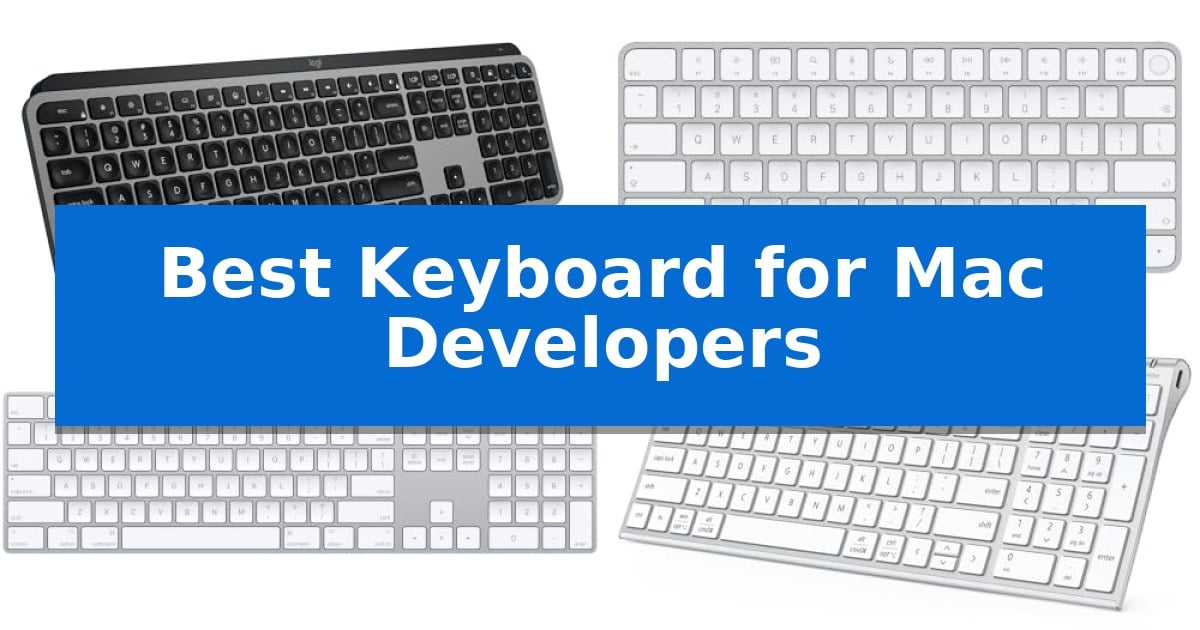
Finding the Best Keyboard for Mac Developers requires balancing tactile feedback, macOS-specific layout integration, and the ability to handle long coding sessions without fatigue. A keyboard is more than just a peripheral; it is the primary interface for your development environment, directly impacting your efficiency and comfort.
Whether you prioritize seamless multi-device switching for testing across platforms or require a dedicated numeric keypad for data-heavy tasks, selecting the right tool is essential. This guide evaluates the top options currently available to ensure your hardware supports your specific programming workflow.
Best Keyboard for Mac Developers in 2026
Quick Comparison
| Product | Best For | Key Strength | Score |
|---|---|---|---|
| Logitech MX Keys S Mac Keyboard | Best Overall | Mac-specific layout and aesthetic integration with Apple devices. | 4.9 |
| Apple Magic Keyboard with Touch ID | Secure Biometric Authentication | Integrated Touch ID for fast and secure system authentication. | 4.3 |
| Apple Magic Keyboard with Numeric Keypad | Extended Layout for Data Entry | Extended layout with numeric keypad and navigation controls. | 4.8 |
| iClever BK10 SE Bluetooth Keyboard | Seamless Multi-Device Switching | Multi-device switching allows for quick transitions between up to three devices. | 4.6 |
| Macally Wired Keyboard with USB Hub | Integrated Peripheral Connectivity | Integrated 3-port USB hub (2x USB-A, 1x USB-C) for peripheral connectivity. | 4.4 |
How We Chose
- macOS Layout Compatibility: We prioritized keyboards that feature native Mac key mappings and dedicated function rows for media and system controls.
- Connectivity and Multi-Device Support: We evaluated the reliability of Bluetooth and wired connections, specifically focusing on the ability to switch between multiple devices.
- Ergonomics and Build Quality: We assessed the key profile, typing angle, and material construction to ensure long-term comfort during intensive development work.
- Workflow Enhancements: We looked for features like programmable shortcuts, backlighting, and integrated hubs that directly contribute to productivity.
- Power Management: We reviewed battery life and charging standards, favoring options that minimize downtime through efficient USB-C integration.
1 Logitech MX Keys S Mac Keyboard — Advanced Workflow Automation
The Logitech MX Keys S Mac Keyboard is engineered specifically for the Apple ecosystem, featuring a dedicated Mac key layout and a sleek finish that complements your existing desktop setup. This full-size wireless keyboard prioritizes a fluid typing experience through its low-profile design and spherically dished keys, which are shaped to match the natural contours of your fingertips.
Beyond its physical design, the keyboard integrates deeply with macOS via the Logi Options+ app. Developers can utilize Smart Actions to automate repetitive keystrokes, effectively streamlining complex workflows into a single command. The device also includes smarter illumination that detects your hands as they approach, automatically adjusting the backlight intensity based on the surrounding environment.
Connectivity is a primary focus for multi-device environments. The keyboard supports Bluetooth Low Energy pairing with up to three Apple devices, including macOS, iPadOS, and iOS. When paired with an MX Master 3S for Mac, users can move text and files seamlessly between three different Apple computers, enhancing productivity across a multi-device workspace.
Designed for long-term comfort, the keyboard maintains an optimum typing angle that supports better wrist posture during extended coding sessions. It is USB-C rechargeable and constructed with a portion of post-consumer recycled plastic, balancing modern utility with material considerations. With a 10-day battery life, it provides a reliable, low-maintenance input solution for professional Mac users.
Best for: Developers who work within the Apple ecosystem and require a multi-device, backlit keyboard with customizable workflow automation.
Skip if: Users who prefer mechanical switches with high-travel tactile feedback or those who require a wired-only connection for specific security environments.
PROS
- Mac-specific layout and aesthetic integration with Apple devices.
- Smart Actions allow for significant time-saving through workflow automation.
- Multi-device connectivity enables seamless switching between three Apple products.
- Adaptive backlighting that responds to hand proximity and ambient light.
CONS
- Low-profile, non-mechanical keys may not suit users who prefer traditional mechanical switch travel.
- Integrated battery requires periodic USB-C recharging rather than user-replaceable cells.
2 Apple Magic Keyboard with Touch ID — Secure Biometric Authentication
The Apple Magic Keyboard with Touch ID integrates biometric security directly into your workspace, allowing for instant authentication during logins and secure online purchases. Designed specifically for Mac models with Apple silicon, this peripheral streamlines the development workflow by removing the need to manually type passwords for system access or administrative tasks.
Beyond its security features, the keyboard provides a precise and comfortable typing experience suitable for long coding sessions. The device is fully wireless and rechargeable, featuring an internal battery that supports approximately one month of use between charges. When power runs low, the included woven USB-C Charge Cable allows for seamless pairing and charging by connecting directly to your Mac.
Setup is straightforward, as the keyboard pairs automatically with your computer upon connection. Its compact, low-profile design maintains a clean desk aesthetic while ensuring that essential controls are always within reach. The inclusion of a dedicated USB-C port simplifies cable management for users already transitioning to USB-C-based ecosystems.
While the keyboard excels in integration and security, it is a specialized tool tailored for specific hardware. Its reliance on Apple silicon for full Touch ID functionality means that users on older Intel-based Macs or non-Apple hardware will not be able to utilize the biometric features, though the typing functionality remains consistent.
Best for: Developers using Apple silicon-based Macs who require secure, rapid biometric authentication and a low-profile, wireless typing experience.
Skip if: Users who rely on Intel-based Macs or non-Apple hardware will not be able to utilize the Touch ID biometric authentication feature.
PROS
- Integrated Touch ID for fast and secure system authentication.
- Wireless and rechargeable design with long-lasting battery life.
- Automatic pairing functionality for immediate setup.
- Woven USB-C cable included for reliable charging and connectivity.
CONS
- Touch ID functionality is limited to Mac models with Apple silicon.
3 Apple Magic Keyboard with Numeric Keypad — Extended Layout for Data Entry
The Apple Magic Keyboard with Numeric Keypad offers a streamlined, low-profile design that integrates seamlessly into a workspace, providing a stable typing surface with an extended layout. This keyboard includes dedicated document navigation controls and full-size arrow keys, which are beneficial for managing complex codebases or navigating large datasets efficiently.
Connectivity is handled via Bluetooth, allowing for a clean, cable-free desk setup. The device is rechargeable through an internal battery that provides power for about a month or more on a single charge, depending on usage. It includes a Lightning to USB cable, enabling users to pair and charge the device by connecting directly to a Mac.
Designed for versatility, this keyboard is compatible with Mac, iPad, and iPhone, provided they meet the minimum system requirements of macOS 10.12.4, iPadOS 13.4, or iOS 10.3 or later. The inclusion of a numeric keypad provides a functional advantage for those frequently inputting numerical data or working within spreadsheet applications.
The keyboard's construction focuses on a precise typing experience with a slim form factor that minimizes wrist strain. Its lightweight build, weighing approximately one pound, makes it easy to position or move as needed, while the wireless nature ensures it remains compatible with various Apple ecosystem devices without requiring multiple peripheral setups.
Best for: Developers and professionals who require a dedicated numeric keypad and a reliable, wireless Apple-native typing experience.
Skip if: Users who prefer mechanical switches, customizable macro keys, or a backlit keyboard for low-light environments.
PROS
- Extended layout with numeric keypad and navigation controls.
- Wireless Bluetooth connectivity for a clutter-free workspace.
- Long-lasting internal rechargeable battery.
- Seamless integration with Mac, iPad, and iPhone.
CONS
- Lack of backlighting for low-light use.
- Non-mechanical key switches may not suit those preferring tactile or clicky feedback.
4 iClever BK10 SE Bluetooth Keyboard — Seamless Multi-Device Switching
Maintaining a clean, efficient workspace is essential for developers, and the iClever BK10 SE Bluetooth Keyboard addresses this with a minimalist, ultra-slim profile measuring just 0.16 inches at its thinnest edge. Constructed from premium stainless steel and durable ABS, this keyboard provides a stable, modern foundation that fits seamlessly into any professional desk setup.
Functionality is at the core of this device, featuring a full-size layout with integrated navigation keys and a numeric keypad to ensure no compromise on productivity. The iClever BK10 SE Bluetooth Keyboard utilizes low-profile scissor-switch keys and 15mm standard keycaps, designed to deliver a quiet and smooth typing experience that is ideal for long coding sessions.
For developers managing multiple environments, the keyboard supports multi-device connectivity, allowing for seamless switching between up to three devices across MacOS, Windows, iOS, and Android. It automatically detects the operating system to ensure correct key mapping, while the perforated base design ensures reliable Bluetooth signal strength despite the metallic construction.
Power management is handled by an advanced Nordic chipset, which enables the keyboard to run for up to 180 days on a single charge. The iClever BK10 SE Bluetooth Keyboard includes an automatic sleep mode that triggers after two hours of inactivity, waking instantly when a key is pressed to maintain readiness without constant manual intervention.
Best for: Developers who require a slim, full-size wireless keyboard capable of switching between multiple devices and operating systems.
Skip if: Users who prefer the tactile feedback and travel distance of mechanical switches or those who require a smaller, tenkeyless footprint for limited desk space.
PROS
- Multi-device switching allows for quick transitions between up to three devices.
- Long-lasting battery life provides up to 180 days of usage on a single charge.
- Full-size layout includes a numeric keypad and dedicated hotkeys for enhanced productivity.
- Ultra-slim design constructed with premium stainless steel for a modern, durable aesthetic.
CONS
- Fixed low-profile scissor-switches may not satisfy users seeking mechanical key travel.
- Integrated navigation keys within the number pad may require an adjustment period for some users.
5 Macally Wired Keyboard with USB Hub — Integrated Peripheral Connectivity
Managing peripheral clutter while maintaining a streamlined workspace is a common challenge for developers. The Macally Wired Keyboard with USB Hub addresses this by integrating a 3-port USB hub directly into its chassis, featuring two USB-A ports and one USB-C port for connecting mice, external drives, or other essential tools without reaching for the computer's own ports.
Designed with a full-size layout containing 107 keys, this keyboard includes 16 dedicated shortcuts tailored for Mac environments. The auto-detection feature allows the device to recognize the operating system instantly, ensuring compatibility across Mac, Windows, iPad, and Android platforms. This versatility is further supported by a 2-in-1 USB plug that provides both USB-A and USB-C connectivity options.
For those working in low-light conditions, the keyboard features white LED backlit keys with three adjustable brightness levels. This illumination provides visibility for late-night coding sessions or dim office environments. The unit maintains a slim profile, measuring 0.87 inches in height, which helps keep the desktop footprint manageable while providing a stable typing surface.
The Macally Wired Keyboard with USB Hub is built for reliability, backed by a 2-year warranty and US-based support. By combining input functionality with a powered hub, it serves as a practical solution for developers looking to consolidate their desk setup and reduce cable mess.
Best for: Developers who need a full-size keyboard with integrated USB ports to manage multiple peripherals and reduce desk clutter.
Skip if: Users who prefer a wireless, mechanical, or ultra-compact keyboard setup will find this wired, full-size membrane-style board less suitable for their needs.
PROS
- Integrated 3-port USB hub (2x USB-A, 1x USB-C) for peripheral connectivity.
- Auto-detection across multiple operating systems including Mac, Windows, and iPad.
- White LED backlighting with three brightness levels for visibility.
- Versatile 2-in-1 USB-C and USB-A cable interface.
CONS
- Wired connection limits portability and requires a physical cable to the computer.
- Full-size footprint may be too large for minimalist or small desk setups.
Best Keyboard for Mac Developers Buying Guide
Understanding Keyboard Layouts
For developers, the layout is paramount. A standard Mac layout ensures that your Command, Option, and Control keys are exactly where you expect them, reducing the cognitive load when switching between your keyboard and your IDE.
Some keyboards offer an extended layout with a numeric keypad, which is beneficial for those who frequently work with spreadsheets, financial data, or complex configuration files that require rapid numeric input.
Connectivity and Multi-Device Switching
Modern development often involves testing code across multiple devices, such as a MacBook, an iPad, or a secondary machine. Keyboards with multi-device Bluetooth pairing allow you to transition between these devices with a single keystroke.
While wireless connectivity offers a clean desk, wired connectivity remains a reliable choice for those who want to avoid interference or battery management entirely, often providing additional ports via an integrated hub.
Ergonomics for Long Coding Sessions
Coding often involves hours of continuous typing. A low-profile design with an optimum keyboard angle can significantly reduce wrist strain, promoting a more natural posture.
Look for keyboards that provide a stable typing platform. A solid build, often featuring stainless steel or high-quality materials, prevents the keyboard from flexing or sliding during rapid keystrokes.
Backlighting and Visibility
Working in various lighting conditions requires a keyboard with adjustable backlighting. Features like auto-illumination, which detects your hands as they approach, can save battery life while ensuring your keys are visible when needed.
Customizable lighting levels allow you to tailor the brightness to your environment, reducing eye strain during late-night coding sessions.
Workflow Automation
Advanced keyboards now offer programmable shortcuts or smart actions. These features allow you to map complex sequences of commands to a single key, drastically speeding up repetitive tasks in your terminal or editor.
By offloading repetitive actions to your hardware, you can maintain your flow state and focus more on solving complex logic problems rather than managing your environment.
Frequently Asked Questions
Are all Mac-compatible keyboards suitable for developers?
While many keyboards work with macOS, developers should look for those with specific Mac key layouts to ensure that system shortcuts and function keys operate as intended without needing complex remapping software.
Is a wired or wireless keyboard better for coding?
Wired keyboards offer the advantage of no battery maintenance and zero latency, while wireless keyboards provide a clutter-free workspace and the flexibility to move your setup. The choice depends on your desk configuration and preference for maintenance.
Why is Touch ID important for a developer's keyboard?
Touch ID provides a secure and fast way to authenticate logins, approve system changes, and authorize purchases without manually typing your password, which can save significant time throughout the workday.
Do I need a numeric keypad?
A numeric keypad is highly recommended if your development work involves frequent data entry, financial modeling, or working with large sets of numbers. If you prefer a more compact setup, a tenkeyless layout may be more comfortable.
How do I automate tasks with my keyboard?
Some keyboards come with companion software, such as Logi Options+, which allows you to create custom shortcuts or 'Smart Actions' that trigger multiple commands with a single key press.
Conclusion: Our Top Pick
For developers seeking the best balance of performance, comfort, and workflow automation, the Logitech MX Keys S Mac Keyboard stands out as the premier choice. Its specialized Mac layout, fluid typing experience, and robust software support for custom shortcuts make it a powerful addition to any professional development environment.
While other options like the Apple Magic Keyboard offer unique benefits such as integrated Touch ID or a compact footprint, the Logitech model provides the most comprehensive feature set for those who spend their entire day at the terminal. It is a reliable, high-performance tool designed to keep you focused on your code.