
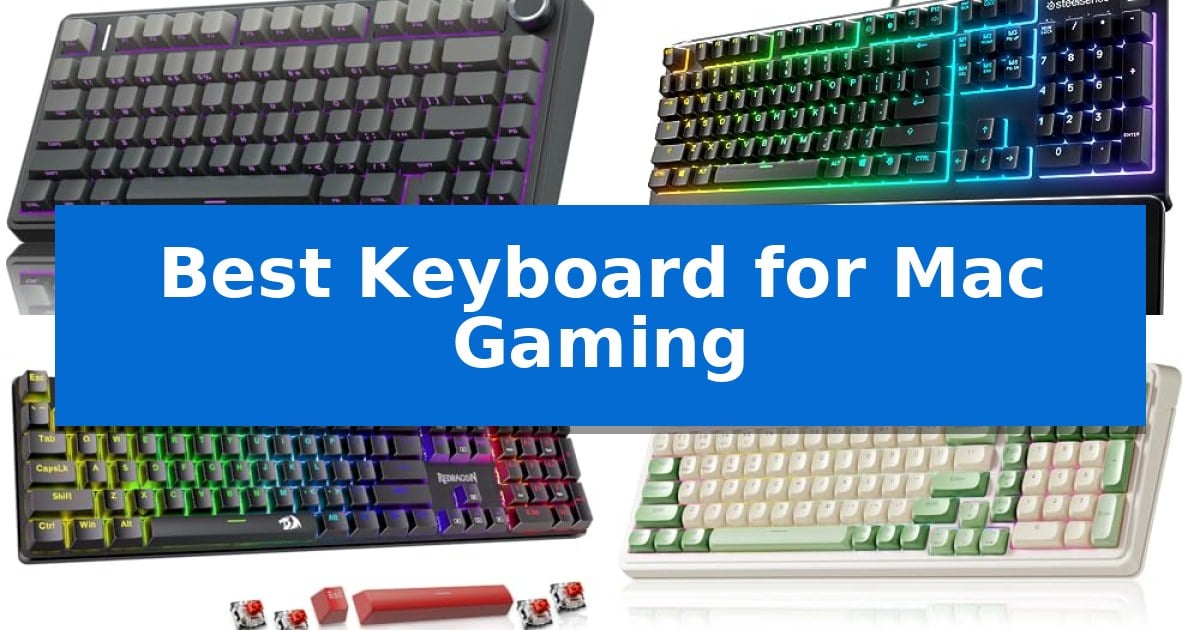
Finding a reliable peripheral for Apple hardware often involves balancing specific layout requirements with the performance demands of modern gaming. Whether you are navigating complex macros or need tactile feedback for competitive play, selecting the Best Keyboard for Mac Gaming requires careful consideration of connectivity, switch types, and software compatibility.
Our guide evaluates five distinct options, ranging from compact mechanical boards to spill-resistant membrane designs. We focus on how these features translate to your specific desk setup, ensuring you have the necessary tools to enhance your responsiveness and comfort during extended gaming sessions.
Best Keyboard for Mac Gaming in 2026
Quick Comparison
| Product | Best For | Key Strength | Score |
|---|---|---|---|
| AULA F75 Pro Mechanical Keyboard | Best Overall | Tri-mode connectivity allows for seamless switching between five devices. | 4.9 |
| SteelSeries Apex 3 Gaming Keyboard | Spill-Resistant Silent Performance | IP32 water resistance protects against accidental spills. | 4.6 |
| Redragon K671 Mechanical Gaming Keyboard | Hot-Swappable Customization | Hot-swappable switches allow for easy maintenance and customization. | 4.8 |
| AULA S99 Wireless Gaming Keyboard | Space-Saving Retro Layout | Tri-mode connectivity allows for flexible switching between Bluetooth, 2.4GHz, and USB-C. | 4.3 |
| Redragon K521 Gaming Keyboard | Dazzling Visual Backlight Effects | 19-key anti-ghosting for accurate input during complex gaming maneuvers. | 4.3 |
How We Chose
- Connectivity versatility, including Bluetooth, 2.4GHz wireless, and wired USB-C options for stable multi-device usage.
- Switch architecture, focusing on the distinction between mechanical tactile feedback and membrane silence.
- Layout efficiency, prioritizing compact 75% or 96% designs that preserve desk space while retaining essential gaming keys.
- Customization capabilities, such as hot-swappable switch support, programmable macro keys, and adjustable RGB lighting.
- Build quality and ergonomics, including the presence of wrist rests, adjustable stands, and durable keycap materials.
1 AULA F75 Pro Mechanical Keyboard — Premium Creamy Typing Feel
The AULA F75 Pro Mechanical Keyboard distinguishes itself with a specialized internal structure featuring an extended integrated silicone pad and PCB single key slotting, which optimizes resilience for a softer, more elastic typing feel. This 75% compact layout retains essential arrow keys while saving desk space, making it a functional choice for gamers who prioritize both performance and a smaller footprint.
Engineered for versatility, this keyboard offers tri-mode connectivity via Bluetooth 5.0, 2.4GHz wireless, and USB-C wired connections, allowing users to switch between up to five devices. The inclusion of a 4000mAh battery supports extended usage, while the hot-swappable base accommodates 3-pin or 5-pin switches, enabling customization without the need for soldering.
The device features a multi-function control knob that toggles between gaming and office modes. In gaming mode, the knob adjusts RGB brightness and lighting effects, while in office mode, it manages volume and media playback. The 16.8 million RGB backlighting system provides 16 pre-set effects, which can be further customized through the AULA driver.
Equipped with pre-lubricated stabilizers and LEOBOG reaper switches, the keyboard is designed to minimize cavity noise through five layers of internal sound-dampening material. The side-printed PBT keycaps utilize double injection molding and heat sublimation for increased durability, ensuring the font remains clear while allowing light to shine through.
Best for: Gamers and typists who want a compact, customizable 75% mechanical keyboard with versatile wireless connectivity and a premium, dampened acoustic profile.
Skip if: Users who require a full-sized keyboard with a dedicated number pad for data entry or those who prefer a low-profile design.
PROS
- Tri-mode connectivity allows for seamless switching between five devices.
- Hot-swappable PCB supports easy switch replacement without soldering.
- Advanced sound-dampening structure with five layers of filling reduces cavity noise.
- Multi-function knob provides intuitive control over media and lighting settings.
CONS
- 75% layout lacks a dedicated number pad, which may limit productivity for some users.
- 6-month warranty period is relatively short compared to some industry standards.
2 SteelSeries Apex 3 Gaming Keyboard — Spill-Resistant Silent Performance
Maintaining a clean and reliable setup is essential for long gaming sessions, and the SteelSeries Apex 3 Gaming Keyboard addresses this with its IP32 water-resistant rating. This design choice provides a safeguard against accidental liquid spills, ensuring that your hardware remains protected during intense play on your Mac or console.
The keyboard features whisper quiet gaming switches engineered for nearly silent operation. These keys are rated for 20 million low friction keypresses, offering a consistent feel that minimizes noise in shared environments. The inclusion of 10-zone RGB illumination allows for customizable color schemes and reactive lighting effects, adding a visual flair to your desktop setup.
Ergonomics are prioritized through the included premium magnetic wrist rest, which provides full palm support to reduce strain during extended use. For added convenience, the board includes dedicated multimedia controls, allowing you to adjust volume and playback settings instantly without exiting your game or application.
Compatibility is broad, supporting Mac OS X, Windows, and major gaming consoles including the Xbox Series S/X and PS4/PS5. This versatility makes it a practical choice for users who switch between different gaming platforms while maintaining a consistent typing experience.
Best for: Gamers who prioritize a quiet typing experience and spill protection across multiple platforms including Mac and consoles.
Skip if: Users who prefer the tactile feedback and distinct click of mechanical switches will find the whisper quiet membrane-style switches too soft.
PROS
- IP32 water resistance protects against accidental spills.
- Whisper quiet switches ensure near-silent operation.
- Magnetic wrist rest enhances ergonomic comfort.
- Dedicated multimedia controls for quick adjustments.
CONS
- Membrane-style switches lack the tactile feedback of mechanical alternatives.
3 Redragon K671 Mechanical Gaming Keyboard — Hot-Swappable Customization
Precision and customization are essential for a responsive gaming experience on macOS. The Redragon K671 Mechanical Gaming Keyboard addresses these needs through its hot-swappable linear red switches, which provide a smooth, low-force keystroke ideal for fast-paced RPG and MMO titles. This wired peripheral ensures consistent connectivity, removing concerns regarding input lag or battery management during long sessions.
Beyond its mechanical foundation, the keyboard offers significant utility through macro editing support. Users can remap keys, create complex shortcuts, or combine multiple functions into a single command to streamline both gaming and productivity workflows. The full-key anti-ghosting technology ensures that every input is registered accurately, even during intense sequences requiring multiple simultaneous key presses.
Design-focused features include 11 programmable backlit modes with adjustable brightness and speed, allowing for a tailored visual environment. The double-shot PBT keycaps are engineered for durability and clarity, ensuring the backlight remains visible while providing a tactile typing feel. With 12 dedicated multimedia shortcuts, users gain quick access to volume, media, and system controls without leaving the game.
The Redragon K671 Mechanical Gaming Keyboard is built for longevity and maintenance, evidenced by the inclusion of spare switches and a keycap puller for easy component replacement. Its wired interface provides a reliable, plug-and-play solution for Mac users seeking a dedicated gaming setup without the complexity of wireless pairing or charging requirements.
Best for: Gamers using a Mac who prioritize a wired, customizable mechanical setup with hot-swappable switches for easy maintenance.
Skip if: Users who require a wireless connection or a compact, tenkeyless form factor for limited desk space.
PROS
- Hot-swappable switches allow for easy maintenance and customization.
- Macro editing support enables personalized key remapping and shortcuts.
- Full-key anti-ghosting ensures reliable input during complex gaming sessions.
- Double-shot PBT keycaps provide enhanced durability and backlight clarity.
CONS
- Wired-only connection limits portability and cable management options.
- Fixed color backlighting prevents full RGB customization.
4 AULA S99 Wireless Gaming Keyboard — Space-Saving Retro Layout
The AULA S99 Wireless Gaming Keyboard features a distinctive 96% layout that integrates a numeric keypad while maintaining a compact footprint, making it a practical choice for gamers looking to reclaim desk space without sacrificing essential keys. This retro-styled peripheral is built with a creamy silicone structure, providing a unique tactile experience for users who prefer a membrane-based typing feel.
Designed for versatility, the keyboard offers tri-mode connectivity, allowing users to switch between Bluetooth 5.0, 2.4GHz wireless, and USB-C wired modes. A standout control feature is the dual-mode rotary knob, which provides quick adjustments for volume, audio, and lighting effects, while three dedicated programmable shortcut keys (M1/M2/M3) allow for efficient command execution.
For those focused on gaming performance, the AULA S99 Wireless Gaming Keyboard supports full-key macro programming. This functionality enables the recording and editing of complex action sequences, which can be triggered with a single click to streamline gameplay. The inclusion of a foldable two-stage stand further enhances ergonomics, allowing for adjustable typing angles to reduce wrist strain during extended sessions.
Compatibility is broad, supporting Windows, Mac, Android, and iOS environments. While the keyboard provides significant customization through its software-driven macro capabilities, it is important to note that the unit utilizes a membrane switch architecture and does not support hot-swapping of switches, making it a fixed-configuration device.
Best for: Gamers and typists who need a compact, multi-device compatible keyboard with macro-programmable keys and a space-saving 96% layout.
Skip if: Users who prefer the tactile feedback of mechanical switches or require a hot-swappable keyboard for custom switch configurations.
PROS
- Tri-mode connectivity allows for flexible switching between Bluetooth, 2.4GHz, and USB-C.
- Full-key macro programming enables complex command execution for gaming efficiency.
- Space-saving 96% layout retains a numeric keypad in a reduced footprint.
- Dual-mode rotary knob offers convenient, tactile control over volume and lighting.
CONS
- Membrane switch architecture lacks the customization and feel of mechanical hot-swappable boards.
- Non-hot-swappable design prevents users from changing switches to suit personal preferences.
5 Redragon K521 Gaming Keyboard — Dazzling Visual Backlight Effects
The Redragon K521 Gaming Keyboard offers a distinct visual approach to desktop setups with its upgraded LED backlight design, engineered for enhanced light penetration and a more pronounced aesthetic. This full-sized 104-key unit is built to provide a mechanical-like typing feel, prioritizing responsiveness for rapid input during gameplay.
Functionality is centered on efficiency and control, featuring 12 dedicated multimedia combination keys that streamline both gaming and productivity tasks. The hardware includes a one-touch button for toggling lighting, alongside three-position breathing modes and four-position brightness settings, allowing users to adjust the visual output to their environment without navigating complex software.
For competitive scenarios, the keyboard incorporates 19-key anti-ghosting technology, ensuring that complex key combinations are registered accurately during intense sequences. This feature is intended to support precise skill execution, helping to maintain input reliability when multiple keys are pressed simultaneously.
Designed for broad compatibility, the Redragon K521 Gaming Keyboard utilizes a plug-and-play interface that functions across MacOS, Windows, and gaming consoles like the PS4/5 and Xbox. Its driver-free operation simplifies the setup process, making it a straightforward choice for users who require a consistent, wired connection across multiple platforms.
Best for: Gamers and typists who prioritize a mechanical-feeling, full-sized wired keyboard with customizable lighting and broad cross-platform compatibility.
Skip if: Users who require a wireless connection, a compact tenkeyless form factor, or genuine mechanical switches for specific tactile feedback preferences.
PROS
- 19-key anti-ghosting for accurate input during complex gaming maneuvers.
- Plug-and-play compatibility across Mac, PC, and consoles with no driver installation required.
- Customizable lighting with one-touch controls for brightness and breathing modes.
- 12 multimedia keys for quick access to media and productivity functions.
CONS
- Wired-only connection limits placement flexibility compared to wireless alternatives.
- Full-sized 104-key layout occupies significant desk space.
Best Keyboard for Mac Gaming Buying Guide
Mechanical vs. Membrane Switches
The choice between mechanical and membrane switches is fundamental to your gaming experience. Mechanical switches, such as the pre-lubed options found in many enthusiast-grade boards, provide distinct tactile and auditory feedback that can improve precision during rapid inputs.
Membrane keyboards, conversely, offer a quieter typing experience and are often more resistant to accidental liquid spills. If you prioritize a silent environment or require a spill-resistant design for your gaming desk, a high-quality membrane keyboard is a practical alternative.
Connectivity and Multi-Device Support
Modern gaming setups often involve multiple devices, from your primary Mac to tablets or consoles. Keyboards featuring tri-mode connectivity—Bluetooth, 2.4GHz wireless, and wired USB-C—allow for seamless switching between these platforms.
When selecting your keyboard, ensure it supports your preferred connection method. Wired connections generally offer the lowest latency for competitive gaming, while wireless options provide a cleaner, cable-free workspace.
Layout and Form Factor
The physical size of your keyboard significantly affects your mouse movement space. A 75% or 96% layout is often ideal for Mac gaming, as it retains necessary arrow keys and navigation clusters while eliminating the bulk of a full-sized number pad.
Consider whether you need a dedicated numeric keypad for non-gaming tasks. If desk space is at a premium, a compact layout will provide more room for large mouse sweeps, which is critical for low-sensitivity gaming styles.
Programmability and Customization
Gaming-oriented keyboards often include software or onboard controls to remap keys and create complex macros. This functionality allows you to trigger multi-key commands with a single press, potentially giving you an advantage in fast-paced titles.
Look for keyboards that feature dedicated control knobs or programmable shortcut keys. These physical interfaces allow for quick adjustments to volume, lighting brightness, or media playback without needing to exit your game.
Keycap Material and Durability
The material used for keycaps affects both the feel and the longevity of your keyboard. PBT (polybutylene terephthalate) keycaps are favored for their durability and resistance to the shine that develops on cheaper ABS plastic over time.
Double-shot molding is another feature to look for, as it ensures that the legends on your keys will never fade, even after years of heavy use. This is particularly important if you frequently use backlighting, as it allows the light to shine through the characters clearly.
Frequently Asked Questions
Are all gaming keyboards compatible with macOS?
While most USB keyboards will function for basic typing, some gaming-specific features like macro software or advanced lighting drivers may be Windows-only. Always check for Mac-specific driver support or onboard memory that saves settings.
What is a hot-swappable keyboard?
A hot-swappable keyboard allows you to remove and replace the mechanical switches without soldering. This is ideal for beginners who want to experiment with different switch types to find their preferred typing feel.
Does wireless latency affect gaming performance?
Modern 2.4GHz wireless technology is highly reliable and offers latency comparable to wired connections. Bluetooth is generally better suited for office tasks or casual play due to higher potential latency.
Why choose a 75% layout over a full-sized keyboard?
A 75% layout removes the number pad to save desk space, providing more room for your mouse. This is often preferred by gamers who do not require a numeric keypad for their daily workflow.
Can I use a mechanical keyboard with my Mac?
Yes, mechanical keyboards are fully compatible with macOS. Many models now include Mac-specific keycaps or firmware settings to ensure the Command and Option keys function as expected.
Conclusion: Our Top Pick
Selecting the right hardware for your Mac setup depends on your specific balance of space, performance, and tactile preference. For those seeking a versatile, high-performance mechanical option, the AULA F75 Pro Mechanical Keyboard stands out due to its hot-swappable switch support, tri-mode connectivity, and compact 75% layout that maximizes desk space.
While other models offer unique benefits like spill resistance or retro aesthetics, the AULA F75 Pro provides the most comprehensive feature set for Mac users. Its ability to connect to multiple devices and customize key functions makes it a reliable choice for both gaming and productivity.