
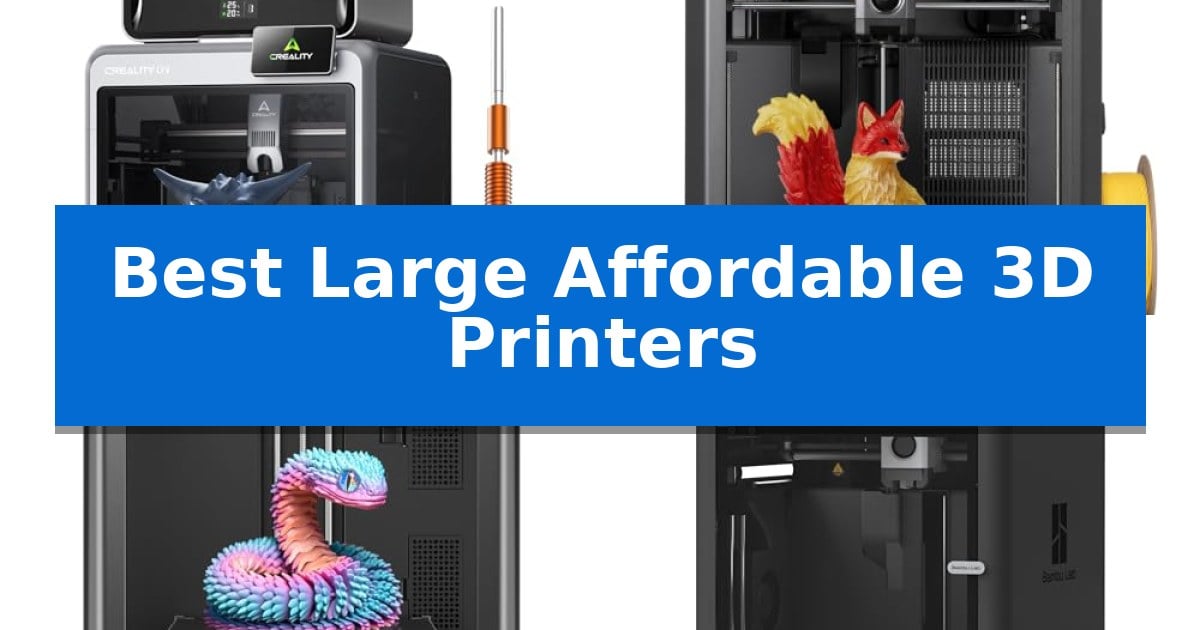
Finding the right machine that balances a generous build area with a reasonable price point is a common challenge for makers. Whether you are scaling up your rapid prototyping or tackling larger artistic models, the Best Large Affordable 3D Printers offer the necessary workspace without requiring an industrial-grade budget.
Selecting the ideal printer involves more than just checking the dimensions of the print bed. We have analyzed current market offerings to help you identify which features—such as multi-color capabilities, high-speed movement, or enclosed designs—best align with your specific printing goals and workspace constraints.
Best Large Affordable 3D Printers in 2026
Quick Comparison
| Product | Best For | Key Strength | Score |
|---|---|---|---|
| Creality K2 Combo 3D Printer | Best Overall | Multi-color printing support for up to 16 colors. | 4.9 |
| ELEGOO Centauri 2 3D Printer | High-Speed CoreXY Performance | High-speed CoreXY system capable of 500 mm/s printing. | 4.8 |
| FLASHFORGE Adventurer 5M 3D Printer | Rapid Prototyping Efficiency | 600mm/s high-speed printing capability for reduced production cycles. | 4.4 |
| Bambu Lab P1S Combo 3D Printer | Enclosed Design for Advanced Materials | High-speed CoreXY architecture supports rapid printing up to 500mm/s. | 4.4 |
| Bambu Lab A1 3D Printer | Quiet Operation for Home Studios | Full-Auto Calibration eliminates manual bed-leveling and Z-offset adjustments. | 4.8 |
How We Chose
- Build Volume: Evaluating the physical dimensions of the print area to ensure it accommodates larger, multi-part, or complex models.
- Print Speed and Efficiency: Assessing the acceleration and travel speed capabilities to determine how quickly projects can be completed.
- Ease of Calibration: Prioritizing machines with automated bed leveling and pre-print checks to minimize manual setup time.
- Material Versatility: Checking for features like high-temperature nozzles or enclosed designs that allow for a wider range of filament types.
- Smart Features: Considering the inclusion of AI cameras, remote monitoring, and user-friendly software ecosystems.
1 Creality K2 Combo 3D Printer — Large Build Volume for Complex Projects
The Creality K2 Combo 3D Printer streamlines complex fabrication by integrating a 4-spool CFS (Color Filament System), enabling multi-material and multi-color printing with up to 16 colors when four units are linked. This system significantly reduces the need for post-print painting, allowing for more intricate design outputs directly from the build plate.
Designed for efficiency, the unit features a generous 260 x 260 x 260 mm build volume and utilizes 3 step-servo motors on the extruder and X/Y axes. These motors dynamically adjust torque in under a millisecond, which supports high-speed operation at 600mm/s while maintaining extrusion consistency and print accuracy.
Usability is prioritized through a 95% pre-assembled design, facilitating a near plug-and-play experience immediately after unpacking. The printer includes a Smart AI Camera for real-time monitoring of potential failures like spaghetti errors, alongside an automated leveling system that probes only the specific area required for the current print job to save time.
The device operates with a focus on noise reduction, employing dynamically balanced fans and silent-mode motor control to keep operation levels comparable to typing on a laptop. It supports a diverse range of materials, including PLA, PETG, ABS, and carbon-fiber-reinforced filaments, providing versatility for various project requirements.
Best for: Creators and hobbyists who require a large, pre-assembled printer capable of automated multi-color material management.
Skip if: Users with limited workspace or those who do not require multi-color capabilities may find the footprint of the CFS-integrated system unnecessary.
PROS
- Multi-color printing support for up to 16 colors.
- High-speed printing capability up to 600mm/s.
- Smart AI monitoring for real-time print failure detection.
- Pre-assembled design for rapid setup.
CONS
- Large footprint due to the integrated CFS unit.
2 ELEGOO Centauri 2 3D Printer — High-Speed CoreXY Performance
Achieving high-speed production without sacrificing detail is the primary focus of the ELEGOO Centauri 2 3D Printer. This machine utilizes a rigid aluminum frame and a high-speed CoreXY system to reach print speeds of up to 500 mm/s with 20,000 mm/s² acceleration, significantly reducing wait times for complex prototypes and everyday projects.
The printer prioritizes a streamlined user experience through full automatic calibration and smart pre-print checks, which handle setup requirements before every job. Maintenance is simplified by design choices such as a magnetic printhead cover, a semi-automatic belt tensioner, and an integrated nozzle wiper, ensuring the hardware remains ready for consistent operation.
Precision is maintained through intelligent vibration compensation and refined extrusion control, which work to produce sharp edges and clean surfaces across the 256x256x256mm build volume. The inclusion of a 350°C high-temp nozzle expands material compatibility, allowing for a wider range of filament types beyond standard options.
Workflow integration is supported by the ELEGOO Matrix app for remote monitoring and the ElegooSlicer software for file preparation. Users can access a library of ready-to-print models via Nexprint, while the 5-inch touchscreen interface provides direct, intuitive control over printer settings and job management.
Best for: Makers who require high-speed printing performance and automated setup features in a mid-sized build volume.
Skip if: Users who need a significantly larger build volume than 256mm cubed or those who prefer manual calibration over automated systems.
PROS
- High-speed CoreXY system capable of 500 mm/s printing.
- Full automatic calibration and smart pre-print checks for simplified setup.
- 350°C high-temp nozzle for versatile material support.
- User-friendly maintenance features including a magnetic printhead cover and nozzle wiper.
CONS
- Fixed build volume of 256x256x256mm may limit larger-scale projects.
3 FLASHFORGE Adventurer 5M 3D Printer — Rapid Prototyping Efficiency
Achieving rapid production cycles requires hardware capable of high-speed movement without sacrificing structural integrity. The FLASHFORGE Adventurer 5M 3D Printer utilizes a robust CoreXY all-metal structure to support travel speeds up to 600mm/s and acceleration of 20000mm/s², positioning it as a high-efficiency tool for those prioritizing throughput.
This printer simplifies the setup process through one-click automatic bed leveling, which eliminates manual calibration and ensures consistent first-layer adhesion. The system is built for versatility, featuring a 280°C direct drive extruder that accommodates various nozzle sizes from 0.25mm to 0.8mm, allowing users to switch between fine detail and high-flow output depending on the project requirements.
Maintenance and workflow are streamlined by a 3-second detachable nozzle design and a rapid 35-second warm-up time to 200°C. The inclusion of a dual-sided PEI platform facilitates easy print removal, while the Flash Studio app provides remote monitoring and setting adjustments, offering a modern interface for managing long-duration print jobs from a mobile device.
While the machine is engineered for speed, the integration of dual-fan cooling and vibration compensation works to maintain print quality during high-velocity operations. It represents a balanced solution for users who need a reliable, automated platform that reduces the time between design and physical prototype.
Best for: Users who prioritize high-speed production and automated leveling for rapid prototyping workflows.
Skip if: Users who require a significantly larger build volume than the 220x220x220mm capacity provided by this unit.
PROS
- 600mm/s high-speed printing capability for reduced production cycles.
- One-click automatic bed leveling for consistent, hassle-free first layers.
- 3-second detachable nozzle system for quick maintenance and adaptability.
- Remote monitoring and control via the Flash Studio app.
CONS
- Fixed build volume of 220x220x220mm may limit larger-scale projects.
4 Bambu Lab P1S Combo 3D Printer — Enclosed Design for Advanced Materials
The Bambu Lab P1S Combo 3D Printer streamlines complex fabrication by integrating a high-speed CoreXY motion system with an automated multi-material delivery unit. This enclosed machine is engineered to maintain consistent thermal conditions, which is essential for printing with advanced filaments that require stable environments.
Performance is defined by its 500mm/s print speed and 20000 mm/s² acceleration, allowing for rapid iteration without sacrificing precision. The inclusion of the Bambu Lab AMS enables the use of up to 16 colors in a single print, provided the system is configured correctly for multi-material projects.
Usability is prioritized through a 15-minute setup process and automatic bed leveling, which removes the manual calibration steps often required in large-format printing. The enclosed design serves a dual purpose: it protects the print from external drafts and ensures compatibility with a wide range of materials including PLA, PETG, TPU, and ASA.
While the system is highly capable, it is important to note that it is not recommended for carbon or glass fiber reinforced polymers. Users should also ensure their workspace can accommodate the footprint of the combined printer and AMS unit, which weighs approximately 47.52 pounds.
Best for: Users seeking a high-speed, enclosed 3D printing system capable of automated multi-color and multi-material output.
Skip if: Users who primarily print with carbon or glass fiber reinforced polymers or those with limited workspace for a large, enclosed printer and AMS unit.
PROS
- High-speed CoreXY architecture supports rapid printing up to 500mm/s.
- Automated multi-color printing via the included AMS unit.
- Enclosed body design improves performance and material compatibility.
- Automatic bed leveling simplifies the calibration process.
CONS
- Not recommended for fiber-reinforced filaments.
- Large physical footprint requires significant desk space.
5 Bambu Lab A1 3D Printer — Quiet Operation for Home Studios
Achieving consistent print quality often requires tedious manual adjustments, but the Bambu Lab A1 3D Printer simplifies this process with Full-Auto Calibration. By automating Z-offset and bed-leveling, this machine removes the technical barriers typically associated with setting up a new print, allowing users to focus on their designs rather than hardware configuration.
Performance is defined by its high-speed precision, featuring an acceleration of 10,000 mm/s². This capability ensures that complex geometries are rendered with accuracy and detail. To maintain quality at these speeds, the printer utilizes Active Flow Rate Compensation, an algorithm that dynamically adjusts extrusion to prevent common print defects, resulting in smoother surface finishes.
Designed for home environments, the printer operates at ≤48 dB thanks to active motor noise canceling. This makes it a practical choice for shared spaces or studios where noise levels are a concern. Maintenance is equally streamlined through a 1-Clip quick swap nozzle system, which allows for rapid changes without the need for complex tools or lengthy downtime.
For those looking to expand their creative output, the system supports multi-color printing via the AMS lite accessory. This integration enables the use of multiple filaments in a single print, bringing vibrant detail to projects. The printer is part of a beginner-friendly ecosystem, providing access to the MakerWorld Model Library for immediate project inspiration.
Best for: Beginners and home users who prioritize quiet operation, automated setup, and the potential for multi-color printing.
Skip if: Users requiring a large-format build volume will find the standard A1 dimensions limiting for oversized projects.
PROS
- Full-Auto Calibration eliminates manual bed-leveling and Z-offset adjustments.
- Active motor noise canceling ensures quiet operation suitable for home studios.
- High-speed acceleration of 10,000 mm/s² maintains detail while reducing print times.
- 1-Clip quick swap nozzle simplifies maintenance and hardware versatility.
CONS
- AMS lite required for multi-color functionality, which must be purchased separately or as part of a combo.
- Fixed build volume may not accommodate large-scale industrial or hobbyist prints.
Best Large Affordable 3D Printers Buying Guide
Understanding Build Volume Requirements
The primary advantage of choosing a large-format printer is the ability to print larger objects in a single piece, reducing the need for assembly and post-processing. However, a larger bed often requires a larger physical footprint on your desk or workbench.
Consider the types of projects you intend to print most frequently. If you primarily print small functional parts, a massive build plate may be unnecessary and could lead to longer heating times for the bed. Always measure your available space before committing to a specific model.
The Role of Enclosed Designs
An enclosed printer is essential if you plan to work with advanced materials like ABS, ASA, or polycarbonate. These filaments are sensitive to temperature fluctuations and can warp if the ambient air cools them too quickly during the printing process.
Enclosures also provide a level of noise reduction and help contain particles, making them a better choice for home studios or shared workspaces. If you only plan to print with PLA or PETG, an open-frame design may be sufficient and easier to maintain.
Speed and Acceleration Trade-offs
Modern printers often advertise high speeds, but it is important to understand that speed can impact surface finish and structural integrity. High-speed printing requires a rigid frame and precise motion systems to prevent vibration artifacts on the model surface.
Look for printers that include vibration compensation algorithms. These features allow the machine to adjust its movement patterns to maintain high quality even when operating at higher speeds, ensuring that your rapid prototypes remain accurate.
Automation and Calibration
Automated bed leveling has become a standard expectation for modern 3D printers. This feature significantly reduces the frustration of manual tramming and ensures that the first layer adheres correctly, which is critical for the success of long, large-scale prints.
Beyond leveling, look for printers that offer automated flow rate compensation and pre-print checks. These tools help maintain consistency across different filament brands and types, saving you from failed prints caused by incorrect extrusion settings.
Software and Ecosystem Integration
The software experience is just as important as the hardware. A well-integrated slicer and remote monitoring app can streamline your workflow, allowing you to start, stop, and watch your prints from anywhere.
Consider whether the printer supports a library of pre-configured profiles for common filaments. This can save significant time during setup, especially for beginners who may not want to manually tune every parameter for different material types.
Frequently Asked Questions
What is the main benefit of an enclosed 3D printer?
An enclosed 3D printer maintains a stable internal temperature, which is crucial for preventing warping when printing with materials like ABS or ASA.
Do I need an AI camera for my 3D printer?
An AI camera is not strictly necessary, but it is highly beneficial for remote monitoring and detecting common issues like spaghetti failures or idling, allowing you to intervene before a print is ruined.
How much space do I need for a large-format printer?
You should account for the printer's dimensions plus additional clearance for the spool holder, filament path, and access to the build plate. Always check the specific dimensions provided by the manufacturer.
Can I print with multiple colors on these machines?
Some models, like those compatible with multi-material systems (AMS), support multi-color printing. Check the specific product features to see if it supports modular add-ons for color switching.
Is high-speed printing always better?
High-speed printing increases productivity, but it requires a rigid machine structure to maintain quality. If you prioritize surface finish over speed, you may choose to print at more conservative settings.
Conclusion: Our Top Pick
Selecting the right printer depends on your specific needs, whether you prioritize multi-color capabilities, high-speed output, or material compatibility. For those seeking a versatile and capable machine, the Creality K2 Combo 3D Printer stands out for its balance of a large build volume and advanced features like multi-color printing and AI monitoring.
While the Creality K2 Combo 3D Printer is our top recommendation for its comprehensive feature set, ensure your workspace can accommodate its size and that your projects will benefit from its specific capabilities. Always consider your long-term goals and the types of materials you intend to use most frequently.