
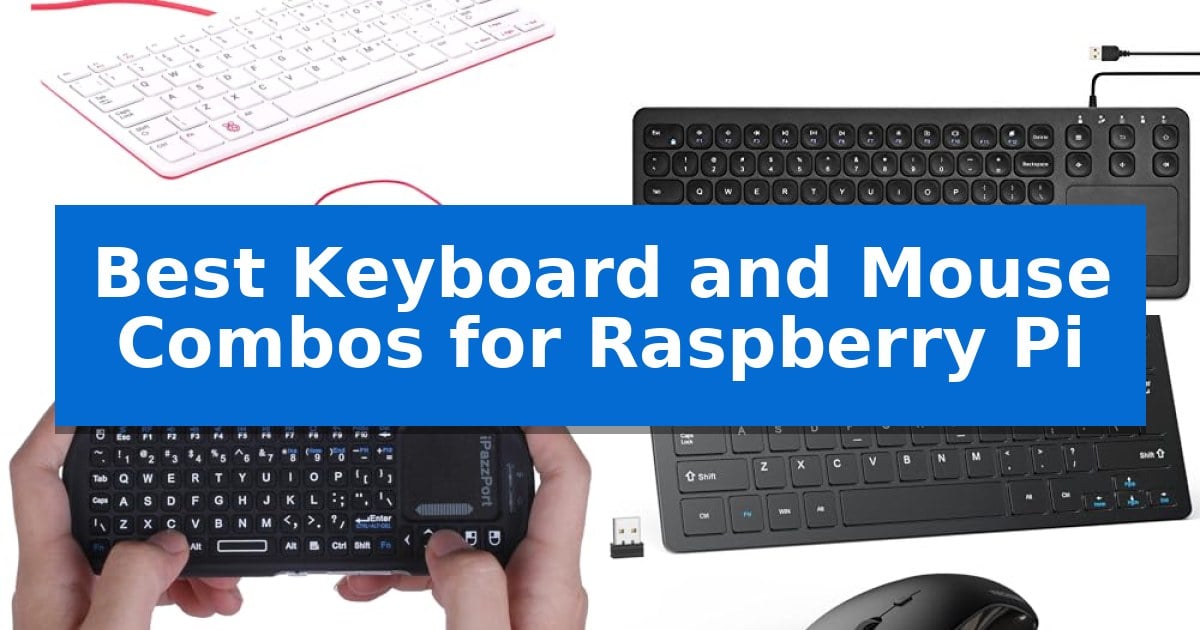
Finding the right input devices for your single-board computer can significantly impact your workflow, whether you are coding, managing server tasks, or setting up a media center. The Best Keyboard and Mouse Combos for Raspberry Pi must balance reliable connectivity with the specific power constraints and port limitations inherent to these compact systems.
Selecting an appropriate setup requires considering how your peripherals connect—whether via USB-A or wireless receivers—and ensuring they do not draw excessive power that could destabilize your board. We have evaluated various options to help you identify a reliable, compatible, and efficient solution for your specific project needs.
Best Keyboard and Mouse Combos for Raspberry Pi in 2026
Quick Comparison
| Product | Best For | Key Strength | Score |
|---|---|---|---|
| Vis Viva Raspberry Pi Keyboard and Mouse | Best Overall | Integrated USB hub with three ports for peripheral expansion. | 4.9 |
| Vilros USB Keyboard with Touchpad | All-in-One Integrated Control | Integrated trackpad saves desk space by replacing a separate mouse. | 4.8 |
| iPazzPort Mini Wireless Keyboard | Ultra-Portable Handheld Design | Unified design combining keyboard and touchpad in one handheld unit. | 4.5 |
| TECKNET Wireless Keyboard and Mouse | Silent Keys for Focused Work | Single nano USB receiver reduces desk clutter. | 4.8 |
| Perixx PERIDUO-212 Mini Keyboard and Mouse | Space-Saving Wired Setup | Compact footprint ideal for small workspaces. | 4.9 |
How We Chose
- Compatibility with Raspberry Pi USB interfaces and power requirements.
- Physical dimensions and portability for diverse workspace environments.
- Connectivity reliability, specifically regarding 2.4GHz wireless interference or wired stability.
- Ergonomic design and key responsiveness for extended coding or administrative sessions.
- Integration features such as integrated touchpads or dedicated multimedia hotkeys.
1 Vis Viva Raspberry Pi Keyboard and Mouse — Official Foundation Hardware
The Vis Viva Official Raspberry Pi Keyboard and Mouse Combo serves as a specialized input solution, integrating a 78-key US-style keyboard with a three-button optical mouse to provide a cohesive interface for the Raspberry Pi ecosystem. By utilizing a USB type-A to micro USB type-B cable, this hardware ensures reliable connectivity while maintaining compatibility across all Raspberry Pi models.
A primary advantage of this set is the integrated USB hub, which features three USB 2.0 type-A ports built directly into the keyboard chassis. This design allows users to connect additional peripherals, such as flash drives or external sensors, directly to the keyboard, effectively expanding the connectivity options of the main board while reducing cable clutter on the workspace.
The hardware is engineered for efficiency, featuring automatic keyboard language detection that simplifies the initial setup process. The physical footprint, measuring 13 inches by 8 inches, incorporates an ergonomic layout that balances a compact profile with the requirements of daily computing tasks, making it a practical choice for users with limited desk space.
While the combo offers a streamlined experience, the wired-only connectivity necessitates a direct physical link to the Raspberry Pi, which may limit placement flexibility compared to wireless alternatives. Additionally, the compact 78-key configuration omits a dedicated numeric keypad, a trade-off that prioritizes space-saving design over full-sized keyboard functionality.
Best for: Users seeking a compact, official-standard input solution that minimizes cable clutter on their Raspberry Pi setup.
Skip if: Users who require a wireless connection or a full-sized keyboard with a dedicated numeric keypad.
PROS
- Integrated USB hub with three ports for peripheral expansion.
- Official compatibility with all Raspberry Pi hardware.
- Automatic language detection for simplified setup.
- Compact ergonomic design suitable for limited desk space.
CONS
- Wired-only connectivity limits placement flexibility.
- Lacks a dedicated numeric keypad due to the compact 78-key layout.
2 Vilros USB Keyboard with Touchpad — All-in-One Integrated Control
Managing a Raspberry Pi setup often requires a compact interface that balances desk space with functionality. The Vilros 15 Inch USB Keyboard with Touchpad addresses this by integrating a full keyboard and a trackpad into a single, ultra slim design, effectively eliminating the need for a separate mouse. This all-in-one approach reduces cable clutter and simplifies the hardware footprint of a desktop environment, making it a practical choice for those with limited surface area.
Designed with a standard USB interface, this unit provides plug-and-play compatibility with the Raspberry Pi or any device featuring a USB input. The 15-inch form factor offers a familiar, full-sized layout while maintaining a low profile, which is particularly useful for minimalist computing stations. Because it connects via a wired USB cable, users benefit from a consistent, reliable connection without the need for batteries or wireless pairing procedures.
The inclusion of an integrated trackpad simplifies navigation, allowing users to control the cursor directly from the keyboard surface. This design choice is ideal for users who want to maintain a streamlined workspace without sacrificing the essential pointing capabilities required for desktop operating systems. While the Vilros 15 Inch USB Keyboard with Touchpad excels in space-saving, its wired nature means users must account for the reach of the 1.5-meter cable, which serves as a straightforward, reliable input solution for those prioritizing a clean, integrated desk setup over wireless mobility.
Best for: Users seeking a space-saving, all-in-one input solution for a Raspberry Pi or USB-enabled desktop.
Skip if: Users who require wireless connectivity or a mechanical switch feel for their typing tasks.
PROS
- Integrated trackpad saves desk space by replacing a separate mouse.
- Standard USB interface ensures broad compatibility with Raspberry Pi models.
- Ultra slim design maintains a low profile on any workspace.
CONS
- Wired connection limits placement flexibility compared to wireless alternatives.
3 iPazzPort Mini Wireless Keyboard — Ultra-Portable Handheld Design
Managing a Raspberry Pi setup often requires a compact interface that avoids the clutter of full-sized peripherals. The iPazzPort Mini Wireless Keyboard addresses this by integrating a QWERTY keyboard and a touchpad into a single handheld device, allowing users to navigate interfaces or input commands without needing a dedicated desk space.
This device utilizes advanced RF 2.4G wireless technology to maintain a connection with the included USB receiver, providing a reliable link up to 30 feet away. The inclusion of a dedicated return key, an extra left mouse key, and side scroll buttons enhances navigation efficiency, making it suitable for browsing or managing media on platforms like HTPC or Android TV boxes alongside the Raspberry Pi.
Designed for portability, the unit measures only 6.2 inches in length and 2.2 inches in height, fitting easily into a travel bag or a minimalist workspace. It operates on standard AAA batteries, which simplifies maintenance as it does not rely on internal charging cables. The upgraded touchpad is engineered for improved sensitivity, ensuring smooth cursor movement during operation.
While this combo offers significant space savings, it is strictly a 2.4G wireless device and does not support Bluetooth, meaning it must be used with the provided USB receiver. It is a practical solution for developers and hobbyists who prioritize a lightweight, unified control scheme for their compact computing projects.
Best for: Users needing a compact, all-in-one wireless input device for Raspberry Pi, HTPC, or media center projects where space is limited.
Skip if: Users who require a full-sized mechanical keyboard for heavy typing or those who specifically need Bluetooth connectivity for their devices.
PROS
- Unified design combining keyboard and touchpad in one handheld unit.
- Plug-and-play 2.4G wireless connectivity via USB receiver.
- Compact and lightweight form factor ideal for travel or small setups.
- Enhanced navigation features including side scroll keys and dedicated mouse buttons.
CONS
- No Bluetooth support, requiring a USB port for the receiver.
- Battery-powered operation requires external AAA batteries.
4 TECKNET Wireless Keyboard and Mouse — Silent Keys for Focused Work
The TECKNET Wireless Keyboard and Mouse provides a streamlined, ultra-slim solution for users needing a compact input setup for their Raspberry Pi projects. Designed for portability, this combo helps maintain a clean workspace by utilizing a single nano USB receiver to connect both devices, which is ideal for the limited port configurations often found on single-board computers.
Performance is centered on responsive scissor-switch keys that offer a quiet typing experience, making it suitable for shared environments or late-night coding sessions. The mouse features adjustable 1600 DPI sensitivity, allowing for precise cursor control. Both peripherals are engineered with silent clicks and key presses to minimize noise during operation.
For power management, the set includes an automatic sleep mode that activates during periods of inactivity to conserve the 4 AAA batteries required for operation. The inclusion of 12 multimedia hotkeys allows for quick access to volume and playback controls, though users should note that these specific shortcuts may have limited functionality depending on the operating system environment.
Compatibility is straightforward via the 2.4GHz wireless connection, which offers a range of up to 49 feet. As this device relies on a USB-A receiver, it is essential to ensure the Raspberry Pi or connected hub has an available port, as this model does not support Bluetooth connectivity.
Best for: Users seeking a compact, quiet, and clutter-free wireless input solution for Raspberry Pi setups with available USB-A ports.
Skip if: Users who prefer full-sized keyboards, require Bluetooth connectivity, or lack an available USB-A port on their device.
PROS
- Single nano USB receiver reduces desk clutter.
- Ultra-slim and lightweight design for easy transport.
- Silent keys and mouse clicks for quiet operation.
- 36-month warranty for long-term reliability.
CONS
- Compact size may not suit users who prefer full-sized layouts.
- No Bluetooth support requires a dedicated USB-A port.
- Batteries not included in the package.
5 Perixx PERIDUO-212 Mini Keyboard and Mouse — Space-Saving Wired Setup
Setting up a Raspberry Pi often requires a compact input solution that does not overwhelm a small workspace. The Perixx PERIDUO-212 Wired Mini Keyboard and Mouse Set addresses this by combining a space-saving keyboard with a dedicated optical mouse, providing a straightforward, plug-and-play interface for desktop environments.
The keyboard features a compact footprint measuring 11.46 x 5.43 x 0.77 inches, which is well-suited for users who need to maximize desk area. It utilizes membrane switches with a 3 mm key travel distance, aiming for a quiet and comfortable typing experience. To enhance utility, the board includes 12 multimedia function keys accessible via an Fn modifier, allowing for quick adjustments to media and internet tasks.
Included in the set is a 3-button optical mouse equipped with a 1000 DPI sensor. Both peripherals connect via USB, ensuring broad compatibility without the need for additional drivers or complex software installations. The design incorporates a 5.9 ft cable, offering enough length for flexible routing in various home or office setups.
Aesthetically, the kit features a black ABS construction with red injection-molded accents on the keyboard base and matching side details on the mouse. This coordinated look provides a modern visual touch while maintaining a functional, utilitarian design for daily computing tasks.
Best for: Users seeking a compact, wired input solution for Raspberry Pi or limited-space desktop workstations.
Skip if: Users who require a wireless connection or a full-sized keyboard layout for high-volume data entry.
PROS
- Compact footprint ideal for small workspaces.
- Plug-and-play USB connectivity requires no drivers.
- 12 multimedia function keys for efficient navigation.
- Long 5.9 ft cable allows for flexible desk placement.
CONS
- Wired-only connection limits mobility compared to wireless alternatives.
- Mini layout may feel cramped for users accustomed to full-sized keyboards.
Best Keyboard and Mouse Combos for Raspberry Pi Buying Guide
Connectivity and Power Management
The Raspberry Pi is sensitive to power draw, making the choice between wired and wireless peripherals critical. Wired USB devices are generally the most stable because they do not require extra batteries and avoid potential signal interference. However, they occupy your limited USB-A ports, which may require a powered USB hub if you have multiple peripherals.
Wireless 2.4GHz combos offer a cleaner desk setup but rely on a single USB receiver. Ensure your chosen wireless model uses a power-efficient design, as some high-drain devices can lead to voltage drops on the board. Always check if your specific Raspberry Pi model provides enough current to support your chosen input devices alongside other peripherals.
Layout and Form Factor
Raspberry Pi projects often take place in cramped spaces, such as behind a television or on a crowded workbench. A mini or compact keyboard is often preferred over a full-sized unit to save space. Look for layouts that include essential navigation keys, as some ultra-compact models sacrifice standard key placement, which can hinder rapid typing.
Consider the integrated touchpad if you are using your device as a media center or for light browsing. This eliminates the need for a separate mouse, reducing the total number of cables and USB ports required. If your work involves heavy coding, a separate mouse with a dedicated scroll wheel usually provides better precision than a trackpad.
Build Quality and Durability
Since these devices are often used in experimental or educational settings, build quality matters. ABS plastic construction is common and generally sufficient for light to moderate use. Look for models with membrane switches if you prefer a quieter typing experience, which is beneficial in shared spaces or quiet home offices.
Check for multimedia hotkeys if you plan to use your Pi for media playback. These keys allow you to control volume, playback, and browser navigation without needing to reach for a mouse, streamlining your interaction with the OS.
Wired vs. Wireless Trade-offs
Wired setups provide a plug-and-play experience without the need for batteries or pairing. They are ideal for permanent desktop setups where the keyboard and mouse remain in one place. The primary trade-off is the cable clutter and the limitation on how far you can sit from the screen.
Wireless options provide freedom of movement, allowing you to control your Pi from across the room. The trade-off is the ongoing maintenance of batteries and the potential for a lost USB receiver. Always ensure the receiver is stored securely when not in use to avoid losing connectivity.
Compatibility Considerations
Not all keyboards are created equal when it comes to OS compatibility. While most standard USB keyboards work out of the box with Raspberry Pi OS, some specialized gaming keyboards with complex software drivers may not function correctly without additional configuration.
Stick to standard HID (Human Interface Device) compliant hardware to ensure the widest compatibility. If you are using a non-standard layout or a keyboard with advanced macro features, verify that it does not require proprietary software that is only available for Windows or macOS.
Frequently Asked Questions
Do I need a powered USB hub for these keyboards?
Most standard keyboards and mice draw very little power and can be plugged directly into the Raspberry Pi. However, if you are using multiple high-power peripherals, a powered hub is recommended to prevent system instability.
Will a Bluetooth keyboard work with my Raspberry Pi?
Many Raspberry Pi models have built-in Bluetooth, but some wireless combos use a 2.4GHz RF receiver instead. Always check if your specific combo is Bluetooth or RF, as RF models require a USB port for the receiver.
Can I use a gaming keyboard with my Pi?
Yes, most gaming keyboards work as standard input devices. However, advanced features like RGB lighting control or programmable macros may not work unless the manufacturer provides Linux-compatible software.
What is the advantage of an integrated touchpad?
An integrated touchpad combines the mouse and keyboard into one device, saving a USB port and reducing the amount of hardware you need to manage in small spaces.
Are these keyboards compatible with all Raspberry Pi models?
Yes, as long as the keyboard uses a standard USB connection, it is compatible with all Raspberry Pi models that have a USB-A port.
Conclusion: Our Top Pick
For most users, the Vis Viva Raspberry Pi Keyboard and Mouse stands out as the most reliable choice due to its official foundation hardware status and integrated USB hub functionality. Its ability to power other peripherals directly through the keyboard makes it a highly practical solution for managing limited port availability on your board.
While other options like the iPazzPort or Vilros units offer excellent portability and space-saving designs, the Vis Viva combo provides the most consistent experience for general desktop tasks. If you prioritize a clean setup with minimal troubleshooting, this official hardware is the most dependable path for your Raspberry Pi project.