
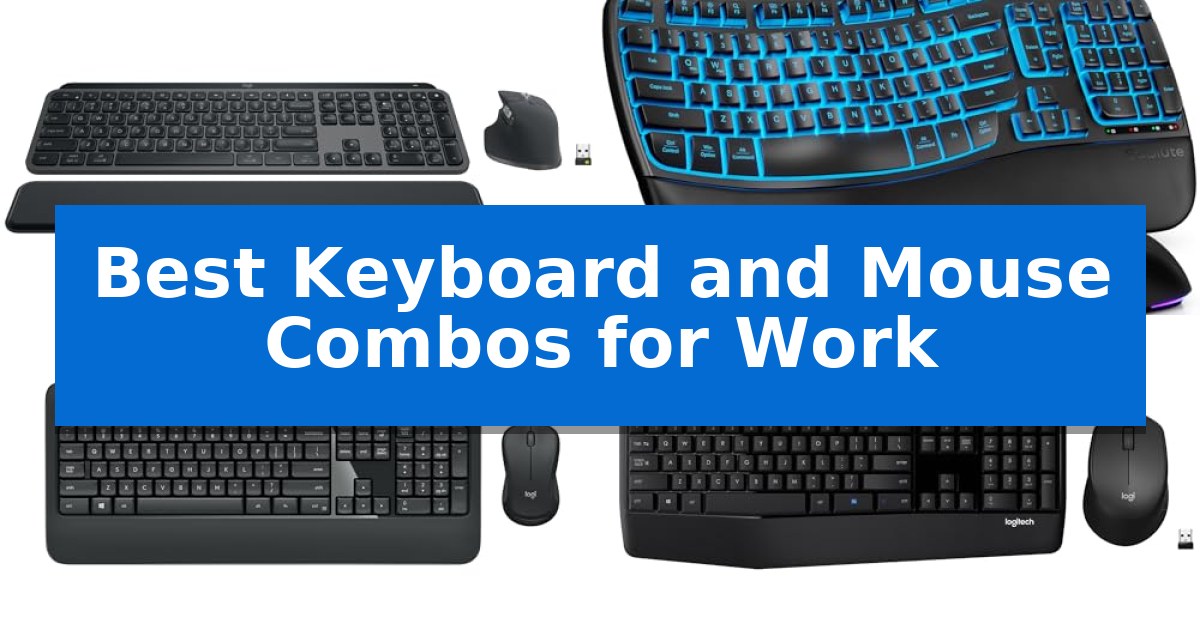
Finding the right tools for your desk is essential for maintaining focus and comfort during long hours of professional tasks. The Best Keyboard and Mouse Combos for Work provide a seamless, integrated experience that reduces cable clutter while ensuring your input devices are always ready when you are.
Whether you prioritize high-speed precision for creative projects or a quiet, tactile typing experience for office environments, selecting the right hardware can significantly impact your daily efficiency. We have analyzed various wireless sets to help you identify which features—from multi-device connectivity to ergonomic palm support—best align with your specific workflow requirements.
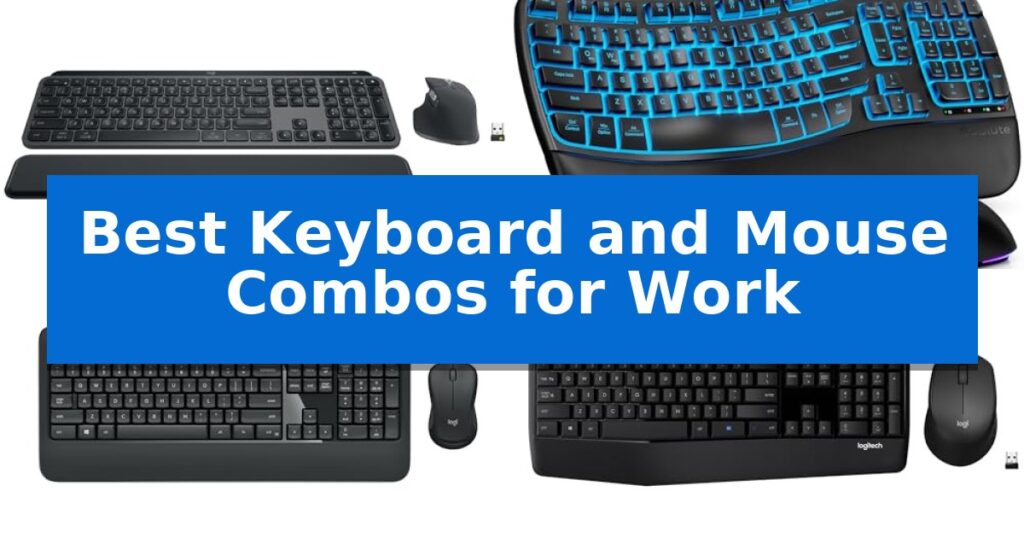
Best Keyboard and Mouse Combos for Work in 2026: Boost Productivity
Quick Comparison
| Product | Best For | Key Strength | Score |
|---|---|---|---|
| Logitech MX Keys S Combo | Best Overall | MagSpeed scroll wheel provides rapid and precise navigation. | 4.9 |
| SABLUTE Ergonomic Wireless Combo | Luxury Comfort with Long Battery | 4000mAh battery provides weeks of usage between charges. | 4.4 |
| Logitech MK540 Wireless Combo | Advanced Comfort for Daily Typing | Single USB-A Nano Receiver for a simplified, clutter-free workspace. | 4.4 |
| Logitech MK345 Wireless Combo | Reliable Design with Palm Rest | Extended battery life of up to 3 years for the keyboard and 18 months for the mouse. | 4.3 |
| Logitech MK270 Wireless Combo | Essential Value for Basic Work | Single USB-A Nano Receiver simplifies connectivity for both devices. | 4.9 |
How We Chose
- Connectivity reliability and range via Bluetooth or USB receivers.
- Ergonomic features including palm rests, key profiles, and mouse shape.
- Battery longevity and power management efficiency.
- Customization options for shortcuts and productivity-enhancing software.
- Compatibility with major operating systems like Windows, macOS, and ChromeOS.
1 Logitech MX Keys S Combo — Premium Performance for Power Users
Maintaining a high-performance workspace requires tools that minimize friction, and the Logitech MX Keys S Combo addresses this by pairing a specialized, low-profile keyboard with a high-precision mouse. The keyboard features a laptop-like profile with spherically-dished keys designed to match the shape of your fingertips, promoting a fluid and quiet typing experience that remains stable during extended sessions.
The included mouse is engineered for versatility, utilizing an 8K DPI sensor that maintains tracking accuracy on nearly any surface, including glass. Its MagSpeed scroll wheel allows for rapid navigation, capable of scrolling through 1,000 lines per second, which is particularly useful for managing long documents or complex spreadsheets.
Workflow efficiency is further enhanced through the Logi Options+ app, which enables the creation of Smart Actions. These shortcuts allow users to trigger multiple tasks with a single keystroke, automating repetitive processes. The system also supports multi-device connectivity, allowing users to pair and switch between up to three devices across Windows, macOS, or Linux via Bluetooth or the included Logi Bolt USB receiver.
Ergonomics and environmental considerations are integrated into the design, with the keyboard set at an optimum angle for wrist posture and the mouse sculpted for comfort. Both devices incorporate certified post-consumer recycled plastic, reflecting a focus on sustainable material choices without compromising the build quality required for daily professional use.
Best for: Professionals who require a high-precision, multi-device input solution for complex workflows and long-duration typing tasks.
Skip if: Users who prefer the tactile feedback and deep travel distance of mechanical switches will find the low-profile, laptop-style keys of this combo less satisfying.
PROS
- MagSpeed scroll wheel provides rapid and precise navigation.
- Smart Actions automation via Logi Options+ streamlines repetitive tasks.
- Multi-device connectivity supports up to three devices across different operating systems.
- 8K DPI sensor enables tracking on diverse surfaces including glass.
CONS
- Non-mechanical key switches may not suit users who prefer traditional mechanical typing feedback.
2 SABLUTE Ergonomic Wireless Combo — Luxury Comfort with Long Battery
Maintaining a comfortable workspace requires gear that balances long-term durability with ergonomic support. The SABLUTE Ergonomic Wireless Keyboard and Mouse Combo addresses this through a high-capacity 4000mAh battery designed to last weeks on a single charge, significantly reducing the frequency of downtime for recharging.
The keyboard features a distinct wave-key layout paired with an integrated faux lambskin leather palm rest. This combination is engineered to support natural wrist posture during extended typing sessions. With a rated 10 million keystroke durability, the hardware is built to withstand high-volume use, offering a robust alternative to standard office peripherals.
Productivity is further enhanced by the included RGB mouse, which provides three adjustable DPI levels (800/1200/1600) and six buttons for customized control. The system utilizes a single 2.4GHz USB receiver with dual USB-A and USB-C connectivity, ensuring broad compatibility across Windows, Mac, and Chrome OS devices without the need for multiple adapters.
For those who prioritize workspace aesthetics, the keyboard includes customizable backlighting with multiple color modes. The inclusion of 9 dedicated shortcut keys provides quick access to common functions, while the adjustable front and back stands allow users to fine-tune the typing angle to suit their specific desk setup.
Best for: Professionals seeking a long-lasting, ergonomic typing solution with extended battery life and multi-device compatibility.
Skip if: Users who require a mechanical switch feel or a compact, tenkeyless footprint will find this full-size membrane-style layout too large for their needs.
PROS
- 4000mAh battery provides weeks of usage between charges.
- Faux lambskin palm rest offers durable, sweat-proof comfort.
- 10 million keystroke durability for long-term reliability.
- Dual USB-A and USB-C receiver ensures wide system compatibility.
CONS
- Full-size dimensions may occupy significant desk space.
- Non-mechanical switches may not suit users preferring tactile mechanical feedback.
3 Logitech MK540 Wireless Combo — Advanced Comfort for Daily Typing
A clean, organized desk is the foundation of a productive workspace, and the Logitech MK540 Wireless Combo provides a streamlined solution by consolidating your input devices through a single, compact USB-A Nano Receiver. This setup eliminates the need for multiple ports, allowing you to maintain a tidy environment while ensuring a reliable wireless connection up to 33 feet away from your computer.
The full-size keyboard is engineered for comfort, featuring an integrated palm rest and adjustable tilt legs that help maintain a natural wrist position during long typing sessions. Designed with reduced noise in mind, the keys offer a quiet typing experience, making it a practical choice for shared office spaces. The layout includes dedicated hotkeys for quick access to media controls, a calculator, and battery status, which helps speed up routine administrative tasks.
Navigation is handled by a full-size, ambidextrous mouse equipped with soft rubber side grips for a secure, comfortable hold regardless of hand size. It utilizes enhanced tracking technology to provide precise cursor control across standard desk surfaces. The spill-resistant design of the keyboard adds an extra layer of durability, protecting against minor accidents that can occur in busy work environments.
Efficiency extends to the power management of the set, which is designed for long-term use with up to 36 months of battery life for the keyboard and 18 months for the mouse. The plug-and-play installation is straightforward, offering broad compatibility with Windows 7, 8, 10, 11, and Chrome OS, ensuring it integrates seamlessly into most professional setups without requiring complex software configuration.
Best for: Users who need a reliable, full-size wireless keyboard and mouse set that reduces desk clutter through a single, unified USB receiver.
Skip if: Users who require multi-device switching capabilities, Bluetooth connectivity for tablets, or advanced customization features found in premium models.
PROS
- Single USB-A Nano Receiver for a simplified, clutter-free workspace.
- Long-lasting battery life of up to 36 months for the keyboard.
- Spill-resistant design and quiet key switches for office use.
- Full-size layout with an integrated palm rest to support ergonomic comfort.
CONS
- No Bluetooth connectivity for pairing with mobile devices or tablets.
- Lacks multi-device switching to toggle between different computers.
4 Logitech MK345 Wireless Combo — Reliable Design with Palm Rest
The Logitech MK345 Wireless Combo provides a stable, full-size typing experience centered on an integrated palm rest designed to support your wrists during extended work sessions. This keyboard layout includes dedicated media keys, allowing for quick adjustments to volume or playback without navigating through software menus, which helps maintain focus during busy office hours.
Connectivity is managed through a single USB-A Nano Receiver utilizing 2.4 GHz wireless technology. This setup offers a reliable connection range of up to 10 meters, ensuring your workspace remains tidy by eliminating cable clutter. Because it is a plug-and-play system, the combo integrates seamlessly with Windows, macOS, and ChromeOS devices without requiring additional driver installations.
Efficiency extends to power management, as the keyboard is rated for up to 3 years of battery life, while the accompanying contoured right-handed mouse offers up to 18 months of battery life. The mouse is engineered for precision tracking and comfortable all-day navigation, making it a practical choice for standard productivity tasks.
Durability is a core component of this design, featuring a spill-resistant keyboard that protects internal components from minor accidents. This combination of long-lasting battery performance, ergonomic support, and robust construction makes it a dependable solution for home or office environments where consistent, reliable input is required.
Best for: Users seeking a reliable, long-battery-life, full-size keyboard and mouse solution for standard office productivity.
Skip if: Users who require a compact, tenkeyless design or those who prefer Bluetooth connectivity over a USB-A receiver.
PROS
- Extended battery life of up to 3 years for the keyboard and 18 months for the mouse.
- Integrated palm rest and contoured mouse shape for improved ergonomics.
- Spill-resistant keyboard design adds a layer of durability.
- Simple plug-and-play setup via a single USB-A Nano Receiver.
CONS
- USB-A receiver requires an available port and is not compatible with devices lacking legacy USB connectivity.
- Full-size footprint may be too large for users with limited desk space.
5 Logitech MK270 Wireless Combo — Essential Value for Basic Work
Maintaining a clutter-free workspace often begins with reducing cable dependency, and the Logitech MK270 Full Size Wireless Keyboard and Mouse Combo addresses this by utilizing a single USB-A Nano Receiver for both devices. This setup provides a reliable wireless connection up to 33 feet, allowing for a clean desk layout without the typical constraints of wired peripherals.
The keyboard is built with a standard full-size layout, including a dedicated number pad, full-size F-keys, and arrow keys to support standard office workflows. It features a spill-resistant design and adjustable tilt legs for ergonomic positioning. For added convenience, eight dedicated multimedia hotkeys provide instant access to volume, play/pause, and email functions.
Included in the bundle is a compact, ambidextrous mouse designed for comfortable use by both left- and right-handed individuals. The mouse is engineered for smooth cursor control across most surfaces. Both devices are designed for longevity, with the keyboard rated for 36 months of battery life and the mouse for 12 months, supported by individual on/off switches to conserve power.
Sustainability is integrated into the construction, as the plastic components utilize certified post-consumer recycled plastic—49% for the mouse and 54% for the keyboard. This combo offers a straightforward, plug-and-play solution for users seeking a durable and functional input system for daily office tasks.
Best for: Users seeking a reliable, spill-resistant, and long-battery-life wireless input solution for standard office productivity.
Skip if: Users who require advanced ergonomic features like scooped keys, integrated palm rests, or customizable software shortcuts found in higher-tier models like the MK540.
PROS
- Single USB-A Nano Receiver simplifies connectivity for both devices.
- Long battery life with 36 months for the keyboard and 12 months for the mouse.
- Spill-resistant design adds durability for busy work environments.
- Ambidextrous mouse ensures comfort for all users.
CONS
- Basic feature set lacks the advanced comfort and customization options of premium models.
- USB-A reliance may require adapters for modern laptops lacking legacy ports.
Best Keyboard and Mouse Combos for Work Buying Guide
Connectivity and Compatibility
Most modern office setups rely on wireless connectivity to maintain a clean workspace. When choosing a combo, verify whether it uses a dedicated USB receiver or Bluetooth Low Energy. A dedicated receiver often provides a more stable, plug-and-play connection, while Bluetooth allows for easier pairing with multiple devices like tablets and laptops.
Always check the operating system compatibility listed for your chosen model. While many keyboards are universal, some specialized software features for button mapping or shortcut customization may be restricted to Windows or macOS environments.
Ergonomics and Typing Comfort
The physical design of your keyboard and mouse is the most critical factor for long-term health. Look for features like integrated palm rests or adjustable tilt legs that help maintain a neutral wrist position. A wave-key layout or a spherically-dished key profile can also reduce finger fatigue by conforming to the natural shape of your hands.
For the mouse, consider the sculpted shape and size. An ambidextrous design is versatile for shared desks, but a right-handed contoured mouse often provides superior support for the thumb and palm during extended use.
Battery Life and Power Management
Professional tools should not require constant charging. Many high-end combos offer long-lasting battery life that can extend for months or even years on a single set of batteries. Look for models with on/off switches and intelligent auto-sleep modes to maximize power efficiency.
If you prefer rechargeable options, check the mAh capacity of the internal battery. Higher capacity batteries generally mean fewer interruptions, allowing you to focus on your work without worrying about your devices losing power mid-task.
Productivity Features and Customization
Modern keyboards often include dedicated media keys or programmable shortcuts that allow you to launch applications or control volume with a single press. Some advanced models support Smart Actions via companion apps, enabling you to automate repetitive tasks.
For the mouse, look for adjustable DPI (dots per inch) settings, which allow you to control cursor sensitivity. Higher DPI is beneficial for high-resolution monitors, while fast-scrolling wheels can significantly speed up navigation through long documents or spreadsheets.
Build Quality and Durability
A reliable work tool should withstand daily wear and tear. Features like a spill-resistant design provide peace of mind in busy office environments, while high-durability switches—often rated for millions of keystrokes—ensure the keyboard remains responsive over years of use.
Consider the materials used in construction. Many manufacturers now incorporate post-consumer recycled plastic, which offers a balance between environmental responsibility and the structural integrity required for a professional-grade peripheral.
Frequently Asked Questions
Can I use one USB receiver for both the keyboard and mouse?
Yes, most modern wireless combos are designed to pair both the keyboard and the mouse to a single USB receiver, which helps save valuable ports on your computer.
What is the benefit of a backlit keyboard for work?
Backlighting is particularly useful in dim lighting conditions or during late-night work sessions, as it improves key visibility and reduces eye strain.
Are these keyboards compatible with both Windows and Mac?
Most of these models are compatible with both operating systems, though some may require specific software or key-mapping adjustments to function optimally on macOS.
How do I know if a mouse is ergonomic?
An ergonomic mouse typically features a contoured shape that supports the natural arch of your hand and reduces tension in the wrist and forearm during extended use.
What does DPI mean for a work mouse?
DPI stands for dots per inch and measures cursor sensitivity. A higher DPI allows the cursor to move across the screen faster with less physical movement of the mouse, which is ideal for multi-monitor setups.
Conclusion: Our Top Pick
For professionals seeking the most versatile and high-performance setup, the Logitech MX Keys S Combo stands out as the premier choice. It combines a fluid, laptop-like typing experience with a highly precise mouse featuring MagSpeed scrolling and an 8K DPI sensor, making it ideal for demanding workflows.
While this combo offers advanced features like Smart Actions and multi-device connectivity, users should ensure their workspace can accommodate its full-size footprint. Its ability to track on almost any surface, including glass, provides unmatched flexibility for various office environments.