
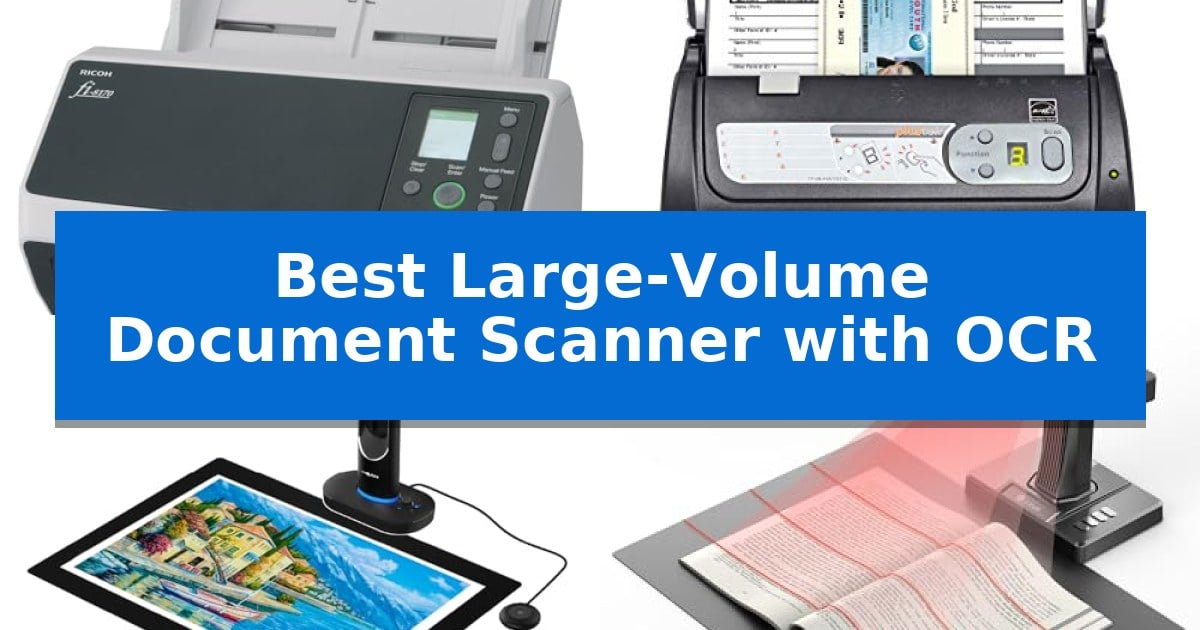
Managing stacks of paper records requires more than just a basic flatbed scanner. When your workflow demands the rapid conversion of hundreds of pages into searchable digital files, you need a device engineered for endurance and precision. The Best Large-Volume Document Scanner with OCR combines high-speed automatic document feeding with sophisticated software to ensure your archives are not just digitized, but fully indexed and searchable.
Selecting the right hardware depends on your specific volume requirements and the types of documents you handle daily. Whether you are processing standard business forms, thick identification cards, or fragile bound books, the right scanner eliminates manual bottlenecks. This guide examines the most reliable options available to help you choose a tool that balances throughput with document integrity.
Best Large-Volume Document Scanner with OCR in 2026
Quick Comparison
| Product | Best For | Key Strength | Score |
|---|---|---|---|
| Ricoh fi-8170 Document Scanner | Best Overall | High-speed duplex scanning at 70 pages per minute. | 4.9 |
| Plustek PS188 Document Scanner | Fast Batch Processing for Documents | Fast 30 ppm scan speed with a 50-sheet automatic document feeder. | 4.7 |
| VIISAN S48 Duo Book Scanner | Superior Large-Format Archival Scanning | Overhead design prevents damage to fragile bindings and oversized materials. | 4.5 |
| CZUR ET MAX Book Scanner | Advanced Curve-Flattening for Books | Patented curve-flattening technology eliminates the need to unbind books. | 4.4 |
| Canon imageFORMULA DR-C225 II Scanner | Space-Saving Design for Desks | Space-saving vertical design with top-feed and top-eject mechanism. | 4.7 |
How We Chose
- Throughput speed and automatic document feeder (ADF) capacity for batch processing.
- OCR accuracy and software integration for creating searchable, editable files.
- Versatility in handling diverse media, including thick cards, long documents, and bound materials.
- Image processing capabilities, such as curve-flattening and background cleaning, to ensure clarity.
- System compatibility and connectivity options for seamless integration into existing office networks.
1 Ricoh fi-8170 Document Scanner — Best for Heavy-Duty Office Workloads
High-volume document management requires hardware that balances throughput with precision, and the Ricoh fi-8170 Document Scanner is engineered to handle intensive office workloads. Capable of scanning up to 70 double-sided pages per minute, this unit is designed to keep pace with rapid digitization needs while maintaining consistent image fidelity.
The scanner features RICOH's Clear Image Capture technology, which utilizes a proprietary color-matching processor to ensure accurate digital representations of physical documents. Beyond standard paper, the device is built to process a diverse range of media, including lightweight carbonless copies, thick plastic cards, and even passports, providing versatility for varied administrative requirements.
Workflow integration is streamlined through the inclusion of PaperStream Capture and PaperStream ClickScan software. These tools provide TWAIN driver compatibility and one-touch scanning functionality, allowing users to send digitized files directly to email, print queues, or specific folders. The device supports connectivity via USB or Ethernet, facilitating integration into existing Enterprise Content Management (ECM) solutions.
Built for professional environments, the unit is compact with dimensions of 11.8 x 6.4 x 6.7 inches and weighs 8.8 pounds. It is backed by a 3-year Advance Exchange warranty, reflecting its intended use in high-frequency, professional office settings where reliability is a primary operational requirement.
Best for: Professional offices and high-volume environments requiring rapid, reliable digitization of diverse document types and integration with ECM systems.
Skip if: Users who only require occasional, low-volume scanning or those who lack the need for advanced TWAIN-compliant software and network-enabled professional workflows.
PROS
- High-speed duplex scanning at 70 pages per minute.
- Versatile media handling for thick cards, passports, and thin paper.
- Advanced image processing via proprietary color-matching technology.
- Network-enabled for seamless ECM integration.
CONS
- Professional-grade footprint may be larger than basic portable scanners.
- Requires specific software setup to fully utilize advanced indexing and OCR features.
2 Plustek PS188 Document Scanner — Fast Batch Processing for Documents
Managing high-volume document workflows requires hardware that balances speed with intelligent organization. The Plustek PS188 Document Scanner addresses this by integrating a 50-sheet automatic document feeder capable of processing 30 pages per minute, ensuring that large batches of paperwork are digitized efficiently.
Beyond raw speed, the device simplifies file management through its Barcode as file name feature, which automatically identifies barcode numbers to label files, reducing manual renaming tasks. For users requiring deep document accessibility, the Embedded File Search Engine enables full-text search capabilities, allowing specific documents to be located by keyword within a database.
Versatility is a core component of its design, supporting a wide range of paper sizes from standard cards to documents up to 200 inches long. The DocAction II software provides further control, allowing users to configure up to 255 customizable scan profiles. These profiles store specific settings like resolution, format, and destination folder, which can be activated with a single touch to streamline repetitive tasks.
With its compact footprint measuring 11 by 5 by 6 inches, the scanner fits into professional environments where desk space is at a premium. The color duplex scanning capability ensures both sides of a document are captured in one pass, optimizing time for high-volume digitization projects.
Best for: Professional environments requiring high-speed batch scanning and automated file naming for large document volumes.
Skip if: Users who require wireless connectivity or mobile-first scanning solutions, as this model relies on a wired connection.
PROS
- Fast 30 ppm scan speed with a 50-sheet automatic document feeder.
- Barcode recognition for automated file naming.
- Full-text search engine for improved document accessibility.
- 255 customizable scan profiles via DocAction II software.
CONS
- Wired-only connectivity limits placement flexibility.
- No integrated wireless or cloud-direct scanning features.
3 VIISAN S48 Duo Book Scanner — Superior Large-Format Archival Scanning
Preserving fragile, bound materials requires a delicate touch, and the VIISAN S48 Duo Overhead Book Scanner addresses this by utilizing an overhead design that captures documents up to A2 size without the need for flattening or physical contact with the binding. This approach eliminates the risk of damage often associated with traditional flatbed scanners, making it a specialized tool for archival work, libraries, and educational institutions.
Equipped with dual 48MP cameras, the device captures high-resolution imagery at up to 600 DPI, ensuring fine lines and text remain sharp. The integration of built-in AI further enhances efficiency by automatically flattening curved pages, removing finger marks, and correcting edge distortion in real time, which significantly reduces the time spent on post-scan image editing.
Beyond simple image capture, the scanner includes OCR and Text-to-Speech capabilities, allowing users to convert physical pages into searchable digital files or audio-ready content. This functionality supports accessibility and improves document management for digital archives and visually assisted workflows.
For those in distance education or collaborative environments, the VIISAN S48 Duo Book Scanner doubles as a UVC camera. This allows it to function as a live-sharing device for platforms like Zoom or Teams, providing a versatile solution that transitions seamlessly from high-volume archival scanning to professional presentation and teaching tasks.
Best for: Archivists, librarians, and educators requiring high-resolution, non-destructive scanning of large-format books and bound documents.
Skip if: Users who primarily scan loose, standard-sized documents and prefer the speed of an automatic document feeder (ADF) over overhead scanning.
PROS
- Overhead design prevents damage to fragile bindings and oversized materials.
- Dual 48MP sensors provide high-resolution output up to 600 DPI.
- AI-powered image processing automatically flattens pages and removes distortions.
- Versatile UVC camera functionality supports live sharing for presentations and education.
CONS
- Manual page turning is required for every scan, which is slower than ADF-equipped scanners for loose documents.
4 CZUR ET MAX Book Scanner — Advanced Curve-Flattening for Books
Digitizing large volumes of bound materials requires a specialized approach to avoid the labor-intensive process of unbinding pages. The CZUR ET MAX Book Scanner addresses this challenge with its patented curve-flattening technology, which automatically corrects page distortion to produce clean, flat digital files from bound books.
Equipped with a 38MP CMOS sensor and a resolution of 7168 × 5376, this scanner captures high-detail images at 410 DPI. Its design supports a maximum scanning area of A3 size (16.5'' × 11.7''), making it suitable for oversized documents, blueprints, or large-format books. The system is engineered for efficiency, capable of scanning a page in approximately 1.5 seconds.
The device integrates powerful OCR functionality that supports over 180 languages, converting images into editable formats like Word, Excel, and searchable PDFs. For professional presentations or live demonstrations, the built-in HDMI port allows for direct projection to external displays, providing real-time visual output.
Compatibility is broad, supporting Windows, macOS, and Linux (Ubuntu 20.04 to 24.04) environments. While highly effective for books and flat documents, the manufacturer notes that the scanner is not recommended for glossy or highly reflective materials, which may interfere with the optical capture process.
Best for: Best for high-efficiency, non-destructive digitization of bound books and large-format documents up to A3 size.
Skip if: Skip if you primarily need to scan glossy or highly reflective materials, as the optical system is not optimized for these surfaces.
PROS
- Patented curve-flattening technology eliminates the need to unbind books.
- High-resolution 38MP sensor ensures detailed image capture at 410 DPI.
- Fast 1.5-second scan speed supports high-volume project workflows.
- HDMI output enables convenient real-time projection for demonstrations.
CONS
- Not suitable for glossy or highly reflective materials due to sensor limitations.
- OCR language support limitations for specific languages like Thai, Hebrew, and Arabic.
5 Canon imageFORMULA DR-C225 II Scanner — Space-Saving Design for Desks
Managing high volumes of paperwork requires a device that balances throughput with a footprint suitable for a busy workspace. The Canon imageFORMULA DR-C225 II Office Document Scanner addresses this by utilizing a unique vertical, top-feed, and top-eject design, which significantly reduces the desk space required for operation compared to traditional flatbed or horizontal-feed scanners.
This scanner is built for efficiency, capable of processing both sides of a document simultaneously in color at speeds up to 25 pages-per-minute. With a 30-sheet automatic document feeder, it handles a wide variety of media, including thick or thin paper, business cards, and embossed plastic cards, making it a versatile tool for digitizing diverse office files into searchable PDFs or direct cloud storage locations like Dropbox and SharePoint.
Usability is enhanced through one-touch operation and bundled software that assists in organizing, editing, and collaborating on digital documents. The inclusion of a TWAIN driver ensures broad compatibility with both Windows and Mac environments, while the built-in cable management system maintains a tidy setup.
For long-term reliability, the unit is backed by a three-year limited warranty with US-based technical support, providing coverage for the hardware investment. While its vertical orientation is a space-saving asset, users should ensure they have sufficient vertical clearance on their desks to accommodate the top-loading feed mechanism.
Best for: Small to medium-sized offices or home workspaces that need to digitize high volumes of mixed-media documents while maintaining a minimal desk footprint.
Skip if: Users who require high-speed flatbed scanning for fragile or bound materials that cannot be fed through an automatic document feeder.
PROS
- Space-saving vertical design with top-feed and top-eject mechanism.
- Fast duplex scanning at up to 25 pages-per-minute.
- Broad media handling for receipts, photos, and embossed cards.
- Three-year limited warranty with US-based technical support.
CONS
- Vertical clearance required for the top-loading feed system.
- 30-sheet feeder capacity may require frequent reloading for very large batches.
Best Large-Volume Document Scanner with OCR Buying Guide
Understanding Scanning Capacity
The primary differentiator for high-volume scanners is the Automatic Document Feeder (ADF) capacity and the rated daily duty cycle. If your office processes hundreds of pages daily, look for a model that minimizes the need for constant reloading. A larger ADF allows you to set a stack of documents and walk away, significantly improving your overall productivity.
Consider the scanning speed, typically measured in pages per minute (ppm). For duplex scanning, ensure the device supports simultaneous two-sided capture to effectively double your throughput compared to single-sided models.
OCR and Software Integration
Optical Character Recognition (OCR) is essential for turning static images into searchable text. The quality of the OCR software determines how easily you can find specific documents later. Look for scanners that include robust software suites capable of indexing files by content or barcode.
Compatibility with your existing Enterprise Content Management (ECM) systems is equally important. Ensure the scanner supports standard drivers like TWAIN, which allows it to communicate reliably with a wide range of document management applications.
Media Versatility
Not all documents are standard letter-sized paper. If your workflow involves receipts, business cards, or long-form contracts, verify the scanner's ability to handle varied paper weights and sizes. Some models are specifically designed to process thick plastic ID cards or exceptionally long documents without jamming.
For those archiving historical records or bound materials, an overhead scanner design is often superior to a sheet-fed model. These units allow you to digitize books without removing the binding, preserving the integrity of the original item.
Image Enhancement Technology
High-volume scanning often involves imperfect source material. Features like curve-flattening are vital for book scanners, as they digitally correct the distortion caused by the spine of a book. This ensures that the resulting text is flat and readable.
Advanced image processing—such as automatic background cleaning, edge detection, and color-matching—reduces the need for manual post-scan editing. These automated features save significant time when preparing large batches for long-term storage.
Connectivity and Workflow
Modern office environments benefit from network-enabled scanning, which allows multiple users to send documents directly to shared folders, email, or cloud storage. This eliminates the need to tether the scanner to a single workstation.
Look for one-touch operation profiles. Being able to assign specific settings—such as resolution, file format, and destination—to a single button simplifies complex tasks, ensuring consistency across different users and document types.
Frequently Asked Questions
What is the difference between a sheet-fed and an overhead scanner?
A sheet-fed scanner pulls individual pages through a mechanism, making it ideal for high-speed batch processing of loose documents. An overhead scanner captures images from above, which is necessary for bound books or fragile items that cannot be fed through a traditional mechanism.
Does OCR software require a subscription?
Many professional document scanners include proprietary OCR software bundled with the device. While some advanced cloud-based features may require subscriptions, the core functionality for creating searchable PDFs is typically included in the initial purchase.
Can these scanners handle double-sided documents automatically?
Yes, most high-volume scanners feature duplex scanning, which captures both sides of a page in a single pass, significantly increasing efficiency for double-sided records.
How do I ensure my scanned files are searchable?
Searchability is achieved through OCR (Optical Character Recognition). When selecting a scanner, ensure the included software supports OCR to convert images into text-based formats like searchable PDFs or Word documents.
Are these scanners compatible with Mac and Windows?
Most professional scanners support both Windows and macOS. However, always check the specific model's technical specifications to ensure it includes drivers or software compatible with your operating system version.
Conclusion: Our Top Pick
For organizations requiring a balance of high-speed performance and reliable document handling, the Ricoh fi-8170 Document Scanner stands out as the most capable solution. Its ability to process 70 pages per minute while handling diverse media types makes it an excellent choice for heavy-duty office environments.
While other models in this list offer specialized features like overhead book scanning or compact footprints, the Ricoh provides the most robust foundation for general high-volume digitization. Its integration with standard ECM solutions and included PaperStream software ensures that your transition to a digital workflow is both efficient and scalable.