
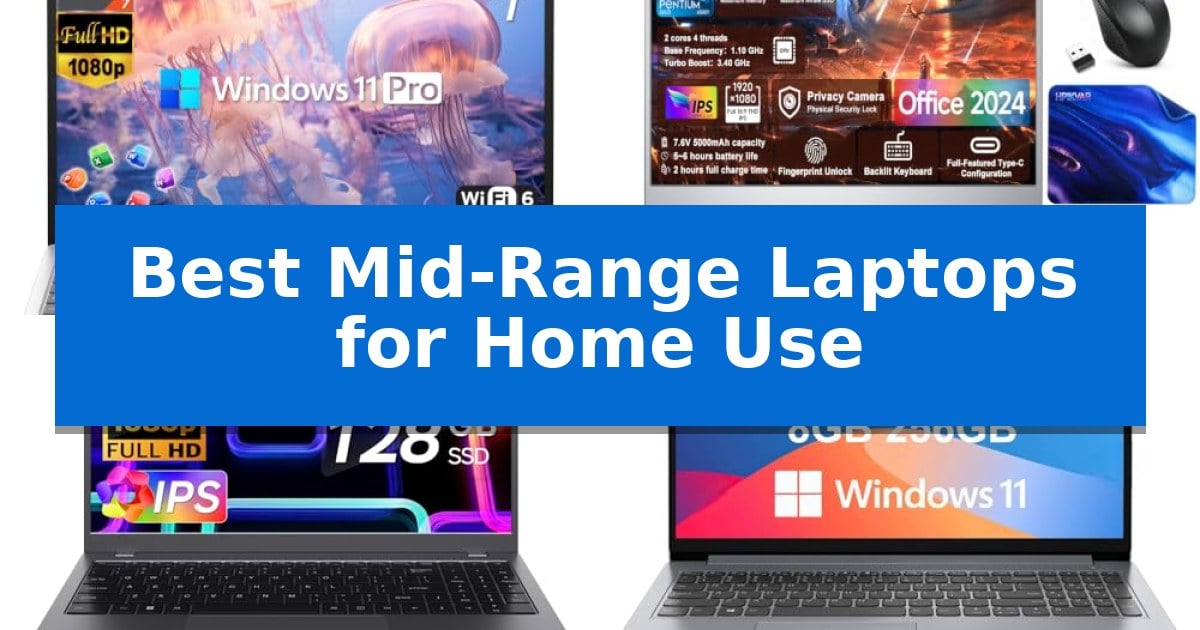
Finding the right computer for your household requires balancing raw performance with long-term reliability. Whether you are managing a small business, supporting student coursework, or simply streaming media, the Best Mid-Range Laptops for Home Use must provide enough headroom to handle modern applications without unnecessary complexity.
Our selection focuses on machines that offer a practical mix of memory, storage, and display clarity. By evaluating these devices against common home-office demands, we help you identify which hardware configuration best aligns with your daily workflow and budget constraints.
You may also want to compare Best Mid-Range Laptops for Gaming, Best Mid-Range Laptops, and Best Mid-Range Laptop for Work.
Best Mid-Range Laptops for Home Use
Quick Comparison
| Product | Best For | Key Strength | Score |
|---|---|---|---|
| HP Pavilion 15 Laptop | Best Overall | 32GB DDR4 RAM for smooth multitasking across heavy applications. | 4.9 |
| HPIKVAR 15.6 Inch Laptop | Includes Productivity Software Suite | Physical privacy shutter for enhanced webcam security. | 4.3 |
| TRHRO 15.6 Inch Laptop | Fast Multitasking with 12GB RAM | 12GB RAM for improved multitasking performance. | 4.9 |
| Lenovo IdeaPad 1 Laptop | Reliable Daily Computing | Lightweight and portable design suitable for home and school use. | 4.7 |
| MELIUNA 15.6 Inch Laptop | Flexible 180-Degree Hinge | 180-degree lay-flat hinge for flexible viewing angles. | 4.3 |
How We Chose
- Processor efficiency for smooth daily multitasking.
- Display resolution and panel technology for comfortable viewing.
- Memory and storage capacity to support modern software requirements.
- Connectivity options including port variety and wireless standards.
- Physical design features like privacy shutters and ergonomic hinges.
1 HP Pavilion 15 Laptop — High-Capacity Storage for Media
Managing a home office or student workload requires hardware that balances multitasking efficiency with reliable storage. The HP Pavilion 15 Laptop addresses this by pairing an 8-Core AMD Ryzen 7 5825U Processor with 32GB of DDR4 RAM, ensuring that demanding applications and numerous browser tabs remain responsive during daily operation.
Visual clarity is provided by a 15.6-inch Full HD IPS display featuring AMD FreeSync Technology, which helps maintain fluid visuals for media consumption or professional presentations. The inclusion of a privacy camera and Windows 11 Pro provides a foundation for secure data management and focused productivity in various home and business environments.
To support a versatile workspace, the package includes a 6-in-1 USB-C hub that expands connectivity options with 4K HDMI, USB 3.0, and integrated card readers. The storage configuration is equally robust, combining a 512GB PCIe NVMe SSD for primary system tasks with an additional 500GB external drive to accommodate large files and media libraries.
This laptop is designed for users who need a comprehensive, ready-to-use solution. By bundling essential peripherals like a wireless mouse and mouse pad, it simplifies the setup process for those transitioning into a new home office or academic role.
Best for: Home users and students who require high-capacity storage and significant multitasking memory for productivity and business tasks.
Skip if: Users who prioritize extreme portability or a lightweight form factor may find the 3.52-pound chassis and 15.6-inch footprint less ideal for frequent travel.
PROS
- 32GB DDR4 RAM for smooth multitasking across heavy applications.
- Dual-storage solution featuring a 512GB SSD and a 500GB external drive.
- 8-Core AMD Ryzen 7 processor for efficient performance.
- 6-in-1 USB-C hub included for expanded peripheral connectivity.
CONS
- 15.6-inch form factor may be bulky for users seeking ultra-portable devices.
- DDR4 memory is standard rather than the faster DDR5 found in some newer architectures.
2 HPIKVAR 15.6 Inch Laptop — Includes Productivity Software Suite
The HPIKVAR 15.6 Inch Laptop integrates a physical privacy shutter on its webcam, providing a tactile security feature for users who prioritize privacy during video calls. This device is built around an Intel Pentium Gold 6500Y processor, which utilizes a 7W TDP to balance power efficiency with the computational demands of daily office tasks and student projects.
Designed for portability, the chassis measures just 12 millimeters at its thinnest point and weighs approximately 1.4 kilograms. The 15.6-inch Full HD IPS display features a narrow-bezel design and an anti-glare coating, intended to reduce reflections and eye strain during extended periods of use. For connectivity, the laptop includes a full-featured Type-C port, two USB 3.0 ports, one USB 2.0 port, and a full-size HDMI output.
The system comes pre-installed with Office 2024, allowing for immediate productivity upon activation. It is equipped with 16GB of DDR3 memory and a 256GB M.2 solid-state drive to support multitasking. Security and convenience features include a fingerprint unlock sensor and a backlit keyboard, while the included wireless mouse and mouse pad provide immediate peripheral support.
Wireless performance is managed via dual-band Wi-Fi 5G/2.4G and Bluetooth 5.0. The internal 7.7V 5800mAh battery is rated for up to 5 hours of continuous operation and supports Type-C fast charging. The manufacturer provides a 1-year warranty and a 90-day free return policy to support the hardware.
Best for: Students and professionals seeking a lightweight, pre-configured laptop for basic office productivity and remote communication.
Skip if: Users requiring high-performance processing for intensive tasks like video editing, 3D rendering, or modern gaming.
PROS
- Physical privacy shutter for enhanced webcam security.
- Pre-installed Office 2024 software suite included.
- Slim and lightweight design at 1.4kg for portability.
- Fingerprint unlocking and backlit keyboard for convenience.
CONS
- Limited battery life of up to 5 hours.
- DDR3 memory standard may be slower than current DDR4/DDR5 alternatives.
3 TRHRO 15.6 Inch Laptop — Fast Multitasking with 12GB RAM
The TRHRO 15.6 Inch Laptop distinguishes itself with a generous 12GB of high-speed RAM, providing a notable capacity advantage for users who frequently juggle multiple browser tabs, document editing, and streaming simultaneously. This configuration aims to offer a smoother experience compared to standard entry-level models limited to 8GB, making it a practical candidate for those seeking the Best Mid-Range Laptops for Home Use.
At the heart of this machine lies a Pentium Gold 6500Y processor paired with a 128GB SSD, which facilitates quick boot-up times and responsive daily operation. The visual experience is supported by a 15.6-inch Full HD (1920×1080) IPS display, featuring an anti-glare coating designed to minimize eye strain during extended sessions of schoolwork or media consumption.
Designed with a focus on utility, the chassis includes a full-size keyboard with an integrated numeric keypad, a feature that simplifies data entry and spreadsheet management. Portability remains a priority, as the device maintains a lightweight 3.5 lb profile and a slim 0.8-inch thickness, allowing it to transition easily from a home desk to a bag for travel or commuting.
Connectivity is a strong point for this model, offering a versatile array of ports including USB 3.2, USB 2.0, and a full-function USB-C port, alongside HDMI and a TF card slot. This selection allows users to connect external monitors, storage drives, and peripherals directly without the need for additional adapters. For added privacy, a physical camera privacy slider is integrated into the bezel, providing a simple manual control for video calls.
Best for: Students and home users who need a reliable, portable machine for multitasking, document creation, and media streaming.
Skip if: Users who require high-performance computing for intensive tasks like video editing, 3D rendering, or modern gaming.
PROS
- 12GB RAM for improved multitasking performance.
- Full-function USB-C and multiple USB ports for flexible peripheral connectivity.
- Full-size keyboard with a dedicated numeric keypad.
- Physical camera privacy slider for enhanced security.
CONS
- 128GB SSD capacity may require external storage for large media libraries.
- Pentium Gold processor is optimized for everyday tasks rather than heavy workloads.
4 Lenovo IdeaPad 1 Laptop — Reliable Daily Computing
The Lenovo IdeaPad 1 Laptop is an entry-level device engineered for users who require a dedicated machine for light productivity, school education, and media consumption. Featuring a 15.6-inch anti-glare display and a lightweight chassis, it is built to handle everyday multitasking tasks such as online meetings and video streaming.
Under the hood, the system is powered by an AMD Athlon Silver 3050U processor with a base clock speed of 2.3GHz, capable of boosting up to 3.2GHz. It includes 8GB of DDR4 memory and a 256GB storage configuration, split between 128GB eMMC and a 128GB PCIe NVMe M.2 SSD. This combination is intended to provide a responsive experience for standard office applications and web-based workflows.
Connectivity is facilitated through a variety of ports, including USB-A 3.2 Gen 1, USB-C 3.2 Gen 1 for data transfer, and an HDMI 1.4b port that supports external monitor resolutions up to 4K at 30Hz. Wireless communication is handled by an Intel Wi-Fi 6 AX201 module, ensuring compatibility with modern network standards. The device comes pre-loaded with Windows 11 Home in S Mode, which focuses on a streamlined, secure environment.
Designed for portability and ease of use, the laptop weighs 3.52 pounds and measures 0.7 inches in height. It includes a front-facing webcam for video calls and a built-in card reader for file management. Users have the flexibility to switch out of S Mode to access a broader range of software, though they should verify compatibility requirements before installation.
Best for: Students and home office users who need a lightweight, reliable laptop for web browsing, video conferencing, and basic document editing.
Skip if: Users requiring high-performance computing for video editing, 3D rendering, or intensive gaming, as the dual-core processor and integrated graphics are optimized for light workloads only.
PROS
- Lightweight and portable design suitable for home and school use.
- Includes Wi-Fi 6 connectivity for stable wireless performance.
- Versatile port selection including USB-C and HDMI for external displays.
CONS
- Entry-level processor limits the device to light multitasking.
- Windows 11 in S Mode restricts software installation until switched.
5 MELIUNA 15.6 Inch Laptop — Flexible 180-Degree Hinge
The MELIUNA 15.6 Inch Laptop offers a practical solution for home computing by incorporating a 180-degree lay-flat hinge, which allows the screen to sit flush against a surface for easy collaborative viewing or presentations. This design choice makes it a versatile tool for shared workspaces or family environments where screen visibility from multiple angles is frequently required.
Under the hood, the device is powered by a Celeron J4105 processor and includes 12GB of DDR4 memory, providing a foundation for standard multitasking and daily productivity tasks. It comes equipped with a 256GB M.2 SSD for storage, which can be expanded up to 2TB, alongside a TF card slot supporting up to 1TB of additional space, ensuring the system can grow alongside your digital library.
The visual experience is driven by a 15.6-inch FHD IPS display with a 1920×1080 resolution, featuring narrow bezels to maximize the active viewing area. For connectivity, the laptop acts as a central hub with USB 3.2, Type-C, and Mini HDMI ports, complemented by 5G WiFi and Bluetooth 4.2 for stable wireless integration with home peripherals and networks.
Designed for sustained use, the laptop features a 7000mAh battery intended to support extended sessions without needing constant access to a power outlet. It arrives pre-installed with Windows 11 and includes an Office 365 subscription, positioning it as a ready-to-use option for students or home office users who need immediate access to essential productivity software.
Best for: Students and home office users who require a versatile, expandable laptop with a lay-flat display for collaborative tasks.
Skip if: Users who require high-performance processing for intensive gaming, video editing, or professional-grade creative software.
PROS
- 180-degree lay-flat hinge for flexible viewing angles.
- Expandable storage options up to 2TB via SSD and 1TB via TF card.
- 12GB DDR4 RAM provides a solid baseline for multitasking.
- Includes Office 365 subscription for immediate productivity.
CONS
- Celeron J4105 processor is limited to basic computing tasks.
- Bluetooth 4.2 is an older standard compared to current connectivity options.
Best Mid-Range Laptops for Home Use Buying Guide
Understanding Processor Requirements
The processor acts as the brain of your laptop, determining how quickly you can switch between browser tabs, documents, and media applications. For home use, look for multi-core processors that offer a balance between power and energy efficiency.
Higher core counts generally allow for better multitasking, while base clock speeds influence how fast individual programs launch. Ensure the processor meets the minimum requirements for your most frequently used software.
Memory and Storage Considerations
Memory, or RAM, is critical for keeping multiple applications open simultaneously. In 2026, 8GB is considered the baseline for light tasks, while 12GB or 16GB provides a much smoother experience for more demanding workloads.
Storage speed is equally important. Solid-state drives (SSDs) are essential for fast boot times and quick file access. Consider whether you need high-capacity internal storage or if you can supplement a smaller drive with external solutions.
Display Quality and Eye Comfort
Since you will likely spend hours looking at your screen, prioritize Full HD (1920×1080) resolution for crisp text and images. IPS panels are preferred for their wide viewing angles and color consistency.
Anti-glare coatings are a significant benefit for home offices with overhead lighting or windows. These coatings help reduce eye strain during extended sessions by minimizing distracting reflections.
Connectivity and Peripheral Support
A versatile laptop should have enough ports to connect your essential peripherals without needing a constant stream of adapters. Look for a mix of USB-A for legacy devices and USB-C for modern accessories and fast data transfer.
HDMI ports are vital if you plan to connect your laptop to an external monitor or television. Additionally, check for reliable Wi-Fi standards to ensure stable internet connectivity for video calls and streaming.
Privacy and Physical Design
Physical privacy shutters for webcams provide peace of mind for home users who value security. These simple mechanical switches ensure your camera is only active when you intend it to be.
Consider the build quality and hinge design as well. Features like 180-degree hinges can be useful for sharing content during meetings or collaborative study sessions, while a lightweight chassis improves portability around the house.
Frequently Asked Questions
How much RAM do I really need for home use?
For basic web browsing and document editing, 8GB is sufficient. However, if you frequently keep many tabs open or use productivity software, 12GB or 16GB will provide a much more responsive experience.
Is an SSD necessary for a home laptop?
Yes, an SSD is essential. It significantly reduces the time it takes to start your computer and open applications compared to older mechanical hard drives.
Why is an IPS display better than other types?
IPS (In-Plane Switching) displays offer superior color accuracy and wider viewing angles, meaning the screen looks consistent even if you are not sitting perfectly centered in front of it.
Can I upgrade the storage on these laptops?
Many mid-range laptops allow for some level of storage expansion, but it depends on the specific model. Always check the manufacturer's documentation regarding internal drive slots or support for external storage.
What is the benefit of a privacy shutter?
A privacy shutter is a physical cover that slides over the webcam lens. It provides a reliable, hardware-based way to ensure your privacy when the camera is not in use.
Conclusion: Our Top Pick
Selecting the right laptop depends on your specific balance of multitasking needs and storage requirements. After reviewing the current market, the HP Pavilion 15 Laptop stands out for its robust combination of high-capacity storage and powerful processing, making it a versatile choice for diverse home tasks.
While other models offer specific advantages like increased RAM or unique hinge designs, the overall configuration of this HP model provides the most comprehensive foundation for both professional and personal use in 2026.