
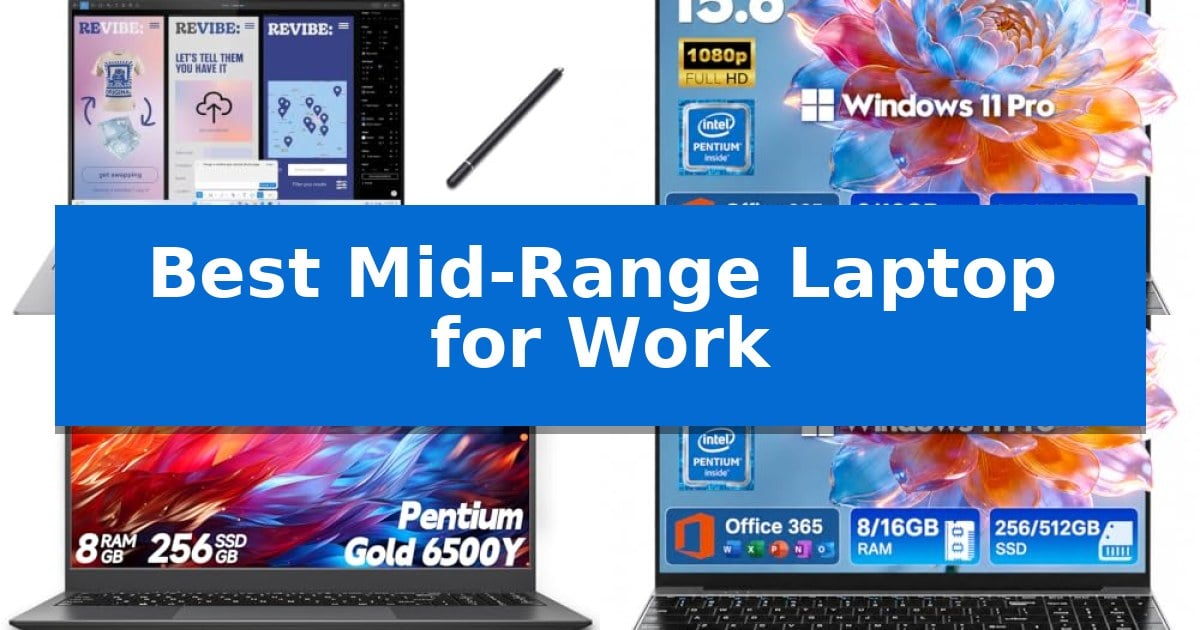
Selecting the Best Mid-Range Laptop for Work requires balancing raw processing power with the portability needed for a modern professional lifestyle. Whether you are managing complex spreadsheets, attending back-to-back virtual meetings, or drafting documents on the go, your device must be a reliable partner that handles daily tasks without hesitation.
Our guide focuses on identifying machines that offer the best return on investment by prioritizing essential features like responsive processors, high-resolution displays, and versatile connectivity. By evaluating these key components, we help you cut through the marketing noise to find a laptop that truly supports your specific workflow.
You may also want to compare Best Mid-Range Laptop for Everyday Use, Best Mid-Range Laptop for College Students, and Best Mid-Range Laptop.
Best Mid-Range Laptop for Work
Quick Comparison
| Product | Best For | Key Strength | Score |
|---|---|---|---|
| Lenovo Yoga 7i 2-in-1 Laptop | Best Overall | Versatile 2-in-1 design with included magnetic stylus. | 4.9 |
| NIAKUN 15.6-inch Windows 11 Laptop | Balanced Performance for Daily Tasks | Ready-to-use with Windows 11 Pro and Office 365 pre-installed. | 4.5 |
| BLUEING 15.6-inch Windows 11 Laptop | Efficient Multitasking for Office Work | Expandable storage and memory options allow for significant system upgrades. | 4.5 |
| NIAKUN 15.6-inch Portable Laptop | Reliable Mobility for Students | Pre-installed software including Windows 11 Pro and Office 365. | 4.3 |
| Exilapsire 16-inch Windows 11 Laptop | Spacious Display for Productivity | Large 16-inch Full HD IPS display with anti-glare coating. | 4.4 |
How We Chose
- Processor efficiency and multitasking capability for office applications.
- Display resolution, brightness, and color accuracy for extended work sessions.
- Portability factors including weight, thickness, and overall build quality.
- Connectivity options such as USB-C, HDMI, and wireless standards.
- Battery capacity and power management for mobile usage.
1 Lenovo Yoga 7i 2-in-1 Laptop — Premium Versatility for Professionals
The Lenovo Yoga 7i 2-in-1 Laptop distinguishes itself through a versatile design that includes a capacitive stylus pen with a magnetic cap, allowing for immediate creative input without the need for Bluetooth pairing or charging. This 16-inch device is built for professionals who require a flexible form factor that transitions seamlessly between traditional laptop tasks and tablet-style interaction.
At the heart of this machine is the Intel Core Ultra 7 256V processor, a member of the Lunar Lake family. This SoC integrates 4 Skymont E-cores and 4 Lion Cove P-cores, supported by the Intel Arc 140V iGPU and 16GB of on-package LPDDR5x-8533 RAM. The inclusion of a 47 TOPS neural engine and support for PCIe 5 SSDs ensures that the system is equipped for modern productivity workflows and data-intensive applications.
The visual experience is driven by a 16-inch WUXGA touchscreen display that offers 300 nits of peak brightness and Dolby Vision for color accuracy. To support extended work sessions, the panel incorporates TUV Low Blue Light technology, which aims to reduce eye strain. The chassis is impressively thin at 0.62 inches, maintaining a professional aesthetic while housing the necessary hardware for daily operations.
Connectivity and utility are prioritized through the inclusion of Thunderbolt 4 ports and a backlit keyboard for low-light environments. The bundle includes a lightweight aluminum alloy stylus, which attaches magnetically to the device, ensuring it remains accessible. With Windows 11 Home pre-installed, this laptop provides a ready-to-use solution for users seeking a balance of performance and mobile flexibility.
Best for: Professionals and creators who need a versatile 2-in-1 device for productivity, note-taking, and media consumption.
Skip if: Users who require dedicated high-end discrete graphics for intensive 3D rendering or heavy gaming will find the integrated Arc 140V graphics limiting.
PROS
- Versatile 2-in-1 design with included magnetic stylus.
- Efficient Intel Core Ultra 7 256V processor with integrated neural engine.
- Sharp WUXGA touchscreen with Dolby Vision and eye-care technology.
- Modern connectivity including Thunderbolt 4 and PCIe 5 support.
CONS
- Integrated graphics may not satisfy users with advanced 3D or gaming requirements.
- The 16-inch form factor and 4.22-pound weight may be less portable than smaller ultrabooks.
2 NIAKUN 15.6-inch Windows 11 Laptop — Balanced Performance for Daily Tasks
The NIAKUN 15.6-inch Windows 11 Laptop simplifies mobile productivity by arriving with Windows 11 Pro and Office 365 pre-installed, allowing for immediate use without additional software configuration. This device is built for professionals and students who require a reliable, ready-to-go machine for daily office tasks and academic assignments.
Designed for versatility in collaborative environments, the laptop features a 180° hinge that allows the screen to lay completely flat, facilitating easy content sharing during meetings. The chassis houses a 15.6-inch 1920×1080 IPS display, which provides wide viewing angles for streaming or document review, while the integrated webcam and microphone setup supports clear communication for remote calls.
Portability is a primary focus, with the unit weighing just 3.53 lbs and measuring 0.8 inches thin. Despite its compact profile, it includes essential connectivity options such as two USB 3.0 ports, a Mini HDMI output, and a Micro TF card slot for expandable storage. The internal 5000mAh battery is rated for up to 6 hours of mixed use, providing sufficient power for typical business trips or back-to-back classes.
Performance is driven by an Intel Pentium processor paired with 16GB of RAM and a 512GB SSD, ensuring smooth multitasking for standard office applications and web browsing. The inclusion of a full-size keyboard within a sturdy chassis offers a comfortable typing experience for extended work sessions, backed by a 2-year warranty and 24/7 online support for long-term peace of mind.
Best for: Students and professionals who need a pre-configured, portable laptop for standard office tasks and collaborative work.
Skip if: Users who require high-performance hardware for intensive video editing, 3D rendering, or gaming will find the Intel Pentium processor insufficient.
PROS
- Ready-to-use with Windows 11 Pro and Office 365 pre-installed.
- 180° hinge design enables easy screen sharing in group settings.
- Portable dimensions at 3.53 lbs and 0.8 inches thin.
- Comprehensive support including a 2-year warranty and 24/7 assistance.
CONS
- Limited battery life of up to 6 hours may require frequent recharging during long workdays.
- Processor performance is optimized for basic tasks rather than demanding professional software.
3 BLUEING 15.6-inch Windows 11 Laptop — Efficient Multitasking for Office Work
The BLUEING 15.6-inch Windows 11 Laptop provides a functional foundation for daily office tasks, centered around a Pentium Gold 6500Y processor capable of reaching 3.4 GHz. This configuration is designed to handle lightweight applications and standard business workflows, supported by 8GB of RAM that can be expanded up to 32GB to accommodate more demanding multitasking requirements.
Visual clarity is managed by a 15.6-inch FHD IPS display, which features a 1920 x 1080 resolution and 100% sRGB color gamut coverage. The design prioritizes a high screen-to-body ratio of 93%, intended to maximize workspace for document editing and media consumption. The chassis includes a full-size ergonomic keyboard and a spacious touchpad, aiming to improve comfort during extended typing sessions.
Connectivity is a primary focus for this model, featuring a versatile array of ports including a full-function USB-C jack, two USB 3.2 ports, a USB 2.0 port, and an HDMI output. For wireless needs, the device supports 2.4G+5G WiFi and Bluetooth 5. Storage flexibility is provided by a 256GB M.2 2280 SATA PCIE 3.0 SSD, which is upgradeable to a 4TB NVMe drive, alongside a TF card slot for additional capacity up to 512GB.
This laptop is a practical choice for students and professionals seeking a Best Mid-Range Laptop for Work that balances essential performance with upgrade potential. While it is built for standard business use, the ability to scale RAM and storage allows the system to adapt as your professional needs evolve.
Best for: Students and professionals requiring a portable, upgradeable laptop for standard office applications and daily business tasks.
Skip if: Users who require high-performance hardware for intensive video editing, 3D rendering, or modern gaming will find the processor limitations restrictive.
PROS
- Expandable storage and memory options allow for significant system upgrades.
- Full-function USB-C and multiple USB 3.2 ports provide extensive peripheral compatibility.
- 100% sRGB color gamut on the FHD IPS display ensures accurate visual reproduction.
- Dual-band WiFi and Bluetooth 5 support reliable wireless connectivity.
CONS
- Pentium Gold processor is optimized for lightweight tasks rather than high-demand computing.
- Base storage of 256GB may require immediate expansion for users with large file libraries.
4 NIAKUN 15.6-inch Portable Laptop — Reliable Mobility for Students
The NIAKUN 15.6-inch Portable Laptop is designed for users who prioritize mobility and out-of-the-box productivity, featuring a 180-degree hinge that allows the screen to lay flat for collaborative work or presentations. This device arrives pre-loaded with Windows 11 Pro and Office 365, enabling immediate use for business or academic tasks without the need for initial software configuration.
Equipped with an Intel Pentium processor, 8GB of RAM, and a 256GB SSD, this laptop provides the necessary hardware for efficient multitasking, quick boot-ups, and handling everyday office applications. The 15.6-inch 1920×1080 IPS display offers wide viewing angles, which is beneficial for streaming and document review in various environments.
Portability is a primary focus of the design, with the chassis measuring 0.8 inches thin and weighing approximately 3.53 lbs. This form factor is intended to fit easily into standard bags, making it a practical choice for students or professionals who commute frequently. The integrated 5000mAh battery is rated for up to 6 hours of mixed use, supporting daily mobility requirements.
Connectivity options include 2x USB 3.0 ports, a Mini HDMI output, a headphone/mic jack, and a Micro TF card slot, allowing for the connection of external peripherals and expandable storage. The inclusion of a full-size keyboard and an integrated webcam with a microphone further supports its utility for remote meetings and extended typing sessions.
Best for: Students and professionals needing a lightweight, pre-configured Windows 11 Pro laptop for daily office tasks and academic work.
Skip if: Users requiring high-performance computing for video editing, 3D rendering, or heavy gaming will find the Intel Pentium processor and integrated graphics insufficient.
PROS
- Pre-installed software including Windows 11 Pro and Office 365.
- 180-degree hinge design for flexible viewing and content sharing.
- Lightweight and thin profile for enhanced portability.
- Expandable storage via the integrated Micro TF card slot.
CONS
- Limited battery life of up to 6 hours may require frequent charging during long work days.
- Intel Pentium processor is optimized for basic multitasking rather than demanding professional workloads.
5 Exilapsire 16-inch Windows 11 Laptop — Spacious Display for Productivity
The Exilapsire 16-inch Windows 11 Laptop offers a substantial 16-inch Full HD IPS display, providing a wide workspace that is particularly useful for document editing and multitasking. This device is designed for users who prioritize screen real estate for productivity tasks without needing a specialized workstation.
Under the hood, the laptop is powered by an AMD A9-9400 processor with a base frequency reaching 3.2GHz. It comes pre-installed with Windows 11 and includes 8GB of RAM paired with a 256GB SSD, ensuring that everyday applications and web browsing remain responsive. The internal cooling system is integrated to maintain stable operation during standard office workflows.
Connectivity is a highlight for this model, featuring dual-band Wi-Fi 5, Bluetooth 5.0, and a versatile array of ports including two USB 3.0 slots, a Type-C port, and an HDMI output. The inclusion of a 9000mAh battery supports extended use, while the overall design remains portable at just 3 pounds, making it a practical choice for students or professionals on the move.
The display benefits from an anti-glare coating and eye-friendly protection, which helps reduce strain during long hours of work. With its 16:9 widescreen format, it provides a balanced view for both spreadsheets and multimedia consumption, fitting well into a home or business office environment.
Best for: Students and professionals who require a large, clear display for document-heavy productivity tasks and general office work.
Skip if: Users who need high-performance hardware for video editing, 3D rendering, or intensive gaming, as the AMD A9 processor is optimized for basic productivity.
PROS
- Large 16-inch Full HD IPS display with anti-glare coating.
- Comprehensive connectivity including USB Type-C and HDMI.
- Portable design weighing only 3 pounds.
- 9000mAh battery for extended usage periods.
CONS
- Limited storage capacity at 256GB SSD.
- Entry-level processor not suitable for resource-intensive professional software.
Best Mid-Range Laptop for Work Buying Guide
Processor and Performance
The central processing unit is the heart of your workspace, determining how quickly you can switch between applications. For a mid-range laptop, look for processors that balance power consumption with speed, ensuring that tasks like web browsing and document editing remain fluid.
Consider the number of cores and the base clock speed when reviewing technical data. A higher core count generally allows for better multitasking, while a higher clock speed helps with individual application responsiveness.
Display Quality and Eye Comfort
Since you will likely spend hours staring at your screen, the display quality is non-negotiable. Look for Full HD (1920 x 1080) or WUXGA (1920 x 1200) resolutions, which provide enough workspace to view multiple windows side-by-side without excessive scrolling.
Features like anti-glare coatings and low blue light technology are significant benefits for reducing eye strain during long shifts. If you work in bright environments, prioritize screens with higher nit ratings for better visibility.
Portability and Build
A work laptop should be easy to transport between your home, office, and client sites. The weight and thickness of the chassis are primary factors; a device under 4 pounds is generally considered highly portable for daily commuting.
Check for sturdy chassis construction that can withstand the rigors of travel. While lighter materials often improve portability, ensure the build does not sacrifice the structural integrity needed to protect internal components.
Connectivity and Expansion
Modern workflows often require connecting to external monitors, projectors, or peripherals. Ensure your chosen laptop has a sufficient selection of USB 3.0 or 3.2 ports, a Type-C port, and an HDMI output for seamless presentations.
Wireless connectivity is equally vital. Look for support for the latest Wi-Fi and Bluetooth standards to ensure stable connections for video conferencing and peripheral pairing.
Storage and Memory
Memory, or RAM, dictates how many programs you can run simultaneously. For most office work, 8GB is a functional baseline, but 16GB is recommended for smoother performance with many browser tabs open.
For storage, an SSD (Solid State Drive) is essential for fast boot times and quick file access. Ensure the capacity is sufficient for your local files, or verify if the laptop supports expandable storage options like TF cards.
Frequently Asked Questions
How much RAM do I need for office work?
For basic office tasks like word processing and email, 8GB is sufficient. However, if you frequently multitask with many browser tabs or data-heavy applications, 16GB is the preferred choice for a smoother experience.
Is a 15.6-inch screen better than a 16-inch screen?
The difference is minimal, but a 16-inch screen often provides a slightly taller aspect ratio, which can be beneficial for viewing more lines of text in documents or spreadsheets.
What is the benefit of a 2-in-1 laptop for work?
A 2-in-1 laptop offers flexibility by allowing you to use the device as a traditional laptop or in a tablet-like mode, which is useful for presentations, note-taking with a stylus, or media consumption.
Should I prioritize processor speed or battery life?
This depends on your work environment. If you are always near a power outlet, processor speed is more important. If you travel frequently, look for a balance where the processor is efficient enough to provide at least 6 hours of battery life.
Are mid-range laptops upgradeable?
It varies by model. Some laptops allow for SSD or RAM upgrades, while others have components soldered to the motherboard. Always check the specific product details for upgradeability before purchasing.
Conclusion: Our Top Pick
Selecting the right tool for your professional needs is essential for maintaining productivity. Based on our analysis of current options, the Lenovo Yoga 7i 2-in-1 Laptop stands out as the most versatile choice for professionals. It combines a high-performance Intel Core Ultra 7 processor with a sharp 16-inch touchscreen, offering a balance of power and flexibility that is hard to beat in the mid-range category.
While other models offer specific benefits like extreme portability or budget-friendly pricing, the Lenovo Yoga 7i 2-in-1 Laptop provides the most comprehensive feature set for a wide range of office tasks. Its inclusion of a stylus and a high-quality display makes it a reliable, long-term investment for those who value both performance and adaptability.