
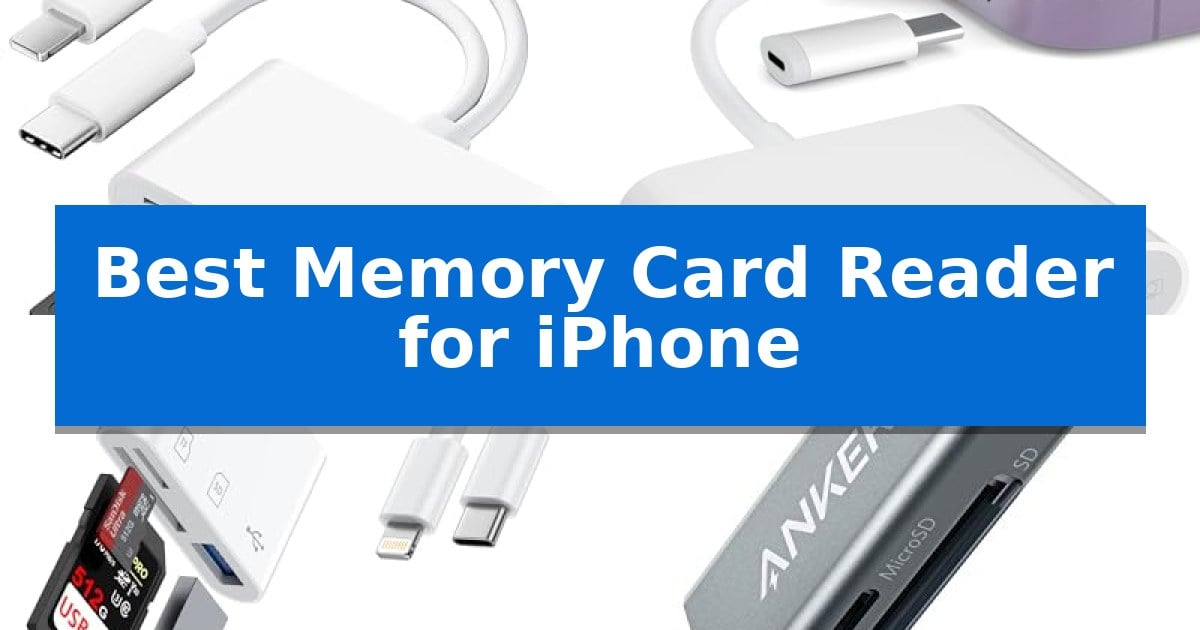
Managing photos and videos between your camera and mobile device shouldn't be a technical hurdle. Finding the Best Memory Card Reader for iPhone is essential for photographers and content creators who need to move high-resolution files quickly without relying on cloud services or complex software.
Whether you are using a legacy device with a Lightning port or the latest iPhone with USB-C, selecting the right adapter ensures your workflow remains efficient. This guide evaluates the most reliable options to help you choose a device that matches your specific connectivity needs and storage requirements.
You may also want to compare Best Memory Card Reader for iPad, Best Memory Card for Weddings, and Best Memory Card for Wedding Photography.
Best Memory Card Reader for iPhone
Quick Comparison
| Product | Best For | Key Strength | Score |
|---|---|---|---|
| SUNTRSI SD Card Reader | Best Overall | Dual connector design supports both Lightning and USB-C devices. | 4.9 |
| SZHAIYIJIN SD Card Reader | Versatile Cross-Platform Data Transfer | Dual connector design supports both USB-C and Lightning devices. | 4.9 |
| Haoano SD Card Reader | Fast Transfers for Large Files | Dual-connector design with both USB-C and Lightning ports for broad device compatibility. | 4.5 |
| Anker USB-C SD Card Reader | Ultra-Compact Portable Design | Dual slots for both standard SD and microSD cards. | 4.4 |
| Acer SD Card Reader | High-Speed 5Gbps Performance | Dual-header design provides native compatibility with both USB-C and USB-A ports. | 4.3 |
How We Chose
- Connector versatility, specifically the inclusion of both Lightning and USB-C interfaces.
- Plug-and-play functionality that eliminates the need for third-party applications.
- Data transfer speeds and support for common file formats like RAW and JPEG.
- Physical durability and portability for on-the-go use.
- Compatibility with various memory card standards including SD and microSD.
1 SUNTRSI SD Card Reader — Dual Lightning and USB-C Compatibility
Transferring media from a camera to a mobile device requires a reliable bridge, and the SUNTRSI SD Card Reader simplifies this process by offering both Lightning and USB-C connectivity in a single, portable unit. This dual-connector design ensures compatibility across a wide range of devices, from older iPhones to the latest USB-C enabled models, as well as iPads and Mac computers.
The device features a 2 in 1 double card slot that accommodates both SD and micro SD memory cards, supporting capacities up to 2TB. It is designed for plug and play operation, meaning you can bypass the need for a computer or additional software installations. Once connected, the reader typically requires a short five-second initialization period before it is ready to transfer files.
With high speed data transmission capabilities reaching 20MB/S to 30MB/S, this adapter allows for the quick movement of photos and videos. It supports standard file formats, including JPEG and RAW for images, as well as H.264 and MPEG 4 for video content, making it a practical tool for managing media captured on trail cameras or digital cameras directly on your phone or tablet.
The compact, lightweight design makes it a convenient accessory for travel or on-the-go media management. By eliminating the need for intermediary hardware, the SUNTRSI SD Card Reader provides a streamlined workflow for users who need to quickly view or share high-resolution files from their memory cards.
Best for: Users needing a versatile, plug-and-play solution to transfer media from SD or micro SD cards to both older Lightning-based iPhones and newer USB-C devices.
Skip if: Users who require ultra-high-speed data transfers for massive 4K video files, as the 20-30MB/s speed may be a bottleneck compared to dedicated high-end desktop card readers.
PROS
- Dual connector design supports both Lightning and USB-C devices.
- 2 in 1 double card slot handles both SD and micro SD formats.
- Plug and play functionality requires no extra apps or computer.
- Supports high-capacity memory cards up to 2TB.
CONS
- Data transmission speed is limited to 20-30MB/s, which may be slow for very large file transfers.
2 SZHAIYIJIN SD Card Reader — Versatile Cross-Platform Data Transfer
Streamlining your mobile photography workflow requires a reliable bridge between your camera gear and your Apple devices. The SZHAIYIJIN SD Card Reader simplifies this process by offering a dual connector design that includes both a USB-C interface and a detachable Lightning adapter, ensuring compatibility across a wide range of iPhone, iPad, and Mac models.
Designed for photographers and content creators, this reader features dual card slots that support standard SD and TF (MicroSD) cards. By utilizing the native 'Photos' app on iOS, users can import videos and photos directly without needing to download additional third-party software. The device supports two-way transfer, allowing you to move files from your memory card to your iPhone or export documents, music, and media from your device back to a card.
Beyond its primary function as a card reader, the unit includes a female USB interface that acts as an OTG camera adapter. This allows you to connect peripherals such as digital cameras, USB flash drives, MIDI keyboards, or even electric guitars, provided the peripheral's current draw does not exceed 500 mA. This versatility makes it a multi-purpose tool for managing data and connecting external hardware on the go.
The SZHAIYIJIN SD Card Reader is built for portability, measuring approximately 5.98 inches in length and 0.54 inches in height. Its plug-and-play nature eliminates complex setup steps, making it a straightforward solution for transferring high-resolution images from SLR cameras or trail game cameras directly to your mobile device for quick editing or sharing.
Best for: Photographers and creators who need a versatile, plug-and-play solution to transfer files between SD/MicroSD cards and various Apple devices.
Skip if: Users who require support for Wi-Fi SD memory cards or those needing to connect high-power peripherals like hard disk drives or printers.
PROS
- Dual connector design supports both USB-C and Lightning devices.
- Two-way transfer capability for importing and exporting various file types.
- No app required for operation, utilizing native iOS file management.
- Integrated female USB interface allows for connecting cameras and other USB peripherals.
CONS
- Does not support Wi-Fi SD memory cards.
- Limited power output restricts use with printers and hard disk drives.
3 Haoano SD Card Reader — Fast Transfers for Large Files
Managing digital assets on the go requires a reliable bridge between your camera gear and mobile device. The Haoano SD Card Reader simplifies this workflow by offering a versatile dual-connector design featuring both USB-C and Lightning ports, ensuring compatibility across a wide range of iPhone, iPad, and Android hardware.
Designed for photographers and content creators, this adapter supports SD, SDHC, SDXC, and microSD (TF) cards up to 1TB. It functions as a plug-and-play solution, meaning you can bypass complex software or app installations. Simply insert your memory card, connect to your device, and use the native 'Photos' app to import your media directly.
Beyond its primary card reading capabilities, the unit includes a USB port that expands its utility. This port allows you to connect peripherals such as digital cameras, USB flash drives, MIDI keyboards, or even mice, effectively turning your mobile device into a more capable workstation. It supports two-way transfer for documents, music, and photos on devices running iOS 13 or later.
While the device is highly functional, it is important to note that it does not support reading from two cards simultaneously. Users should also be aware that for older iOS versions (13 and below), functionality is limited to importing photos and videos. With a one-year warranty included, this adapter provides a straightforward, efficient method for offloading 4K video and high-resolution RAW files while in the field.
Best for: Photographers and mobile users who need a versatile, plug-and-play adapter to transfer files between various memory cards, USB peripherals, and modern smartphones or tablets.
Skip if: Users who require simultaneous multi-card reading or those who need to connect high-power peripherals like external hard drives or printers, as these are not supported.
PROS
- Dual-connector design with both USB-C and Lightning ports for broad device compatibility.
- Plug-and-play functionality requires no additional apps or software.
- Versatile USB port allows connection of cameras, flash drives, and other peripherals.
- Supports high-capacity storage up to 1TB for large media libraries.
CONS
- Cannot read SD and microSD cards simultaneously.
- Not compatible with printers or external hard disk drives.
4 Anker USB-C SD Card Reader — Ultra-Compact Portable Design
Managing digital files on the go requires a bridge between your storage media and your mobile device. The Anker USB-C SD Card Reader simplifies this process with an ultra-compact design that plugs directly into your phone or laptop, allowing for immediate file access without the need for bulky cables or adapters.
This 2-in-1 card reader features dedicated slots for both standard SD and microSD cards, enabling you to sync, swap, and share data across different formats. Its USB-C interface ensures broad compatibility with modern smartphones and laptops, making it a versatile tool for users who frequently move photos or documents between devices.
Measuring just 1.65 by 0.67 inches, the device is engineered to fit effortlessly alongside other peripherals, ensuring it does not obstruct adjacent ports. While its small footprint is ideal for portability, users should note that depending on the thickness of their phone's protective cover, they may need to remove the case to ensure a secure connection.
Backed by an 18-month warranty, this adapter provides a reliable solution for those needing quick, on-the-go access to their memory cards. It is a practical choice for anyone looking to streamline their workflow between cameras, computers, and mobile hardware.
Best for: Users who need a compact, portable way to transfer files from SD or microSD cards directly to their USB-C enabled smartphone or laptop.
Skip if: Users with thick phone cases who prefer not to remove them for accessory connections, or those requiring support for non-USB-C devices.
PROS
- Dual slots for both standard SD and microSD cards.
- Ultra-compact and portable form factor.
- Universal compatibility with USB-C devices.
- Includes an 18-month warranty.
CONS
- May require removing the phone case for a proper connection.
5 Acer SD Card Reader — High-Speed 5Gbps Performance
Managing media files on the go is simplified with the Acer SD Card Reader, which features a versatile dual-header design supporting both USB-C and USB-A connections. This allows for direct file access across a wide range of devices, including modern iPhones with USB-C ports, laptops, and tablets without requiring additional software or internet connections.
Engineered for efficiency, the device supports 5Gbps data transfer speeds, providing a quick way to offload photos and videos from SD or microSD cards. The simultaneous dual-card slot functionality enables users to read and write to both card types at once, streamlining workflows for those handling multiple media sources.
The reader is built with heat-resistant aluminum for durability during extended use and maintains a slim, lightweight profile that fits easily into travel bags. Protective covers are included for both ends to shield the ports from dust and liquid, while an attached cord helps keep the unit secure.
Compatibility is broad, covering Windows, macOS, and Android systems, alongside USB-C equipped iPhones and iPads. Note that while it excels at file management, it is not compatible with Lightning port devices, and thick protective cases on phones may require removal to ensure the connector is fully inserted.
Best for: Photographers and content creators who need a portable, high-speed solution to transfer media between memory cards and USB-C or USB-A devices.
Skip if: Users who rely on devices with Lightning ports or those who require support for specialized formats like CFexpress, XQD, or Memory Stick cards.
PROS
- Dual-header design provides native compatibility with both USB-C and USB-A ports.
- Simultaneous dual-card reading allows for efficient management of SD and microSD media.
- Plug-and-play functionality eliminates the need for drivers or external software.
- Durable heat-resistant aluminum construction ensures reliability during long transfer sessions.
CONS
- Thick device cases may interfere with the physical connection to the port.
- Incompatible with Lightning port devices, limiting use with older iPhone models.
Best Memory Card Reader for iPhone Buying Guide
Understanding Connector Compatibility
The most critical factor when selecting a reader is the physical connection. Modern iPhones utilize USB-C, while older models rely on the proprietary Lightning port. Choosing a dual-connector device provides the most flexibility, allowing you to use the same reader across different generations of Apple hardware and even with laptops or Android tablets.
Always verify if the reader requires a specific iOS version. Most modern adapters are designed for plug-and-play operation, meaning they should be recognized by the 'Files' or 'Photos' app immediately upon connection without requiring additional drivers.
Data Transfer Speeds
Transfer speed is determined by the internal interface of the card reader. Look for devices that support USB 3.0 or higher to ensure that large 4K video files and high-resolution RAW images move in seconds rather than minutes.
While theoretical speeds can reach up to 5Gbps in some models, your actual performance will often be limited by the speed class of the memory card itself. Ensure your SD or microSD cards are rated for high-speed writing to take full advantage of the reader's capabilities.
Card Slot Configuration
Many readers feature dual-slot designs, accommodating both standard SD cards and microSD (TF) cards. This is particularly useful if you switch between different cameras, such as a DSLR that uses full-sized SD cards and an action camera that uses microSD.
Be aware that some models do not support reading from both slots simultaneously. If your workflow involves frequent cross-card data management, check the manufacturer's specifications to see if the device allows concurrent access.
Portability and Build Quality
Because these devices are often used in the field, physical design matters. Compact, ultra-lightweight readers are easier to carry in a camera bag, but they should also feature protective caps to keep the connectors free from dust and debris.
Materials like heat-resistant aluminum can provide better durability and thermal management during long data transfer sessions, preventing the device from overheating when processing large volumes of high-definition media.
Two-Way Transfer Capabilities
The ability to perform two-way transfers is a significant advantage. This allows you to not only import photos from a camera to your iPhone but also export documents, music, or edited videos from your phone back onto a memory card for backup or sharing.
Ensure the device supports the file types you work with most often, such as JPEG, RAW, H.264, and MPEG-4. This compatibility ensures that your reader remains a versatile tool for both professional and personal media management.
Frequently Asked Questions
Do I need to install an app to use these card readers?
No, all the models featured in this guide are designed for plug-and-play functionality. You can access your files directly through the native 'Photos' or 'Files' app on your iPhone or iPad.
Can I use these readers with a thick phone case?
Some compact readers may have trouble connecting if your phone case is particularly thick. You might need to remove the case to ensure the connector is fully inserted into the port.
Will these readers work with my Android device?
Most models equipped with a USB-C connector are compatible with modern Android smartphones and tablets, provided they support USB OTG (On-The-Go) functionality.
What is the maximum memory card capacity supported?
Support varies by model, but many of the readers listed here support cards with capacities up to 1TB or 2TB. Always check the specific product details for your chosen model.
Can I read an SD card and a microSD card at the same time?
Most dual-slot readers do not support reading from both slots simultaneously. You will typically need to insert one card at a time to ensure stable data transfer.
Conclusion: Our Top Pick
For those seeking the most versatile solution, the SUNTRSI SD Card Reader stands out as the top choice. Its dual-connector design, featuring both Lightning and USB-C, ensures compatibility across a wide range of devices, from older iPhones to the latest models and even laptops. Its plug-and-play nature and support for high-capacity cards make it a reliable companion for any photographer.
While it is an excellent tool for quick transfers, remember that performance can be influenced by the speed of your memory card. Ensure you are using high-quality media to get the most out of this reader, and be mindful of your device's case thickness to ensure a secure connection every time you need to move your files.